Most of the time!
It never ceases to amaze me how photographers will splash out on the latest megapixel wonder camera. Point-and-shoots now often boast over 10 megapixels and DSLRs are now up to 22+ mps in full frame sensors. Yet where do all those pictures end up? Why, on a computer screen of course, likely 20″ diagonal in size or less.
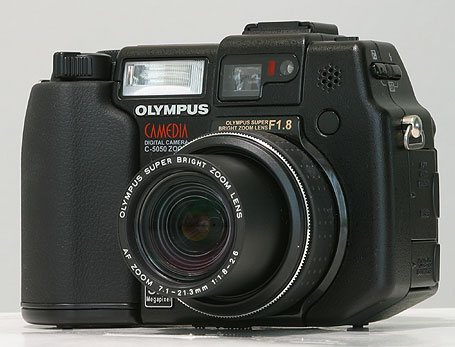
Scroll down a while and take a look at the many articles here where I include snaps to illustrate some hardware issue. Chances are that the picture was made with my ancient (5 years old) Olympus 5050Z – a 5 megapixel camera which I use at its lowest quality setting, generating 640 x 480 pixel images – 0.3 megapixels. That’s nice as I can upload them to this journal without any further compression. It probably sells used for well under $100.
Before they got caught up in the pixel race, Nikon’s professional DSLRs offered a relatively low pixel count, preferring to focus on sturdiness and speed of operation. The 3 or 4 mp originals were more than good enough for newspaper work, most of the time, and even then the quality of the original could not possibly be reflected in newsprint reproduction.
So my take on all of this is that the only photographers needing more than 640 x 480 are those making large prints (like me!) and pros working for large format glossy magazines where the difference matters (half a dozen other guys).
Of course, if you were to show up at a modeling session with Linda Evangelista, say, with my little Oly, I do suspect that you might be unceremoniously shown the door, but that’s not to say your pictures would have been any worse than the pro’s had you actually been allowed to take them
I love where your posts are going. Always a good job and well written.
Note: This Comment belongs to the next post, as does my reply. It addresses local adjustments in Lightroom 2.
Can you increase or decrease exposure locally, such as decrease exposure in a sky but leave the foreground alone? In other words, can you do HDR from a single photo? Now that would be really interesting!
JM
Jack – the tutorial I watched specifically does this and uses the auto masking feature to assist you in ‘painting in’ the color/darkness of the area you want affected.
You have to hose your mouse around to get the effect but as long as you do not cross the boundary, the auto masking will detect the edge of the boundary and restrict changes to that boundary. It’s not a ‘one click’ thing but semi-automatic, and easy to do. LR2 also allows creation of three brushes – two to add and one to erase. These brushes have a user adjustable blur boundary so you can determine how hard edged the brush will be.