Adding dual monitor display to Lightroom.
The 24″ iMac can drive an external monitor in addition to its own. Lightroom has built in dual monitor display support so that, for example, you can have the Grid view on one and the Loupe view on the other. This makes for very easy use if you are processing a lot of pictures. The dual monitor setup is not limited to Lightroom. Apple’s OS Leopard supports dual monitors, allowing you to spread your open applications and files over two monitors. If you are a data and information intensive user, a second monitor can make a lot of sense.
I had long wanted to add a second monitor but really wanted to use the same IPS screen technology used in the iMac’s splendid display. However, the cheapest IPS display I could find, the HP2475W, runs some $525 which was more than I cared to spend.
Well, Dell has released a marginally smaller 22″ IPS display named the Dell Ultrasharp 2209WA (not the cheaper 2209W) and occasionally run discounts which can see the price as low as $210. I wasn’t that lucky but did find a new one, with 3 year Dell warranty, for $270 shipped to my home in CA. If you go the eBay route, make sure you get written representations from the seller that the warranty is a 3 year Dell one and that they will transfer this warranty, with full documentation, to you. I did, adopting the old fail safe assumption that every seller on eBay is ethically challenged.
If you think 22″ is a lot smaller than 24″, it’s not. Here are the comparisons – width, height, diagonal, in inches:
iMac 24″: 20.5 x 12.7 x 23.9
Dell 2209WA 22″: 18.7 x 11.7 x 22.0
So you lose 1.8″ in width and 1 inch in height. Not a deal breaker for me, given the almost $300 saved compared to the HP. I suppose you could always buy the Apple 24″ external display with its wretched glossy screen for $800+ but this blog is not for the insane.
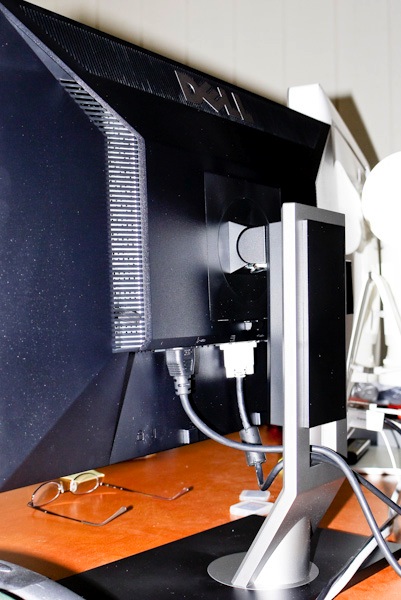
I connected the monitor to the iMac using the DVI-D connector, provided, plus the DVI-MiniDVI adapter borrowed from the Mac Mini to make it fit the back of the iMac 24″. The adapter is poorly engineered as it’s non-captive (no screws to hold it in place) and runs $19 at your favorite fruit store, where it’s known as a MiniDVI-to-DVI cable. The Dell also comes with a VGA cable – obsolete and a USB cable to provide power to its USB outlets from your iMac.
Mechanical quality is outstanding. The screen clips into the stand (one button release), no tools, and the stand has a beautifully counterweighted vertical slider to permit height adjustment with no lock needed. Tilt is built in, too. Remove the stand and you have standard 100mm VESA mounting holes for a wall mount.
The Dell’s USB sockets accepted my USB card reader and worked properly. There are 4 USB outlets on the monitor – two on the side, two in back.
I work in a bright room with a window behind me, and used the Apple utility (Sys Prefs->Displays) for a first calibration – easy match to the iMac.
Brightness 82, Contrast 57, Custom RGB (R 100, G 94, B 80) – your setting will doubtless differ. In a darkened room I would turn the brightness way down.
The iMac recognized the second monitor so I could use it in dual monitor mode. I ran PixelCheck (a free download) and there’s not one bad pixel.
Here are two LR snaps – grid and loupe settings:
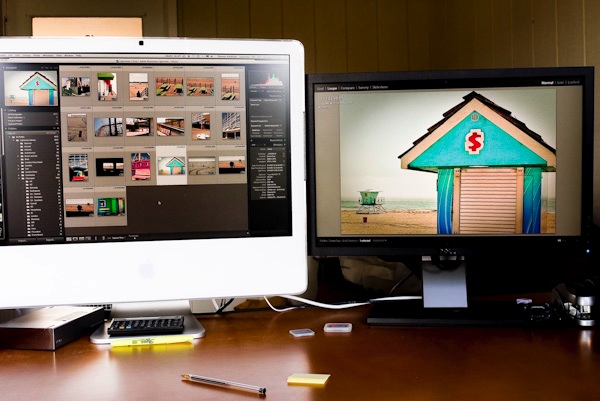
iMac in Grid view
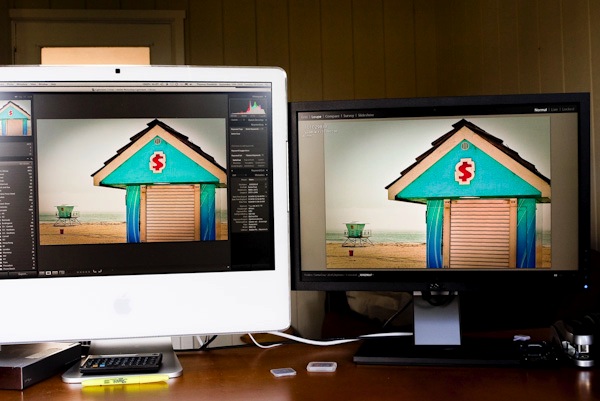
iMac in Loupe view
Here’s how the cables are routed through the slot in the stand:
Here’s the dual monitor setup in use with NetNewsWire – a free and excellent news feed reader for the Mac – summary on left, detail on the right:
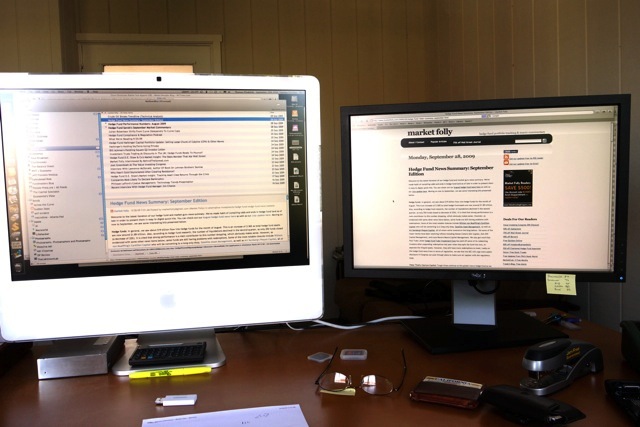
Text reproduced best at a Sharpness setting of 40 (the default is 50).
How does the Dell’s 1680 x 1050 compare with the iMac’s 1920 x 1200 pixels? The iMac’s 24″screen is marginally sharper but in practice you don’t notice the difference unless you have your nose in the display. Side to side and up and down light fall off and color changes are minimal for both displays – that’s the key advantage of IPS screen technology.
The Dell’s screen is, if anything, slightly more matte than the iMac’s – a minor difference and in the right direction. Some users have complained about the polished inner bezel on the Dell – mine is matte. The box says ‘REV A01 – Assembled in Mexico’. The screen puts out a little more heat than the iMac (which has massive external auxiliary cooling to stop it from frying) but as the Dell is separate from the rest of the computer that should not matter.
Last, but not least, here’s one thing you definitely will not be doing with your iMac display – I’m using Leopard 10.5.7 – text is slightly less clear in this mode but it’s a nice party trick, I suppose:
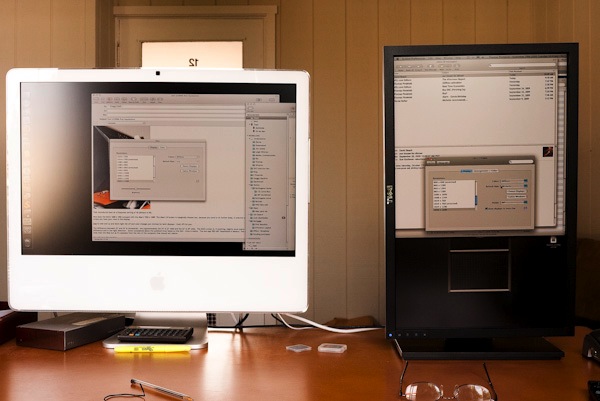
OS Leopard allows this trick thanks to a setting in System Preferences – Displays.
Highly recommended based on my brief use – reliability can only be gauged over time, but that three year warranty helps. Adjustments are by easy to see and use buttons on the bottom right of the matte black bezel. I think I’m right in saying that this is the least expensive IPS monitor on the market right now.
Proper calibration of this monitor is discussed here.
Update May 2014:
In the event I got 5 happy years from my three Dell 2209WA displays, until they ceded desk space to two magnificent Apple 30″ Cinema Displays. You can read about that here. The Dells were perfect when I sold them.
That looks like a good buy – it’s around £200 in the UK. Whilst I’m very happy with my HP2475W (costing twice as much!) I have found that colour calibration is an issue. Out of the box the colour settings are way off and the screen is far too bright. I’m still not convinced I have good calibration (I use an Eye One). The reds seem too intense and the colour difference between the HP and the iMac screen is quite marked. I’d be interested to hear how the Dell performed out of the box and how the colour matches up with the Apple screen, from your screen shots it looks very close.
Roy – I work in a very bright room, preferring to do my processing in the early afternoon, sitting with a window behind me. Thus, I tend to have the brightness and contrast turned up pretty high – 80+ out of 100 – or the screen washes out. In my setting the calibration out of the box was pretty close to my (Monaco Optix XR profiled) iMac 24″. I did a simple match-by-eye of a photo with lots of flesh tones and got dead close by using the RBG color setting and varying the R, G and B sliders, plus tweaks of the contrast and brightness.
In the pictures you can just make out that the iMac is a tad pinker – the Dell is more accurately profiled, in my opinion, but I have yet to do this with a colorimeter. Then again, this sort of direct, side by side comparison, is extremely critical and revealing of differences, so I doubt a colorimeter will do much better as I already know how my screen images from the iMac translate to prints on the HP DJ90 – slightly too pink!
I don’t know how it would be in the darkened room preferred by many photographers, but in my environment it works well.
The 2209 does not have 1:1 pixel matching, meaning video will not necessarily play in the right aspect ratio, so if watching movies on your computer is a requirement this would not be a good choice.
By the way, I did not notice any temperature increase in my graphics chip or related heat sink when using the dual monitor setup – my iMac started life with the nVidia 7300 GPU but, as set forth here earlier, I upgraded that to the nVidia 7600 when the original fried. However, I do use two very large external fans to blow cool air into the iMac though the holes I drilled in the back, so I’m uncertain if this is an objective statement.
I dont own this dell tft, but I read when you choose 4:3 ratio with your video card, the dell will have 1:1 pixel matching in smaller resolutions and show black bars.
Jonny – I read that too but in a Mac you do not ‘choose’ aspect ratios. It’s automatic. So the only time you see black bars on the screen is when you play 4:3 movies (bars at the side) or 2.55:1 ultra-widescreen movies (bars top and base) which is as it should be to avoid edits or distortion to the original.
Most movies, of course, are 16:9 meaning they fit the Dell’s screen fully with no bars anywhere. Anyway, for Mac users it’s a non-issue. I cannot speak for Windows as I don’t own it. As for using lower resolutions, why would anyone want to do that?