Category Archives: Hardware

Stuff

No more slot loading

Traditional DVD drives rule.

Apple may be trying to obsolete the DVD but this user of Netflix-by-mail refuses to. The best catalog by far, with much more choice which does not come and go, unlike its streaming counterpart, is to be had by Netflix mail order.

Unfortunately, to the extent that Apple even includes DVD players with its machines they are invariably of the slot loading variety. I have suffered through no fewer than eight of these on various iBooks, MacBooks and iMacs and fully half have failed. Your choices are to have the slot loading DVD drive replaced at enormous cost or procure a used one on eBay (taking your chances with the high fraud rate there), and using the excellent pictorials at iFixit.com to do it yourself.

It is never easy. I have done it in iMacs and iBooks and you are essentially looking at almost completely gutting the machine to get at the drive. You need mechanical skill, courage, excellent organization and a good deal of luck. Those small parts and connectors you will be removing can be very fragile, which is where the luck comes in.

So when the slot loading drive in my MacMini, used as a DVD movie player, started playing up, I took it to the Apple Geniuses at the local Apple Store only to watch them blast compressed air through the DVD slot and through the ineffectual ventilation holes in the base, and the thing worked again. For a couple of weeks. So I procured my own compressed air and repeated the process with the next four failures over the past ten weeks.

After the fifth time the drive refused to come back to life, and knowing how hard it is to procure and replace, I decided I was through with this compromised design and bought an external one.

The Samsung Ultra-Slim DVD reader/writer.

It’s compact, has a proper extendable disc tray, is far cheaper at $50 than any repair could be, and fits nicely between the Mini and the Airport Express, as you can see above. It comes in a wide range of colors – I opted for white. There’s no power brick, the stated trade off being that it uses two USB sockets to derive sufficient power for operation. With my 2010 MacBook Air and 2009 Mini just inserting the larger of the two USB plugs had it working fine. That’s just as well as the two sockets on the MacBook Air are on opposite sides of the keyboard which would have necessitated a USB extension cable to connect to both sockets. Not all computers deliver sufficient power at their USB sockets, so if one does not work, use two. I was certainly not going to buy the $79 MacBook Air Superdrive which is …. you guessed it, slot loading.

Operation is plug-and-play with a Mac. No software installation is required. The empty tray is opened using a finger touch on the front or the eject key on a keyboard. I find that the eject touch key on Mobile Mouse (used on the iPad as a wireless remote keyboard) works fine too. With a disc loaded, the only way to open the drive is with a keyboard or using the eject icon in the Finder – a push on the front of the drive will not work. A bad DVD or CD which never boots can be removed by pressing in the tray for a few seconds, after which it opens, meaning you don’t have the dreaded situation you get with slot loading drives where a bad CD/DVD can render the drive useless. Sure Apple has start up key sequences which purport to force a jammed disc out, but they don’t always work. Want to guess how I know?

For anyone seeking to watch or burn DVDs for movies or photo backups, this Samsung external drive is recommended. It cannot possibly be any worse than the slot-loading drives Apple provides. The only issue encountered so far is that the unit is so light, I had to place some two sided tape on its rubber feet to stop it shifting when the tray is operated. Further, when running Carbon Copy Cloner to back-up the Mini to a USB-connected and USB-powered external drive, trying to start a DVD in the Samsung while CC was running resulted in nothing happening. The likely cause is simply an overload of the modest aggregate power available at the Mini’s USB sockets. So I simply let CCC run, restarted and all was well. It’s probably not a good idea to run other USB devices, which do not have separate power supplies, while using this DVD player.

Meanwhile, I can add another notch to my belt, testifying to the many failures of Apple’s awful hardware. Can you wonder that both my serious work machines are home grown – and ultra-reliable – Hackintoshes?

Disclosure: Long AAPL 2012 call options.

Once magazine

A worthy iPad photo magazine.

The cover of the inaugural issue. Click the picture,

The first issue of ‘Once’ for the iPad is available as a free download from the AppStore and it’s something I suggest you get. The magazine does everything right in contrast to the BJP which does just about everything wrong.

First, it downloads fast and loads quickly.

Second, content is limited to three photo essays, some with nicely integrated sound clips.

Third, navigation is excellent – intuitive, direct and simple. Everything about this says “Designed for a touch tablet”.

Display quality on the iPad is as good as it gets – just like looking at Kodachrome slides on a light box.

The magazine is a sort of modern LIFE, with traditional high quality photography accompanied by excellent writing. True photojournalism. There are no advertisements and no equipment reviews. The focus is on the pictures and the story.

The first issue has articles on the dispossesed people living in the no man’s land between Russia and Georgia in the aftermath of the hostilities there; on the last suvivors of an ancient lifestyle in Greenland – this piece is quite special; and on a retirement community in Arizona. Typically these include a 5 page essay and 20 photographs. Unlike with the BJP, there is no bloat so there are no attention span issues, nor is there any frustration in finding things.

Recommended. Let’s hope it’s published more than its title suggests.

Update August 24, 2012:

Sadly, as the following email indicates, Once has folded after just 11 months:

Seems it’s pretty much impossible to make money at these things.

The Kindle Fire

A well placed offering.

At $200, the new 7″ Kindle Fire color LCD tablet is attractively priced and designed, for what it offers. However, I see limited use for photographers at this stage, and all the talk of competition for the iPad seems to miss the point of the very meaning of the word.

Click the picture.

Simply stated, you do not choose between a Porsche and a Ford when buying a car, though you may own both. The comparison between the iPad and the Fire is much the same. They can coexist in a market which has not remotely been penetrated yet one whose lower demographics have nothing to choose.

With apps like Snapseed bringing a well designed touch interface to the oft tedious job of photo processing on the iPad’s 9.7″ screen, the migration of the iPad away from a pure consumption device to a content creation one is accelerating. I often find, for example, that I create or edit blog postings using the WordPress app on my iPad, especially now that the app’s many early problems, with lots of bugs, seem to have been overcome. The latest mobile version offers most of the editing tools of the desktop variant.

The Kindle Fire is a more narrowly focused device than the iPad in its first version, but Amazon’s touting of its ingeniously designed predictive web browser, named Silk, is very promising. So, in addition to all the usual book access, now supplemented with music and videos, you will be able to browse the web for content. If the browser is fast then the Fire will make a tremendous tool for schools at all grades. And, if content is king, then the Fire is only the second tablet to hit the market not only with a full complement of content in all its guises, but also with a loyal and growing customer base.

At its attractive price, maybe our 9 year old will cease having to lug 10 lbs. of books to and from school daily, when all he needs access on any day is a page or two. Carrying 10 lbs and accessing 2 ounces really is rather silly. The Fire weighs but 15 ozs …. A touch Kindle at $200 plus lots of public domain content should be substantially cheaper than traditional hard copy while adding video and sound to the learning experience, so it’s not like the device represents an increase in operating costs. And teachers will be able to maintain dynamic curricula on the school’s servers, accessible at the touch of a screen. One can but dream, with makers of traditional – and very profitable – academic text books even now warming up their slush funds to delay the inevitable victory of digital delivery and consumption. It’s called the US taxpayer-funded abomination which is our public schooling system.

Meanwhile, until proposed screen designs which meld eInk (traditional Kindle and excellent in bright sun) and LCD (excellent in all other lighting conditions) are perfected and manufactured in volume, the Kindle Fire will have the same issues with readability as the iPad – meaning it’s unusable outdoors most of the time.

So the iPad soldiers on without any competition, all other tablet makers are in big trouble (Dead Pool: HPQ, RIMM; Two shots, back of skull: Asus, Acer, B&N Nook, Xoom, Sony) either because they are clueless drunks (Dead Pool) or overpriced with no apps or content (Two shots crowd).

For photographers, there’s little here. The Fire’s screen is small and the absence of apps, at least for now, debilitating. However, a rumored 10″ Fire in 2012 may change the competitive landscape and I most certainly hope it does. Competition is always good – have you checked you monoplistic provider’s cell phone bill recently between all your dropped calls?

Disclosure: Long AMZN stock and long AAPL 2012 call options.

Panasonic 14-42mm Power Zoom lens

A promising potential upgrade.

I have extolled the virtues of the 14-45mm kit zoom which came with my Panasonic G1 here before. That lens now makes its home on my recently acquired Panny G3.

But nothing stands still and the announcement of the Power Zoom 14-42mm Panasonic lens brings several potential advantages:

  • Half the weight and bulk of the 14-45
  • Significantly improved optical performance
  • A retracting design which promises to finally make the G3 a pocketable kit with lens fitted
  • One stop of improvement in shake reduction
  • Significantly faster focusing for further reduction in shutter lag
  • Improved anti-flare coating

That is a non-trivial set of claims for improved overall performance. I need to determine that the lens remains extended once powered up; if it retracts after some period of inactivity it’s not a candidate, as that introduces unacceptable operating delays on restart. (I have the G3 set to Power Save after 10 minutes of non-use). It will retail for $400 in the US which is about what I would expect to realize on sale of the G1 and its original kit lens, neither of which I will need.

I really do not like power zooms on a still camera lens; it’s much easier and faster to twist a zoom ring than to press buttons. However, the other improvement claims here, if true, are compelling and apparently the zooming button on the lens varies speed according to the amount of pressure, thus making the best of a bad job. For movie makers, of course, power zoom is the way to go.

Collapsed, the 14-42 PZ is identical in size to Panny’s 20mm f/1.7 which is, by a considerable margin, one of the worst lenses I have ever used. Until – and if – that lens is completely redesigned, I will not be revisiting it, regardless of the faster focusing offered by the G3 compared with the G1. The 20mm is so poor in many other respects that there’s no need for masochism.

You can read about this new lens on Panasonic’s site by clicking the picture below:

Click the picture.

The older 14-45mm kit lens is profiled here. As you can see, the optics of the PZ represent a complete redesign.

The constant improvement in focus speed and reduction in shutter lag represents the last major hurdle for Panasonic in gaining acceptance as the sports shooters’ camera of choice. Were I Nikon or Canon, who dominate this market, I would likely be stocking up on replacement underwear.

Meanwhile, I have cancelled my back-ordered Olympus 45mm f/1.8 MFT lens as its faster aperture is not something I need and I expect the 14-42 PZ to be more than adequate as a portrait lens.

The Panasonic G3 – Part VI

In action at last.


.

“Wow! That was Intense!”
– Emilio Estevez

“Repo Man is always intense.”
– Harry Dean Stanton

.

From Repo Man, 1984.

An intense test:

I was reminded of that great exchange when trying out the new Panny G3 yesterday morning. Stanton had just pumped six bullets from a hand cannon into the home of a defaulting car loan borrower, whose vehicle he was repossessing. The bullets were a warning …. every bit as much as the G3 is a warning to all the other makers of modern cameras. And like Stanton’s, mine was one intense morning.

What better way to wring out the new Panasonic G3 than at the local 8th annual Burlingame Dog parade? Burlingame, which I call home, is a sleepy peninsula suburb of San Francisco where nothing ever happens. The architecture is mostly bland to awful, the people uninteresting and the setting one through which commuters pass on their journey from Silicon Valley to San Francisco. In other words, what Queens is to Manhattan for JFK travelers. The greatest risk to life and limb here is that some overstressed ‘mommy’ will take you out in her SUV as she rushes her kids to yet another useless recreational activity, thus salving her guilt over never having enough time with her kids because both spouses have to work 60 hrs weekly to make the car and mortgage payments, while busy keeping up with the Joneses. And keeping Repo Man from the driveway. In Burlingame, the locals’ idea of street crime is not picking up after your dog. But once a year, Broadway in Burlingame is closed to traffic, the annual dog parade takes over and the ‘burb comes alive.

As usual, our boy Winston shepherded that vicious guard dog, Bert the Border Terrier in the parade; Bert refused to enter competitive judging, arguing that not only would victory be a cakewalk, but also that competing with unterhunds whose parents refused to keep the breed pure is simply below him. Meanwhile, I took 420 snaps in one hour on the new Panasonic G3.

Size:

I recall the prevailing emotion I experienced when opening the G1’s box two years ago was how shockingly small and light it was, an experience heightened by the heavy and large full frame Canon 5D which I was using at the time. The G3 is noticeably smaller than the G1, and the eventual availability of a power zoom MFT kit lens will do for the lens what the G3 does for the body – make the package almost unbelievably compact. As traditional DSLR users increasingly become aware of the capabilities of mirrorless cameras, I expect the rate at which photographers switch to MFT will accelerate.

Use with Lightroom:

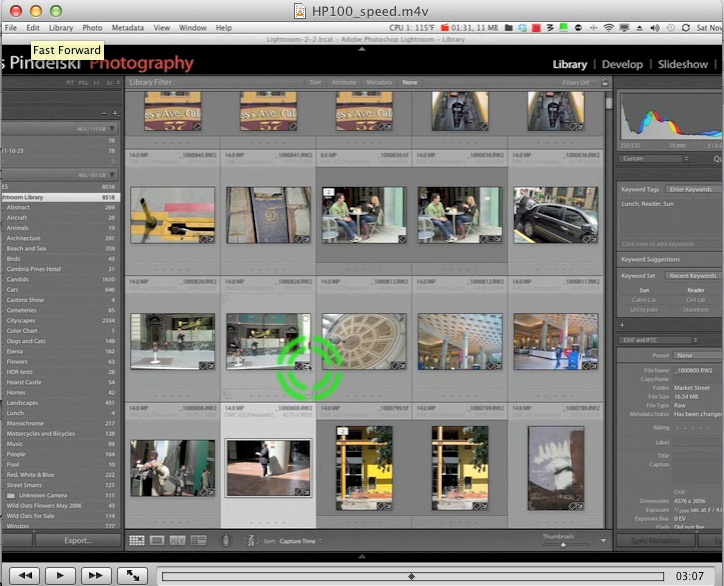
First a bit of preliminary work disclosed that the optimal sharpening-on-import settings into Lightroom 3.5 for the G3’s RAW files were 42/1.1/38 Sharpening/Radius/Detail. This contrasts with the stronger sharpening for G1 files of 100/1.1/64. Except for the few digital sensors which eschew an anti-aliasing filter (like the Kodak sensors in the Leica M8/9, for example), all digital files need sharpening on import. That’s not a criticism of the hardware, just a realization that the effect of the anti-aliasing sensor filter (which negates ‘jaggies’) has to be countered. The process was the same for my full frame Canon 5D (60/1.1/40) as it is for the Panny LX1, G1 and G3 – just the settings change. I determined the optimum settings by previewing a file 1:1 on a 22″ Dell 2209WA monitor and dialing up the Sharpness slider until mottling in the image just becomes visible. That magnification is consonant with a 36″ x 24″ print. The Sharpening-Amount slider is then moderated a tad and the Radius and Detail sliders are adjusted for the best look. These import settings are saved and applied when importing files, with 1:1 Previews being generated as part of the import, to speed the review and cull process.

On the first pass LR3.5 refused to import some 191 files in the middle of this first ‘roll’ with import of the remaining 229 RAW files taking 7 minutes. Preview generation added a further 11 minutes, so call it 5 seconds a file all told. Not bad. A second pass through the import process saw the ‘missed’ files come over. Hopefully this quirk in the beta LR3.5 Release Candidate will be resolved by the time the final version is released; meanwhile, I’ll report back to Adobe so that they can take a look at whatever the issue is.

Speed of operation:

Before even talking about image quality, let me reassure you that the G3 is faster in operation than the G1 in every respect. I cannot measure these variables, but can report on them as a heavy user of the G1. While shutter noise is unchanged, focus is faster and shutter lag is noticeably less than the already low lag in the G1. It’s as fast as anyone could want, even in the split-second world of street candids. Indeed, on a couple of occasions I was so startled by the speed of the shutter’s response that an involuntary spasm in my trigger finger caused me to take two shots where only one was intended. The only minor handling issue I encountered was that depressing and holding the Fn2 button on the rear, which I have programmed for AE lock, is tricky owing to its position. Other than that not only does the markedly smaller size of the camera not intrude, the size reduction is in fact a joy, making an already unobtrusive piece of gear even more so. This is easily the fastest handling and most responsive street snapper I have used. Don’t fool yourself with your Leica M8 or M9. They don’t even come close and you still have to futz about with antiquated manual focus and compromised framing accuracy. Get a G3 and if it breaks or is stolen you are out $700. Lose the M9 and you need a second mortgage to replace it if, that is, you dare take it on the streets in the first place. And good luck getting money from your local sleaze passing for a banker.

Many of my snaps were taken using the Olympus 9-18 MFT wide zoom and, as before, the absence of an orientation sensor in the lens’s circuitry means that portrait snaps have to be turned 90 degrees CCW in Lightroom when processing. You live with it, but someone needs to speak to Olympus with a baseball bat if they are to claim full MFT compatibility with other brands’ bodies. I had no issues with either of my other two Panny MFT lenses, the 14-45mm and 45-200mm. In some instances the EVF’s response seemed a little slower than on the G1, visible as a slower refresh rate when moving the camera, but I’m unsure of the cause as I cannot reliably replicate the behavior. There is no practical upshot that I can see, just a minor annoyance. All the EVF G bodies share the same EVF design (except the cost cutting model used in the short-lived G10) so that’s not the answer.

File import:

On import it’s immediately obvious that the native contrast setting of the G3 is far higher than on the G1, so much so that I’m going to turn down import contrast in LR3 in future to make for less processing.

First snaps:

Basset Hound. Probably a good idea to keep that filter on the lens. G3, Oly 9-18mm @ 9mm, 1/4000, f/4, ISO 320.

Eyed. G3, Oly 9-18mm @ 18mm, 1/160, f/5.6. ISO 320.

Dog’s eye view. G3, Oly 9-18mm @9mm, 1/4000, f/4, ISO 320.

Legs. G3, Oly 9-18mm @ 15mm, 1/320, f/5.1, ISO 320.

Dog. Owner. G3, 45-200mm @ 200mm, 1/2000, f/5.6, ISO 320.

Whippet. G3, Oly 9-18mm @ 9mm, 1/400, f/4, ISO 320.

Candy and Ice Cream. G3, kit lens @ 42mm, 1/800, f/5.6, ISO 320.

Match. G3, kit lens @ 31mm, 1/1250, f/5,4, ISO 320.

Zebra stripes. G3, Oly 9-18mm @ 18mm, 1/250, f/5.6 ISO 320.

Sensor:

In a subsequent piece I write about how the sensor handles ISO 1600 in poor light – one weakness of the G1 which is less than stellar in that regard. As for the above, any image scales easily to 24″ x 36″. I would estimate that the G3’s sensor gets you a 50% larger print for the same noise properties compared with a like snap on the G1. More practically, you can correct composition and selectively enlarge smaller sections of the original file with less compromise in quality than with the G1/2/10, GH1, or any GF body – all of which use the older generation sensor. This puts a lie to the oft quoted statement that more pixels are not necessarily better pixels. In this instance that is clearly not the case.

Handling:

The overall rubberized covering of the G1’s body has given way to hard plastic on all but the front finger grip. While I like the rubberized look of the G1 only the finger grip matters in practice, the left hand supporting the lens, so it makes no difference. I would expect the G3’s hard plastic to be less scratch prone than the G1’s rubber – my G1 is showing its share of wear especially on the rear LCD cover. Meanwhile, be informed that where the G1 was fast, the G3 is noticeably that bit faster. And for what I do, faster is better.

Battery life:

If you do not use the LCD, which is the greatest consumer of power, battery life is simply not an issue. After taking 420 RAW snaps I was down to two out of three bars, so one battery will more than power through the 456 RAW snaps which an 8gB SDHC will accommodate. If you want to take more than that in one day, get another battery. Quite how Panny comes up with 270 snaps per battery charge beats me. By the way, a spare battery fits comfortably in the coin pocket of my Levi 501 button fly jeans – as does the G1’s, though the latter is a tight squeeze by comparison. At 7.3WH rating compared with 9.0WH the G3’s battery has 81% of the power capacity of the one for the G1.

SDHC card:

I use a $12 Transcend 8gB Class 10 SDHC card. Panasonic recommends a Class 4 as a minimum – higher class numbers have higher write speeds. The cost differential between the fast Class 10 and slower versions is so low that it makes no sense to compromise.

Wireless remote use:

The wireless remote described here works fine.

Build quality:

The question of build quality becomes increasingly hard to address in modern electronics gear. The old subjective criteria such as ‘feel’ and ‘solidity’ are meaningless for the large part. ‘Longevity’ is largely meaningless also. After 2-3 years the body will be obsolete and will be replaced with something better/faster/lighter etc. Modern cameras are merely disposable tools and the replacement cycle has never been shorter. My Leicas lasted me 35 years. The Rolleis 10. The Canon 5D just 5 years. The Panasonic G1 2 years. Each camera was cheaper in real and nominal terms than its predecessor. Prices are now at the point that it is uneconomical to repair gear which is out of warranty. While my Leicas lasted me half a lifetime (M6, M3, M2, IIIG), they needed constant lubrication and adjustment to remain in peak operating condition. In that regard they cannot hold a handle to modern photo gear. Sure, they lasted forever, but at fearsome maintenance cost. The modern buyer of the M9 had better hope that someone has stocked up on bankrupt Kodak’s already obsolete sensor in case his goes wrong; otherwise, he ends up with a $10k brick.

Does the G1/3 feel as ‘solid’ as a Canon 5D? Of course not. It’s one third of the weight. But are there fewer moving parts? Possibly. There’s no flapping mirror for a start. Absent destructive testing of the whack-a-mole kind how can one comment on build quality? One objective measure is that my G1 has taken 14,000+ snaps without complaint. I have changed lenses on it many times and have treated it without particular care. I never use a case and invariably just chuck it into my canvas shoulder bag when hitting the streets. Lenses have a protective UV filter and nothing else in the bag. If you feel you have to baby it, you cannot afford it nor can you afford to take the risks that hard use entails. I mostly have it slung around my neck when riding my bike and it has taken its fair share of whacks.

So the G1 has proved reliable and the G3 is made by the same manufacturer, albeit using Chinese rather than Japanese labor. A whole new variable. But just because it’s labeled the same as its predecessor, my G3 is still a statistically meaningless sample of one. So I suspect build quality for this user will come down to just banging away until it fails, or something better comes along. All I can say is that the parts fit well, nothing wobbles and it takes pictures when I press the button. Nor is there a groundswell of comment on the chat boards of poor QC at Panasonic. That’s probably more meaningful than anything I write here on the subject of build quality.

As for brand loyalty, if you want loyalty get a dog. (See the pictures above). A photographer uses the best tool for the job and only a fool choses by brand. Brand loyalty is for equipment fetishists and Leica users, who are the wealthy specimens of that breed. To argue that Olympus ‘gives me the best colors’ or that Nikon is ‘best made’ or that true inanity ‘The Leica glow’, denies the realities of the digital age. Use what works best for you, dispose of it when something better comes along. Cost has never been less correlated with quality. Your camera only has to last as long as the replacement cycle – a matter of a year or two. And if you don’t like the color rendition, change it in your processing application of choice