Category Archives: Nikon lenses

Some of the best optics ever

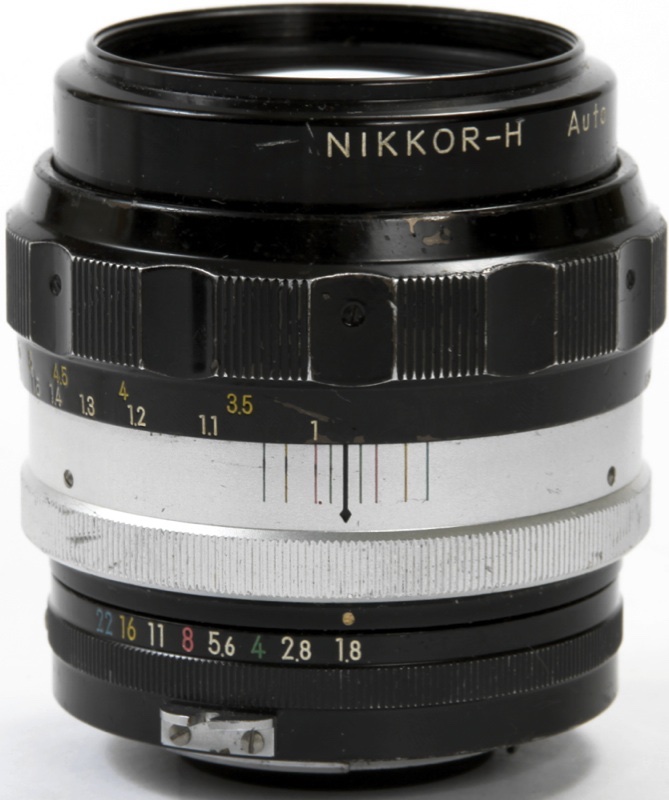
Nikkor-HC Auto 50mm f/2 lens

An ancient lens made even better.

I wrote about the excellent standard 50mm Nikkor lens for film SLRs years ago here. That lens first saw the light of day on the Nikon F in 1964 and Nikon made hundreds of thousands of them, a fair reflection of this optic’s outstanding performance, small size and toughness.

The last version made in the classic scalloped, metal focus collar style came to market in late 1972 and was optically identical with the happy addition of multicoating for better performance when bright light sources were in the image.

I had given away my 50mm f/2 H to a friend when the 50mm f/1.4 came along, that lens’s greater bulk balancing far better on the large DSLR bodies.

The f/2 continued to be made in later mounts with rubberized focus collars through 1979, though the optical formula remained unchanged.

When I recently added a film era Nikon FE to my little hardware collection I found I was hankering for the original 50mm f/2 as its small size would perfectly complement the compact FE body, and managed to snap up a mint HC, factory converted to Ai no less, for all of $70. Yes, I could have bought a beater for half that but why would you want to save $35 and suffer mental anguish every time you looked at the scarred black anodized finish which is as ugly as it gets? Here it is, mounted on the FE, the satin black front ring denoting multicoating, replacing the silver one on single coated lenses:

The factory Ai ring adds a second row of aperture digits which is read by the small mirrored assembly in the base of the camera’s prism and reflected into the viewfinder. Nice – you can see shutter speed and aperture through the eyepiece.

Nikon has a remarkably honest assessment of this optic’s performance on its site here and their statement about performance accords exactly with my experience:

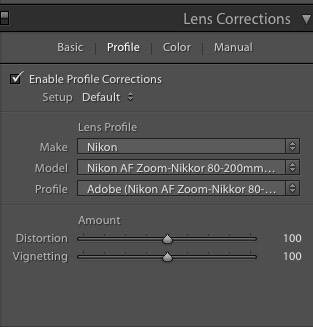
The very minor vignetting at full aperture along with mild barrel distortion are both easily corrected using my lens correction profile in PS or LR and, if you install a CPU in the lens then that profile can be invoked automatically when you load your images into LR. CPU installation is very easy as no machining is required and the ‘Dandelion’ CPU can be found from commie vendors on eBay – just search for ‘Dandelion chip’, all of $20. My link in this paragraph includes my installation (Part I) and programming instructions (Part II) and you will not find any better. I have installed around thirty of these and they continue working fine after many years.

Here’s how the lens’s data appear – automatically – in Lightroom, for images made with a digital camera:

I find lens EXIF data extremely useful in the image catalog for, when searching for some long forgotten image, I tend to remember the lens used more than anything else. In the example above the image was snapped on the D2x with its 1.5x crop factor.

Here’s the data on the lens correction profile – while the image was snapped on the D2x, the profile was created on the D700 and that’s what I put in the file name for the profile:

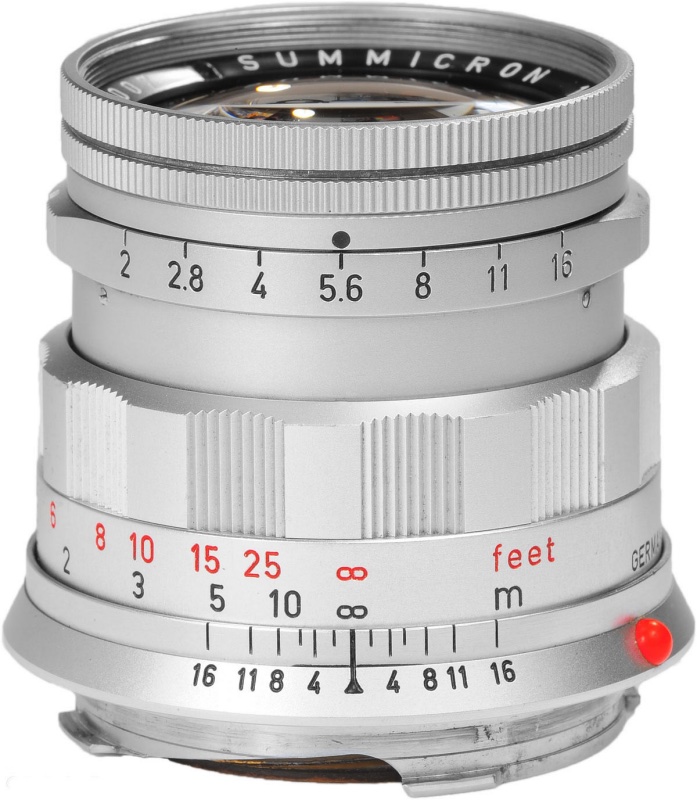
The 50mm f/2 Nikkor is recommended without reservation and can be found in any condition you like for very little. You get Leica Summicron performance for 5% of the outlay and if you drop it, heck, buy another. Plus, it’s better made than the Leica lens.


The f/1.4 is larger and heavier. The epoxy is still drying on the f/2’s CPU!


An old friend. Nikon D2x, 50mm Nikkor H at f/2.

And while I’m at it, if you want a truly unbreakable DSLR in APS-C format for well under $500, you can do a lot worse than the Nikon D2x, which is backward compatible with almost every Nikkor ever made. At 12mp it’s no pixel monster but that’s fine for up to 40″ x 60″ prints and, of course, you make those all the time, right?

Field tests:

You can judge the extent to which the lens vignettes from the sky in these two images:


At f/2, straight out of camera.


At f/2, using my lens correction profile.


Center and edge definition – note the EXIF data from Lightroom in these screenshots, conferred by the newly installed CPU:


Center definition at f/2, 48″ x 72″ print. Note the gentle rendering out-of-focus areas.


Center definition at f/4, 48″ x 72″ print.


Extreme edge definition at f/4.


Like I said, Leica Summicron optics at a fraction of the price. Comparing performance in the extreme corners with that of the 50mm f/1.4 Nikkor of like vintage, the f/2 optic shows no noticeable flare compared with the f/1.4 (probably thanks to the multi-coating in the f/2) and is one stop sharper, meaning that the f/2 is as good at f/2 as the f/1.4 is at f/2.8. That said, either lens will make fine large prints at full aperture, sharp enough to please all but the meanest pixel peepers.

The cardinal returns

This time I was ready.

The bird is very shy, and wary of the rapacious quail and doves which dominate the feeder. If doves are the ornithological world’s idea of timidity then I fancy I would rather keep the company of vultures. An early attempt appears here.

The cardinal is impossible to miss. One’s peripheral vision immediately catches the flash of bright red, like an electric shock to the system.

This time I was better prepared, the 500mm Reflex Nikkor attached to the Panny GX7 set at ISO800 which delivered 1/320 second. This at the lens’s fixed f/8 aperture. While hand-held, that’s poor technique as a 1,000mm FFE optic really needs a solid support. I got lucky, aided by the critical focus option in the Panny which permits enlargement of a selected area for proper focus. Of the twenty snaps the first (go figure!) was the only one usable. I would guess that depth of field at 30 feet distant is no more than a couple of inches. The image is from the full frame. I passed the file through PS to remove the out-of-focus ‘donuts’ typical with catadioptric lenses, and often quite distracting. More on that technique appears in the link in this paragraph.

In lieu of the use of Mirror Lock Up which I advocate with a conventional DSLR to cut vibration, I use the GX7’s silent and vibration-free electronic shutter. A Panasonic MFT body is superior in every way to a conventional mirrored DSLR with this lens if you need 1,000mm FFE. You get a vibrationless electronic shutter, a very light rig which can be easily carried slung over the shoulder all day, Panny’s superior magnified focus aid and, best of all, a bright finder image as the electronics automatically adjust for the small f/8 aperture. And to get 1,000mm FFE with the full frame DSLR you have to cut out a large part of the image in processing, rendering your DSLR’s sensor effective pixel count the same as the lower spec of the MFT’s sensor.

Here are the ‘after’ and ‘before’ images:

The Reflex is a special lens, small, light with delightfully smooth focus action, but easy to use it is not. Add a small, nervous subject and you have your work cut out for you.

To learn more of the design history of Nikkor’s reflex optics under Teruyoshi Tsunashima click here.


GX7 with the adapted 500mm Reflex Nikkor. Arca-style QR plate fitted.

Some architecture

A great way to end the year.

Few things beat a crisp, sunny day in San Francisco, and the city’s propensity for preserving its old buildings means more subject matter for an itchy trigger finger.

These were all snapped today on three classic ‘metal era’ MF Nikkors from my copious inventory on the D3x – the 35mm f/2, the 85mm f/1.8 and an all time favorite, the 200mm f/4, an outstanding optic for picking out gorgeous period details.

The absence of autofocus for this type of subject matter is anything but a hindrance. If anything, the more contemplative approach required is a benefit.

Processed in LR6, some verticals straighened in PS CS5, some juice added here and there in Snapseed.

Nikkor 20mm f/2.8 AiS lens

Still in production.

The most remarkable thing about the Nikon Nikkor 20mm f/2.8 AiS lens is that Nikon continues to make it. It’s available new for some $650 – not cheap – and will work on just about any Nikon body, film or digital, since the groundbreaking Nikon F of the 1960s. This example belongs to a friend of the blog for whom I volunteered to create lens correction profiles for use with Lightroom or Photoshop to correct linear distortion and vignetting. As a general rule, the wider the lens the greater is the incidence of these aberrations.

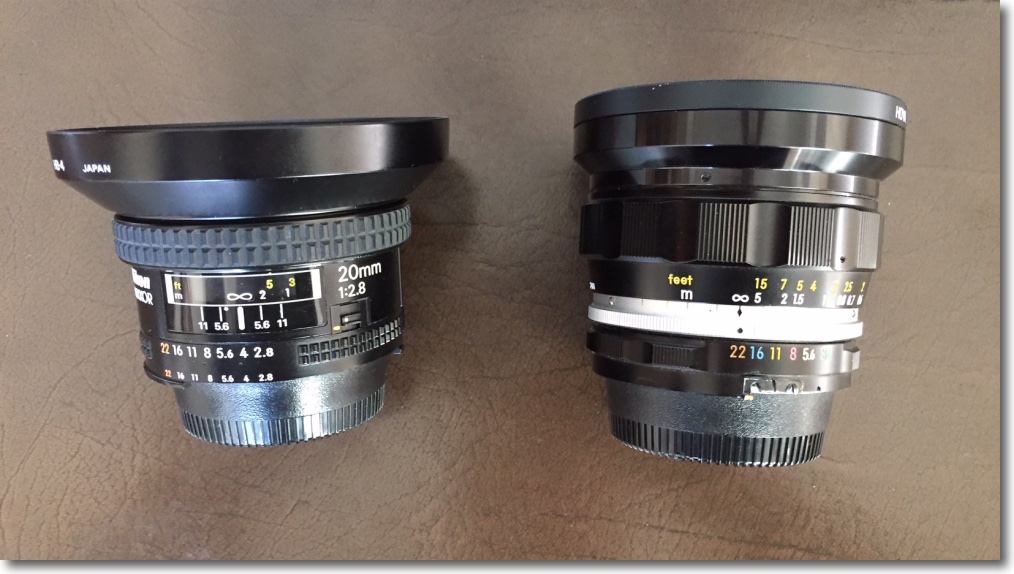
My 20mm Nikkor of choice is the original and massive 20mm UD f/3.5 Nikkor which is nearly a half century old. Mint examples can be found for around $300; many are available and there is no excuse for buying a ‘beater’. It has outstanding center resolution at all apertures, with the edges catching up by f/8. You can read about it here. The current 20mm AiS is much smaller, and both lenses are manual focus only:


The old UD Nikkor is on the D2x at left.


The current 20mm AiS optic is on the D3x at right.

Where the UD adopts the early ‘all metal’ finish of the classic era, the AiS uses rubberized focus and aperture rings. Both lenses are manual focus.

Despite the high price, Nikon does not fit a CPU to the lens so the user has to manually dial in the aperture and focal length on the Nikon body if any lens profile is to be automatically recognized in LR or PS; the CPU I have fitted to the UD dispenses with this need. You can always tell LR which profile to use if you forget to dial it into the body or dial in the wrong one.

The owner of the 20mm f/2.8 AiS shown here advises that Lightroom CC (the cloud version) no longer permits profiles to be dialed in manually, but Photoshop CC does. So if you are solely a Lightroom user and need to manually input profiles, I recommend you use the stand alone Lightroom 6 desktop version, still available. Adobe really does no want you to do that, preferring to steer you to the rental model of the CC version, but follow my guide here and you can download it easily. Given that PS and LR are pretty much stalled and at the end of their development cycles, there’s little justification for buying the CC version with its purported ‘constant updates’. A disingenuous business model if ever there was one, but that’s Adobe for you.

CPU on the UD is arrowed.

Given the narrow rear flange of the AiS, installation of a CPU would be a trivial process, and I describe that here.

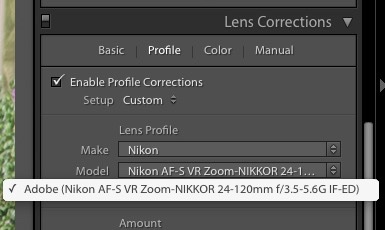
I created the lens profile for the AiS using Adobe Lens Profile Creator in the usual way, at f/2.8, f/4, f/5.6 and f/8. After f/8 nothing changes. Here is the profile invoked in the Develop module of Lightroom 6 – LR 3-5 will work just as well. The profile is placed in the User’s Library directory as explained in the above link. To ‘see’ the directory in Finder be sure to hit the ‘Option’ key when in Finder->Go as the fools at Apple have seen fit to hide it in recent releases of OS X.


Profile invoked in LR.

While the profile says ‘D3x’ in the title it is non-body specific and will work with any Nikon digital image, FX or DX (APS-C). In practice the profile does an outstanding job of correcting the fairly pronounced vignetting at wider apertures, as well as correcting the minor but very complex linear distortion which is of the ‘wave’ or ‘moustache’ type common in Nikkor 20mm lenses – both my UD and my (now sold) 20mm f/3.5 Ai lens exhibit it. The vignetting is slightly less pronounced – uncorrected – than in the old UD, but there is little in it between the two and after applying the respective profiles there is no difference in this regard.


Top right corner at f/2.8 – no profile.


Top right corner at f/2.8 – with profile.

The profile cannot correct for chromatic aberration and the AiS exhibits red fringing (the UD displays green fringing, by contrast):


Red fringing in the AiS at f/2.8.

A quick tweak in LR removes the fringing:

Here are the settings:


Removing the AiS’s red fringing in LR6.

How does the extreme corner definition compare with the UD? As my earlier UD review discloses, the UD is optimized for center sharpness at full aperture (f/3.5) so the corners suffer. Yet despite that the UD is clearly superior in the extreme corners as the image below shows. This would make a 72″ print and was taken in very overcast, low contrast conditions, a very challenging environment for any lens:


Extreme top left corner – AiS on the left, UD on the right. Both with lens profiles and color correction applied.

So maybe not all progress is forward. You get two thirds of the bulk and weight but lose corner resolution at full aperture with the newer lens. The UD maintains an advantage in corner resolution at all apertures, though the difference falls as the lenses are stopped down. While I do not publish them here, center resolution of the UD is 1 stop better than for the AiS through f/5.6, after which the two lenses are identical.

You can download the lens correction profile for the 20mm AiS Nikkor by looking for it here.

Here’s a far better illustration of how the ‘wave distortion’, seemingly common to 20mm Nikkors, is corrected. These were taken by the lens’s owner:


No profile – see how the lintel drops then rises – top right hand corner.


With profile. Red chromatic aberration remains to be corrected but the ‘wave’ is gone.

Early MF Nikkor lenses

Nikkors in a bunch.

Here is my completed ‘metal era’ user set. I have installed CPUs in each and all have been converted to Ai indexing for the modern DSLR.

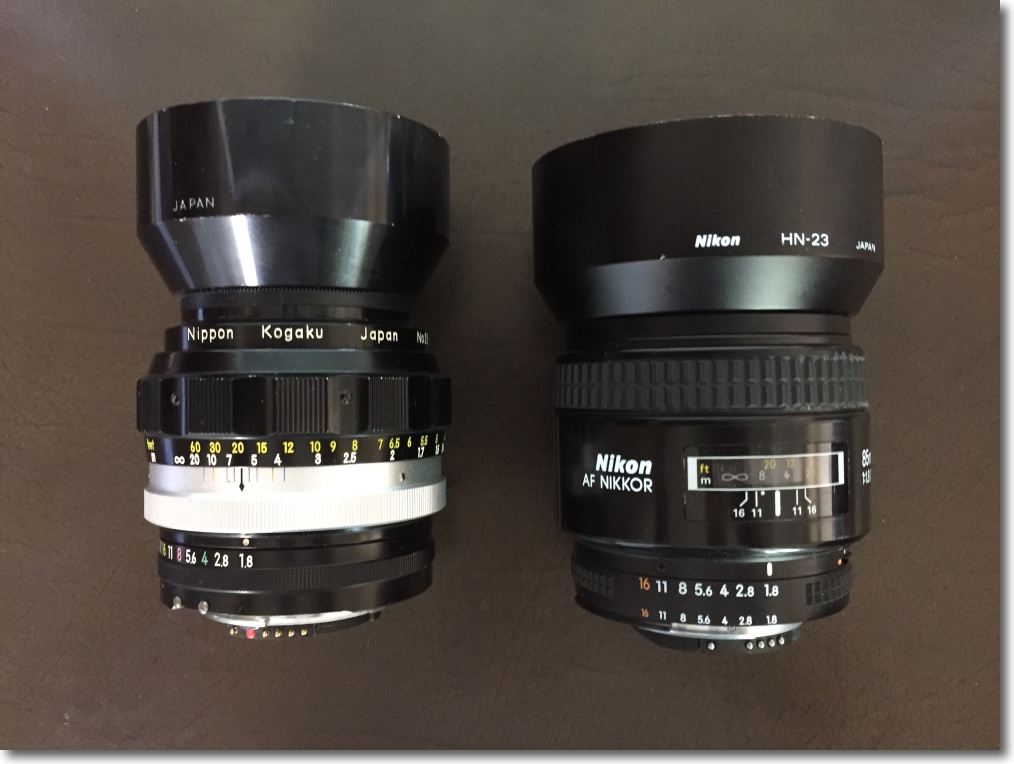
The designs are much of a muchness here, sharing looks and ergonomics, with but two anomalies. The 24/2.8 uses a diamond patterned aperture ring rather than the scalloped standard, reflecting the presence of a Nikon Ai conversion kit. The 35/2 and 85/1.8 use the original factory aperture rings which came with fluted machining for some reason. Otherwise all lenses use scalloped focusing and aperture collars. The 24mm and 28mm are the only multi-coated optics here. Color rendering across the range is especially notable for its uniformity, and I have published lens correction profiles for each lens, available for free download here.

Average cost was $166 plus $30 for the CPU installed in each. The total spent would buy you one ‘pro’ grade plastic fantastic current lens and will leave you desperately searching for repair parts when the internal motors fail a few years hence.

Age in years in parentheses. Click any link for the related review.

Front row:

Rear row:

The only significant one missing from the era is the 35/1.4. I have the latest 35/1.4 Sigma which is superior to the Nikkor. Also, I have avoided the more pedestrian variants – 35/2.8, etc. – as the faster optics add optical quality and performance. I use no lens hood on the 20mm, where it is useless, or on the 55mm where it is redundant.


Data for the lenses shown.

Each is used extensively, each is a joy to hold and behold and each is wonderful in a special way. No hood on the 20mm (useless) or the 55mm (not required).

Does anyone need all of these? Of course not. Three at most will suit any particular snapping style. For me it would be the 20mm, the 35mm and the 85mm. Yet I adore what the 24 and 28mm can do, would miss the 50mm horribly, the 105mm is frequently just the ticket, as is the 135mm and who could live without that simply divine 200mm? I would, however, warn you never to get one of these, because once you do, you will sell the garbage that passes for your current set of lenses and start getting pre-Ai metal era Nikkors, from the good old days when men were men, closet doors remained firmly bolted and women were pregnant and in the kitchen.

All of these are abundantly available used – mine came from KEH and eBay over a two year period, CPU installation is easy on all but the 50mm optic, the 20mm requires that you fabricate an aperture follower, and handling, performance and build quality are the best anyone ever accomplished. None is collectible, so you will not be competing with white trash collectors for these, nor should you have any qualms about gluing on a CPU and removing the useless aperture claw from the bad old days of film. Manufacturers would have you believe that modern lens designs are specifically for the digital era and if you believe that you can drop me an email and bid on my bridge for sale in Brooklyn.

To see my snaps taken with all of these on the D700, D2x and D3x, simply enter “Nikkor”, the focal length and aperture in the Search box.