Category Archives: Hardware

Stuff

Panasonic 20mm f/1.7 MFT lens – Part I

State of the art?

Those in the prediction business usually have a hefty supply of egg at their keyboard, newly removed from their face. Egg-on-face is a common affliction for those who claim to see the future.

Some examples:

‘No one will need more than 637Kb of memory for a personal computer’ – Bill Gates

‘There is no reason anyone would want a computer in their home.’ – Ken Olson, 1977, Digital Equipment Corporation

‘Radio has no future.’ – Lord Kelvin, 1897

And, my favorite, given the nature of my day job, which is managing money:

‘Stocks have reached what looks like a permanently high plateau.’ – Irving Fisher (1929)

So when I try to play at the prediction game in these pages, caution tends to be the order of the day. Heck, no one saw the internet coming so who am I to dust off the crystal ball?

But, sometimes, you luck out, and when I wrote the following five years ago in a piece titled ‘It’s the Software, Stupid”, even my sternest critics might agree that the closing to that piece was on the mark:

“And who will be the genius designing these new ‘lenses’? It won’t be a god the likes of Max Berek or Walter Mandler in Wetzlar. It will be some kid who is really sharp at coding who happens to like a superb picture from the one ounce piece of plastic passing for a lens attached to his camera. The great days of optics are yet to come and their designs will emanate from the keyboard of some unknown master even now getting his lips around the teat on that plastic milk bottle.”

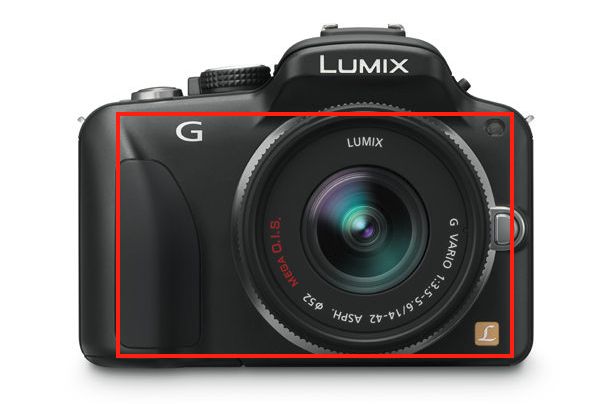
Well, the 20mm Panasonic MFT lens is not quite a ‘one ounce piece of plastic’, but it’s close. And while Panny was still making toasters and LP players when the design geniuses at Leitz were creating some of the greatest optics in the Old World (before computers) they now find themselves using Panny’s brains in a quixotic effort to sell jewelry at prices only collectors can afford. Because the state of the art in optical design has shifted a few thousand miles east and is now in Tokyo, not in Wetzlar.

I first wrote about the Panasonic 20mm MFT lens six months ago, and proving my own dictum about egg-on-face concluded:

“So why am I not rushing out to buy one? Well, I very much intended to when it was first announced but, frankly, I have become so enamored of the kit lens with its exceptionally useful 14-45mm (28-90mm on full frame) zoom range in a very small package that I no longer want to be burdened with the task of swapping lenses when snapping on the street.

The little Panny now resides on my G1 and I’m busy cleaning the egg up.

Why did I buy it? Well, I like small and unobtrusive. I like cheap – the Panny is under $400. I like sharp – the Panny is that in droves. And I don’t like the prospect of waiting another year until the Fuji X100 becomes available at non-black market prices. Why, if Panny wakes up, it will make a small MFT body with a proper, built-in finder, like Fuji’s, and allow me to use my Panny and Olympus lenses on it. And I’m not the only one to notice that Fuji has a huge winner on its hands. Users want small, simple and fast and they are beginning to realize that clunky, loud, heavy DSLRs may not quite be what the doctor ordered. The iPhone is a whole lot easier to take with you than that DSLR outfit, which increasingly remains at home ….

Some historical context is also relevant. Since I started seriously street snapping in 1971, you would have found but one camera and lens slung around my neck – a Leica M and a 35mm Summaron or Summicron – for 35 of those 40 years. I did not need a zoom, (not like it was an option, in any case), I had no issues about getting in close and the gear delivered. Well, it delivered most of the time, except when I got the focus or exposure wrong because I was in a hurry. So a fixed focal length lens, modestly wide, is pretty much in my genes by now. Zooms are nice, although they come with lots of compromises, like bulky mediocre optics and smaller apertures, though Panny has done such a superb job with their 14-45mm kit zoom that there was little room for grumbling, even if the maximum aperture range of f/3.5 to f/5.6 was nothing to write home about. The lens focuses fast, it’s very small and the optical quality is outstanding at any aperture.

That kid programmer at Panasonic knew that the optimal design compromise was not the Wetzlar way, where you struggle mightily to make a bunch of lenses cast a flat picture. That’s costly, takes a lot of fancy glass and it’s just plain wrong. Better, make a half-decent optic loaded with aberrations, then have the camera’s computer fix what ails it. By the time your Panny original file hits Lightroom or Photoshop, all those nasty spherical and chromatic aberrations have been well and truly removed by a few chips and a bunch of code in the camera’s body. Purists aver that this is wrong. They say there should be no software correction as it simply means the lens is bad. Then again, these are the same people who get off on critiquing the out of focus areas in a picture (I kid you not – these twits go on about ‘bokeh’ like it has something to do with a good photograph). Let’s move on and leave them to their mental masturbation.

Tomorrow I’ll publish some snaps from this little wonder but meanwhile, a few quick words:

  • It’s very sharp at all apertures.
  • It’s slower to focus on my G1 than the kit zoom – 1/2 second compared to 1/4, but still five times faster than your Leica M
  • Unlike the kit zoom, it’s not silent. You can hear it in a quiet room. Not an issue for non-movie snappers.
  • It comes without a hood which is great. Hoods are a waste of money and space with modern glass.
  • It will not make your G1 pocketable, but it gets close. It’s that small.
  • Construction quality is outstanding.
  • Used correctly the manual focus ring gets you critical focus in any light condition, thanks to the auto-magnification in the EVF. There is simply no way any RF camera can compare, and those who tell you otherwise have simply not tried a G-bodied EVF or do not know how to use it.
  • And take it with you you will, as camera and lens weigh little more than your crappy point-and-shoot. And the only good camera is the one you have around your neck.

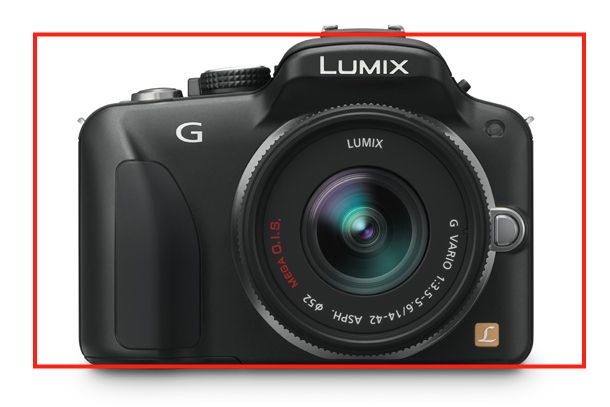
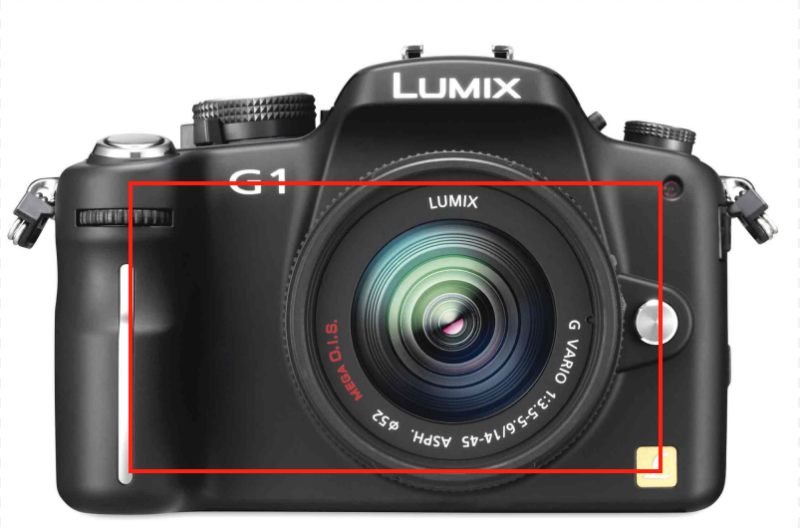
The Panasonic 20mm on the G1, with the kit lens. Did I say ‘small’?

Now, without furter ado, I’m putting my money where my mouth is, my shoe leather on the sidewalk, and will return with some snaps tomorrow.

Before I go, here’s one from the Old World:

Speakers’ Corner, Hyde Park, London. Leica M3, 35mm Summaron, TriX. Taken in 1976.

Part II is here.

Intel improves its SSD

Change continues at a hectic pace.

No sooner do I install a 120gB solid state boot/app Intel X25-M drive (SSD) in the HackPro than Intel announces many improvements and a price reduction. This message will likely be repeated often over the next few quarters and Intel is to be commended.

Intel SSD in the HackPro. Two 1 tB Samsung HDDs to the right.

Here’s what I got from Macworld’s lengthy piece on Intel’s latest:

  • 30% price drop
  • Sequential write speed more than doubled – holy moly!
  • Redundant chips included in case any of the main ones fail
  • Capacitors added so the write operation can be concluded if the power fails – wow!
  • Capacities up to 600gB – but at a price – $1,069
  • Despite the lowest industry failure rate of 1.4% in the current model, the new one aims to improve on that statistic, which is already far lower than for conventional HDDs.
  • Intel is putting its mouth where its money is and using these in its servers.

My advice? Wait for these to hit Amazon and rush out and get one. There’s simply no going back once you have used one, be it in your laptop or desktop computer. The new model is the ‘320M’. HDDs are to storage what film was to photography 10 years ago.

Snow Leopard 10.6.7

The latest release.

Snow Leopard 10.6.7 came out yesterday, with bug fixes and security enhancements, and before you could say ‘Hackintosh’ I had it installed on the HackPro.

It’s worth the upgrade. Running in 64-bit mode here is the Geekbench (OS performance as reflected in CPU and RAM throughput – no disk factors, so the SSD I have recently installed is irrelevant to comparisons) report:

Snow Leopard 10.6.7

Here is 10.6.6 with the same configuration:

Snow Leopard 10.6.6

That’s 2.4% faster. Not enough to notice, but nice to know that the newer version is not the victim of performance drag from code bloat. The biggest component of the overall change is in the memory performance result which is 8.0% faster. Nice code optimization, Apple!

On the 2010 MacBook Air (mine is the 11″ with the base spec and minimum RAM) the change in speed is +5%. Once again, not noticeable but nice to know.

Goodbye, Canon and Thank You.

The end of a beautiful friendship.

My Canon 5D and its collection of Canon lenses are for sale.

5D and friends.

You can see all the journal pieces I wrote on this transformational camera by clicking here.

The decision to sell was not an easy one, but I am a user, not a gear collector. In my book, it’s a crime to have equipment of this quality sitting around unused. Simply stated, when the 5D, with its full frame sensor, came out it instantly obsoleted all the 35mm and medium format film gear I owned. A short time thereafter my Leica M bodies, used by me for 35 years, my Mamiya 6, Rollei 3.5F and Rollei 6003 Pro were all gone, along with their lenses. Such was the quantum leap in image quality and versatility offered by this magnificent camera. My Canon 5D journey commenced over five years ago and as my first serious digital camera I thank Canon for its 5D, which revitalized my interest in taking pictures, while simultaneously obsoleting the sheer drudgery of film processing. I have always preferred pressing the button to time in a darkened room with smelly chemicals.

But a couple of significant changes have occurred in my life since the 5D was purchased. First, we sold our vineyard in the country and moved back to the San Francisco Bay Area. It was a fun experiment, my zinfandel grapes won a lot of prizes but the whole farming thing started to get old. Plus, we wanted our son to grow up with all the diversity and distractions offered by one of the world’s great cities. And, from a snapper’s perspective, being close to the City by the Bay meant a return to my first love, street snaps. So while landscape work was fun and my one man show of landscape snaps was a success, my heart remains on the streets, a genetic code inculcated during a youth in London. And a street snapper the 5D is not. It’s not that it’s a big camera, it’s that it’s simply not the best instrument for my way of working on the street. I tend to get really, really close to my human subjects and the 5D just is not right in that context. Yet whether it’s outdoors for infinite vistas, QTVRs with a fisheye, bugs and birds, or in the studio, I have yet to use a finer instrument.

Other things changed in my life. Testifying to the abuse of my hands over many years of tinkering with cars and engines and woodworking, I started to develop tendonitis in my wrists. Make me lift a heavy weight and it’s not a lot of fun. Further, with age, my back has started to give out and carrying heavy gear compounds my problems. Canon 5D gear is built like a tank; it is not featherweight.

I still believe that in a world where very few prints are made, there’s simply nothing like a large print to do justice to a great photograph. For those, the 5D is unbeatable. Photo exhibitions still favor mounted, framed prints, not LCD screens. The 5D is crazy sharp and grain free, at any rational enlargement size. Want prints over 36″ on the short side? The 5D Mark II is for you.

Update 4/23/2011: All my 5D gear has been sold. I hope the new owners will enjoy this superb equipment as much as I did.

Thank you, Canon, and Goodbye.

The HackPro gains an SSD

Speed, speed, speed!

You can’t be too rich, too thin or too fast. And while adding a Solid State Drive to your work computer doesn’t demand great riches, it is thin and, my goodness, is it fast.

My first hard disk drive was bought in 1982, It was the size of a shoe box, made loud clicking sounds when accessed, stored 10 megabytes and cost $1,200. Today our home has no less than 12 terabytes of storage, or more than one million times what that shoebox stored, the whole thing is the size of that same shoebox and the replacement cost is …. $1,200. The spinning disk drives making up that storage may represent a technology in the last quarter of its life, but that technology is a triumph of function over form, and represents the peak of American engineering and materials science genius.

Sharp eyed readers will have noticed that Western Digital, a large HDD maker, just bought Hitachi’s HDD business last week. Well, there’s an old saying in investment banking of which WD is blissfully ignorant: “If you tie two rocks together, they still sink”. It’s a bit like getting into LP manufacture based on some nut’s claim that “the sound is so much better”. Uh huh.

Within a generation all that spinning disc storage will have been replaced by flash memory, which is already the only storage found in every iPad ever made and in most iPods. It’s no surprise to learn that Apple purchases 60% of the world’s flash memory chips. Laptops increasingly use it and if you want to give your G3/4/5 PPC Mac a last lease of life, flash storage in the guise of an SSD is the single best thing you can do for it.

Out with the old, in with the new.

What clued me in to the idea of adding an SSD to the HackPro, my daily workhorse, was the outstanding operating speed of my MacBook Air, which despite using a very small SSD and a poky 1.4gHz, dated, Intel CPU mated with a modest 2gB of RAM, spanks the HackPro for overall speed, despite the latter’s 4 core Intel CPU which runs at 2.83gHz with 8gB of RAM.

And because I’m constantly in and out of Lightroom, Photoshop, iWork Numbers, Safari, Firefox, iCal, Mail, NetNewsWire, Excel and Word, as well as several stock market systems for my day job, the difference in operating speed of the HackPro compared with the MBA was beginning to irritate me.

So when the HackPro’s builder, the pseudonymous FU Steve, was in the vicinity the other day, he offered to pop my newly acquired Intel SSD into the Hackster. FU did the work, I snapped the pictures and screen shots.

SSDs are still expensive. I bought a 120gB Intel SATA model from Amazon to place the OS and applications on it. I opted for Intel as it has the lowest failure rates and the most capital supporting it. It has a three year warranty and cost $230. By contrast, a 500gB spinning disc notebook drive can be had for well under $100. Is the SSD worth it? Read on.

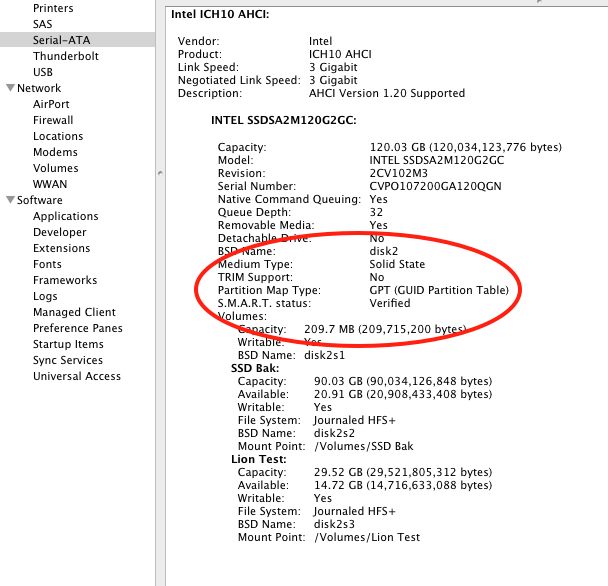
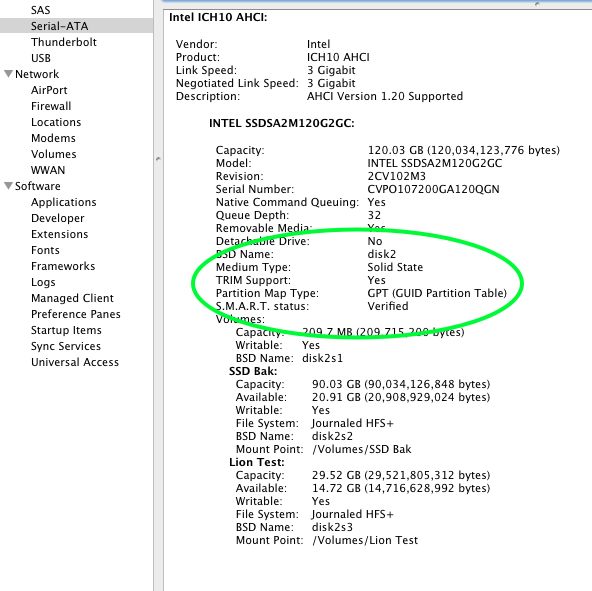
In time, SSDs will become as cheap as traditional drives are today, a related appeal being the SSD’s lower power consumption. A typical notebook drive uses 1-2 watts compared with 0.15 watts claimed by Intel for its latest 35nm technology second generation (G2) SSD with no moving parts. If you are interested how Mac OS X handles TRIM for an SSD (garbage management), click here. I am unaware of the absence of TRIM yet being a problem in Macs.

Here’s the size of the relevant directories on my HDD which will have to be moved to an SSD for the OS and applications to work:

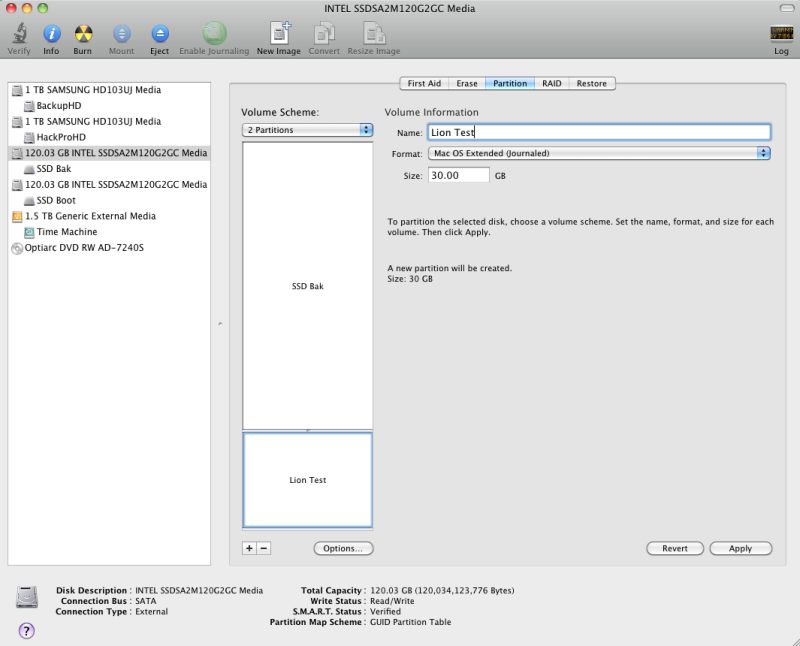
FU Steve says you can chuck the CD which comes with the Intel SSD if you use a Mac. It seems that those afflicted with Windows need it – an OS at the same point in its life cycle as the spinning HDD. Before installing the SSD, FU formatted it in my Aluratek USB cradle which ordinarily plays host to my TimeMachine HDD, using Disk Utility (Mac OS, GUID, journaled). That took all of 30 seconds.

Using the external cradle allowed FU to test everything. He copied the above directories to the SSD, adding in Users but excluding my user data files (pictures, movies, music, etc.) and 95 minutes later we had this, using Carbon Copy Cloner.

By purging old, unused applications,
I now have almost 60gB of free space.

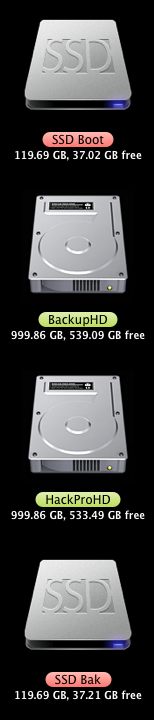
There’s still a lot of space left on the SSD for new apps and OS upgrades. If you want to add that nifty SSD drive icon which FU used, surf the web looking for ‘Mac ICNS files’, download the icon of choice, then do a ‘right-click, Get Info’ on the SSD and drag and drop the ICNS file on the small top left picture, above.

One of the best ways to see what is taking up space on your disk, and hence determine what can be erased, is to use a product like OmniDiskSweeper, which will show space use by directory and size. Of the 60gB or so used on my 120gB SSD, no less than 10gB is for WinXP + VirtualBox. I would dearly love to get rid of XP but it’s still essential for the occasional business application where no OS X version exists. If you erase apps, use something like AppCleaner which will erase not just the app but also any related files which may be lurking in other directories.

Before going further FU Steve made sure to install the boot loader from the HDD to the SSD to make the drive self booting. It does not get copied over otherwise and your SSD will not be bootable. If you don’t know what he’s doing here, click on ‘Hackintosh’ in the right hand column and read the build articles. The boot loader is a small piece of code which fools the OS into thinking it’s looking at a regular Mac. FU booted from the cradle-mounted SSD and all was well.

Next came installation. Here’s what’s needed from the box, plus the Antec case mounting plate from the Hackpro:

Adapter plate top left, Antec Sonata HDD plate top right, data and power cables, Intel SSD

There’s no need to buy an adapter plate to fit the notebook-sized SSD in the regular HDD drive bay. Intel thoughtfully provides it. The SSD is screwed to the adapter plate using the small screws provided. If you use the excellent Antec Sonata III case which FU used in the HackPro, the other set of screws is too short to mount the SSD on the silicone shock resistant bumpers which Antec provides for its hard drive mounting plate. Use the long collar screws provided by Antec.

Here’s the SSD mounted with the (locking) cables in place:

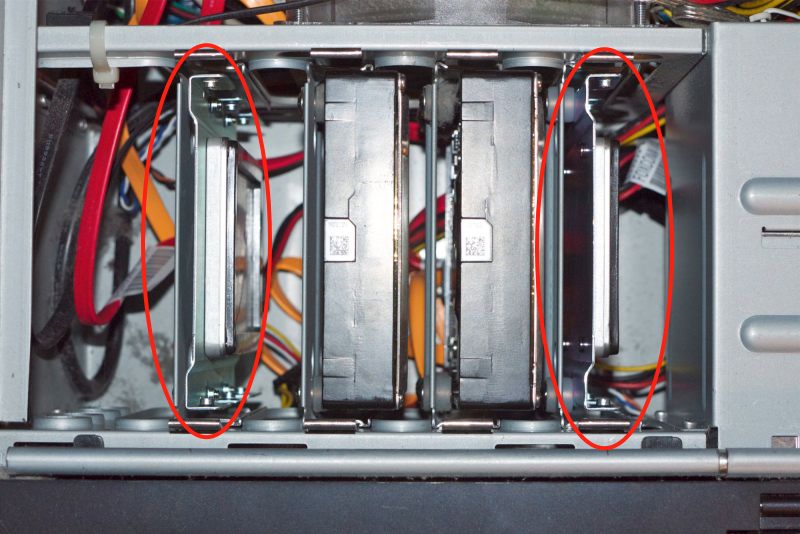
Installation in the HackPro was trivial for FU – he simply connected the power and data cables and slid in the assembly, connecting the data cable to an open SATA II socket on the motherboard. The Antec case has so many redundant power supply cables that finding a free one for the SATA power connector was not an issue. The whole mechanical part of the installation took FU Steve maybe 30 minutes, much of it spent undoing his neat tie wraps of all the unused cables so as to fish out an additional power cable for the SSD. His snipping off of the old tie wraps had me looking away, I confess. As usual, FU made sure all the loose cables in the HackPro were anchored with new tie wraps before replacing the cover.

Intel SSD in the HackPro. Two 1 tB Samsung HDDs to the right.

Finally, a quick change in the BIOS (hit ‘Delete’ at boot) to make the new SSD the boot drive:

Heat:

Temperature Monitor reports that the Intel SSD runs at room temperature. There is no temperature rise. The two Samsung 1tB HDDs show no rise either and all three drives have a large fan almost in contact with them to draw away any heat. You will not get this sort of heat management in your Mac, where looks trump function.

CPU:

My HackPro uses an Intel Core 2 Quad Q9550 CPU; I have read that the later i5/i7 CPUs, like those found in the latest Macs, require a firmware update for the Intel SSD to work. That means you have to download the firmware from the Intel site while running on your existing HDD, load it to the SSD then proceed. You should do your research first if you are using an i5/i7 Mac. The Intel link is here.

Other applications:

Some precautions/changes are called for when you first boot from the SSD.

Photo processing

You have to tell Lightroom, Photoshop, Aperture and iPhoto where to look for data files. Likewise most other apps which use databases are clueless until pointed appropriately. Be sure your Carbon Copy Cloner settings for overnight backups are correct.

To redirect iTunes, which is now booting from the SSD, hold down the Option key while starting iTunes then point it to the library on your HDD data drive.

Make sure Lightroom Preferences use the SSD for the Cache – cache files are created by LR when you roundtrip RAW files to Photoshop:

Lightroom3 directory created on SSD Boot->Users->Tigger (me!)

Next, make sure Photoshop is using the SSD as the scratch disk for temporary processing files – PS can get pretty disk intensive with complex photo processing:

Photoshop Preferences for the scratch disk.

Finally, if you use TimeMachine, check that it’s backing up from the right data drive to the TimeMachine drive. I left the OS on the HDD I previously used to boot from, in case the SSD blows, so there’s no need to backup the SSD.

1Password:

If you use the excellent 1Password app to keep your passwords and software licenses securely sync’d on all devices using Dropbox, delete the 1Password.agilekeychain in your cloud Dropbox folder, and send the new file from the SSD to your cloud Dropbox folder, using 1Password->Preferences->General->Data File->Move to Dropbox.

The data file shown is on the SSD, NOT on your old HDD.

If you fail to do this your local changes on the SSD’s 1Password will disappear at the next automatic sync and will leave you scratching your head!

Speed?

Time is money. Any statement to the effect that SSDs are too costly in $ per gigabyte is trying to solve an equation with a missing, key variable – the value of time.

Boot and related times for common apps are 2-4 times faster. Here are some examples (current application versions unless indicated otherwise):

Lightroom: 3-4 seconds
Lightroom – create TIFF file from RAW and open it in PS CS4: 5 seconds if PS is open, 8 seconds if PS needs to be loaded
Lightroom – Create a 240dpi print file from a RAW original and open it in Preview for soft profiling: 8 seconds
Photoshop CS4: 3 seconds
Aperture 2.5 : 3 seconds (I gave up on Aperture after this version)
iPhoto (8.1.2): <3 seconds iCal: <1 second Apple Mail: <1 second NetNewsWire (RSS reader, 50 feeds): 2 seconds MS Word (2008): 3-4 seconds MS Excel (2008): 3 seconds iWork Numbers: <1 second (startlingly fast) iWork Pages: <1 second (even faster than Numbers) iTunes: 2 seconds Bento (database): 4 seconds Win XP SP3 (under VirtualBox): 25 seconds (no comment!) Cold boot: Not measured. My HackPro runs 7 by 24 and is never switched off, so cold boot time is irrelevant to me. That said, it's probably twice as fast - MacSales has some videos which make all sorts of comparisons. MacBook Air, 11" 1.4gHz Intel i5 CPU: This speedy machine takes one-and-a-half to twice as long to load all of the applications listed above, except for Aperture and Win XP, which I have not tested. I will not be testing those, having better thing to do with my time. Here are the xBench HD scores. Higher is faster. These data bear out the '2-4 times faster' claim I made above. First the 7,200 rpm 1tB Samsung HDD:

Then the Intel SSD:

Once you have an SSD, there’s no going back.

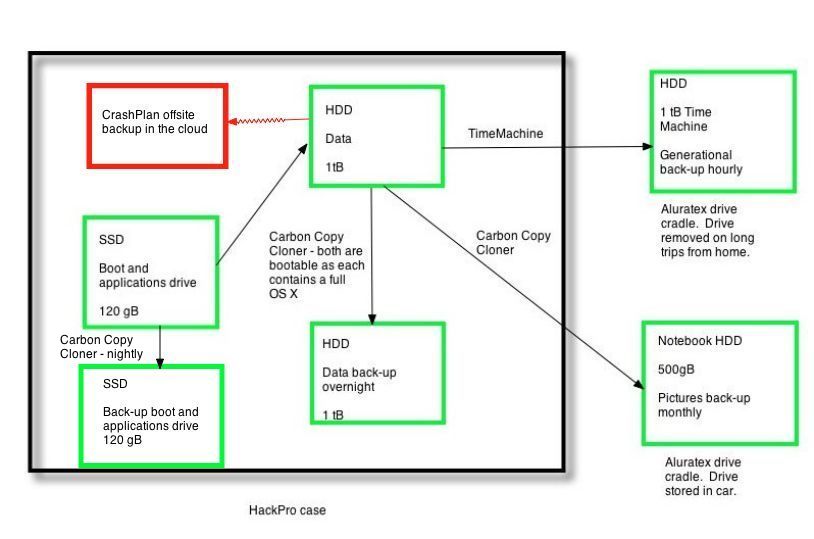
Current drive topology:

Here are the drives in and around the HackPro:

Drives in and around the HackPro, with thanks to FU Steve.

Here’s the thinking:

  • If the SSD blows I can boot from either internal HDD as each has a full bootable OS on it.
  • If the SSD and one of the internal HDDs blow, I can boot from the other internal HDD.
  • If the HackPro gets incinerated, I can restore from the external TimeMachine back-up.
  • If the HackPro and the full TimeMachine back-up get incinerated, I can at least restore my Pictures from the notebook HDD in my car, though the OS and apps are lost..
  • If the Big One hits locally I’m SOL.
  • No back-up in the ‘cloud’. Just don’t trust it or its custodians.
  • And I would rather lose the lot than entrust anything to some schmuck bankster’s safe.

There are four additional remote drive enclosures, each containing two 1 terabyte mirrored Samsung drives, for movies. Those are not shown here, and will soon be obsoleted by the growing ‘cloud’ storage of movies.

Doing this on a real Mac:

You can buy SSD options in new MacBook Pros, iMacs and MacPros. Cost premia are little more than buying your own. If you want to install an SSD later, it’s plug-and-play in MacBook Pros and MacPros, and a real pain in iMacs (where the glass cover has to be removed with suction cups) and MacMini’s (which are hard to dismantle). In MBPs your warranty is not invalidated; I don’t know about the others. For the MBP user, there’s an attractive option to remove the DVD drive and install an SSD in its place, if you do not play DVDs. This allows you to retain the HDD which came with the machine. MacSales and other vendors have the kits.

Use the drive in an external enclosure or cradle:

If internal installation is too hard, you can always have your Mac boot from an external SSD. (System Preferences->Startup Disc or hold the Option key when starting your Mac). When FU Steve was setting mine up using the external cradle, he tried booting from it and overall speed was comparable to when he eventually installed it inside the HackPro. That’s surprising as it compares a relatively slow USB connection (cradle) with a SATA II one (internal). A viable solution when you cannot open the computer’s box or do not want to and ideal for older G4 and earlier iMacs which are hell to open up.

What’s next?

Unless you are doing heavy video editing, the ever increasing clock speeds and number of cores in CPUs and GPUs are of little practical use. Few applications take advantage of multiple CPU cores and your rig is only as fast as its slowest part. As an example, my HackPro is little faster with 8gB of RAM than with 4gB and overclocking the CPU adds stress to the hardware with little effective speed gain.

A speedier graphics card with more video memory is an excellent investment if you process pictures or video (or play games), if your motherboard will support it. It will do more for your productivity than faster CPUs and RAM. The HackPro uses an EVGA Nvidia 9800GTX+ with 512mB of RAM; there are faster cards but for photo processing the 9800 is probably more than you need already.

In practice, for users accessing the web or the ‘cloud’, that slowest part, by far, is their broadband connection. The US is cursed with very poor broadband speeds compared with Europe and Asia, so until those improve, loading up with faster CPUs and RAM accomplishes little. Optical fiber, like Verizon’s FIOS, is slowly being rolled out and promises speeds far higher than the modest 5-10 megabits/second common with regular broadband. But it’s costly to install, so don’t hold your breath.

Then, when you finally get through to your web site of choice, you are beholden to the speed of its servers, which can be frustratingly slow, especially at peak use times.

So while an SSD would not be the first item on my list when in search of overall operating speed, it was the next logical step, as I already had a very competent CPU and GPU and cannot do anything about AT&T’s poor broadband speed. (I use Uverse which, unlike FIOS, still uses copper wires for the ‘last mile’ to the home and when they tried to ramp me up from 10 to 15 mb/s my speeds actually dropped!)

* * * * *

Thank you, FU Steve, for once more moving the HackPro to the front of the line.