The Quick and the Dead

Sometimes you just have to run ….

I was traipsing around the most glorious city on the left coast yesterday enjoying weather designed by Hollywood and I got to thinking. (Pardon the awful English, I’ve been watching too many Clint Eastwood movies recently). Some days it’s perfectly clear you simply cannot take a good street photograph. Yes, you still have to go out, serve your time, bang away, fail miserably, knowing it’s the penance required for days like yesterday. I have lots of days of penance. So the city owed me one. And boy, did it ever deliver.

Don’t ask me how days like this happen. All I know is that when they do you grab the opportunity with both hands, ask no questions and push the button. You cannot predict it, you cannot analyze it and it’s beyond human comprehension. It’s just how it is.

So here, without further ado, are some of yesterday’s snaps with a few words thrown in about how it all happened.
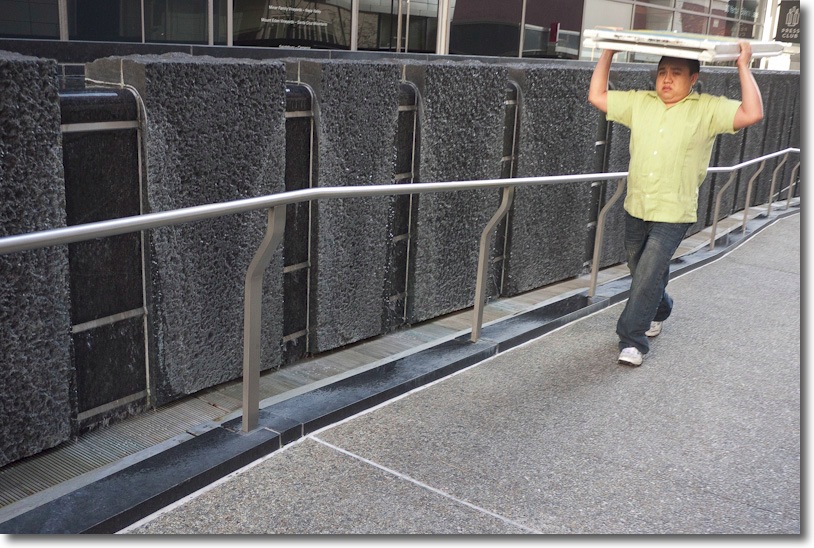
Head man.

Piece of cake this one. I saw the guy at 100 yards and just waited. I had my patented Invisibility Cloak on so he could not see me. Impossible to miss something like this and what was he going to do? Drop his load?

Silent critic.

The only thing to do here was not to laugh. I tried half a dozen variants as the cell phone guy paced this way and that, oblivious to the world. All it took was for his critic to be placed just so. Funny thing about people on their cell phones. They become blind.
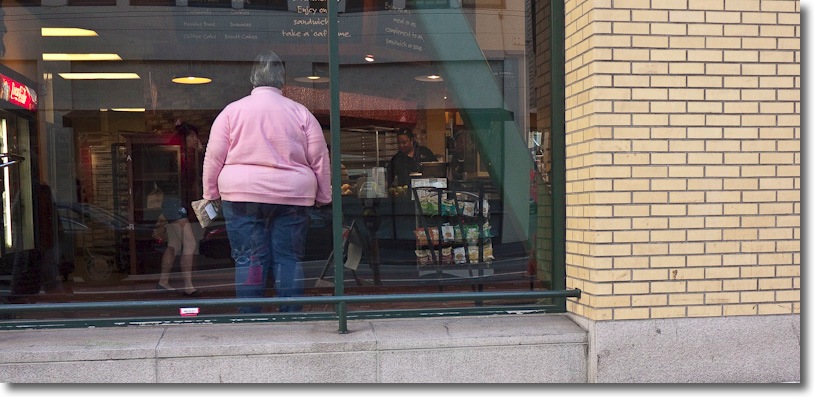
Big one.

I spotted this across Mission Street. As I crossed, trying not to be taken out by crazy cyclists convinced of their primacy on the road, I squeezed off a couple from a distance just in case. As I got closer and closer the subject remained stationary – maybe nor surprisingly – until I got the framing just so for the last in the series, the brick wall providing a nice counterbalance to her heft. It’s known as ‘sneaker zoom’. You keep walking until the subject fills the view. And where exactly do you get Levis in that size?
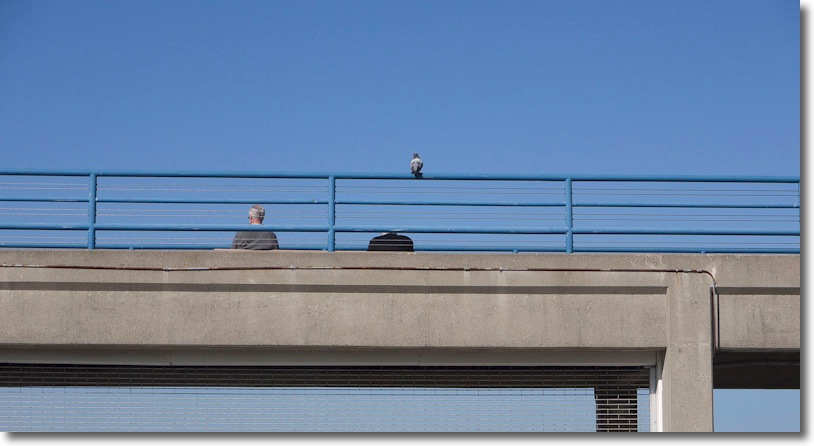
Pecker.

Pure serendipity, this one. I liked the composition and approached, hoping something might happen. Suddenly the bird landed and the guy on the right dipped his head. Click. No second chance here.
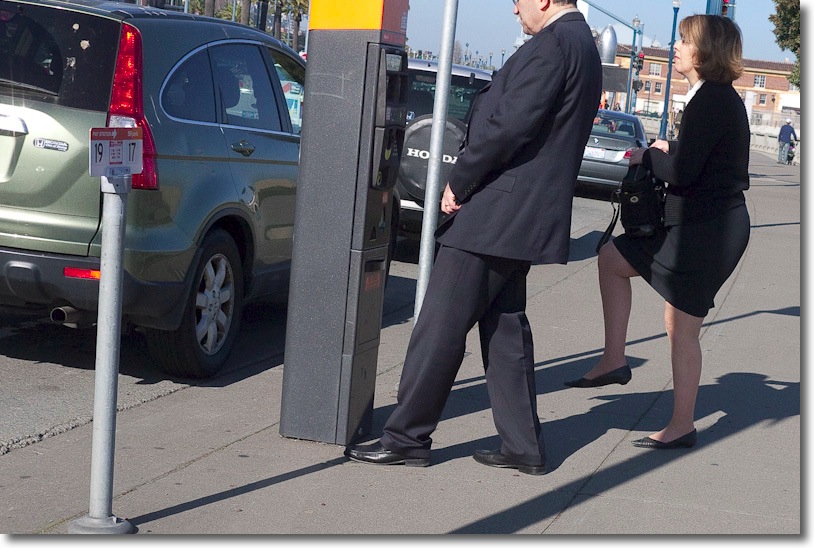
Kick ass.

This was nothing more than a knee jerk (!) reaction. The lady had raised her leg to support her purse, searching for quarters, and the man was trying to figure out the arcana of modern San Francisco parking meters. Just raise the camera and bang. No chance for composition. No time. I lucked out. It was that kind of day.

Hat, gloves and socks.

This very dignified gent was reliving the Old World, enjoying yesterday’s technology, aka a book, and all I tried to do was preserve his dignity and calm in the gorgeous light. Not hard when your subject is engrossed. He’s got that white thing down – hat, gloves, socks.
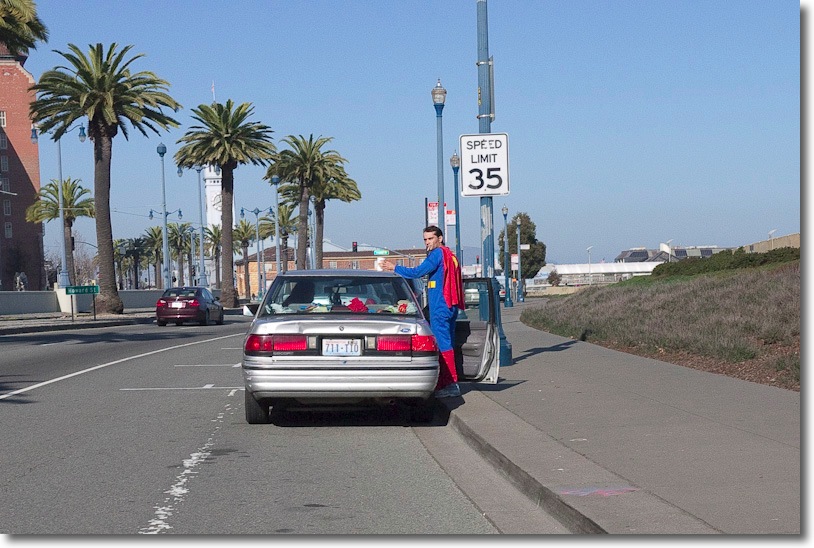
Superman.

But sometimes, you simply have to run. San Francisco is blessed with several generations of public transit – cable cars, streetcars, trolley buses and the Muni light rail system. I had to dodge the last three as I ran hell for leather across Steuart Street, for I had spotted Superman all of 100 yards away, the lights were changing and he was heading for his car. Narrowly saving the taxpayers of the City by the Bay a multi-million dollar lawsuit as I avoided an oncoming streetcar, I beat the world and Olympic records for the 100 yard dash to get close enough. The Man of Steel gave me one backward glance before getting in the car and that’s all I needed.

Sometimes you just have to run ….

All snaps on the Panasonic G1 with the 14-45mm kit lens set at 18mm and auto-everything at ISO320.

Felipe Dana

A Brazilian photojournalist

A friend of the blog sent me this link to the work of Brazilian photojournalist Felipe Dana, documenting last week’s landslides in Brazil. The work does what pictures do best – inform, question, shock – while simultaneously displaying great compassion. Click the picture for more.


Vivian Maier – Part II

It just gets better.

I wrote of John Maloof’s serendipitous discovery of Vivian Maier’s wonderful mid-century Chicago street photography here and eagerly await the DVD of the documentary he is working on about this great photographer’s life and work.

Meanwhile, here’s a brief introduction to her work which, I think you will agree, is as fine as anything in the genre (Note: The code is buggy so refresh the page if it does not display the video. It’s a Flash video, so it will not play on an iPad).

Maier’s world reminds me of Angel Rizzuto’s – the unknown talent with a singular dedication to his or her photography, dying unknown only to be discovered posthumously, each leaving a vast treasure trove for later generations to explore.

Apple Magic Mouse

A trouble-free device.

For a company which prides itself on design, past mouse offerings from Apple have been pretty poor.

In the last decade we have had the clear plastic case single-click wired mouse which came with iMacs through maybe 2005. Then along came the Mighty Mouse with that neat little scroll sphere in the top and finally supporting left and right clicks. That one came in wired and wireless designs and after three of each I finally threw up my hands and gave up on the Apple Mouse. You see, the Magic Mouse worked fine until the scroll sphere would fail owing to the ingress of dirt and grease. While you could vigorously run the little ball around a bit on a piece of paper with the mouse held upside down, after about two or three attempts at this the scrolling feature would fail completely, and given that the mouse was sealed – except for the space around the ball – there was no realistic way of dismantling it to clean the innards. I even tried blasting contact cleaner into the small space around the ball and the thing would fail soon afterwards, shortly after my eyesight recovered from the backwash of toxic spray.

The Apple Mighty Mouse with the poorly designed scroll wheel.

One really nice feature of the Mighty Mouse was that when you squeezed the sides you could get enhanced actions; I had mine set to display the desktop. You could also program a push on the scroll ball to perform other actions and mine was set to display Dashboard widgets. Still, I thought no more of all these mouse failures until a MacMini came along to drive the home TV; Apple, squeezing the margins as usual, did not ship a mouse with the MacMini so I though, what the heck, I’ll give the new Magic Mouse a shot.

Like the Mighty Mouse the Magic Mouse uses a sensor for tracking. I wasn’t too impressed with the specifications on paper as all that multi-touch technology seemed counterintuitive on a mouse, but came to like the Magic Mouse when used on the sofa with the MacMini.

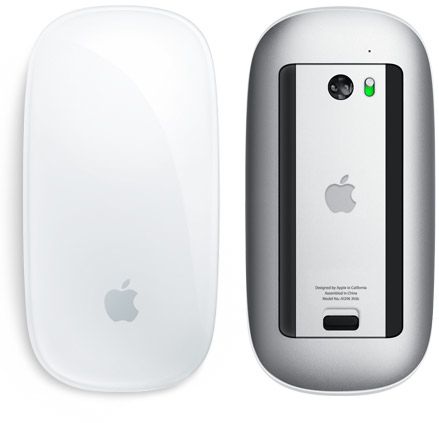
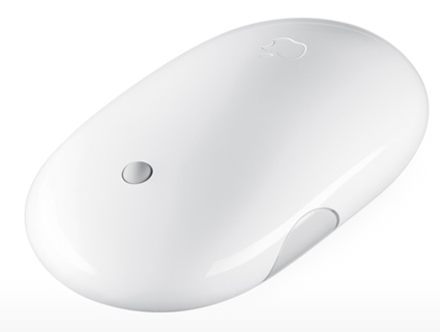
Apple Magic Mouse. No scroll wheel, no side buttons.

Scrolling with the MagicMouse is accomplished by dragging one finger vertically on the surface; side scrolling by swiping the same finger laterally. Only one finger is needed though Apple’s System Preferences ->Mouse pane shows two being used for sideways scrolling. When you are using a mouse to control a MacMini whose primary purpose is to play DVDs and Netflix, you don’t need to access features like the Desktop or the Dashboard with its widgets. On a desktop work computer these are very nice to have. Needless to add, curiosity got the better of me and I decided to try the Magic Mouse with my desktop HackPro – the desktop computer for the rest of us. At first, System Preferences->Mouse simply refused to recognize the Magic Mouse, even though System Profiler confirms that the minuscule IoGear Bluetooth adapter I have installed in one of the HackPro’s dozen USB ports enables Bluetooth. The HackPro runs OS Snow Leopard 10.6.6 and you need at least 10.6.4 for the Mighty Mouse.

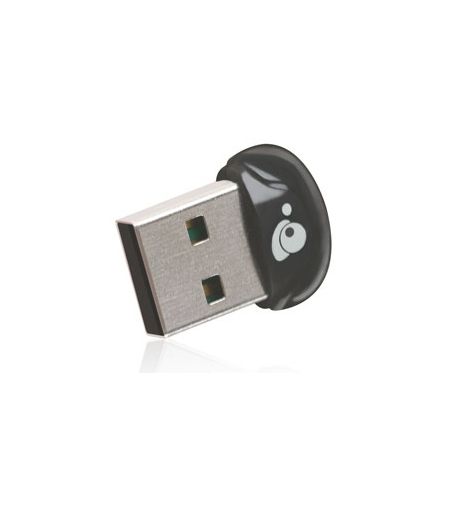
IoGear Bluetooth adapter – smaller than a fingernail.

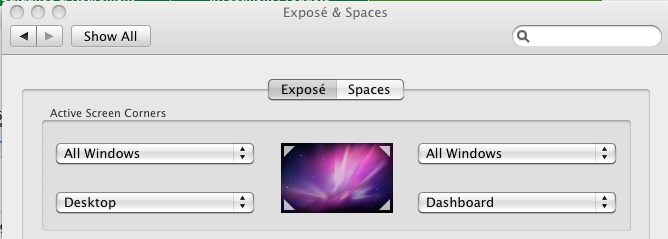
So I resorted to that repository of all that is Apple OS hacking, InsanelyMac, and one suggested solution was to install the SteerMouse utility; this I duly did, rebooted as instructed and, lo and behold, the MagicMouse was now recognized as a Bluetooth device, even though I did not even enable the SteerMouse utility, which appears in the Systems Preferences pane. So now I had a working MagicMouse but still no easy way of accessing the desktop or Dashboard using the mouse, as the side buttons of the old Mighty Mouse were no longer available to do this. Well, I had never used the ‘Active Screen Corners’ function of OS X, found in System Preferences->Exposé & Spaces->Exposé. It takes seconds to do and you get many choices for what each screen corner does.

Active screen corners in OS X

Now when I drag the mouse cursor over one of the screen corners the related action is invoked. Lower left gets me the Desktop and so on. I use a three display installation with the HackPro so ‘corner’ means the outside corners of the left- and right-handmost displays. It works well, but takes a bit of getting used to. I’m getting the hang of it.

Why use the MagicMouse in preference to the excellent RF Microsoft Mouse I have been using for well over a year now? (Yes, I know, ‘excellent’ as an adjective for a Microsoft product is not something you see that often). Mostly because the cursor action is smoother and because you don’t get the occasional bout of wild behavior which has the cursor become very jerky. This seems to occur when Time Machine is running one of its incremental backups, suggesting some sort of interference with CPU or GPU cycles. The MagicMouse does not display this erratic behavior.

The MagicMouse comes with new iMacs and only you can decide whether its shape and workings are right for your hands. One thing you can be sure of – there’s no scroll wheel to go wrong.

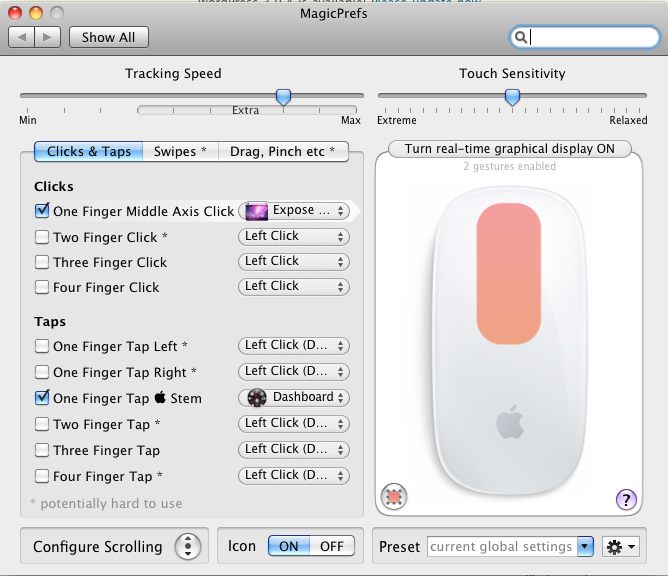
MagicPrefs: If you want a whole order of magnitude more programmability for your MagicMouse, download and install MagicPrefs. This utility installs in the System Preferences pane and gives you more options than you can shake a stick at. How is this possible? Well, the MagicMouse is really a touchpad, like the one on your laptop. It senses touch electrostatically, meaning that every square millimeter of its surface has an ‘address’ whose actions can be tailored. Using MagicPrefs, first you can crank up the cursor speed beyond the poky maximum Apple give you. If you use two or more displays, it’s worth it. Second, you can program gestures to access functions. For example, I have the middle click (where the scroll ball used to be) set to show the desktop and a single tap just above the Apple logo to display the Dashboard. The programmability is vast and there’s something for everyone. Do it right and you will no longer miss the side buttons of the older Mighty Mouse.

MagicPrefs at work.

In other MagicPrefs panes you can even define the location of scroll zones, meaning that left handed users can program scroll and touch zones to suit their dominant hand, as well as reversing left and right clicks. There is also a host of Drag, Pinch and Swipe motions. Extraordinary and free.

Disclosure: Long AAPL call options.

Digital hits a wall

CES dismays.

The Las Vegas Consumer Electronics Show extravaganza last week underwhelmed mightily when it came to digital still camera innovation.

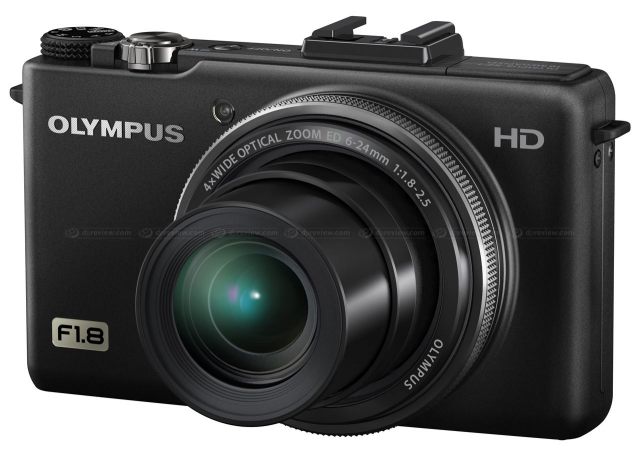
Most journalists are naming the new Olympus XZ-1 as the best of show (how many did Olympus have to ‘donate’ to effect this result?) but I really can’t get too excited over yet another point-and-shoot with a microscopic sensor and a crappy LCD screen passing for a viewfinder, even if the maximum aperture never falls below f/2.5. Didn’t Panasonic do this with the LX5 ages ago, with like manual controls? Gee, I just can’t wait to see the image quality at f/2.5.

Yawn. Olympus XZ-1.

Eye One soldiers on with its wifi SDHC cards; having concluded that these are worthless for transmitting decent sized RAW files over the air as they are bog slow, they are now promising you can send your snaps to your iPhone for onwards relay. What? Why not use the iPhone to snap the picture in the first place? A solution looking for a problem.

What is really lacking here is any form of innovative thinking. And no, 3D is not about to happen big time when you have to watch your TV with special glasses. That failed in the US cinemas of the 1950s and will fail in US homes of the 2010s.

Apple is focusing on its iEverything ecosystem and sadly has no time to devote its design genius to making a truly innovative digital Apple camera. Panasonic has totally dropped the ball with the GF2, refusing to integrate a small EVF into a neat body design, in lieu of the faux prism hump on the G2/GH2 designs.

And Fuji, proclaiming itself to be ‘surprised and delighted’ with advance reactions to its FX100 didn’t as much as show a prototype, meaning I won’t be holding my breath over its imminent arrival. Excuse me, but how can reactions be so positive to something which, for all practical purposes, does not exist? Maybe that piece of mine all those years ago on Label drinkers needs to be refreshed? The new version will be titled ‘Spec drinkers’. I’m more excited than most over this large sensor, fixed focal length offering, as street snapping is my thing and the specs seem suited to that genre, but until the camera has actually been subjected to real, un-conflicted field tests (meaning no freebies or advertising $$$) it’s hardly something to be excited about.

There’s still tons of room for innovation in the small camera digital field. Developments such as water lenses in eyeglasses, where the lens’ shape and focal length can be changed manually, are crying out for incorporation in compact camera designs. Only the clunky Leica M9 brings a full frame sensor to a (not so) compact street snapper and that with a dated and inept optical viewfinder and mostly oversized lens options, with everything at silly prices and build quality and robustness more GM than Toyota. Where are the higher definition, lower noise EVFs building on the example set by the Panasonic G1? Where is built in 802.11n or, better, 802.11x, wifi for sending large RAW files to your server of choice with big buffers to negate the drawbacks of slow wifi or 3G? How about automated HDR to overcome the limited dynamic range bugaboo which haunts digital sensors? Pentax had a go at this in its DSLRs but it needs better implementation. Where are the f/1.0 lenses? I would much rather have to tote two small fixed focal length cameras, with say 35mm f/1 and a 90mm f/2 fast lenses, than one with a slow superzoom. Where is the circuitry to impose selective focus through software and processing, as Topaz Labs’ ReMask claims to do (slow, overhyped, overpriced and buggy as with every Topaz product I have tried, by the way)?

Lots of ideas, with little innovation. Digital seems to have hit the wall of a lack of imagination in its designers’ labs.