Yearly Archives: 2008

Serial dropping

No, not pants, dear!

Just in case you though this piece was about our philandering ex-President (that’s ‘serial pant dropping’, if you don’t mind), well, I’m sorry to have to disappoint you.

Rather, this little note is about my sadly all too common habit of dropping my cameras.

The first, and still most painful drop, was of my Kodak 620 Brownie, a gift from my parents around 1958, when I was seven. After conception and birth this was the best things the old folks ever did for me. I adored that camera, my first. It was a (very) poor man’s imitation of a Rolleiflex twin lens reflex, and for some obscure reason known only to Kodak, took 620 film, in preference to the more common 120. The only difference was in the spool fittings. The negatives were 6 x 6 cm from both. Well, she came crashing down to Mother Earth one spring morning when, rather than attend boring old school, I high tailed it to Holland Park in Kensington to run a roll through her.
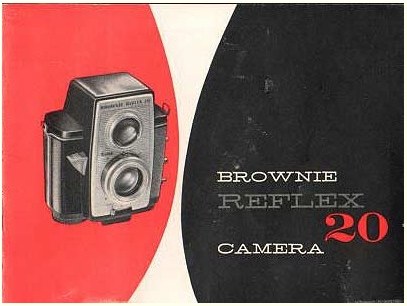
Now while plastic predominated in the make up of this fine piece (the only visible metal was the ‘folding’ aluminum hood for the waist level viewfinder – ‘waste level’ for obese Americans) it was no less sickening a sound when her baseplate contacted cement on the Park’s main avenue. Being British the Park had been properly paved in Victorian times and remained so to that sad day. After all, this is a nation whose Mr. Crapper gave us the flushable toilet. Tidiness is important to Empires.

The damage, it transpired, was what I would later come to call ‘non functional’ – like America’s Energy, Foreign and Fiscal policies. The chipped piece of plastic that gave its life actually did its job protecting the film chamber opening knob. That is good design. The greatest damage was to my pride.

My little half frame Pen F, the Kodak’s successor, had its moment of pain in St. James’s Park, that most civilized of London’s open spaces. There’s perhaps no finer place to be on a spring morning, provided you can actually find that scarce event – a sunny day – lost somewhere in England’s May climate.
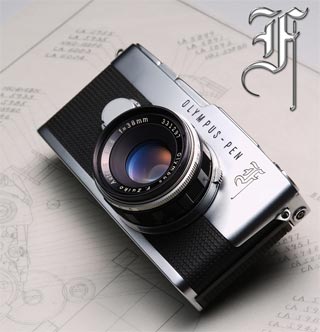
She visited gravity soon enough, but mercifully the ground was fine British soil and the only broken bit was a viewfinder eyepiece. Must have been that first bounce and the rock …. When I sold her (believe me, no one would ever accuse the Pen F of being a ‘he’) I cheerfully disclosed the event and that actually helped seal the sale, cracked plastic and all.

Given the number of Leicas I have owned, their drop rate has actually been surprisingly low. Let’s see, at one time or another there was a IIIA, IIIC, IIIG, M3, a second M3, an M3 DS, my beloved M2, M6, SL, R4, another SL – yes, I think that’s about it. And only one drop for one of the screw mount cameras. A 9% drop rate as we SDs like to call it. (By the way, screw mount Leicas are feminine, their bayonet mount successors anything but). The M3 drop was nasty as the camera fell on the baseplate’s edge. Extrication of the Leitz (not so) removable film cartridge involved pliers. You really do not want to know. Leitz replaced the cast body and I declared bankruptcy soon after.

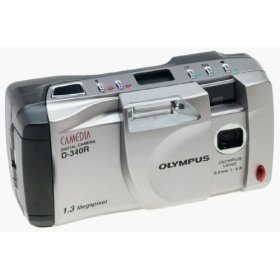
The digital age was no excuse to cease pursuit of Newton’s Laws. Our lovely little Olympus (at least it seemed little ten years ago) D340 had its date with destiny a few years back. Being Japanese with all those smart rubber seals and shock-absorbing casings, it picked itself up, dusted itself down and was good for the best part of another decade. All 1.3 megapixels. We finally honorably retired that charmer a couple of weeks ago. Not unreasonably, she said ‘No more!’. And if you want to extend the gender comparisons to current Japanese manufacturers’ progeny, Olympus cameras will always be feminine and Nikon’s pride could only be masculine. The rest are asexual).
The 5D and the Lumix LX-1 have been lucky so far, but that’s no guarantee. We serial droppers rarely relent. Stay tuned.

So I proudly dedicate this piece to all of you droppers out there. Like that pant dropper of yore, I feel your pain.

DxO Optics Pro Elite

Anti-aberration software.

I have been going on for quite a while now about how correction of camera aberrations (rotten lenses, flaky sensors, poor manufacturing quality control) will increasingly migrate to software fixes, away from the far costlier hardware redesign route.

DxO has been making aftermarket software – meaning you run it on your computer not in your camera – to address many of the more common problems for ages. However, if you sniff around their web site (it’s invariably bog slow, so be patient. It’s so bad I almost didn’t bother, in fact) you will find that DxO also offers its creations for in-camera use. If they can get it to work fast in that iteration, let’s hope that Canon, Sony et al will take them upon it, swallow their ‘not invented here’ pride and start offering automated fixes for all that ails modern digital cameras within the camera’s firmware.

The product is named DxO Optics Pro Elite (a dumb name – something like Magic Lens Repair would have captured my attention much sooner), the costlier $299 Elite variant being DxO’s way of extracting some more coin from those of us who use full frame Canon DSLRs, as these are not supported in the base $169 version.

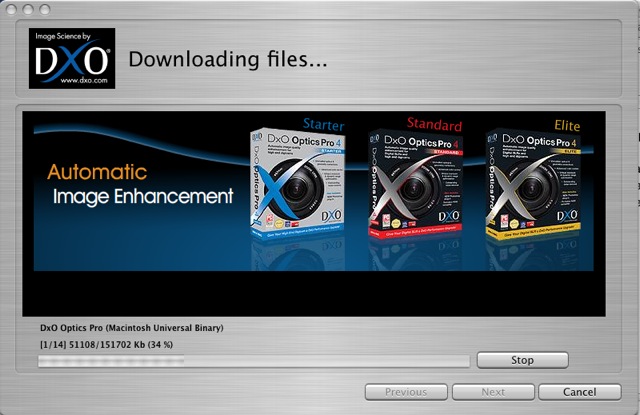
First you have to download the thing which takes for ever:

The 151mB download (version 4.5) is for my 5D with the lens modules for the 14mm, 15mm, 20mm, 24-105mm, 50mm f/1.4, 85mm f/1.8 and 400mm f/5.6 lenses chosen. Another mistake, DxO. Why not simply include all cameras and lenses to make one download for all users? I also have a 200mm f/2.8 L but DxO lists no module for that – probably because the lens is already close to perfect. By the way, I do not own the very costly 14mm L optic, but do have some snaps taken with a loaner. And that lens, special as it is, needs a lot of error correction. My download includes the Lightroom plug-in, meaning I can use the application as a standalone or from within Lightroom. Nice. I had to install the application three times before it worked properly – with the first two tries the lens modules were not recognized. Not so nice.

Anyone even thinking of using this application should first check if his body and lenses are supported – otherwise it’s largely useless.

What DxO is trying to do is provide a software suite to fix all that ails digital camera lenses and sensors, including vignetting, chromatic aberration, distortion, dynamic range limitations, noise removal (not really needed for the 5D), sharpness masking, de-fishing, etc.

$299 is an awful lot of money for someone who already has Photoshop, which offers many of the functions in DxO so the question here is whether it’s worth spending the money? I downloaded a 14 day (How silly is that? How about one month, DxO? Something this complex needs time to evaluate) free trial version for my MacBook which is using OS X Tiger 10.4.11. It also comes in a PC flavor for masochists.

What makes this interesting is the claimed lens-specific modules and the de-fishing function, especially now that ImageAlign appears defunct. If you use PS CS3 (at $700 it’s way overpriced for me) then you have the de-fishing ability built in. PS CS2 and earlier need the ImageAlign plugin or you use something like DxO.

In trying out this software my primary interests are in fixing the various lens distortions in the 14mm, 15mm, 20mm and 24-105mm lenses (the latter at its wide end, where it needs most help) in an effort to make a subjective evaluation of whether it’s money well spent compared with the existing tools in Lightroom and CS2.

Installation: DxO needs to learn from successful software makers that offering a product for under $100 will quintuple their sales and negate the need for all the anti-piracy software they insist on installing when you first fire up their product. Let’s face it, they aren’t going to sell too many of these at $299, any more than Apple sold Aperture at $499 (now at $199 and counting). $49-99 sounds about right to me.

The install screen says 21 days, their site says 14 days for the trial. Go figure.

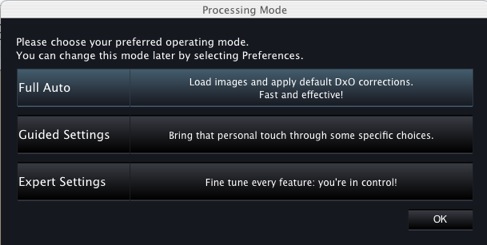
I went with ‘Expert Settings’:

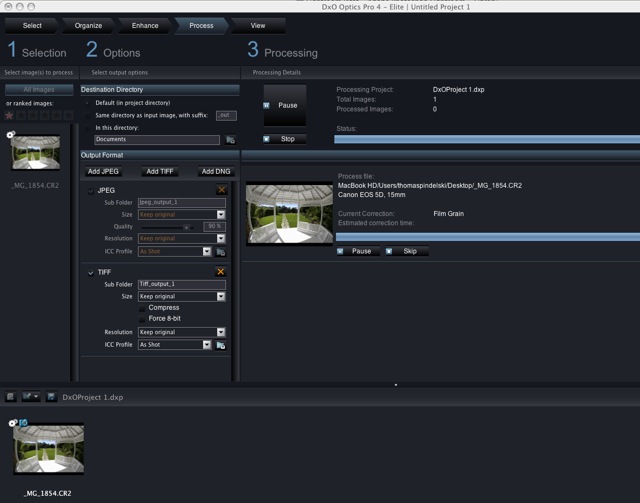
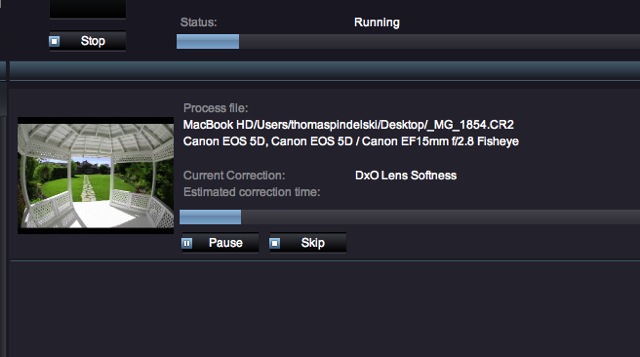
Here’s the first file – a fish eye snap – being processed. That took 2 minutes – slow. Chromatic aberration correction was the prime aspect of this first pass.

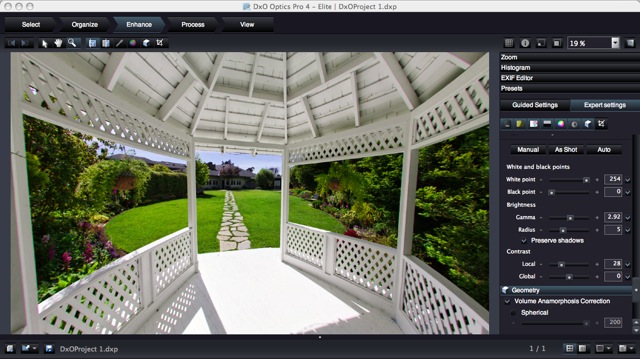
Next into the ‘Enhance’ section where you see something like this after clicking on ‘Geometry’:

One click and the image preview is de-fished.

Click ‘Process:’ and it’s another long wait – 3-4 minutes – before your file is output.

Sure, the result is fine, but it only takes a few seconds to do the same thing in ImageAlign.

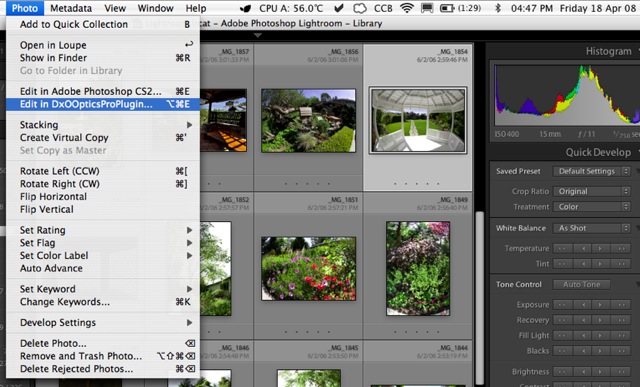
Integration with Lightroom: DxO supplies a plugin which you can point Lightroom to as a second external editor. My first is, of course, PS CS2.

This works well – just remember not to have DxO already open or the plugin will not run. The image saved from the plugin will appear next to the original in the Lightroom catalog.

Another welcome feature is the abiity the application has to automatically correct vignetting (provided yours is one of the lenses supported) and also to optionally correct for Volume Anamorphosis – the tendency of objects near the edges of a picture taken with a very wide lens to be distorted. This is physics, not optical aberration, and the application does a good job of ‘naturalizing’ the result.

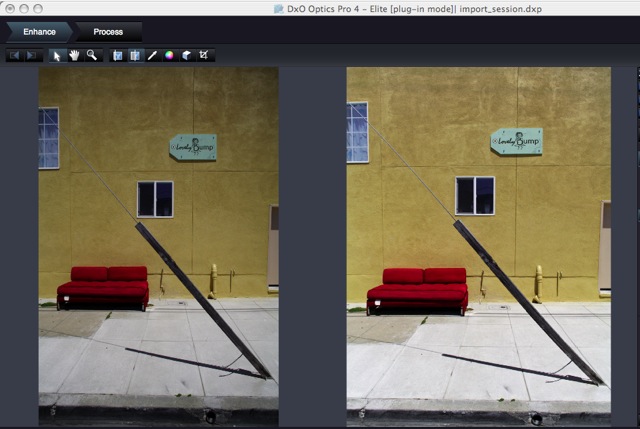
Here are before and after snaps of a file exported using the Lighroom plugin and taken on the 20mm Canon which has lots of vignetting and, obviously, renders objects with Voulme Anamorphosis uncorrected (like any 20mm on a 35mm format full frame camera). I have also allowed DxO to do its own thing with contrast and lighting. I think you will agree the result is good:

Did I try DxO’s noise reduction? Well, it’s not needed on the 5D’s images and where it’s really needed – for the Panasonic LX-1’s noisy snaps – it’s no use as that camera is not supported.

Cautions: A reading of the DxO forum suggests that upcoming version 5 for the Mac may be buggy if its recently released Windows predecessor is anything to go by. Worse, DxO apparently drops support for obsolete cameras in the later version, which disables a lot of DSLR users given the pace of change in hardware. So I suppose that when DxO upgades the application the user may have to upgrade his camera. Beyond dumb.

Conclusion: DxO Optics Pro Elite does what it says, and does it well as regards output quality. However, I have major issues which prevent me from recommending it:

  • It’s way overpriced. Sell it for $49.95 and customers will beat a line to your door. But $299 is ridiculous.
  • It’s simply too slow to be useable. My experience was on a speedy 2gB 1.83gHz MacBook with an Intel C2D CPU. It took DxO 4 minutes, typically, to process one 70mB TIFF file in 16 bit mode. The application comes with a batch processing function so if you can live with having like corrections applied to all your batch members, run it overnight.
  • The way the software, when updated, apparently obsoletes support of discontinued cameras or lenses. That one about does it for me, as my 5D will doubtless be ‘obsolete’ by the end of the year.
  • The application is buggy. After one day’s use (and three installs on a plain vanilla MacBook) the lens profiles were lost the next day and another install was required. That says Beta not Release version to me, and you still want $299? I don’t think so.
  • The list of supported cameras and lenses is very short.

The one feature this application has – the ability to correct Volume Anamorphosis – which I have not seen elsewhere – is nice to have, especially for architectural and object pictures made with very wide lenses and including significant depth. Otherwise, everything here can be done with Lightroom (vignetting, chromatic aberration, highlight and shadow recovery) and ImageAlign/PS CS2 (de-fishing and distortion correction). If, like me, you already own these, save your money or buy them used for less than DxO wants for Optics Pro Elite.

Cockeyed

The sort of thing I can never resist.


Cockeyed. 5D, 20mm, 1/3000, f/8. ISO 250. Processed in Lightroom and PS CS2/Image Align

ImageAlign was used to correct the converging verticals, as this was taken looking up with a very wide lens on the camera. I’m hardly head-over-heels with the Canon 20mm, but having all that automation in preference to a superior but manual adapted Leica or Zeiss optic really makes me want to make this lens work.

Themes have their uses

A thematic approach blends discipline and goals.

A goal oriented life may not be a happy-go-lucky carefree one, but it is consonant with success.

I have found this to be as true of photography as it is of any other field of human endeavor. Love, money, possessions, family – all benefit from goal setting.

The photographic high point of 2007 was, for me, my one man show at a local winery. As a result, I have many of the framed pictures from that show hanging on the walls at home – many more were sold to happy buyers. The thematic goal of that show was that it would only include landscapes of subjects within a 50 mile radius of our central California home and, with that theme in mind, it took one year to take and make the pictures for the show.

Now, one year later, I am getting bored with those pictures. So a new theme has to be decided on and expressed in photographs. I have no idea yet what that should be, but as I am not tied to any particular genre of photography, I will look for something alien to me and bang away to see what comes up. Maybe it will be close-ups. Or night scenes. I have no idea.

One thing I am quite certain of, however, is this. No goal means no results. Just wafting about in the hope of capturing a good snap now and then is a waste of time – one of the biggest knocks against that old saying “always carry a camera”.

And no deadlines guarantees no results, goals or not. So I need to get this done by the end of the year.

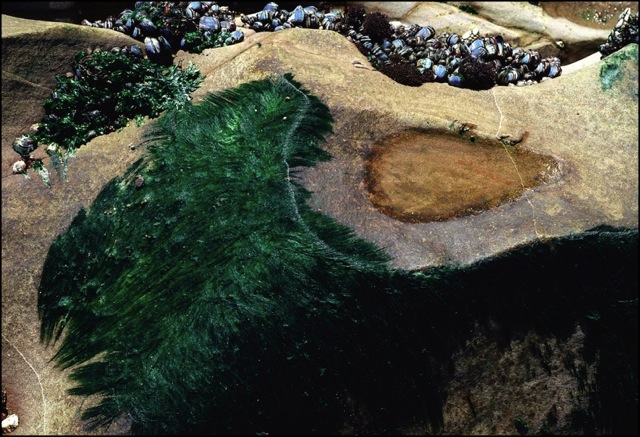
Moonstone Beach, CA at low tide. Mamiya 6, 75mm, Kodak Portra. A direct result of thematic goal setting.