Yearly Archives: 2025

Epson ET-8550 – troubleshooting

A period of no use sees issues.

For an index of all articles about the Epson ET8550 printer, click here.

Having upgraded (meaning Adobe forced me to upgrade using a strategy of planned Mac hardware obsolescence) to the subscription version of Lightroom, I went to print a favorite image the other day and everything was wrong. The 13″ x 19″ print shot out in seconds and what little color there was in the printed image was completely wrong.

The problems were twofold.

First, Adobe managed to lose all my preferred printer settings on the upgrade to the latest version of Lightroom. In the print module LR switched to Print Job->Color Management->Managed by Printer. This is exactly wrong. What you want is for Lightroom to manage color, not the Epson printer. This permits use of the right paper profile for the printing paper used. It means you control – through Lightroom – color matching rather than having some unknown profile used by the Epson printer. Here’s what you want to see:
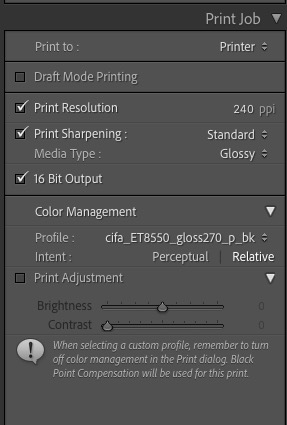


The color profile is the one for Canson Photogloss Premium RC paper.

You can check that LR is using this profile in the Print module by going to Printer->Printer Options->Color Matching, where you will see two options, neither selectable (both are greyed out) with ColorSync being the selected option, thus:
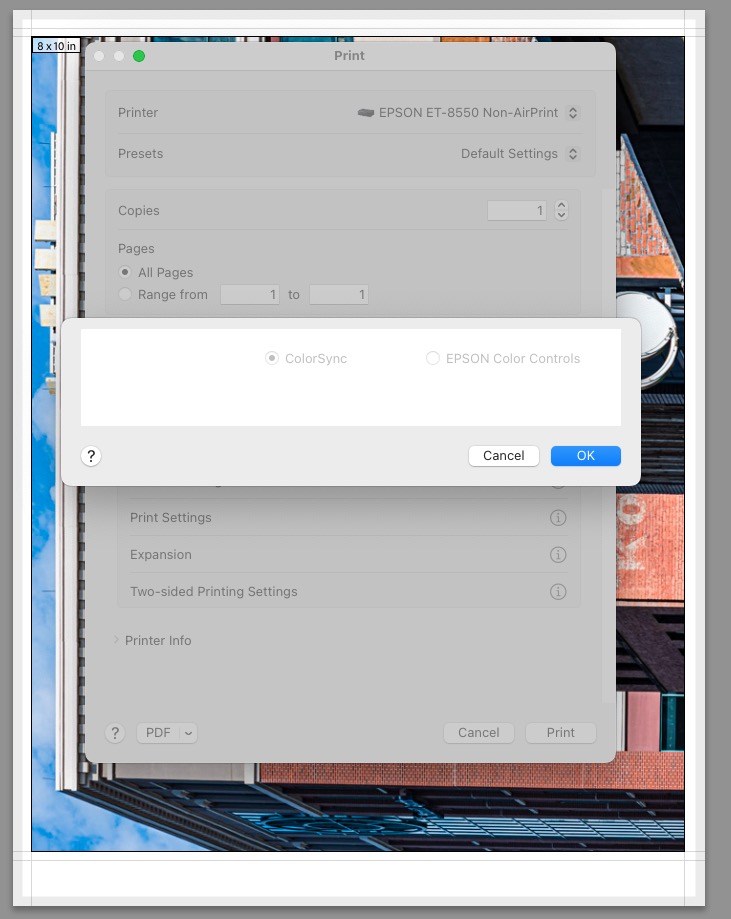


ColorSync is invoked by Lightroom.

Click ‘OK’ NOT ‘Cancel’ to make sure this setting remains undisturbed. Next, click on Print Settings and you should see:
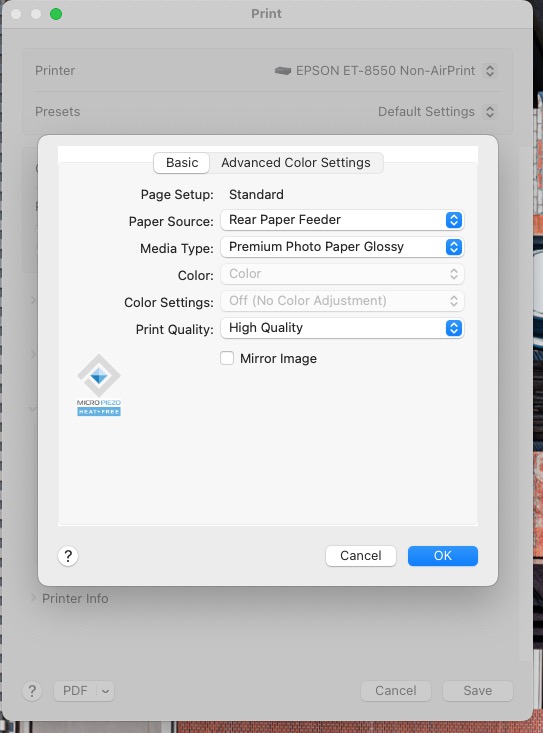


Print Settings after dialing in the correct Paper Source, Media Type
and Print Quality. All three were incorrect.

Now in that same dialog box click on Advanced Color Settings. You should see:
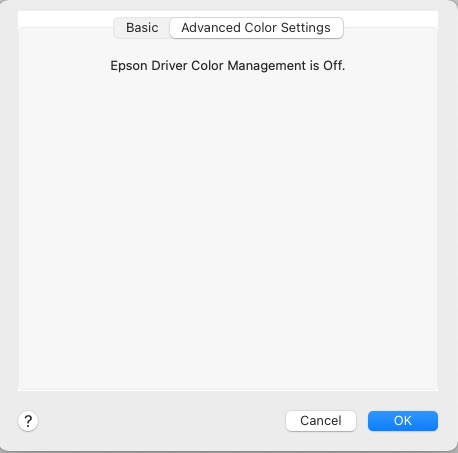


Confirmation that the printer is NOT controlling color.

So now I had LR set up for the right paper, paper source and paper specific profile, but the print quality was still awful.

Going to the touch control panel of the Epson ET-8550 go to Maintenance->Print Head Nozzle check, load some 8.5″ x 11″ plain paper in the second tray, and run the check. Mine came out showing bad clogging of both the Magenta and Grey print heads, disclosed by jagged lines in the print out. After running the Maintenance->Print Head Cleaning process twice, again using the touch screen on the printer, I finally got continuous lines for all six heads, thus:
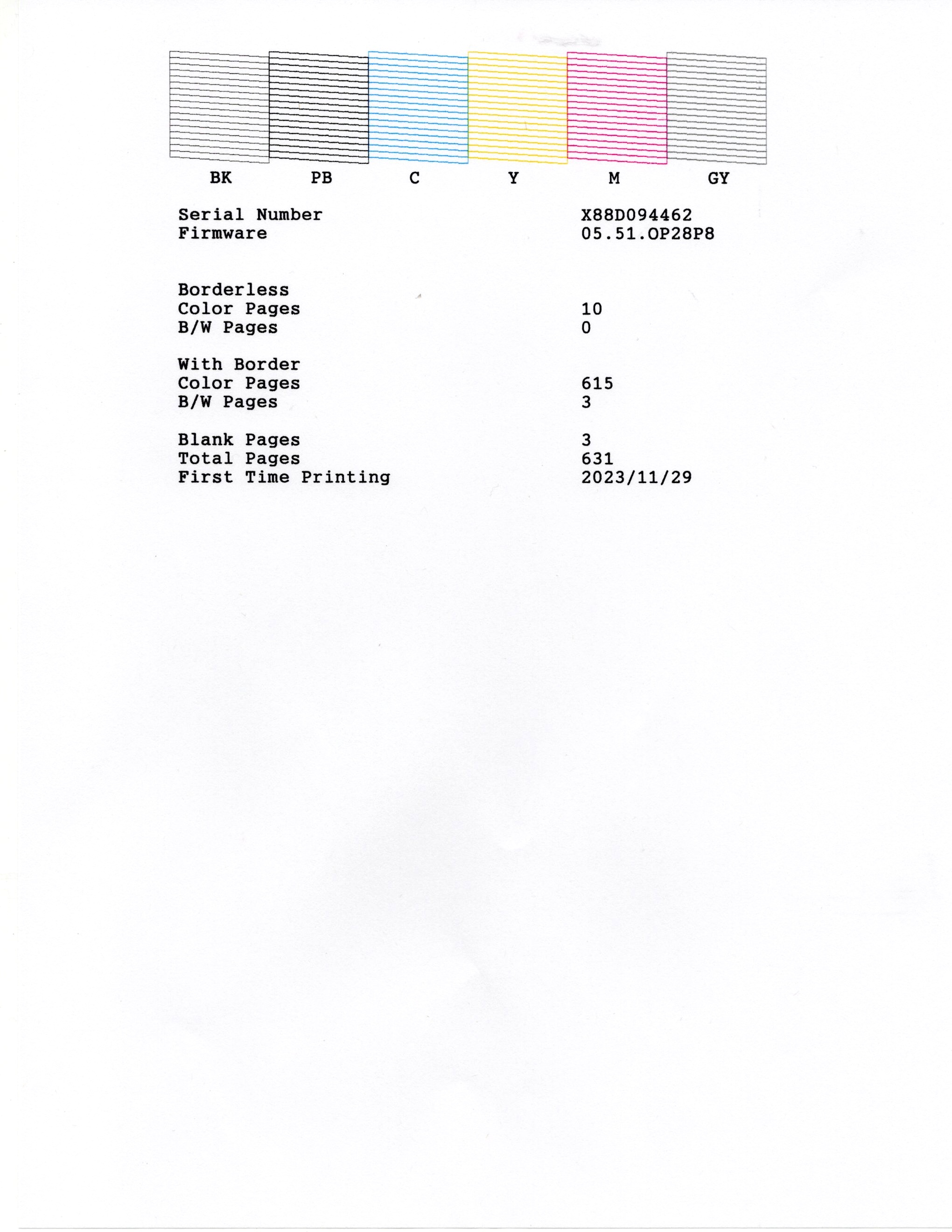


Six clean ink nozzles, designated by continuous lines in the print.

Finally I checked Settings->Printer Settings->Bidirectional and, sure enough, either dastardly Adobe or dastardly Epson had switched this setting to ‘Bidirectional->On’, which is sub-optimal for best print quality, if faster. I switched Bidirectional ‘Off’ and had at it with LR. A couple of minutes later a pristine 13″ x 19″ print was lying on my desk:
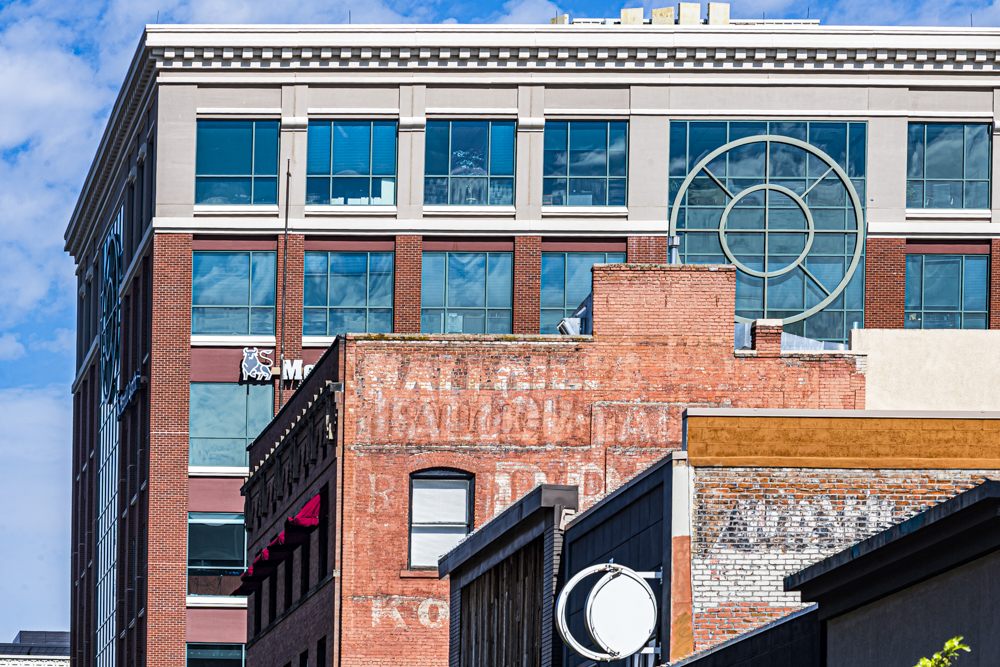


Perfect printing once more. Leica M10, 135mm f/4 Elmar at f/8 – as good as lenses get.

So a conspiracy of errors – Adobe’s poor ‘upgrade’ engineering and the printer’s recent lack of use resulting in clogged ink nozzles – is the sort of thing to expect in that most fragile of hardware devices, the ink jet printer. In conclusion, if your printer has not been used for a few months, run a nozzle check using plain paper before inserting costly photo paper.
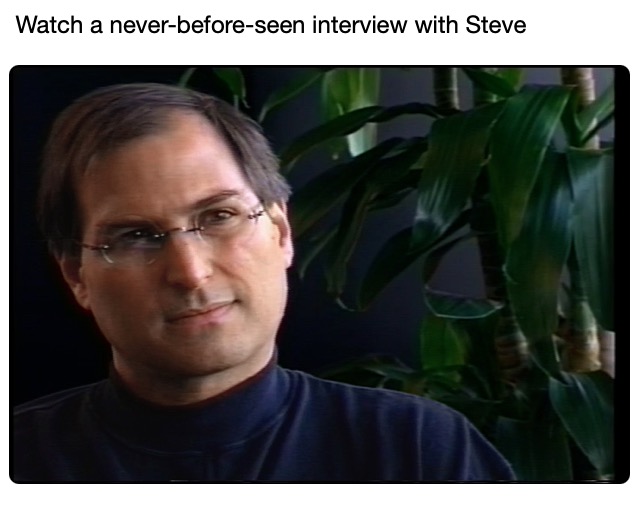
Steve the master businessman

A fascinating interview.

In addition to his fascination with design and form, Steve was a masterful businessman.

His widow, Laurene Powell Jobs, curates the Steve Jobs Archive and has just published a 1996 interview about Steve’s engagement with Ed Catmull and John Lassiter of Pixar and with the Disney Company to create the first ever completely computer generated animated movie. Toy Story would go on to be a huge hit.

There are many great business insights into the great man’s thinking in this interview. For example, he explains how he thought long and hard about compensation design in trying to meld the disparate cultures of Hollywood and Silicon Valley at Pixar: “Hollywood uses the stick – the Contract. Pixar adopted the carrot – Stock Options”.

To see the previously unpublished video click the image below.


Click the image..

Lightroom masking in v15

Extraordinary.

I’m one of the crowd that detests Adobe’s subscription model for its many photography applications, having paid to own Lightroom many years ago only to find that Adobe made sure it refused to work on the Mac Mini M4, forcing me to ‘upgrade’ to the subscription version with its predatory pricing. So much for lifetime ownership.

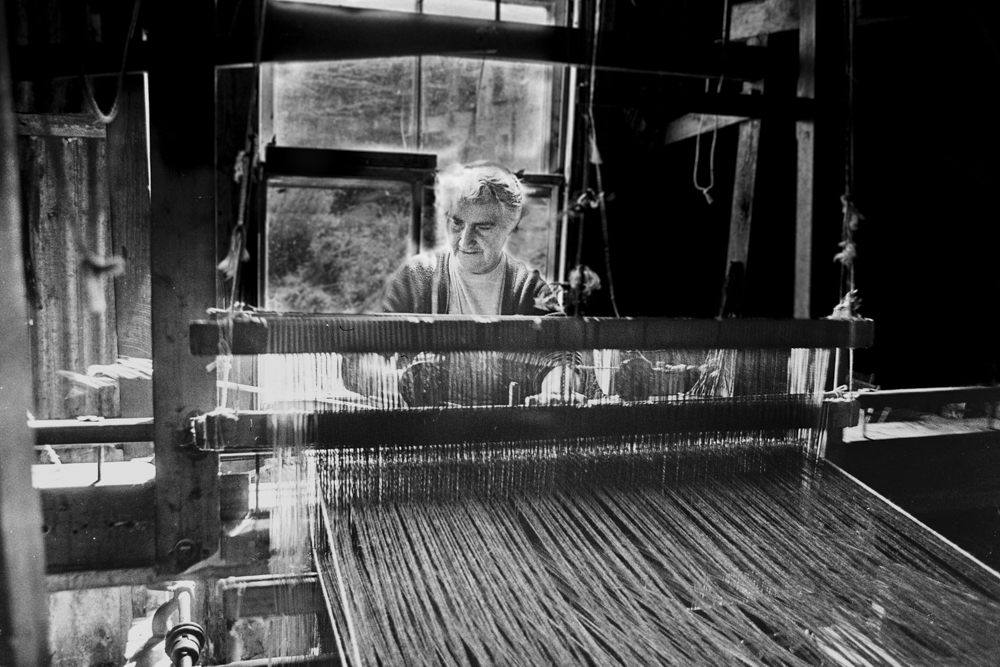
However, giving credit where it’s due, the masking and highlight recovery capabilities of v15, the latest upgrade, are extraordinary. These are best illustrated by the image I took of Marion Campbell in 1977 in the Outer Hebrides island of Harris, off Scotland’s northwest coast.

Back in 2008 I wrote:

I have been trying to process this snap for thirty years. Every decade it gets better as processing technology improves. Oh! if only I had had a fill in flash with me. Anyway, I now have the burned out highlights largely recovered and some vestige of detail in that wonderful, craggy face.

And that effort was tortuous indeed, requiring much work in Photoshop.

Now, with Lightroom v15, the process has become an order of magnitude easier. A while back I had re-‘scanned’ my early Tri X film images using the Nikon D800 and a Micro Nikkor lens. Definition is as good as you will ever get from a film scan, and far faster than using a flat bed scanner with its mediocre results.

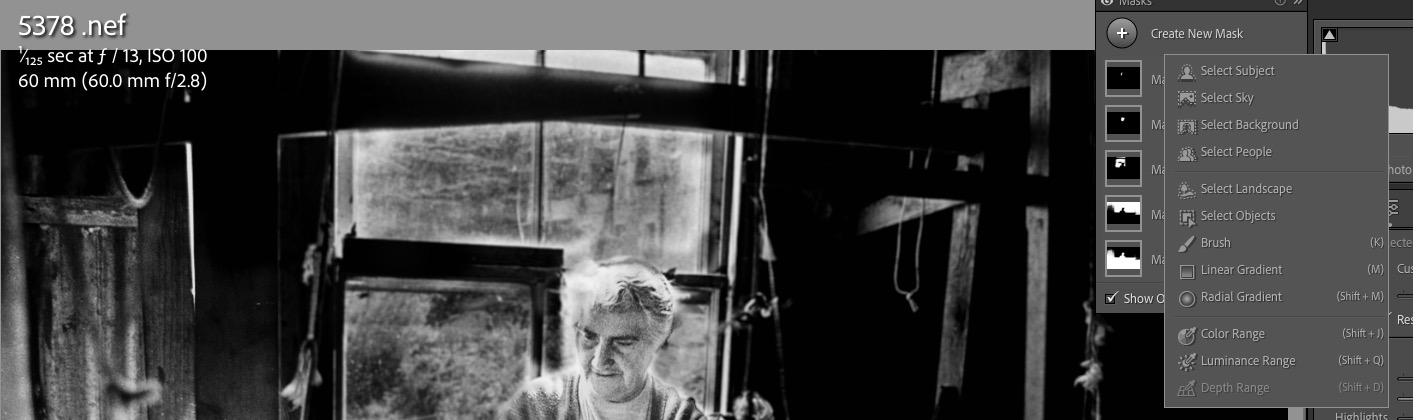
Still, the ‘scanned’ image does not look great. After importing the image into LR and straightening things up, with some added tweaks on the sliders I had a half decent image but one which still has horribly burned out highlights from the window behind Ms. Campbell’s head:


The unprocessed film scan from the D800.

Adobe claims that v15 of Lightroom uses AI – doesn’t everyone claim AI as the magic sauce today? – in helping with masking, so I had a go using the dropdown box which gives several masking options:


Masking options.

I chose ”Select Subject’ and LR did a great job of doing just that, allowing me to add contrast and vibrance to the face. Next I added another mask, this time choosing ‘Select Background’, which LR accurately did, and had at it with the Highlights slider, for a truly exceptional result. A third mask using the ‘Brush’ this time allowed me to paint in her blown out hair with another tweak on the Highlights slider and here is the result which took less time to do than to write about:


The final result.

So finally, 48 years later, I have the displayed image which, until now, has resided in my mind’s eye.

Why, I’m almost feeling good about that Adobe subscription ….

Harris Tweed

There is none finer.

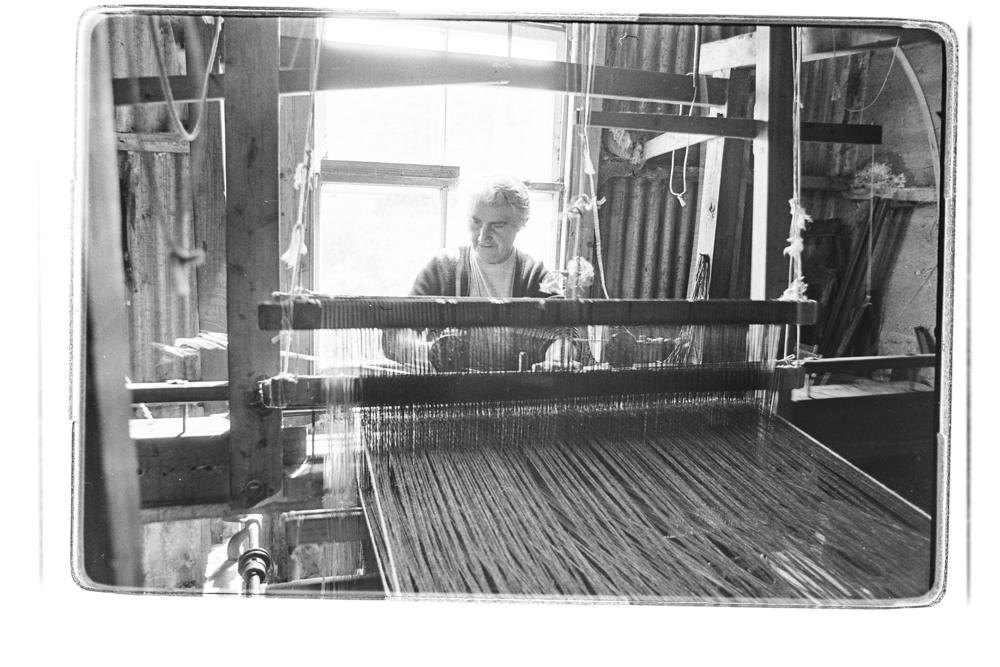
Visit the rugged island of Harris in the Outer Hebrides off Scotland’s west coast and you will find that the cottage industry which produces the local Harris Tweed is alive and well.

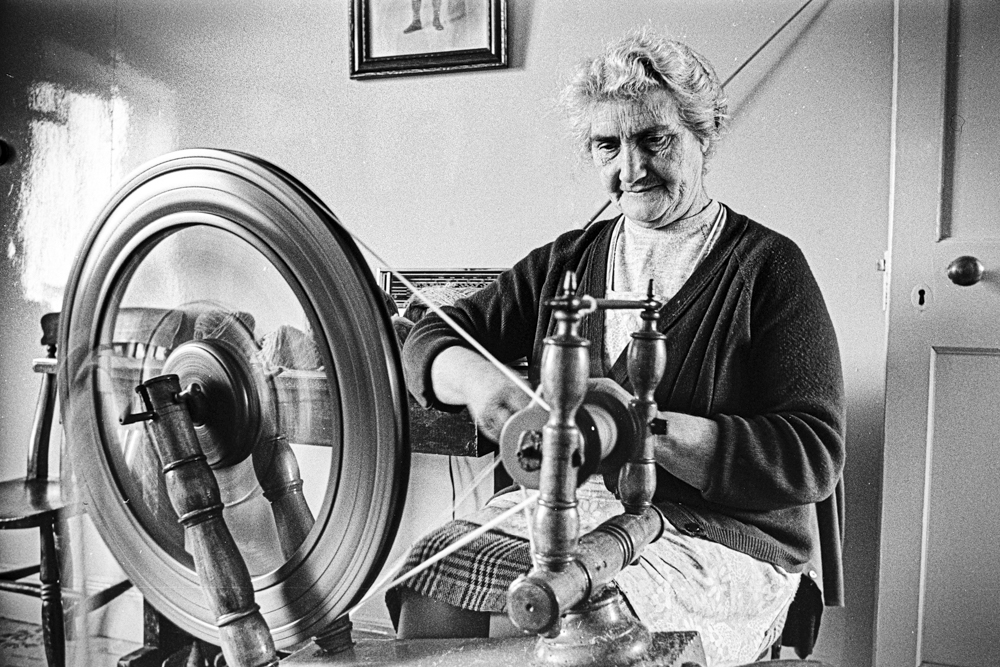
I did so in the fall of 1977, a last UK trip before leaving that blighted nation for the welcoming surrounds of America, and was lucky to photograph the last of the local artisans who not only wove the rugged woolen tweed on a hand loom, but also span her own yarn by hand using wool from the local sheep population.

The Leica M
Marion Campbell spinning Harris Tweed yarn, Harris, Scotland. Leica M3, 35mm Summicron, TriX.

You can read the whole story here.


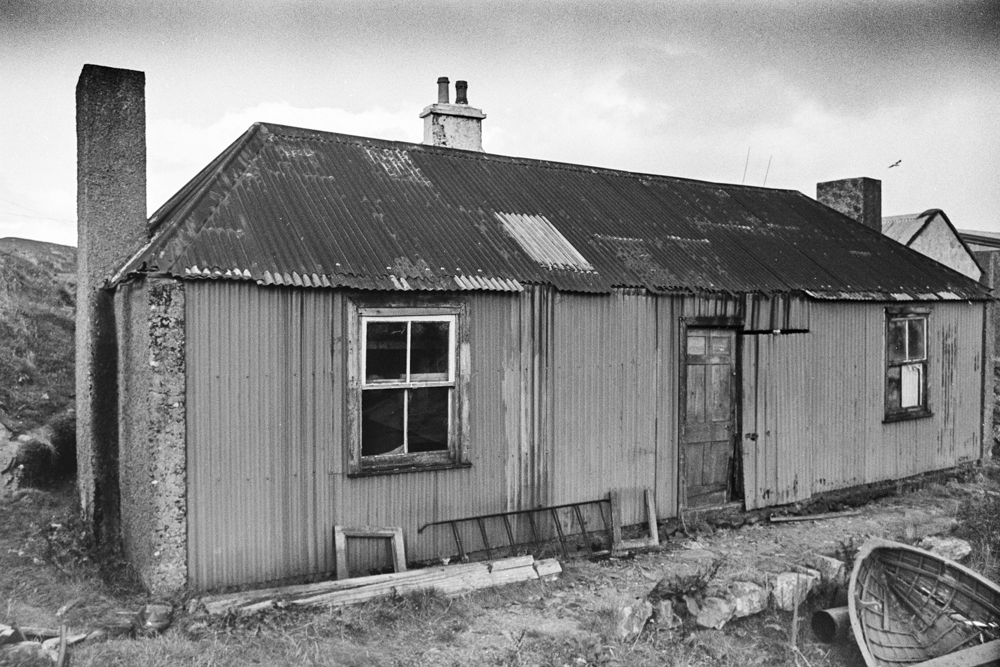
A typical Harris cottage. Someone is cleaning up on Harris Tweed sales, but it’s not the makers.

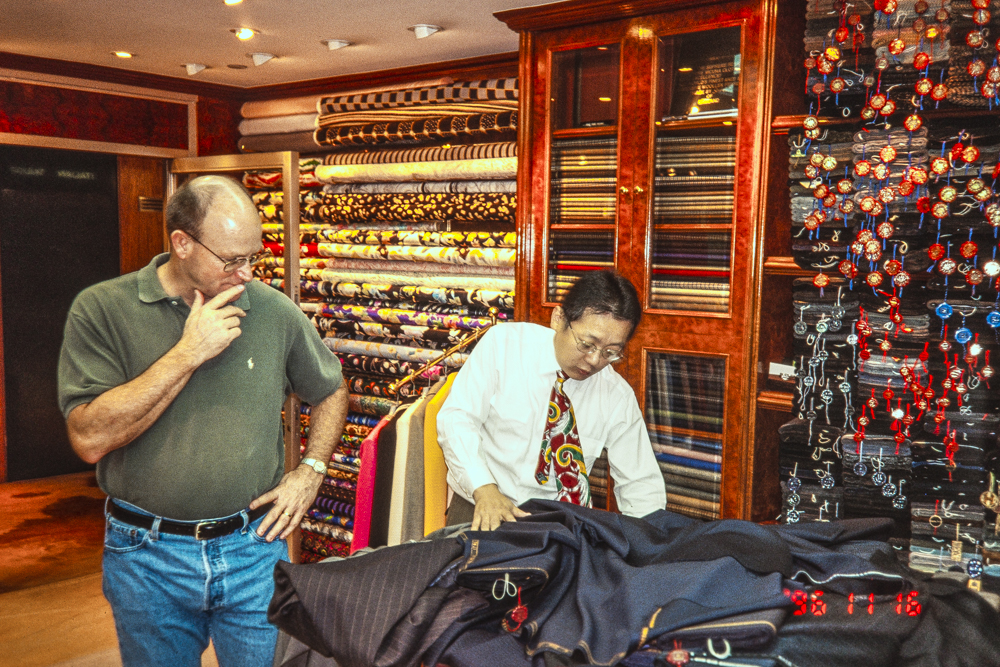
Ms. Campbell told me that her largest customer was a tailor’s in Hong Kong, so 19 years later, on a business trip to that most vibrant of places, I made the pilgrimage on a 25 cent ferry ride from HK to Kowloon on the mainland to visit the storied tailor who made his home in the Peninsula Hotel. The ferry and Kowloon are still the most crowded places I can recall, though it was nice being one foot taller than everyone else ….

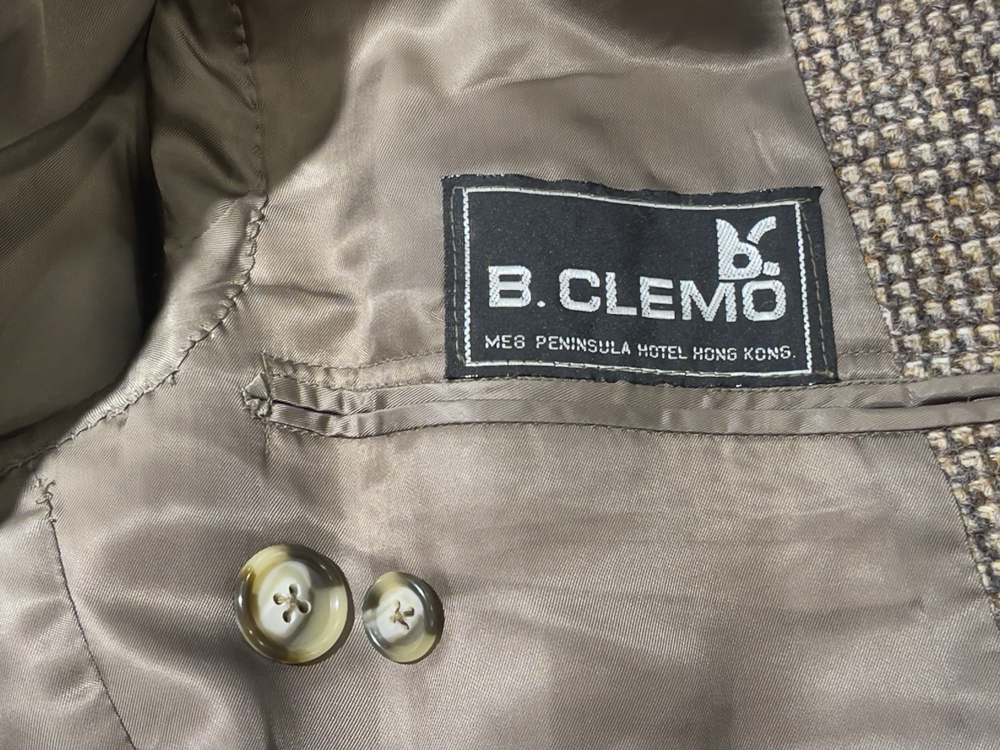
The Peninsula continues to this day but B. Clemo has long shut its doors. The business was renowned for custom tailored clothing and that old story that you would be measured one day and the clothes would be ready the next proved to be true. I ordered a tailored Harris Tweed jacket, choosing from the immense selection of tweed cloths and I like to think that Marion’s output was among the choices available.


In B. Clemo’s store, a friend contemplates the cornucopia of Tweed choices.


With the lining recently restitched, my jacket is as good as new some 29 years later.


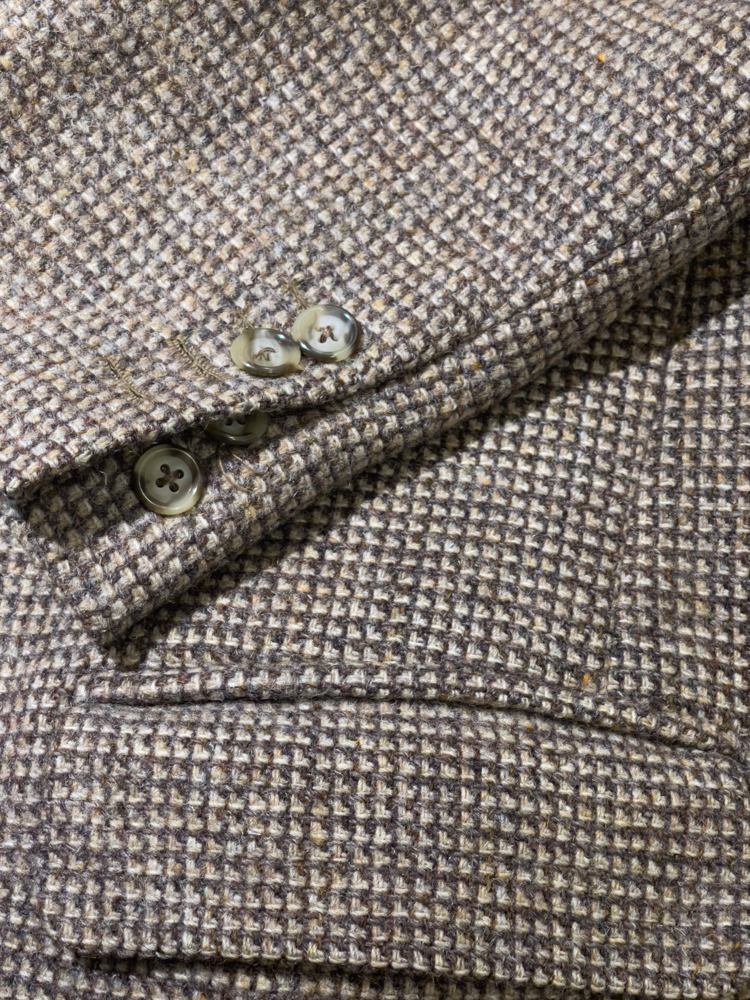
Tailored cuffs can be unbuttoned for a touch of style.


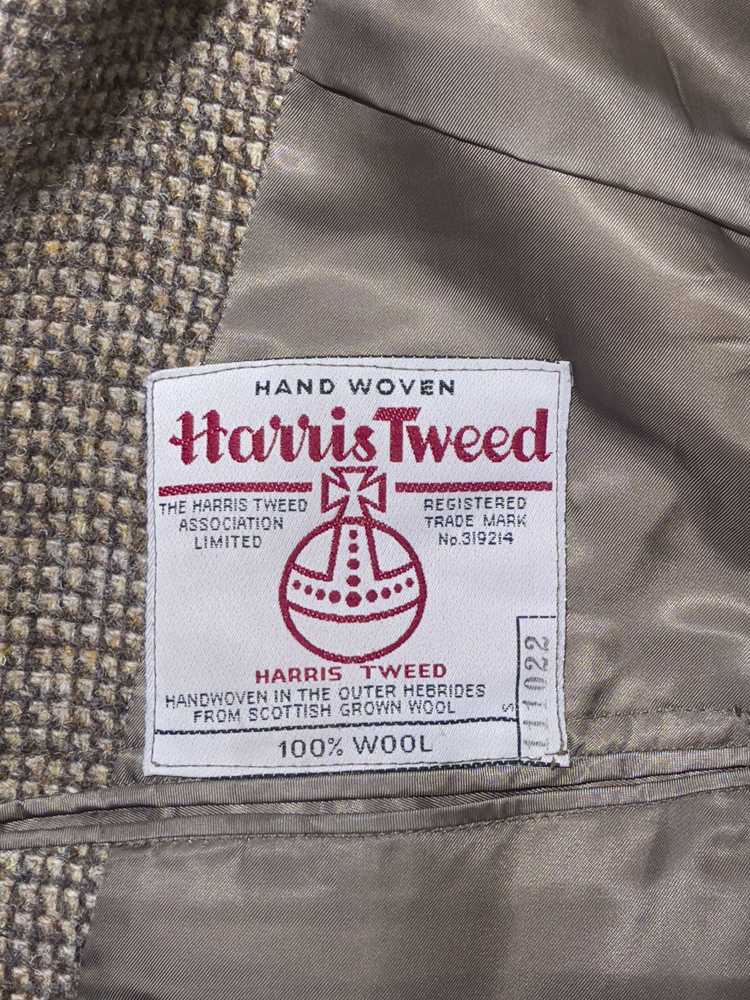
The real thing.


With a friend the other day

A couple of years later, affluence having reared its welcome head, I contacted B. Clemo and ordered a second jacket. Sure enough they had my measurements on file and it fit as perfectly as the first. That one is in the last picture above.

Put on a (Scottish!) wool pullover under your Harris Tweed jacket and you will not feel the cold down to freezing. The Scots know wool. And you can order a tailored jacket from the Harris Tweed Authority to this day, but you will pay a good deal more than I did almost 30 years ago.