Time for a new one.
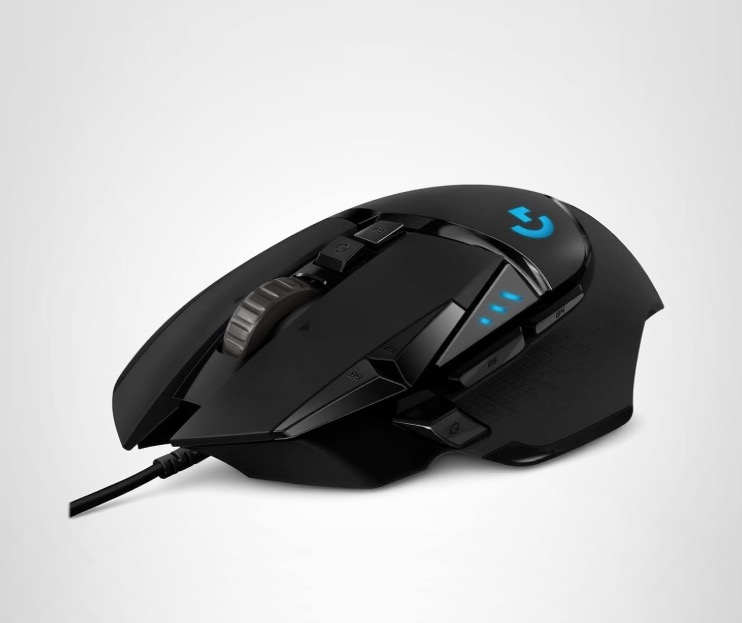
The Logitech G502 wired gaming mouse.
My Mac Mini suddenly lost the ability to drag and drop files. Given the frequent use of this function and its general indispensability, this fault rendered the computer near useless.
I set about reinstalling the Tahoe operating system – no change – then restored files from my Time Machine sequential back-up. Still no joy.
That left the mouse and trying a basic old Microsoft two button mouse had drag and drop working once more, so the old Logitech G500 had to be replaced. As it had served me well I went with its replacement, the Logitech G502, and stuck with a wired design as that’s one less thing to go wrong and one fewer battery to recharge. At $38 it’s some 50% less than the G500 was 13 years ago, in inflation adjusted dollars, so no complaints here.
Like the G500 the G502 has installable weights to add heft and I loaded up the G502 with all six. There’s also one spare provided. Each weighs 36 grams/1.27 oz, so fully loaded you are adding 216 grams/7.6 oz, which confers just the right heft for my use. Also, like with the G500, the scroll wheel’s click-stops can be disengaged for smooth scrolling, much my preferred setting.
There’s a downloadable app which claims to do all sort of magic things, including changing the color of the LED logo (how dumb is that?). Well, it is a gaming mouse, which explains a lot about the typical user, I suppose. Rather than mess with that I stuck with the well supported SteerMouse which recognized the G502 immediately and programming the several buttons – there are seven – took a couple of minutes. After some use I had to turn down the pointer sensitivity and speed to get the settings I was used to. Simple to do. The G502’s buttons are located in a manner similar to that on the G500 which makes transition easy.
If the G502 lasts as long as the G500 I will be a happy camper.