Using Helicon Focus’s Retouching feature.
For an index of all Leica-related articles click here.
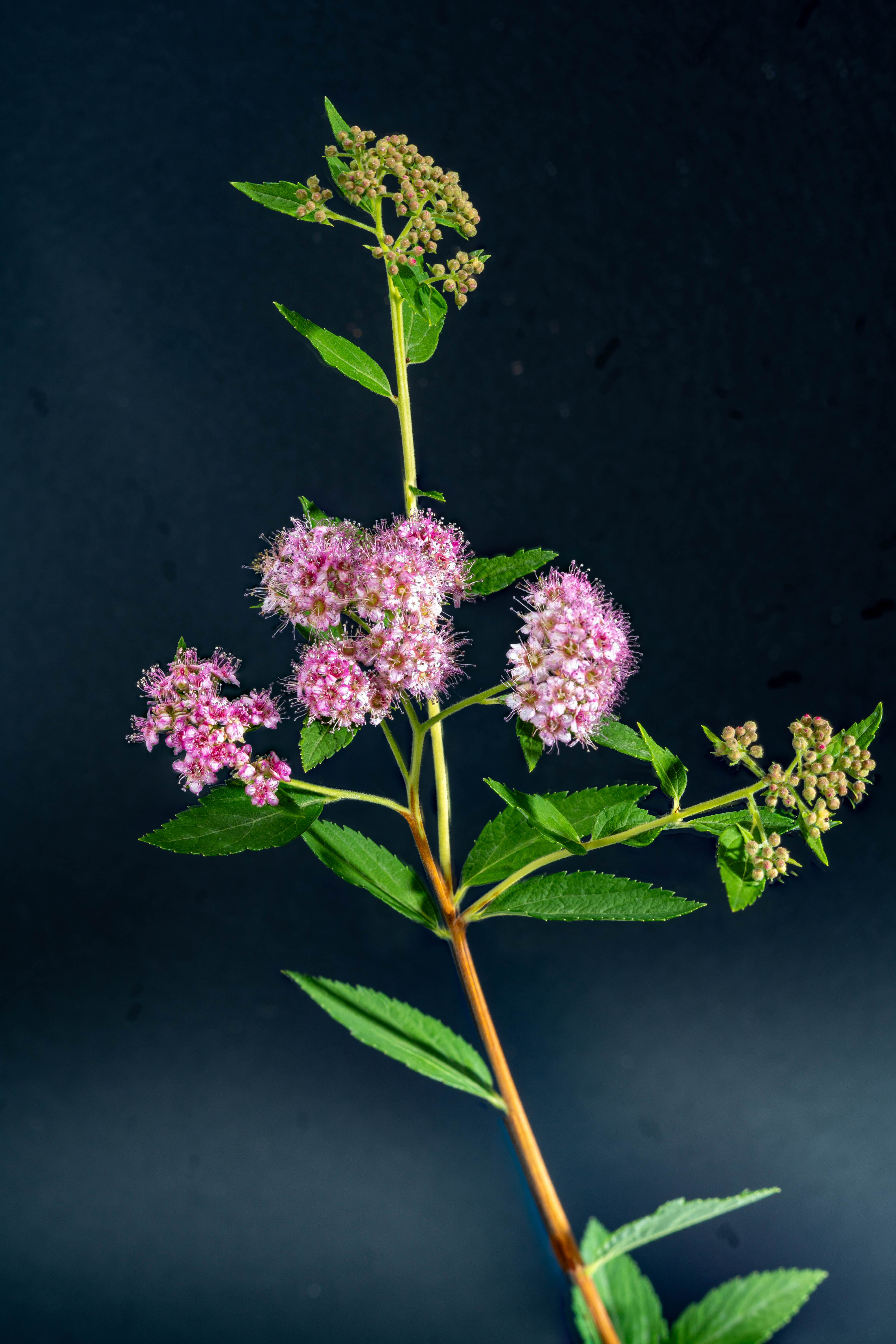
Click the image for a larger version.
Because of the depth/tilt of the subject I used the tilt and shift functions of the Nikon PB-4 bellows to get the top and central bud/flower groups sharp:
With subjects like this with considerable depth and complexity Helicon can struggle and may render ghosted images in certain areas. The app has an excellent retouching tool which permits selection of the sharpest constituent image for that area and allows you to brush over the area with ghosting, replacing it with the correct/sharp area from the single constituent image. I had to use that tool on a couple of the leaves here which Helicon originally ghosted. It takes less time to do than to describe and is a unique feature of Helicon specifically aimed at stacked images, and not something that is available in regular processing apps like Lightroom. If you look at the leaves just above the central petal group in the enlarged version you can see a couple of ghosted areas I omitted to remove.
Here’s the setup – the camera is turned together with the bellows through 90 degrees on the tripod, whereupon the bellow’s swing front panel becomes a tilting one and the shift becomes rise/fall. Then tilt and rise are applied. The 135mm Leitz Elmar used here has a decently broad image circle, allowing this approach without robbing edge definition so long as the tilt is not too extreme. The shift function also helps by restoring the image toward the center of the image circle. Very cool and you can focus stack with far fewer images than would otherwise be called for. The 80mm El Nikkor with its larger image circle would have been a better choice for tilt and rise use, but the greater working distance of the 135mm Elmar makes lighting easier.
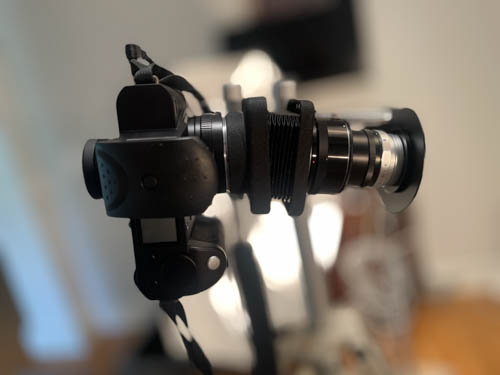
Tilt and shift.
Leica SL2-S, 135mm Elmar at f/16 on the Nikon PB-4 bellows, 3 strobes. 30 images focus stacked in Helicon Focus.