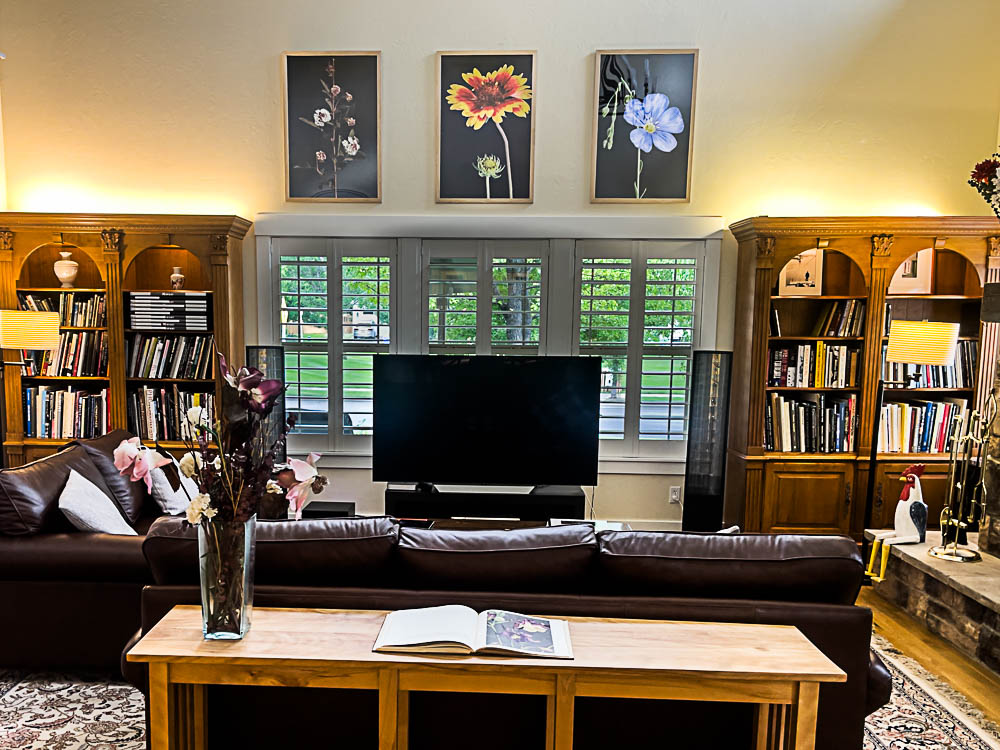
Spring is here.

Leica M10, Light Lens Lab 50mm SP II.
Spring is here.

Leica M10, Light Lens Lab 50mm SP II.
Pixel shift technology.
For an index of all Leica-related articles click here.
If memory serves it was Hasselblad, a few years ago, who came up with the idea of pixel shift technology to make multiple exposures at very high resolutions, combining the images each of which is shifted 1 pixel by the IBIS sensor. Much loved by curators of oil paintings. Lots of higher end mirrorless cameras with IBIS now offer this, of course, as does my (now discontinued) SL2-S, so as it’s raining I decided to give it a try inside. You need a stationary subject anyway.
The super resolution mode is found at Menu->Page 1->Drive Mode->Multi-Shot.
Here’s the bookshelf scene – the red box highlights the enlarged versions below:

Camera on a tripod, the Leica gives you the option of 2s or 12s delays between snaps to let the vibes die down. I went with 12s. I probably should have used the electronic shutter for even fewer vibrations, but made do with the mechanical shutter. As Auto-ISO selected ISO3200 I also applied the LRC Denoise algorithm to both images which are shown at 300% magnification below. That figures to a 120” x 80” print. Critical manual focus using the EVF magnification feature was very easy. The multi-shot image is at left:

Fun bit of technology. The multi-shot file came in at >170mB, though the resolution is reported at 96mB, four times the stock 24mB. I used the 75mm Voigtländer Ultron as it’s probably the highest resolving power optic I own. Actual aperture was f/8 – the SL2-S does a poor job of guesstimating the aperture, reported above. The camera warns you if your support is wobbly.
The multishot image looks perfect at 300% at a 24” viewing distance. I believe that in the current SL3-S (up to 60mp from 24mp) Leica has enhanced the technology to allows multiple images to be snapped hand held!
A temporary fix.
For an index of all Leica-related articles click here.
The only strap that I have found to be truly safe for over-the-shoulder carrying of a camera is the Upstrap and the reasons are simple. First it has deep nubbins on both sides of the rubber shoulder pad and for over-the-shoulder carrying that’s essential as the strap will always twist in practice. And every other strap out there appears to have a rubberized side and a slick side. Once the slick side is in contact with your shoulder the whole ensemble is nothing more than an accident waiting to happen. Second the embossed maker’s name on the Upstrap is invisible.

The stock strap for the Leica fails in three respects. It has only one rubberized side and they spared the rubber. The other side is as slick as it gets. Duh! And there’s objectionable and loud “LEICA” stitching which helps your neighborhood thief make a beeline for you.
I keep searching for a second Upstrap on eBay but so far without luck. Sadly, the company is no longer in business. My M10 sports the slimmer version (shown above) for lighter cameras and it works superbly.
So while I wait for one to crop up I have enhanced the design of the stock SL2-S strap and made it far less slippery using some leather patch and non-slip rug pad gripper.


A two inch wide strip is cut.

A six inch long and two inch wide strip of leather patch is cut.

The anti-slip material is wound around the strap and the leather patch
applied either end to secure it, avoid damage to the original strap.
Pretty? No. Effective? Yes.
And at the gas pump, it seems.

Leica SL2-S, Light Lens Lab 35mm 8 element.
Problem resolved?
For an index of all Leica-related articles click here.
In Part III I made mention of the poor experience I had with FOTOS. I don’t care to download images from the camera to my iPhone but I do want GPS data for search and retrieval in Lightroom Classic. FOTOS did not work properly, recording incorrect times and constantly disconnecting from the camera.
Overnight Apple applied yet another of its endless iOS ‘upgrades’, meaning yet another fix for one of the most porous operating systems yet devised. I’m now on 26.3.1. And you thought Windows was bad? I think that makes four upgrades this year. It’s time critics ceased praising Apple for its apparent diligence and started damning it for making a lousy OS in the first place.
Anyway, with the new OS in the iPhone and the FOTOS app updated with the latest version in the App Store I restarted the connection with the camera and took phone and camera for a walk. The iPhone is set to 5gHz wi-fi.
In the setting screen below (Page 5 in the screen system) I had the Wi-Fi Sleep Mode set to ‘Never’ thinking that sleep might mean yet another 30 second wait when the camera was again operated. The result was that the battery was completely depleted in 80 minutes! However, there were no unprompted disconnections, the rectangular LED at the lower left corner of the LCD display blinking a bright blue throughout. (It’s so bright it washes out in the picture below):

So I switched the Wi-Fi timeout to ‘5 minutes’ to determine the effect on battery life. In the event, after a 5 minute pause, the blue LED continues blinking and placing an eye to the EVF sees the camera wake instantly. So the ‘5 minute’ setting makes sense when the goal is to preserve battery life. After a further 80 minutes with a fresh battery the battery was just 25% depleted. Now this is not quite a fair comparison as I was not taking pictures during that period, but I would estimate that a battery life of 2-3 hours using a 5 minute wi-fi timeout is a reasonable expectation. Nonetheless this cheap and capable backup is recommended, and you will need to re-pair the camera and FOTOS after changing batteries. It’s hard to understand what benefit the ‘Never’ setting confers and the Instruction Manual sheds no light on the issue.
It does not matter whether the iPhone is on or off. FOTOS continues to run in background mode, as long as the camera is left On. I noticed a slight increase in the temperature of the camera body – I measure a maximum increase on the baseplate at 19F after 80 minutes when the ambient temperature was 73F.. No big deal, but clearly something in there – presumably the wi-fi chip – is working hard.
So – for now – it appears that FOTOS is working correctly, until the next iOS change, I suppose. The SL2-S is on the latest OS, version 6.2.0 released in early 2025. Whether the issue was attributable to a dated FOTOS app or to a dated iOS I have no idea as I updated both without interim testing. Not great diagnostic practice, I admit, but I was dreaming of ‘It Just Works’. Remember that Apple slogan?

Update 3/10/26:
After one happy day with a stable connection I cannot reestablish that desirable state of affairs. Simply stated FOTO’s pairing with the iPhone is a disaster. Huge time sink. I’m moving on, forgetting this ‘feature’.
A second update 3/10/26:
I refuse to let this thing beat me, and may have come up with a fix. In an effort to defeat the constant disconnection issue I went to Menu->Page 6->Camera Settings->Power Saving->Auto Power Off and changed the default of ‘2 min’ to ‘5 min’. So far I have been up and running with the blue diode flashing merrily away for 60 minutes, which has to be a record …. The FOTOS app persists in telling me “Camera is not connected” despite what appears to be a good connection. What a mess. More as I experiment with this.
Well, that does not work. While the blue diode continues flashing snd the top display indicates wi-fi is on, all the GPS data are frozen at one location. The time stamp is good, though, as I have told the SL2-S not to use time data from the iPhone. Small progress. The next step will be to revert to Menu->Page 5->Leica FOOS->Wi-Fi Sleep Mode->Never. I still have Menu->Page 6->Camera Settings->Power Saving->Auto Power Off set at the factory default of “2 min”.