Category Archives: Nikon bodies

About Nikon DSLRs

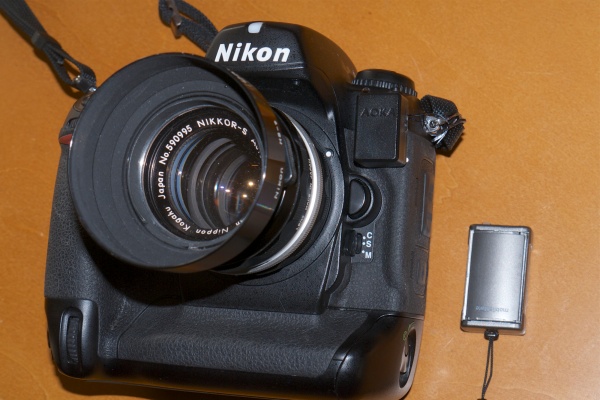
The Nikon D2X – Part II

Some settings.

Part I appears here.

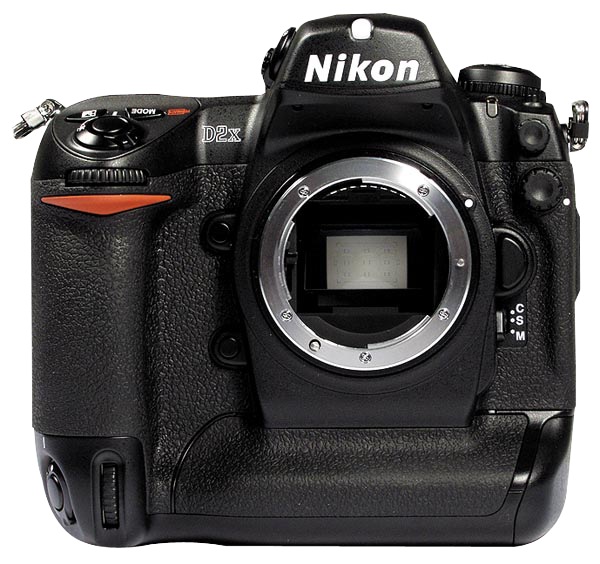
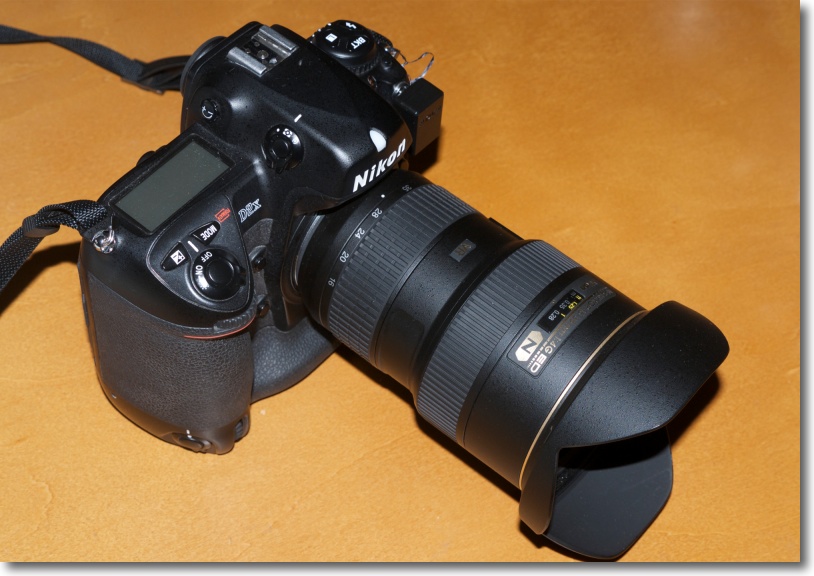
First things first. Now that my pristine Nikon D2X has arrived, courtesy of a fastidious original lady owner, I immediately installed an Upstrap to make sure it felt comfortable when worn. Not surprisingly, the ghastly ‘Nikon’ emblazoned strap which came with the camera was unused – it’s rubberized on one side only and you become an unpaid advertiser when using it. Upstrap is the way to go – the SLR-LT/SLRN non-Kevlar model is what is called for.

Second, a quick check of the firmware confirmed that Version 1.01 was installed. A download of the two BIN files from the Nikon USA site to the root directory of the CF card, a couple of button presses and two minutes and Version 2.0 was up and running. Advantages?

Nikon D2X firmware version 2.0:

  • H 0.3 (equivalent to ISO 1000) and H 0.7 (equivalent to ISO 1250) if using EV steps of 1/3rd steps in the Custom setting b2 or H 0.5 (equivalent to ISO 1100) if using EV steps of ½ steps in the Custom setting b2, have been added between the ISO 800 and H 1 settings in the ISO menu.
  • Autofocus subject acquisition and tracking performance has been improved.
  • A Black-and-white (sRGB) option has been added to the Color mode option in the shooting menu.
  • A new Trim function has been added to the shooting menu.
  • Up to 3 custom tone curves can now be downloaded to the camera for use with the Custom Tone compensation option.
  • Nikon Capture 4 (Ver. 4.4.2) Camera Control or Camera Control Pro with Ver. 1.1.1 and later is required to download 3 custom tone curves to the camera.
  • An Image authentication option has been added to the setup menu.
  • The optional Image Authentication Software is required to authenticate images.
  • A Save/load settings item has been added to the setup menu.
  • The Mirror lock-up option in the setup menu has been modified to function with battery power as well as AC-adapter power.
  • The Lock-On option in the CSM menu now offers 4 options: Long, Normal (default), Short, and Off.
  • Max. sensitivity and Min. shutter speed options have been added to the ISO auto menu.
  • The Maximum shots option in the CSM menu has been updated to support a maximum setting of 60 shots.
  • The FUNC. button item in the CSM menu has been divided into 2 separate items labelled FUNC. button and FUNC. + command.
  • A Recent settings item has been added to the setup menu.
  • The shooting data of an image in the playback photo-information display now includes Focus mode (S/C/M) and Vibration reduction (on/off). Displayed only when the image was captured with a VR lens.
  • Latitude and longitude GPS data now displays up to 3 digits for each segment.
  • A compass bearing is displayed in the GPS data, if used with a GPS device is equipped with digital compass.

Non-trivial enhancements, as you can see. The only surprise here is that the original owner did not do this!

I popped an SDHC 8GB Lexar CF card in and recharged the battery, which the camera states is some half way through its useful life. The D2X was made before SDHC high-speed transfer technology was available, so write times are not reduced with an SDHC card in the camera, but read times in a USB3.0 card reader most certainly are when loading the images into Lightroom or Photoshop. And with the body’s large multiple-shot buffer, write times are not a major concern. In my D700 the 8GB card will store 302 RAW images; in the D2X that rises to 386. Nice.

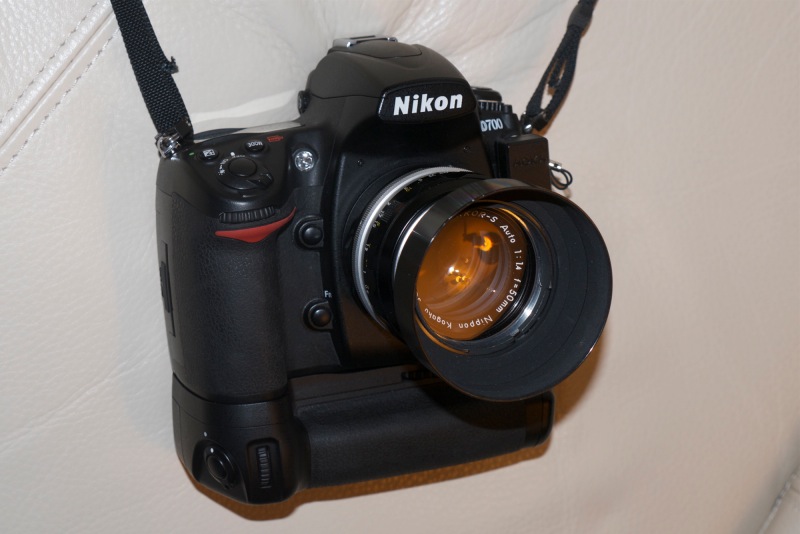
As expected, the weight of the body, despite its increased bulk, is little different from that of the full frame D700.

As long time readers know I own many old MF Nikkor lenses from what I consider to be the golden age of manufacturing, and have modified all of these by adding a CPU. To confer aperture control on the aperture ring of lenses thus modified (and also for AFD lenses which come with a CPU) the related setting is found in Custom Setting Menu->f – Controls->f6 Command Dials->Aperture setting->Aperture ring->OK. Phew! You can now change the aperture on manual and AFD lenses using the aperture ring on the lens. That’s how cameras used to be and that’s how I like mine. If you elect to use my lens correction profiles, these will automatically adjust to either FF or APS-C images, so no changes need be made when importing images from one or the other sensor.

As usual, I turn Image Review off. If I need to chimp the image on the built-in LCD it’s to check the histogram, and that only in challenging lighting.

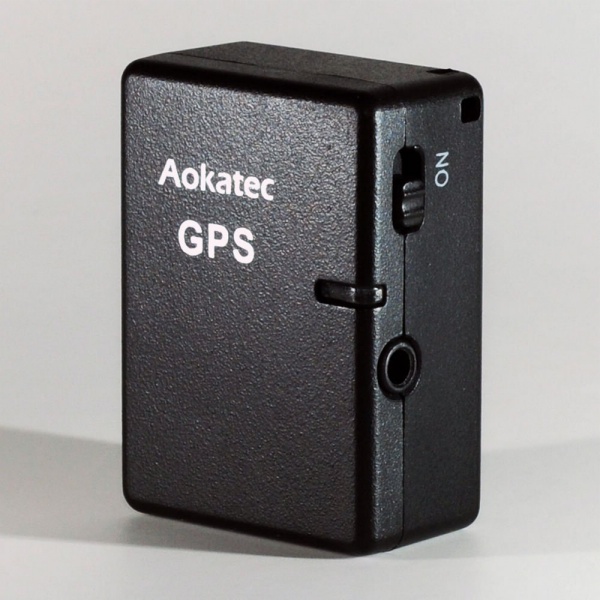
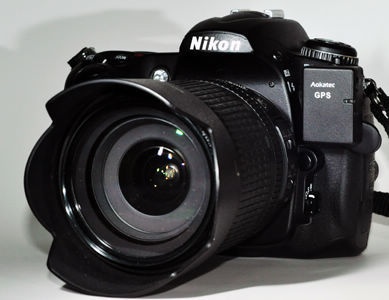
The GPS unit and sender set forth here for use on the D700 works better with the D2X, the D700’s 70% hit rate rising to over 90% with the D2x.. Latitude, longitude, altitude and UTC time are all faithfully recorded in the file.

A quick reset (two green buttons at the rear base held for 2 seconds) restarted frame numbering from zero, the body having some 22,500 actuations on it when received. In other words, as these things go, it’s a baby. You really must avoid pros’ beaters when searching out one of these.

Autofocus with AFD lenses is slightly (subjectively) faster than with the D700 – the D2X stops the focus first time whereas the D700 sometimes goes past the optimum focus point then retraces. But practically there’s little to choose. Both are breathtakingly fast, and the older AFD lenses which use the ‘screwdriver’ lenses focus mechanism are nicely suited to the powerful focus motor in the body of the D2X. I only own one Nikon G lens, the 16-35mm VR f/4 which uses the more modern linear in-lens focus motor, and this locks autofocus even faster than the AFD lenses I use. The G lens may be set in awful resin, but the technology delivers. On the AF-C D2X, the 16-35mm focal length range computes to an FFE of 24-52mm, a handy range for street snappers. Couple that with the 35-70mm AFD (FFE of 52-105mm) and you have a powerful ‘around-the-world’ outfit.

A quick tweak on the eyepiece adjuster saw things nice and sharp in the finder. Subjectively the finder in the D2X is one stop brighter than the one in the much newer D700. The D700 projects a larger, warmer image with the 1.2x magnifier I use. Removed, the two are near identical, though the D2X has a smaller sensor. Unmagnified, the D2X’s finder is just right – there’s no need for the eye to scan around for data. Both bodies present a wonderfully uncluttered image area through their respective finders. Best of all, the Nikon Eyepiece Magnifier fits perfectly and makes the viewfinder into a true state of the art focus and composition aid. Highly recommended, especially with fast and/or long lenses.

The focus confirmation light, used with manual focus lenses, is more decisive than in the D700 – there’s less stuttering around the optimum focus point, but I am splitting hairs here. If you use my lens correction profiles (click on Sitemap, above), these will require no changes for the smaller APS-C sensor.

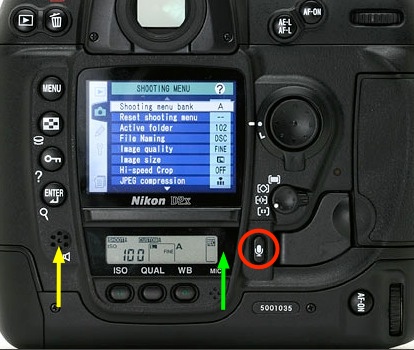
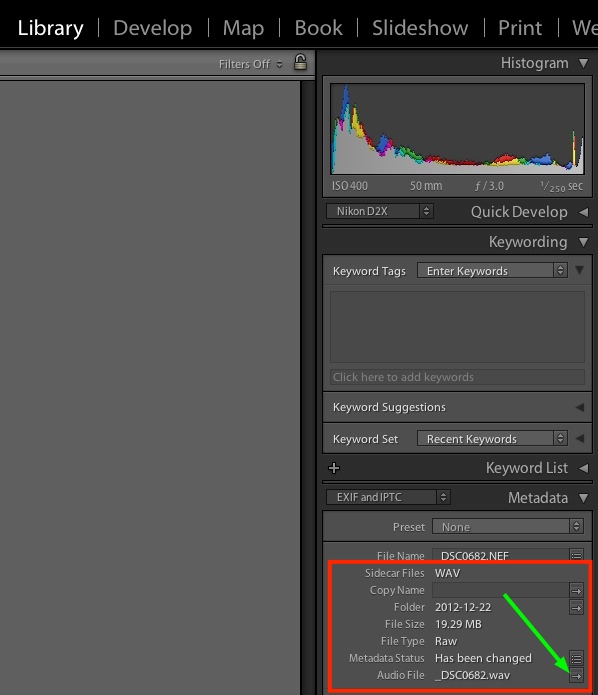
The D2X has one useful feature missing from prosumer bodies like the D700. A button at the lower rear allows recording of a voice memo of up to 60 seconds with an image. Very handy for, say, recording the name and email address of someone in a street snap when you want to send them an image later. It’s a nice thing to do for posed snaps and a handy feature to have.

Despite its increased bulk, the D2X handles better than the D700, owing to the duplicated dual command dials on the handgrip which make vertical operation a breeze – as long as you remember to flip the switch to enable the vertical shutter release! The shutter is noticeably quieter than in the D700, but the latter has a 3″ LCD compared to the 2.5″ on the D2X. If you are a big LCD user, that is not good.

Otherwise things are remarkably similar between the two bodies, despite the disparity in their ages. The EN-EL4 battery has a 1900mAH capacity meaning a whopping 1,500 images per charge (the later EN-EL4a is 2500mAH or 32% more shooting capacity). These batteries are awfully expensive but as there are so many tales of melting aftermarket ones, I bought a lightly OEM Nikon used spare. The EN-EL4a will not fit the D700 but will fit the D700 when equipped with the vertical hand grip. One more recharger to remember. For comparison the D700’s battery is 1500mAH.

In summary, I do not think you will complain about value for money when buying a used D2X. You can decide, based on this and subsequent articles here, if a used one makes sense for you. While I’m not a serial shooter, cranking the body up to maximum continuous shooting is quite something to behold – 8fps in cropped frame mode.

Overall impressions are of a body of quite immense solidity, perhaps subjectively better than even the massive and well made D700. At $650-800 for a lightly used non-pro ‘beater’ the D2X is a bargain if you can live with APS-C. Pay a little more for one with low actuations – the risk-reward is positive. The D2X will accept just about any Nikkor lens ever made, and older ones can be easily retrofitted with CPUs to modernize their data recording abilities.

Pictures in Part III, but of course there has to be the obligatory snap of Bert the Border Terrier to round out this piece!

Bertie. D2X, 85mm f/1.8 AFD, f/5.6, ISO 400.

Detail of the above. The spot autofocus center rectangle was used, locked with a first pressure on the shutter release.

A quick look at the first images from the D2X does prompt the question: Wither sensors? A friend sent me some uncompressed originals from his new Nikon D800 the other day, and encouraged me to pixel peep, meaning I was looking at display images which equalled print originals 10 feet in size. 10 feet! The rendering of detail, the absence of noise/grain/whatever were startling. Even at ISO1600 the results were special. But I cannot help wonder, in the real world, one where prints are dying and large LCDs are the default display medium viewed at a rational distance, who needs these insanely great sensors? For those who do not, and who are looking for value for their money, oldies but goodies like the D2X have an awful lot to offer. And you are not going to beat the framing rate or the vast choice of inexpensive manual focus optics.

And thank you, Christine, for a camera delivered in such fine condition!

Part III appears here.

The Nikon D2X – Part I

And oldie but a goodie.

The law of diminishing returns affects all technological goods. The desktop PC has peaked, hampered by its slowest part, poor broadband speeds. All modern cars are good, with even Korean products certain to last 200,000 miles with a minimum of maintenance. The smartphone continues to add bells and whistles but the iPhone 1 pretty much defined the genre five years ago. And the latest offerings from camera makers continue to regale us with more pixels and faster operation, while largely missing the increasingly essential things found on any smartphone – GPS and wifi.

The smart buyer, be it of cars or cameras and maybe even computers, focuses on products a tech generation or two old. The cheapest car is a lightly used five year old one which you can buy at 60% off original list price and drive happily for another 15 years, the first owner having paid you for the depreciation. That car has all the functionality and sophistication of the latest model save maybe its fuel economy, and if you do the math there is no way on earth your hybrid will be cheaper over its life than my ‘dated’ gas guzzler.

With pro-DSLRs the financial math is even more extreme. Case in point. I just bought a near-mint 2005 vintage Nikon D2X body for $760. This body sold for a stunning $5,000 7 years ago. It has 22,000 shutter actuations against a life expectancy of some 250,000 or, as a friend remarked:

If you took 300 snaps per trip, you only have 760 trips left.

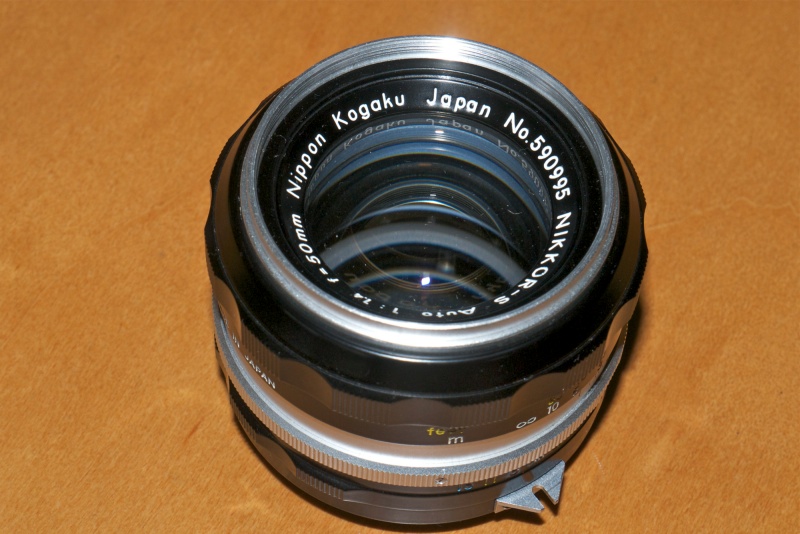
So it’s not like I am about to worry about wearing the shutter out in one of the most robust bodies ever made. As a back-up to my full frame D700, the 12mp APS-C sensor in the D2X offers like definition within the confines of a 1.5x cropped frame. That’s not useful for ultra wide lenses, where the 20mm suddenly sees like a 30mm optic, but it’s jolly nice for a 50mm f/1.4 which becomes a handy, small and very fast 75mm portrait lens. And I’m talking the old MF Nikkor from the days when men were men – and women were men.

Read the tech blogs and you will discover that the D2X does not remotely match the high ISO performance of the D700. Indeed, its sweetspot is in the ISO 100-400 range. That’s fine for my purposes. Read on and you will learn that seven year old Sony sensor – the first CMOS sensor used in a pro-grade Nikon – has a stellar reputation for color rendering in that ISO range. Now that gets my attention. And it just happens to have extraordinarly fast autofocus when that is needed.

A related dictate for my purchase was that I did not want to scale the steep learning curve which is part and parcel of the modern DSLR. The controls and operation of the the D2X are identical to those of the D700 in most respects, so setup will be a cloning process of the preferred settings I have learned to love on the D700.

So there’s lots to look forward to here, not least being the fact that many aver that this is the best constructed digital era body Nikon has yet made, and I have a penchant for things that are well made.

Part II is here.

100mm, f/1.4

Nikkor MF lenses on the Panasonic MFT bodies.

This piece will finally join the heretofore parallel lines for the Nikon D700 and Panasonic G3 systems I use. Absent the one in the iPhone 4S and an old Panasonic Lumix LX-1, I have no other cameras.

Adapters and their limitations:

Adapters, most around $25, are available to use Nikon and Canon and a host of other manufacturers’ lenses on MFT bodies made by Panasonic and Olympus. But just because you can do that, does it make sense?

For the most part the answer is a resounding ‘No’.

You have no autofocus, auto-exposure is aperture-priority only, and Canon EF and Nikon ‘G’ lenses require specialized adapters to control the aperture. Otherwise you are restricted to full aperture only as those lenses lack a manual aperture ring. Except for Olympus MFT bodies which have anti-shake built into the body, a Panny user loses that feature also. Any VR/IS in a Canon or Nikon lens is lost. The sheer bulk of most full frame lenses destroys the compact concept of the MFT body’s design and the whole idea has a rather Rube Goldberg aspect to it. Cool to tinker, useless in practice.

Still, I plonked down $23 for one of these the other day and just received it. It adds some value in specialized applications and works with Nikon pre-Ai, Ai’d, Ai, Ai-S and AF-D (manual focus) lenses. If you want to adapt a G series AF-S lens as well as all older Nikkors, buy the costlier adpater with a mechanical aperture control ring. Read on.

Click the picture to go to Amazon US. I get no click-through payment.

Adapter quality:

I opted for the Rainbow Imaging version as user reviews suggested it has a better release catch for Nikon lenses than other cheap ones. Manufacturing quality is very high, the interior is semi-matte but that’s unlikely to have any effect on image quality as the reflectivity is low. Fit of both the Nikon end and the Panasonic end is excellent. Novoflex makes adapters for $300. Save your money. The cheap ones are fine. You can see the full range of Rainbow Imaging adapters by clicking here. There are 30 adapters for MFT alone, including such odd ducks as Alpa (a superb Swiss 35mm film SLR whose quality of engineering puts Leitz to shame), movie C-mount, Contax/Yashica, Retina Reflex (!), Exacta/Topcon, Zeiss Ikon Contax rangefinder (!!), and many others. Fotodiox makes an inexpensive adapter for Hasselblad lenses to MFT.

Checking the flange-to-flange dimensions with a micrometer I found a maximum-to-minimum variation of 0.0001″ (0.0025mm), right at the limit of accuracy of the measuring tool. That would be tough to beat at any price. The grinding of the front flange, which mates with the Nikon lens of choice, is to a very high standard. The body of the adapter is made of very thick alloy and not about to flex, regardless of the lens fitted. The serrations on the barrel provide a decent grip for installation and removal on the camera. A small set screw on the rear flange provides adjustment of tightness of fit on the camera. Springs permit adjustment of the tightness of the front mount. Both front and rear on mine were set just right on receipt, but it’s nice to know that adjustments can be made in the event of wear.

Best lenses:

So which lenses make sense? The MFT sensor is one quarter the size of a full frame one, meaning that you are using only the center of the image projected by a full frame lens. Thus a 50mm lens becomes a 100mm. However, the depth of field remains that of a 50mm lens. Depth of field is solely a function of focal length. A 50mm lens on a 4″ x 5″ plate camera will have the same DOF at any given aperture as a 50mm lens on medium format, full frame, APS-C, MFT, you name it.

That pretty much means wide angle lenses from full frame bodies are a waste of time. Even a super wide 17mm, with all its associated bulk, becomes a semi-wide 34mm on MFT. You are far better off using the kit zoom with all its automation, than using a gargantuan FF wide. It just gets worse the wider you go. A monster 14mm Nikon or Canon is a not so wide 28mm on MFT. Silly. If you want really wide, use something like Panny’s 7-14mm or Oly’s 9-18mm. I use the latter and it’s an outstanding optic.

Likewise, modest aperture standard or medium long lenses make little sense. The Panny kit zoom – 14-42 or 14-45 – meaning 28-90 equivalent on FF, has you covered. And if you want something really long, using a monster FF telephoto on MFT bodies makes little sense unless you need a very fast aperture. But then why bother with an MFT body when FF will deliver superior results with little aggregate change to weight and bulk? The superb Panny 45-200mm (=90-400mm) has decent apertures fully open and built-in anti-shake, making it perfectly useable at the long end hand-held. And it’s tiny compared to anything from a full frame body.

That leaves fast FF lenses and special purpose ones.

50mm f/1.4 Nikkor-S on my Panasonic G3 body.

The fast 50mm makes for a fine portrait lens and permits limited DOF effects, if you can handle manual focus.

Winston. One 60 watt bulb for lighting. Nikkor-S 50mm f/1.4 at full aperture, Panasonic G3, ISO 1600.

As you can see from the snap, DOF is extremely limited fully open and close-up.

In use on the Panny G3:

You switch the body to Custom->Use Without Lens (go figure; I saved this to C2-2 – the G3’s custom settings allow one on C1 but three on C2, the latter selectable using the LCD rather than the top dial) to enable control of the adapted lens and here’s where one of the great advantages of the electronic viewfinder in selected MFT bodies kicks in. With the camera set to aperture priority automation, as you stop the lens down the finder brightness remains unchanged. It’s as if you were using a standard auto-aperture MFT lens! The EVF adapts as the FF lens’s aperture changes, only the perceived depth of field changes. If only the D700 came with an EVF ….

So aperture automation is not an issue, though the finder will report the aperture as 0.0 regardless of how set. You have to check the lens to see which aperture you are using. With aperture-priority automation, the shutter speed is correctly displayed in the EVF.

As for focus, Panny has another trick up its sleeve. By depressing the control wheel into the body, with the G3 you get a 10x magnified center rectangle (the magnification is variable at will), picture-in-picture, which makes manual focus trivially simple and dead accurate. (Panny’s MFT bodies do not have a focus confirmation LED). Far easier than using MF on the FF D700! Press again or touch the shutter release and the EVF returns to normal display. (In the earlier G1 the whole finder image is magnified, but the functionality is near identical). Thus, with a 50mm lens you are getting the focus accuracy of a 500mm, and even at smaller apertures the magnified image snaps in and out of focus sharply, leaving little room for doubt.

Picture-in-picture 10x focus tool in use on the G3.

For my purposes there are just a few lenses in my extensive Nikkor MF collection which make sense to use on the G3. They include the 50mm f/1.4 and 85mm f/1.8 for their fast apertures and shallow DOF when fully open (one of the banes of MFT is too much DOF with just about any lens), the 100mm f/4 Micro-Nikkor for its close focusing ability, and the 300mm and 500mm Nikkors for extreme reach. The 300mm is sort of silly as it’s large, heavy and hard to hold at the best of times, but the 500mm (1000mm equivalent) is a real surprise. This mirror lens, with its slow f/8 fixed aperture. is an absolute pig to focus on the D700. The focus LED indicator is at the very limit of its capability (it starts checking out much below f/5.6) and the finder image is dark. With the G3, the finder image is bright as can be and focusing is a joy. No need for the 10x focus feature. The unmagnified image is easy to focus in any light. And the 500mm Reflex Nikkor, once you get the hang of it, is really a special lens – positively a midget for that focal length and sharp as can be when properly handled. Balance on the small G3 body is excellent.

500mm Reflex Nikkor on the G3.

Neighbor’s backyard test target. 500mm Reflex Nikkor, 1600 ISO, G3, 1/1000.

The above was snapped hand held through a dirty window, the ‘target’ is some 100 yards away.

So the FF->MFT adapter has its uses, even if they are somewhat limited. However, a mirror reflex on the G3 is a joy and a pleasant surprise. It’s almost as if the Reflex had to wait all these years for a body capable of doing it justice.

Using the adapter with the Nikon Micro-Nikkor 105mm f/4 makes for a powerful combination. At closest focus you get 1:1 reproduction, compared with 1:2 on an FF body. Despite the small maximum aperture, critical focsuing is very easy thanks to the EVF, and the outfit balances nicely in the hand.

An even better body for use with really long lenses would be the recently released Olympus OM-D MFT SLR, which has in-body image stabilization, though I do not know whether the IS in that camera works with adapted lenses. However, at $1,000, this overpriced body currently costs twice as much as the G3.

A note on CPUs, processing and EXIF data:

If you have installed CPUs in your Nikon MF lenses, as I have, these do not interfere with the adapter. EXIF data in LR or whatever you use for processing will be missing any lens information, as the camera has no way of knowing the focal length used. Thus if you want to apply a lens correction profile, it will have to be selected manually. As only the central part of the image is being used, the need for lens correction profiles is lower than with FF sensors.

The 16mp G3 sensor figures to the equivalent of 4mP on a four times large FF sensor for same-sized prints. That’s perfectly adequate for 18″ x 24″ prints, as the walls around me testify, provided your technique is up to it.

A few from the 80~200 f/4.5 Nikkor

Not half bad.

I went on about the Zoom-Nikkor 80-~200mm f/4.5 lens the other day and finally had a chance to take it for a spin.

Light and easy to use, you have to be a bit careful with focus at full aperture as f/4.5 is not all that bright, though the viewfinder focus confirmation LED in the D700 works a treat in marginal cases. Fixing any zoom slop with vinyl tape, as I illustrated, is essential. There’s nothing worse than having the zoom ring flop about in use. In the snaps that follow I mostly used f/4.5 and f/5.6. The lens needs no stopping down to sharpen up and renders out of focus areas in a pleasant, smooth manner at larger apertures.

MIB3.

Friends.

Shine.

Go Forth.

On break.

Bay Bridge.

Sky ride.

For about a Benjamin, the lens is a keeper. Many will prefer the 75-150 Series E which, at f/3.5, is a stop faster and much lighter and smaller, but if you need the extra reach, this lens does nicely. And the 80-200mm is a better lens, clearly out-resolving the 75-150mm through f/8, where the smaller lens catches up.

Nikkor 80~200mm f/4.5 Ai lens

Sharp as a tack.

With original box, no less.

Nikon made a lot of these one-touch lenses. They use one ring for focus and trombone-style zoom. Some 180,000 in all, if serial numbers are any guide, starting in 1969 through December, 1981. The smart money – and not much money at that – opts for the last series in which the earlier 15 elements in 10 groups construction was reduced to 12/9, starting in 1977, with an attendant weight reduction of 2.8 ounces to 26.5 ounces. Many claim the optics improved also, but I have no way of confirming that. Mine is a very late 1981 model from the last production run, all of which was in an Ai mount, meaning the lens will fit all modern Nikon DSLRs. It cost me $130, pretty much at the top end of the range for this lens. Excellent examples can be found for less and most have loose zoom rings. Read on for the fix.

The lens has the usual zoom creep, and a couple of strips of black vinyl insulating tape fixed that in a jiffy, also firming up the focus resistance. Neither its length nor the front or rear glasses move longitudinally when the delightfully light collar is operated to either focus or zoom, but the lens does rotate when focused, so it’s less than ideal for fans of polarizing filters.

Strips of tape in place, arrowed, end zoom creep.

CPU installation:

As I install CPUs in all my MF lenses to enhance function, I set about the 80-200mm. The rear baffle is 1.632″ in diameter, so it exceeds the 1.429″ maximum which allows the CPU to be simply glued on. It’s retained by two countersunk and one longer, proud Philips screws. Be sure to mark the location of the long one, then remove all three. The baffle can then be removed, having first marked the location of the ends of the CPU.

An arc is cut out to accommodate the CPU, to the depth of the plane surface in which the rectangular opening appears. Any excess abrasions can be touched up with matte paint. Here you see the CPU installed in the usual way. This is a very easy machining job and if you are nervous about machining your lenses, it’s an excellent lens to start with. In fact, as the baffle metal which must be removed is so thin, the whole job could be done with a hand file, no Dremel cut-off tool needed. The three other lenses I have had to machine in my collection and the related degrees of difficulty are:

  • 28mm f/3.5 pre-Ai. Difficult, as the baffle is sloped and there’s not much for the CPU to adhere to.
  • 50mm f/1.4 pre-Ai. Risky, as the flange and baffle must be removed and absolutely no adhesive must come in contact with the focusing optics.
  • 105mm f/4 Micro-Nikkor. Easy, but the baffle is so thick that a Dremel tool really makes sense, unless you want to spend ages hand filing.
  • 300mm f/4.5 Ai-S ED IF. Easy, but the baffle is so thick that a Dremel tool really makes sense, unless you want to spend ages hand filing.

A comprehensive list of lenses stating whether machining is required appears here. This will aid the purchase decision for those contemplating CPU installation but preferring not to do anything more than simply glueing the CPU in place.

The CPU glued into the baffle.

Here’s the installed CPU – there is no issue with a broad, sound base for the CPU to adhere to. After checking final alignment, I glued the CPU in place with the baffle removed from the lens, to preclude any possibility of getting glue on the lens. As usual I used two-part epoxy, letting the glue cure 24 hours before using the lens. I touched up the abrasion marks on the baffle with some matte black paint from the local hobby shop.

The CPU in place on the lens. Is that a perfect job or what?

Performance:

This is a professional specification lens in every regard. What minor vignetting there is disappears by f/6.3 and even though the lens stops down to a small f/32, there is negligible diffraction when fully stopped down. The seven-sided diaphragm makes for pleasing, soft rendition of out-of-focus areas and the lens balances well on the heavy D700 body. There are absolutely no qualms about using it fully open at any focal length. While multicoated, the exposed front element suggests both a 52mm protective filter and the HN-7 lens hood make sense. The rear element is fairly exposed, so I use a rear cap when the lens is in my bag. There is no tripod collar and none is needed with this relative lightweight.

How does this zoom at 200mm and f/4.5 compare with the 200mm f/4 Nikkor-Q first made in …. 1961? At full aperture these two lenses deliver identical results. At all other apertures there’s nothing to choose, which is a roundabout way of saying that, given the complexity of making a good zoom, this one is just fabulous. After all, the Nikkor-Q is 200mm, and only 200mm. The zoom gives you a choice of 80-200mm at a similar maximum aperture for a 6 ounce (160 gram) increase in weight and identical bulk.

If you can handle manual focus, have no issues with trombone zooms and like the focal length range, this lens is an outstanding bargain. The faster MF 80-200 f/2.8 Ai-S ED is a real monster by comparison, weighing in at 67 ounces (1.9 kilos). Good luck carrying that around. Trust me, I owned one and was happy to see it move on. The smaller and much lighter zoom profiled here poses no such issues, at the expense of a 1.5 stop loss in maximum aperture.

I’ll publish some pictures snapped with this optic on the D700 soon. On APS-C bodies (D300, D7000, etc.) the effective focal length becomes 120-300mm.