Not easy to use, but with massive promise.
Warning: This article could end up costing you money. It debunks all the myths about a much derided class, the mirror reflex lens.
Background:
Name the two photographic themes which were overdone in the 1960s and most lists would prominently feature fish eye images and those taken with mirror reflex lenses. Opposite ends of the focal length spectrum – 8mm and 500mm. The distortion of the former is well known, though I suspect the peculiarities of the latter may be largely forgotten.
Indeed, read about mirror lenses and their objectionable out of focus ‘doughnuts’ in an age obsessed with ‘bokeh’ (The out of focus bits really matter that much? You paid how much for that?) and you have no reason to question Nikon’s decision to discontinue the last of theirs, the 500mm f8, in 2005.
And that is a massive shame, as the post processing wonders of digital have finally conferred the fix for what ails reflex lenses. And what ails them is poor contrast, a small fixed aperture, the need for high ISOs to avoid camera shake and modest resolution. Plus those doughnuts. Digital fixes all of those. f/8 is no longer especially slow, ISO 3200 is no biggie and sharpening in post processing is a given in the world of anti-aliasing sensors and Lightroom.
Doughnuts:
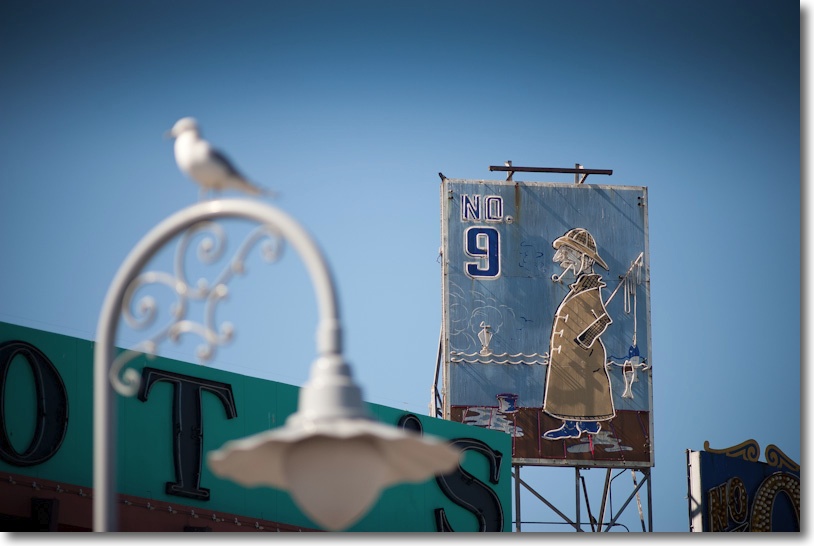
If you want to get those objectionable out of focus doughnuts prominent in your snaps, then be sure to photograph low key subjects against bright backgrounds. But it does not have to be that way. Select your subjects and compositions with a modicum of care and you can largely avoid the doughnuts with this compact tool, a 4″ long 500mm lens, weighing in at some two pounds in your gadget bag, challenging your skills to the utmost. What’s left of the doughnuts, if unwanted, is easily removed in Photoshop, as I show below.
Nikon’s offering:
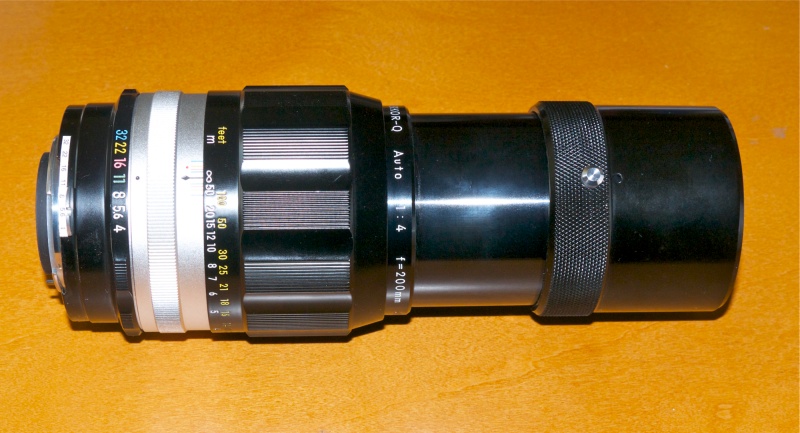
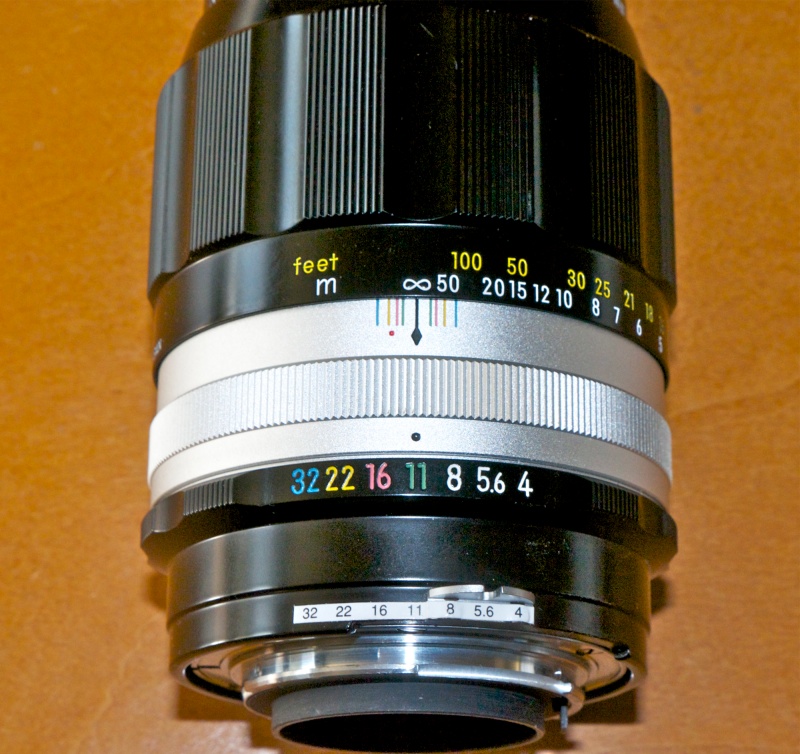
The best known mirror lens is probably the 500mm f/8 Nikon Reflex-Nikkor. It’s small and light, with exceptionally good mechanical construction. The focus collar is feather light, the fit and finish as good as it gets and all the markings are paint filled engravings. The tripod collar has detents at 90 degrees – why aren’t all collars like this? – and I have fitted a Manfrotto QR plate to mine for use on a tripod or monopod. The latter is a recommended adjunct for street snapping as it takes out the major source of movement blur, vertical motion.
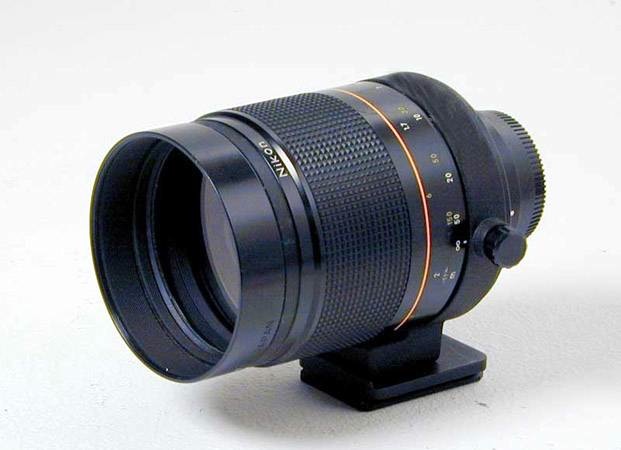
500mm Nikkor f/8 AI N Reflex lens.
Nikon made a few versions of these and the one to get is the last one made, the ‘N’, as it has ultra-close focusing and the lowest weight and bulk. It’s distinguished by an engraved orange arc (for the close focus range) on the focus collar. They usually sell for $650 or so, though prices seem to fluctuate over a wide range; mine came for about half that from the estimable Fred Miranda forum, the sole defect being a smudge of grease on the front glass, easily removed with a Q Tip, lightly moistened in isopropyl alcohol. It seems like most owners take a snap or two, conclude it’s not so good, and sell, making these abundantly available, most having seen little use. The earlier version, slightly bulkier, typically sells for half as much. I have not used it so cannot comment on definition, but I’ll bet that the build quality is comparable, meaning superb in every way. That version weighs a few ounces more, focusing down to 12 feet rather than 5 feet in the last model.
This lens is certainly not easy to use. If you do not use a support your snaps will likely be blurred. Further, even with focus confirmation in the D700, getting the point of focus right is not easy. Nikon says focus confirmation in the D700 needs f/5.6 or faster, yet it works perfectly with this f/8 optic, a lens with immense promise. A truly creative lens, well worth the effort of scaling the steep learning curve.
Processing:
I have found that my default Sharpness import setting of 86 in LR3 has to be increased to 125 with this lens, at which point the images start to perk up. Add some contrast and they start to sing. At ISO 800 and up a bit of luminance noise starts to creep in and is easily corrected in LR3. None of these options was available in the days of film when these lenses were sold new, nor was LR’s Clarity slider, which also helps greatly when more micro-contrast is called for.
As is common with mirror lenses, this optic suffers from ‘hot spotting’ wherein a central circular zone is brighter than the remainder of the image and also from light pincushion distortion. Download my tailored Lightroom lens correction profile here to correct for this, making a great lens even better.
The images in this article were processed without applying this profile and you can clearly make out the ‘hot spotting’ in one or two. In those situations where this detracts from the image, use my profile.
Some snaps:
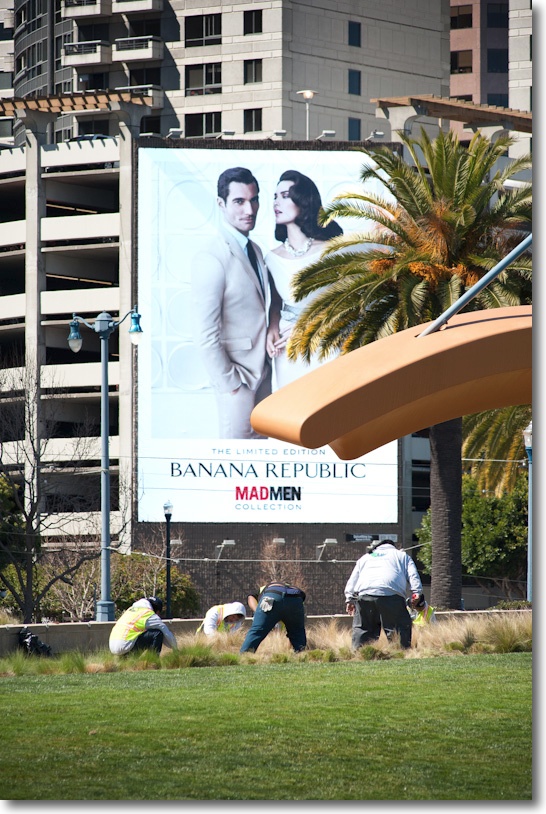
I have never owned or used a mirror lens so what follows is literally from my first ‘roll’. These were all snapped handheld with ISO varying from 800 to 3200 on the D700. I left the monopod at home just to see what the lens could do handheld, and mostly used 1/500th or faster shutter speeds. Maybe 30% of my pictures were incorrectly focused or showed unacceptable camera shake. A monopod will greatly help to improve the success rate. Used in like conditions with my 300mm Nikkor I had no camera shake down to 1/60th. Without some form of support, it makes sense to use continuous shooting to take several frames of each subject, in the hope that one comes out best.
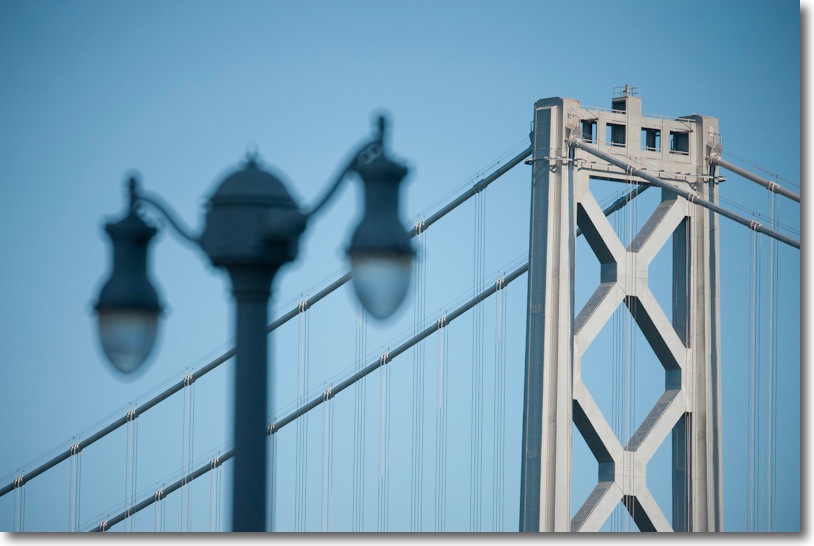
The magnificent Oakland Bay Bridge.

Viva California!

An artist sketches his subject.

Blurred, yes, 1/60th second handheld does that. But the passion is there.

Umbrellas. Face.

Hair!

Young love.

Tan.
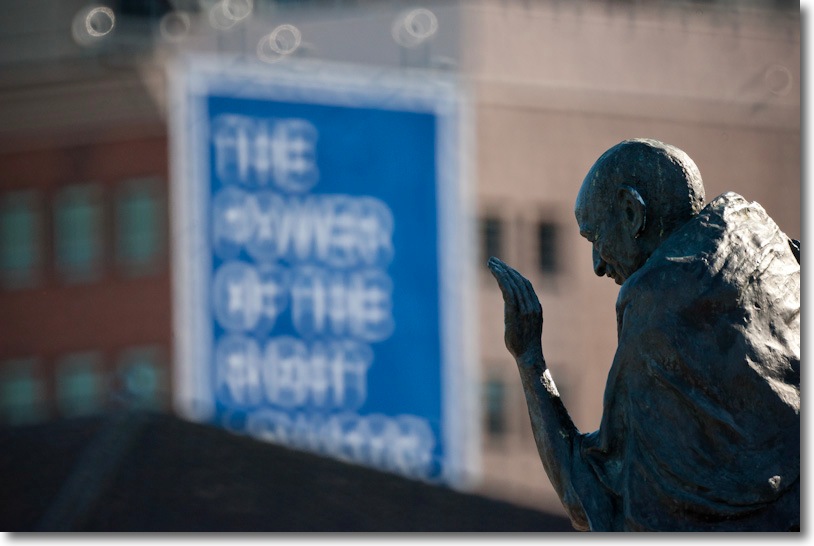
Gandhi. I actually like the out-of-focus effect here.

Red.

San Francisco – America’s finest city.
Photoshopping the out-of-focus bits:
If the appearance of the out-of-focus area is not to your liking, a quick round trip from LR3 to Photoshop and the magic lasso and lens blur filter make things look more orthodox – and more boring:

Orthodox looking blur, conferred using Photoshop CS5.
Doughnuts be gone!
Debunking myths:
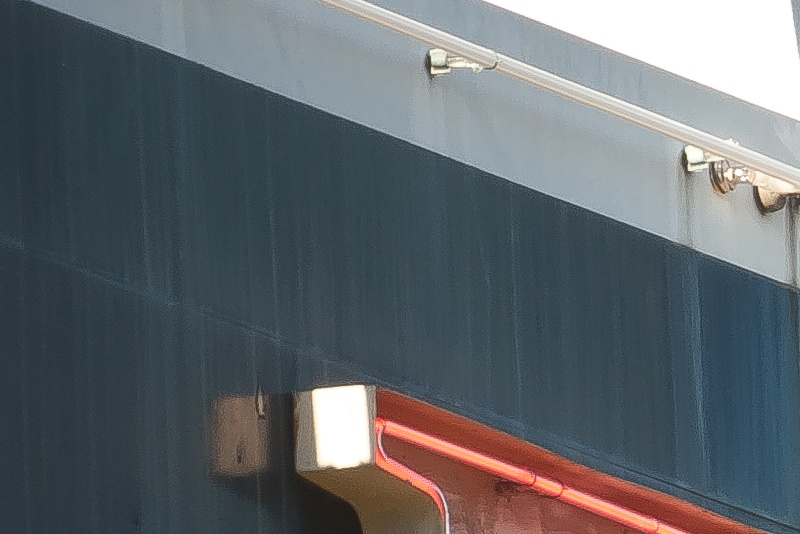
‘Experts’ have it that catadioptric lenses of this kind are inherently aberration free. This, of course, is pure rot. Ask the fellows at Hughes/Perkin-Elmer who cost the US taxpayer millions of dollars when their faulty Hubble telescope was blasted into orbit. The subsequent fix requiring replacement of the mirror and software enhancements did not do anyone’s reputation any good and likely hurt NASA’s dwindling prospects of surviving. That said, I have found no evidence of chromatic aberration when pixel peeping my snaps from this Nikon lens. This is not some warmed over, cheap aftermarket imitation. (Note to NASA: Have Nikon make your mirrors next time.)

1/500th, hand held, ISO 800. LR3 sharpening = 125, Clarity = +29, Luminance Noise reduction = +30.
Here’s a magnified version of the top left corner, consonant with a print sized 30″ x 45″:
In use:
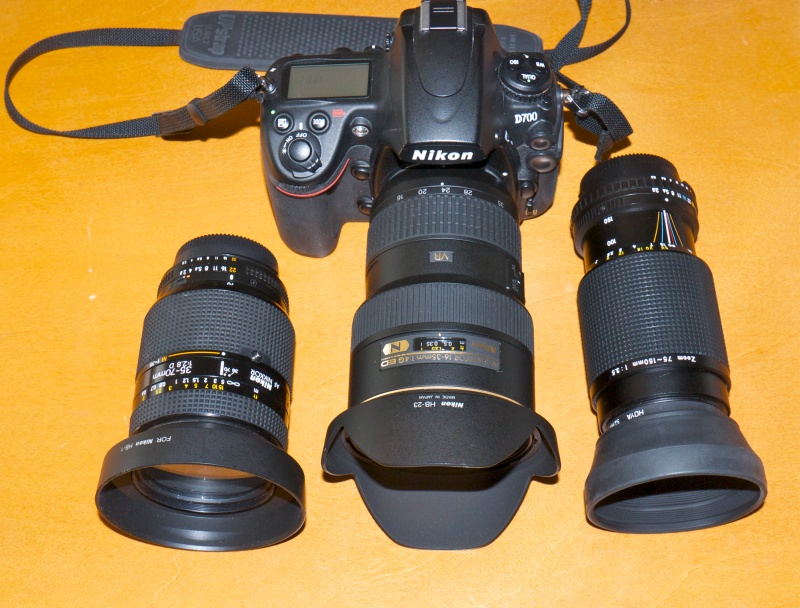
The diminutive size of the lens makes it very ‘stealthy’ – here it is compared with the gargantuan 16-35mm current auto-everything zoom (I call the latter my cuckoo lens because it looks as silly on the D700 as a cuckoo does in a warbler’s nest):
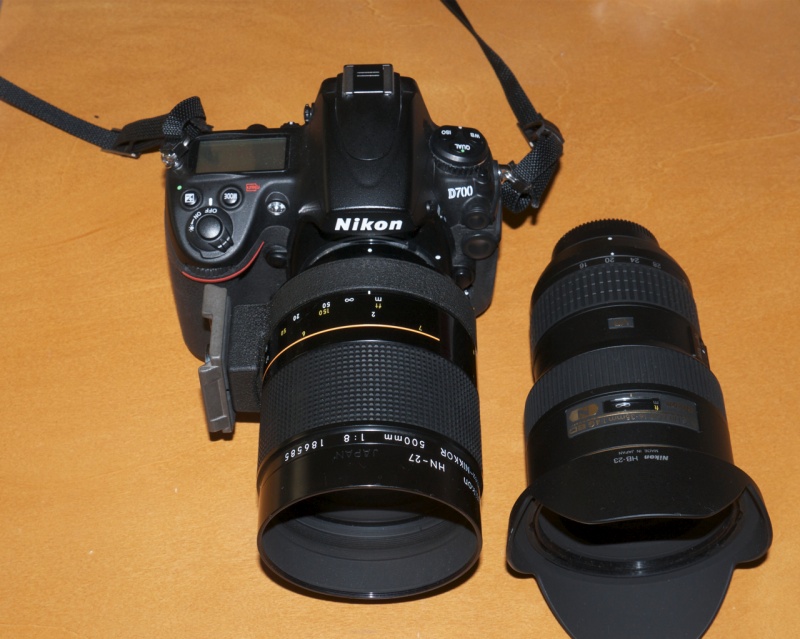
The 500mm focuses past infinity – as here – to allow compensation with changing temperature.
The tripod collar, with my QR plate, is rotated 90 degrees in this photograph.
Closest focus is an astonishing 5 feet, or 40% of life size, at which point the length of the lens is a mere one third of an inch or so longer than at infinity. That focus distance is comparable to a standard 50mm lens at 6″. The focus collar rotates well over 360 degrees, but there’s sense in that. The long focus throw greatly aids in critical focusing, and that is a key dictate with this lens. Incredible engineering, thoroughly thought out.
Indeed, when I was snapping the other day on San Francisco’s beautiful Embarcadero, a fellow photographer, toting a Hasselblad no less, stopped to ask me about the strange looking lens on my D700. I gave him the camera and as he pointed it I suspect he was expecting a portrait lens kind of focal length. The look on his face was priceless, and I explained that two of the great motorcycling roads in America are those winding their way up to the mirror telescopes at Mount Wilson in Los Angeles and Mount Palomar in San Diego. The Reflex-Nikkor uses the same technology, though Palomar’s 200 inch mirror will not fit in your bag.
Use on a tripod and why MLU helps:
Another myth says that it’s not possible to properly steady this lens. In tripod use the critical shutter speed range is generally 1/8th to 1/60th, regardless of the lens fitted. That’s where the period of vibrations caused by the DSLR’s flapping mirror and shutter is the highest as a percentage of total exposure time. With shorter exposures the vibes don’t have much of a chance to have a say in the matter and with longer ones they will have long died when the bulk of the exposure time commences. It’s when and how long things shake that matters.
This is easily proved. Using my solid, cantilevered Linhof tripod with a good ball head, I pointed the lens at the Dow Jones chart in my office (Hey! A guy has to eat!) and after focusing using the focus confirmation feature, fired the shutter four times, varying the ISO to get two snaps at 1/25th and two at 1/5th second. In each pair of pictures I let the mirror operate normally in the first but used the Mirror LockUp (MLU) feature in the second. In all cases a wireless remote was used.
The results confirm two things:
- That shutter speeds around 1/25th are the most likely to suffer definition loss
- That vibration induced by mirror slap is very significant at these speeds

Without and with MLU at 1/25th second,

Without and with MLU at 1/5th second.
The lesson is to avoid speeds in the 1/8-1/60th range if possible, by changing ISO. Better sharp grain than blurred continuous tone. And if you must use these shutter speeds, use the MLU feature for best definition.
The above enlargements are from 30″ x 20″ print sizes. Pixel peeping the two sharp ones where MLU was used shows that, indeed, the one at 1/5th is the sharper of the two, vibes from the release of the shutter being a smaller percentage of the overall exposure time. The slower shutter speed delivers the sharper result. As the ISO used was 800 and 200, the essentially grainless nature of the D700’s sensor is not a material variable in the comparison.
But if anyone tells you that you cannot get sharp results from this lens on a tripod, you need to read someone else and make sure you use a solid tripod and a wireless shutter release. Proper technique wins every time when it comes to definition. In the two sharp originals taken using MLU, the very finest 6 point text on the chart is sharp and easily read in a photograph taken from fifteen feet distance, confirming the quality of the lens and the accuracy of the focus confirmation feature in the D700’s body.
Use with other makers’ cameras:
For all you envious Canon digital owners out there, adapters are available at very low cost for the current EF mount (EOS – 5D, 5D/II etc.) cameras, and as the lens is MF and fixed aperture, you will have the same operational issues as Nikon fans. I don’t know whether Canon’s focus confirmation beeper works with this lens on the body.
For those suffering from brand loyalty, Canon made a 500mm f/8 Reflex for the discontinued FD mount but even if you can find one, it will not focus to infinity on the current EF mount Canons with a regular adapter. Adapters which permit this interpose a poor quality negative lens element, which is guaranteed to destroy the definition of this fine Canon optic. The same goes for Minolta adapters for Sony Alpha bodies and Pentax K body adapters. Avoid.
Minolta/Sony used to list a 500/8 mirror with autofocus, but I can’t find it at B&H any more. Sony is expert at making a superior product and then discontinuing it before anyone notices. The next Kodak.
Adapters for use of Nikon lenses on Sony NEX and on Panasonic/Olympus MFT bodies are readily available and no negative lens is required, owing to the thinness of these bodies. On APS-C the effective focal length is 800mm, and 1000mm on MFT. One significant advantage of bodies using electronic viewfinders is that the small f/8 aperture will be automatically compensated, rendering the usual, bright image in the finder.
Zeiss once listed both 500mm and 1000mm reflex Mirotar lenses for their long discontinued Contarex bodies, but the cost of those exceeded Greece’s national debt and used copies remain exorbitantly priced and very rare.
Lens correction profile:
As is the case with most mirror reflex lenses, the Nikkor suffers from ‘hotspotting’ – the central area of the image is brighter than the periphery. Accordingly, I have made a tailored lens correction profile, for use with LR or PS, and you can see the fairly dramatic difference when this is applied in the pair of snaps below.
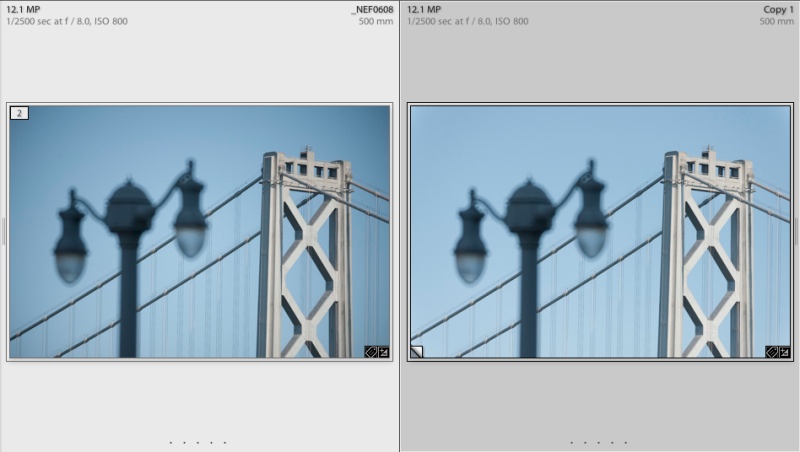
Before and after applying my lens correction profile.
Usage instructions and profile download can be found here. All the pictures above were reproduced before applying the profile, as is clear from those with continuous tone backgrounds.
Conclusion:
It’s ironic that now, when camera and processing technology exist to make the best use of the capabilities of reflex lenses, that all except a few crappy aftermarket brands have been discontinued. A used Nikon Reflex lens is a superb bargain for those willing to work at making it sing and easily the most exciting lens I have used in ages.
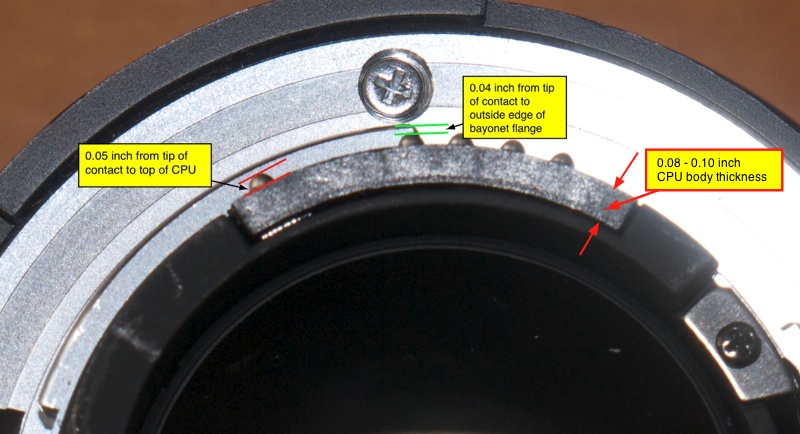
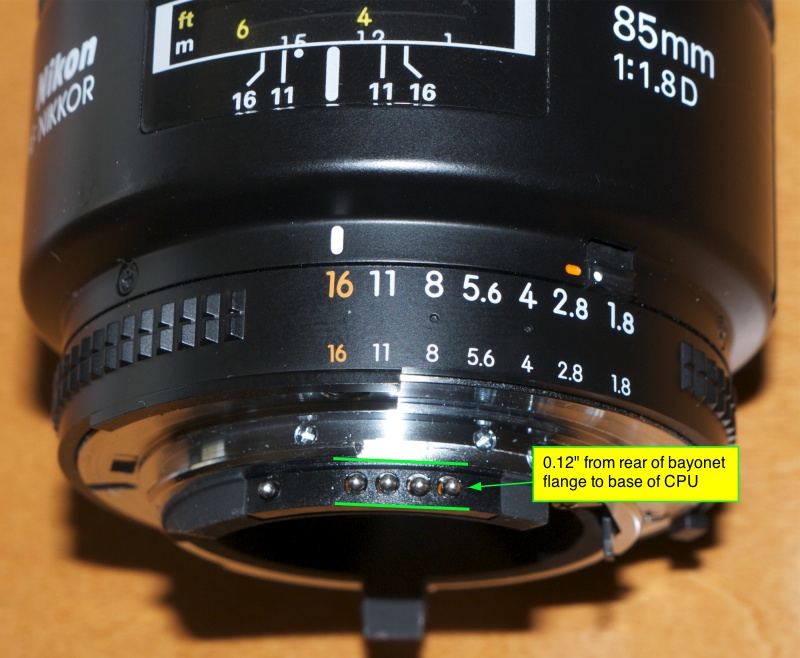
Installation and use of a CPU is addressed in a follow-up piece here.