Category Archives: Hardware

Stuff

Wireless video routing

Made possible by the A5 CPU.

AirVideo:

A few months ago I wrote about ZumoCast, software which, when installed on a computer and an iPad or iPhone would permit routing of movies on that computer to the iDevice wirelessly. The use was obvious. When you have a lot of movies on your computer or on a file server connected to that computer, it’s nice to be able to view them remotely. The iPad is ideal for this sort of thing when you are in bed!

Sadly, ZumoCast is not available for iOS any more. Motorola bought the company and that business now belongs to Google. Google and Apple are not friends. Goodbye ZumoCast.

But there’s a new alternative named AirVideo, available for your iDevice for all of $2.99 with a free app which has to be installed on the computer in question, as with ZumoCast. AirVideo works well and you can enjoy movies over wifi from your file server or computer on your iPad or, for those with great eyesight, on an iPhone. My iPad 1 or iPhone 4S receives and plays the video and sound fine as long as I am in range of the home wifi.

Rebroadcasting:

But why not take it a step further?

One of the major changes in the iPhone 4S and iOS5 is the ability to rebroadcast whatever the 4S shows on its screen to any display device to which an AppleTV is connected. This is non-trivial and Apple has done a poor job of publicizing this feature, also available on an iPad2. Earlier iDevices which do not have the fast A5 CPU in the iPad2/iPhone 4S cannot do this. They call this AirDisplay and it’s much improved in iOS5.

The Apple TV is an inexpensive, unobtrusive gem, much underappeciated and poorly marketed. I wrote about it extensively, starting here.

Invoking AirDisplay:

First hop into AirVideo on your computer, set up the directories where your movies reside – this only has to be done once – and you can start AirVideo on the iDevice.

To enable rebroadcasting of the iDevice’s display, double click the Home button on the iPhone 4S/iPad2, then swipe the displayed app icons at the base of the screen twice to the right. (Clicking the AirDisplay icon from within an app does not cut it). You will see a volume slider and the AirPlay redirection icon. Touch that icon and available output devices will be displayed. If you have an Apple TV on the same wifi network it will appear as a choice. Choose it. Below the Apple TV choice, if you have upgraded the ATV to OS 4.4 or later, you will see a Mirroring button. Turn it on. (If your ATV is on OS 4.3 or earlier that button will be missing. Update your ATV software).

Air Display Mirroring control in iOS5, on an iPhone 4S.

Choose the movie to watch on the iPhone/iPad and you will see:

You can now play the movies on the display attached to the AppleTV you chose earlier.

Topolgy:

  • My stored movies reside on the ‘file server’ – a bunch of wired hard disk drives.
  • The file server is connected to the MacMini and can play those directly.
  • I am instead re-routing them to the iPhone 4S and thence to the AppleTV, both wireless.
  • The software on the MacMini and iPhone 4S is AirVideo.
  • The Apple TV routes the wireless video signal to a wired screen of choice – to any screen the AppleTV is attached.

Here’s how things are connected:

AirServer topology.

Why bother? After all you could simply watch the movie on the MacMini without any of the other hardware or software.

And why not just put all the movies in iTunes on the MacMini?

Well, first iTunes is very restricted as to which file type it will accept. No .avi, no .VOB, etc. And my stored movies are in many different formats.

Second, the display device with its attached ATV can be anywhere there is a wifi signal!

And, finally, the hard wired approach dictates just that – physical wire connections which are not always possible.

So to get a wireless signal to a remote big screen, say, without having to move server boxes or having to run cables, all that’s needed is an iPhone 4S/iPad 2 (the iPad 1’s CPU cannot hack it and stutters), and an ATV connected to the remote display device of choice – big screen TV or overhead projector. The iPhone 4S acts not only as receiver/converter/transmitter but also as a wifi remote, no IR line-of-sight controller required.

When a call comes in, the movie is automatically paused and the phone call is answered. When you hang up, one touch on the iPhone’s screen gets the movie playing again.

Display quality is identical to that when the movie source is hard wired to the display.

Is that serious magic or what?

You can get some sense of how much faster the 4S is at processing tasks, compared with its forerunners, from this Apple Insider chart:

I think I have just solved remote routing of movies from the file server to a large, remote drop down screen!

Performance:

I ran a full length HD movie through this and the iPhone 4S used about 40% of its battery during the two hour test. It is working very hard, converting the received movie from the MacMini on the fly and rebroadcasting it to the Apple TV. Despite that the movie does not stutter. If the battery is low simply connect the iPhone to a USB connection on a local laptop or to the mains. iPad2 users should have no battery capacity issues.

Oh! Siri

Language, language, language.

One of the more inspired pieces of marketing surrounding the iPhone 4S is the funny answers Siri, the voice recognition/AI technology, gives to philosphical questions. These are all over the web so I will not regale you with them here. The genius of these is that they humanize and personalize a piece of otherwise dispassionate technology.

However, one thing which I at first found to be frustrating was my low success rate in getting Siri to understand me. I was getting maybe a 50% error rate. So I thought ‘Beta release, whatever’ and took the dog for a walk. While conversing with the pup he pointed out to me that I do speak ‘sort of funny‘ and should really know my place in the former colonies. He’s from Yorkshire so that was rather like the pot calling the kettle black, but I let it go.

Then, as luck would have it, I learned that Settings->General->Siri on the iPhone 4S offers no fewer than five language choices. There is The Queen’s English, Former Penal Colony English (there goes my Australian readership!) and what passes for English in the site of George III’s greatest folly, as well as French and German. Ah! I switched to Buckingham Palace and the change was a revelation. Siri’s error rate went to almost zero and sentences were almost always transcribed correctly!

So I got my boy on the job. He hangs out too much with me and speaks sort of funny too. We had been trying to cheat on his homework using Siri and the Wolfram Alpha search engine built into every iPhone 4S and had given up in mighty frustration trying to get it to ‘Define Product’. After no fewer than forty tries, I put on my best American accent, which is truly ghastly at the best of times, and, Bingo!, right first time. Now, seconds later, with Siri switched to The Queen’s English, the computer voice changed from that of a nice American woman to a slightly inebriated-sounding Englishman. Well given the climate over there I could understand and forgive him having a pop or two and I could only approve of the transformation in accuracy. We both tried ‘Define Product’ several times. Yup, you guessed it. Right every time.

So now I decided to get ambitious and asked American Siri for local Mexican restaurants. Once I got the accent right she came up with the goods.

American Siri

Next, switching to Her Majesty’s lingo, I gave the friendly inebriate a shot and what did I get?


British Siri

Oh! dear. Apple has made the error of assuming that British English speakers only reside outside the US whereas in fact there are several million of us refugees here, basking in political and relative economic freedom.

I gave it another shot and switched to French Siri. No go. Location lookup doesn’t even work for French Siri, suggesting again that language is driving lookups, rather than physical location. And, presumably, the Académie française has yet to approve the dictionary, which may take several years.

In any case, now that I was a relative Siri convert, I called the mothership and got Lance at Apple Customer Care in Indiana. He listened hard and concluded I was onto something, passing my findings to Siri’s programmers. Thus, when version 0.1 comes out, all you British English speakers out there residing in America will know whom to thank. The call with Lance actually took 20 minutes. 5 to discuss my findings and 15 of me comparing the iPhone 4 to the iPhone 4S in aiding him in his buying decision, which has to be one of the stranger conversations I can recall having. He now knows all about Geekbench tests and CPU/GPU specs in the product he supports ….

As for asking Siri about Henri Cartier-Bresson in English, or even in American, fughedaboutit. She/He is clueless. Can’t understand a bloody word.

In the interest of research, I asked an English resident British English speaker to try the test on her 4S using American Siri. Sure enough. Same error. Nice to know Apple is a hotbed of equal opportunity discrimination.

New! Improved!

Finally, a proper iPad theme.

Those masochistic enough to read this blog on their iPhones have, for a long time now, been presented with a nice simple theme, devoid of the clutter in the desktop theme with its myriad of menus and dropdowns.

Well, finally, a like theme comes to iPad users, where at least you can make things out on the nice, large screen.

This is what iPad mavens have seen until now:

Not pretty.

Fire it up on your iPad and you now see this.

Here’s the top of the menu:

And here’s the bottom, allowing those who prefer pain to revert to the desktop theme:

And if you want to access all the historical goodness, erudition and deep thought, you need only touch the ‘Blog’ button for the Categories dropdown:

Enjoy!

When eras end

Machines peak as technologies die.

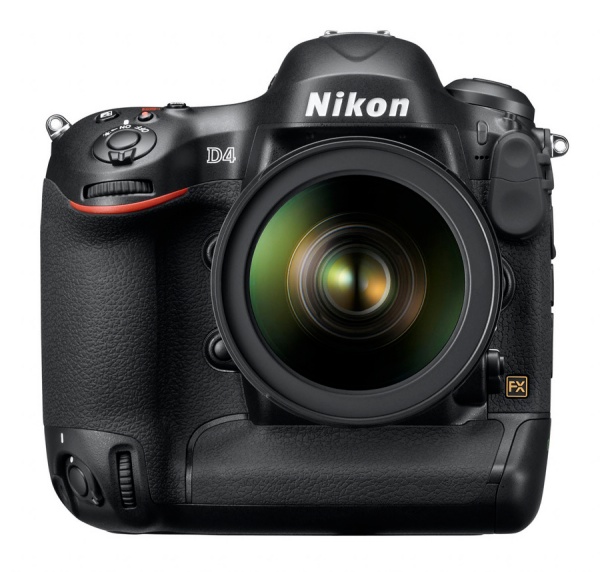
Canon has just announced it latest full frame pro-DSLR, the Canon EOS-1 DX, and you can read twelve pages of detail from the maker here.

My first reaction was not one, but two flashbacks to the ends of prior eras. One was in sound reproduction, the other in film SLRs.

As the LP record peaked in the late 1970s and its makers saw the looming threat of the CD on the horizon, they tried ever harder to improve a medium which was already far better than any machine cut spiral groove in a warped piece of vinyl ever deserved to be. They added four channel sound. One version used differential wave sensing and special cartridges to get a quart out of a pint pot. It delivered about eight fluid ounces. The other, truly worthy of Rube Goldberg, used dual grooves and dual styli! Of course, the music time was halved but, hey, it was quadraphonic, man! Turntable makers adopted all sorts of wild schemes, replete with sensors, to have your cartridge and arm jump to a track of choice, using more guidance systems than an ICBM, and the extent of these technologies and the effort put into them, compared with the ‘place the needle on the LP’ predecessor had to be seen to be believed. Admirable for sheer engineering chops, yet laughable for the resulting complexity and low payback.

The truly loony. Thorens Electronic turntable.

The LP era has been dead since 1980 and CDs were killed a few years back by iTunes, yet there are still cranks out there preaching the mantra of better sound/clarity/depth/etc. between hits on the bong. Uh huh! Don’t ever ask them to take a double blind test with their $10k turntable and $50k tube amp, competing with their $200 iPod. First they likely will refuse. “That’s so below me”. Second, they will refuse because they are scared. And you would be too if you had just sunk a decade’s worth of the average income of a third world worker into a dumb motor which rotates a platter and some obsolete glass tubes designed when Edison’s mum was still changing his undies.

The situation with traditional flapping mirror DSLRs is similar and the Canon EOS-1 DX is a symptom of the rapid setting of the sun on that era. On the one hand, manufacturers like Nikon and Canon have largely amortized their substantial investments in the technology. Adding another CPU or two and tweaking the sensor at the margins is cheap and the lens range has been full and mature for years. Sure, you come out with a Mark II of this or that now and again, but it’s takes hype to sell that secret sauce. Face it, boys, it’s over.

Who needs these marginal improvements? Sports snappers, I suppose. Fashion mavens also. They largely work with a stationary camera with a mechanical support and they have to impress their clients. Showing up at the Vogue studios with an impatiently waiting supermodel with an iPhone for gear isn’t going to cut it. Plus, someone else is paying for the gear. Then there are the guys – and they are always guys – who buy, literally, ‘on spec’. Nothing so warms the cockles of this set as a big brochure loaded with the latest specs. What thrills!

“I need the shallow depth of field” or “I need the robustness and weather resistance” or “I need the lens range” and so on are the major reasons. All rot, of course. Shallow depth of field is easily conferred by a click or two in Photoshop and the only one who knows it has been done is the operator. They will never take pictures in the rain as they dare not risk their costly gear. And the lens range thing falls down once you try to actually carry two or three of these behemoths more than 100 yards from your car. Nope. It’s simple equipment fetishism, and it has kept many a manufacturer knee deep in profit. More power to them.

So this latest Canon is an example of the imminent demise of the big DSLR. In the film days a like demise was evident with the announcement of the Contarex Super Electronic. This camera, from Zeiss Ikon, had everything. Electronic shutter, electronic do-dads that could be added for all sorts of wild and wooly remote control schemes, film magazines (on a 35mm camera!), huge capacity motor drives and maybe as good a range of lenses as costly German labor could manually manufacture, from both Zeiss and Schneider, all at prices comparable to a big pro DSLR today with its premium lens range. And no less heavy.

They sold a few in 1968 and promptly went bankrupt, destroyed by superior, lighter, faster, cheaper offerings from …. Nikon and Canon.

Now the latest Canon is hardly going to break the well diversified business of Canon; the new breed of cell phone cameras is a far geater threat. But I doubt it’s going to make them rich either. It’s simply too much, too late.

The iPhone 4S – Part II

The good and the bad. And some ugly.

I posted some preliminary impressions about the camera in the iPhone 4S here. I’ll be writing more when I have had a real chance to wring the camera out. One point worth noting is that you can snap faster with this camera – shot-to-shot – than with my ‘serious’ stand-by, the Panasonic G3! Apple has engineered the heck out of shutter lag to the point where this cell phone camera leaves the point-and-shoot brigade in the dust. High time time some one got this right. You now have shutter lag and inter-snap delay comparable to your 3 pound monster DSLR. Mums the world over, seeking to capture their drooling toddlers just so, will love it. And so will street snappers. Like me.

I’ll go further. If Henri Cartier-Bresson were alive today, he would be ditching his tired old Leica for an iPhone 4S. The image quality equals his Leica’s to all intents and purposes, face recognition means he won’t blow focus, and the gadget is a whole lot smaller. Plus you can call your sweetheart for a spot of voulez vous between taking snaps on it. Best of all, if she pinches it after a night of passion, you can disable it remotely from your home PC! And you are out two hundred bucks and costs …. which will likely be greater, after throwing in a bottle of Chateau Mouton Rothschild to oil the wheels, so to speak.

The goal of this piece is to make more general comments from the overall perspective of a user whose previous phone was the iPhone 3G. This was Apple’s first phone to add 3G capability but, sadly, when iOS4 came out, the phone became distinctly sluggish in response. The later 3GS added a faster CPU and reversed that performance loss, but did not add enough to convince me that an upgrade made sense.

I had the iPhone 4 on order when it was announced, but the faulty design of the antenna, despite Apple’s lies to the contrary, saw me cancel my order in disgust, consigning Apple to this journal’s Hall of Shame.

Watching the product roll out for the 4S left me with mixed feelings. Certainly the specs were a very significant jump from the 4 and the addition of magic sauce in the guise of Siri was enticing, not to mention a far faster CPU and a more capable Sony camera. But, rather than calling it the iPhone 5, Apple named it the 4S which left me feeling a bit jaded. Had the masters of hype and spin missed an oopportunity to add a quick $30bn to AAPL’s market capitalization by a simple naming error?

No. It turns out that the launch saw one million 4S models ordered on the first day of availability with sales for the weekend rumored at four million. And, yes, AAPL’s market cap rose by $30 billion last week.

So what are my initial impressions, coming from the 3G?

  • The much vaunted ‘Retina Display’ introduced in the iPhone 4 is so much hype. The increase in definition on the pathetic little screen is barely noticeable.
  • The shape is awful. Gone is the plastic fluidity and charm of the 3G/GS, replaced with sharp corners and a brutalist design. Like going from a Ferrari to a Mercedes. The sublime to the functional. Still, at least it still fits my belt case from iPhone 1, bought in 2007 on the day of release and now a collectible!
  • The camera release button is now the ‘Vol +’ mechanical button, a massive improvement from having to try to stab the soft release on the 3G’s screen.
  • Performance improvement is startling, though coming from a 3G that’s axiomatic. It’s especially noticeable in the Stocks app where graphs simply fly into view.
  • AT&T’s HSDPA 3G technology is impressive. While it’s fashionable to trash AT&T, this technology on their US GSM network is miles ahead of what CDMA systems like Verizon and Sprint offer. I measured download speeds of 3.5mb/s (3.6 is the maximum), compared to 8-11mb/s on the home wifi system. And that 3.5mb/s is on 3G. CDMA systems will be 5-10 times slower. So if you need fast 3G, and I often do when no wifi is available, the AT&T iPhone 4S is the one to go for if coverage in your area is good. Fourth generation cellular speeds with third generation technology. This is in no way an advertisement for AT&T whose sense of business ethics is right down there with the Vampire Squid’s.
  • Anyone buying the Sprint version likely needs a lobotomy. Sprint is paying 11% for debt, as it’s broke, and will have to borrow $2bn just to front money to AAPL for all the iPhones it reckons to sell. Add another $8bn for LTE expansion and you can say bye-bye to this poorly run business, whose CFO at the last investor presentation didn’t even admit to those numbers, ones that anyone could figure on a napkin. The collected analysts actuallylaughed! That has to be a first.
  • The Hotspot facility is a blessing. My Virgin Mobile MiFi failed within its warranty period, a replacement was no better and I hope mine is the last refund check Sprint/Virgin cuts before they go belly-up. Simply stated, for a modest additional monthly fee, your iPhone 4 or 4S becomes a mobile wifi source, so that you can use your laptop or non-3G iPad to get on the internet when no wifi is available. And with HSDPA 3G speeds, do you realize how huge that is? I have lost track of the numbers of books I have read and stock trades I have placed using the iPad on trains, and this restores that functionality now that the MiFi is no more. I had some problems getting it to work (a call to AT&T resulted in “4S? Never heard of it.”) but a reboot of the 4S, some colorful language and a further boot into the resident Border Terrier fixed that.
  • Siri. When I first heard of this AI/voice recognition technology my reaction was to flashback to that famous Doonesbury cartoon ridiculing the handwriting recognition in Apple’s Newton PDA. At that time the company was being run by a sugared water salesman named John Sculley, who had fired Steve Jobs.

My concerns were heightened when Apple’s Chief Hype Officer Phil Shiller (what an appropriate name) referred to Siri as a ‘Beta release’. A first for Apple. Uh oh! You know what that means. In the event, while it has its faults, Siri is awesome and will only get better. A quantum leap in computing which will soon obsolete the keyboard on mobile devices.

Naturally, my very first demand to Siri was from Stanley Kubrick’s masterpiece, which just happened to be the very first DVD I bought:

A friend in England seems to be developing a more personal relationship with her 4S, as the following shows:

She tels me that Siri is a man over there, whereas US residents get a woman’s voice. Go figure.

So not only does Siri work, it also has a sense of humor when it comes to more pilosophical issues! Hardly surprising. For all those asking where the next Jobs will come from, they need look no further than to Scott Forstall, the head of iOS development at Apple. Smart, ambitious, young, fit, hard driving, intolerant of fools and now accounting for 75% of Apple’s revenues.

  • The camera. See yesterday’s piece.
  • Battery life. Apple claims 8 hours of talk time which is their best yet. I will never test that but a full day of hard use with the mobile hotspot was fine.
  • iCloud. This is why you will not have to buy lots of memory for future mobile devices. Much of your data will be stored in the cloud. I set up iCloud on the 4S (it also works on the 4 but not on earlier models), on my iPad 1, my MacBook Air, the MacMini and one of the Hackintoshes and it really works as advertised. Buy a song on one and it appears on all others (up to five devices for iTunes). Later this month iTunes Share will be rolled out which will allow the movement of existing content to the cloud, the first 5gB free, with $ for more. I have 25gB as my MobileMe(ss) account was moved over to iCLoud. iCLoud will further lock-in Apple’s customers to their ecosystem and generate significant additional annuity revenues. Smart and, so far, seems well executed. It could scarcely be worse than MobileMe.
  • iCloud login and account. This area is a mess caused by Apple’s indiscriminate use of the phrase ‘Apple ID” which can mean either your iTunes Music Store ID (ITMS) or your iCLoud ID (IC). Here’s what I make of it:

1 – If you have an ITMS and no MobileMe account you are in luck. Go to SysPref->iCLoud and create a new iCloud account using your ITMS ID. That way you will only have to remember one Username and Password for ITMS and IC.
2 – If you have a MobileMe account go to www.me.com and convert it to an IC account. Your IC account will have the same name as your MobileMe account, which you will cease using. Do not create a new IC identity – use the old MobileMe one.
3 – Whenever you input an ID: In SysPrefs-iCloud it must either be your IC Username and Password from #1 above, or your former MobileMe Username and Password from #2 above. In iTunes it must be your existing ITMS Username and Password.
4 – If your ITMS and IC Usernames and passwords are different, tough. Apple has stated they cannot currently combine the two.

Like I said, it’s a mess. The worst mistake is to use your ITMS Username and Password as your IC Username and Password if you have an IC or existing unconverted MobileMe account already with a different Username and Password. You will get massively confused with multiple IC Usernames and Passwords when you decide to convert your MobileMe account to an IC one. You want the same IC Username and Password for iCloud on all devices you want to share the cloud seamlessly – regardless of what your ITMS identity may be. If different devices have different IC Usernames and Passwords because you have set up more than one IC identity, those devices will be unable to seamlessly share iCloud content.

  • AirPlay. This one is a real sleeper. It will destroy the Wii and Playstation game consoles, as henceforth your iPhone will become a touch controller for gaming on the big screen, requiring only the addition of a $100 AppleTV to confer brains on the dumb display which is your TV set. You will pay $5-10 for games which used to cost $40-60. Meanwhile AirPlay works well for video, and I find I can route videos from the iPad to the ATV seamlessly. I can also route them from my file server using the AirVideo app, but I get stuttering, suggesting that the next generation of ATV and iPad will be required to process video data fast enough over the air. But you get the point. Your file server will soon be able deliver video wirelessly to anywhere in your home over wifi, controlled by an iPhone or iPad.
  • Messages. This app has been revised so that IMs can be sent free to any other user of iOS5 anywhere in the world. Now I happen to think that Instant Messaging is one of the very worst inventions of the technology age. It has simultaneously destroyed analytical thinking while replacing motion with action. In fact, I would go as far as to say that allowing our children to IM is significantly hurting their prospects of success later in life. The fast replaces the correct and IMs (like that other stupidity, Tweets), can be incredibly distracting for an undisciplined person. Still if you want to send free IMs to other Apple buddies, doing so from within the Messages app will show your sends in blue; if the recipient is not on iOS5, the message will be sent using MMS and will appear green. And you will get hosed down by the telco. I tested this internationally and not only does it work perfectly, all conversations are also fully replicated on both my 4S and iPad. Images in your Photos app are easily added. Either party can be on 3G or wifi.
  • The oleophobic glass coating on the screen (introduced in the 3GS) does a great job of keeping greasy fingerprints at bay. How long it will last is another question, and I’m sure that brutal cleanings will not help matters, but it’s significantly more fingerprint resistant than the plain glass on the iPhone 3G. Not enough to make you fall for a glossy screen, but an improvement overall.
  • The iPhone 4 faulty antenna design has been fixed.

The iPhone, with its attendant ecosystem, is quite possibly the most complex consumer technology ever developed. At $200 plus a two year contract it’s a bargain for those needing its broad capabilities and wanting to do an absolute minimum of maintenance to keep multiple devices synchronized. However, unlike the 2007 iPhone 1, there are masses of menus and submenus buried under the ‘Settings’ icon, meaning it’s no longer a trivial process to set the device up just so for your needs. It demands study and understanding to get the best out of it.

Are there Android phones which are better? I have no idea, as I have not used any, so I am not qualified to comment. The BS quotient here has always been low and will remain so. I have no advertisers to please.

Getting out of an existing contract:

If your existing iPhone 4 contract with the cellular service provider still has time to run, you have several ways of mitigating the penalty for early exit should you decide to immediately upgrade to the 4S:

  • Sell your phone back to Apple. They will pay up to $200 for a pristine one. Easiest option.
  • Sell your phone on eBay. Easily $300. But you have to deal with the crooks who dominate eBay – the management and the users.
  • Sell your phone in Europe – $400 and up. Now you have to deal with Russian crooks. And eBay. Good luck with that.
  • Threaten your existing carrier with a move to a competitor. What have you got to lose?

My lock screen on the 4S? Thought you would never ask:

Now the only question I have left for Apple is “When will Siri come to OS X?”

Disclosure: No AAPL position.