After twelve months of these columns, what have been the highlights and disappointments?
I have been having a whale of a time writing these columns for twelve months now and have been true to the name of this journal, Photographs, Photographers and Photography.
Content has been fairly equally balanced between discussion of great (and not so great) photographers, photographs and photography, whether addressing philosophy or technique. Ever cognisant that equipment is but a means to an end, I have frequently illustrated these columns with pictures, mine and those of fellow photographers whose work I admire.
To simplify retrieval of older columns, I have added a reverse chronlogy captioned ‘Archives by Day’ on the right hand side of the screen.
The Columns:
On the columns themselves, there was never any lack of ideas for content but a few stand out as having been an absolute blast to write. So much so they pretty much wrote themselves.
Here are my ten personal favorites.
Film is Dead. July 6, 2005. This has not only proved to be one of the most popular pieces, the fact that it caused much controversy when written, being deleted by the twit who passes for a moderator at Photo.net where it was first published, only goes to confirm how true it was. It’s hard to believe that it was written just some eleven months ago, during which time film camera production has virtually ceased in the US and even mighty Canon will throw in the towel soon.
About Cartier-Bresson. June 15, 2005. A tribute written from the heart to the greatest photographer of his time.
Degas – Photographer. July 1, 2005. A man with great vision from the early days of photography – and the last days of painting.
Quality time with Ansel. July 8th, 2005. Recounting my visit to the pretentious Weston Gallery in Pebble Beach. I still smile about the experience today.
Pandora’s Box. February 2, 2006. Because anticipation is so much more fun than getting there and this day marked my final move away from a photographic life pretty much dominated by Ernst Leitz, Wetzlar and their magical products. Something better had finally come along.
Eliot Porter – The Color of Wildness. February 8, 2006. A favorite photographer. A favorite book.
A Break in the Storm. March 4, 2006. Told as it happened. A wonderful moment with gorgeous lighting.
Walker Evans. March 17, 2006. Another personal favorite with a crystal clear vision.
The most fun I ever had taking pictures May 18, 2006. A sort of fond au revoir to the Leica and the great times we enjoyed together.
In search of Edward Hopper. June 14, 2006. An American painter who greatly influenced how I see.
The Equipment:
A simple story. Starting with a veritable cornucopia of film equipment in 35mm and medium formats, all was sold to make way for but two digital cameras. Canon’s superb EOS 5D replaced all the medium format bulk and Panasonic’s jewel-like Lumix LX1 saw the Leicas off with aplomb. And lots of nice eBay shoppers saw to it that my net investment in the new gear was absolutely zero. Well, to tell the truth, I still have some money left over….
Apple really did ‘Think Different’ when they created Aperture, the photo processing application for regular people without advanced computer degrees. Drop the pictures in, press a few keys and prints or web pages emerge. Cataloging and retrieval are similarly simple. The best software product for photographers ever, not least because you can only use it on an Apple, the best hardware for photographers.
When it comes to Really Large Prints, Hewlett Packard paved the way with its fine DesignJet, at half the price of the competing Epson. It’s great to see HP is back with a good CEO rather than a film star wannabe.
Underlying all the problem-free creation of printed and electronic images is the sold underpinning of Apple’s Macintosh computer technology. It bears repeating that no self-respecting photographer who values his time should be suffering with Microsoft Windows. The name alone – ‘Operating System’ – is a joke. What is your time worth?
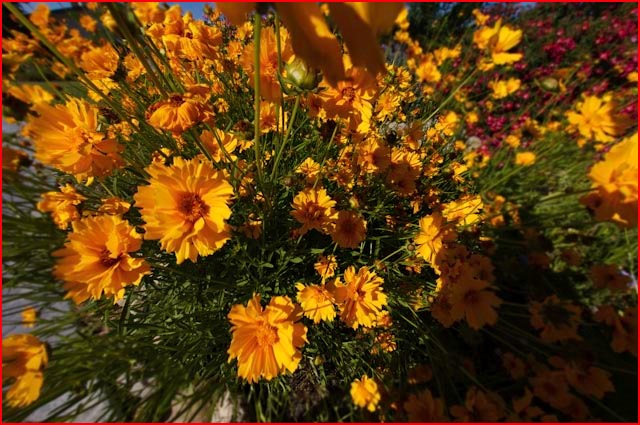
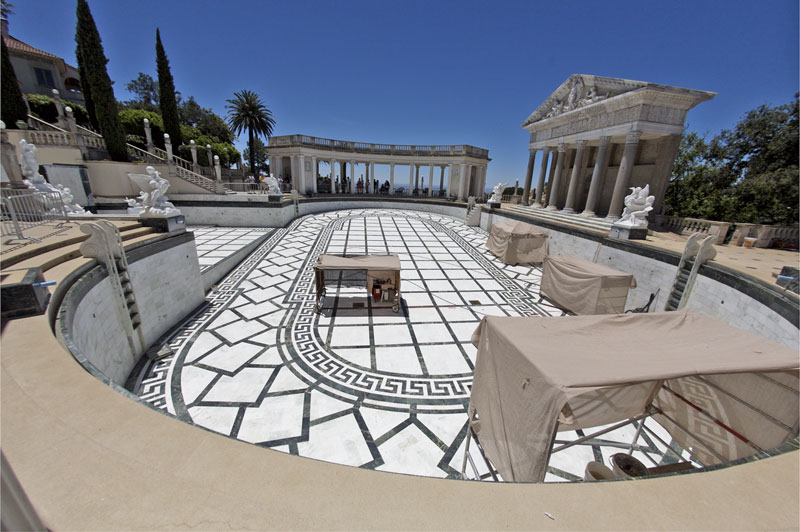
If Aperture was the most enabling software of the year, then ImageAlign must be the most ingenious. With this bit of magic you can take the rather silly looking results from Canon’s full frame fisheye and have the equivalent of a 12mm hyper-wide angle lens at one third of the cost of Canon’s exotic 14mm rectilinear offering. Without ImageAlign pictures taken with the fisheye are even more tedious to behold than those of your kids. At least the grandparents like the latter.
The Business:
I have trashed Kodak mercilessly on more than one occasion over the past year. Part of my ire is that of a jilted lover – I used little else but Kodak’s world class materials for nigh on forty years. It is always painful to see a loved one leave, and sometimes pain turns to anger and remorse. Especially when the loved one does lots of stupid things. You lash out. Guilty as charged.
At the same time it became clear that world domination in photographic equipment was far from restricted to Canon and Nikon. Competition improves the breed and the sheer number of new hardware makers is encouraging to see. We need some full frame digital sensor competition for Canon (the 5D is ridiculously overpriced for lack of any competition), but I cannot believe Nikon or Sony or Panasonic or Casio or Samsung won’t get there in the next twelve months. All photographers will win as prices drop and performance rises. Be assured that Canon’s next 35mm full frame sensor, whatever its pixel count, will be the final toll of the bell for medium format equipment.
The most inspiring event:
Like so many earlier photographers making the switch, I found conversion to digital liberating and artistically inspiring. Photography truly is fun again, with the percentage of time spent processing falling to an all time low, and more time available for the searching out of subjects.
The best vendor:
B&H in New York. No contest. Not only are you assured that an order placed on Monday will arrive at your California doorstep on Friday, when they say ‘In Stock’ they mean it.
The worst vendors:
A tie.
Light Impressions, which I think of as Dark Depressions. If you want to mount some prints before Christmas, better get your order for mats and mounting board in now.
A book vendor calling itself Photoeye is tied for last place with the boys at DD. Slick web site, with innumerable emails about their latest book offerings. Specials on this and that. The only snag is that I’ll bet you dollars to doughnuts that the book you order is out of stock and likely to remain so for weeks or months. I know. And don’t, whatever you do, get on their email list, as clicking ‘Remove Me’ has no discernible effect. What finally worked for me was an email laced with questions concerning the owners’ parentage. Stick with Amazon.
Here’s to the next twelve months.