Category Archives: Photographs

UX in Paris

Urban exploration at its finest.

I have been lucky to feature some outstanding urban exploration photography here, both from England’s SilentUK and from the American master Jonathan Haeber and his team.

But it will come as no surprise that when it comes to Urbex, or UX, at its finest, that Paris should be the source, as profiled in a simply gripping article in Wired magazine. Along with London, Paris is the location of the finest subterranean Victorian-era civil engineering and UX does for Paris what SilentUK does for London.
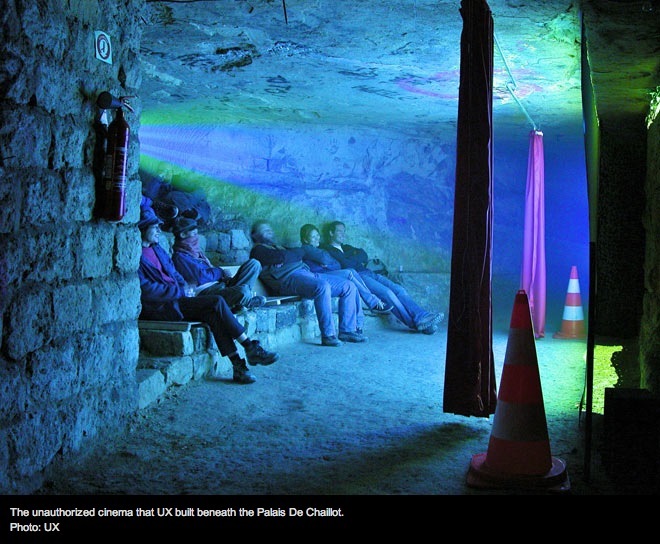
Click the picture for the story.

UX is appealing in so many ways. The sheer spontaneity of the movement, the act of finding something beautiful and bringing it back to life, the process of exploring recent and neglected industrial history, the rebellion against ‘The Man’ and the opportunity to make fools of inept administrations, while showing those of us above ground some of the magic that went into the making of great cities, UX is all of that and more.

The article from Wired is long, it’s filled with mystery, excitement and romance, and who can resist the appeal of gazing at stolen Legers, Picassos and Cezannes located but feet from their original location, unknown to the ferrets charged with their custody?

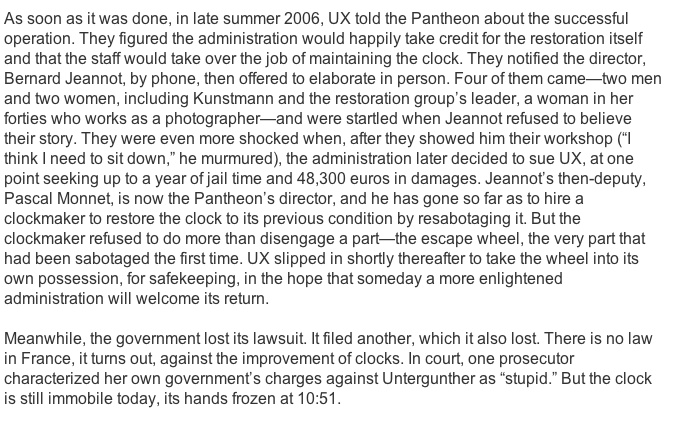
If you hew to the romantic appeal of restoring a 1790 clock with a team lead by a master horologist from one of the world’s great mechanical watch makers, all done clandestinely and underground, then sharing the peal of that restored masterpiece with all and sundry to the amazement of the buffoons in government, then you will thrill to this magnificent piece of journalism and the courageous people who make Parisian UX amongst the world’s greatest. And in case you believe that the US Government has an exclusive on stupidity, just check this out:
Marlowe lives

Film Noir at its best.

I have been watching Howard Hawks’s ‘The Big Sleep’ (1939 – but check the Comments) for decades now and have long ago given up trying to figure out whodunit. The plot is so many layered, so vastly complex, that I prefer to luxuriate in Humphrey Bogart’s and Lauren Bacall’s acting while enjoying my favorite city in America, Los Angeles. The movie is one of the rare cases where monochrome trumps color.

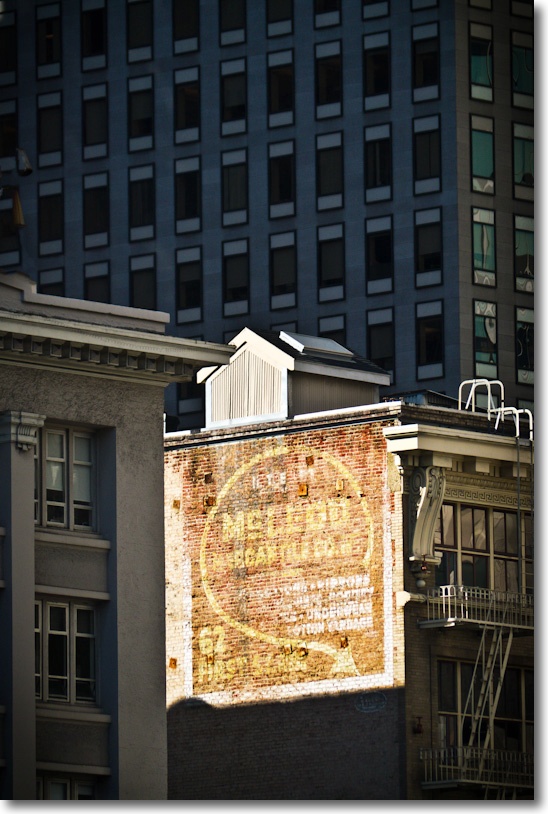
San Francisco has done a far better job of preserving its inter-war buildings than either LA or New York. The atmospheric Bunker Hill of Philip Marlowe’s day has long been torn down, replaced by soulless glass and steel buildings and Frank Gehry’s execrable Disney Concert Hall, an eye sore of rare foulness. New York also gives short shrift to historical preservation as the world’s center of greed abhors space that cannot be developed and rented for top dollar. Whether it’s the lighter touch of commerce in San Francisco or the fact that the big bucks reside thirty miles south in Silicon Valley, I do not know, but the city is brimming with gorgeous buildings from the ’30s and ’40s.

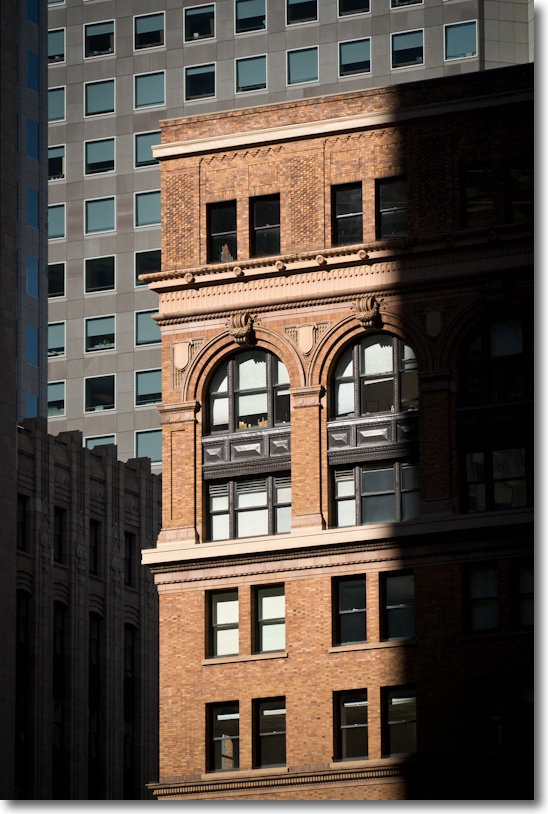
This one was spotted on Howard Street and the threatening shadow suggested nothing so much as the office space that a gumshoe of Marlowe’s persuasion would have occupied. Marlowe, for ever down on his luck, would have been in one of the smaller offices on a low floor. Not for him the high rent suggested by the magnificent double height windowed floor. As is often the case, the backdrop is a modern building presumably designed by a structural engineer, because architecture is nowhere to be seen. Here it only serves to heighten the beauty of the older masterpiece, caught in a shaft of late afternoon light on a freezing winter’s day.

G3, 45-200mm @ 103mm.

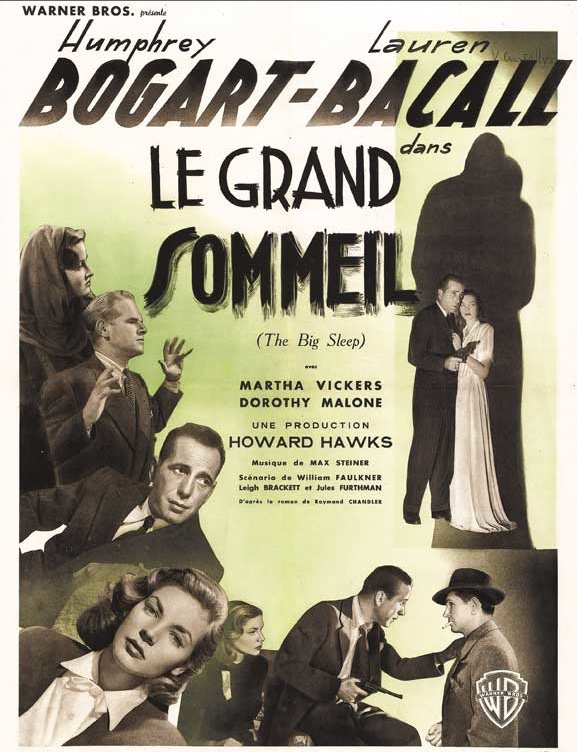
Here’s one of the many posters for that cinematic masterpiece:

A more recent version of the LA ’40s crime mystery, no less well made or acted, gains from a simpler plot compared to The Big Sleep what it loses to color – L.A. Confidential.

For those preferring San Franciscan detectives, Dashiel Hammett’s Sam Spade is as good a stand-in for Marlowe as any.

One of my commitments for 2012 is to publish more architectural photography and, checking this blog, I see it’s a subject I have addressed on many occasions, so I have added an Architecture category. You can access this by clicking here or by diving into the drop down menu under ‘Categories – Photographs’ at the bottom of this screen.

Snapseed for OS X

A great effects app comes to the desktop.

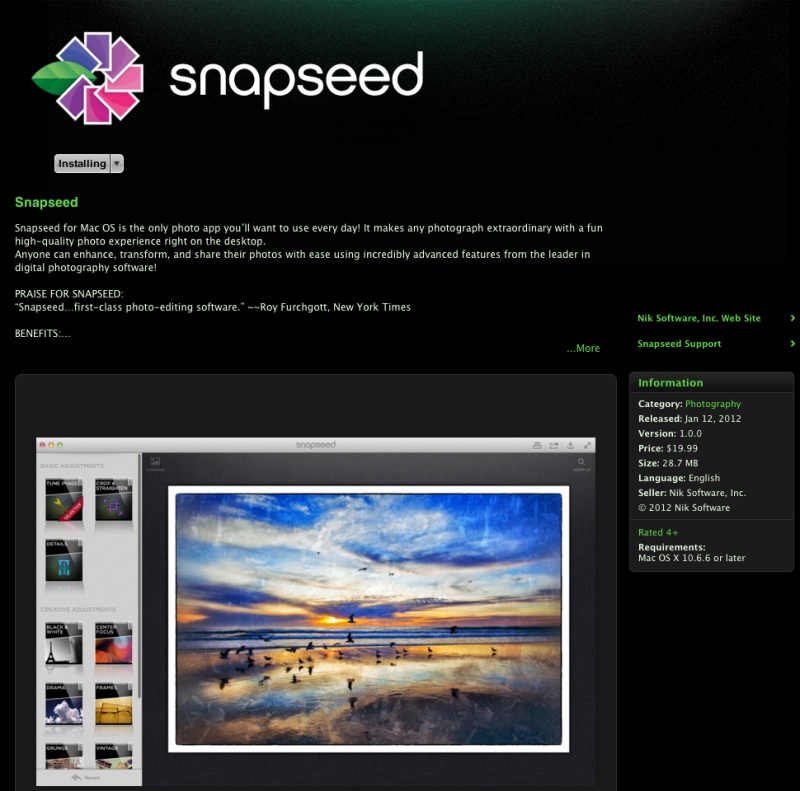
I wrote about the use of the iOS app Snapseed here and have had lots of fun with it since on my iPhone 4S. Nik Software has now released a like-featured OS X version, althjough it’s four times the price of the iOS version at $20. Go figure.

Snapseed in the Mac AppStore.

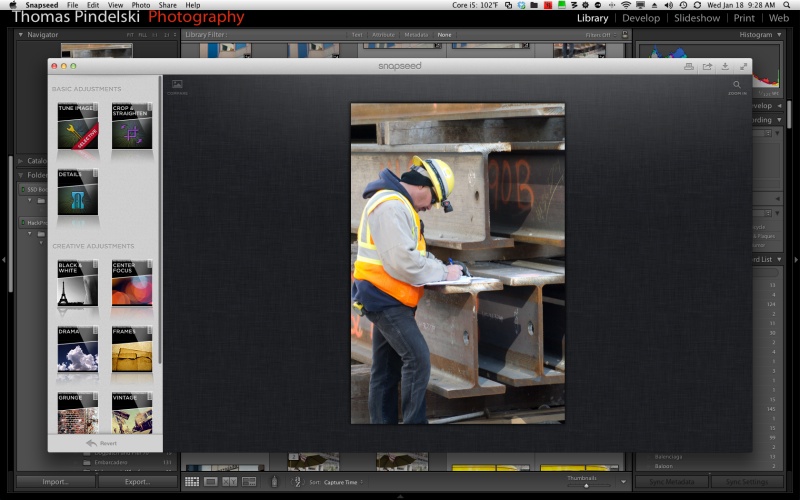
It’s 57mB (twice the size shown above) and downloads in a couple of minutes. As I catalog all my snaps in Lightroom, I went to LR3->Preferences->External Editing and added Snapseed as an export option. Thereafter it’s a simple matter to export a RAW original to a JPG in Snapseed – Snapseed does not support TIFF or PSD files, so exports to it are converted to JPG. Likewise, it can save in JPG only, albeit respecting the full size of the original – meaning 3056 x 4576 for a RAW file from my Panasonic G3.

The timing of the app’s release could hardly have been better as I had just snapped a worker at the Transbay Terminal construction site on Howard Street in San Francisco with a backdrop of massive I-beams and the original needed a little something to confer the industrial feel I wanted. An export to Snapseed saw the original thus:

Original exported into Snapseed.

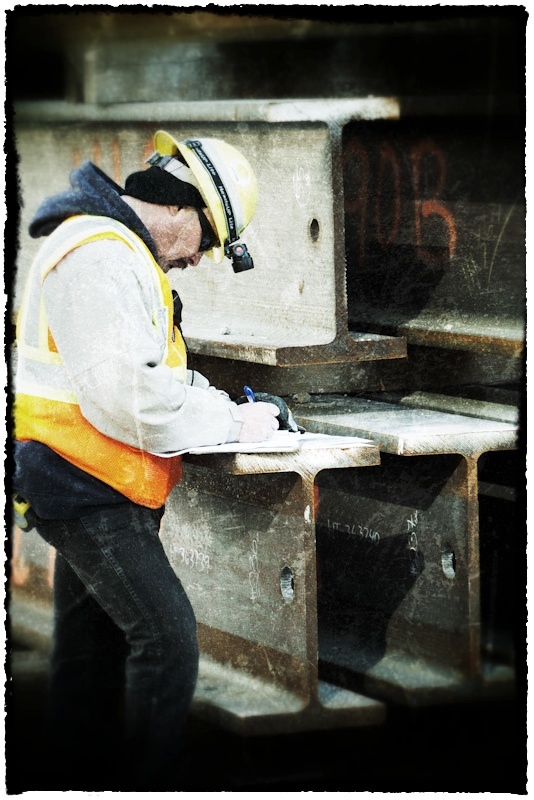
A few quick tweaks in the ‘Grunge’ panel were followed by a touch of CenterFocus/Vignette/Blur, and with the addition of a Grunge Frame I had what I wanted. Saving the file seemed to place it in the Lightroom directory, judging by the filename, but I could not see it in the Lightroom Grid view, so decided to save it to the Desktop and import it thence to LR3. I suspect I’m doing something wrong and will look into it – with PS CS5, for example, a ‘Save’ places the file right next to the original in the LR3 Grid display.

Here’s the result:

At the Transbay Terminal site, SF. G3, 45-200mm @ 78mm.

The simple user interface, the quality of the many effects and the general speed and ease of use make this a bargain, even at $20, compared to $5 for the iOS version. Sure, you could do all of this in iOS, laboriously exporting and reimporting the picture, but life’s too short for that. This is no substitute for the industrial strength of Photoshop, but try doing all of the above in under one minute in that behemoth of an application. Snapseed is proof that a few carefully selected effects in a well engineered product suffice most of the time.

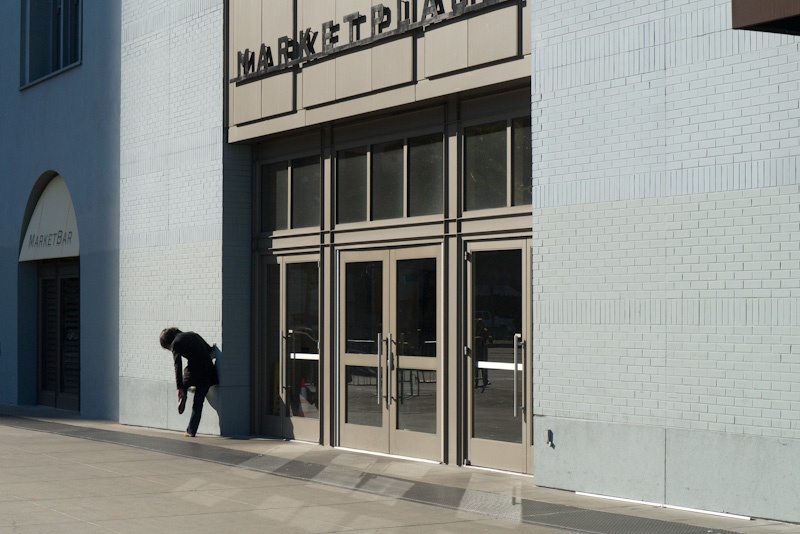
Here’s another before/after of an image also snapped yesterday.

The original:

The shoe. G3, kit lens @35mm.

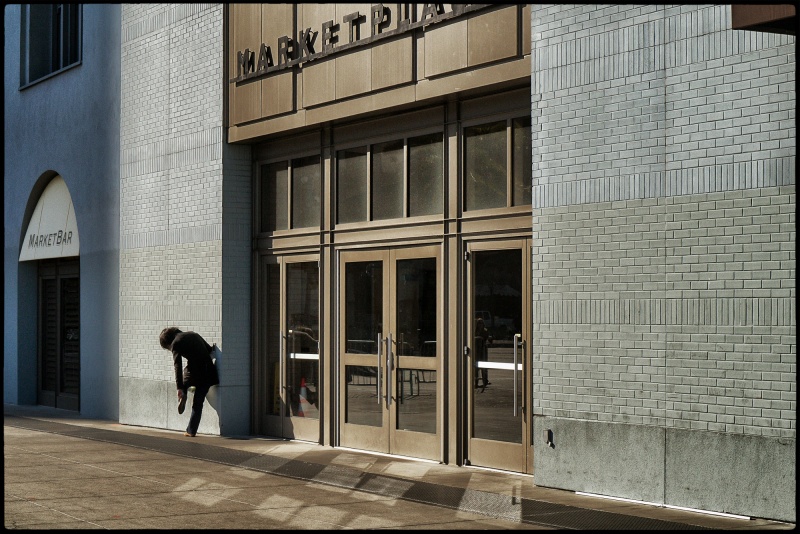
After:

After Snapseed.

In this example I used the ‘Tune Image’, ‘Drama’ and ‘Frames’ settings. ‘Tune Image’ includes selective options, though I did not use those here. Snapseed has done a great job of enhancing drama and bringing up detail in the bricks, highlighted by the setting sun.

Update March, 2013:

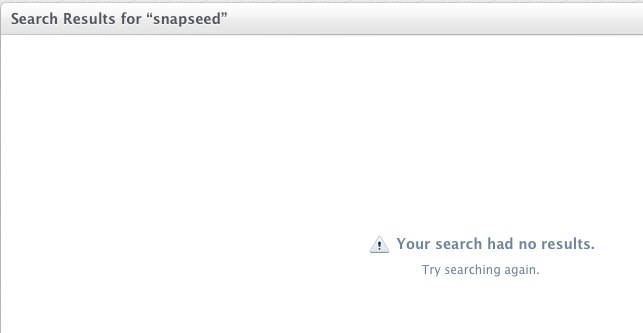
Sadly Google, which acquired Snapseed along with Nik Software, has discontinued the OS X version. Quite why not keep it available, when the support and development costs are zero, beats me but doubtless Google is Doing Evil, consonant with its missing moral compass:


Recent App Store search for Snapssed for OS X.