Never say never.
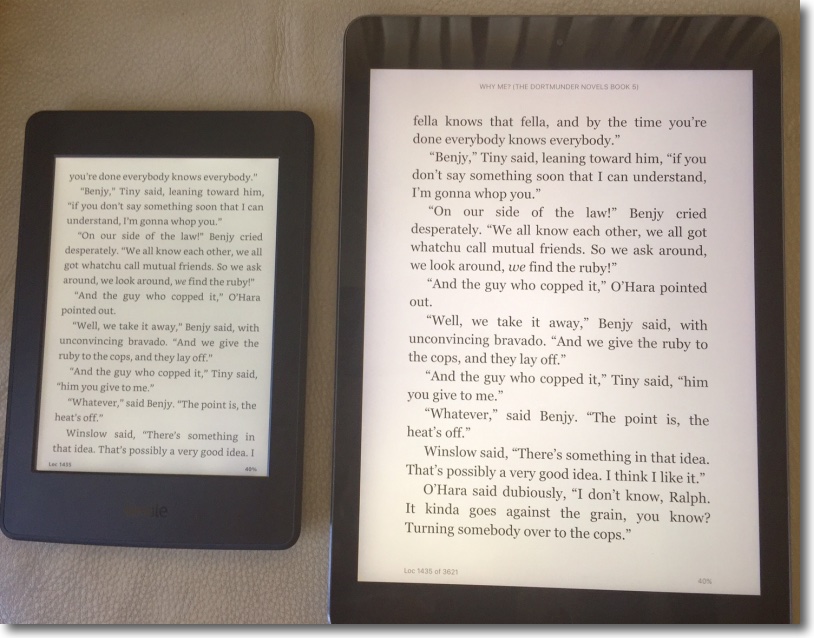
The 2015 Kindle Paperwhite beside the iPad Air1, both on maximum brightness in room lighting.
Every few years, it seems, I succumb to the temptation to buy a Kindle EInk book reading tablet from Amazon. And a few days later I sell or return it in dismay.
My previous Paperwhite, a 2012 model, was the best (OK, least bad) yet, but I sold it when the unevenness of the built in illumination started driving me to distraction during bedtime reading. Kindles are easy to sell and very few crop up on eBay, testifying to owners’ loyalty.
Since that 2012 model Amazon has increased definition from 160ppi to 300ppi in the 2014 model (not a big deal on the smallish 6″ display) but inexplicably dropped battery capacity by 25% in the 2015 model (the battery capacity has been reduced from 2800mAh to 2100mAh). The disingenuous advertising of battery life, with ridiculous claims of months of life if you never actually use the thing continues, and Amazon really should be ashamed. Read a couple of hours daily (what serious reader reads less?) and you can reckon on one week’s life at best, assuming you do not turn the display brightness way down or constantly futz with switching off wi-fi and the optional 3G. 3G costs an additional $70 with no usage charges, using AT&T’s cellular network, so check for coverage before springing for this if you want it. I got 3G then splashed out an additional $20 to delete the default advertising and the whole thing came to $210, exactly the proceeds of sale of my glutinously slow iPad3, obsoleted by a no less dishonest Apple with its purported iOS ‘upgrades’. Best as I can tell the primary purpose of these ‘upgrades’ is to make older devices useless.
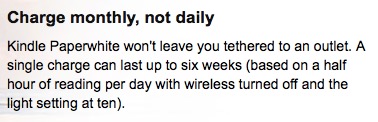
Pure BS. You can get like life on a tank of gas, so long as you don’t drive.
E Ink is the technology – another great invention from MIT, the best engineering school the world has ever seen (along with Caltech, to respect my friendships there!) – which makes possible the low power consumption of the display in the Kindle. Unlike LCD or LED displays, which remain useless in bright sun, the biggest disappointment is that the rumored hybrid technology of a few years ago has never seen the light of day, or of the sun, come to think of it. That technology promised to combine the best of LED/LCD and E Ink so that displays would remain readable in any weather from California sun to London gloom. So those of us who think the beach is a jolly place to be in the summer – or in the CA winter for that matter – two devices are required. One for iOS based use where you actually need, you know, to do things, and the other for vegging out with book consumption in bright light where the single purpose Kindle, errr …. shines, though its matte screen makes sure that it does not, unlike every iOS device ever made. Maybe if Apple had invested its $1bn in display research rather than sending that sum to China to bribe, oops!, invest, in taxi services for Android users, they would today have a distinguishing technology to keep the iPhone ferris wheel running for at least another couple of device generations before the whole thing collapses around their single-product ears?
Amazon continues to do an excellent job of pre-registering your Kindle for use even before it arrives. Your device list is automatically updated at Amazon.com and your login information and book library are there when you open the box. Just add your wifi password. Your Amazon password is already there on receipt. Nice, unless your mailman is a thief.
Mine performed a software update over the air when first turned on which took ten minutes, with much flashing of the screen which even the meanest of code monkeys could have prevented. It just says schlocky, like much of Amazon from their gauchely (un)formatted emails to their clunky site with its awful navigation and look. No class.
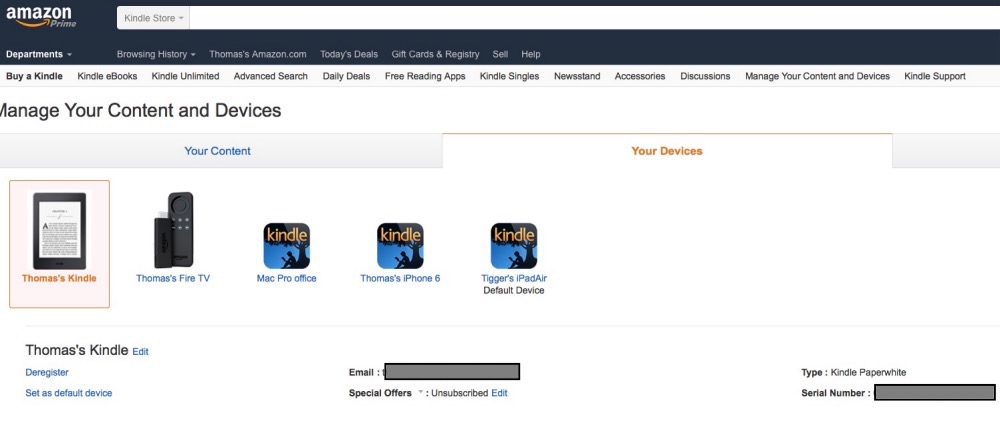
The day before receipt. My account at Amazon has already been updated.
So what’s the deal with the 2015 Kindle after the dismay with the 2012? Well, the OS remains hostile to the common ePub book format, but a few moments with Calibre will allow the user to transform ePub books to Kindle format (AZWx) for upload to the tablet.

Calibre supported formats.
A pain in the nether regions, but hardly a disqualifying reason to avoid the Kindle. Mercifully the Gutenberg Project, a vast library of free books (Shakespeare gets no royalties), increasingly shows Kindle format available for download, not the case when I dumped my previous Paperwhite.
Weight, or lack thereof, is a far from trivial consideration, with the 3G Paperwhite weighing just 7.6ozs, assuming you don’t waste time and money on a cover. That’s featherweight and never tires a hand whose fingers easily span the back (unless you are a short fingered vulgarian running for the Oval Office, but that means you do not read in any case, so no biggie) or hold one of the front bezels. The comparably sized iPad, the iPad Mini 4, comes in at 10.7ozs, the full size iPad at 15.7ozs. The first two are easily held in one hand, the last is not. And, yes, the Paperwhite will easily fit into the back pocket on your Levi 501 buttonfly jeans, the pants which conquered the West. Just don’t sit on your Kindle. Save that for your horse.
Like every Kindle before it, the 2015 Paperwhite is not waterproof, so it’s probably not a good idea to use it in the bath.
For faster recharging Amazon milks the margins by asking an additional $20 for its charger, but you can simply plug in the provided microUSB cable with its USB plug into any iPhone or iPad charger for like results, meaning faster charging – 2 hours, not 4. Failing that, plug that cable into any USB2 or USB3 socket for slower, no adapter recharging. The keyed microUSB cable has to be one of the worst connectors ever designed, especially as it’s never easy to know which way to insert it – unlike Apple’s superb current Lightning connector – and just feels fragile. Still, it works. I put a blob of white paint on mine to ease connection hassles.
The Paperwhite retains a touchscreen for page turning and it works well. The screen’s sides, when touched, turn pages and a touch on the top discloses the simple menu system. The power button is still a small nub at the base and is easy to use. Power up is a matter of a couple of seconds to the last page at which you left off. Or just leave the thing on, as it’s page turning/screen refreshes which use power with E Ink technology, not continuous display (assuming the lighting LEDs are turned down). Amazon claims that the lighting LEDs adjust to prevailing light levels, suggesting that the device includes an ambient light sensor. You can also adjust screen brightness manually. I have mine set at maximum for daytime reading, half of that at night in a dark room.
So that leaves the key question which is have they fixed the uneven illumination issue with the four LEDs buried at the base of the display, one so much on display in the 2012?
Yes. Illumination is excellent, with the merest hint of shadowing at the very base of the screen which is not in the least obtrusive. The long columns of local specular lighting emanating from the base of the display which distinguished the 2012 Paperwhite are gone and illumination in the dark is almost perfectly even all over. That reason alone, plus the instantaneous page turns, makes me unreservedly recommend the Kindle for the first time. Fourth time’s a charm in my case. Do you need to blow $70 on cellular connectivity? If you download many books outside wifi range, or like to sync to the last location from your iOS reading when out of wifi range, then cellular will probably pay for itself as there are no use charges. $20 to get rid of advertising (‘Special Offers’ in Amazon-speak)? Worth every penny. The home screen is the home screen with an abstract display, not a diaper ad.
The Kindle boasts 4GB of RAM but as any previously purchased book from Amazon is easily re-downloaded to the device in seconds, that will not be a limitation. Most Project Gutenberg titles in Kindle format run 1-2MB so even a great many of those, which have to be stored on the Kindle, will not challenge storage availability. We are talking thousands of titles here.
Borrowing books from the local public library is easy.
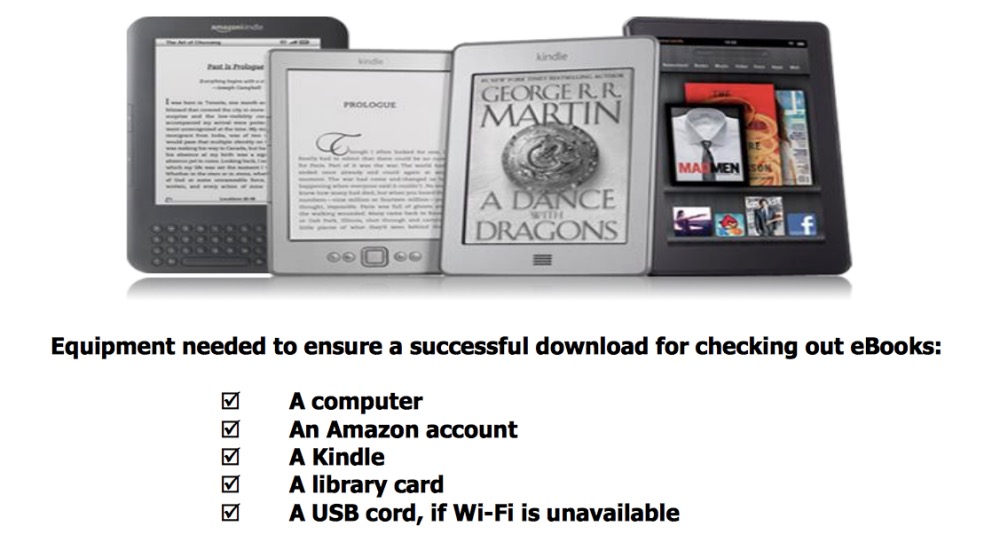
This is a simple, one purpose device and while there are niggles – the awful microUSB connector, the misleading claims about battery life, which are contractually correct but ethically deeply wrong – Amazon has stuck to its knitting and finally got the Kindle right. At some $120 for the base Paperwhite model it’s highly recommended. Does it make sense to own a Kindle if you have an iPad? Absolutely, if you like reading in bright light and favor the lightest possible device for your monochrome reading.