Another step forward.
It’s no great secret that Apple has never included a Blu-Ray reader/burner in its computers. Maybe they are right. With the increasing availability of HD streaming video they have concluded that BR makes no sense. Maybe their greedy profit margins on their mostly mediocre hardware couldn’t survive the markup? Who knows?
A related problem is the dishonesty of the movie studios. Ever interested in hosing the consumer down for something claimed to be newer and better, a lot of classic movies have been cynically copied to BR discs with no effort made to go back to the original film stock, no enhancing of signal-to-noise ratios, no scanning of the original images and no great sound. That’s a lot of no. So you often get a poor transfer whose major distinguishing feature from the SD DVD is the price.
My choice for my inaugural Blu-Ray movie is Lawrence of Arabia. Robert Harris is recognized as one of the most adept restorers of old movies, and every frame of the original 65mm film has been scanned, retouched, color corrected and so on. A true labor of love. So I started with a Blu-Ray disc created from his restoration.

El Orance at the Red Sea, Aqaba.
But first the technical details.
The HackMini, my TV Hackster, uses a modest Gigabyte H67M-D2-B3 motherboard and an equally modest EVGA GT430 graphics card, the last sporting VGA, HDI and DVI outputs. It runs OS X Lion 10.7.4 because there’s no earthly reason to upgrade. I have long used it with VGA connected to the TV set with a separate 3.5mm coaxial cable for sound. It has worked really well. An expert Hackintosh friend (thank you, PB!) had alerted me that getting the HDMI port (it conveys digital video and audio) working is quite a challenge. For those into Hack matters, the DSDT.aml file has to be edited extensively and depending on your hardware, additional drivers (‘kexts’) may have to be installed. It all looked a bit forbidding, and my ace hacker and Hackintosh guru FU Steve was out of town, so I got down to the hardware part first.
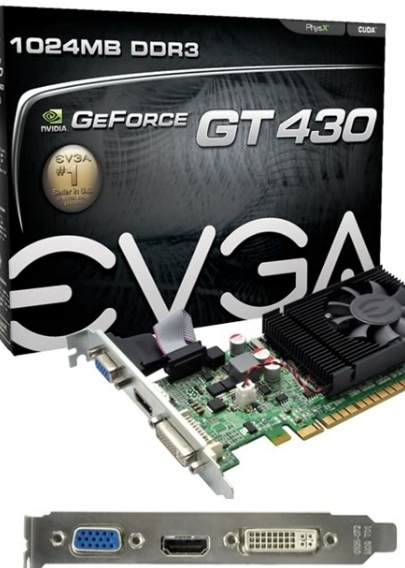
The inexpensive nVidia GT430 – this is the VGA/HDMI/DVI version in the HackMini.
The cheapest Blu-Ray reader/burner I could find was an LG for all of $44 – prices seem to fluctuate daily:
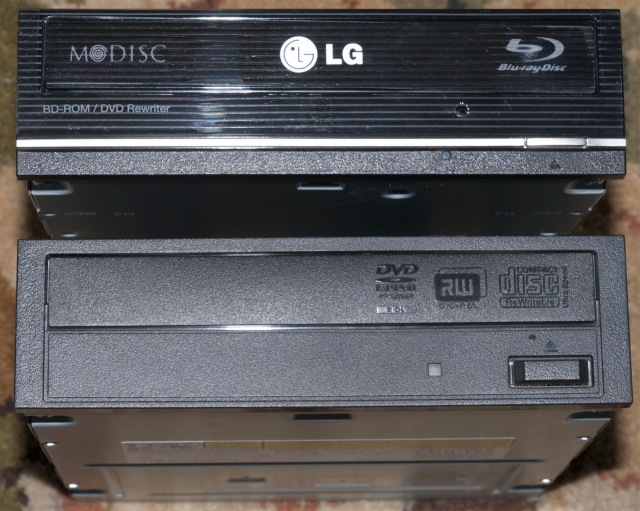
As you can see, the size is the same as that of its predecessor, and replacing the original Sony drive was a matter of a few minutes, helped by the ample space in the HackMini’s enclosure. MacMini owners need not apply ….
Next I connected the drive to the TV using an HDMI cable and rebooted. Naïvely thinking that I could use the latest version of the VLC video payer with Blu-Ray enhancements added, I fired up the app and got an error message. The Lawrence of Arabia BR DVD is encrypted and will not play through VLC.
So I hunted around a bit and came up with BluRayDVDPlayer and had a perfect picture first time but …. no sound over HDMI. You can try this app free, the $40 price registration removing the obtrusive watermark. Sure enough, looking in OS X’s System Preferences->Sound disclosed no HDMI output. I checked out the hacking instruction at Tonymacx86 and was less than enthralled, so I reconnected the drive to the TV using a VGA cable and separate sound cable. Ha! BluRayDVDPlayer takes the digital sound feed and makes it available to the analog VGA feed. Wonderful. Video and audio was now working. So the all in cost was $44 for the hardware and $40 for the application. But nothing is every clean in Hackintosh land. For once, those unfortunates who do not get it, AKA Windows users, can click right through.
But try and buy the Mac app from the BluRayDVDPlayer site and nothing happens when you click the ‘Buy Now’ icon.
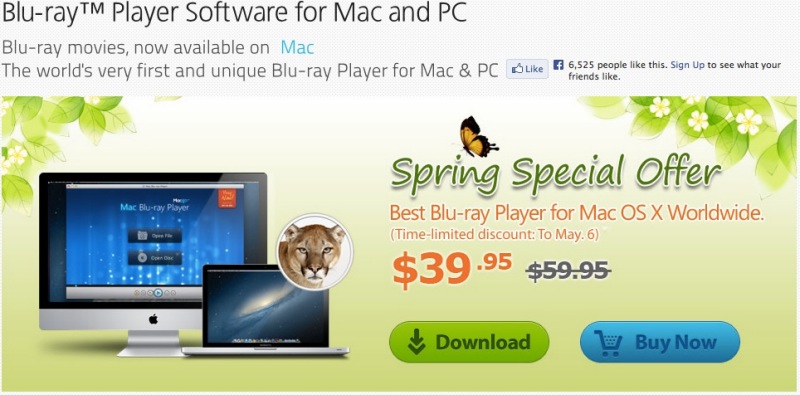
Click the image.
However, right click or ‘control-click’ on ‘Buy Now’ and ‘Open in a new tab’ and you are up and running. A code is immediately emailed to you, easily input, and the watermark is gone. The interface is exquisite, the tuning Preferences engineered by users – lean and mean, fast, unobtrusive – and the app appears to be regularly updated for the latest nefarious copy protection schemes of the fools in Hollywood who earnestly believe that buyers will make 35GB copies for distribution to their friends. Right.
Update September 24, 2013:
Since updating my TV media PC to a Mac Pro using the same excellent nVidia GT430 card, I have had great success using the HDMI connection from the Mac Pro to the TV using this HDMI hack referenced here with BluRayDVDPlayer. A fine product. The only anomaly was that on occasion a Blu-Ray movie ripped using MakeMKV would not reproduce sound, somwething that could be remedied by going to Audio->Audio Device->HDMI (Encoded Output) and switching to Audio->Audio Device->HDMI. I dropped the developers a line asking how to make the latter the default audio setting, as it works with all movies (and also respects the scroll wheel on my BT mouse for volume control) and immediately received the following response:
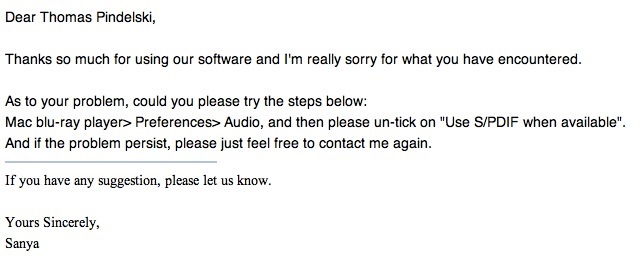
This works perfectly. Try getting this sort of service from the big boys in Cupertino or Redmond ….
Update ends.
So what about the experience?
Lawrence of Arabia in Blu-Ray is truly starting at the top. A photographer’s dream. As I wrote in the introduction of this piece, it is overwhelming, one of the greatest movies made, its great length but a flash as you sit, enthralled. I once saw it at the Carnegie Theater on 7th Avenue in NYC in 1985 on a large screen and really that is the way it should be seen. But a decent sized home TV and this splendidly remastered Blu-Ray DVD come pretty close. I’ll leave you with two images, a mere 1000 pixels wide – no prizes for guessing which is which.
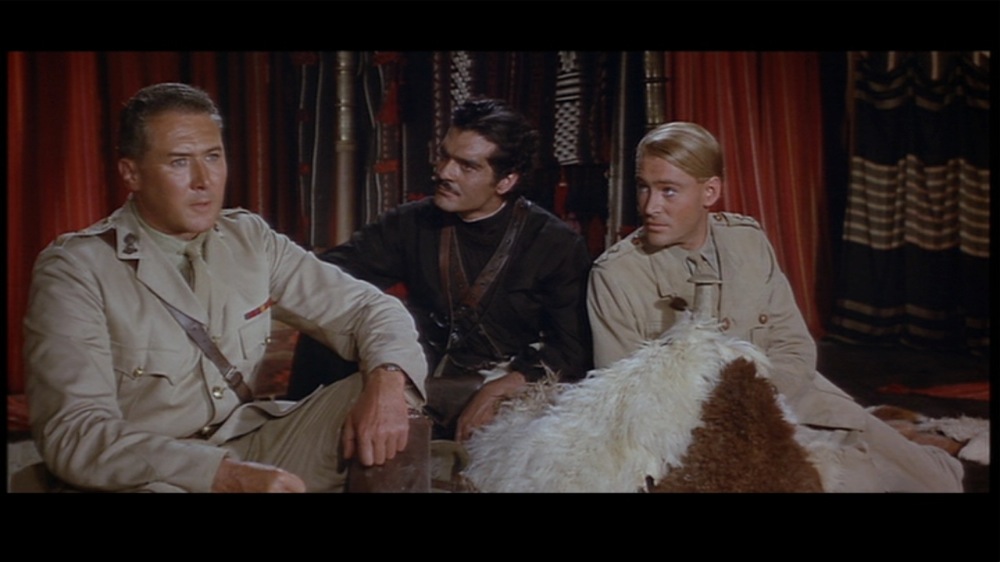
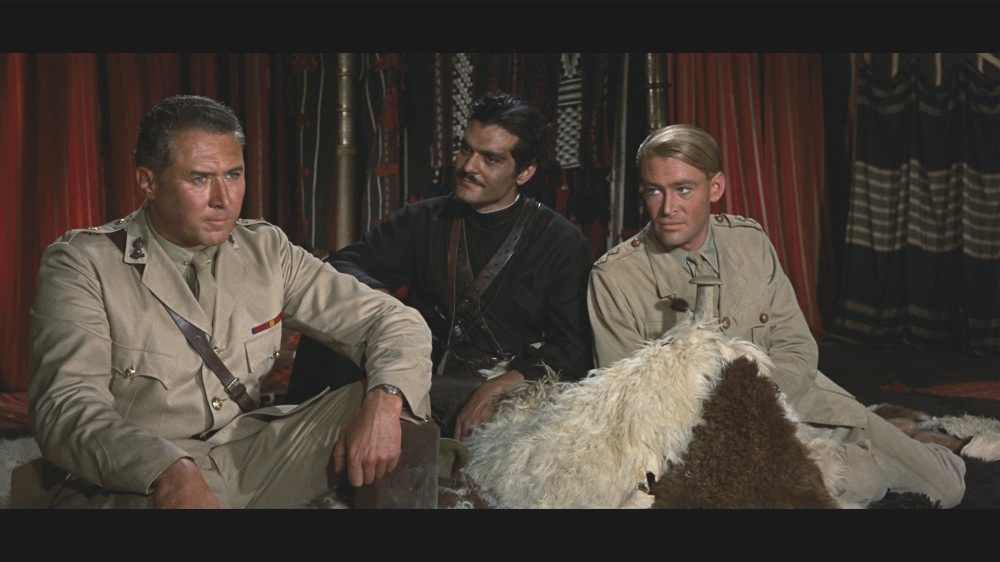
Subjectively? Blue-Ray leaves HD streaming content in the dust. Regular DVDs? Not a chance. Netflix will happily rent you Blu-Ray DVDs for a monthly premium of $4. Their catalog now numbers some 3,300. Just make sure the ones you rent have really been remastered (Amazon reviews are good for this) not some slimy hack copy of a low quality DVD file.

The home screen on the HackMini.