The center of the world.
These pieces generally run annually in time for Hanukkah and Christmas.
“Move on, bud.”
It was like a quote form a cheesy Bogart gangster movie from the ’40s. Yes, I was in the center of the world, 6th and 54th in Noo Yawk City, on an exploratory trip during my Years in Alaska, before finally moving there in October, 1980. I had asked the cop for directions to my equally cheesy hotel and those were the first words I heard spoken in Manhattan. Just like the movies said. And, yes, the hotel when I finally found it, unaided, was crawling with cockroaches. Just like New York.
Yet there was no way on this earth that one could call life complete without trying to compete and survive in this strivers’ paradise. Much of my personal fortune would soon be deposited on a luxury high rise at West 56th Street. That luxury high rise took the guise of an L-shaped studio co-op on the 14th floor of a Hell’s Kitchen place, all 450 square feet of it, which had three singular appeals.
One, I could see Carnegie Hall from the window.
Two, Lincoln Center was two blocks away.
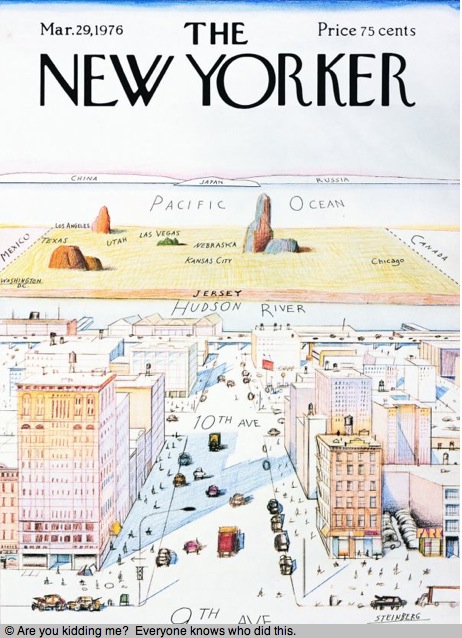
Three, you could get mugged outside the front door, while the doorman watched, by the nice Puerto Rican boys from 9th Avenue, one block west. Steinberg was right. And yes, I was mugged right there.
But, heck, those boys were just forecasting today, when a handful control most of America’s wealth. I gave them the $30 I had in my pocket, wiped the spit off my glasses, and praised the powers that be that my Leica M3 survived the assault. Until you have been mugged in New York you can not claim to have lived there, though I confess that my Paul Stuart shorts and knee-high white socks may have been a bit of a provocation.
This was, truth be told, a tough time in the city. Street crime was common, chain snatchings were the order of the day and the subway had no air conditioning, the cars’ windows totally obscured with graffiti, like in some dystopian movie. At least if you lived, like I did, on the West side, a sensibility which suited my pocket book as much as it did my soul. You see, payola came from the East side, so their subway lines got the spotless, stainless steel Mitsubishi cars with the graffiti resistant exteriors and quiet wheels long before the West side did. We got fans in cages, seized as often as not. So by the time I arrived at work, 1 New York Plaza, at Salomon Brothers, the perfect crease in my pants and the beautifully laundered shirt were so much of a Louisiana-swamp-National-Geographic-Explorer Real Man sweaty mess. Sheer hell.
But I cannot complain too much about the RR subway or the lack of cool. Because the West side, in the years I lived in NYC, was the epitome of cool. 1980 thorugh 1986 saw me there and while I have no desire to return, I recommend the experience highly. Sinatra was right. “If you can make it here, you can make it anywhere”. And believe me, you will never feel sorry for yourself again after a couple of years in Manhattan. You survive or you run away. A rite of passage.
As luck would have it, I was blessed with a wonderful girlfriend during my New York years. Nancy, a distant relative of the Canadian Bronfman family, which owned Seagrams at the time, was just a joy to be with. There was simply no subject under the sky where she would not claim complete expertise, meaning she loved to debate everything. A lovely, bubbly, at times eccentric personality, who made human an otherwise tough time. Once, when she lost a bet, the prize being dinner for two at a restaurant of the winner’s choosing, I soaked her well and truly at La Grenouille which to this day makes its home, and the best French food in America, at 3 East 52nd Street. Of course, she had to argue with the waiter over the bill which, recalling its size, I would have argued also. After dinner she showed me some snaps of her Aunt Sadie’s place in Toronto and I remarked on the lovely Degas reproductions visible on the walls. “Thomas”, Nancy rebuked me, “those are the real thing”. Many years later, on a trip to Manhattan, I popped in for a concert at Carnegie Hall, as was my habit, and who should I meet in the crowd at the intermission but Nancy! We parted at 3am at a dive in Greenwich Village. She remained as committed to NYC as ever and it gave me confirmation that New York would remain in my past. I missed Nancy, but not the city.
So what were some of the greatest memories, as a photographer, of these six wonderful years?
More visual memories than photographs, for I was too busy trying to survive than wanting to take snaps.
There was that magic moment walking up Broadway. I would do this at weekends, fighting the Black Dog, en route to Zabars, the quintessential NY deli. Not only was my goal the coffee beans, it was equally a visit to the upper level where I rejoiced in trying to determine the use of the strange implements for sale. A tool seemingly for everything. Have you seen asparagus steamer cones?
And this is what I saw on one such walk:

Broadway, Upper West Side, Leica M3, Kodachrome 64.
I caught the M50 bus home, only to find myself seated in front of one of the more beautiful women this earth has yet produced. Unknown to me, this was a cross-town bus and by the time I stopped gaping I was at the United Nations on the East side, far from home. Yes, she has a gap in her teeth. Superstar Lauren Hutton took the bus ….
America had a new president then, one of the two or three competent or lucky ones in the twentieth century, so naturally that played to New York’s counter culture.
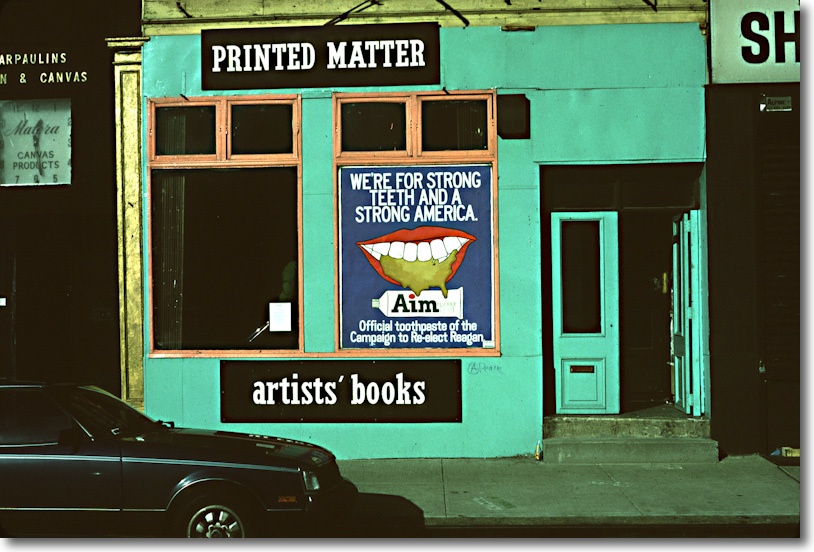
Reagan’s teeth. Leica M3, Kodachrome 64.
Only in New York can you find so many professed liberals looking to rip their fellow man off to make a quick million.
And the beautiful women were everywhere. Shop girl or model, it was all the same.
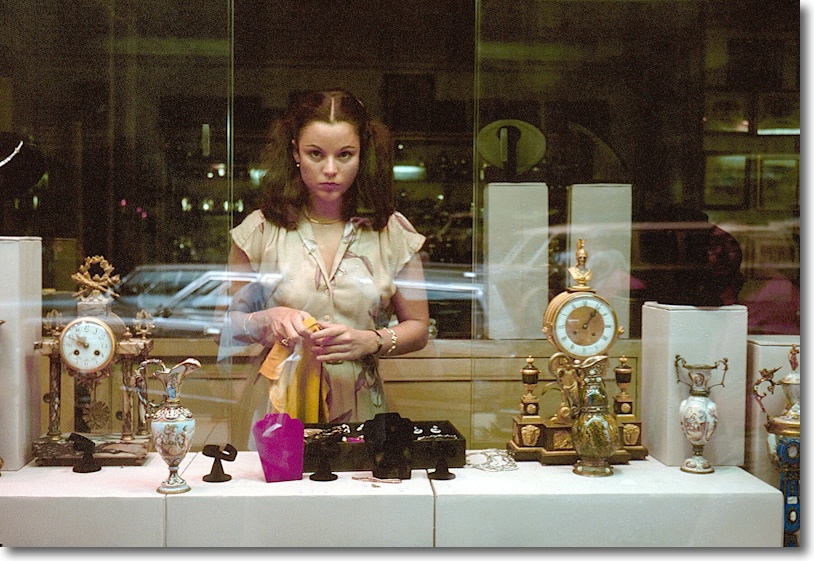
Madison Avenue, Tourneau. Leica M3, Kodachrome 64.
New York City is the cultural center of the world. It has the three essential ingredients – immigrants, capital and greed. Let no one tell you otherwise. Cecil Beaton knew it when he moved there in the 1930s to work for Vogue and it’s true today. Where there’s money you will find culture. Sorry, it’s not to be found in south central Vladivostok, Neasden, Lyon, or anywhere between America’s coasts, with the honorable exception of Chicago.
And cultural activities peaked, for this resident of the center of the world, in October 1982, when Herbert von Karajan and the Berlin Philharmonic came to town. Yes, the Jews boycotted it (deNazifiation does that to your audience, much as they might love your music) and yes, the lines for tickets were long, and yes, only the Vienna Philharmonic played better back then, but if you were into Brahms and Mahler, you bought tickets. They gave four concerts, on October 21, 22, 24, and 25 and there I was, seat 6F at Carnegie Hall, to soak it up. The last was Mahler’s Ninth, and you can hear the live repeat from Berlin on CD/iTunes. I ceased going to live symphonic performance after that one. You should quit at the top. We were all still wildly cheering when only von K was taking bows, and the lights were dimming. A small man with a big passion for perfect sound. And awful political judgement.
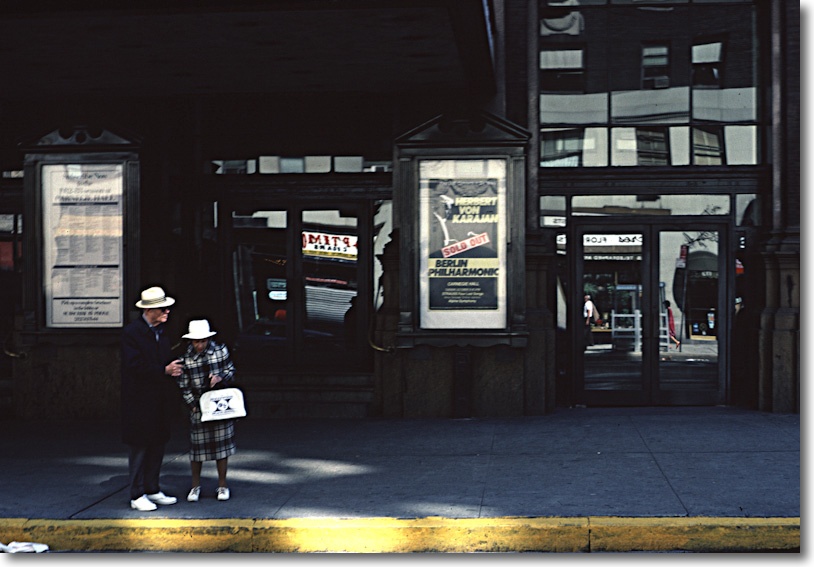
Von Karajan and the BPO, sold out. Leica M3, Kodachrome 64.
Returning two hours later from a favorite upper Broadway hang out, I passed by Carnegie Hall on the way home, only to see the workers dutifully packing the Stradivarii and Guarnerii, each in individually numbered boxes, in the BPO’s van. The nation that gave us the Holocaust still believed in alles in ordnung. Instruments numbered and arrayed as neatly as death camp corpses. So, appropriately, when I think of death, it’s von Karajan’s rendition of Mahler’s Ninth I turn to. Probably not a good idea for you to go there.
In many ways, these New York years were a failure photographically. I was too busy doing the striving, so to speak. Little time was afforded my passion. And I never really ‘got’ the brutality, the crassness, the crude grasping of the place. The City has some sort of machismo desire to prove itself through the rudeness of its inhabitants.
And, naturally, I had to take all the cliché snaps:
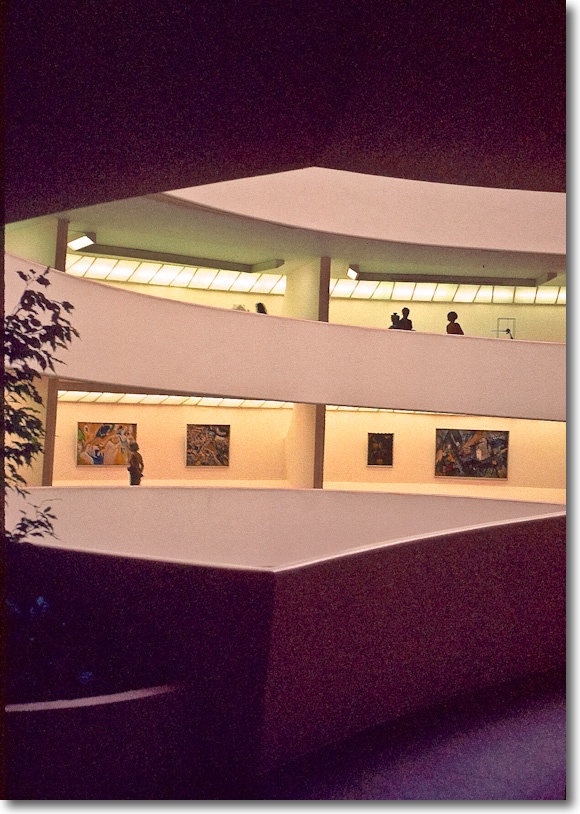
Frank Lloyd Wright’s execrable Guggenheim Museum, 5th Avenue. Leica M3, Kodachrome 64.
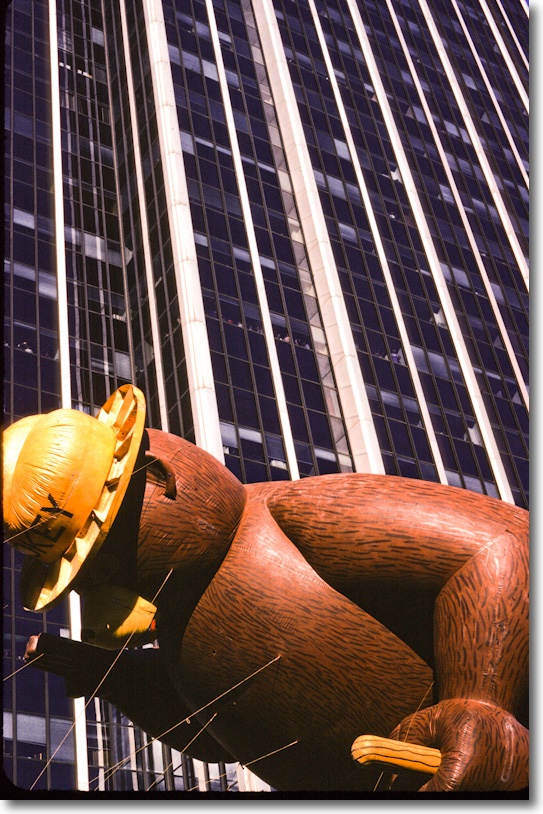
Macy’s Thanksgiving Day parade, Central Park West. Pentax ME Super, 28mm Takumar, Kodachrome 64.

Architecture meets structural engineering. Woolworth and the WTC. Pentax ME Super, 135mm Takumar, Kodachrome 64.

At the Natural History Museum, Upper West Side. Leica M3, Kodachrome 64.
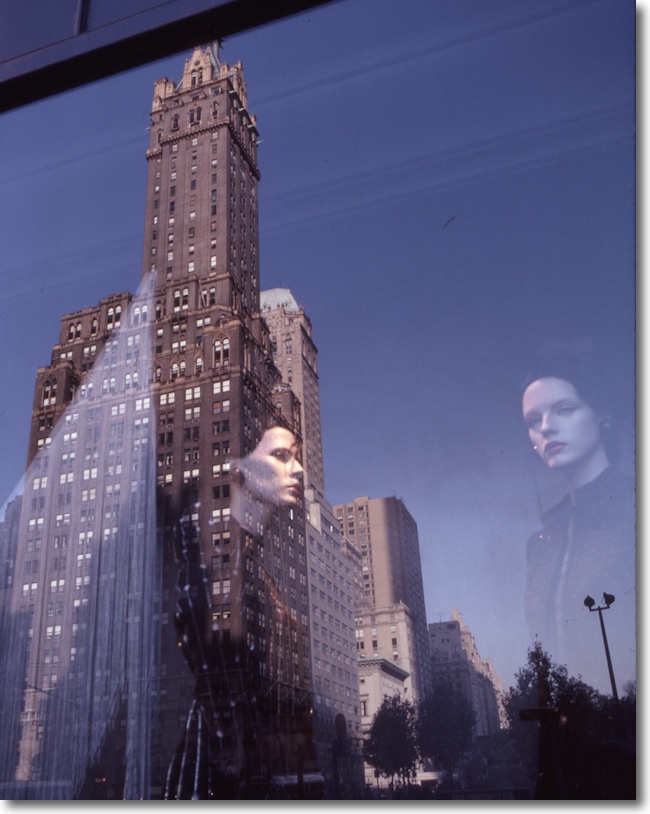
Bergdorf Goodman. Pentax ME Super, 40mm Takumar.
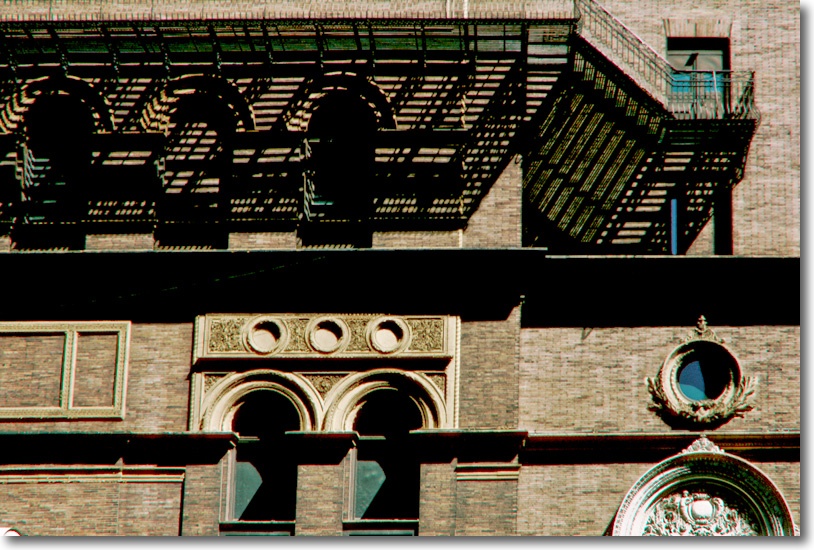
Carnegie Hall. Pentax ME Super, 85mm Takumar, Kodachrome 64.
So it was with a distinct lack of regret that I left the Center of the World in January 1987. But before leaving, the musical experience peaked in the guise of Strauss’s ‘Die Fledermaus’ at the Met, with Kiri Te Kanawa no less. It was de rigeur to smuggle in a bottle of Moèt’s best with a couple of flutes in my genuine English-style raincoat, to be popped at the champagne scene in the third act, only to find that 1,000 other concertgoers had the same idea. New York was a genuinely tolerant town back then, before the depredations of the right were visited upon it by subsequent mayors. The corks popping in the audience drowned out those on the stage.
As we walked the two blocks home to my hovel on West 56th Street, a torrential downpour and howling wind conspired to rip my superb, double ribbed doorman’s umbrella from my hand. Big bugger. It shot across Columbus Avenue at a rate of knots and was immediately crushed by a Checker cab, made in Kalamazoo, Michigan. Yes, there really is a Kalamazooo. Or there really was.
That seemed right. New York was history for me, as much as the Checker would be, soon enough. And I would not need an umbrella where I was going.
Gorgeous, sunny Los Angeles. This young man was going West where the weather was real and the breasts were not.
Looking back, I realized I no longer wanted to live in a city where my two closest friends in the world were the doorman in my co-op with the methadone habit, and the Russian chauffeur with whom I argued in Polish/Russian about the Russian classics. Life surely had more to offer?
* * * * *
Click here for an index of all the Biographical pieces.