Drills deep. Works, too.
Gang aft agley
Update January 1, 2023:
Disa Drill is very much NOT recommended if you are on an older version of OS X – I’m on High Sierra 10.13 – as it will not run and the latest version requires an OS update which many older Macs will not support. You can read the whole sad story here which provides an excellent alternative which works.
You don’t need to be a long dead Scottish poet to know that disk drives are like motorcyclists. There are those who have crashed, and those who will. And while those of the two wheeled persuasion can only hope for the best, users of the other population can do an awful lot to avoid serious injury by backing up. Onsite and offsite. On portable drives, flash drives, in the cloud, you name it. The choices have never been greater or the cost of this essential insurance lower.
Like all those who have learned the hard way, backing up is second nature to my use of computers. The thought of losing a lifetime’s pictures is not one I want to think about.
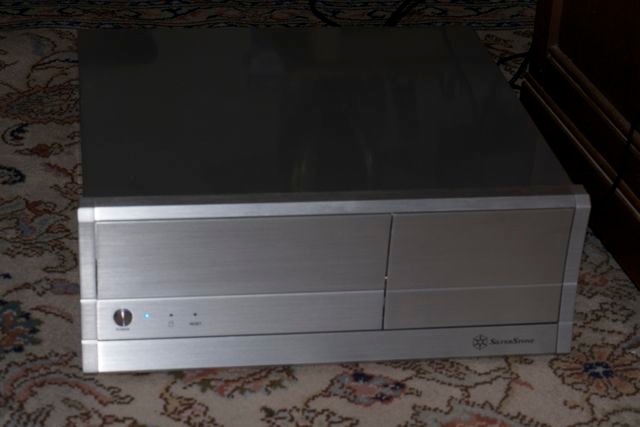
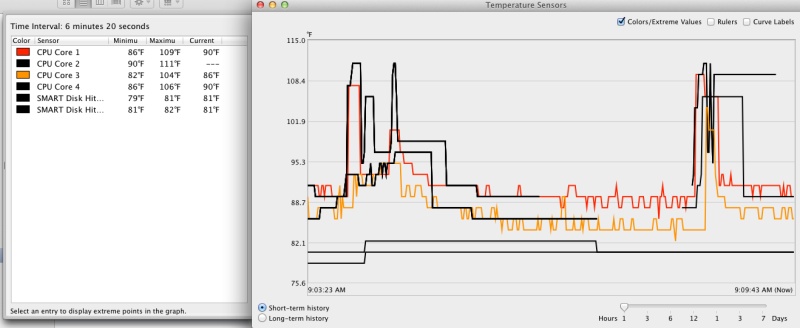
When it comes to movies on my large capacity fan cooled enclosures, each accommodates two 1tB hard drives, main and backup. These devices enjoy an easy life and after some five years’ use none of the 10 1tB Samsung HDDs has yet failed. Yet, the other day, I was nastily reminded of the dangers of complacency. As I turned one of the drive enclosures on it replied with an ominous clicking sound. The drives refused to mount (meaning they did not appear in Finder in OS Lion) and the drive head could be heard flying back and forth, hunting hopelessly. A moment later the box was apart and one of the drives mounted in that handy Aluratek external USB drive cradle. Same result, with the drive refusing to appear in Finder. So I fired up Disk Utility, and the drive was there, confirming what I suspected. The drive was fine, making no untoward sounds and not overheating, but the file directory on it was trashed. I went back to the enclosure and confirmed that other drives exhibited the same clicking symptoms, confirming that the circuitry in the enclosure was shot and had taken the directories on both movie drives with it.
Data storage on hard drives only seems like magic. A directory points to files just like an index in a book (remember books? Made from rain forests, they were an affectation of the last 600 years, now largely ended). Lose the directory and the files may still be there, but the operating system does not know where to look. Indeed, when you ‘erase’ a drive all you are doing is erasing the directory. To erase every sector takes ages and extra effort – just try that using ‘Securely erase trash” on your Mac someday.
If you go to the Paso Robles public library in lovely central coastal California’s wine country, you will find it exceptionally well stocked with classic movie DVDs. Those are the result of my gift after all were ripped and saved to hard drives. I have not owned a DVD in ages, and fail to understand how any DVD collection can be easily accessed with traditional physical storage. Plus, a bunch of drives takes up a lot less space. At an average uncompressed file size of 5gB that makes for 200 movies on a 1tB HDD, so the prospect of reacquiring 200 ‘lost’ movies and re-ripping them was not one I wanted to think about. I hunted around for disk recovery software and found myself in a mine field. Most of the applications out there come in a free download test version, allowing a disk scan to be performed but prohibiting saving of any files ‘discovered’ until you pony up for the app. Fair enough, but some of these vendors are asking $1,000 or more to capitalize on human misery. Reminds me of American health care. Worse, the level of English in many of these apps, which look suspiciously similar, suggests Eastern European provenance, a heritage more associated with software theft than file recovery. No thanks.
First I tried the Big Name file recovery app (I won’t name it here) and found yet again that it is useless. I cannot recall this app having ever done anything for me other than debiting my bank account. I looked at many other apps and settled on two to test, primarily judging on the strength of their user manuals. The more technical and detailed, the better I felt. I did the so called ‘deep scans’ on my disk, which typically take 8-10 hours (!) with the first app ($1,000) finding 40 movies, the second ($195) finding 35. Simply not good enough, and the UIs of these apps were shockingly bad – like using Windows. No meaningful progress indicators and one conked out after 8+ hours of grinding away. At least I didn’t get a blue screen. So I put the drive aside for a few weeks to allow me to do more research. Then, the other day, I was idling through the AppStore (as big and as poorly indexed a mess as iTunes) and came across Disk Drill in the Utilities section. It too offers a ‘deep scan’ option whereby the trashed directory is bypassed and the beginnings and ends of files are determined and temporarily indexed. That index then acts as a reference base for the recovery step.
Disk Drill has no detailed manual, nor is any needed, as there’s an excellent tutorial when you start the app and the maker has a fine site, written in clear grammatically correct English, complete with a forum and evidencing a very professional approach. Good English may not make for good apps, but I have rarely known bad English associated with good code. If you can’t spell, why should I think you can code?.
Well, guess what? On its 9 hour deep scan Disk Drill found all 202 files. The lot! The whole megillah. And the progress reporting is meaningful and outstanding, showing file by file detail as files are located and updating a running percentage and time remaining indicator.
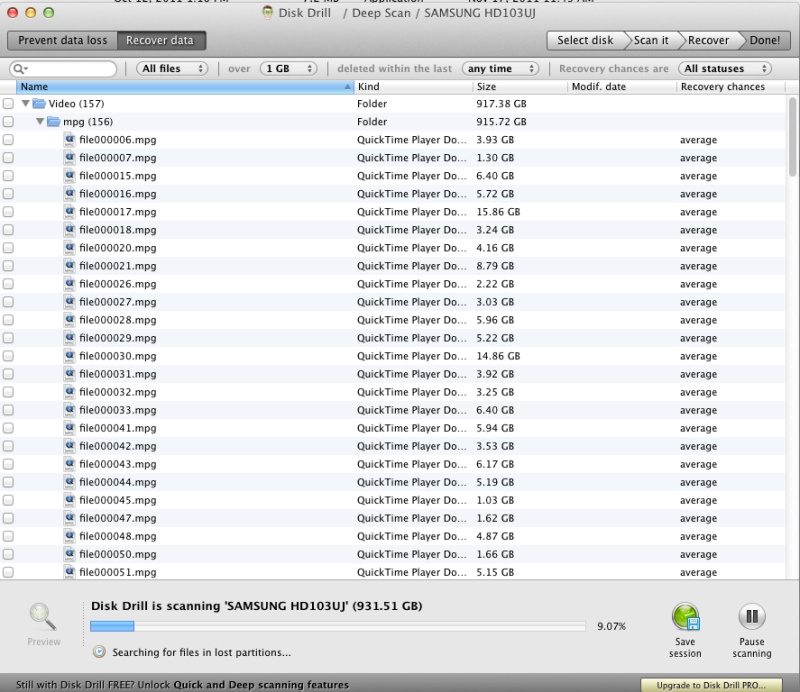
The deep scan under way. VOB files are reported as ‘mpg’ which is what they really are. However, they are mercifully not Quicktime files!
Some of the file sizes looked awry, being way too large, but this looked encouraging. I decided to buy the app, which is discounted on the AppStore for $30 right now, but I went directly to the vendor’s site for the $90 Pro version. That puts more money in the developer’s pocket, requiring no payola to greedy Apple, and offers one additional key feature of which more below.
At the conclusion of the deep scan I formatted the backup drive and inserted it in a separate cradle – you don’t want to try writing recovered files back to the source drive! This is what I now saw – the funky large files had disappeared and all 202 movies were pointed to the backup drive to be retrieved and saved. Before starting the restore, I unchecked the original files found, the ones with the odd sizes under the ‘Video’ directory, leaving just the original movie files, as I knew them on my drive, checked. I suspect that the original scan is combining more than one movie file in arriving at the large file sizes, whereas the recovery choices do it right, segregating these into their component parts.
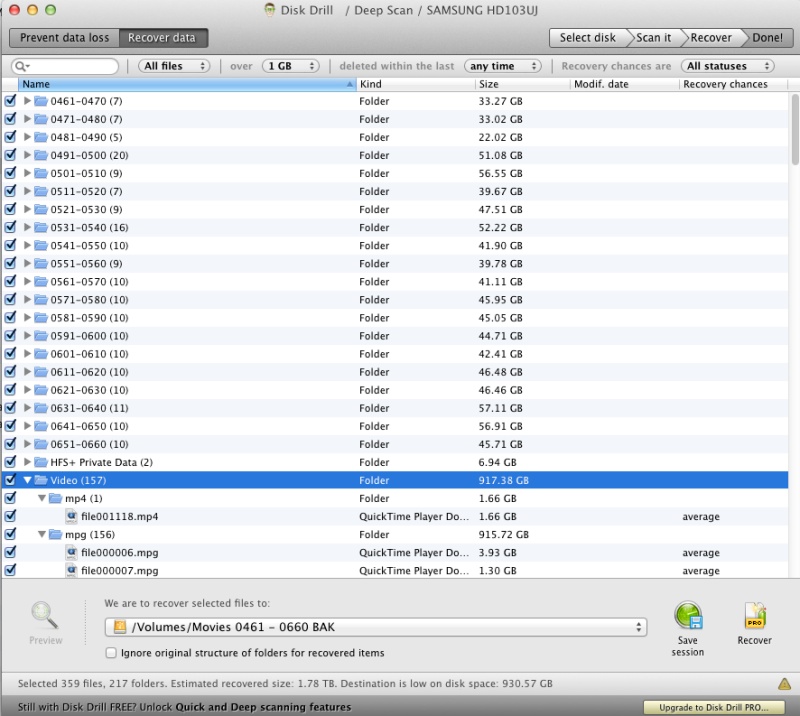
Ready to recover and save.
The scan results can be saved so that the recovery process, which can be time consuming, can be restarted later. If you have just the one Mac available that may be good idea. Run recovery at night when your machine is otherwise idle.
Amazingly, even the original directory structure had been recreated, suggesting that, as in a book, not only does the directory point to the files, but unlike in tomes of old, the files also have pointers to the directory. That’s significant as it obviates a large amount of labor in not having to recreate the original directory structure. Without this structure finding anything is virtually impossible.
I started the retrieval and save process and the app said it would take 17 hours. Heck, it would take weeks to re-rerip those movies to say nothing of the capital and opportunity costs, as I like to think that my time is still worth something! In the above snap you can see the results of the deep scan at the bottom of the screenshot where every file shows recovery possibilities as only ‘average’ – the list being Excellent, Good, Average and Poor. Not that encouraging, but I paid up, entered the registration information and started the recovery process, fingers crossed. This is what I saw a few hours later:
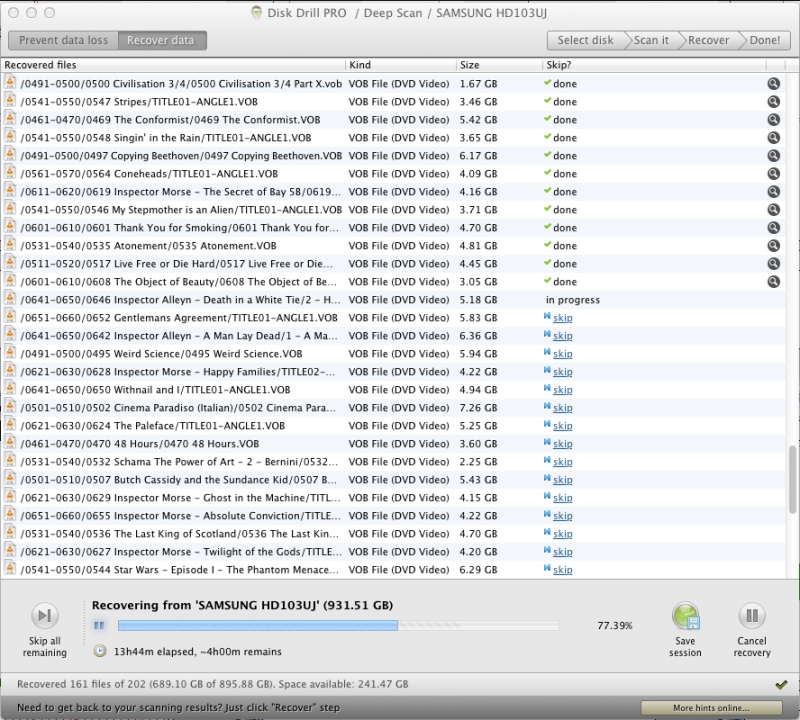
Well into the recovery process. The files are properly identified and broken into constituent parts.
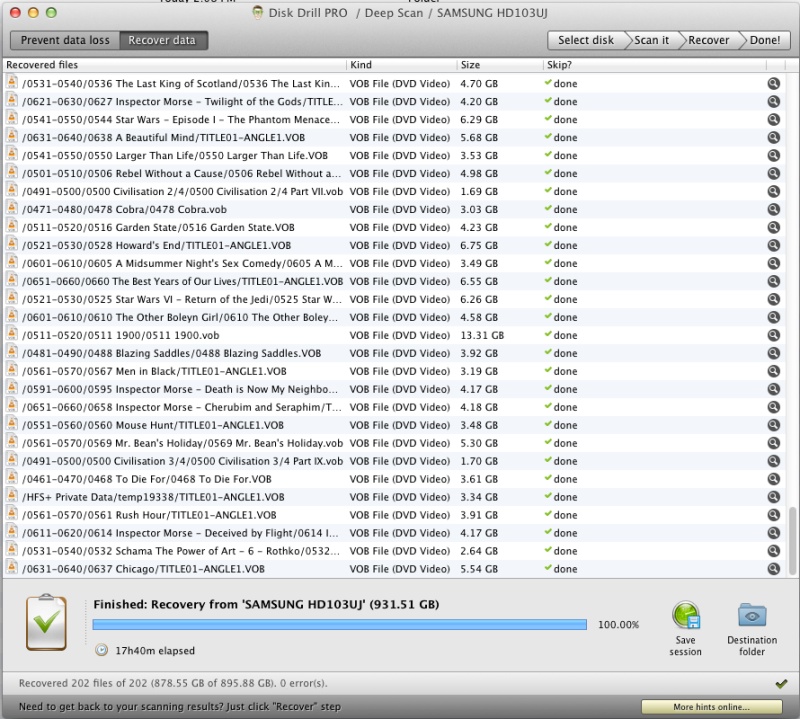
Recovery completed.
I hopped into the restore drive, tried a few of the movies and each played perfectly, with no beginning or ending glitches. The movies were back in business. The faulty OWC dual drive enclosure was recycled, being well out of warranty, and as they only make empty enclosures now with RAID, and as I prefer simple dual drives as I do not understand RAID technology well enough to trust it, I switched to an inexpensive Vantec which has the two attributes I seek. Drives can be set up to be seen as individual disks by OS X and there’s a fan to keep things cool. And at half the price of the OWC drive, what’s not to like? Despite customer comments at Amazon, I have not found the fan noise objectionable. Then again, I don’t sit 2 feet from the enclosure.
Why the Pro version of the software? Because it comes with a feature named Recovery Vault and I’ll let Cleverfiles explain, quoting from their web site:
Why is Recovery Vault important?
To be short: recovery vault is the technology that helps you prevent data losses on HFS/HFS+ and FAT disks/partitions.
Why?
Unlike other file systems, HFS and HFS+ developed by Apple don’t have an effective way to restore deleted data. Once the data is gone, the only way to recover it is binary reading of hard drive sectors. While this is exactly what recovery algorithms in Disk Drill do, as a result you can only recover the file itself, but all its properties are gone: no original filename, no location, etc. However, the original names of the files you deleted may be the main criteria to identify your data without reading the contents. So losing this info may be crucial. Recovery vault addresses exactly this issue and helps you recover everything in HFS/HFS+ partitions exactly as it was there before.
How?
Recovery vault by CleverFiles is an integral part of Disk Drill. You may enable this technology on per-disk/per-partition basis. Disks and partitions protected with recovery vault will be monitored by the special background service of Disk Drill for data changes. When something’s deleted, recovery vault remembers all the original properties of the deleted items and makes it possible to easily recover this data later on.
Important!
Recovery vault is not a panacea, while it makes data recovery algorithms much more effective, it doesn’t provide you with 100% guarantee that ANYTHING can be recovered ANY TIME in future. Internal Mac OS algorithms extremely complex, and nobody knows or can predict when certain data is overwritten by the file system drivers.
Think of Recovery vault as a second file directory separate from the regular one, residing on the protected data disk.. It’s a nice feature and I’m installing it on all my drives.
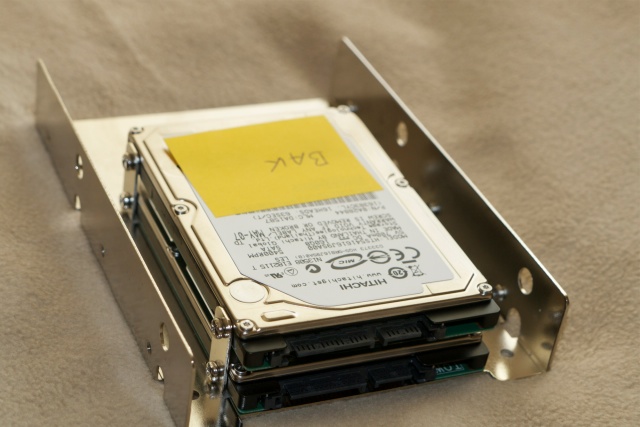
In the following example, I have switched Recovery vault on for one of the two SSDs (SSD Bak) in my computer:
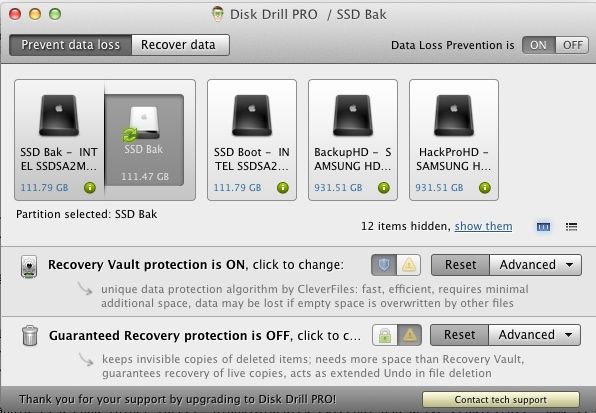
Disk drive SSD Bak in the process of being enabled for Recovery vault.
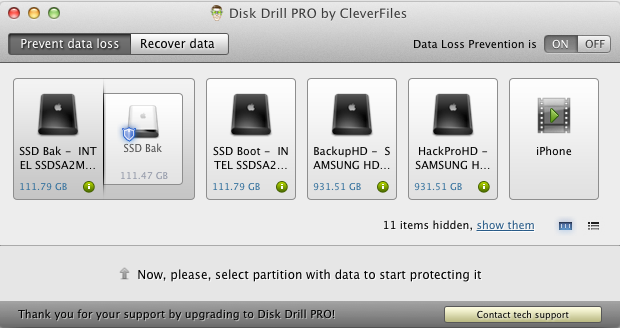
SSD Bak enabled for Recovery vault, denoted by the blue shield icon.
This took some 20 minutes on the 120gB 3gb/s SATA2 SSD.
The 170mB file created by Disk Drill resides – as a hidden file – in the root directory of the protected drive, thus:
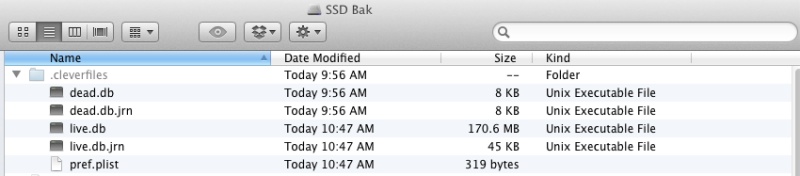
Invisible file – exposed here – for Recovery vault on SSD Bak.
That’s a very modest overhead for the benefit gained.
I have not turned on Guaranteed Recovery as I also use a TimeMachine backup – not shown above – for versioned backups of all my drives.
Cleverfiles says that their app works for a broad variety of storage media, including flash drives, iPods, and so on. I have not tested that (and am in no hurry to do so!) but my excellent experience with this large recovery project described here makes be believe them. A great product and one to have in your armory to plan for that inevitable day all motorcyclists expect. Unlike everything else I tried it works and is reasonably priced.
Meanwhile, I’m pleased to report that my 200 ‘lost’ movie files are back online, and that I am celebrating with Frankenheimer’s 1966 classic ‘Grand Prix’ made when men died at the wheel, computers and aerodynamics were unknown and mechanical engineers ruled the world of motor racing. Great days. (OK, not the dying bit).
Update December 15, 2011:
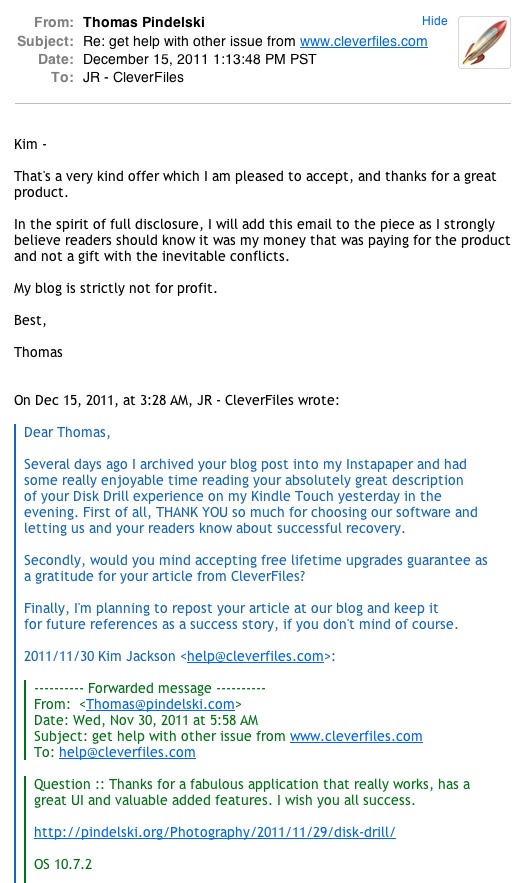
In the spirit of full disclosure, after I paid for the app, used it and and wrote the above, the maker contacted me with a free offer of lifetime upgrades. As I wrote this well before that event, which accordingly could not color my assessment, I was pleased to accept their offer and reproduce the related email thread below: