Keeping it cool.
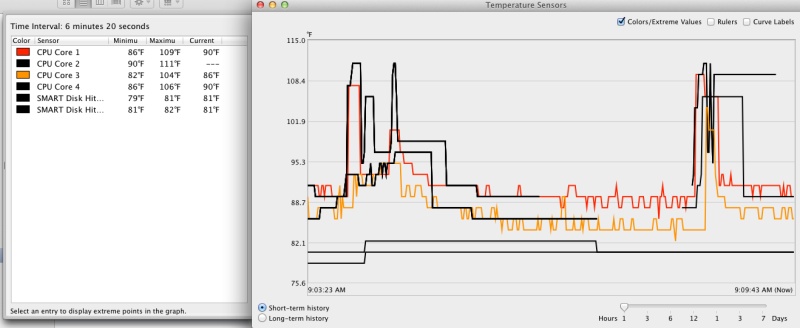
When I bought the Mac Mini as a home theater PC, I knew it was but a temporary solution until time to make my own became available. I named it the Mac Fry and so it has proved, with CPU temperature soaring to 168F when ripping/compressing a movie with Handbrake. The service limit is 176F for the C2D CPU and all that thermal cycling so close to the limit is not consonant with a long life.
So when the opportunity arose, I procured the parts to make my own, and the Mini will move to a less demanding home for near zero net outlay. But first I will have to replace the slot loading DVD drive because, like every other Mac slot loading drive I have owned, it has just failed.
As before, ace builder TU Steve writes what follows:
To keep things simple, I used the same parts as in the HP10, my utility machine which runs super cool and has performance comparable to all but the fastest iMacs at a fraction of the cost. The only thing which would change is that an elegant case would be used, as the HackMini is very much on show below the TV screen.
Well, I thought I was using the same parts, but the restless people at Gigabyte conspired to change the audio chip used on their mini H67M-D2-B3 motherboard from the Realtec ALC888b in HP10 (v1.0) to the ALC889 in the HackMini (v1.1), meaning the build started with no sound until I applied the fix here. Then OS Lion refused to allow login to the AppStore – essential for software updates – and a few seconds here quashed that little bug.
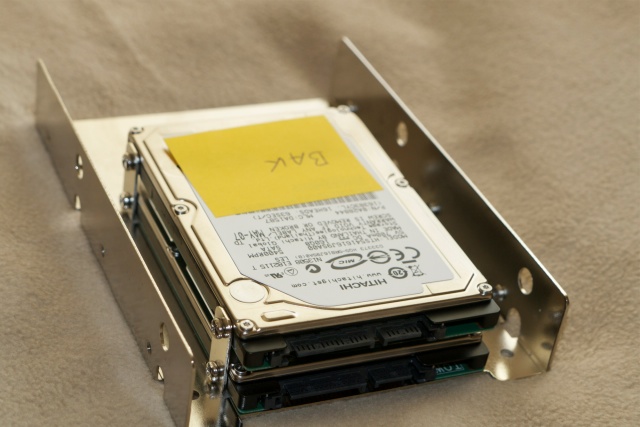
As I had a couple of small notebook drives in a drawer, remaindered from fried Apple laptops, I used those doubled up on a Silverstone adapter plate, allowing installation in a 3.5″ slot.
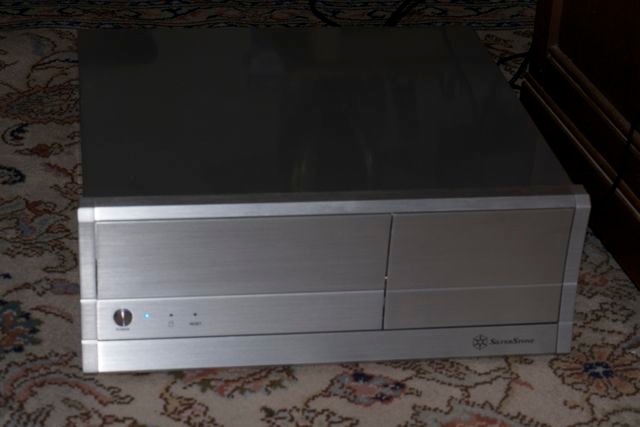
I spent a long time choosing a case, wanting something less than full sized but not so small that cooling would be an issue. This machine is going to be worked hard, and must have front USB slots for sneakernet movement of movie VOB files. I finally decided on the Silverstone LC03S in unpainted alumin(i)um, as I really dislike black, with neat front flaps covering the USB sockets and the full size tray loading Sony DVD reader/burner. I have never had one of the latter fail and they are dirt cheap.
The build was dead easy, taking just two hours from box opening to start up, and I had prepped the drives using HP10 while waiting for the parts. The case is premium priced but you get rolled steel edges inside, meaning no injuries when building.
There are two small, silent case fans, so I had to procure a two-into-one connector as the mobo sports but two fan connectors, the other used by the CPU cooler. Another $2 was blown on a small beeper speaker which announces itself with a single beep at power-on, indicating all is well. Just like in a crappy Windows machine. As you can see, there’s tons of room in there, with space for another 3.5″ device – I will likely add an SDHC card reader – and several more drives. Many build their HTPC Hacks with micro ITX mobos but that makes for small boxes and hosts of issues. This case will actually accommodate a full size ATX mobo, but that would be overkill for the intended use. As it is, the Gigabyte mobo used sports no fewer than eight rear and two front USB sockets, including USB3 if desired, so it’s not like connectivity is an issue.
Finally, the motherboard includes two SATA3 sockets which will support the latest 6gb/s fast HDDs and SSDs. The two notebook drives are ancient SATA2 devices, and as disc access is infrequent in this application, that’s just fine.
As you can see, space is abundant inside:
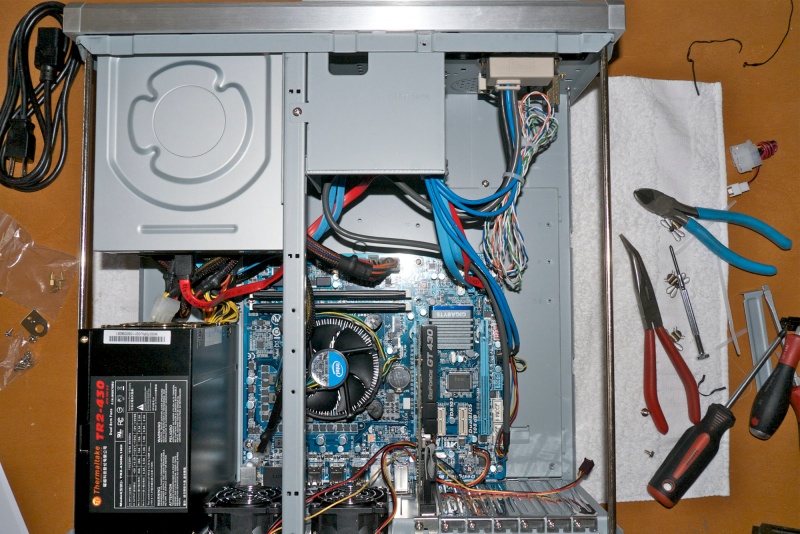
The over-spec’d Thermaltake PSU, at 430 watts, will not break a sweat and I like the brand for it’s neat cloth covered cable sheaths.
And that’s about it. Here it is in place, happily replacing the awful Mac Mini which may just be the worst designed computer I have ever owned.
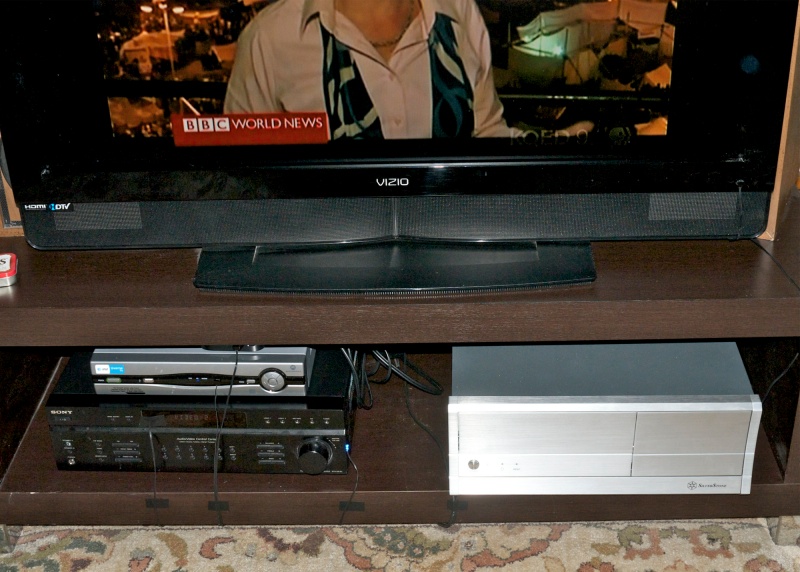
The ugly small black ‘wires’ are optical fiber cables for an IR blaster.
Here’s the parts cost – I used the awesome Intel Core i3 Sandybridge CPU:
Case $86
Wifi card 38
GT430 GPU 75 (EVGA with HDMI/VGA/DVI)
Motherboard 96
Drive plates 16
RAM/DVD/CPU/PSU 237 (8gB Corsair 1333mHz)
Beeper 2
Y fan cable 3
EVGA rebate (15)
Total $538
To be fair, the cost of an HDD has to be added to strike a comparison with the MacMini which is certainly price competitive. Until it fries, that is. And the current Mini no longer includes a DVD burner.
Performance is everything you would expect of the Core i3 and the outstanding GPU:
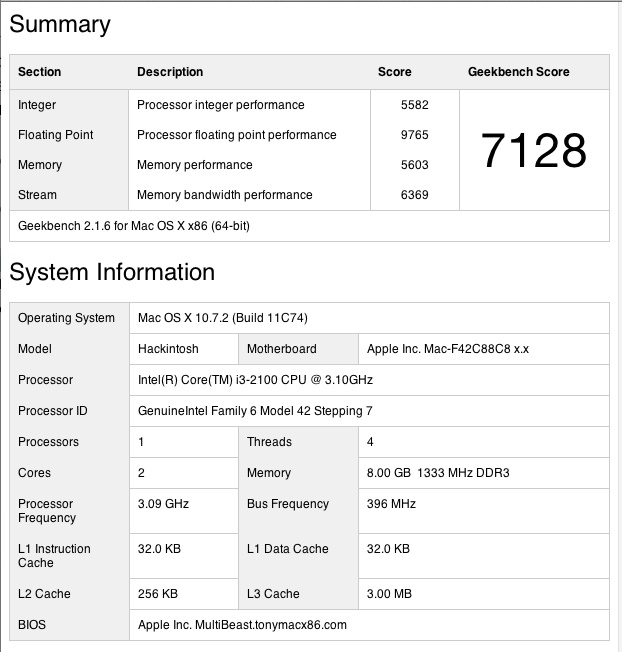
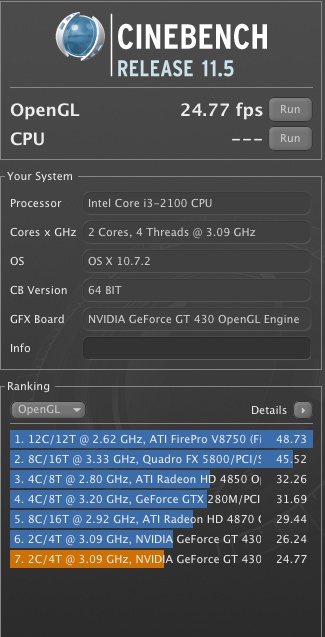
Start-up and Geekbench run, using the stock Intel CPU cooler.
While the machine is used as an HTPC, it would also make an excellent desktop. I will likely replace the poor stock Intel CPU cooler with something better once I figure out sizing ($30) and will also add an internal multi-format card reader ($15). For a machine which is never switched off, an SSD makes little sense.
The HackMini is controlled with an RF Microsoft Mobile Mouse 6000, RF being far superior to Bluetooth in range and stability, not to mention battery life, and with Mobile Mouse on the iPad when typing names of movies into the DVDpedia database. This has interactive, clickable links to movie files residing on 10 tBs worth of external disc storage.
Audio is 2.1, with sound output from the motherboard routed to an ancient Sony receiver and thence to even older B&W DM4 speakers. With a little more hacking 5.1 surround sound using the multiple sockets on the motherboard would be easily added.
Want to add BluRay playback? Swap the regular Sony DVD burner for a BluRay SATA one ($60) and add this $50 software, and enjoy something Apple does not provide on any of its hardware.
Factory warranties are three years on the CPU, motherboard and graphics card and lifetime on the RAM, with only the Mobo being a pain to remove. No money wasted on AppleCare here. It should be added that of the many Hackintoshes in which I have had a hand, several used hard in professional settings, the sole failure over the past five years has been to one 1tB Samsung HDD, which was still within its three year warranty.
As befits an HTPC, the Hack Mini computer is silent as the grave.
* * * *
Thank you, TU Steve!
There are many reasons to avoid the poorly designed MacMini, even more so in its latest guise where the DVD burner has been deleted (though, arguably, that’s an improvement over the awful slot loader in mine); for the full scoop just click here. Hint: It’s nowhere near as cheap as you think.
Bluetooth update: To learn how to really get this fragile, wireless technology working well with the HackMini in its rôle as a keyboard-less home theatre computer, please click here.