EyeOne and OS X Lion – updated

Finally software is available.

Xrite just released a Beta update of their EyeOne Display profiling software which works with OS X Lion; until now you had to use Snow Leopard or earlier to get the software to work – a royal pain if you had upgraded to Lion, necessitating keeping a bootable copy of the older OS available. No more. You can download it here.

You can read more about the excellent EyeOne Display2 colorimeter for profiling displays here.

The new software is free regardless of when you bought your EyeOne – a wise choice contrary to Xrite’s earlier threats to charge older users. There are some bugs which they honestly disclose – I got stuck at the red screen but waited it out – 3 minutes – and the app commenced working. I was also unable to get ambient light measurement to yield a proper profile, though it was an overcast day when I ran the profiles for my three Dell 2209WA displays, so I’ll report back when profiling in more normal lighting. In the meanwhile I used the D65 lighting profile – meaning 6500K daylight temperature. This presumes that your prints will be viewed in like lighting; I prefer to profile to ambient light because that’s what they will be most often viewed in.

The process takes 8 minutes per display once you get the hang of it and, unlike its predecessor, the app no longer asks you to adjust display colors, doing it through software. All you have to do is match the display’s brightness to your preferred setting. I use 120 Cd/m. The klieglicht ultrabright settings with which modern displays ship are of no use to photographers desiring color matched prints.

The colorimeter measures 132 color patches in all and the profile, once generated, is saved at the click of a mouse. One new feature is that all three displays in my Hackintosh setup are displayed and clicking on any one switches the app to the display selected. Nice.

Matching between displays is as close as ever, meaning it’s excellent. The EyeOne Display2 remains a quality choice for the advanced amateur and professional requiring a well profiled display, and having castigated Xrite for dragging its feet on releasing the Lion version it’s only fair to compliment them on the new app and on their coming to their senses on pricing.
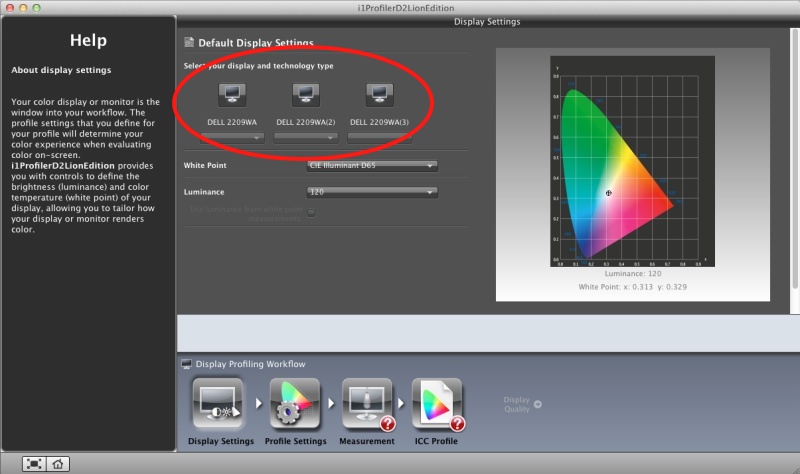
All three displays are selectable. As a display is selected, the app switches to it.
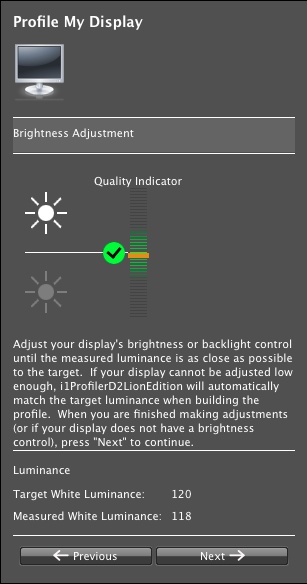
The brightness adjustment screen.
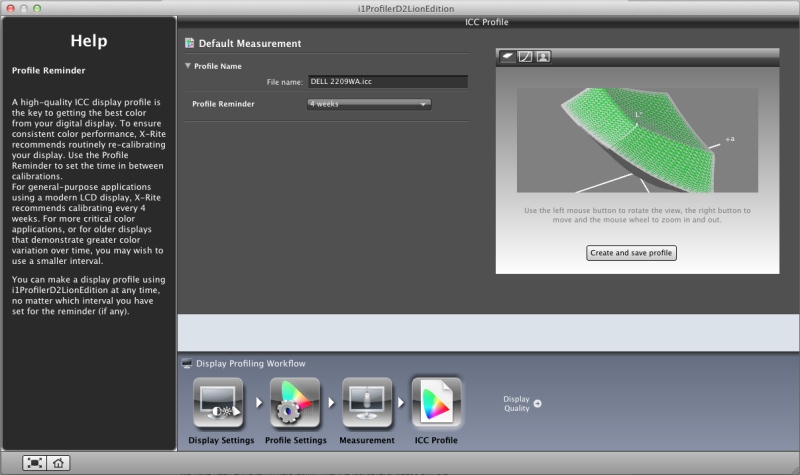
The profile reminder screen – choices remain at 1, 2 or 4 weeks.

A new and very useful feature is Trending – the app saves a graphical trend of profiles so you can judge drift over time.
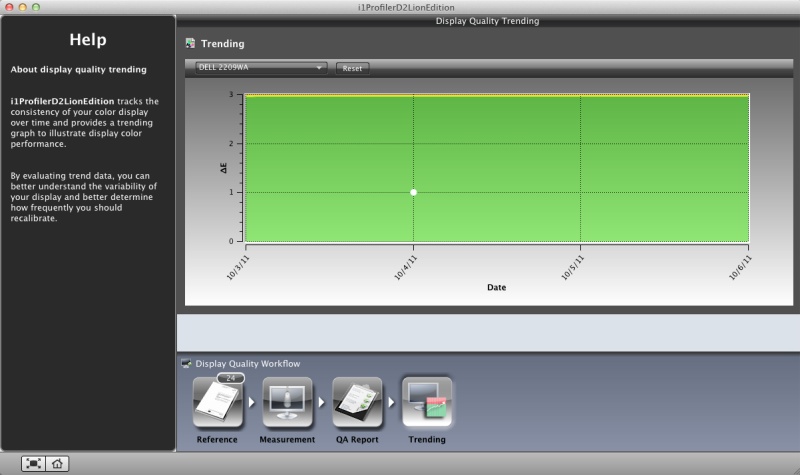
Trending.
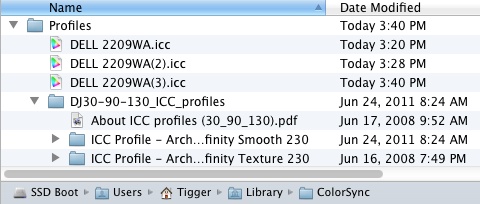
Here’s the location of the three profiles on my system.
If you cannot find the Username->Library directory, hold down the option key while clicking Finder->Go.
Kodak RIP

Finished.

Kodak will file for bankruptcy protection soon, the only way in which it can sell its last remaining asset, the patent portfolio, without attracting fraudulent conveyance suits from creditors.

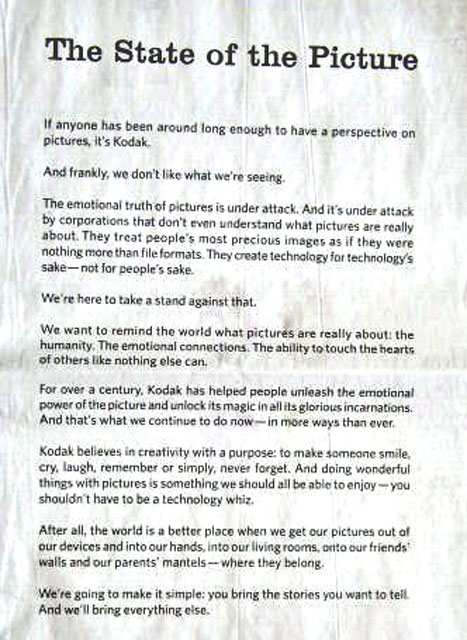
When they ran this moronic and arrogant full page ad in the WSJ in June, 2009, it was already all over:

The risible statement that their business is about humanity tells you all you need to know.

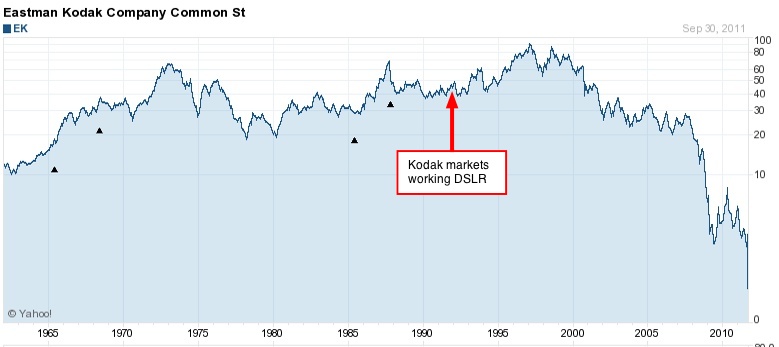
And while journalists are proclaiming the cause of Kodak’s death as a failure to see digital coming, nothing could be further from the truth.

The digital sensor may have been invented by Bell Labs in the 1960s but it took Kodak to place it in a working camera in 1975. By 1991 that camera was a commercial product, with a slightly smaller than MFT sensor lodged inside a Nikon SLR (and later Canon SLR) and selling for over $25,000. Yes, Nikon and Canon were using Kodak’s sensors twenty years ago! Kodak got the manufacturing process fixed and prices down, while quality went up over the next decade, and today you will still find Kodak sensors inside many costly cameras – from medium format professional DSLRs to collectible jewelry like the Leica M9. So it’s not like Kodak was anything but a leader here. Where they lost the plot was in not going mainstream and doing a lousy job of protecting their many patents, the same patents which are all that is left of value in Rochester. Only a naïve inventor thinks that he need not sue to protect his intellectual property. You think Apple is bringing daily patent suits against the those ‘designers’ who are legally challenged at Samsung, HTC and Google for fun?

So critics of Hewlett Packard can take solace in the knowledge that while HP’s management has been stuck on dumb for a decade now (and will likely have to break up the company and sell off the pieces soon), Kodak beat them to the punch years earlier. Kodak’s demise is not the result of their missing technological change. It’s the result of a failure of execution, meaning lousy management, blind to the marketplace and hampered by a great legacy. The boards of both companies have been committing grand larceny every pay day for years and the shareholders have no one to blame but themselves.

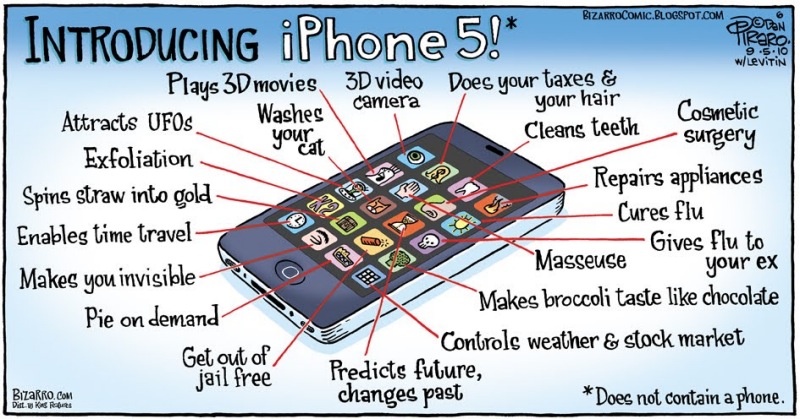
iPhone 5 – my guess

Due Tuesday, 10/4

It’s always fun to speculate on new Apple gadgets, and never more than when it comes to the iPhone, the latest version of which is scheduled to be released on Tuesday.

This will be new CEO Tim Cook’s first product roll-out so it has to be good to conquer any lingering doubts about his fitness for the rôle, even if the design will have been largely fixed a year ago.

Here are my guesses.

There will be not one, but two.

The old iPhone 4 will be limited to 8gB of memory and is actually the more significant, if less glamorous, of the two. It will be cheap and with the Motorola dual band comms chip will work on CDMA and GSM networks, meaning worldwide. It will be sold locked to a carrier and unlocked at a premium for markets dictating that. Why the more significant of the two? It’s the old ‘sell one to every Chinese’ argument and this will be the Third World model. 4 billion prospects and counting. All other specs will be as for the iPhone 4 available today, meaning the single core ARM A4 CPU. US price with a two year contract? $99.

The iPhone 5 will be for the developed world. Dual band comms chip, of course, a larger 4″ screen (not curved – that will be in iP 6 – there’s not enough lead time to machine these), 32 or 64gB of memory and 1gB of CPU RAM supporting the dual core ARM A5 CPU from iPad2. Thinner than iPhone 4, of course and with a proper Sony 8mp camera. This is likely to be a serious photographic tool for still and movie picture making and you will always have it with you. The iPhone is already the most used camera on Flickr. This will extend its lead. That 1gB of RAM will be required for the true WOW! feature, which will be Nuance’s Naturally Speaking voice recognition technology with the front end engineered by Siri, which Apple acquired a while back. Generic voice recognition is insanely difficult. Why do you think no one has it running locally? Apple will be the first to make it mostly work and it will run on the iPhone, not having to send your speech up to the cloud and back down, with the inevitable delays. $199/$299. With a two year contract running some $2,500, the upgrade cost is trivial for anyone out of their previous contract.

Both will come with the new iOS 5 (which will also work on all iPads), meaning a full roll out of Apple’s iCloud. Your music will all be cloned to the cloud at no cost and will magically appear on all your iOS and Mac and PC devices. Everything will (finally!) be wireless. Let’s hope it works better than MobileMe – down twice this past week. I like to think that’s in preparation for my predictions. iCloud means that the 8gB in the ‘new’ iPhone 4 will be more than adequate.

My favorite feature? Row 5, Item 4. iP6 will have a ‘sterilizes all politicians and bankers’ option,
making it the hottest seller ever.

Disclosure: Long AAPL 2012 call options.

About those snaps

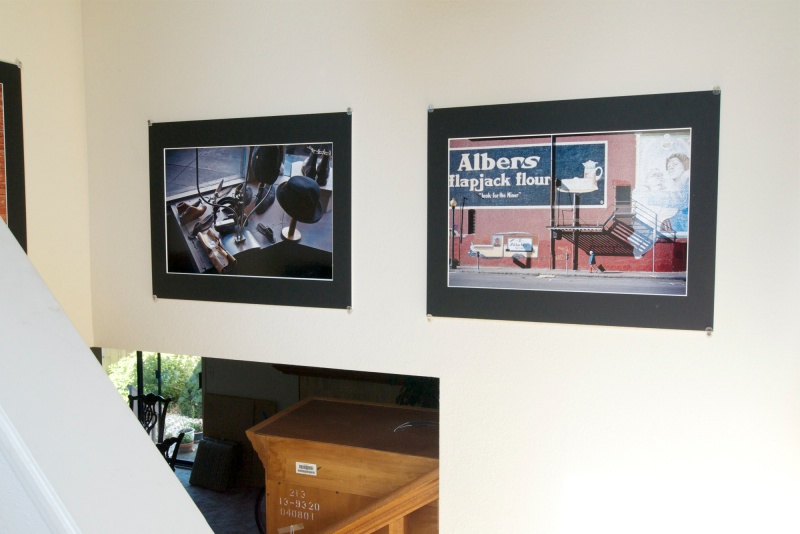
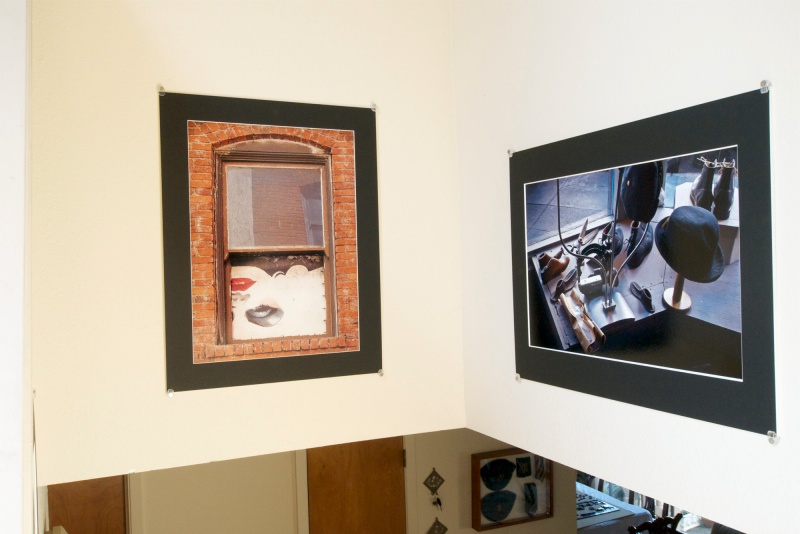
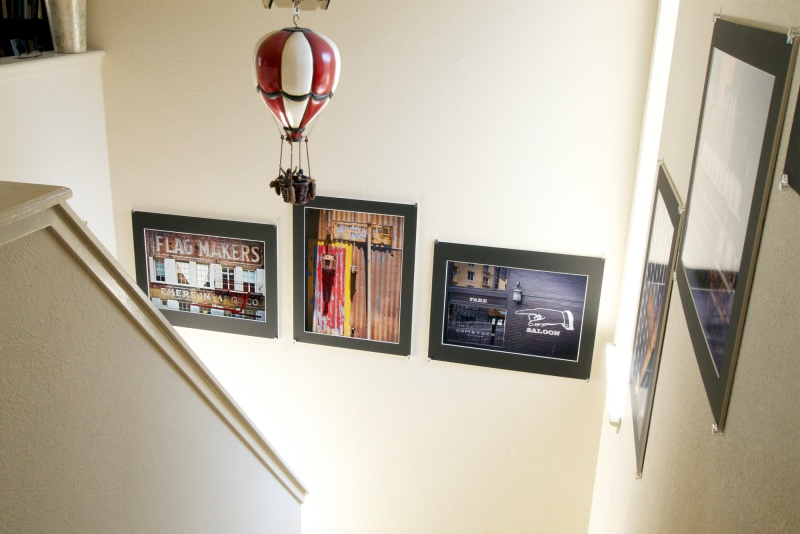
A few prints later, and the gallery is done.

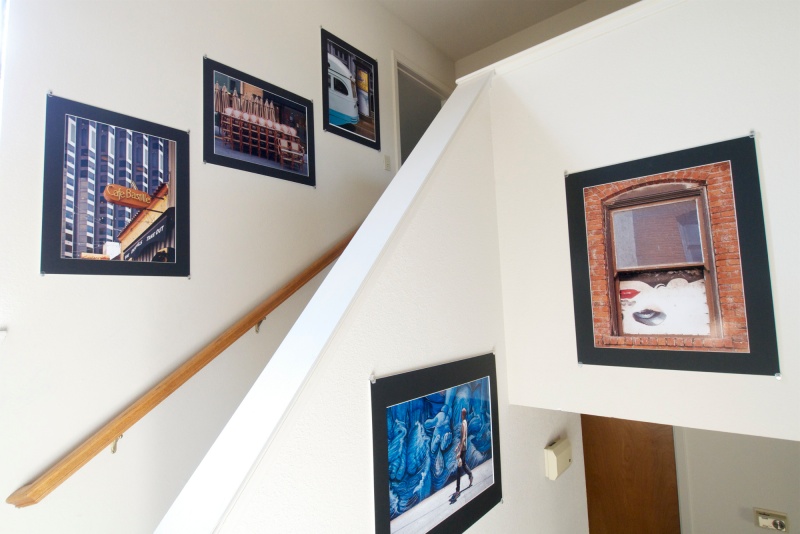
I wrote about an inexpensive way of displaying large prints in a professional manner here. After satisfying myself that this worked well and did not fall apart after a few sun cycles (a daily occurrence here in California, not known to residents of England and northern Europe ….), I got at it and ran off another nine 16/18″ x 24″ prints on the HP DesignJet (a company now permanently stuck on stupid). After mounting them all that was left to do was to wait on Documounts to deliver the required mats. Paper used is HP Premium Plus Glossy. Some speedy work with 3M Double Sided tape to fix the mats in place, a spirit level, measure and hammer, and 90 minutes and 36 mirror retainers later all was done.

All of these were taken in the last year in San Francisco, their recency based in the simple philosophy that if your latest pictures are not your best you should quit the hobby.

Cobbler’s display in North Beach. Mural at Capp and 16th Street.

Woman in the window in an alleyway in the Business District.

Mural behind the W hotel at 3rd and Howard. Rusted wall at Dogpatch. Comstock Saloon on Columbus Avenue in Little Italy.

Mural (lower) off 24th Street. Café Bastille on Belden Place in the Business District. Chairs on Maiden Lane and tram at the Ferry Building.

Hopefully all of these will have changed a year hence, or I’ll be doing needlework in my spare time and you can buy my photo gear. All snapped on the Panasonic G1 using the kit lens or the Olympus 9-18mm wide angle zoom.

Meanwhile, the thrill from walking up the stairs and recalling the exact circumstance of each picture is really quite something. Even in our modern LCD digital world, there’s nothing quite like a nicely displayed wall print.

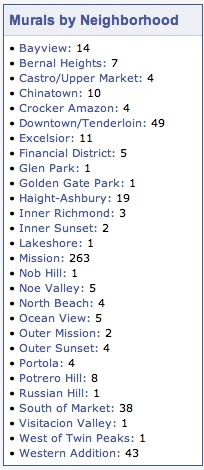
Several of these snaps involve murals or wall art. If you are in San Francisco and want a good guide to the city’s many murals, click the picture below:

Click for the SF mural guide.

No more slot loading

Traditional DVD drives rule.

Apple may be trying to obsolete the DVD but this user of Netflix-by-mail refuses to. The best catalog by far, with much more choice which does not come and go, unlike its streaming counterpart, is to be had by Netflix mail order.

Unfortunately, to the extent that Apple even includes DVD players with its machines they are invariably of the slot loading variety. I have suffered through no fewer than eight of these on various iBooks, MacBooks and iMacs and fully half have failed. Your choices are to have the slot loading DVD drive replaced at enormous cost or procure a used one on eBay (taking your chances with the high fraud rate there), and using the excellent pictorials at iFixit.com to do it yourself.

It is never easy. I have done it in iMacs and iBooks and you are essentially looking at almost completely gutting the machine to get at the drive. You need mechanical skill, courage, excellent organization and a good deal of luck. Those small parts and connectors you will be removing can be very fragile, which is where the luck comes in.

So when the slot loading drive in my MacMini, used as a DVD movie player, started playing up, I took it to the Apple Geniuses at the local Apple Store only to watch them blast compressed air through the DVD slot and through the ineffectual ventilation holes in the base, and the thing worked again. For a couple of weeks. So I procured my own compressed air and repeated the process with the next four failures over the past ten weeks.

After the fifth time the drive refused to come back to life, and knowing how hard it is to procure and replace, I decided I was through with this compromised design and bought an external one.

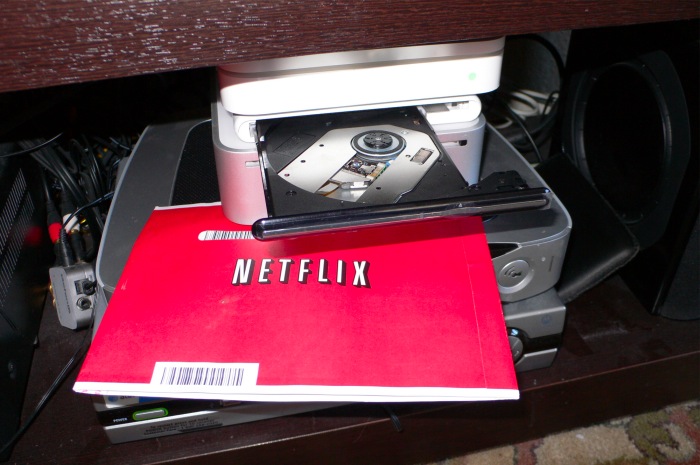
The Samsung Ultra-Slim DVD reader/writer.

It’s compact, has a proper extendable disc tray, is far cheaper at $50 than any repair could be, and fits nicely between the Mini and the Airport Express, as you can see above. It comes in a wide range of colors – I opted for white. There’s no power brick, the stated trade off being that it uses two USB sockets to derive sufficient power for operation. With my 2010 MacBook Air and 2009 Mini just inserting the larger of the two USB plugs had it working fine. That’s just as well as the two sockets on the MacBook Air are on opposite sides of the keyboard which would have necessitated a USB extension cable to connect to both sockets. Not all computers deliver sufficient power at their USB sockets, so if one does not work, use two. I was certainly not going to buy the $79 MacBook Air Superdrive which is …. you guessed it, slot loading.

Operation is plug-and-play with a Mac. No software installation is required. The empty tray is opened using a finger touch on the front or the eject key on a keyboard. I find that the eject touch key on Mobile Mouse (used on the iPad as a wireless remote keyboard) works fine too. With a disc loaded, the only way to open the drive is with a keyboard or using the eject icon in the Finder – a push on the front of the drive will not work. A bad DVD or CD which never boots can be removed by pressing in the tray for a few seconds, after which it opens, meaning you don’t have the dreaded situation you get with slot loading drives where a bad CD/DVD can render the drive useless. Sure Apple has start up key sequences which purport to force a jammed disc out, but they don’t always work. Want to guess how I know?

For anyone seeking to watch or burn DVDs for movies or photo backups, this Samsung external drive is recommended. It cannot possibly be any worse than the slot-loading drives Apple provides. The only issue encountered so far is that the unit is so light, I had to place some two sided tape on its rubber feet to stop it shifting when the tray is operated. Further, when running Carbon Copy Cloner to back-up the Mini to a USB-connected and USB-powered external drive, trying to start a DVD in the Samsung while CC was running resulted in nothing happening. The likely cause is simply an overload of the modest aggregate power available at the Mini’s USB sockets. So I simply let CCC run, restarted and all was well. It’s probably not a good idea to run other USB devices, which do not have separate power supplies, while using this DVD player.

Meanwhile, I can add another notch to my belt, testifying to the many failures of Apple’s awful hardware. Can you wonder that both my serious work machines are home grown – and ultra-reliable – Hackintoshes?

Disclosure: Long AAPL 2012 call options.