The Leica DP – Part V

Noise Ninja does a number on high ISO noise

A kind reader suggested that Noise Ninja from PictureCode might be a worthwhile product for cutting ISO 400 noise produced by the sensor in the Panasonic LX1 (or Leica DP as I prefer to think of it, once modified with a proper optical viewfinder).

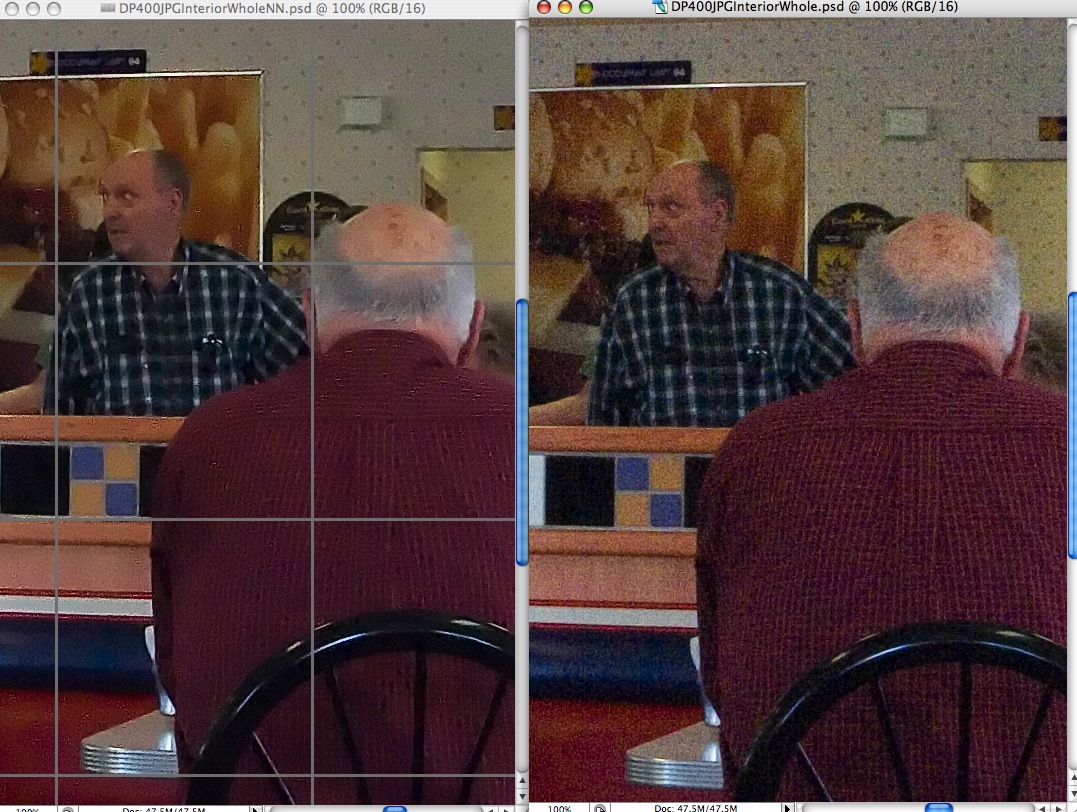
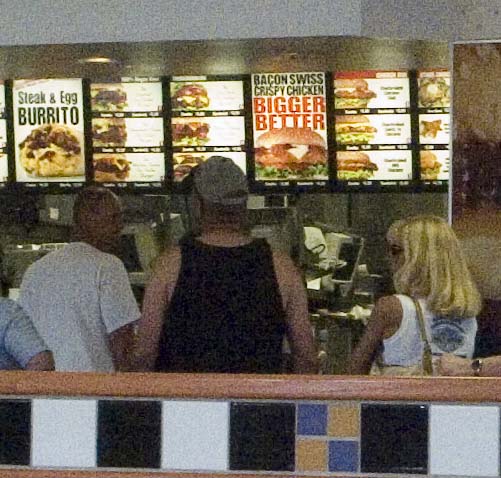
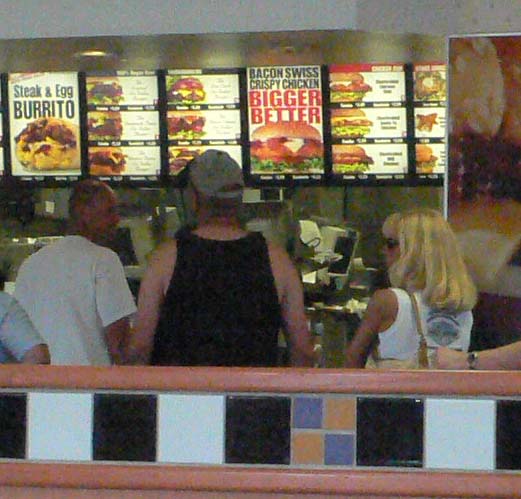
I downloaded the Photoshop CS2 plug-in and gave it a shot. PictureCode has a long listing of profiles created for many different cameras, so I downloaded that also, not really feeling up to a lot of messing about with the product’s myriad sliders, and this is what I got – the Noise Ninja version has the grid pattern as I have yet to buy and register the product:

This is the 400 ISO interior snap taken in RAW mode, best quality. While there are trade offs – look at the loss of detail in the red pin-striped shirt, you can dial in just enough noise reduction to get the color artifacts out – the standard profile might have overdone things a bit. Again, these are the size of 22” x 39” prints, so less noise reduction would be needed in regular sized prints.

Noise Ninja strikes me as a useful adjunct in the toolbox for the occasional image where ISO 400 is used indoors. Remember that the OIS vibration reduction system in the camera is good for two shutter speeds, making your ISO 100 equivalent to ISO 400, so it would be a fairly rare image that needed ISO 400.

More interestingly, Noise Ninja also has profiles for film and scanner combinations, so those plagued with noise in small 35mm negatives now have a useful tool to look to.

Rather cheekily, PictureCode provides a canned profile for the Canon EOS 5D; cheeky as the sensor in that camera has exceptionally low noise properties already.

I’ll take a look at vibration reduction, what Panasonic calls OIS, in Part VI.

Still movies

Some of the best still photography is in movies

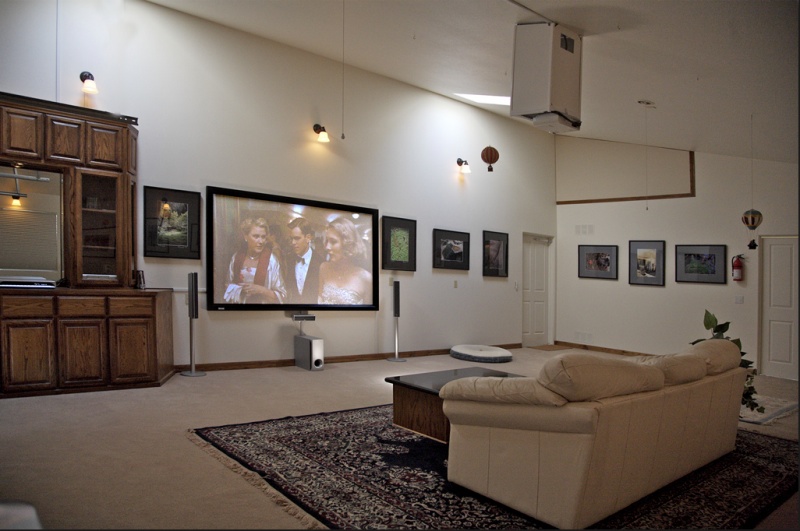
Once I realized that the carpal tunnel problems I was having, meaning wrist pain when working my hands hard, were not going to go away, I sold all my woodworking equipment and set about converting the woodworking shop to a home theater, with the following result:

Completed in time for last Christmas, I have maintained my commitment to watching a movie a night ever since and must say I have rarely had so much fun. 1,000 watts of surround sound and a 100” screen are not that difficult to enjoy!

So with some one hundred movies added to the growing collection at home, I stopped to think what was it that I enjoyed most on the big screen, forcing a narrowing down to just three movies.

Easy.

Luchino Visconti’s ˜Death in Venice” (1971)
Sergio Leone’s ˜Once Upon a Time in the West” (1968)

and

Walter Hill’s ˜Streets of Fire” (1984)

On reflection, the common thread running through these films includes a surpassingly simple plot (writer goes to die in Venice and becomes infatuated with a young boy, gunman seeks revenge, tough guy rescues former flame from kidnappers), magnificent music (Gustav Mahler, Ennio Morricone, Ry Cooder and Jim Steinman) and stupendous settings (Venice, the great American West, 50s Chicago).

But the surpassing attribute of all three is easily identified and is the primary reason I am so attracted to these masterpieces.

Stunning still photography.

Still photography? In a movie?

Death in Venice is little more than a series of stills, making up a movie. Lush beyond belief, it’s what makes Visconti such a favorite at the old abode.

Once Upon a Time in the West emulates the Visconti style, or maybe I should say that Visconti emulates Leone, the western having been made first. Some close-ups last for minutes (minutes!) on the screen.

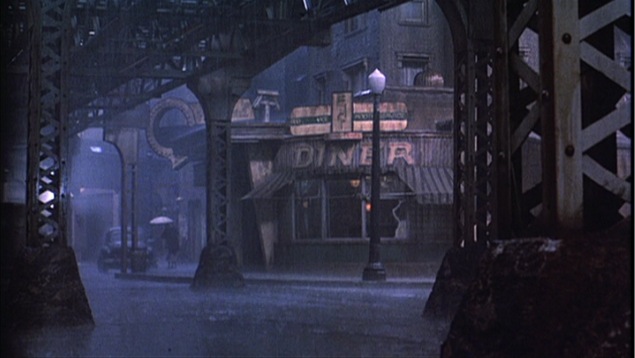
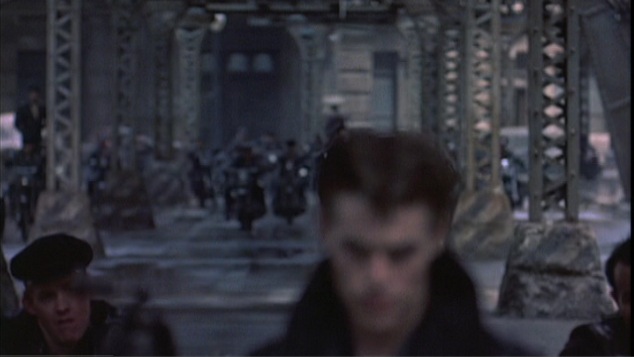
But Walter Hill’s Streets of Fire is the most photographically arresting of the three. Set in a permanently dark, wet Chicago, mostly under the elevated subway (the “El” in local parlance), it’s all neon, reflections, brooding atmosphere.

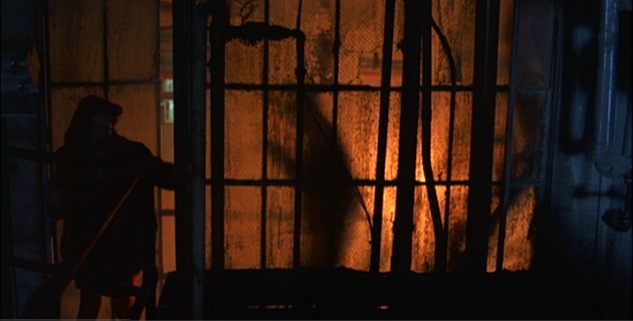
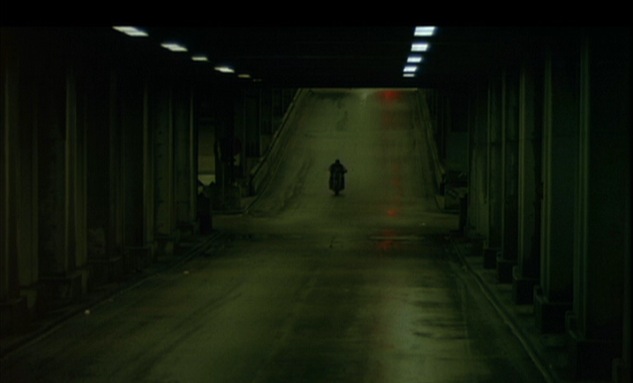
To illustrate, here are some stills from the great cimematographer Andrew Laszlo:

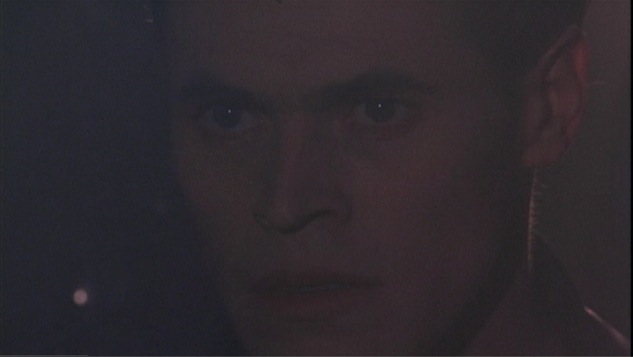
The bad guy makes his first appearance in the music hall, intending to kidnap the star heroine:

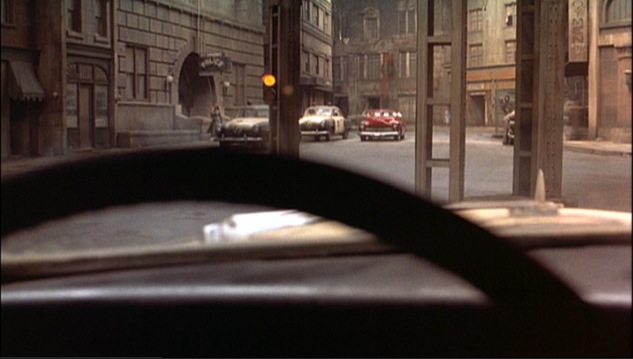
Outside the police station, the good guy is seen driving by in his hot rod:

Abstract expressionism at its best:

The good guy returns, ever the loner, after rescuing the girl:

A wonderful shot of the diner around which much of the action centers, seen through the support struts of the El incredibly atmospheric:

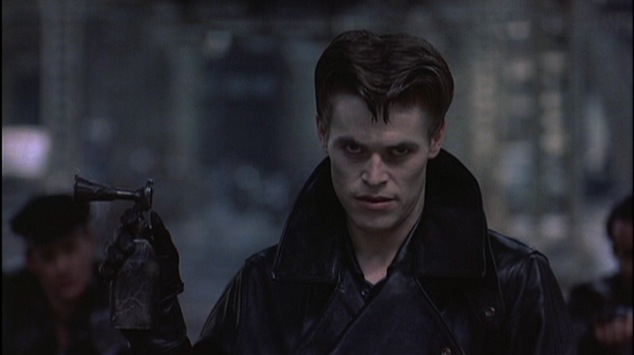
Before the final confrontation between the forces of good and evil, Hill pulls off an overhead tracking shot which equals that incredible one in ˜Once Upon a Time in the West” where the camera rises way above Claudia Cardinale’s head to show the new western town being built. Here Hill may not have the advantage of Morricone’s soaring score, yet he does something magical from a photographer’s perspective. He starts with a shot of the bad guy holding up an air horn to summon his evil team:

Then, as the camera rises, he switches focus to the evil hordes assembling in the background, the change in focus transforming the bad guy’s face into a death mask:

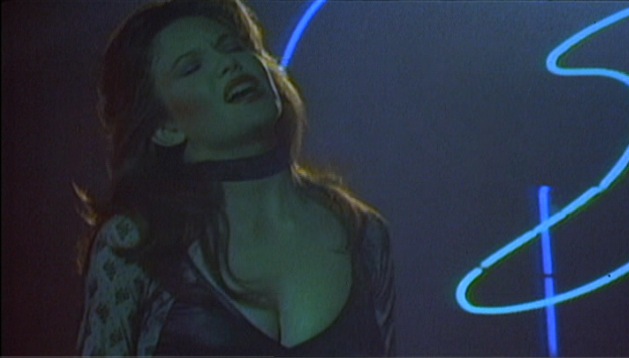
The movie has a nice symmetry to it, ending where it started with the heroine giving a driving performance of a rock number in the broken down hall. Both are by Jim Steinman – the fabulous ‘Nowhere Fast’ to open and the even better ‘Tonight is What it Means to be Young’ to close this masterpiece of a movie:

And there’s that neon again, the background to her singing reminding one of nothing so much as a work by the futurist Marinetti.

As for the ending lyrics, beat this:

Let the revels begin
Let the fire be started
We’re dancing for the restless
and the broken-hearted
Let the revels begin
Let the fire be started
We’re dancing for the desperate
and the broken-hearted

Let the revels begin (Tonight is
what it means to be young)
Let the fire be started (Before
you know it it’s gone)
We’re dancing for the restless
and the broken-hearted
Let the revels begin
Let the fire be started
We’re dancing for the desperate
and the broken-hearted

Say a prayer in the darkness for the magic to come
No matter what it seems
Tonight is what it means to be young
Before you know it it’s gone
Tonight is what it means to be young
Before you know it it’s gone.

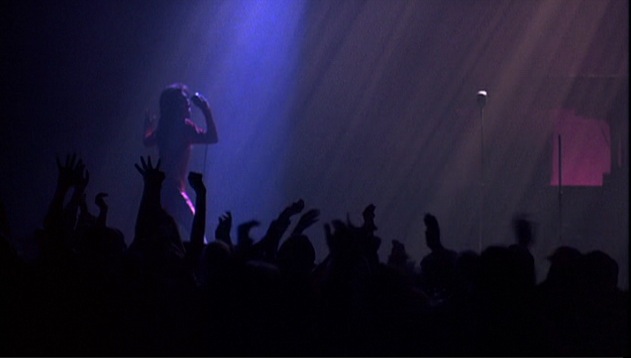
Finally, the picture of the heroine on stage with a foreground of clapping hands, a scene which might as well have been lifted from one of Hitler’s Nuremburg rallies in the late 1930s:

The only thing wrong with this movie is that there is so much of this kind of thing that much is easily missed on a first viewing, but I cannot think of a better reason for an aficionado of film to rush out and install a home theater.

As for photographers, it’s simply a must.

Update December, 2017:

Streets of Fire is finally available on BluRay. Amazon has it.

The Leica DP – Part IV

Sensor noise at 400 ISO

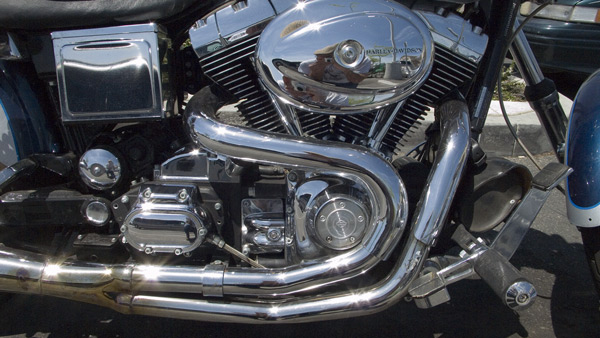
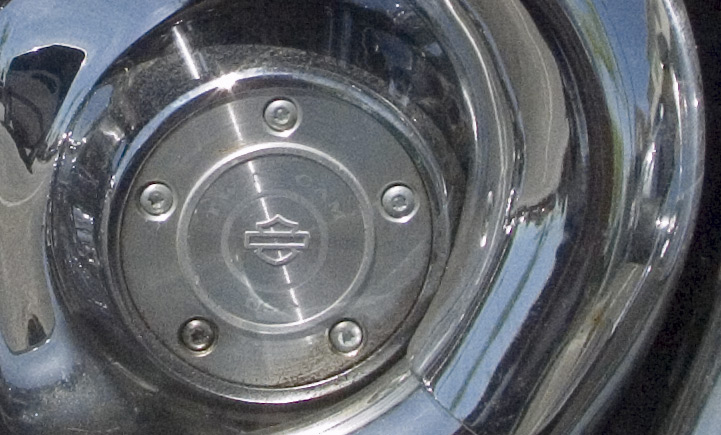
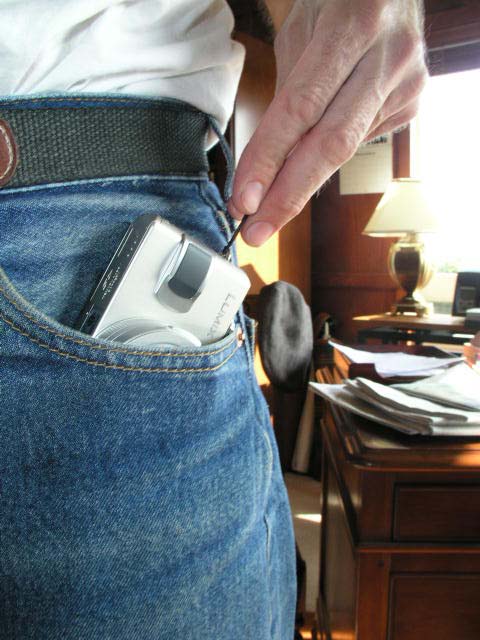
Harley Davidson motorcycles are ridden by Real Americans who pride themselves on their rugged individuality. This means they all wear identical clothing, place piss pots on their heads a reflection of the value of the protected part, and sport beer bellies. However, spotting one of these expensive pieces of their infatuation outside the local burger joint today, I whipped the Leica DP out of the pocket of my (rugged individualist Levi 501 Button Fly) jeans and snapped a picture of the motor with the camera set to ISO 400 the exposure was 1/1250th second at f/4.5 using RAW.

As I mentioned in Part II, the camera automatically records a 16 mB RAW file and a medium definition JPG file, both being 3840 x 2160 pixels.

Here’s the whole image (is the Widescreen format wide or what?):

After converting the RAW variant to PSD, I created center crops from both the PSD and JPG files – the original picture is sized at 22” x 39”.

Here’s the version from the RAW file:

And from the JPG:

The RAW file is clearly holding better detail and, strangely, the JPG has exaggerated cyan (look at the reflected sky) and is almost a stop overexposed. Applying 70/1/0 Unsharp Masking in Photoshop CS2, a process that tends to exaggerate grain, gives a very sharp RAW image with tight, smooth grain/noise with no color artifacts. (I have not included the USM versions here). A 16x print would be quite acceptable. The JPG version shows color striations in smooth areas and the general loss of definition makes the grain less visible, albeit to the overall detriment of the image. So for bright light, RAW is the choice – this was taken in full sun.

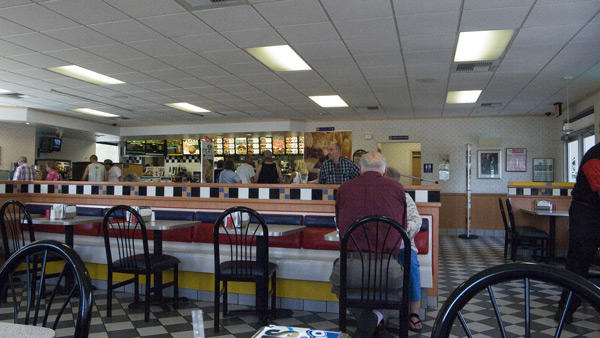
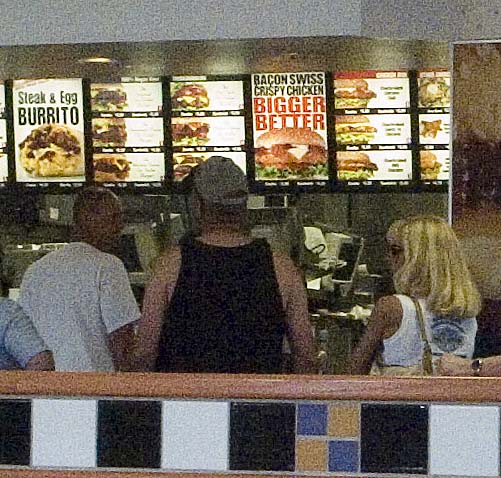
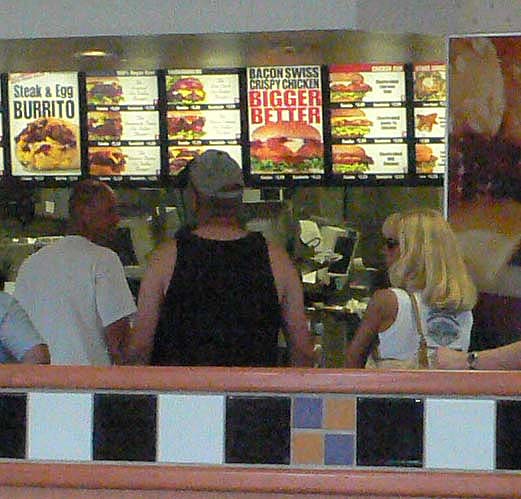
Inside the same hamburger joint, where the Harley rider could be seen perfecting his figure, matters are quite a bit different. This time the exposure, reflecting a mix of natural and fluorescent light, was 1/80th at f/4.5, once again using the RAW format and ISO 400.

Here’s the whole image:

The sensor has done a fine job of color balancing and the scene looks natural.

Enlarging to actual pixels, as before, meaning a 22” x 39” print, gives the following results:

From the RAW file:

From the JPG file:

The RAW file is the sharper of the two, but displays a lot of grain – like over-processed Tri-X rated at 800 ISO. The grain is smooth but verging on intrusive. By contrast the JPG image appears much better, grain is blurred (as before) at some cost in sharpness, but the image is much more pleasant to look at.

After applying 70/1/0 USM on both, the results look like this:

From the RAW file:

From the JPG file:

The JPG is much better; at this point the grain in the RAW versions becomes objectionable.

Bear in mind these results are at a huge print size – 22” x 39”. Scale that back to a 16” x 20” print, after lopping off the sides to fit and you have a decent result, with grain visible but well controlled in the JPG file. While I have yet to try it, the highest quality JPG setting should further reduce the barely visible color artifacts at this print size.

So the Leica DP needs a bit of care in low light situations at ISO 400 to produce the best results. As ACR cannot get rid of the grain in the RAW original, I would opt for highest quality JPG (which gives over 230 images on a 1gB card!) and then use USM in Photoshop for the best results. In bright sun it’s RAW all the way and there’s little grain to worry about. All of this suggests that the DP’s sensor begins to struggle in low light at ISO 400, and it’s certainly no Canon. In the wonderful EOS 5D, the ISO setting is just a ‘crank it up to whatever you need’ control, at least up to ISO 800, yielding superbly grain free results in all light situations.

Then again, you cannot stick the 5D in your genuine, macho, Levi 501 Button Fly jeans, and will never be able to use Cleavon Little’s great line from Mel Brooks’s Blazing Saddles: “Excuse me, ladies, while I whip this out”.

More seriously, it seems to me that the circle from Leica rangefinder film camera + Medium Format film camera, representing the speed and quality ends of the spectrum, to their digital equivalents – the Leica DP and the Canon EOS 5D, has now been closed. The Leica DP compares well with the Leica M, offering small size, unobtrusive operation and good print quality, but limited when it comes to huge enlargements. The Canon EOS 5D equals or betters medium format film with far greater operational convenience and is the tool of choice when the very best results are called for.

More on sensor noise in Part V.

The Leica DP – Part II

Putting the digital Leica through its paces

Paso Robles in Central coastal California, close to my home, is a charming town of some thirty thousand people whose interests tend to focus on the outdoors, wine making and agriculture. As luck would have it, yesterday was the occasion of the annual Agriculture Show in the downtown square, so the Leica DP, neatly stashed in the glove compartment of the car, made its way with me to see what was happening.

I exposed all 53 frames available on the 1gB Sandisk Extreme III SD card, using the RAW format at the highest size setting, meaning the widesceen 16:9 format. That is really wide!

You may view twenty four of those snaps by clicking here, and you can return to this page by clicking he link in the title bar when you are done. Click on any picture to see a full screen view. Click on any full screen view to jump to the next snap. Click the title in any full screen view to access the thumbnail index. The pictures were processed in Adobe Camera Raw in Photoshop CS2, where they were converted to PSD files. These files were then droppped into a new project in Aperture where post-processing was applied and then exported to JPG format in iPhoto ’06. You can read about the Better HTML application used in conjunction with iPhoto ’06 to create these web pages here. I still prefer it to anything offered for web export in Aperture.

All snaps were taken with the DP set to ISO 100 using aperture priority. The aperture was set at f/6.3 whch resulted in shutter speeds of 1/125 to 1/1000th second. Somewhere along the way I must have touched one of the buttons as the aperture mysteriously changed to f/4.9, so I will have to address what caused that. All pictures were taken in a thirty minute time span.

Some observations. I forgot to set the DP to center weighted metering, leaving it at the default Multiple metering setting. The latter is confusingly denoted by a pair of brackets with a spot in the middle, whereas the center weighted mode has a pair of brackets sans spot. Silly. The result was that most of my pictures, focusing as they do on people in the shade, were exposed for the brighter background, necessitating some tweaking using the Highlights and Shadows slider in Aperture to bring up the shadows. The trade off is a little more noise in the shadows but nothing to worry about.

Picture-to-picture delay is some 2.5 seconds while the camera writes the RAW file to the SD card, and that’s with the fastest card on the market. While the camera has a burst mode, it’s not available if you use RAW, owing to the large file sizes involved and the limited size of the in-camera buffer. With a Leica M, picture-to-picture delay is some 1.5 seconds as you wind the film and reorient the camera so the Leica DP is a tad slower in this regard. If you are a Machine Gun shooter, stop reading now.

File sizes? Here’s the Mac’s Finder showing the SD card’s contents:
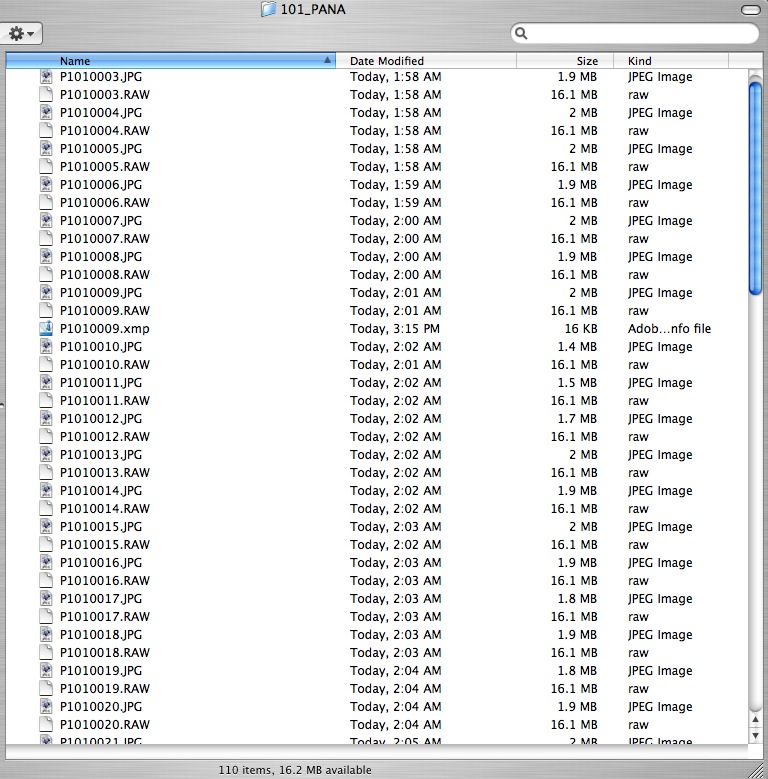
As you can see, each 16.1 mB RAW file is paired with a low quality 1.9mB JPG file and there does not seem to be any way of switching the JPG creation off. On the other hand, the space taken up by these JPGs is equal to six RAWs, so it’s not exactly a big deal, and the JPGs make for nice and quick web material, if needed. I use a Sandisk SD USB II card reader to load files onto the iMac, thus precluding the need to waste time loading the JPG files – I select the RAW files only. Plus that saves having to mess about with the custom cord provided by Panasonic which fits into a miniscule connector under a flap on the camera’s side – an accident waiting to happen.

Looking at the web pages of images, you will see that I have left many with the original 16:9 proportions, while cropping several others to the classical Leica 3:2 film format. I’m still learning how wide the widescreen format is, though it’s not a function of the optical iewfinder which accurately shows the 28mm width of the field of view. It’s just that I have to learn to get closer. As Robert Capa said “If your pictures are not good enough, you are no close enough”. After all these years I still have to remind myself of that.

How about definition? In PS CS2 after ACR processing, the images result in a 47.5 mB PSD file. On my 17″ diagonal iMac G5 screen the ‘Fit on Screen’ image is 7.3″ x 13″ in size and as sharp as you would need for a print that size. Switch to ‘Actual Pixels’ and the effective size becomes 37.5″ x 21.1″ which is huge. The merest amount of purple fringing is visible on bright white edges. Here’s the definition of a center portion without any post processing added.
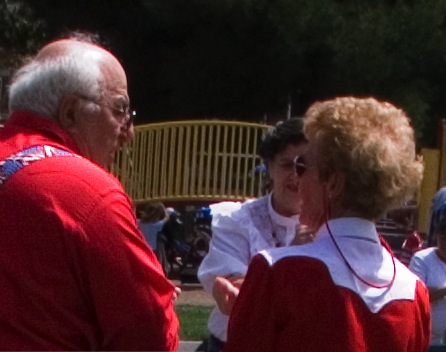
Dial in 70/1/0 Unsharp Mask and you get the following:
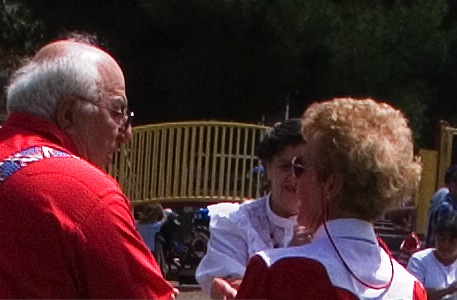
These are both screen shots so the definition in a print would be markedly better, but even from these examples you can see central definition lacks nothing and there is no grain/noise. The modest level of USM is much less than dictated by the Canon EOS 5D’s full frame sensor, which need something like 250/2/0, so it’s a case of horses for courses when applying USM. One size does not fit all.

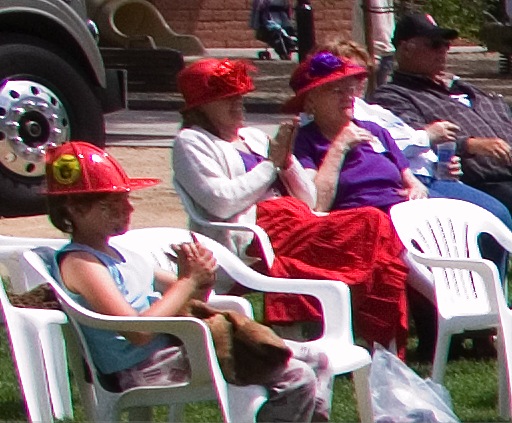
Edge definition? Here’s the extreme edge at 16:9 and f/6.3 after applying USM:
Here’s the full frame image after downsizing and using ‘Save for Web’:
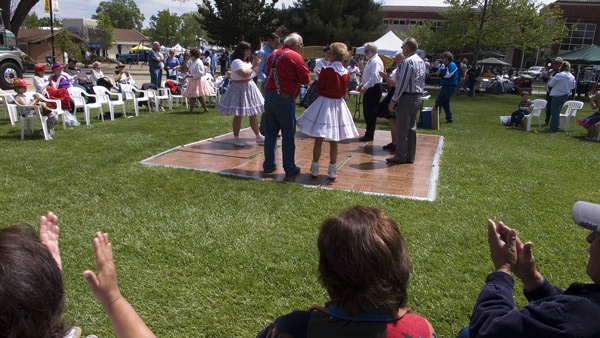
Bottom line? 13″ wide prints with this combination will be just fine, but expect some wide angle distortion toward the edges and some purple fringing on bright color edges. The latter can be easily taken out with ACR’s controls. You are stuck with the distortion. Is the lens as good as the 24-105mm Canon IS ‘L’ f/4 on my EOS 5D? No, but it’s close. Plus three Leica DPs would weigh less than the Canon lens alone!

The other thing I noticed is that the native contrast of the RAW files was very high. Sure, the pictures were taken in contrasty lighting but the image contrast for the most part was too high. I’m going to reset the in-camera Contrast setting from Normal to Low and see if that makes a difference in RAW images, or if it only affects the JPG clone. Otherwise, Aperture or PS CS2 controls are fine, if a bit of a pain to have to apply.

What else? Carrying the DP by the wrist strap is a joy. The small right hand finger grip (missing from the over priced Leica D-Lux 2 clone) helps a lot and, of course, holding the camera to the eye where it is naturally braced by the forehead, aids steadiness greatly, further helped by the integral vibration reduction. With the viewfinder mounted above the screen the LCD display is invisible with the camera at eye level, and not a distraction. The camera will switch the screen off at a user preset time to preserve battery power (there is no option to leave the screen off as this is, after all, a viewfinder-less camera!). That’s a shame as once the camera powers down, the lens retracts, although the camera remains ‘On’. A touch of the shutter release button is required to make the lens extend again which means a delay of unacceptable length for a street snapper. The ‘Power Save’ options are 1, 2, 5, 10 minutes or Off, with ‘Off’ meaning it never goes Off. So I’m going to switch to the ‘Off’ option and then reduce screen brightness to a minimum to preserve battery power. We will see – a spare battery may be in order as I suspect that the LCD display consumes a lot of juice.

The purpose of all of this is, of course, to recreate the Leica experience with a modern digital camera. The Leica DP comes very close. No, there is none of the sensuous feel of the advance lever or the silky beauty of the controls. I doubt the M2/3/4 will ever be bettered in that regard. Shutter lag is barely longer than with a rangefinder M Leica, size and weight far less. The lens, while no Summicron or Elmarit, is very, very good and the camera is truly pocketable. There is simply no excuse for not carrying it at all times. The small size, aided by the amateur chrome looks aid greatly in making the photographer invisible and, most importantly, you no longer have to wait for your film to be destroyed at the local processing lab. Or by the X Ray machine at the airport. And you no longer have to curse the ridiculous film loading system in the Leica M body – in its refusal to change this, Leica displays German arrogance at its worst.

You want classic monochrome? Two clicks in Aperture and here you go:
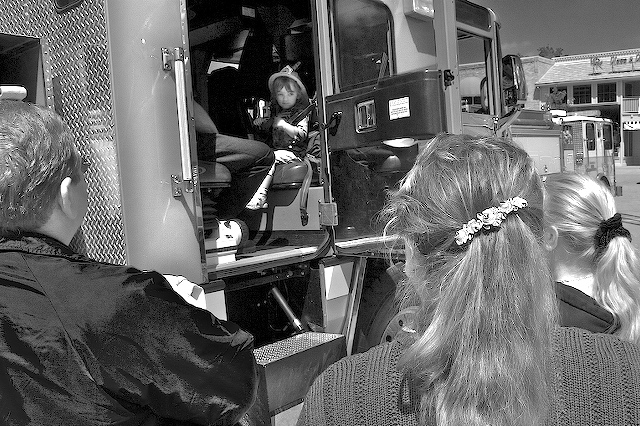
Best of all, the Leica DP is incredible FUN. Now when was the last time you said that about a camera?

In Part III I’ll try it out at ISO 200 and 400 and see what happens.