All posts by Thomas Pindelski

Mac Pro 2009 Part XXIV

Adding the Apple Hardware Test.

For an index of all my Mac Pro articles, click here.

In years past you could run the comprehensive Apple Hardware Test by restarting your Mac while holding the ‘D’ key on the keyboard. However, it seems Apple has ceased including this software in recent years, though that is easily remedied.

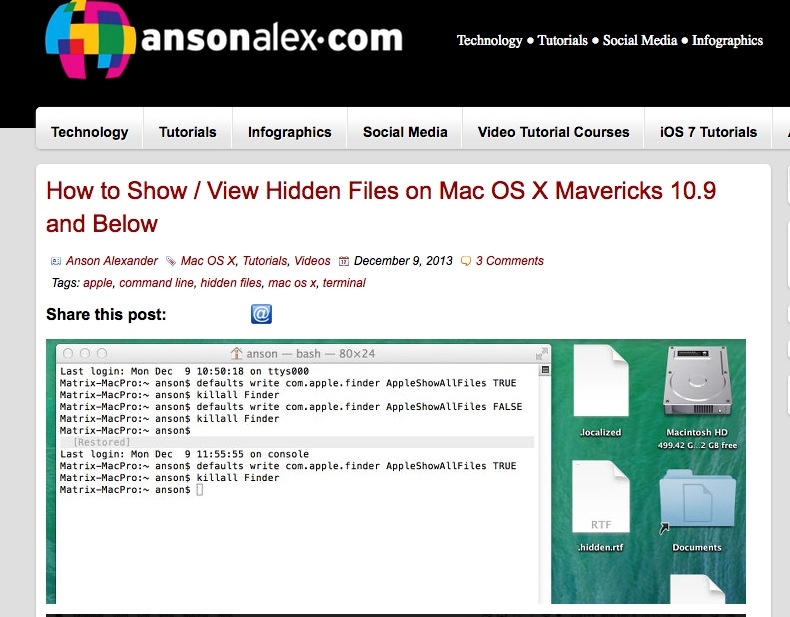
Because some of the AHT files and directories are ordinarily invisible, we need to make invisible files visible to see what we are doing.


Click the image to go to the site.

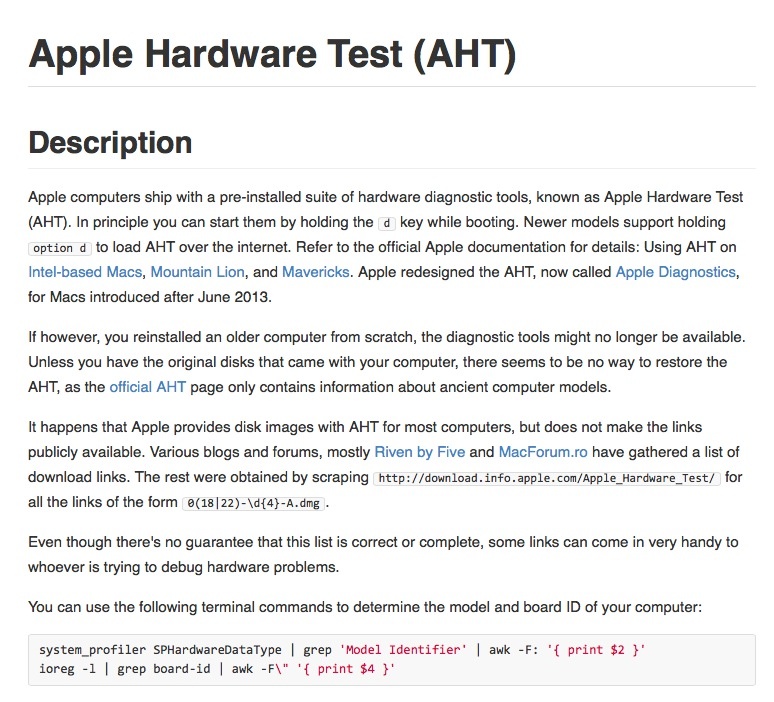
Once you have invisible files visible, download the AHT relevant to your machine by clicking the image below:


Click the image for the AHT download.

My Mac Pros are all 2009 models with firmware upgraded from 4,1 to 5,1 to permit the use of 6 and 12 core CPUs – the AHT files for the two firmware variants appear identical.

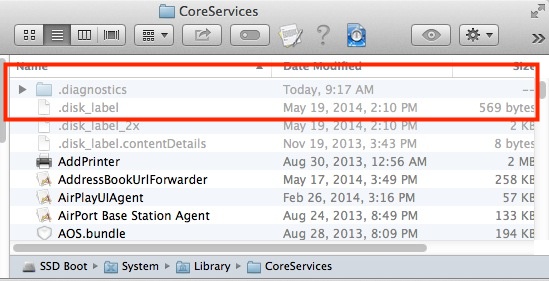
You want to create a directory named ‘.diagnostics’ (the period makes it ordinarily invisible) in the System->Library->Core Service directory, thus:


The ‘.diagnostics’ directory has been created.

Now move the downloaded files from the ‘.diagnostics’ directory in the download to the new directory on your Mac.

Go back to the first link and once more render the invisible files invisible.

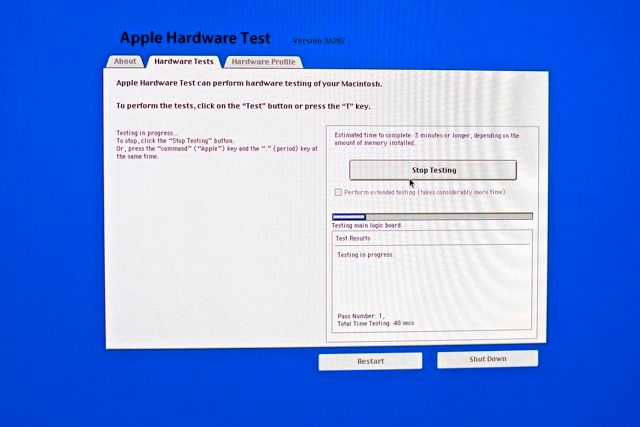
Shut down then hold the ‘D’ key while starting up and you can run AHT – a useful diagnostic tool. Here it is installed in one of my Mac Pros with upgraded 12-core CPUs and lots of other aftermarket hardware installed:


Apple Hardware Test running on the 2009 Mac Pro.

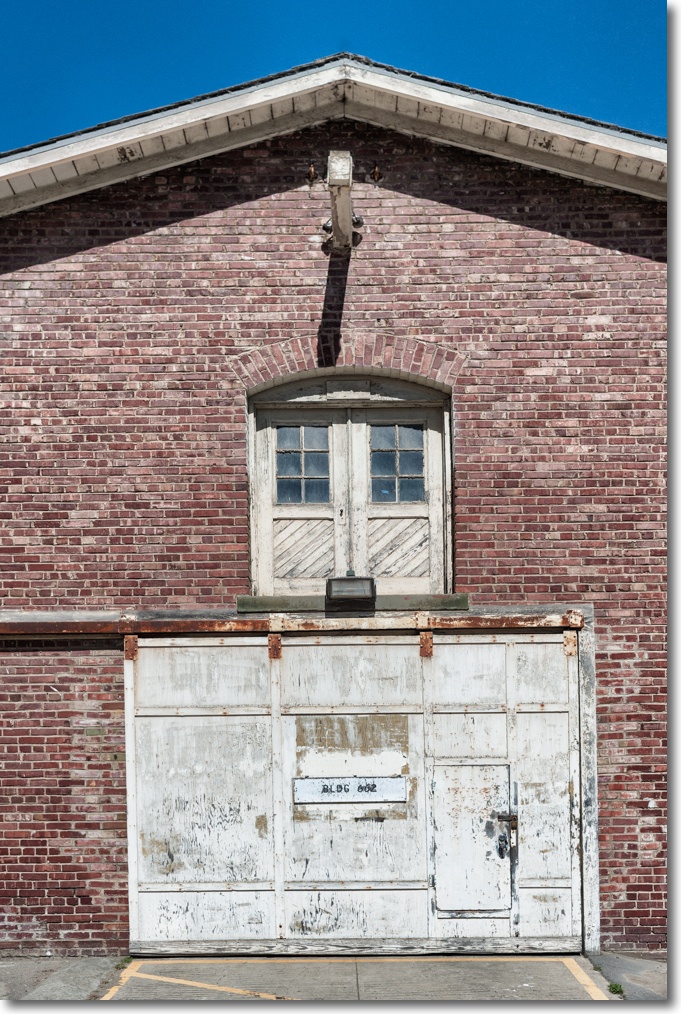
Presidio storage

Old.

San Francisco’s Presidio is a beautiful area on the north west end of the Bay Area, well worth a visit.

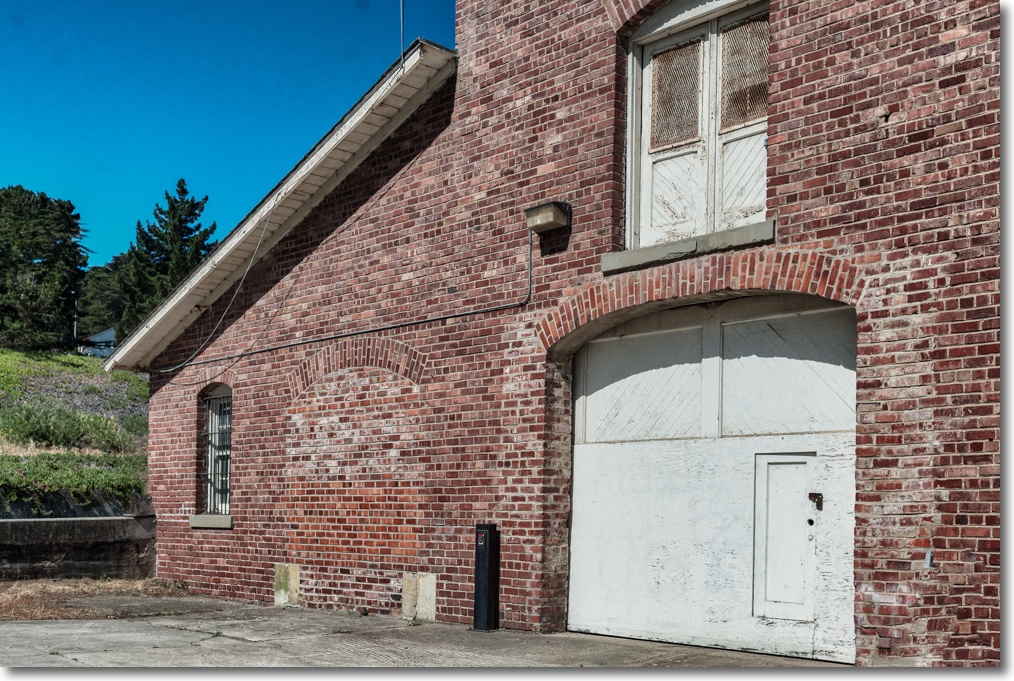
Storage facilities – most probably empty – like the one above, are everywhere.

Nikon D3x, 35mm Nikkor MF, a lens far more satisfying to use than the 35mm f/1.4 Sigma behemoth, which I rather fancy will be sold soon.

Update June 8, 2014:

A friend of the blog writes:

I noticed that you called your 8 June image “Presidio Storage.” I hesitate to correct you, but I believe you would want to know the correct description of the image.

This building is one of a number of old horse stables. These stables were built in 1915 and were originally used by the 9th Cavalry.

Go here for additional info and confirmation:

http://www.presidio.gov/lease/commercial/Pages/663-mcdowell-avenue.aspx

http://www.nps.gov/prsf/historyculture/the-stables.htm

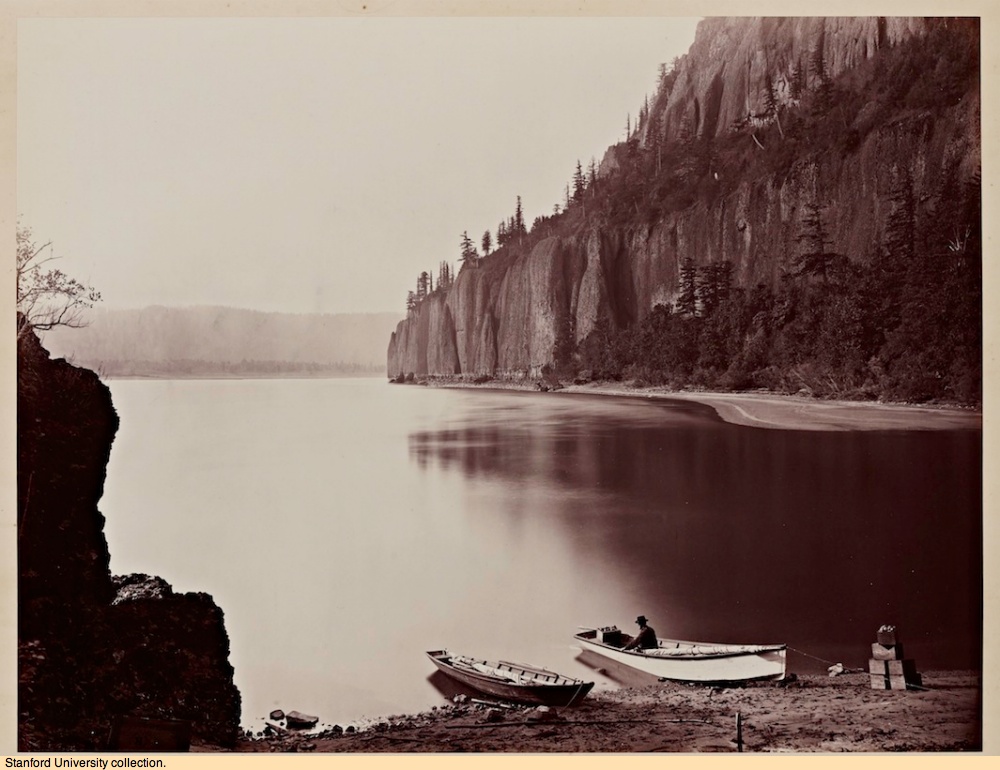
Carleton Watkins

A master of the lansdcape photograph.

One reason I spend as little time as possible looking at modern landscape photography is that it pretty much peaked with the work of Carleton Watkins, some 150 years ago. Since then we have had the blight of Ansel Adams and his garishly over-processed oeuvre, the damage further compounded by legions of his acolytes who appear never to have had an original idea in their lives, judging by their slavish copying of the work of that poseur. Adams has been good for sales of high end gear and just awful for the art of photography.


Cape Horn by Carleton Watkins, 1867.

Click the image to go to a Slate article profiling many of Watkins’s photographs, the originals in the Stanford University library.

Michael Reichmann

Very, very special.

Michael Reichmann runs one of the oldest (meaning 15 years old) photography sites on the web, named Luminous Landscape. His claim to one million monthly visits suggest few photographers have not visited there and while I am one who has, my visit frequency runs maybe quarterly, because landscape photography, that site’s core interest, mostly leaves me cold. Or catatonic, if you prefer. I blame that on being exposed to Ansel Adams’s work before puberty which I swore left me infertile until my son Winston was born when I had reached 52. I’m pretty sure I’m the father given the resemblance.

However, recent sneek peeks at LuLa, as most know it, piqued my interest, for some of the street snaps Reichmann was making in his summer home in San Miguel de Allende in Mexico – an understandable choice of venue if you otherwise call Canada home during the winter – were breathtakingly good. Life’s too short to be cold.

Thus when Reichmann announced the creation of his foundation, and a partnership with LensWork as the publisher of his images from Mexico, I was all ears …. errr, eyes, because what little I had seen of his street work was memorable indeed. The fact that proceeds of book sales go to funding photographic projects makes me feel good into the bargain.

I just received the book – some 63 images in paperback format – and the work is spectacularly good.


Click the image to order the book.

I’m not sure what my $59 got me – seems like I will receive three more LensWork monographs – but if this is all I get I have no complaints.

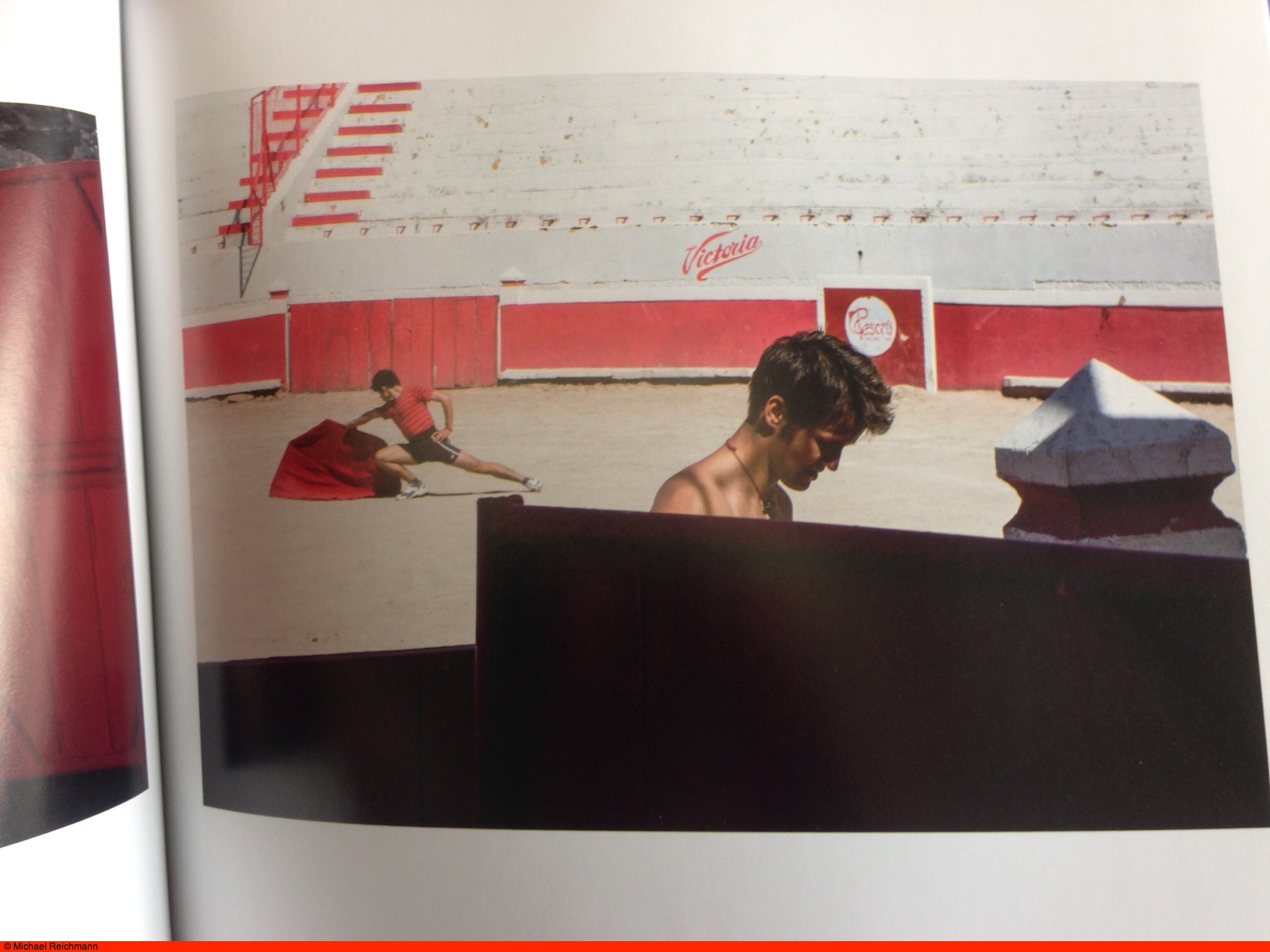
The images draw on Ernst Haas (blurred bullfights), lots of Saul Leiter, images worthy of the fabulous Donald Jean, hints of HC-B here and there (see below), but above all Reichmann’s individual signature is clear. Tight compositions, sparse use of color in the style of Pete Turner but in far better taste, a clear love of his subjects which evokes the warmth and generosity of spirit of Mexican people …. it’s all there.


Bullfight practice. Reichmann’s gorgeous composition on display.

Highly recommended, at any price. And, best of all, there are only five landscape snaps included, all confirming what I learned of the genre back when I was in short trousers.

Update May 19, 2016: Sadly, it was announced today that Michael Reichmann died of cancer.

Mac Pro 2009 Part XXIII

Replacing the backplane board.

For an index of all my Mac Pro articles, click here.

A 2009 dual CPU Mac Pro I was recently upgrading suffered from very long boot times sometimes refusing to boot at all. PRAM and SMC resets made no difference. This behavior prevailed with a variety of memory sticks, boot drives, processor cages/CPUs and graphics cards, so I consulted the excellent Apple Technician’s Manual and conducted a battery of diagnostic tests to determine the problem. The Mac Pro comes with a host of diodes on the backplane board (‘motherboard’ in Hackintosh/PC language) and after going through many of the diagnostics the conclusion was that the backplane board was to blame. This is a process of exclusion – the diodes can confirm the Airport and Bluetooth cards, GPU, power supply, memory and CPUs are fine, leaving only the backplane board as the culprit.

Many vendors stock the part, number 661-4996, and DV Warehouse had the best price at $344 + CA tax and shipping for a new one.

You really need the Technician’s Manual to replace this part, as pretty much everything else has to be removed from the chassis to grant access for backplane board removal and replacement. That said, it’s not difficult, no special tools are needed (unless you call a 2.5mm Allen wrench for the processor cage slider bolts exotic) and but for one error in Apple’s Manual, the task is easily completed in one hour.

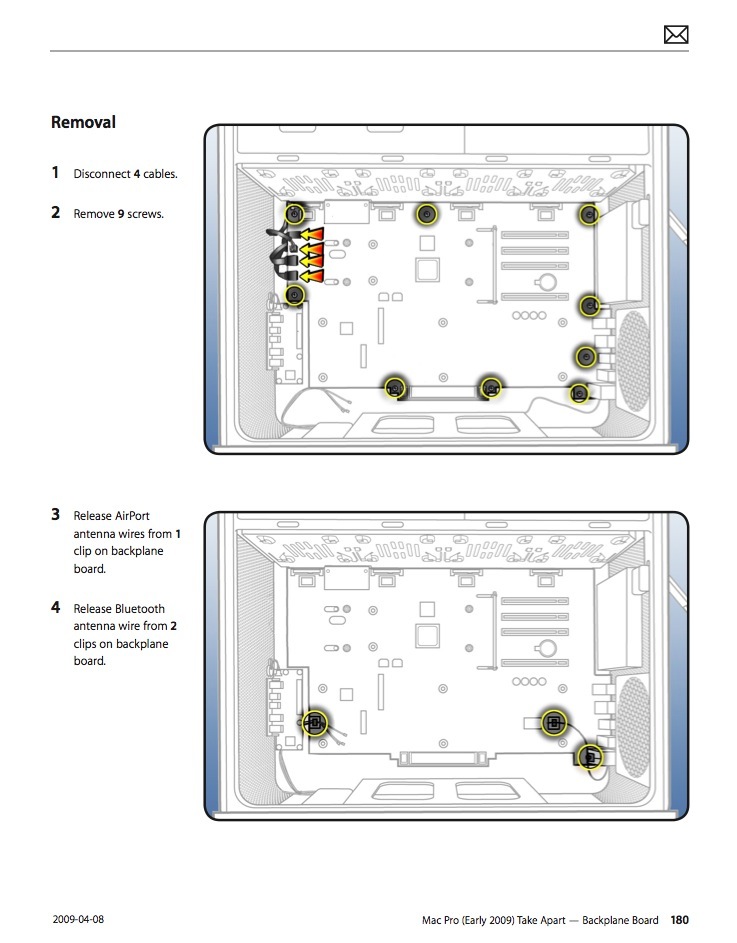
The error? Apple misstates the number of Allen screws retaining the backplane board to the chassis at nine. It’s ten and if you do not find the tenth, that’s all she wrote.

Here are their instructions:
Here are the actual locations of the three types of screw openings in the backplane board:
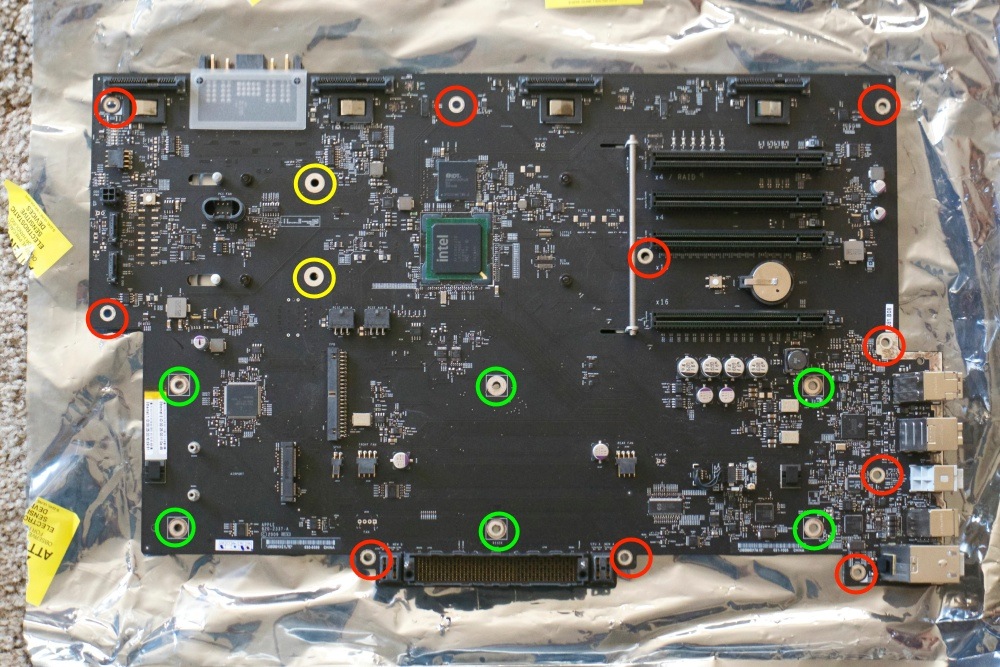
Green are the openings for the captive processor cage screws. This is important to know as the regular backplane board retaining screws will fit these openings just fine, thank you, making replacement of the processor cage impossible …. Yellow are the two openings for the PCIe fan assembly. And red denotes the ten retaining screws for the backplane board. Apple misses this one in its instructions:
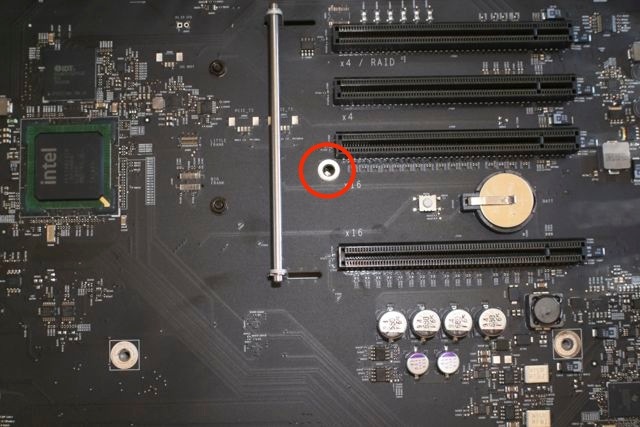

The ‘missing’ backplane retaining screw.

For the Airport and BT cards be careful to unclip the fragile antenna wires from their routing retainers (one retainer for Airport, two for BT) before removing the backplane board. Once the processor cage and PCIe fan are removed you have only to unclip four connectors (top left), the backplane board to front panel switch assembly cable (reversible and keyed) and the power supply to backplane board cable.

Result? The Mac Pro sounded the chime and booted first thing. From chime to login screen takes 21 seconds booting at SATAII speeds from an SSD in the optical drive enclosure, and 16 seconds with a SATAIII SSD located in an Apricorn card in one of the PCIe slots.

The backplane board replacement confirms, once again, that beauty is far more than skin deep in the classic Mac Pro. The 2009 single CPU and dual CPU Mac Pros use identical backplane boards.

Airport and Bluetooth antenna connectors:

These can be a major pain and cause of bad language or a piece-of-cake. The Airport card has two antenna connectors (the third remains shielded and unused) and the BT card has one – all three must be pulled when transplanting the backplane board, above.

Attach the Airport card to the backplane board with two screws if previously removed or missing. The Airport card was an extra in 2009 so many Mac Pros of that age come without one. They can be found for under $30 – buy one with the two screws required. (The BT card is captive and needs no insertion – a new backplane board comes with one installed). The wrong way to attach the antenna connectors is using fingers or pliers. Your chances of damaging the card, the connectors or yourself are high. The right way is to twist the antenna cable(s) such that the brass connectors take a natural set facing down. Then locate and hold the antenna connectors with a fingernail, pressing on the center with a flat bit in your screwdriver, like this:
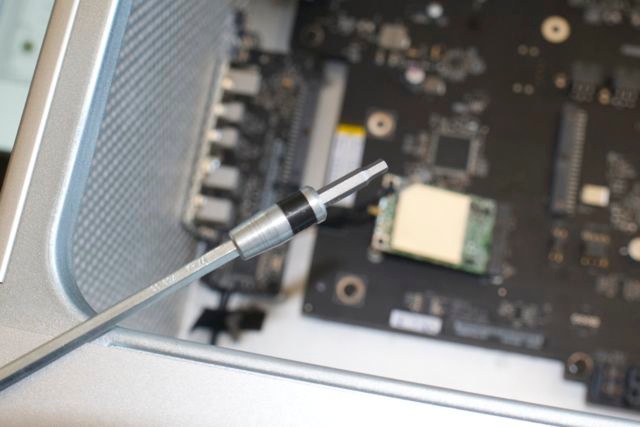

Tool to push down the antenna connectors.

The flat end of a chopstick works well also, and you will hear a loud ‘click’ when the connector engages. Use bamboo, not softwood – bamboo is far tougher. If force is needed you have the connector misaligned – it’s easily crushed so be careful. The Airport card is retained by two very small screws and need not be removed when moving the backplane board. The BT card is captive. I suggest you replace all three antennae before replacing the processor cage – more working room.