All posts by Thomas Pindelski

Nikkor 35mm f/1.8G AF-S DX lens

Cheep, cheerful, handy.


Mounted on the D2x with the included lens hood.

This ‘plastic fantastic’ APS-C lens sells new for under $200 with a 5 year Nikon USA warranty. Given Nikon’s repair reputation in the US that probably does not mean much but at the price asked with hood, caps and soft case, there’s a lot to like.

I bought it on a whim for those lazy days when I just can’t be bothered to use manual focus, assuming there was little downside.

Nikon wisely deletes the focus and depth-of-field scales from this optic, both utterly useless on modern AF lenses. It also has that handy feature where you can manually override the focus just by grabbing and turning the focus collar, something which is impossible with the previous AF-D series of optics. The included hood clicks on nicely, using a bayonet fit, and the lens accepts standard 52mm filters like most Nikkors ever made before the AF era.

I like this lens a lot. Focus speed is decent if not stellar but the biggest surprise in store is that it is surprisingly useful on full frame.

When images are loaded into LR or PS, the lens’s EXIF file data will invoke the Adobe profile which ships with their applications. That profile was created on an APS-C body and is very useful, taking out minor vignetting and fairly severe barrel distortion, which really has to be removed when snapping architectural subjects.

But you can do much better. Curious to see whether a profile created on an FF body would bring back the heavily vignetted corners, I created a profile using my D3x and Adobe’s Lens Profile Creator software. Because vignetting varies significantly with aperture, I went all in and made this profile at each of f/1.8, f/2, f/2.8, f/4, f/5.6, f/8, f/11, f/16 and f/22! 81 chart shots in all …. You can use this profile with both APS-C and FF files. It does a far better job on the latter than the one Adobe ships.

If you put the profile here on a Mac –

Replace ‘Tigger’ with your user name on a Mac.

– LR and PS will automatically choose it in preference to the stock one provided by Adobe.

The stock Adobe profile resides here on a Mac – there is no need to delete it if adding my profile in the location shown above.

The respective Windows locations are:

Windows 7 or Vista: C:\User\(User Name)\AppData\Roaming\Adobe\CameraRaw\LensProfiles\1.0

Windows XP: C:\Documents and Settings\(User Name)\Application Data\Adobe\CameraRaw\LensProfiles\1.0

You can find my enhanced profile here. On FF, extreme edge definition is excellent from f/4 through f/11. There’s a lot more to this self-effacing lens than meets the eye.

Here are before and after images on full frame where the lens really is 35mm focal length – ideal for street snapping, no sensor crop involved.. The first pair at f/1.8, the second at f/11. In each case the right-hand image is after applying my profile:


In the snaps below I used my lens profile with the APS-C sensor in the D2x.


Walking the pup. D2x, f/2.8.


San Mateo Post Office. In its usual schlocky under-capitalized way, this failing
business is letting a landmark heritage building rot into oblivion. D2x, f/2.8.


Bits missing and waiting to rot. D2x, f/2.8.


Inside the St. Matthew station USPO. No corner shading whatsoever using my profile. D2x, f/1.8.


Magnificent period detail. D2x, f/4.

Any Nikon APS-C body – such as the D1 and D2 series, the D70, D90, D100, D200, D300, the D7000 or even later bodies – constrained by a lower quality, slow kit zoom lens would benefit from this inexpensive optic. It has excellent resolution and can continue being used with few excuses once the user upgrades to an FF body, provided you also use my profile, above. Further, the discipline imposed by a fixed focal length lens, dictating proper composition before the button is pressed, can only enhance the snapper’s skill set and improve the results. Finally, it’s nice not to have to remember to limit this lens to APS-C bodies only if you use both APS-C and FF.

Some Nikons – the D3 series and the D4 – offer an optional 5:4 aspect ratio frame (too square for my taste) which crops vertical strips either side of the full frame. This format should have no issues with across the frame resolution using this 35mm lens.

Pixel peeping fallacies

Know what you are looking at.

When I migrated from the 12mp Nikon D700 to the 24mp D3x, I did a bunch of thinking about the justification for more pixels.

If you do not propose increasing your print size or cropping more severely, more pixels will likely not serve you well. I contemplate making both larger prints and cropping more when needed. Thus, the higher pixel count sensor makes sense for my contemplated needs.

When I first uploaded D3x images from the D3x to Lightroom, I naturally previewed images at 1:1 and remember thinking “What’s the big deal? This does not look any better than the files from my D700 at 1:1.”

The problem, of course, is that I was not comparing like with like.

Here’s a simple table to illustrate the issue.

I have compiled data for four common Nikon sensors – the math is brand-independent, it’s just that I know these bodies and have RAW images from all. I enlarged these original images using the 1:1 preview function in LR4 and measured the image width on my 21″ Dell 2209WA (1650 x 1080) display. So in the table above, using the D2x as an example, the 12.2MP sensor delivers an image which, if printed 1:1, would be 47″ wide.

What does Adobe’s Lightroom mean by 1:1? It means that images displayed 1:1 are displayed at 90 pixels/inch – you can confirm this by dividing the ‘Sensor – W’, the pixel count across the width of the sensor, by the ‘Width at 1:1 in inches’ and in each case you will get 90 dots per inch. That’s good for an LCD display or for prints looked at from a reasonable distance. If you want to stick your nose in the print, then you want to limit the pixel density to 240 pixels/inch, which is the same as dividing the above ‘Width at 1:1 in inches’ data by 2.7. So a 240 pixels/inch print from the D800’s sensor, for example, would be 31″ wide (83/2.7). But in practice, you do not need that high a density in huge prints.

As you can see, comparing a D700 image with, say, a D800 image, is not fair if identical 1:1 preview ratios are used. You are comparing a 46″ wide image with one almost twice as large at 83″. To make the sensor comparison fair, you need to preview the D800 image not at 1:1 but at 1:2. That will yield approximately the same reproduced image size, making for an objective comparison of resolution and noise if the same lens and technique are used for both.


Preview options in Lightroom.

Yet, I suspect, many snappers fall afoul of these erroneous 1:1 comparisons concluding:

  • I need better lenses with the newer body
  • My images are blurred, I need to use faster shutter speeds
  • My focus is out, there’s something wrong with the camera

All of the above lead to much time and money wasted in fixing the unfixable. Bad data.

It is indeed quite likely that your new sensor out-resolves the limits of your older lenses at 1:1. It’s also reasonable to expect motion blur to be more visible at the same shutter speeds if you use faulty comparisons. And the chances are it’s your technique not your hardware which accounts for poor focusing, the errors only becoming visible at double your former preview magnifications. But, unless you contemplate making crops to one quarter of the area of your previous sensors or making prints 7 feet wide instead of 4 feet wide, your sensor upgrade is only causing you needless pain.

My first conclusion with the D3x compared to its D700 predecessor was all of the above, until I figured out what I was looking at. Some comparisons are easily drawn. It’s clear for example, that the D700 has lower noise than the D2x for the same image size, hardly surprising as we are comparing a recent FF sensor with an older APS-C (D2x) one. The total pixels and 1:1 print sizes are almost identical. On the other hand, comparing the D700 at 1:1 with the D800 at 1:2, for like print sizes, shows little difference. It’s only when you double preview sizes with the D700 to 2:1 and the D800 to 1:1 that you see the greatly superior resolving power of the D800, as the number of pixels you are looking at in such a comparison is tripled in the case of the newer sensor.

Nikon has not helped the situation. After their affordable high pixel count FF bodies – the D600 and D800 – came to market, they started publishing pieces intimating that only their very costliest and newest lenses were ‘good enough’ to extract the best from the new sensors. The rest of the sheep writing purportedly critical analysis followed right along. It’s called sales and makes little sense. Some of Nikon’s highest resolving power lenses were made ages ago, long before digital sensors existed – any Micro-Nikkor macro lens pretty much qualifies (55, 105 and 200mm) – as do a host of pre-Ai lenses, many over four decades old. If you like the latest and greatest (and costliest) have at it. But don’t believe everything you read from such conflicted sources. Their primary focus is not on your image making capabilities but on your wallet, be it through sales (Nikon) or click-throughs (the whores who parrot this stuff as if it was technically proved fact).

So before you chuck out your old lenses and start buying costly superspeed exotics which allow the use of faster shutter speeds, while contemplating return of the body to Nikon for repair of focusing errors, ask yourself what you are really looking at when you preview those enlarged images on your display.

Practical implications: It’s not like you can avoid buying new gear with lots of megapixels by trying to save money on something with fewer. Everything has lots of pixels today. 12MP is hard to find at the lower limit. But the practical implication of this rapid technological advance is that, for those on a budget, substantial savings can result from buying the previous generation of hardware, comfortable in the knowledge that while 8-12MP may not be a lot, it’s more than enough for 99% of needs. DSLR bodies like the Canon 5D, Canon 5D MkII, Nikon D700, Nikon D2x, Nikon D3 and others no less capable from Pentax and Sony offer tremendous savings just because they have been replaced with something that measures better in a comparison table. Heck, a lightly used 6mp Nikon D1x can be had for under $250 and will offer tremendous capability, outfitted with a $50 mint MF Nikkor, far in excess of the abilities of most. The barrier to entry to good hardware has never been lower. 16″ x 20″ prints? No problem. Why do I say that? The D1x’s sensor is 3,008 pixels wide, so for a 90 pixel/inch print (what Lightroom shows at 1:1 preview) you would get a print sized 33″ x 22″. Unless you stick your nose in it, it will show just fine.


Nikon D1x. Add Nikkor of choice.

Filoli reopens

At last.

After the usual long quarter closure for the winter months, that gem in the Woodside countryside named Filoli reopened this week, and I was sure to be there on the opening day. The large gardening crew has been busy during the hiatus but the orgy of color which is the fruit of their labors will not come into view until a few weeks hence.

Meanwhile, on an overcast day, the vibrance of the muted colors and the beauty of the home were not one bit diluted in this fan’s eyes.


Yours truly in the library.

All on the Nikon D3x with the 50mm pre-Ai f/1.4 Nikkor except the last where the 16-35G lens was used, the camera placed on a corner table with delayed action.

Jay Maisel

Outstanding.

This brief documentary on Jay Maisel is a fine portrait of one of the hardest working and most successful photographers.

Click the picture for the video.

A self-confessed technophobe, Maisel took to digital when encouraged by a friend, realizing that he no longer had to “…. check 600 rolls of film….” at the airport.

I was especially taken by his statement that the greatest fear he has when snapping is that he will miss an image.

“There is nothing I am not interested in shooting. I am open to anything that is out there. I have no agenda.”

“Pain is not a conduit to art or joy.”

Hooray for that.

Victor the cobbler

Looking good!

After I complained mightily to Sigma about the bad AF on the 35/1.4 I had borrowed from a local business, Sigma USA was kind enough to send me a brand new one in Nikon mount from the shipment received at the end of January and it arrived yesterday. I have it to try out on a free three week loan.

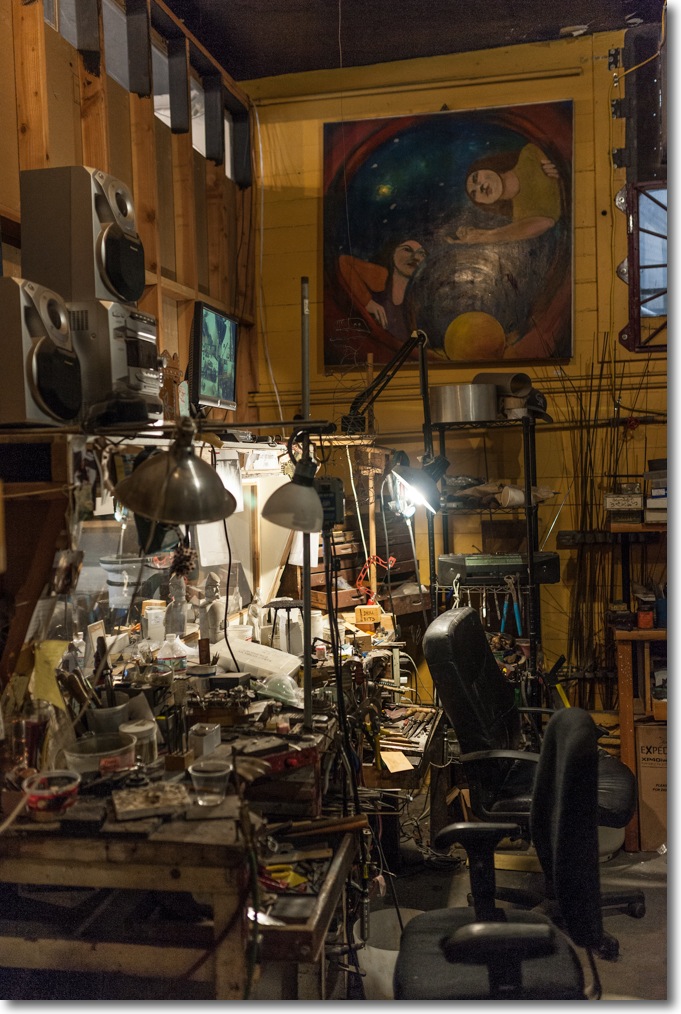
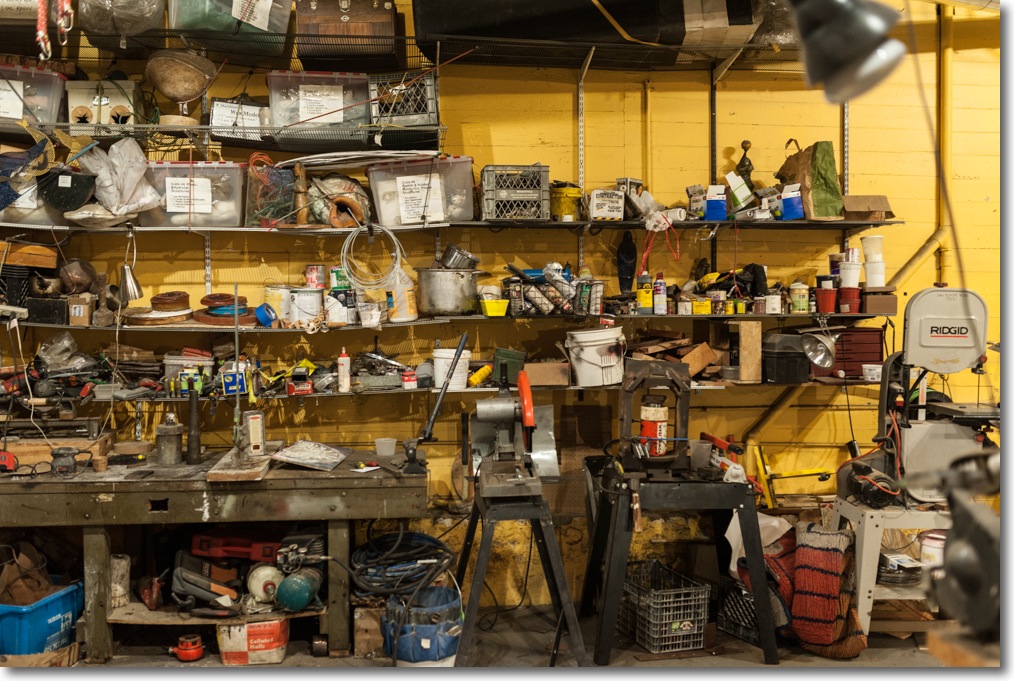
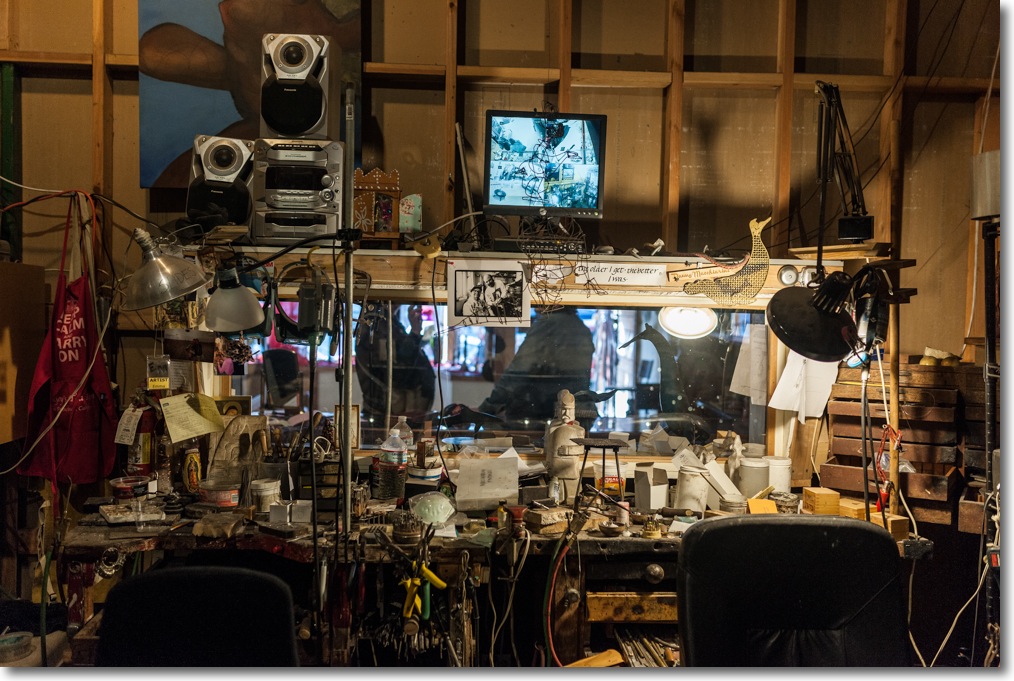
What better way to start giving the Sigma a work out than locally? I had just caught a glimpse of the local cobbler’s workshop when dropping a pair of shoes off the other day and it looked fascinating, everything a cobbler’s workshop should be. Almost like a Hollywood set, in fact. So when picking the shoes up yesterday, I just had to get back there to photograph it.

“Pindelski, is that Czech?”

“No, Polish. My folks were refugees, finally escaping to the west before the Russians closed the borders in 1947. You?”

“I am a Czech Armenian, part of the Jewish diaspora which spread across the world because of persecution. I came to America in 1986.

This store has been here, on B Street in San Mateo, since 1876. I prefer it messy. It’s comfortable that way”

Fellow refugees, bonding.

So when it came time to pick up my shoes, whose heels remain spread over a vast area of San Francisco’s sidewalks, I couldn’t wait to ask Victor if he would let me take a look at his workroom. He was only too happy to oblige, and it did not disappoint. The Sigma and Nikon D3x came along and absent a bit of toning down of the nasty highlights from the fluorescent tubes in the first two images, these are pretty much straight out of the camera. I did use the lens correction profile I had created earlier for this lens, as it corrects significant vignetting at f/1.4 and f/2. You can download it here and absent whatever claim I have to pride of authorship, I really recommend you use it. My wealth will change by exactly $0.00 if you download it.


Victor Sargas.


At work.


There’s always work to be done.


“I prefer it messy.”


Ancient cobbler’s lathe.

After the poor first experience with the Sigma’s AF (s/n 50004444) things are beginning to look up with this loaner (s/n 50004693). The three dimensional rendering and vibrant colors are significant optical accomplishments in a lens this fast. I wish it was lighter, but at the quality level offered I’ll grudgingly settle for a sore neck and shoulder. It is not cheap at $900 + tax, but it’s a lot cheaper than the Nikon version which, based on the sample I borrowed, is inferior and costs a good deal more.

Snapped on the Nikon D3x with the lens at f/2, ISO 400. Victor gets his large wall print tomorrow.