All posts by Thomas Pindelski

The Music Teacher

A visual feast.

Made in 1988, the Belgian movie ‘Le Maître de Musique’ dispels the oft held belief that there is no such thing as the Belgian cinema. Directed by Gérard Corbiau it is a lush, visual masterpiece. The story of a great baritone who retires and grooms two star pupils to once again defeat an old nemesis whom he himself bested in a singing duel years ago, it is replete with image after image that any photographer will warm to.

It doesn’t hurt that the whole thing is made on Fuji Film and set to Mahler, Verdi and Schubert. As befits the greatest baritone of his day, José van Dam does his own singing and superb acting, the latter understated to a degree that will never capture modern attention spans. But if there’s an overpowering reason to watch this movie it’s for the luminous beauty of Anne Roussel who has one of those faces a camera adores. An exceptionally beautiful woman, and ably supported by the darkly sensuous Sophie Fennec as van Dam’s accompanist and factotum.

The movie has long been out of print but DVD copies are available from Amazon US on a regular basis, which is where I got mine, having worn out the VHS version! It’s in French with available English subtitles, but you really don’t need to understand the words to enjoy the movie.

The cocoon image, the second below, is a straight take on the opening to Ken Russell’s expressionist masterpiece ‘Mahler‘ (1974). Also unavailable. What is it with US movie studios? Those familiar with Andrew Wyeth’s painting ‘Christina’s World’ (1948) will see it in the third picture below. And if ever photographs could be styled ‘Mahlerian’ well, the last two have it in spades.

Best of all, if you are into Mahler and Verdi, you are in for a real treat.

Arctic Sound P311 headphones

A wireless solution.

Headphones? What’s that doing here? Well, show me someone not interested in music and the movies and I’ll show you one who cannot take a photograph.

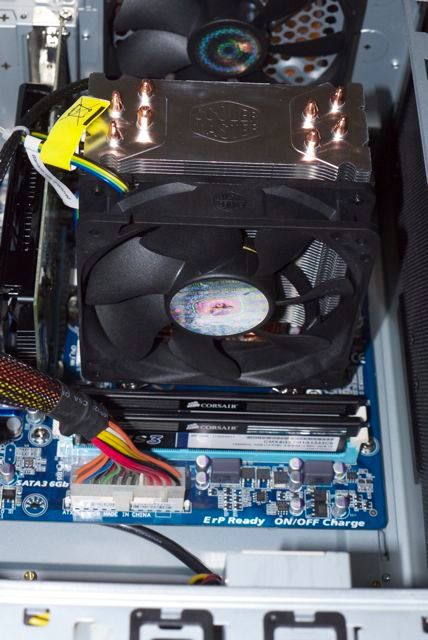
One of the cheapest – yet most vital – components of my HackPro desktop is the extremely thin layer of conducting Arctic Silver thermal paste between the case of the Core2Quad CPU and the Coolermaster radiator which keeps the CPU cool as a cucumber. The maker of that paste, beloved of all computer builders, also makes headphones.

For a long while now I have been using a pair of Sennheiser PX100 corded headphones for listening to music and watching movies on the iPhone and iPad. They are over the ear, comfortable and the sound is fine. They cost $60-70. Folding them into the provided clamshell case requires a degree in astrophysics, but once you get the hang of it there’s lots of innocent fun to be had and money to be made betting friends they can’t get them into the case! Indeed, I just had the satisfaction the other week of taking $2 off our nine year old who quit in frustration. One back for the old man!

But that bet cost me, as somehow the cord got frayed and is now literally hanging by a thread. So I searched around for a wireless alternative which might better survive our boy’s ministrations, and settled on the Arctic Sound P311 at $30, a Bluetooth headphone which requires no wired connection.

The manufacturer claims a 20 hour life per charge, and charging is through the provided USB cable from any computer, so there’s no additional charger to carry. All you need is the mini-USB cable and your laptop or desktop. The iPad’s battery life on streamed Netflix movies is a consistent 11 hours, so as long as the headphones’ battery lasts 11 hours or more things are fine. Charge the iPad, charge the ‘phones. My ‘phones shipped partially charged, needing just 90 minute to full charge, indicated by the red charging LED being extinguished. The maker says a full charge takes 2 hours. The bottom line is that a 2 hour charge to get 20 hours of use is far faster and longer than recharging an iPad will get you, so the iPad remains your limiting factor in practical use as far as recharging goes.

Charging light on. This changes to alternating red/blue when pairing – see below.

My primary use is for iPad movies, but the ‘phones work fine with my rather dated iPhone 3G, my HackPro (which uses an iOGear BT dongle), the MacBook Air and the MacMini used as a home theater computer. The latter is handy as you can listen to movies on your big screen TV using these Bluetooth headphones, and disturb no one during a spot of late night viewing. On the iDevices pairing is simply a question of holding down the button on the right headset for a few seconds until you get alternating red and blue LEDs, then going to Settings->General->Bluetooth. On desktops and laptops you go to System Preferences-> and have at it. In all cases, disconnect the existing Bluetooth connection or things get hairy and be sure you are not charging the ‘phones while you do this – I had no luck pairing while charging.

Here are some screenshots of the pairing process.

Pairing on an iDevice:

Step 1

Step 2

Select the Eq which suits your ears best – forget what it’s called, go with your ears:

Step 3

Pairing on a laptop or desktop:

Step 1 – System Preferences

Step 2 – Paired.

Step 3. System Preferences->Sound. Redirect the output to the headphones.

Use with AppleTV2:

As TUAW confirms, ATV2 includes a Bluetooth chip but it is not accessible in the device as shipped. Frustrating. You can hack your ATV2 to make BT work but it’s likely that future software updates will reverse the hack, so I’m leaving it alone for now. Hopefully Apple will add a Bluetooth switch in its ATV2 software. Meanwhile, rumors suggest that the next ATV OS update will add Bluetooth functionality to ATV2. That will be great if it happens.

These ‘phones fit over the ear (Van Gogh need not apply), like the Sennheisers, but rather than using a sprung steel band across the top of your head to provide grip, they hook over each ear instead with the connecting band serving no mechanical purpose other than connecting the two speakers and providing a route for the wire buried within, to get sound to both ears.

The P311 headphones over the ear, showing the controls.
No problem when wearing glasses, either.

The volume control buttons are visible above; the other two black buttons are for fast forward and reverse (next/previous track) and the center button is on/off/pause/answering phone calls. All controls worked perfectly with the iPod app on my iPhone and iPad.

The P311s comes with a nice, semi hard case. The earspeakers are folded in eyeglasses-style, and the astrophysics degree you just got to put away your Sennheisers is now useless:

Sound: I tested the ‘phones on classical piano and on Ken Russell’s extraordinary movie ‘Mahler‘. The sound is excellent. You won’t get earth shaking bass from speakers this small (especially given their low level of sealing to the ear) but experimenting with the EQ settings in an iDevice (see above) gets you the best sound, based on your hearing. Both the iDevice and P311 volume controls remain functional so you can mute from either. Pausing using the big, central button on the right speaker also pauses the movie or iPod on your iDevice.

Despite fitting lightly over the ears, these provide a fair amount of sound isolation. You are not sealed from the outside world but there is a significant amount of noise reduction. Best as I can tell there is no electronic noise cancellation technology in the P311s.

Comfort: If you tilt your head back the crossbar will strike the base of your neck and try to displace the ‘phones. Whether that’s an issue only you can decide. In practice it suggests these ‘phones may be sub-optimal for aggressive work out routines. The picture of the acrobat on Arctic’s web site strikes me as ludicrous.That’s not what I use them for so I cannot comment.

Microphone: There’s a built-in mic for use with the iPhone. I have not tested it.

Range: Extraordinary. There is no loss of signal until you are over 40 feet from either iPad or iPod, despite intervening walls and a staircase. This translates, in practice, into ‘walk-about’ functionality in the average home without having to take your sound source with you

* * * * *

A fine set of phones at a great price and a worthy replacement for my damaged Sennheisers. There’s the inconvenience of having to recharge these, but as their battery life exceeds that of the related iPad I use them with, it’s hardly an issue, as I simply recharge both simultaneously. BT pairing on the five devices I tested – iPhone 3G, iPad, HackPro, MacMini and MacBook Air was flawless. Let’s hope pairing with the AppleTV2 arrives with the next ATV OS update. Recommended, but try them first to see if they are comfortable for you.

Most importantly, cordless ‘phones transform an iPad from “I’m not going to lug that around” to a functional music source, whether from stored music, your Home Sharing or, soon the iCloud.

ClamXav

Mac virus scan.

Macs don’t get viruses. Well, OK, not much anyway.

In my decade of using Macs I have never run any anti-virus software and, as far as I know, never got a virus. If I have it has made no difference, as I have seen the grey OS ‘kernel panic’ screen maybe three or four times in that decade (absent when hacking and it was my own fault!). The last time this happened in regular use was maybe 4 years ago, so it’s not like I’m worrying.

This is why I tend to view the scare stories put out now and then by the major anti-virus app makers – McAfee and Norton – as so much disinformation intended to ramp up sales of their products. Indeed, while Apple constantly patches security holes in its Apps, the first time I recall them making an OS update for a virus was the 10.6.8 update of Snow Leopard a few weeks ago to stave off the MacDefender virus, whose Russian creator was just arrested a few days ago. The virus was funded by ChronoPay, Russia’s PayPal and evidently a brother under the skin when it comes to business ethics. Doubtless, they are paying off the KGB as you are reading this. (That’s Russia’s version of the plea bargain – Putin gets richer and life goes on as usual). What Apple was really staving off is user stupidity. This thing would pop up on the screen from nowhere asking you to download an anti-virus program, and would infect your Mac once you did so. Well, there’s one born every minute, as the old saying has it.

The other common invasion attempt is emails from fraudsters representing themselves as PayPal and asking that you ‘update your information’, part of which ‘update’ requires you enter your password. Well, duh! Known as ‘phishing’, the victim here deserves everything he gets and finds out soon enough when his PayPal account has been emptied. So now instead of PayPal and their partner in crime, eBay, cheating you, someone else has. Same difference. Good luck recovering a dime from PayPal, by the way.

However, the other day my eye was caught by a free virus scan utility curiously named ClamXav. A Mac source mentioned it so I downloaded it and scanned the 1tB HDD where my data – some 650gB – reside. 311 minutes later it reported 7 viruses among the 3 million + files it had scanned, all being phishing viruses in deleted and unopened emails. I zapped those and went away happy. Note to self: Trash deleted emails in future. Not bad when you consider those data files had gone through many migrations among successive machines over the past decade.

You can download ClamXav by clicking the picture below; the maker says its fully compatible back to OS Tiger, 10.4:

Click the picture to go to the ClamXav download page.

You really want to set this up on a ‘set-and-forget’ schedule, so after doing the first lengthy scan of all my data drives, I set ClamXav to do a daily virus definition update and to scan just my data directory (10 minutes) right after, thus:

Daily update and scan setting in ClamXav.

I’m using the app with OS 10.7 Lion, and tell ClamXav to quarantine infected files in a separate directory whence they are easily zapped. Remember to Empty Trash after deleting the bad files. Be sure to download it using the above link; the version downloadable from the Apple AppStore does not have full functionality, for some reason lost on me.

Whaler’s cabin

At Point Lobos.

My annual trip to enjoy the wonders of Point Lobos was spoiled this year by the fact that the Bird Rock area, where you can see cormorants tending their young on stick nests placed on bare rock, was closed off for repairs. Not that that stopped the State of California charging the full entrance fee which, had I known of the closure, I would have refused to pay.

Still, there is always much to see and revel in here. Take this whalers’ cabin:

Whalers’ Cabin, Point Lobos. G1, kit lens @ 14mm, 1/160, f/5,6, ISO 320.

The cabin overlooks Whalers’ Cove. Like your Mac it was built by slave Chinese laborers, this one in the 1850s. It will outlast your iPad. Slaughtered whales were processed here in the years 1862-79 and many of the tools of the trade – killing weapons, pots for melting blubber, primitive diving suits and so on are well displayed here.

Worth a visit, especially when Bird Rock is closed.

The Alien

The boy can see.

Responding to excited squeals of “Daddy! Daddy! Look, look! It’s an alien” I did the only reasonable thing possible and handed our 9 year old a camera.

G1, kit lens @ 17mm, 1/1000, f/5.6. Picture by Winston Hofler.

There’s no denying the boy has an eye. A large print of this now hangs on his bedroom wall.

Snapped at Bean Hollow beach on the way down to Monterey, where Winnie rejoiced in once again petting the sting rays at the Aquarium.