All posts by Thomas Pindelski

The Panasonic G1 – Part VII

A few more tweaks and dynamic range considerations

To read the whole series on the Panasonic G1, click here

A reader mentioned that maximum ISO could be limited and, indeed, I found it in Page 4 of the Rec Menu (v1.3 firmware) under ‘ISO Limit Set’. I set this to ISO 800 as the sensor, being a good deal smaller than the one in Canon’s 5D, begins to show noise earlier and 800 is about as fast as I ever need. At 18mm x 13.5mm the sensor’s area is but 28% the size of the 5D’s, although a lot larger than the 8.5mm x 4.78mm homunculus in the LX-1. So the marketers amongst you would doubtless point out that the G1’s sensor is no less than 498% larger than the one in the LX-1. There are, as Mark Twain (Disraeli for British readers) reminds us, only three kinds of numbers – lies, damned lies and statistics. You can go to Wall Street or to camera makers for the first two. The reality is that this particular statistic just goes to show how Lilliputian the LX-1’s sensor is, not how large the one in the G1 happens to be.

For HDR fans (or for digital sensor skeptics), I note that there is a wonderful range of auto-bracketing available for successive exposures – especially useful given the sensor’s proclivity to burn out highlights. You can have 3, 5 or 7 (!) pictures in either 1/3 or 2/3 stop intervals. A very helpful graphic illustrates the spacing of your choice. Unless you like to really overdo things, I think you may find that 3 pictures at 2/3 stops is ideal. The sequence of recording of bracketed exposures can also be set between center/under/over and under/center/over, the latter being my preference.

The self timer, smartly set with a top plate switch rather than with some horrid LCD menu driven approach, is really thought out, too. You can choose a 10 second delay with one picture, the same with three pictures, with about a second between each, or a short two second delay. The red light on the top right of the G1 flashes while the self timer is running. The two second delay would seem ideal for tripod work with long lenses, especially those without IS, as it will let vibrations settle if no remote release is handy.

I confess that I find the engineering of the depth of field preview (the lower left button on the rear which doubles as the delete button in preview mode) simply magic. Magic that is only possible with an EVF camera. Depress the button for depth of field preview and that’s exactly what you get except that the screen does not dim. The software adjusts the screen brightness to compensate and, yes, you do get some EVF noise when stopped all the way down, but have you every tried making anything out on a screen using this technique with a conventional SLR viewfinder or, worse, with a large format camera and screen? If the noise bothers you, it’s easy to opt for preview on the LCD screen where there is none. Simply magic.

For Leica M2 and late M3 aficionados reading this, you will know that those Ms had a unique and effective depth of field ‘preview’ function. Notches extended in the central rangefinder rectangle allowed you to focus such that the overlap of the (non-) coincident images fell within these notches. The wider top notch would have everything in focus at f/16 with a 50mm lens, the lower one at f/5.6. That’s all you really needed, no preview was needed (or possible, obviously) and Leitz did such a truly lousy job of explaining this wonderful feature that it was discontinued with the M4 and all later bodies. Shame, I loved it. But what you get with the G1 is better – the first time I have seen non-dimming d-o-f preview in a camera, workable at any aperture. Once the Panny macro lens becomes available this feature will really sing. For that matter, you will be able to preview d-o-f on your attached 42″ LCD monitor in the studio, without any dimming, owing to the video feed provided on the G1 …. a seismic change in camera design. Add wider aperture lenses and this will become even more useful.

At the 45mm end of the kit lens’s range, focus seems to go down to one-third life size which is hardly limiting for the sort of thing I have in mind.

Boy, they must have had some real live photographers involved in the design. I simply cannot help thinking that Panny will be surprised at the sort of photographer who opts for the G1. They have stated that the G1 is targeted at the point-and-shoot user who is looking to upgrade. I think that’s a stretch – going from a $150 snapper to a $700 one is a big jump. On the other hand, Leica made, what, over one million M film rangefinder cameras and I’ll bet that at least 10% of those users are: a) Still alive, and b) Mightily disillusioned with the lack of a modern digital alternative to these masterpieces of times past. Those users have either been using a 5D for the full frame experience (and the related carpal tunnel and bad back symptoms) or been making do with a small sensor DSLR with a simply horrid viewfinder and a noisy, flapping mirror with the attendant bulky pentaprism. This camera will see a lot of those users (including Yours Truly) choosing a G1 as their daily snapper of choice.

Dynamic range: From a purely subjective standpoint (which is all I pretty much care about) the dynamic range of the G1’s sensor is inferior to that of the Canon 5D’s – I would guess by at least a stop or so. The following snap of a lovely Greek Orthodox cupola proves the point.


G1, kit lens @ 45mm, 1/1000, f/9, ISO250, 1 1/3 stops under exposed

I used the ‘click and turn’ front wheel to set 1 1/3 stops underexposure in the EVF and used ‘pattern metering’ which averages the overall exposure. A very simple operation. Alternatively, I could just as easily have taken a light reading from the overcast sky using spot metering in this very high dynamic range subject. Using average exposure measurement with no adjustment would have blown out the sky, past the point of recovery. When processing in Lightroom 2.4, I simply cranked up the fill light slider to bring detail back to the leaves framing the cupola, thus:


Fill light used to recover shadow detail

It is far easier to expose for the highlights and adjust the shadows; trying the reverse generally increases grain and seldom does a good job on the highlights, in my experience. So this is an important caveat for G1 users – take care to meter on the right thing and err on the side of underexposure.

Here’s a snap of my G1 Army and Navy white supremacist belt pouch into which I simply chuck the camera. It’s nice using a body with no attached straps. At $12 it’s neither ideal nor expensive, though I have found it poses some interesting challenges when you do your thing in the men’s room! A dirt cheap 8gB SDHC card ($20) is included for scale – the latter may not be very fast but the G1 handles it just fine.


Army and Navy special

The last thing you want in this world is a camera bag emblazoned with the word ‘Nikon’ or ‘Canon’ or ‘Tenba’ et al. Can you spell ‘Steal Me’? For that matter, much the same goes for the camera:


Stealth G1, Blue Tape Special

I have enough tape for about 750 G1s so I’m not about to run out ….

The Panasonic G1 – Part VI

Some more snaps

To read the whole series on the Panasonic G1, click here


Derelict. G1, 14-45mm @ 14mm, 1/100, f/9, ISO 250, RAW image processed in LR 2.4


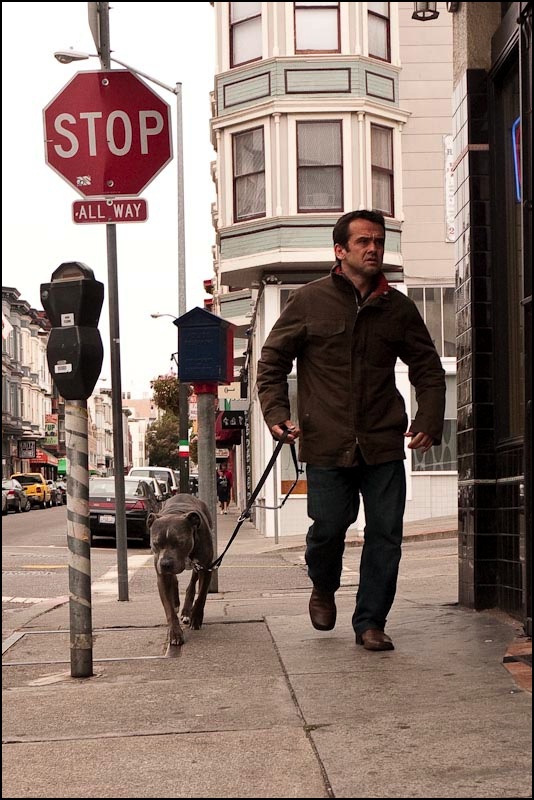
Macho dog. G1, 14-45mm @ 36mm, 1/640, f/9, ISO 250, RAW image processed in LR 2.4


Beautiful family. G1, 14-45mm @ 33mm, 1/250, f/8, ISO 250, RAW image processed in LR 2.4

Some early idea of what the G1 can do. I dropped by the local Army & Navy store, filled with ex-Marines reliving fun times in Basra and Fallujah, and picked up a belt bag (excuse me, ammunition holder) for the G1 from the Chinese (!) proprietor. It’s a second’s work to whip it out, switch on and snap. I have found it best to switch the camera off when stuffing it in the bag, as buttons are all to easily depressed, messing up my default settings if it’s left on. As the G1 comes to life instantly once switched on it’s no big deal – just a habit to learn and easily done as the camera is removed from the belt bag. My wrist strap has yet to arrive and I’m not missing it, using the G1 strapless. I’m certainly not about to fit the shoulder strap with that awful ‘Lumix’ embroidered logo. The right hand finger grip and thumb pad on the top right rear are engineered perfectly.

One warning – the G1’s sensor is more prone to blowing out highlights than the 5D’s so a little under-exposure is no bad thing:


Detail is just holding in the street lamp’s globe here – after a tweak in LR 2.4

Of course, the lens everyone is waiting for and something to drool about:


The rumored Panasonic 20mm f/1.7 ‘Pancake’ lens for the G1

Let’s hope Panny gets with the program on this long delayed optic. And if that does not wet your appetite, there’s also a 45mm f/2.8 Macro with IS rumored to be coming some day.

Fortune lauds Kodachrome

A fitting tribute

While it’s the very last place to go for objective investment advice – unless you are a ‘pump and dump’ broker (aren’t they all?) – Fortune magazine has championed great photography over the years and has published a fitting tribute to Kodachrome on its web site.

This picture by Walker Evans, a rare color effort, says everything you need to know about capitalism. Heavy steel with a mendicant living under the bridge. Click the picture for more.


Walker Evans and American steel

The Panasonic G1 – Part V

Firmware upgrade and other housekeeping

To read the whole series on the Panasonic G1, click here

Panasonic’s G1 has the ability to upgrade both camera and lens firmware (built in software) separately. To date only firmware upgrades have been issued and can be found here. I dutifully downloaded v1.3, copied it to a freshly formatted SD card, inserted a fully charged battery in the camera, switched on and pressed Play (the button in the circle of the arrow quadrant) . The upgrade took all of 2 minutes.


English as she is wrote – firmware upgrade in progress

Once installed I went into the Setup menu and adjusted the viewfinder display to maximum brightness (vertical arrow) and the contrast to the contrasty end of the slider (right arrow). Then a touch of the Display button on the rear switched the adjuster to color – a new function conferred by firmware v1.3. The default neutral setting was slightly bluish. I moved the slider all but one click to the left – warmer. This emulates the slightly warm look I so liked in the M2’s range/viewfinder – mine was a 1961 model. (The M3 – mine was a 1960 model – was, by contrast, slightly too blue for my taste). The blown out look referred to in Part IV is still there on very bright highlights but substantially mitigated. I can live with it.

Manual Focus: In Firmware v1.0 (as shipped) switching the top left dial to manual focus and turning the focus collar on the lens would switch to a magnified image making focusing very easy using the EVF. However, after 10 seconds, the camera would switch back to full screen view. In v1.3 I can confirm that the magnified view no longer switches off, only reverting to full screen when the shutter release button is touched. That’s as it should be and Panasonic should be commended for the change.

Matrix focus: Ugh! The 23 area focus computer displays multiple green rectangles purportedly reporting what it has focused on and I see no way of switching those off. Plus, how the heck does it know what I want to focus on? So I switched to the center rectangle for focusing and now only see one green rectangle. This can be placed over the critical area for focus and a first pressure maintained on the shutter release pending recomposition and exposure.

Autofocus and Autoexposure lock: As with my 5D, I like the AF/AE lock button on the rear to lock exposure only; a first ‘press and hold’ on the shutter release serves to lock focus on off center subjects. This requires two adjustments in the Custom Menu. First you have to switch the software to tell the AF/AE button to lock exposure (AE) only. Then, one step down in the same menu you have to enable AF/AE Lock – meaning that you do not have to maintain pressure on the AF/AE button to keep the exposure locked. AE lock is, I find, very useful with digital sensors which are prone to blow out highlights. A second pressure on the AF/AE button toggles the AE function on and off. Nice.

Auto exposure: For now I am sticking with multi-metering, rather than center weighted or spot, as it seems to work pretty well.

The Q.Menu button: Given the vast number of menus and the time it takes to get through them – they largely defeat my addled memory – I have tried to make things as menu-independent as possible. Still, there are times you want to change, say, the aspect ratio or ISO – and Panasonic has been awfully clever here. Once again, bear in mind that I really dislike LED screens and prefer not to use mine, opting for the EVF. Well, if you press the Q.Menu (Quick Menu) button on top, you can scroll through the most common settings with the front-mounted scroll wheel. Press the wheel and scrolling further changes the variable you have chosen. First, by doing this in the EVF you can actually see what you are doing, regardless of the light. Second, the action is so quick and easy one can but applaud Panny for this thinking. It begins to occur to me that they actually had some photographers involved in the design stages. Indeed, someone at Panasonic has realized that humans prefer knobs, switches and buttons to pick-and-choose screen selections. Many of the most commonly accessed controls are on dials or switches. Even when a button has to be pressed, the next step invariably involves the front mounted wheel. Someone at Panny can spell ‘ergonomics‘. Those ‘reviewers’ who have criticized the design for the space wasted by the top left focusing mode knob (single, continuous or manual focus) just don’t get it.

Some more thoughts on the EVF: The Electronic Viewfinder is the crux of the G1 and points the way to future designs. As with LCD displays, this miniature ‘TV screen’ will only become cheaper and better, with yet faster refresh rates to remove the last vestiges of blurring as the camera is moved. As it stands, the continuous video output of the G1’s EVF can be routed to a display of your choice using the HDMI socket, meaning that the studio photographer will be able to preview composition, lighting and exposure and instantly review the resulting picture once taken. Imagine an inexpensive 32″ or 42″ LCD monitor in the studio as the ultimate feedforward and feedback device! The mind boggles at the possibilities, and I can’t wait to get my studio flash and big screen connected to try this. Aftermarket remote wireless strobe flash triggers, like the one I use on my 5D, are not yet listed on eFraud, but it’s only a matter of time. Wireless remote shutter releases are already being sold. So for now it will have to be a wired connection to the Novatron studio flash with the G1.

The Panasonic G1 – Part IV

First impressions – at last

To read the whole series on the Panasonic G1, click here

The fact that it has taken me three articles to get to the point where I finally try the G1 either confirms that I am a hopeless windbag or discloses how much hope I have for this revolutionary camera. Because I am convinced once electronic viewfinders are done right, the flapping mirror with its attendant vibration plus the heavy and bulky glass pentaprism will be a thing of the past.

If you read on, you will find an unconflicted user opinion – no advertising, no click-through dollars. There are far easier ways of making money and this is my hobby, not my livelihood. What you will find is highly opinionated writing which, let’s face it, is why you come here in the first place.

My goal is simple. I want a digital Leica M without the ridiculous cost and limitations of the M8 which, erroneously in my opinion, has tried to shoehorn 21st century technology into a 1950s body and design.

First impressions are important and my touchstone for comparison is the Leica M2 which, I contend, was the greatest rangefinder camera ever made. Small, fast, superb optics, quiet and unobtrusive, it was never equalled by any subsequent M Leica. Later models added confusing framelines, build quality fell off a cliff, the rangefinder design was compromised rendering it useless for into-the-light photographs, the TTL light meter could only be adjusted at eye level (what were they thinking of?) until the fully auto-exposure M7 came along, and the whole thing went ballistic in price. The Leica M, in other words, had gone from tool to fetish. After 35 years with an M2 and M3 – years which put me in the ‘can use it blindfold’ category and yes, that includes loading film – I really do not need to hear from anyone that I do not know what I am talking about. If you believe that, don’t bother writing and go elsewhere right now.


Same dog, smaller box. Bert awaits the formal opening of the G1

The camera ships with an uncharged battery, which is frustrating as it’s dead without one, but an hour in the charger fixes that. Like everything about this camera, the battery is very small. An hour which is usefully spent with the massive. printed instruction book as the PDF download is frustratingly missing many key pages. I completely blew it on sizing the belt pouch by the way – I bought the Domke F-903 – which is far too small. I shall penitently request a refund from the fine people at B&H.

Once the battery was in the first steps were to get rid of the clutter. This is a street snapper after all.

  • Switch off the LCD and keep it ‘face in’
  • Switch off the focus confirmation beep – goodness gracious, who needs this?
  • Switch recording to 3:2 – Leica format. 4:3 is simply too square for me.
  • Switch off all that ‘face detection’ garbage – I know what I’m pointing the camera at
  • Switch to Aperture Priority – my preferred setting
  • Switch off ‘auto ISO’ and set ISO to 250 – it’s a nice compromise setting for me
  • Switch off all the EVF menus – all I want to see is the picture – I managed to get it down to just the A/S indicator (Aperture or Shutter priority), aperture, shutter speed and +/- below the picture frame in the viewfinder. Too bad Panny did not add the remaining picture count. To see that and to get all the other nonsense, a touch on the Display button toggles information overload on and off. The limited display I have opted for is only the third in-viewfinder display which I have found readable – the first two being on the Leicaflex SL (shutter speeds only) and the Pentax ME Super
  • Recording is set to RAW + high quality JPG
  • Autofocus is set to 23 point matrix, whatever the hell that means. If it’s no good I will try one of the alternatives.
  • Focus Priority in the Custom Menu is set Off – the shutter will release regardless of whether the scene is in focus
  • The lens cap was discarded together with the gargantuan lens hood and replaced with a B+W 52mm UV filter for protection
  • All the complex menus are visible both through the EVF and on the LCD so, in really bright sun, you don’t suffer the frustration (try this with the 5D) of having to find a shaded spot to make changes. Just use the EVF. Pretty special, if you ask me.
  • The next one is very special. Surely the single greatest feature of the M2 was the 0.72x magnification viewfinder. The finder frame would appear projected onto the subject – full sun or coal cellar, it made no difference. And the rangefinder rectangle was just as bright and focus simplicity itself. Well, the G1 does not show anything outside the picture taking area, though it is 0.7x in magnification. But its design provides that, when the light is poor, the image is automatically brightened so even in poor light it remains bright. Sure, it gets a bit grainy through the EVF but it is simply illuminated. Magic. This is the sort of thing no conventional mirror+prism DSLR can do

Here are my immediate impressions after inserting the battery and a Sandisk Extreme III 1 gB SD card (that’s a fast, if small, card) with the 14-45mm kit lens fitted:

  • Really small and light
  • The blue color is very classy and unobtrusive and blue tape on the markings further improves things. I paid for the camera and do not propose to be an unpaid advertiser
  • Rubber covering gives an excellent feel, not the divine sensuality of the textured rubber on the M2, but close
  • Not so small that my large hands interfere with operation
  • Thank goodness for the eyepiece diopter adjuster – it has a large range and I can set it just so
  • I wear glasses and have no difficulty seeing the whole screen through the EVF
  • Zoom ring on the lens feels OK – could be smoother. That’s what happens when you trade Leitz’s beautiful, low friction, heavy brass helicoids for plastic with stepper motors
  • Switch-on is instant
  • The EVF illuminates instantly when the camera is raised to the eye, courtesy of the eyepiece proximity sensor
  • The front control wheel is a little strangely placed but something I can get used to. In aperture or shutter priority it is used to adjust the aperture and shutter speed. Depress it toward you and the function toggles to under/over exposure adjustment – wonderful thinking by the designers!
  • The EVF looks great indoors but a little blown out outdoors – something I need to adjust
  • EVF blurring with motion is insignificant and the definition is absolutely, bloody wonderful. There are slight moiré patterns visible in the EVF with textured subjects but I do not find the effect particularly objectionable.
  • Autofocus is instantaneous – feels like the 5D in that regard
  • Shutter response is almost equal to the Leica M2 – and as there’s no need to set focus, the overall responsiveness is superior
  • READ THAT AGAIN. Shutter response is almost equal to the Leica M2
  • The shutter is marginally louder than the M2’s – little in it. A huge feature for me. As I have learned with the LX-1, complete silence is not a good thing – you are never sure if you have pressed the button. Will the shutter’s noise embarras you or draw undue attention? No.
  • The viewfinder screen blackout after pressing the shutter release is very noticeable, but I’ll trade that for the shutter response any day
  • To avoid 2-3 second delays between snaps, I switched Auto Review to Off, thus making snap-to-snap times very short. 2 or maybe more a second seems feasible. The picture review is projected on both the EVF and the LCD and is simply unacceptable and, for me, quite unnecessary. You are hardly going to stop to review pictures on the run, after all. The camera will still be writing out the first file to the SD card while you are taking the second picture, but the EVF remains available during this process – and I’m talking about taking RAW + HQ JPGs (10.5 + 4-5.5 mB)
  • With the top left dial set to Manual Focus, turning the focus collar on the lens immediately magnifies the image for a very usable full area focus screen as seen through the EVF. Is it as good as the microprism in the Leicaflex SL? No. Nothing is. But it’s close.

A few words about processing RAW files.

I store Import settings in Lightroom 2 for my various cameras – currently the 5D and LX-1. So into LR2, Develop->New Preset with the following tentative settings:

This is a high level of sharpening but entirely appropriate. Panasonic, thank goodness, like Canon with the 5D, have used a very weak anti-aliasing filter (corrects ‘jaggies’). This leaves the user to make sharpening adjustments and gives maximum flexibility. The above settings were determined after looking at imported RAW files 1:1 on my 24″ iMac’s screen.

As for in the field operability and picture quality, that will have to wait for the next installment. Here’s an early grab shot.


At the florist. G1, 14-45mm @ 18mm, 1/40, f/7.1, ISO 320, 16:9 RAW original processed in LR2

And another:


At the library. G1, 14-45mm @ 16mm, 1/25, f/7.1, ISO 320, 16:9 RAW original processed in LR2

Meanwhile I am optimistic. Panasonic, along with Sony, Canon and Samsung (Pentax), is one of the very few companies with the capital and electronics know how to create an essentially new camera for the twenty-first century. A small, quiet, fast SLR (or whatever you choose to call it) with a large sensor and with compact interchangeable lenses at a very reasonable price. The Electronic View Finder is the future and you can have it now in the G1, perhaps the first really usable execution in a consumer priced camera. Durablity? Who cares? You can get ten of these for one M8 and the only viable alternative is Panasonic’s GH1 which, while adding a movie mode for a few hundred dollars more, is otherwise identical.

Firmware: My G1 shipped with v1.0; Panny just announced v1.3 details here. Installation simply involves copying the firmware download to a freshly formatted SD card and starting the camera with a fully charged battery. Be aware that v1.3 prevents the use of aftermarket batteries. For me the most useful changes are in v1.1 – adjustment of the EVF/LCD color cast is permitted and the enlarged view in Manual Focus mode no longer switches off after a time out.