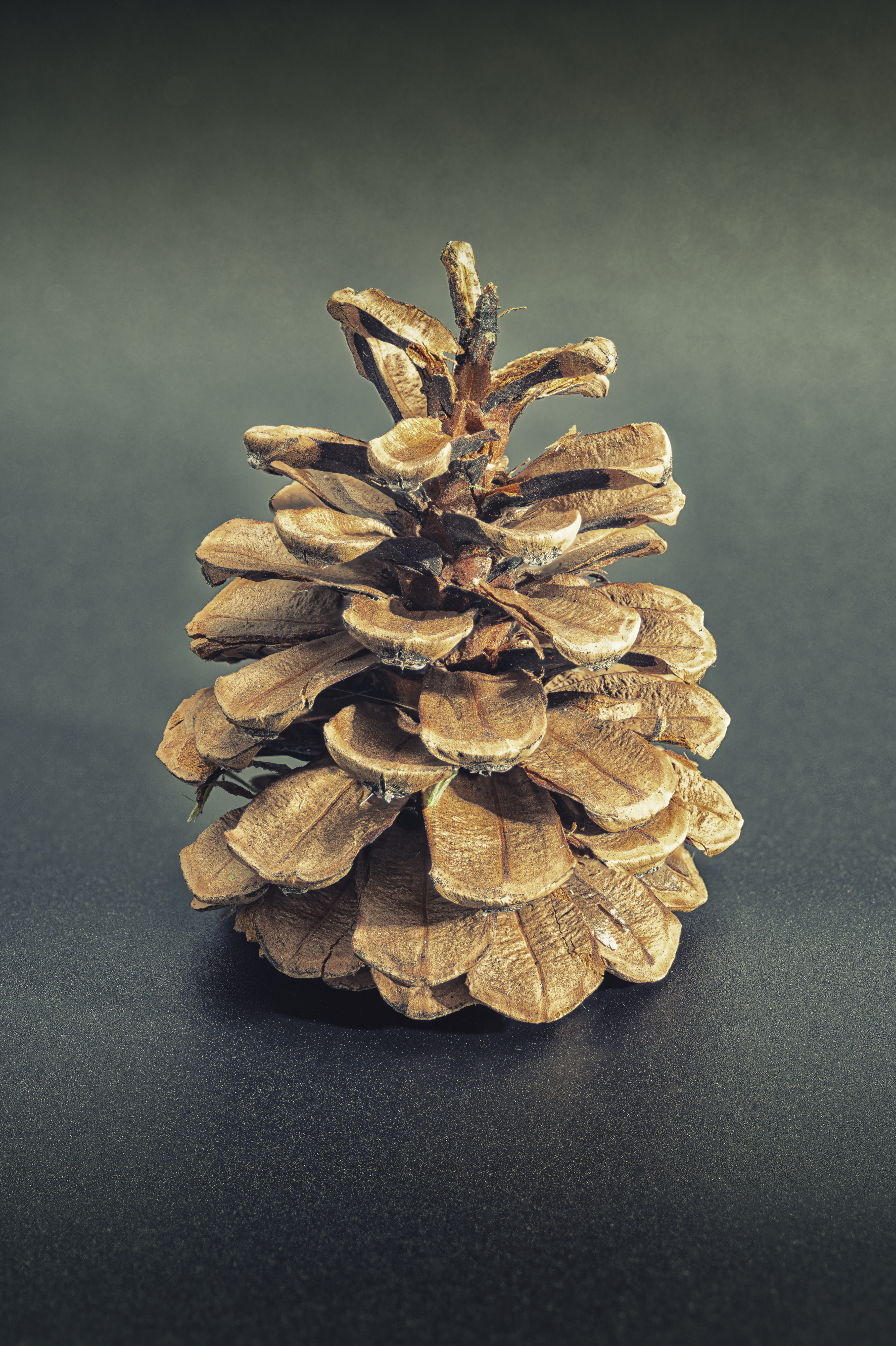
Texture galore.
For an index of all Leica-related articles click here.
Click the image for a larger version.
Leica SL2-S, 100mm Macro-Elmar-R at f/8, Bellows-R. 30 images focus stacked in Helicon Focus. One strobe light, ISO 100.
Texture galore.
For an index of all Leica-related articles click here.
Leica SL2-S, 100mm Macro-Elmar-R at f/8, Bellows-R. 30 images focus stacked in Helicon Focus. One strobe light, ISO 100.
A late Nikon MF long lens.
For an index of all Leica-related articles click here.
History:
The previous version of this lens I owned in 2012 was the 300mm f/4.5 which proved to be a splendid performer, although mostly limited to static subjects. There is no auto focus.
Like the 300mm this 400mm lens includes Extra Dispersion glass elements for better resolution but, most importantly, also sports Internal Focusing, meaning that despite its considerable weight the focus collar – which moves selected internal elements only without changing the length of the lens – is lightweight and a delight to use. There is absolutely no binding.
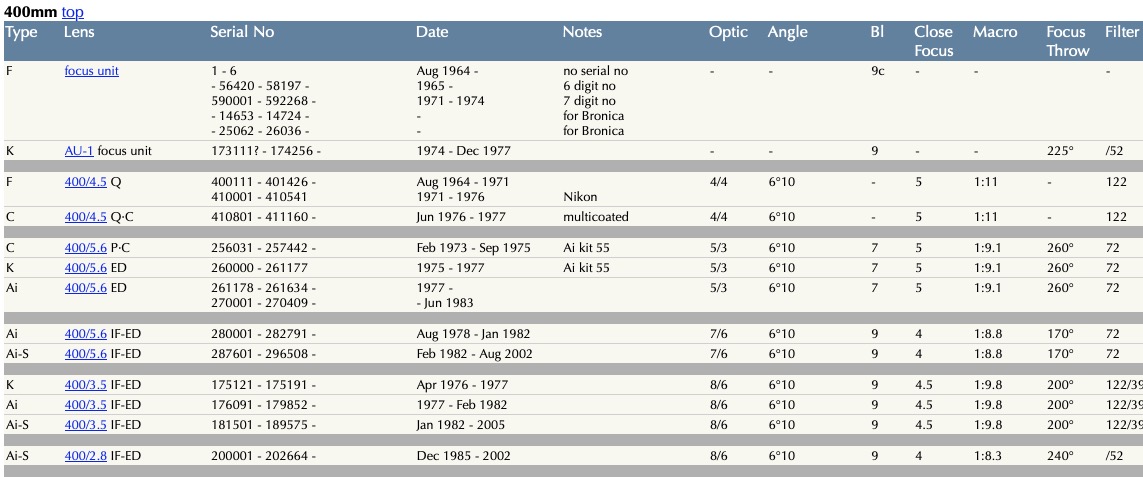
Nikon made many versions of manual focus 400mm lenses as Roland’s exhaustive database discloses. Extracting from that list:
The best version:
The best of the bunch are those with IF, for ease of focusing, with Nikon’s reputation for sharp, long lenses taking care of the rest. See the test images towards the end of this piece. While there were faster f/3.5 and f/2.8 versions of the IF lens, weight skyrockets with these, placing the f/5.6 version in the sweet spot. At 42 ozs/1200 grams the f/5.6 is the lightest of all, with the f/3.5 coming in at 99 ozs/2800 grams and the f/2.8 at a whopping 182 ozs/5150 grams. Can you say “tripod only”? Stated differently, the 400mm f/5.6 Nikkor weighs just 8 ounces more than the Leitz 200mm f/4 Telyt.
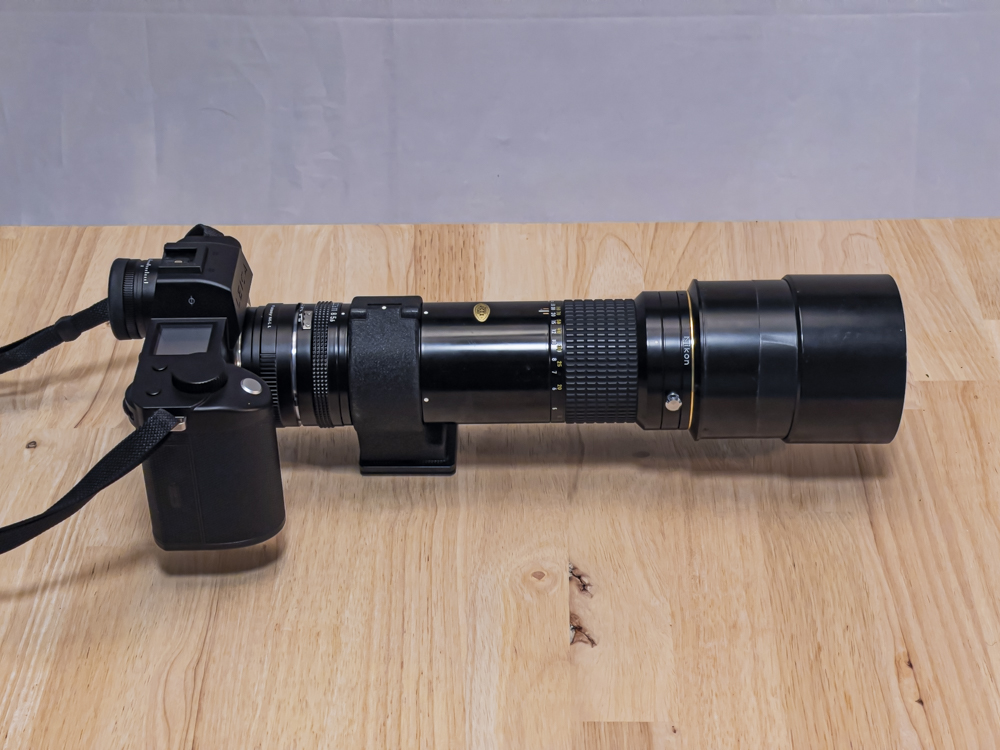
The lens was originally sold with a removable tripod collar and you really want this for proper balance on a tripod or monopod. Mine came with OEM front and rear caps, a Hoya 72mm UV filter and included the tripod collar. I paid a modest $215 for an optic in near mint condition, no haze, fungus or element separation, with butter smooth focus. Mine is s/n #294155 which makes it March 1997 vintage, a veritable youngster compared with some of the 60+ year old Leitz glass I often use on the SL2-S. I write ‘near mint’ as it is actually mint except for the floppy lens hood. See below.
My goal is to use it for architectural studies on the Leica SL2-S so I added a Fotasy Nikon F-to-Leica L adapter for $15. It’s perfectly machined and a tight fit, and permits infinity focus on the SL2-S.
The detent screw and the awful lens hood:
In addition to the aperture and focus collars there’s a chrome screw on the front ring, just rear of the lens hood. This provides a detent for a pre-selected focus position, allowing return to that position in the event the lens is focused elsewhere. Useful for motorsport or bird photography, it works beautifully. To disable it simply rotate the ring past either end of the focus range and lock it in place – as in the image above.
As with the 300mm f/4.5 the design of the lens hood is simply awful. It flops about, does not lock in the open position and is generally a nuisance. Quite why Nikon never got this right when they went to great pains to make a superior lens beats me. A long screw-in hood, something like this, is a better alternative. I have wrapped a length of black electrician’s tape around the periphery of the lens so the hood at least remains in the deployed position. You can just make it out in the image above.
Apertures and the tripod collar:
These range from f/5.6 through f/32 in (mercifully) full click-stops. No half-stop nonsense.
The tripod collar has helpful white dots for horizontal and vertical camera orientation. When the (captive) knob is unscrewed the collar hinges and can be removed for easier handholding. I have fitted the collar with an Arca-Swiss plate for use with the Artcise ball head on my monopod.
Focus and balance:
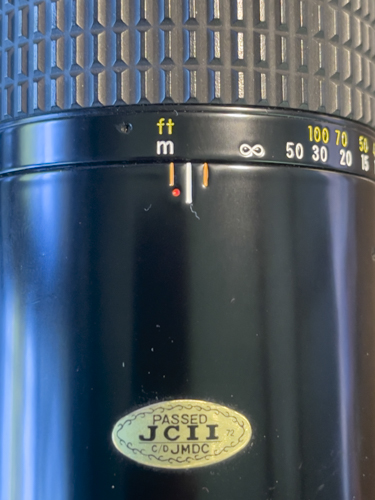
The closest focus distance is 13′ which is equivalent to a standard 50mm lens focusing down to 20″. Not at all bad. As with the 300mm variant the lens focuses beyond infinity to allow for thermal expansion in warm weather:
Fitted to the SL2-S body with the Nikon F-to-Leica L adapter the center of gravity is exactly below the tripod collar. Perfect.
Leitz alternatives – pass:
Why not opt for a long Leitz optic? Well, they simply never got it right. The early 400mm f/5 Telyt uses a regular focus collar and is very heavy at 70 ozs/2000 grams plus a raft of adapters for the L mount, and not especially sharp by modern standards. Like the 280mm f/4.8, which I once owned, the weight of the glass causes the focus collar to bind unless the front of the lens is well supported. The f/5 can be found for under $500.
The later f/5.6 Telyt lens head requires the trigger focus pistol grip attachment, is a simple so-so sharp two element achromat, and weighs in at 65 ozs/1850 grams for the kit. Reckon on $750-1,000 and get the R-mount version which requires just the R-to-L adapter for the SL2-S.
The even later 400mm f/6.8 Telyt, 67 ozs/1830 grams, also a simple achromat, has a push-pull focus trombone released with a side button. I owned one and definition was reasonable, but the first thing you will want to do is get the movement re-greased – probably an additional $200. Unless it’s perfectly smooth nailing focus becomes an exercise in (jerky) frustration. $500-750 and try to get a complete kit which includes a handy shoulder stock. Also look for an R-mount.
Both the f/5.6 and f/6.8 lenses are long-focus, not telephoto, designs and very long and unwieldy in use. So, in terms of ease of use, light weight and optical quality the Nikkor is a bargain, and that’s before you pull out your wallet. By contrast with the Leitz offerings, the Nikkor protrudes just 285mm/11.2″ from the camera’s bayonet flange with the Nikon F-to-Leica L adapter in place.
Disassembly:
Fancy dismantling a beater 400mm Nikkor to clean oil off the iris and re-lubricate the focus movement? Be warned. This is a very complex piece of mechanical engineering as this instruction set reveals. There are several lacquered screws to remove and careful marking of helicoid positions is essential if you want the lens to focus properly on reassembly. Not a job for the inexperienced or faint of heart. Better to search out a mint example than risk destroying a beater.
Tele-converters:
These came in 1.4x and 2.0x versions, making the lens a 560mm f/8 or 800mm f/11. The 1.4x version is the TC-14B (Ai-S), with the 2.0x version being the TC-201 (Ai-S). While I have used neither they have a good reputation for maintaining the prime’s optical quality. Reckon on $50-75 each. With high quality modern digital sensors I would expect that simply cropping in post will yield results every bit as good as using a teleconverter, and it means one thing less to carry.
IBIS on the Leica SL2-S:
What does use on the SL2-S mirrorless body offer with this long manual lens that is not available on a DSLR film or digital body? In Body Image Stabilization (IBIS) is the most important feature. You get up to 5 stops of stabilization on a long lens which is prone to camera shake. Further, owing to the EVF, when using aperture priority auto exposure mode the image brightness is constant at all apertures, making for much easier use. Finally, the image magnification option in the SL2-S makes correct focus a breeze.
Two settings are required for IBIS to work:
It’s essential to dial in the correct focal length of the lens (the lens’s name is not important) so that IBIS can properly compensate for camera shake. So if your lens’s name does not appear on any of the many choices, choose a lens of identical focal length and all will be well. The EXIF data can be changed using an LRc plugin such as CaptureTime to EXIF.
Test results:
IBIS, along with the relatively light weight of the Nikkor, makes handholding a realistic possibility. The delightfully smooth and light IF focus technology makes nailing focus easy, aided by the EVF magnification feature of the SL2-S body.
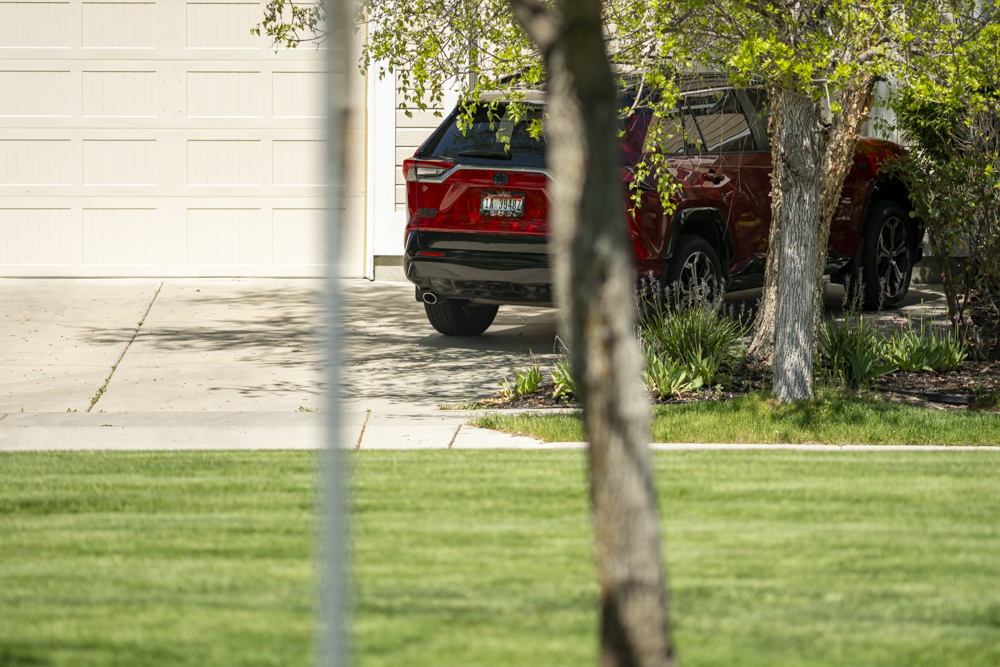
There is just a hint of diffraction, meaning loss of definition, at f/32, but it’s not a big deal. Also, AutoISO elected ISO1600 at f/32, which will take some definition away. These were all handheld with focus on the registration plate. I have AutoISO set for a minimum shutter speed of 1/250th second. That, and IBIS, take care of any camera shake.
Conclusion:
A fine 400mm optic with delightfully smooth manual focus at a bargain price.
Out-of-focus rendering? Talk of smooth!
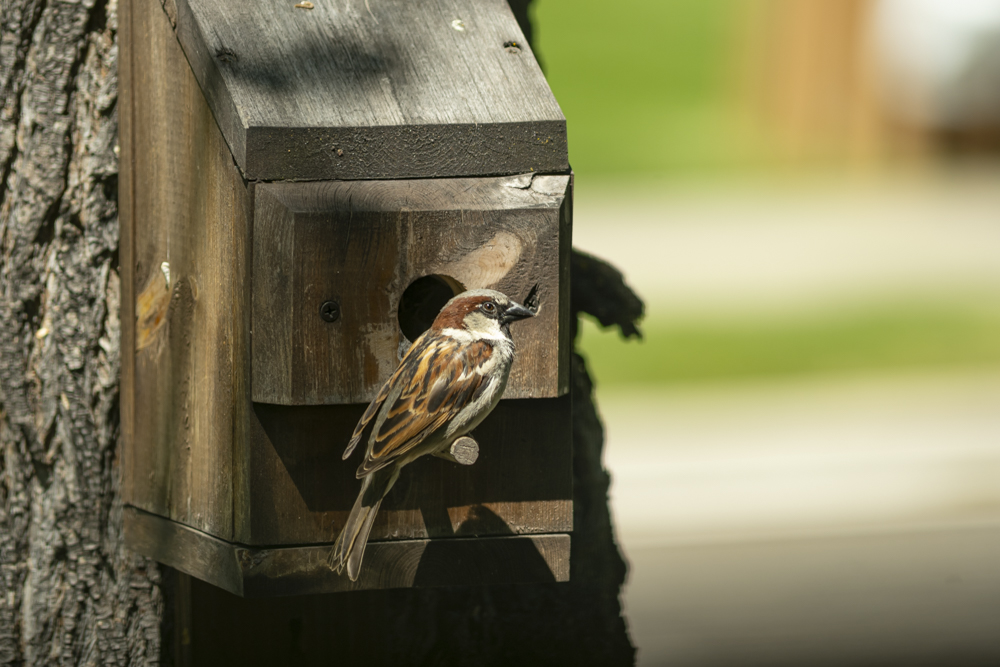
AKA Pinweed.
For an index of all Leica-related articles click here.
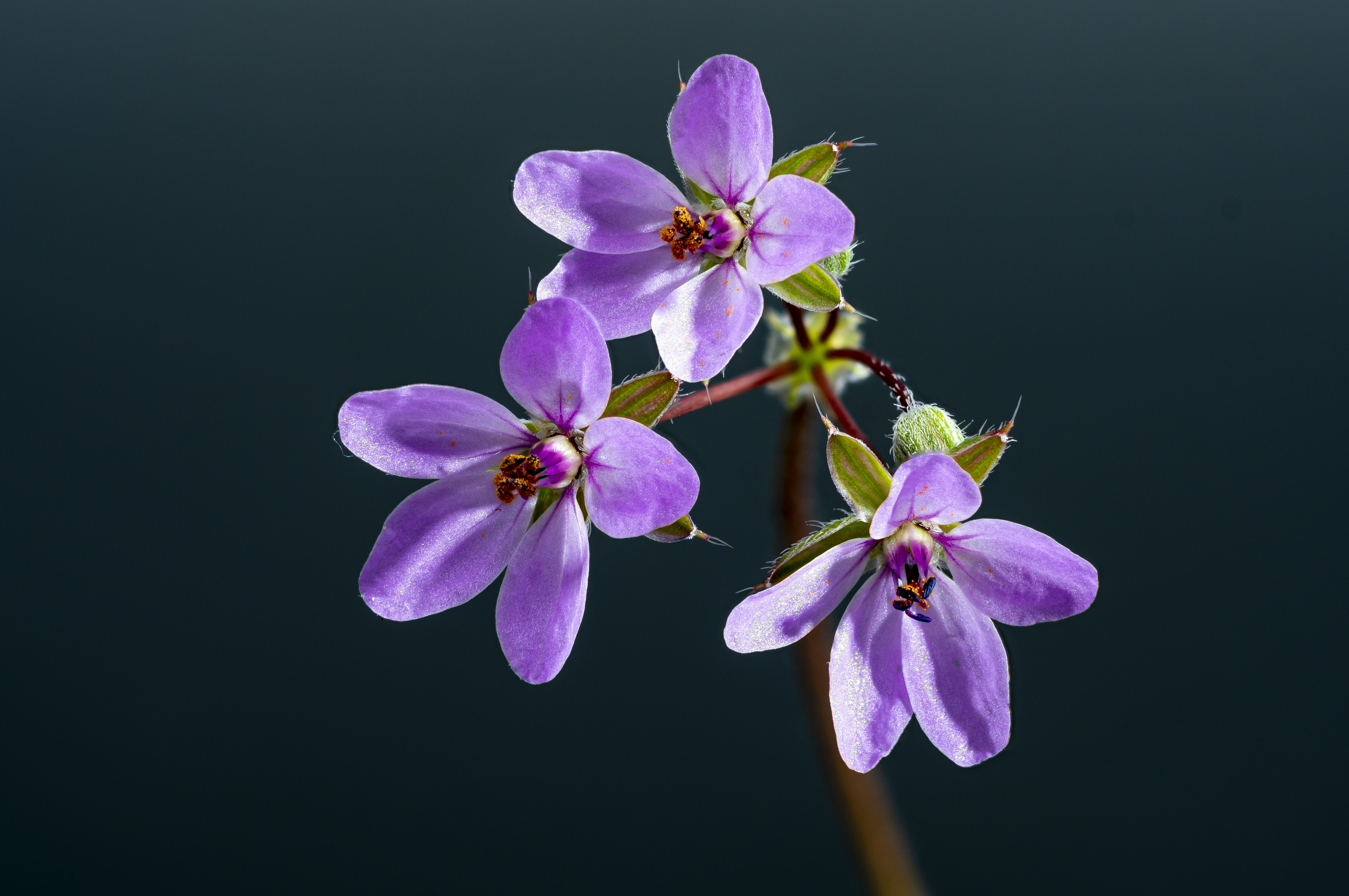
Read more about this flower here. The original is small, some 3/8″ across the blooms.
Leica SL2-S, 135mm Elmar optical unit at f/8 in 16472 adapter, Bellows-R plus one 16471 extension tube. 17 images focus stacked in Helicon Focus. Two strobe lights, ISO 100. The old Elmar lens does a simply fabulous job here.
It’s wildflower season.
For an index of all Leica-related articles click here.
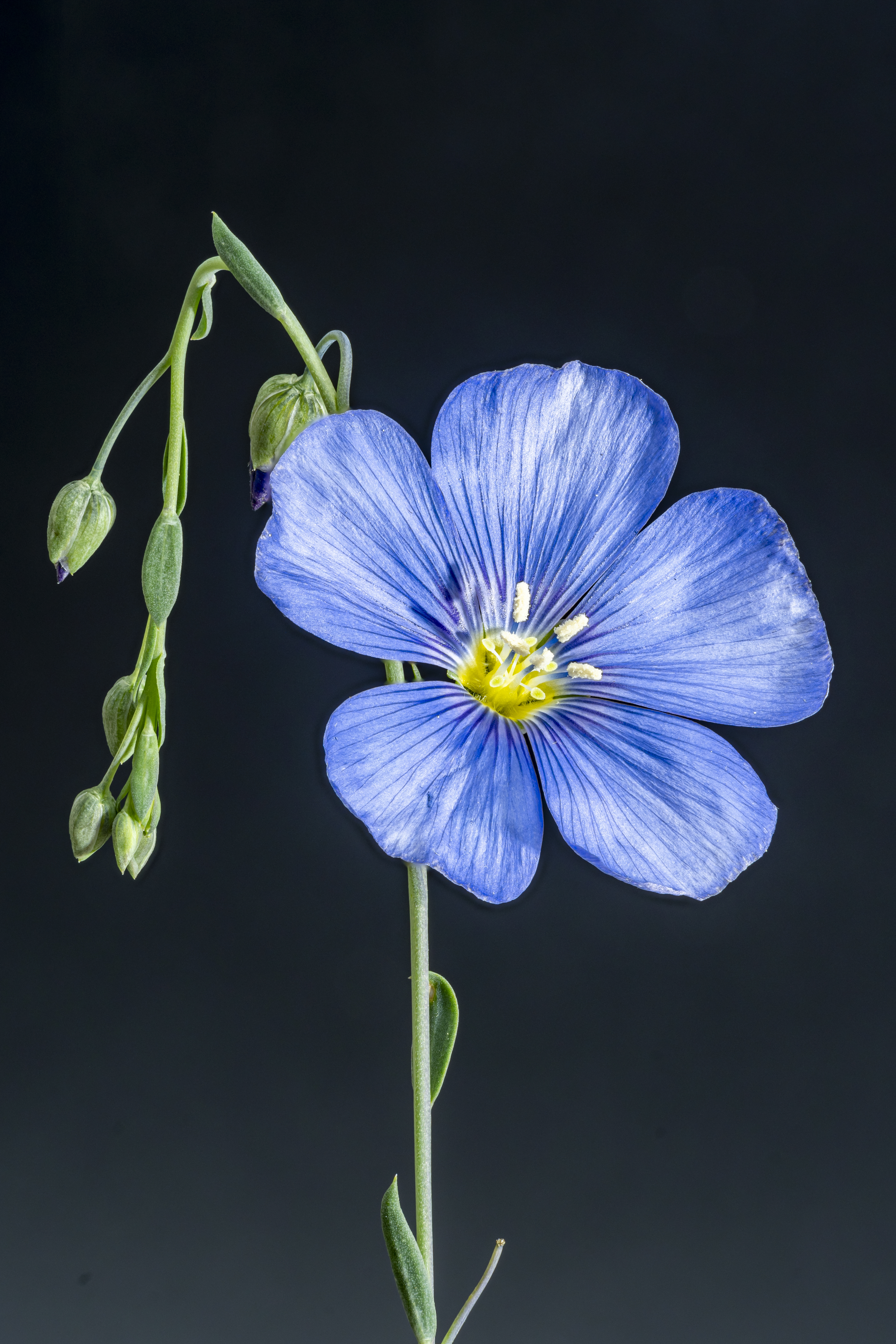
Read more about this amazing family of flowers here. The original is quite small, approximately 1″ in diameter across the blooms.
Leica SL2-S, 135mm Elmar optical unit at f/11 in 16472 adapter, Bellows-R plus two 16471 extension tubes. 35 images focus stacked in Helicon Focus. Two strobe lights, ISO 100.
Picked up on my evening walk.
For an index of all Leica-related articles click here.
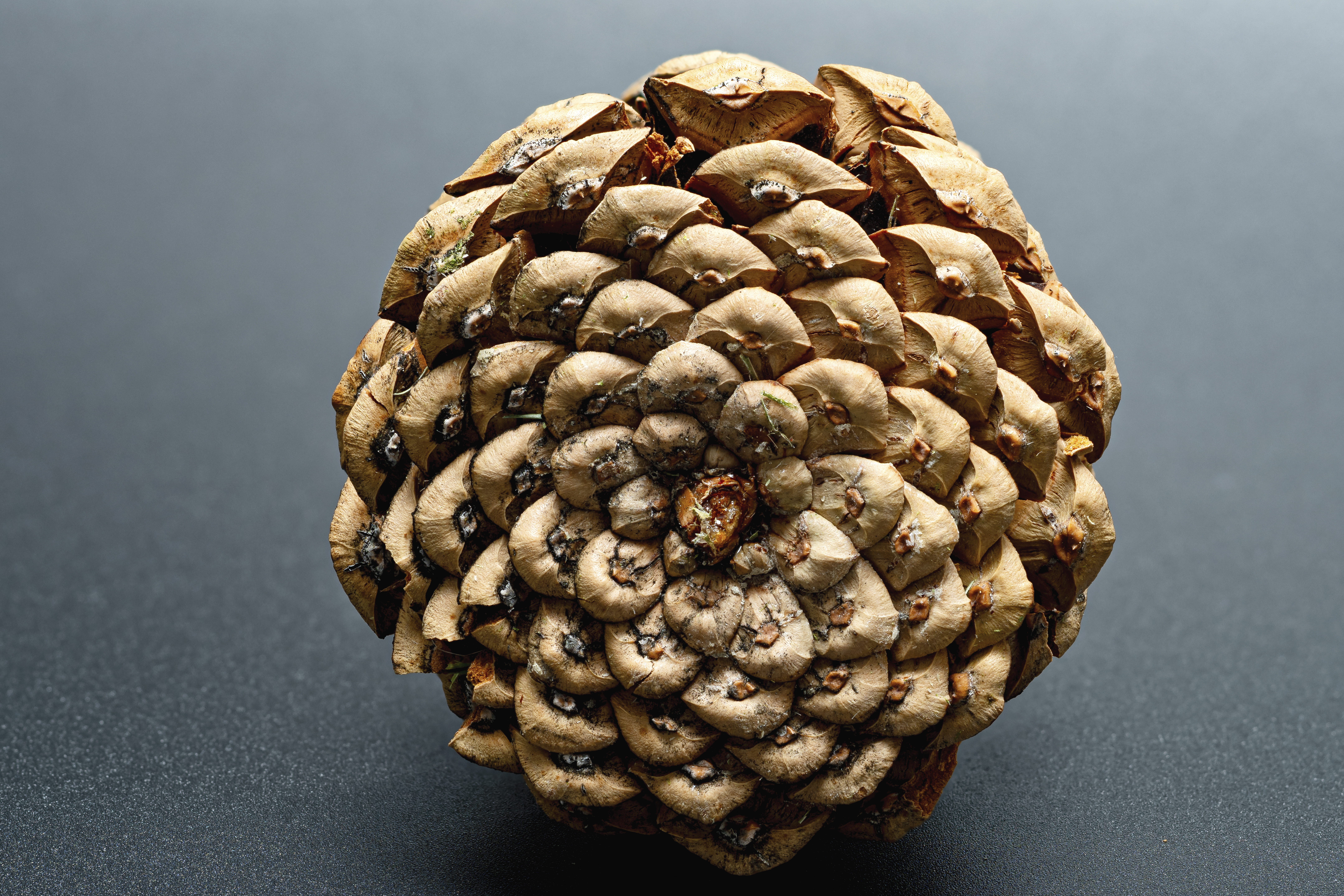
I used a single overhead strobe in an umbrella to confer modeling.
Leica SL2-S, 100mm Macro-Elmar-R at f/8, Bellows-R. 30 images focus stacked in Helicon Focus.