Improved Nikon GPS

A new integrated unit.

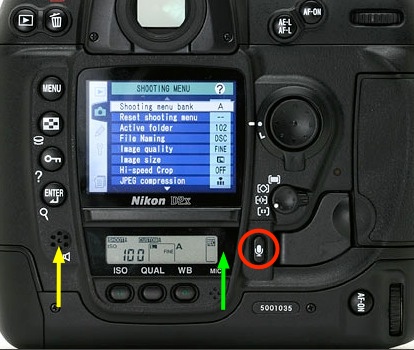
I have had great success with the Aoka GPS receivers attached to my two Nikons – the D2X and D700. You can read all about the technology here, where you will see that a separate data logger must be used. This goes in your pocket and receives GPS data from the satellite and passes it to the device on the camera’s body. The logger has a small rechargeable battery which can be recharged from any USB socket on your computer.

The new integrated Aoka GPS receiver.

The new receiver integrates the data logger and receiver which I use. It’s a little wider but has the advantage that it’s impossible to forget to take the logger along with you, something I have managed once or twice. The drawback is that it drains more power from the camera’s battery as there is no separate logger battery to recharge. While I have not used it, the price is attractive. eBay asks $80, Amazon has it for more. One Amazon review has some useful battery drain metrics.

The device (model AK-G1) fits the Nikon D4/3/2 in all their iterations, D800/800E, D200/300/300s, D700 and Fujifilm S5Pro. There are other models to fit the Nikon D3100, D5000, D5100, D3200, D600 (model AK-G2), and the AK-G7 for the Nikon D7000, both costing $80 on eBay. The AK-G9 for the Nikon D90 has no integrated data logger ($40 – eBay) so a separate logger would have to be used.

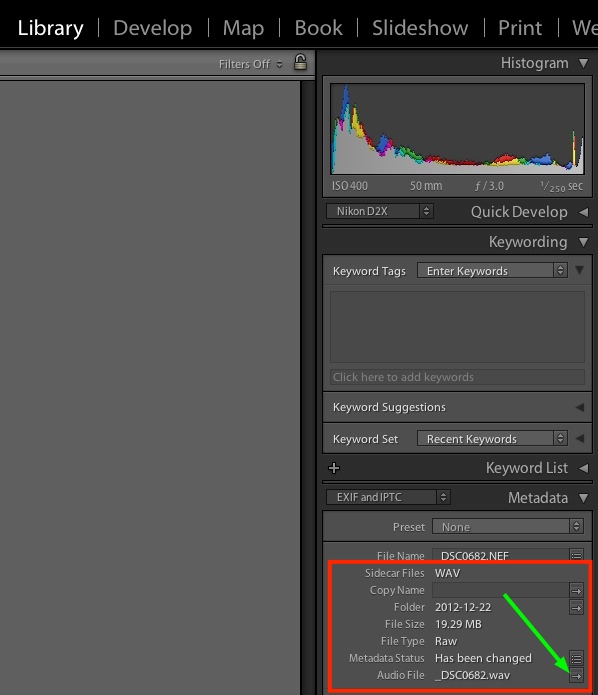
The only failures I have had with mine result from ‘canyons’ in the city shading the satellite or not giving the device the 2-3 seconds to wake from sleep after a period of inactivity. I have also found that the older D2X is far faster at re-displaying the ‘GPS’ flag on the top LCD display than is the D700. So much for progress. The new device looks like a better mousetrap, especially as my separate logger can only support one camera at a time. Switch the D2X and the D700 on simultaneously and the D2X grabs and hogs the signal every time. The one logger cannot simultaneously drive two camera receivers.

Here’s the device on a Nikon DSLR – stock photo from the maker; I’m guessing it’s a D300:

As a friend of the blog and GPS expert points out, as GPS technology improves the advantage of these devices is that they can be inexpensively upgraded rather than having to buy a new camera body.

For comparison, here’s the earlier unit attached to the D2X, along with the small, separate data logger.

D2X with receiver and data logger.

I cannot find inexpensive aftermarket devices for Canon DSLRs. The factory units run $195 for a Nikon shoe-mounted unit with a clunky cord connection to the socket and $250-279 for the various Canon units. Both seem ridiculously over-priced to me.

Another London

The book of the show.

For an index of all my book reviews click here.

Click the picture for Amazon US. I get no click-through payment.

‘Another London’ ran at the Tate in London July 27 – September 6, 2012 and the book will be available in the US March 5, 2013, though you can order it from Amazon UK now.

It is excellent.

This book is especially poignant to me as it roughly ends – 1970, there’s little content after that – with where I started taking London street snaps (1971 – 1977) before immigrating to the US. My point is that every street snapper should be doing this sort of work. Why? Because even my 1977 efforts are now instant history, impossibly dated in the light of the great changes London has seen in the past 35 years. As the rate of change accelerates, a street snap taken in any major city today will be history ten years hence.

You can download a free PDF of my book, Street Smarts, by clicking the picture below.

Click the picture to download my book.

City surroundings and architecture have never been more ephemeral and every good street photographer has something akin to a duty to document that which he sees around him, for it will be gone before he knows it. And he needs to do this before the world is taken over by Starbucks, McDonald’s and Apple stores.

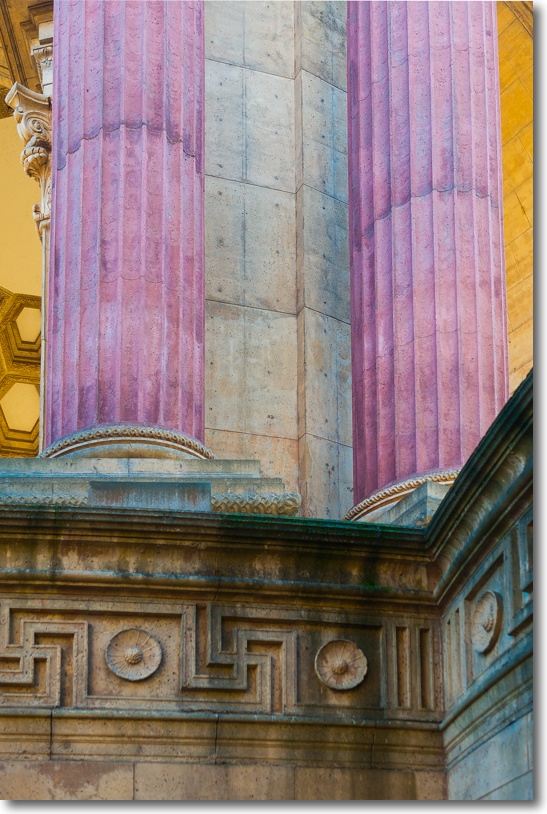
Painted Victorians

Late sun.

Nikon D2X, 20mm Nikkor. Click the picture for the location.

The many electrical cables were removed in PS CS5 using the Spot Healing Brush Tool in Content Aware Fill mode. A touch of perspective correction was also applied in Photoshop using the technique described here. That’s a better method than using the tools in Lightroom 3/4 as far less is lost using PS. Similar results can be accomplished using GIMP, which is free.

The sheer stupidity of Americans refusing to invest in infrastructure and burying power cables is seen annually. Bad weather takes out power for whole cities, often for one or two weeks at a time (can you say Hurricane Sandy?) at enormous cost to the economy, yet all we do is simple repair the utility poles and restring the fragile cables above ground. The opponents of doing it right? The same morons who drive to work on government provided roads using government provided GPS while cussing out ‘big Government’. The one-off cost of a permanent fix would be repaid in a couple of years. And photographers everywhere would be grateful, too!

Here’s the version with the cables in place:

What sort of lens is that?

A handy street snapper.

There were five people in the coffee shop, each using a MacBook Pro. I imagine that if you came in here with a Windows machine you would probably be asked to leave. This is the Mission District of San Francisco, after all, and Windows is very definitely not cool here. On grounds of good taste alone I would have to agree with that sentiment.

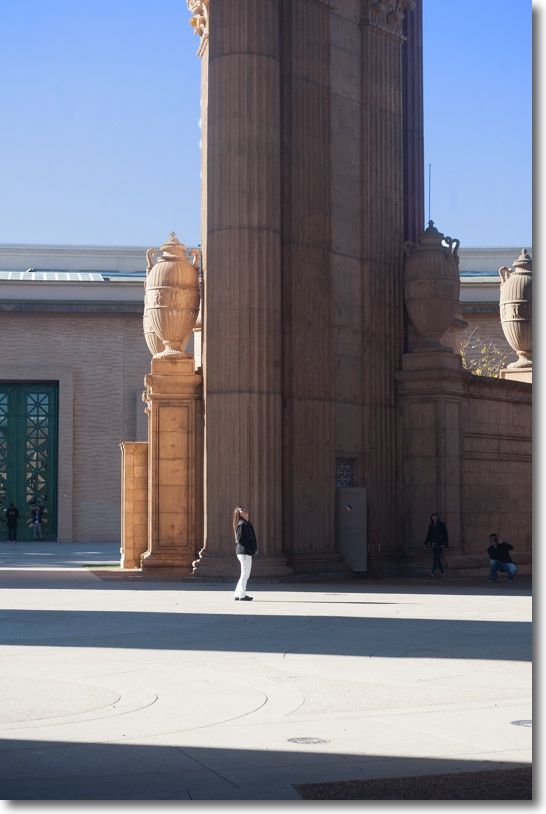
I had gone to the city in search of late shadows in setting sun, and after a thrilling hundred minutes snapping just that I was kicking back with a cappuccino when the young chap sitting next to me leaned over.

“What sort of lens is that?”

I explained to him that it’s an old MF Nikkor 20mm and let him handle the outfit. The small optic almost disappears on the bulky D2X body and the APS-C sensor in the latter makes it into an effective focal length of 30mm. Ideal for street snaps, in other words.

“It’s fairly wide” I explained “meaning even in narrow streets you have no difficulty getting your subject in the frame. And you can always get in closer, if need be.”

I complimented him on his MBP and asked about the funky colored keyboard skin.

“It’s for FCP” he answered, assuming that I would know that means Final Cut Pro.

“Don’t the Coen Brothers use that for editing their movies?”

“Absolutely. I’m a documentary short movie maker and it has almost everything I need”.

That’s one of the best things about San Francisco. Whereas in NYC all you meet in coffee shops is larcenous bankers looking to steal from the working man, here you meet real people looking to create something of worth.

Here are some snaps from those hundred minutes.


Pastrami on rye. Click the picture for the map.


Tax and usurious loans.


Hopper‘s Bar.


Bridal Wear. Click the picture for the map.


Tight ends and Eyebrow Threading. Yer what?


Piercing.


Drugs and toilet articles. Click the picture for the map.


Das boot.


Heineken.

All on the 20mm Nikkor except the seventh where I used the 50mm f/1.4 Nikkor. The 20mm delivers outstanding definition and contrast and my tailored lens correction profile removes the barrel distortion which comes with this otherwise fine lens. Owing to the high contrast lighting I set the D2X to matrix metering and let it do its magic. (A related benefit of installing a CPU in this old MF lens is that matrix metering is enabled). Not a single highlight was burned out, the meter tending to underexpose by half a stop if anything, making for very little need to change anything in Lightroom.

I’m finding the sensor in the D2X is a joy to use, having a special way with color. For whatever reason, I consistently do less processing on files from the D2X than those from the D700 and there is no practically visible difference in the grain/noise levels at ISO 400. Unless you need ISO1600 or something like it, the D2X may just be the greatest bargain available for the avid pictorialist, and most are unlikely to test it’s 200,000 lifetime shutter activation expectancy. Me? I’ll be about 197 when I hit that milestone ….

EyeOne revisited with Mountain Lion

A great tool.

When FU Steve installed the latest nVidia GTX 660 graphics card in my HP100+ Hackintosh, he also did a fresh install of OS X Mountain Lion 10.8.2. When it came to printing from Lightroom yesterday, I found the driver for my HP DesignJet 90 was AWOL, so I quickly reinstalled it. At the same time, I re-profiled all three Dell displays using the EyeOne colorimeter and the (not so) current EyeOne DisplayOne Lion software, the makers at Xrite as usual taking their time with the upgrade to Mountain Lion. While the software reminds you to make monthly profile updates, I find that three or four times a year is fine as my three year old Dell 2209WA monitors are now very stable and exhibit minimal drift. The application logs and charts drift which is handy.

My Dells are set to a brightness of 120cd/m2, gamma=2.2 and color temperature of 6500K. That brightness setting is very low – something like a setting of 14 out of 100 on the Dell’s on-screen controls. If your prints are always coming out darker than you like, chances are you have the display set too bright, which is how Apple and just about every other display maker wants it, to show off their products. And Apple’s displays – built-in or separate – are some of the worst a photographer can use. In addition to having a far smaller color gamut (range) than your photographs and your (good) printer they are glossy, to add insult to injury. But boy, do they look ‘insanely great’ in the Apple Store or what?

While the EyeOne DisplayOne I use appears to have been discontinued – I would encourage any photographer to pick up a used one ($75-100) as there are no moving parts to go wrong in the device – the current model is the EyeOne DisplayPro, retailing for the same price I paid a few years ago for my model:

Click the picture to go to B&H USA. I get no click-through payment.

I have no idea what software is included, but you can download the Lion version of the app from Xrite and it works fine with Mountain Lion. Profile creation takes 8 minutes per display and the profile is automatically saved in the right place. I generally know when I am due for re-profiling as with three adjacent displays any changes from one to another are immediately obvious. If you use one display, a monthly profile run might make sense in the first year of a new display’s life, with quarterly ones thereafter. I always make sure my displays have been on for at least 30 minutes before making a new profile, to make sure they have settled.

When I took our son to lunch in San Francisco the other day – he was off school for Veterans’ Day – I made sure to bring the Nikon D2X with the 50mm f/1.4 Nikkor-S MF lens along, and encouraged him to play with the camera on the trip. It’s too heavy for him to use, as he is only 10 years old, but it was a joy watching him experiment with the various buttons and levers which exist in abundance on this complex camera’s body. I chose the MF lens for two reasons. One to teach him manual focusing, a rarity in the world he inhabits, and the second to take a snap of him over lunch. On the APS-C sensor in the D2X the 50mm lens takes on an effective 75mm focal length which is ideal for head and shoulders portraits, and nicely isolates the subject from the background.

Winston at Sinbad’s, at the ferry landing, San Francisco.
Click the picture for the map. Nikon D2X, 50mm f/1.4 at f/5.6. ISO 400.

The GPS data comes courtesy of the Aoka receiver illustrated here. The same one which fits on the D700 works every bit as well on the D2X. Actually, the receiver works better on the D2X which is quicker to pick up the GPS signal from sleep than the D700. I use the i-Blue MobileMate GPS sender illustrated in that linked piece but any of a number of alternative senders works. Check Aoka’s instructions.

The old 50mm lens, made some 40 years ago, is as good as it gets. No, it’s better, as I have added a CPU for proper loading of a lens correction profile in Lightroom as well as proper recording of EXIF data. The CPU also allows matrix metering to work with old MF Nikkors. In fact, in the case of the above portrait, the old Nikkor lens is too good. Despite the gentle window natural lighting, every last blemish in Winston’s face, despite his tender age, is laid bare in the original print. So when processing the image in Lightroom, I moved the Clarity slider to minus 20, which nicely softens things up without losing too much detail. The sensor in the D2X may be dated by modern standards and may start creaking at anything over 400 ISO, but the rendering of color in the large wall print I just made, with color fidelity made perfect by the calibrated monitor, is stunning.

A good colorimeter is a must have for any photographer, but especially for one who regularly makes prints. I think there may be five of us left in that category in the United States.

Perfectly balanced. The Nikon D2X with the 50mm f/1.4 Nikkor-S manual focus lens.
A dental floss (!) tether protects the GPS receiver against loss.

For more from the stellar 50mm f/1.4 Nikkor, click here.