The Panasonic G3 – Part III

Some things do not change.
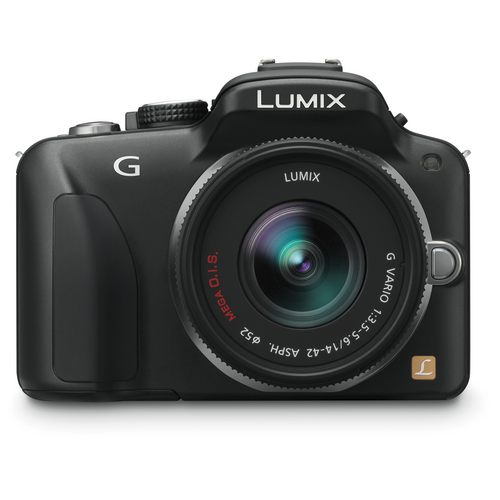
The operating manual for the Panasonic G1 is 166 pages of useless. That for the G3 is in the same format but has shrunk to 56 pages, making it one third as useless. The completely useless long form 208 page version ships on the provided CD.

Click below to download the Panasonic G3 manual which I have placed on my server. Trying to find anything on Panny’s site is as futile as attempting to divine intelligence in government:

Click to download the Panasonic G3 manual

When my G3 arrives this evening, I’ll be setting it much along the lines of the G1; my street snapper settings appear here.

And if you want to read about touch screen this and movie that, go elsewhere. I’m a still photographer, a street snapper, and LCD screens simply have no utility value in those avocations. I never use the one in the G1 and the G3’s use will be no different. That will also help with battery life which has never been an issue for me in the G1. The G3’s battery is noticeably smaller, holding 19.2% less power. 500 shots on one 8gb SDHC card in the G1 (which holds 608 RAW snaps on the G1), is typical, as I do not use the battery draining LCD. Based on the larger RAW file sizes in the G3, I expect card capacity to fall to 456 shots and battery capacity to 491 shots. Not a problem.

The main focus of my comments on the G3 will be, in priority order:

  • The sensor. Is it noticeably better?
  • Operating speed. Is autofocus faster? What is the shutter lag like in real world snapping?
  • Ergonomics. Does the smaller body hamper handling?
  • Shutter noise. Is it quieter than the already quiet G1?

Looking at that largely useless manual, the layout of the various menus seems much the same as that in the G1. Good. One less thing to learn before wringing it out on the streets.

In its two years of intensive use I have made 14,275 snaps on the G1, of which 3,234 survived the cull, according to Lightroom3, a 23% retention rate. If the G3 works out, the G1 will pass to our 9 year old son, and will also do duty as a backup. Wish I had had a dad like me ….

RAW processing:

I only use RAW in the G1. LR3 makes it invisible and I retain the best file quality in that way. Converting to a small JPG for the web, using LR3, is easy. Unfortunately, at the time of writing, Adobe has yet to update Photoshop or Lightroom (I’m on 3.4.1) to read G3 RAW files (Apple’s Aperture does not support G3 either), so I will likely have to use Panasonic’s provided SilkyPix as a RAW conversion tool and then import the (lossless) TIFF files into LR3. A bit of a pain, but I’m not willing to process in SilkyPix as I like the idea of one LR database for all my files and am very comfortable with the LR3 processing flow.

MFT lens range:

Click the picture to see the large range of MFT lenses now available:
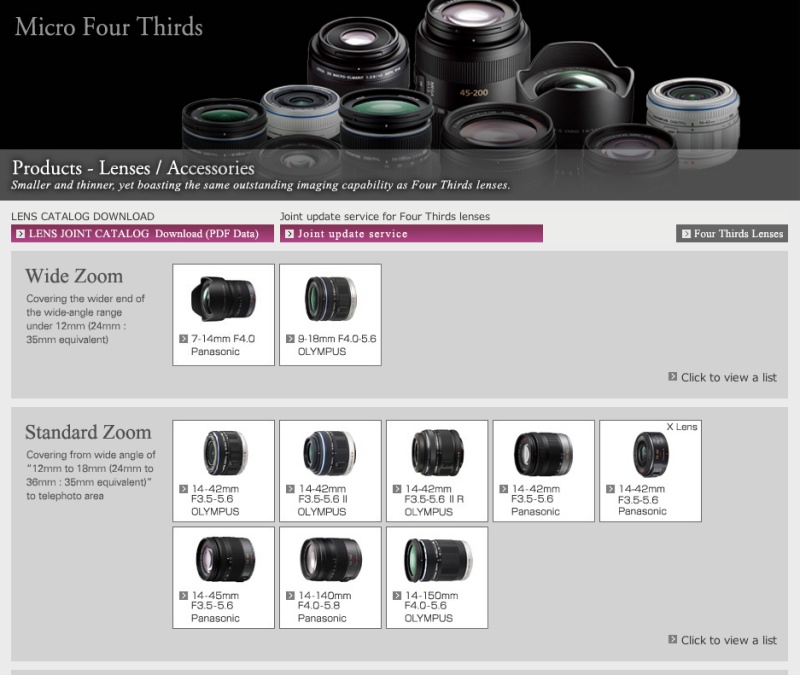
Click the picture to see the full range of 26 MFT lenses available.

Part IV is here.

Bill Cunningham

In a class of one.

The New York Times fashion photographer, Bill Cunningham, is a special person. His avocation is the photography of fashion in the real world. He records what people are wearing on the streets of Manhattan, the fashion center of the world, and has been doing so for fifty years.

Cunningham with one of his 27 bikes.

The best way to learn about this remarkably self effacing photographer is to rent the documentary about his work Bill Cunningham New York where you see him at work. He rides his bike all over Manhattan and is now on his 27th, the previous 26 having been stolen over the years! That’s New York for you.

The work is not great in the sense of representing iconic images of a time and place. But its comprehensive nature over decades shows how taste and style in clothing changes, a fascinating subject in itself.

Some favorite quotes:

  • I eat with my eyes.
  • All the designers come to Paris to steal.
  • Clothes keep us alive.
  • I have never owned a television and I rarely go to the movies.
  • I just like fashion as an art form, dressing the body.
  • My dear, it’s not work, it’s pleasure.
  • He who seeks beauty will find it. (On receiving the Legion d’Honneur).

The movie is highly recommended and you will not fail to be charmed by Cunningham’s personality, ascetic lifestyle, work ethic and sheer joie de vivre.

You can read more at the New York Times by clicking here.

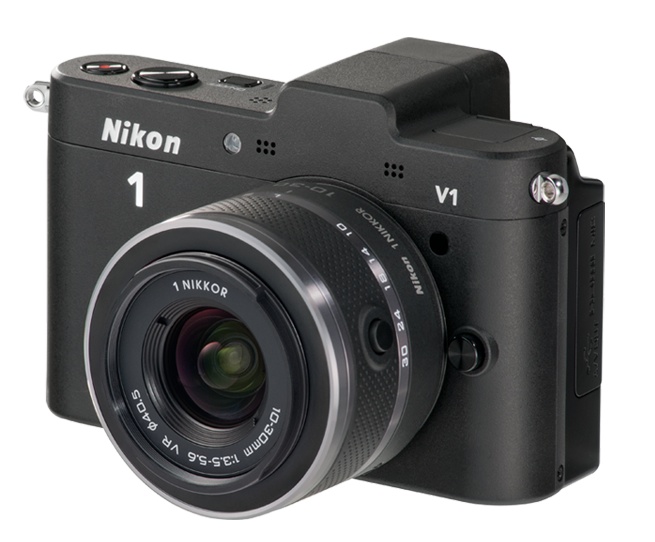
Nikon V1

Incredibly useless.

It takes quite an effort to accomplish all of these design criteria:

  • Make the ugliest camera since digital was invented
  • Equip it with a microscopic sensor in a body the size of the MFT competition
  • Trash your reputation and an expectant, loyal user base

Nikon, with its new mirrorless V1 has accomplished all three at the highest possible level of failure.

Nikon V1 – camel as camera.

It’s said a camel is a horse designed by a committee. Well, the V1 is a camel of a camera, doubtless with lots of costly market research thrown in. Steve Jobs has famously stated that Apple uses no market research. Rather, it gives the consumer what Apple thinks they need – the Next Great Thing. But had you told Nikon to listen to their user base and give them something useful, like an APS-C camera with an EVF and a range of small, fast lenses, they would doubtless have deferred to the committee. And you would still have ended up with a V1.

The funniest part? They will make an adapter which will allow use of gargantuan Nikon-mount lenses on this piece of crap.

At least Fuji’s equally worthless X10 is pretty to look at. And if you don’t think looks matter, how do you feel about your picture taking chances when you have to fight the gag reflex every time you pick your camera up?

For those looking for portability and other uses for their pocket camera, get an iPhone 4 or, better, next month’s iPhone 5 with an 8mp sensor.

The Panasonic G3 – Part II

Finally shipped!

Part I is here.

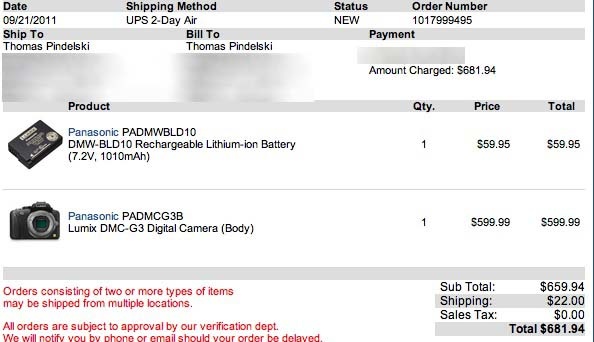
A sharp eyed reader dropped me a line to say that black Panasonic G3 bodies were in stock at B&H (thank you, Bill!) and it took mere seconds to cancel my Amazon order for the G3 and buy the body from B&H, along with a spare battery. The G3’s small size means the battery is smaller than in the G1, so I’m playing it safe.

Given that my AMZN order was placed on May 12, I felt it only right to splash out $22 on expedited shipping from the center of the world to the left coast!

I’m getting 80% of the quality of my (sold) Canon 5D from G1 snaps in 18″ x 24″ prints, and as the G3 is the first MFT camera to use the latest generation 16mp sensor I’m hoping that results in a little more headroom when the light is poor or the original needs a bit of cropping. The bulk and weight saving with MFT hardware over full frame digital is tremendous and the main reason I switched.

Stay posted as I wring this new body out with my existing complement of Oly (9-18 MFT) and Panny (14-45 and 45-200 MFT) lenses, all known quantities extensively covered here in past articles.

Part III is here.

Using GPS coordinates

Easy with an iPhone.

Many photographers like to record GPS data with their pictures, thus saving the exact location of the snap. While GPS receivers are gradually making their way into cameras and some makers offer add on gadgets to record such data – the poor man’s route is available to anyone with an iPhone. I suspect Android phones offer the same technology, but do not know. My cell phone is an iPhone 3G – two generations old, soon to be three generations old.

Any picture taken on an iPhone records GPS coordinates which can be viewed in Lightroom 3, iPhoto or any number of other processing applications.

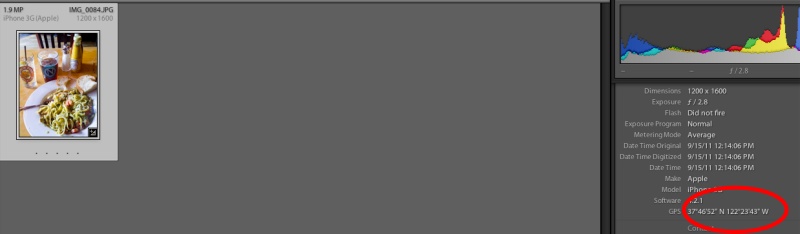
Here’s an example using the snap of my lunch at Nova Bar the other day, imported into LR3:

GPS coordinates for lunch.

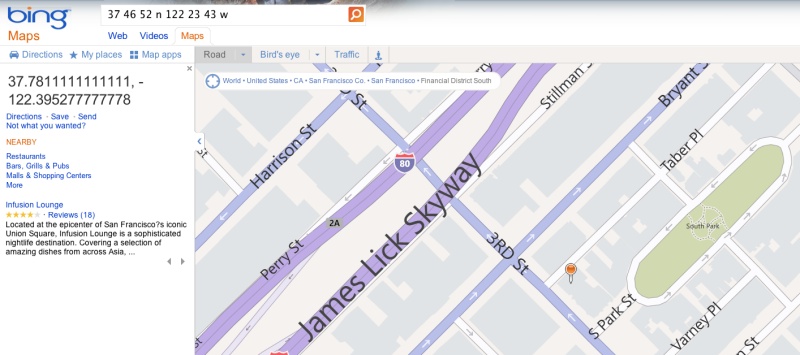
Simply typing these into Bing Maps (I refuse to use products from the criminal cabal that is Google) you get the location:

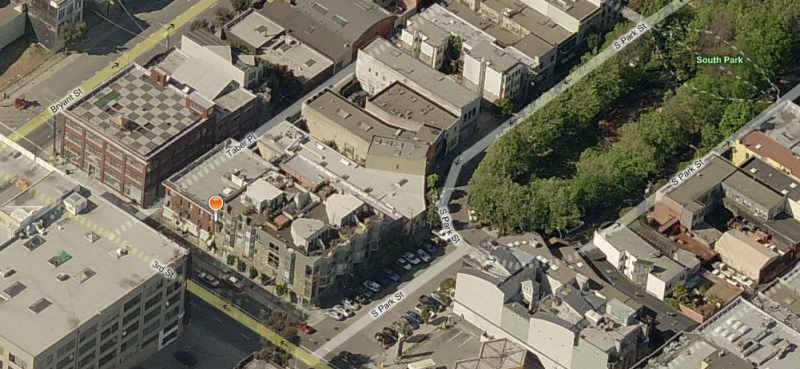
The location of the photo on a map.

In a Bird’s eye view the coordinates disclose the location on the wrong side of the road, all of 30 yards out. Not bad.

Nova is on the other side of the road – pretty close!

So unless you have the latest and greatest in camera technology, a quick snap with your cell phone will allow you to save the GPS locations for your latest ‘shoot’.