A charming reminder of times past.

G1, kit lens @14mm, 1/2000, f/5, ISO320.
Near west Mission Street, San Francisco.
A charming reminder of times past.
G1, kit lens @14mm, 1/2000, f/5, ISO320.
Near west Mission Street, San Francisco.
Good try, no cigar.
Having flipped my Fuji X100 for a quick profit, sight unseen, box unopened a while back, predicated on the realization that its software made even Microsoft Windows ’95 look good, I was excited to read about their latest offering, the X10.
Everything about it at first glance looks right. A fast f/2-2.8, 28-112 zoom lens, a real optical zooming finder (you know, like the Olympus C5050 had a century ago), and an ergonomic design that just screams ‘hold me’. Then you get to the sensor.
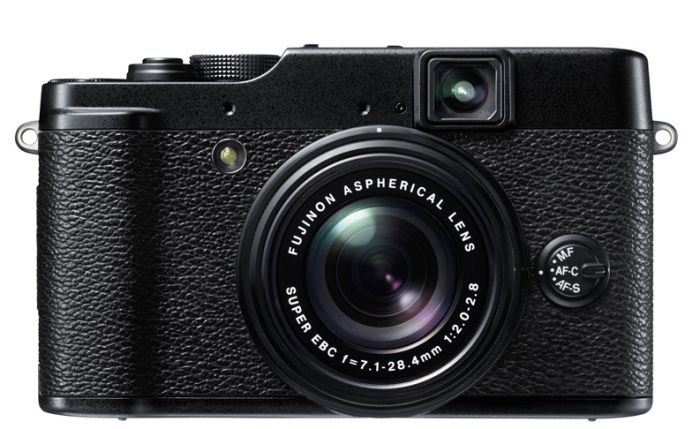
The Fuji X10.
APS-C? Nope.
OK then, MFT? Nope.
How about (get the barf bag) a 6.8mm x 8.8mm (euphemistically called a 2/3″ in the trade to fool buyers – last I checked 2/3″ was around 17mm) piece of doo-doo? That’s all of 58 sq. mm., compared with 225 for MFT, 329 for APS-C and 864 for full frame. So the area of the crappy little sensor in this largish body is but one quarter of that in the G1, and the latter struggles with noise above ISO 400 or in poor light. No need to say more.
There is a fortune waiting for the manufacturer who can make a body just like this and implant a proper sensor for, goodness knows, there’s enough room in there. Price it as a premium compact, sell it for $750 (15 of these gets you an obsolete Leica M9), and you clean up. How hard can that be?
Meanwhile, I continue to wait on Amazon to ship my G1 upgrade, the G3, an event I now expect to occur when the US balances its budget.
Here’s the X10 superimposed on the outline of the Panasonic G3 – think there’s room for a proper sensor in the X10?
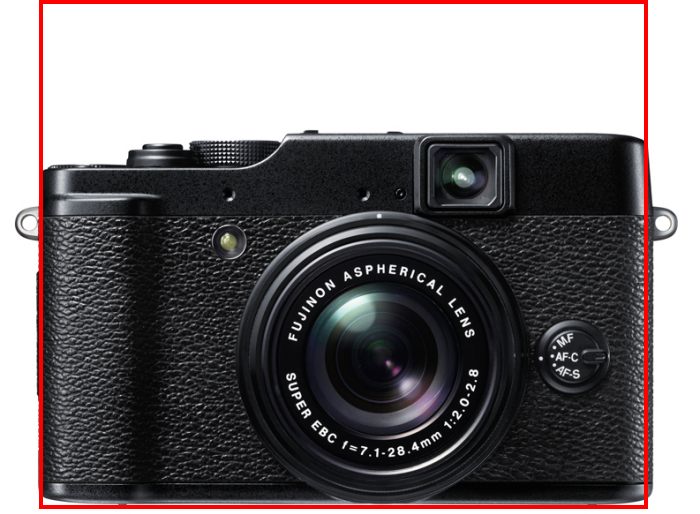
X10 with G3 profile in red.
The extra height of the G3 results from the flash in the ‘prism’ hump, easily moved to the side, as the X10 does.
Exploiting movie quality.
It’s no great secret among amateur movie makers that the Panasonic GH2 MFT still camera is also a state-of-the-art movie camera.
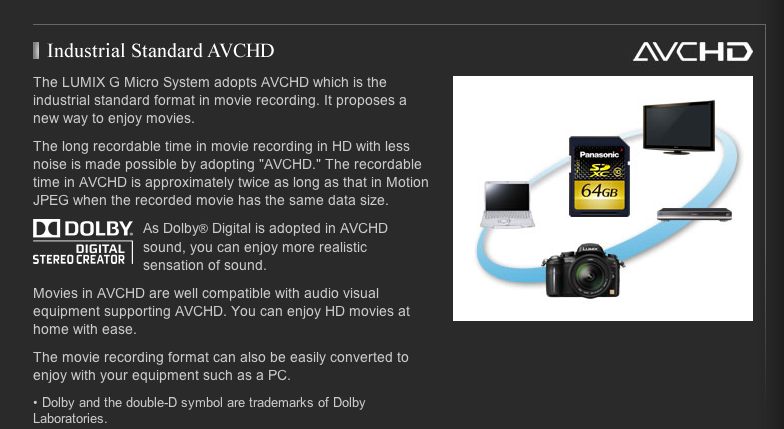
Click the picture for more.
The above link will take you to a full description of the GH2’s movie capabilities and will also allow viewing of movies made using the camera. The appeal of the GH2 over the (still waiting for mine!) G3 is that it accepts professional microphones, as opposed to limiting the user to a poor built-in one.
Now Panny has done something very smart in its recent announcement of two lenses which are clearly aimed at movie makers. With a software update the GH2 will be able to use power zoom with these optics, with variable zoom speeds. This makes for smooth zooming and a professional result. Two lenses have been announced, the ‘X’ in each designating the power zoom option.
These give an aggregate zoom range of 28 to 350mm FFE which will fulfill most movie making needs. Add an ultra wide (where no focussing is needed) and you are set.
With the addition of these optics it seems to me the GH2 (and G3 or GF3 but not earlier models) user has a still camera which will make a ‘no excuses needed’ semi-pro movie camera at very modest cost.
A friend writes:
Video – I share your enthusiasm for the development of high quality video in still cameras – I’ve enjoyed “one camera, two media†for the last ten years or so. On the other hand, I feel that 1080P AVCHD is a triumph of marketing over quality. Others have tested it against 720P MP4 and found the latter sharper; I’ve confirmed this informally and now get 1920×1080 playback using 1440×1080 MP4. Using MP4 you can make routine edits without rendering, which takes minutes instead of hours, and saves a generation. Here is a sample below (converted to Flash on Vimeo. The Algae scooper in our lagoon is kind of interesting too. (Editor’s note: ….and clearly designed by Rube Goldberg!).

Click to view.
Unremarked yet vital.
When Albert Einstein penned his theory of relativity, working as an obscure patent office clerk in Switzerland, he used pen and paper. Not a computer in sight.
When Maria Callas was hitting high Cs in her large operatic oeuvre, no computers were involved in creating the greatest vocal timbre of her generation.
Dylan and Lennon used much the same equipment found in Einstein’s toolbox.
And you can be sure as heck that Picasso would have laughed at the idea of a computer, if he even knew what it was.
But the one universally unremarked keystone to much of Apple’s success – now that everyone is writing on the change in CEOs – is the work of the company’s long time advertising agency, Chiat/Day. (‘Shy-at/Day’)
Their early ‘Think Different’ campaign featured images of all of the above geniuses and made it subtly but perfectly clear that dumb people used something other than a Mac, though the computer was nowhere to be seen. There was not a green eyeshade to be found among Apple’s pantheon of ‘crazy ones’. So the subliminal association with genius conferred on every Macintosh owner was clear. The campaign remains one of the classics of advertising.
“Think Different – because the people who are crazy enough
to think they can change the world are the ones who do.”
Click to view.
Yet Chiat/Day’s most famous piece is without doubt the ‘1984’ ad for the first Macintosh which ran just once during that annual orgy of steroid driven machismo and big money, the Superbowl. A strange venue for a cerebral product, but its vilification of IBM as Big Brother and the related message that PCs were for the unthinking masses, was clear. (Oddly, most of the attendees at that same Superbowl had likely arrived in corporate jets with their flight and seats paid for by their shareholders). Running it just the one time sealed its fame and it plays as well today as it did in …. 1984. The related implicit presumption is that none of the machine men in large corporations using IBM’s megatrons had even heard of George Orwell, let alone read his book. Likely true.
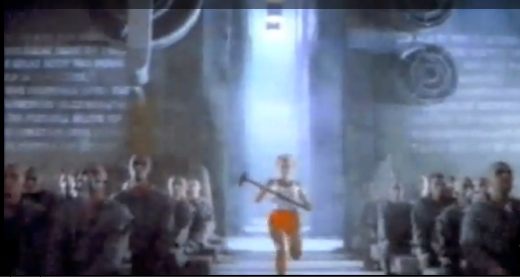
1984. Click to view.
I was lucky to find myself in Chiat/Day’s Santa Monica office in 1988 and still fondly remember that visit as showing me a new kind of workplace, one in which traditional offices and cubes were notable for their absence. The ceilings of this cavernous warehouse were high and people seemed to mill around in free form. Models and photographs were everywhere and video played on many screens. It was an incredibly inspirational environment, just ripe with creativity and intellectual freedom.
Chiat/Day’s most recent Apple commercials are the ‘Get a Mac’ series which ran through 2010, and they reflect the changing positioning and audience for Apple’s products. Whereas when ‘1984’ and ‘Think Different’ were made only a lucky few owned Macs, and the iPod was nowhere in sight, by 2006 when ‘Get a Mac’ started to run everyone owned an iPod. The iPod, which has now morphed into the iPhone and iPad, was a perfect introduction to the world of Apple’s computers. Accordingly, this campaign was targeted at a different audience. Intellect and relative affluence had given way to the mass market of poverty and a situation comedy mindset, and it’s not for nothing that these ads were miniature sitcoms. The intended audience, after all, watched little else. The campaign made John Hodgman, the poor schlub with the pocket protector and suede shoes an instant star. He was the nerd whose PC was always locking up and prided himself on the amount of storage and complexity of setup. By contrast, the Mac character, played by Justin Long, comes over as a sententious prig, just this short of curling up a contemptuous lip at the poor loser that is Hodgman. Unconsciously, Apple was cocking a snoot at the corporate world it so little cares about, yet when it comes to having a beer with one of these guys, it sure wouldn’t be the Mac dude that first comes to mind.
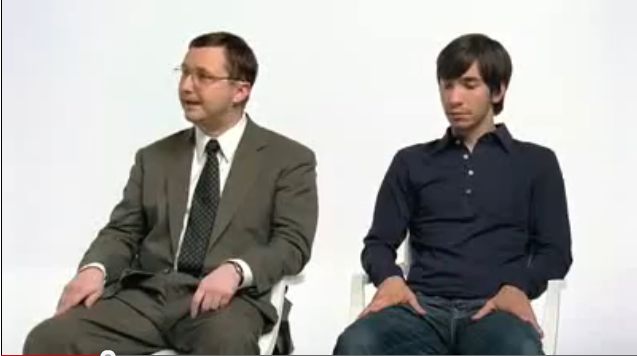
Get a Mac.
Click to view.
This is one of my favorites. The contrast between the nerdy numbers guy and the artsy hipster could not be greater and the humor and timing are splendid.
Chiat/Day is one of the many unsung heroes who contributed mightily to the success of Apple and their work is an education in photography, film making and pop culture.
A neat frame designer.
Users of Photoshop CS4 or CS5 who like to add frames to their electronic images should rush over to Joe Colson’s site and download his FrameShop script.
Once installed and with an image loaded in PS, you click on it in the File->Scripts menu and set your choices as Joe explains in his well written piece.
It works well. Steve Jobs said “No one reads any more” (right before introducing the iPad!); he would have been closer to the mark with “Nobody prints any more” and this script does the trick for members of that class who like a polished presentation for their online work. Here’s an example which took seconds to do:

5D, 85mm, f/8, Novatron studio flash.
Thank you Gregg L for the tip.
Update March 2015: The script has now been updated to work with Photoshop CC and continues to work fine with my version of CS5.