More for OS X users.
Following on from yesterday’s article about Menu Bar apps, here are some others I simply cannot live without on my Macs and Hacks.
Mouse Locator:
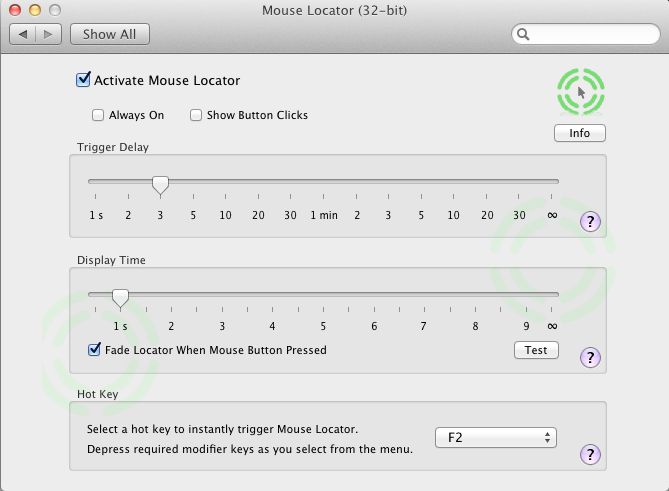
This installs as a System Preference pane and flashes a cursor circle to help you find your mouse cursor. Incredibly useful with multiple displays where the mouse cursor is easily lost. If instructors making software teaching videos used this their work would actually be possibly to follow. As it is, everytime I watch some video on LR3 or Photoshop I end up frustrated trying to see exactly what the mouse is being clicked on. I run this on all my machines. More here.
Total Finder:
Apple’s OS X Finder stinks. In Lion it positively reeks. Total Finder takes out some of the reekage with enhanced features like split screens and is highly recommended. Total Finder integrates tightly into OS X and version updates after new OS X releases are timely.
More here.
Spam Sieve:
By broad acclaim, SpamSieve is the best spam filter in the universe for Apple Mail. The one in Apple Mail works about as well as Finder, meaning hold your nose. Michael Tsai, the author, does a superb job of keeping it updated for new OS X releases. SpamSieve integrates tightly into Apple Mail, the latter much improved with the ‘Conversations’ feature in Lion. It’s the best $30 you will ever spend, from the change left after junking your iMac and building a reliable Hackintosh. More here. I have been using this app since OS Panther.
NetNewsWire:
This journal’s choice as the best software of 2009, NetNewsWire puts the lie to the saying that ‘information is power’. Properly filtered and delivered information is power, the fire hose of the internet browser being for losers whose time is worth little, prefering aimless surfing to focused content delivery. Thank goodness these nitwits exist – who else would we sell all that Chinese crap and American TV sitcoms to?
For the iPad I recommend Reeder which does a far better job of using the touch interface.
Second Bar:
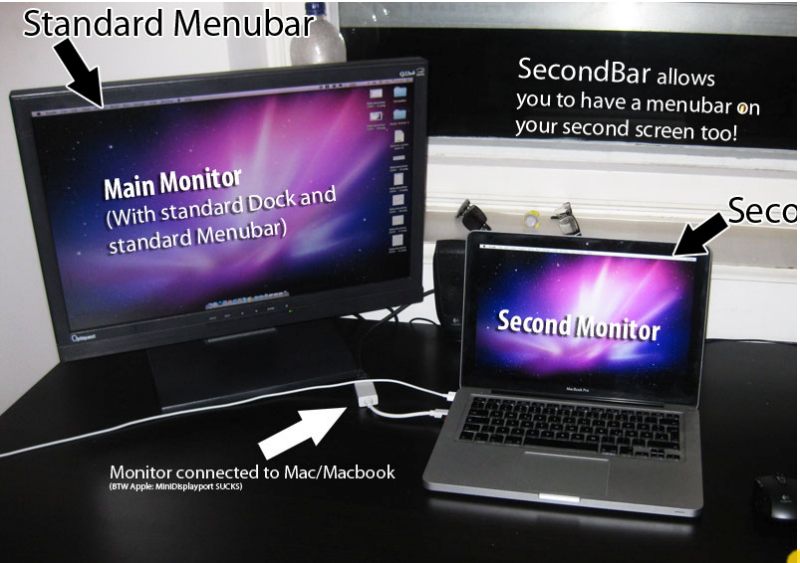
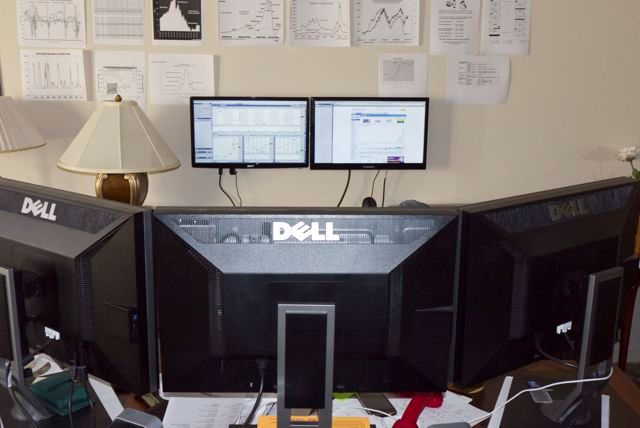
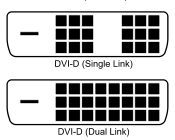
Another huge failing of Apple’s Finder is its inability to display the menu bar on more than one monitor. SecondBar, still in beta for what seems ages now, has just been updated for Lion and is now pretty stable. It replicates your menu bar on additional displays and stops a lot of mousing about. It used to work on my third display which is attached using a USB-to-DVI adapter (the two DVI ports on the video card being used) but no longer does so. Shame. More here. Quite why on earth this is free beats me.
SteerMouse:
I use an old Logitech bluetooth mouse which never came with Mac drivers. SteerMouse not only does the trick, allowing extensive programming of additional buttons, it also allows me to use a proper mouse with OS X in contrast to the execrable offerings from Cupertino. Over these many years, despite its focus on the UI, Apple has never got the mouse remotely right. The closest it came was the MightyMouse with its scroll ball, but the latter would clog and fail after use, and could not be repaired unless you took a hacksaw to the little bugger. I have tried many mouse utilities and this one is the best. A close second is Microsoft’s Intellimouse software (free download) which works well with their RF wireless mouse. Both install as System Preference panes.
EyeOne:
Many photographers use the EyeOne colorimeter to profile their displays. My rant about EyeOne back in February remains exactly on point. As I write the nematode worms at xRite have yet to release an Intel Lion version of their app, meaning your colorimeter remains a paperweight unless you have a Snow Leopard or earlier version of Mac OS available, which allows the related software to do its thing. Scandalous incompetence for a company which has a virtual monopoly in the colorimeter business. Like the jerks at Intuit, xRite has blithely disregarded millions of its users. Unlike the jerks at Intuit, they actually make a great product. What is it with these people?
ImageWell:
I make it a principle to rarely run pieces here without at least one image. Pictures are worth a thousand words. So no article of this kind can go without mention of ImageWell which makes the sizing and uploading of images to my hosting provider trivial. $20. I have used it for the 5+ years this blog has been around and it ‘just works’. When you see images here with circles or arrows to distinguish information, that’s ImageWell at work. It’s on all my Macs and Hacksters.
Transmit:
Transmit is another one of those utilities which has been around for ever, is constantly updated by its makers and one I cannot live without. It allows seamless upload of files to your hosting service. When I create a new slide show for display on my static photography blog, Transmit is the tool I turn to. Cabel Sasser, the author, is a genuine code genius.
Instapaper:

I do not know Marco Arment, the man behind Instapaper, but it’s probably a reasonable assumption that he does not have Apple’s cash pile of $76 billion. If he did, he would be suing their rear off right now for stealing Instapaper from him and adding it to Safari as a Reading List feature. Instapaper is so much better it doesn’t really matter. Whenever you see an article from your feed reader which deserves more time later, or one on your iPad which has Flash content which will not play, one click or two touches and off the URL goes to Instapaper for retrieval at your convenience. Brilliant, simple, effective and a massive efficiency enhancer.
Macaroni:
Remember that old saw that when something goes awry with your OS X installation that you need to go to Disk Utility and run ‘Repair permissions’? Fughedaboutit. Blow $10 on Macaroni and have it do this tedious task invisibly in the background.
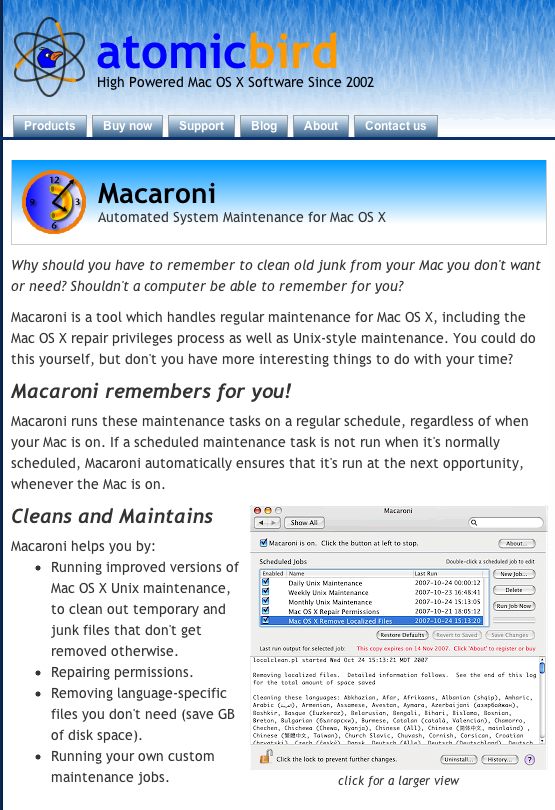
Hard to think of a better way to spend $10. I have been using Macaroni for at least the last four OS X versions and I never have to run ‘Repair Permissions’. Never.
1Password:
To say that Agile Systems has committed the software cock-up of the year with its formerly great password utility 1Password is sort of like saying that Hitler marching on Russia was not so smart. A great product is currently ruined needing constant password input where before there was none. Wait a minute! Isn’t this app meant to cut down on password input? In Safari it’s now crap and in Firefox 6 (just released and no bloody different from Firefox 5) it does not work at all as we await an update from these dopes. Let’s hope they get on it. Finding anything on their web site is an experience solely for masochists and they are doing an excellent job of disregarding the outpouring of derision and anger for the mess they have made of a great product, which still works well (still – until they screw it up, I suppose) on the iPad and iPhone. 1Pissword, as I now think of it, keeps your password file on Dropbox in the cloud, accessible from any device, and tightly integrated into Safari and Firefox desktop browsers. Currently it makes Microsoft Vista look good.
iBank:
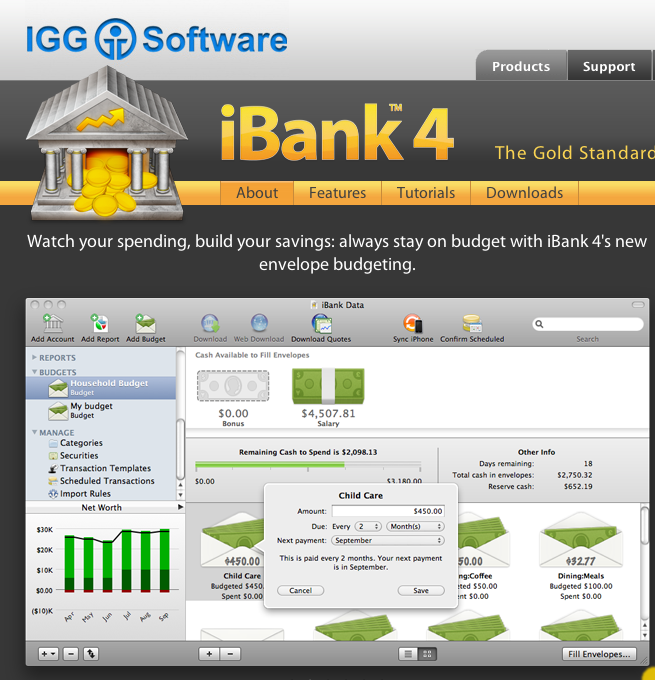
Giving Microsoft an excellent run for the “Couldn’t design software if you paid them” award are the stinkers at Intuit. OS X in its Intel version has been out, what, 5 years now? But forget about Inutit making Quicken run on Intel Macs. The current offering (cynically named ‘Quicken Essentials’ which always reminds me of soiled underwear) does indeed resemble toilet paper and the last ‘good one’ (relative term given its suckage) was Quicken 2007. If you update your Mac OS to Lion, tough, it won’t run. So after much scratching about I moved to iBank which did a decent job of converting the Quicken data file with 20 years of my life in it. The app is not so good at investment transactions, meaning I have to depend more on the crooks at Fidelity who have good database access when they are not screwing me on bid-asked spreads, but what are you going to do? A curse on Intuit and their kind. iBank’s forum makes lots of promises for improvements but they never happen, in my experience.
There’s a fortune waiting for someone who can make a cross platform, competent asset and money management app.
Bing:
Long time readers here know I detest Microsoft’s OS. In fact meeting a Windows user my first reaction tends to be one of caution, much as, say, meeting a fat person who is too friendly. Both have lots to say about their standards, or lack thereof. I prefer neither in my home or office. So when I tell you that I abandoned Google for Microsoft’s Bing on all my hardware over a year ago, you may raise an eyebrow. It’s a case of the lesser evil. Microsoft is an incompetent but successful monopolist and I have nothing but tremendous regard for Bill Gates. He’s right up there with J D Rockefeller in my book and like the oil baron is doing great things for the world (having also first tried to destroy it) with his capital.
But the main reason I prefer not to use Google is that I deeply resent a business model which is based on theft and whose creators perpetrate the sham that what they ‘give’ you is free. Google steals your ideas, your photographs, your financial data and your very identity, then sells it to others for gain. And you are going to store your data in their ‘cloud’ using their ‘free’ office apps? Get a life.
While I rarely do free form web searches (mostly a waste of time with paid results topping the list) when I do it’s using Bing which also shows me a stunning photograph daily on its home page.
VirtualBox:
Last, and most certainly least, sometimes even Mac users have to run Winblows. You can pay money to VMWare or Parallels for their products and continue the frequent lock-up experience which comes built in to every copy of Windows through at least XP SP3, or download nice Mr. Ellison’s VirtualBox free from Oracle and install Windows within this little prison, whence it cannot escape to pollute your pristine OS X workspace. VirtualBox rocks, has industrial grade support from Oracle (who bought it along with Sun a while back and have continued to move the product to strength) and you can run any number of other OSs within it. A great product, despite the company it keeps.
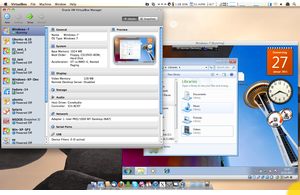
Why, for those who still don’t get it, ‘it’ being the fact that the OS has more to do with efficient computing than hardware, and who are still running on a non-hacked Windows box, you can even load OS X into VB on your Windows machine as in the following snap where OS X is running on a Win 7 computer:
Enough already. Get a Mac or make your own, and get your life back.