Tips for the Daguerrean

From Stanza.

I count no fewer than four book readers on my iPad:

  • Apple’s iBooks – best UI, lousy title selection
  • Amazon’s Kindle – improving UI, huge title selection
  • Border’s – a work in progress, but promising a large selection
  • Stanza – the nerd’s choice, with easy access to 30,000 books on Project Gutenberg among many others

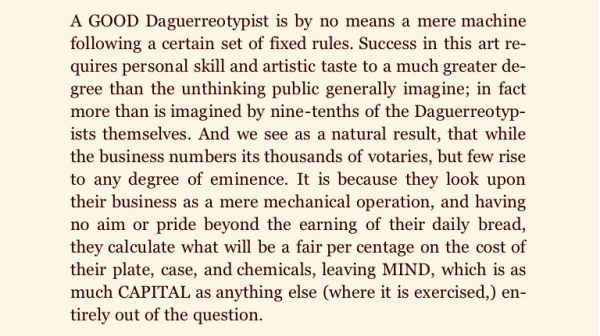
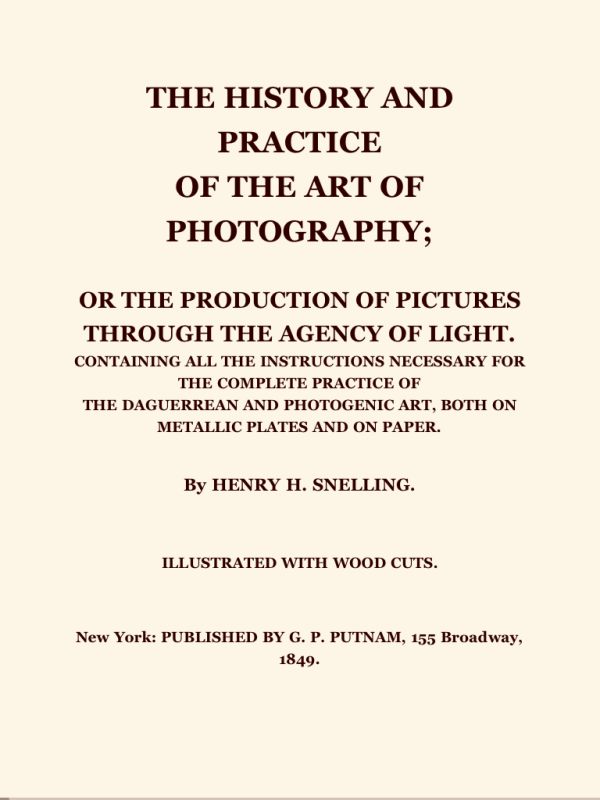
I was noodling through Stanza on my iPad (also runs on a Mac) and came across this intriguing 1849 book on the Daguerrotype process:

And some details:

Seems to me that advice is as pertinent today as it was in 1849. Maybe more so. And you are unlikely to find such elegant writing in any modern tome on electronic this and digital that, whose authors’ written skills generally stop at “click the mouse”.

So if you want to discover your inner Daguerrean, download the free app and book and give it a shot!

By the way, I’m using the gorgeous Georgia font in the above illustrations – Stanza has a large selection of fonts and colors, more than any other reader.

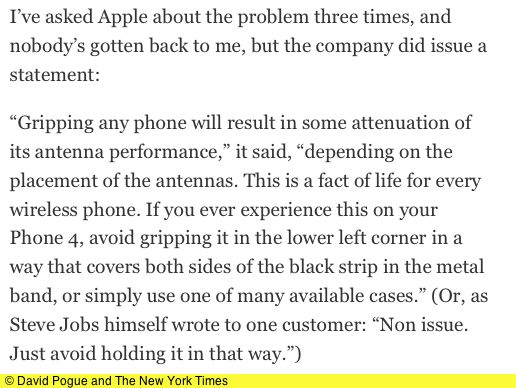
Just avoid holding it that way

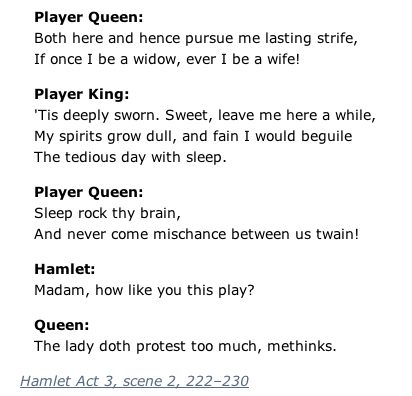
The lady doth protest too much, methinks.

David Pogue, technology maven at the New York Times, is in what can only be called Desperate Back-Track Mode over the iPhone hold-it-wrong-and-it-dies design debacle. The poor schnuck failed to realize that his perfectly performing “free-for-as-long-as-you-want-it-David” iPhone4 tester was likely a carefully pre-screened model not some of the shelf POS you and I buy. Fair enough. Would you risk any old specimen assembled by one of a long line of suicidal Foxconn workers when your reviewer has an audience of millions?

Pogue backtracks, while still stepping in it.

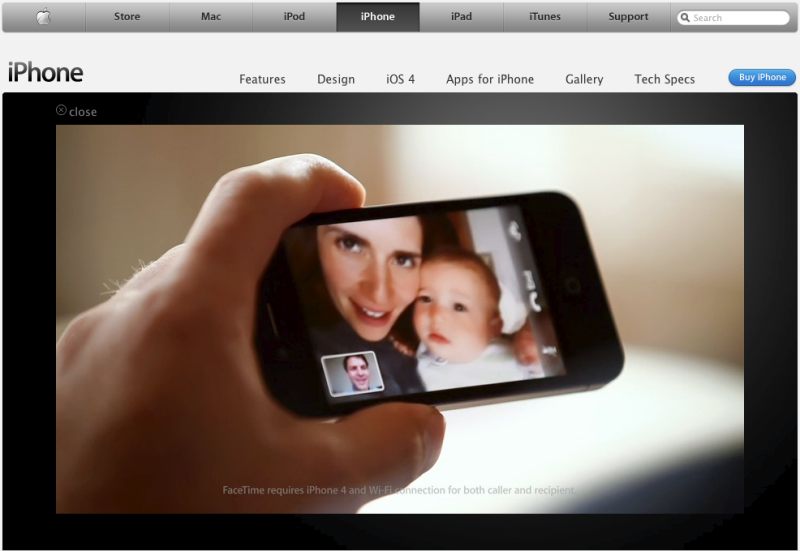
So how should we hold it, Mr. Jobs?

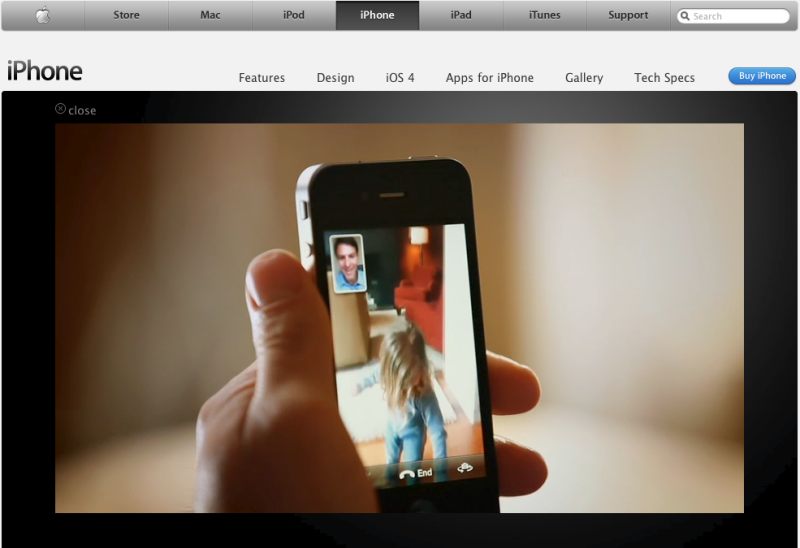
Ummm …. you mean not this way as in the video at Apple.com? Better check it out quick before they change it.

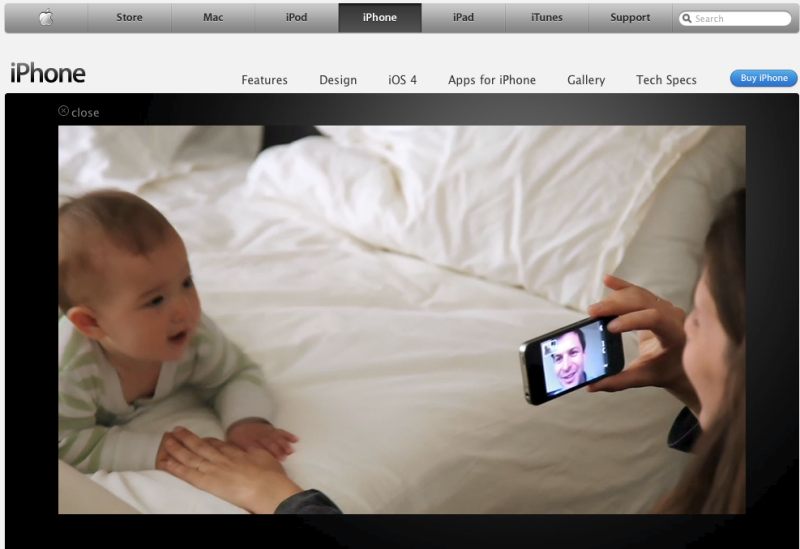
Or this:

Or even this:

Hand on the antenna seam, every time.

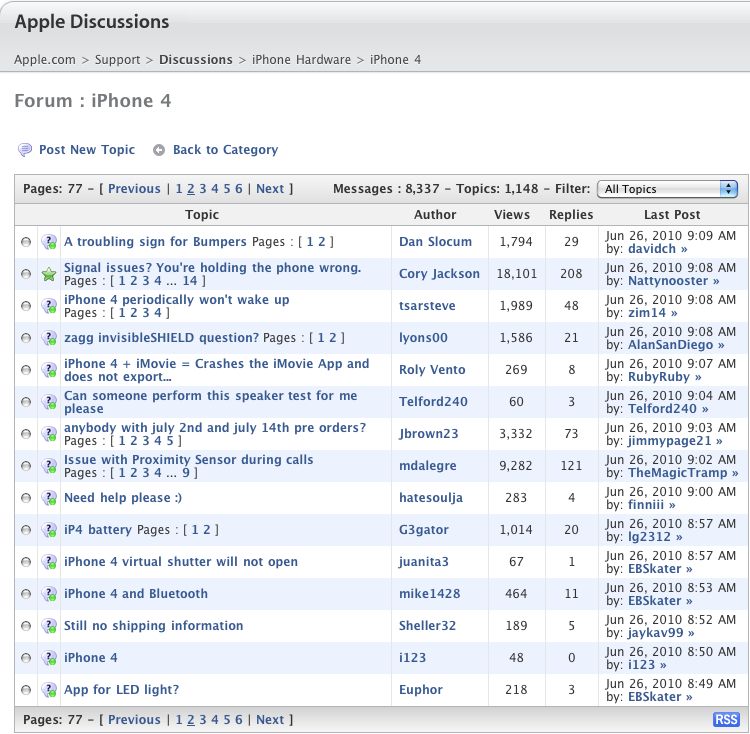
Yeah. Sure. I know. It’s an isolated occurrence.


An isolated occurrence.

Maybe a spot of the Old Bard is called for:

I know BS when I smell it and this one reeks to high heaven.

Disclosure: No AAPL position. You think I’m stoopid?

Why I cancelled my iPhone 4 order

A deeply flawed device.

I was hoping about now to be regaling readers with my experiences with the much improved 5 megapixel camera in the new iPhone, available today for those lucky enough to get a reservation:
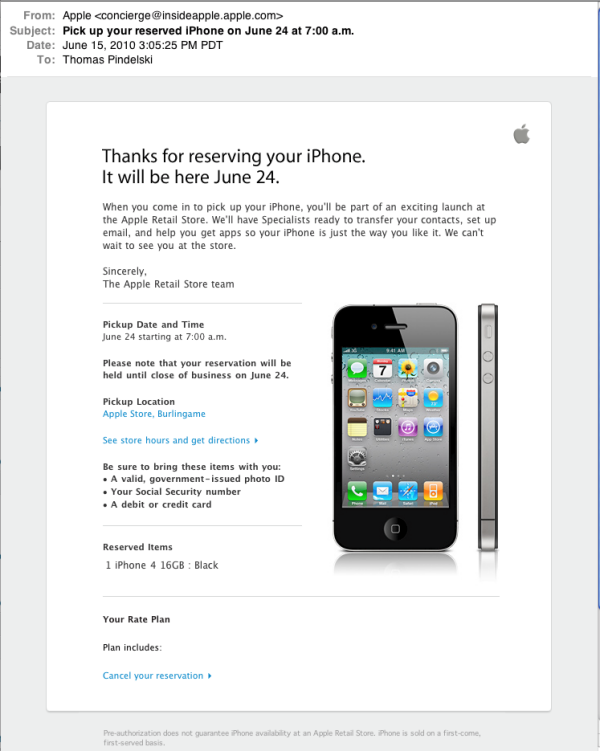
Well, that is not going to happen.

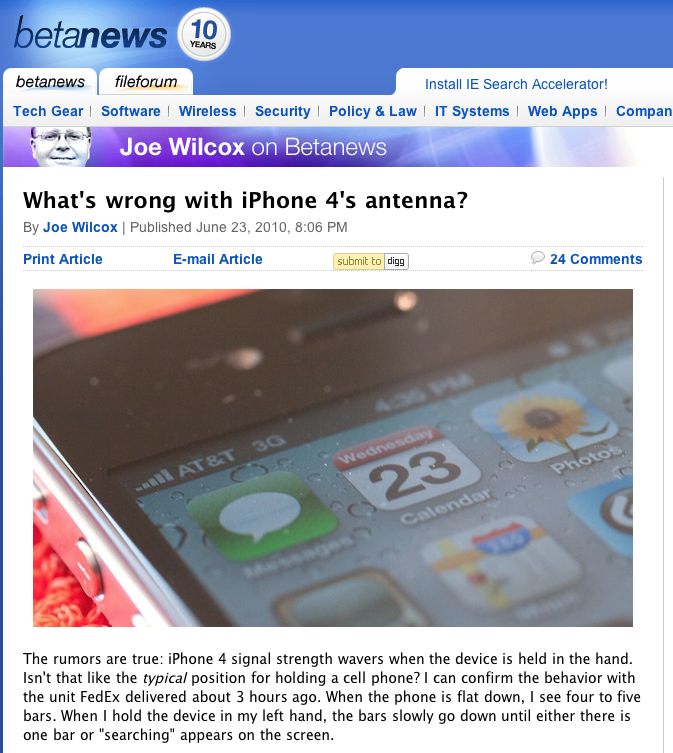
Just about the time young Winston and I were getting ready to ride our bikes to the Apple Store, what comes across the wires but this story?
A moment later and I watch this shocking video.

So we do three things:

  • Cancel the trip
  • Cancel the order
  • Sell all my AAPL stock

Subsequent stories are confirming the issue is not isolated yet not universal. Mossberg of the WSJ made a vague reference to the signal strength bars fading occasionally, but made light of it – he’s not especially objective about AAPL so cannot be trusted.

It seems to me that there are three possible causes:

  • Sporadic manufacturing errors dictating a limited recall – an embarassment for Apple
  • Egregious design error requiring a total recall – a big ‘no confidence’ vote in the stock
  • Software glitch fixed with a new online upgrade – an irritation

None of these is good for a stock approaching nosebleed territory, no matter how attractive the fundamentals.

I have no idea which applies, but as my 3G iPhone is the only phone I use, and as I have no landline, it’s nonsensical to contemplate an upgrade at this juncture.

I’ll let others complete the discovery process and continue to enjoy my obsolete 3G iPhone in the meanwhile.

Talk of dodging a bullet! My advice to any prospective iPhone4 buyer is simple. Wait. Let someone else do the bleeding for you.

Note on older iPhones: You get the same effect, but less so, with older iPhones. My 3G shows 5 bars of signal lying on my desk, dropping to 2 or 3 once in the hand, after some 30 seconds. I can reliably replicate this behavior and it’s the same with iPhone OS 3.1.3 or iOS 4.0 – I tried both. After trying iOS 4.0 on my 3G iPhone I reverted to 3.1.3 – 4.0 adds little to a 3G iPhone (folders and a useless digital zoom for the camera) and unless you are really comfortable with use of Terminal and entering cryptic, high risk commands, think twice before upgrading to 4.0. My downgrade went well, but I know what I am doing – it’s anything but plug-and-play.

The loss in indicated signal strength seems absolutely related to hand contact with the rear and sides of the iPhone. When I place my 3G iPhone in its auxiliary clip-on battery pack, which doubles its battery life, thickness and weight, I lose no bars, so it very much sounds like an electrostatic design fault to me.

Be sure to check Comments for my analysis of the reason this poorly designed iPhone 4 is to be avoided until the hardware issue is fixed. Apple’s advisory today as to how to hold the iPhone is akin to the government telling you how to bend over before increasing your taxes. Unconscionable. Another Hall of Shame entry for the fruit company,

I figure the costs at $4.20/share – 3mm handsets recalled @ $300 + $600mm in legal fees + triple damages at $2.7bn = $4.2bn for 1bn shares. However, the reputational damage and lost sales make this sum insignificant by comparison. The Android crowd must be partying.

Disclosure: Sold all my AAPL position just before writing this.
National Geographic Traveler

A source of inspiration.

I was leafing through (OK, flicking through, on the iPad) the current issue of National Geographic Traveler, much inspired by some of the great photography, when I came upon this truly stunning image.

A face of rare warmth and beauty. No surprise that it was taken by master French photographer, Eric Lafforgue, profiled earlier in these pages.

You can read electronic versions of the magazine on your desktop, laptop or iPad for the princely sum of $11.50 for one year’s worth, and have an endless source of inspiration. They are accessible through Zinio , a well supported site and iPad app. Forget the poky iPhone’s screen, for it cannot begin to do the work justice.

The iPad as a second or third display

A neat app.

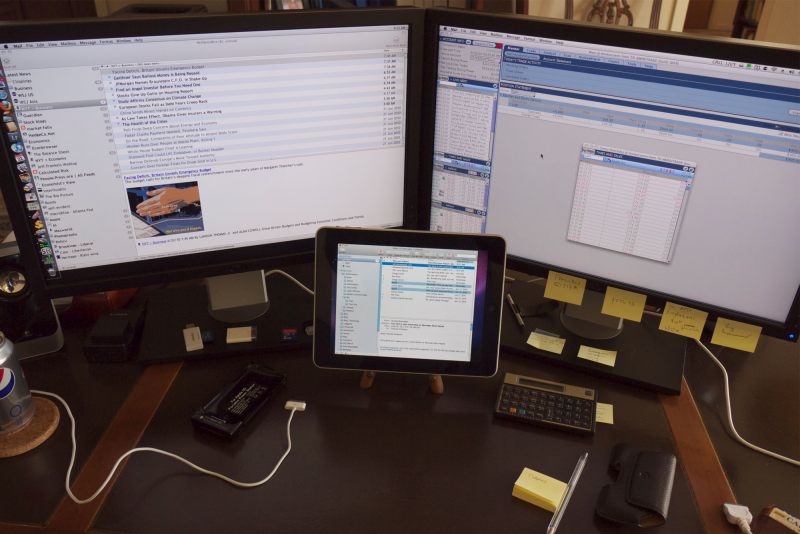
Air Display is a $10 app for your iPad which allows it to act as a second or third display using wifi to route the signal.

Air Display with my two Dell 2209WA monitors. Can’t seem to get rid of those yellow stickies ….

As its response is a tad jerky it is not much use for moving objects but ideal for something like email or a preview screen for Lightroom 2 or 3 where the contents are stationary.

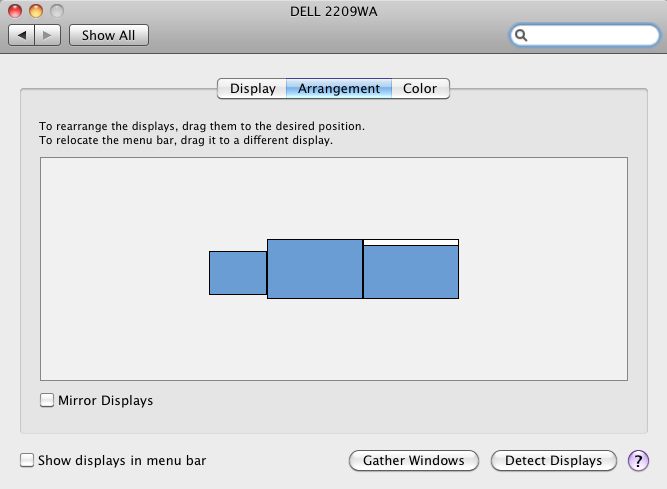
System Preferences for Displays under OS X Snow Leopard is properly supported as the following shows, allowing you to set the display’s positioning for mouse cursor movement as you please:


This layout dictates that the mouse is moved left to access the iPad’s display

You have to install a small utility on your desktop (or laptop) Mac to get things working and I had a few issues where the system was unresponsive when trying to toggle on the iPad from the Mac’s menu bar, but after a couple of tries all was well. This might prove handy in the field where you want to share displays with a broader audience by switching on mirroring in Sys Prefs->Displays, or switching it off and using disparate LR views between your laptop and iPad.

Don’t expect miraculous responsiveness if you are using poky wifi speeds; my system is running at 10mb/s download and 1.4 mb/s upload speed and is usable, if not stellar. I simply use the iPad to take the email inbox off the two big screens freeing up screen real estate for other things. You must be running Leopard 10.5.8 or higher for this to work and older PPC Macs are not supported – Intel only.