Image processing

That’s digital workflow to you.

I did a fair bit of corresponding with people much more experienced with digital photography than I am, which is to say just about every photographer I know, asking how they manage the work flow for an efficient, low risk result.

Not surprisingly, the range of responses was about as broad as the styles of the photographers I spoke with. As with any mechanical process, workers will cast around empirically until something that feels right comes along.

My picture throughput is, I suppose, of two types. There are family pictures sent to me by one and all for eventual publication on the family web site. These arrive in hard copy, as film or slides, on CDs or by email. Generally of low resolution, and not much is needed for web publication, they get dropped into a current quarter album in iPhoto ‘06, are culled and sorted at quarter’s end, then crafted into web pages using the File->Export->Better HTML plug-in for iPhoto, all of it taking less time to do than to explain. After adding titles and dates, upload to the ISP using Transmit takes no time at all. A few seconds more and the menus on the site are updated for the latest quarter. This efficient routine has taken the drudgery out of the process and makes sharing the family site with all and sundry a lot of fun.

The other type of picture I have to process is my own ‘serious’ work. Stated differently, these are the snaps whose primary goal is large, framed, wall hanging prints, anywhere from 8” x 10” up. These fill up the walls at the old manse as well as making nice gifts for friends. The originals are scans from 35mm, medium format or 4” x 5” negatives or, increasingly, RAW or JPG images from the Canon EOS 5D. With all of the medium format gear sold and most of the 35mm equipment now gracing collectors’ cabinets in Japan, that leaves 200 mB large format scans and 4-12 mB JPG or RAW digital files to contend with. As iPhoto is immensely capable, handling even the recent CR2 Canon RAW format with aplomb, these get dumped into thematic directories therein (landscapes, forests, etc.) and, once culled, a double click opens the images in Photoshop CS2 as a native file or, in the case of RAW, in Adobe Camera Raw. Whatever processing is required is performed and the images are then saved to the iMac’s desktop and printed.

These desktop high quality files are then dropped into Extensis Portfolio 7 (now 8, but I have not bothered to upgrade), keywords are added to each, and the whole thing is backed up automatically overnight. Given the amount of time and effort expended through this point, a comprehensive back-up strategy is vital. The cost in light of the risk of loss is negligible. My back-up approach is three pronged. First, duplicates of the good personal pictures appear in iPhoto and Extensis libraries, albeit on the same disk drive. Second, at midnight the iMac’s internal hard disk is incrementally backed-up to an external LaCie Firewire hard drive. This is a bootable back-up with the full OS X Tiger operating system resident on the external drive, allowing me to boot from that drive in the event the internal disc in the iMac fails. The iPhoto and Extensis libraries do not reside on the iMac’s internal drive. Rather, they are stored on a second external LaCie Firewire drive, this a 250 gB monster, which in turn backs up incrementally to a third external 250 gB LaCie.

As backing up is even less exciting than doing your tax return and certainly easier to forget, an application named SuperDuper! takes care of the chore daily and automatically. It’s the first back-up application for the Mac that speaks to you in English rather than Geek and works perfectly. Ever the Doubting Thomas, I check the ‘bootability’ of the external drive monthly and compare the files sizes on the two 250 gB Lacies weekly to see that they remain identical.

Now my iPhoto ‘06/Portfolio 7 strategy may not be suitable for those taking a lot of pictures. but for the 500 or so family snaps and 200 or so personal pictures I reckon on saving annually, it’s fine for me. I confess I was tempted by Apple’s Aperture as a Swiss Army Knife solution for everything, but my research suggests that the application is far from debugged in its first version and needs a top of the line Mac computer to make it run at acceptable speed. As I have no intention of blowing five grand on the latter, Aperture can wait. I still think Photoshop has one of the worst interfaces known to Man (if not Geek), but Adobe Camera Raw for RAW files goes a long way to simplifying things. The folks at Adobe really need to take a look at iPhoto for user interface design.

I tried Adobe’s free beta release of Lightroom (I challenge you to find it on Adobe’s web site) which has a nice look and feel stolen from Aperture. However, it is so slow in loading larger files on my iMac G5 as to be unusable. I would dearly love to drop the duplication resulting from using Portfolio 7, but as Apple has had some complaints about stability in iPhoto (though I have had no issues) I remain committed to the belt and (two sets of) suspenders approach until I can be convinced otherwise.

There seems to be a growing number of external RAW processors and sharpeners out there which plug-in to Photoshop, as if that application needed any more menu items. While I let others do my testing for me, everything I have read (after discounting the fact that 90% of what’s out there is nothing more than a paid endorsement) suggests that the native code in Photoshop CS2 is as good or better than the after-market variants. For me that means RAW conversion, curves, levels and unsharp masking, which is about all I ever use in CS2. Dust removal? A thing of the past with digital images.
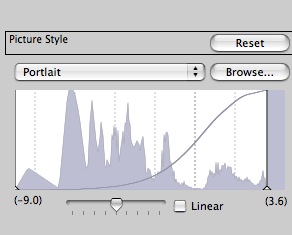
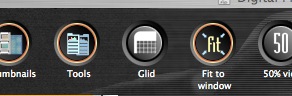
Excuse me while I examine my Portlait setting through the Glid

Either someone at Canon has a great sense of humor or they need better English-speaking programmers

I checked out the Canon software that came with the 5D; it’s not bad but doesn’t seem to add much to my preferred working method which is to drop all the files into an iPhoto ’06 album (RAW included), preview them in iPhoto, then fix the best ones in Photoshop for saving in Extensis Portfolio 7 in PSD format – the industrial strength, bulletproof cataloging application I use.

Here’s what I saw in a couple of menus in Digital Photo Professional, a Canon application far less competent than iPhoto for quick image manipulation, and very slow in converting from RAW:

Now do these guys at Canon have a sense of humor or what?

By the way, a RAW file saves as 8.4 mB in JPG, 36.4 mB in 8-bit TIFF and a whopping 72.8 mB in 16-bit TIFF.

Joe’s NYC

A Photoblog to satisfy your need for a daily fix

When I left Manhattan’s West Side in 1987 for Los Angeles, the two closest friends I had in the world were the limo driver who would take me home from the southern tip of the island at ridiculous hours and my doorman. The driver was a whole lot more fun than the methadone case who held the door open, palm expertly proferred, once a year at Christmas. You see, Dimitri was a Russian emigre and we used to argue about Tchaikovsky and Chopin and Mussorgsky during the 30 minute trip home. Music and dance, whether in the streets or in more formal settings, were the artistic highlights of my many years in New York, but it was time to go.

Fulfilling the American business belief that motion beats action any day, I found myself revisiting the city on many needless cross country trips over the next few years and gradually fell out of love with it. Too dirty, too crooked, too everything.

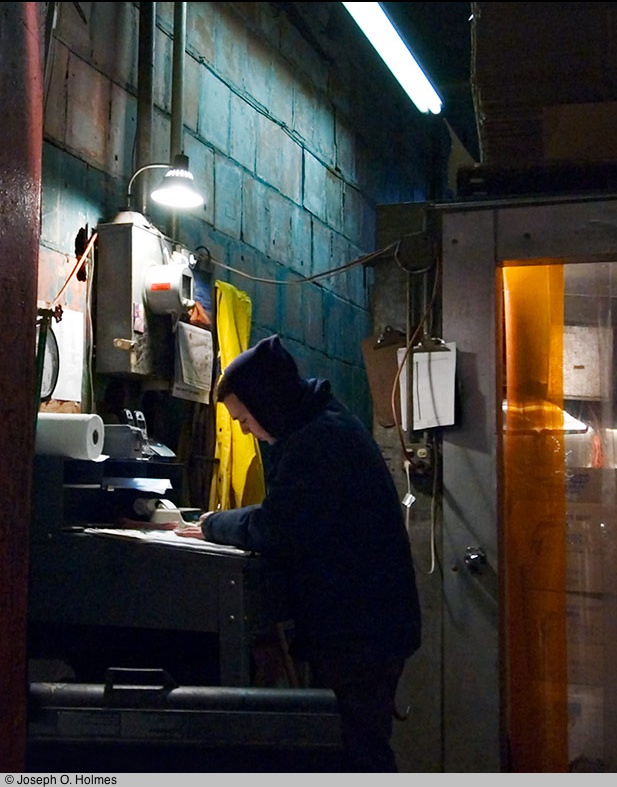
However, every now and then I need a quick fix. Whether to confirm the wisdom of my decision or to see how wrong I was, I’m not exactly sure. And the best way to do this is to visit Joe Holmes’s photoblog Joe’s NYC where, without fail, you will find a new picture every day taken, as often as not, in Brooklyn or Manhattan. The work is fresh and vital, clearly done by one who loves his environment and captures the best and worst of the city I recall so well. Some of Holmes’s best work was done in early 2005 when he and some friends set about documenting Fulton Fish Market on the lower East Side before some developer converted it to high rises.

Click the picture to see Joe’s fabulous documentary photography. Ten months after he took these, the market was relocated to the Bronx, a victim of rising real estate values in lower Manhattan.

Click the picture for the slideshow.

Take a peek. It beats flying to New York and getting ripped off on the cab fare into town any day.

Digital Dust

Or I’ll be blowed!

Mooching around some of the Canon digital fora out there one recurring complaint seeems to be how much dust the EOS 5D attracts to its viewfinder.

Now while most of my pictures over the years have been snapped on rangefinder 35mm film cameras, with few dust bearing surfaces between subject and film, every SLR I have used has been plagued with the occasional speck of dust or a hair in the viewfinder. The 5D is no different. I suspect the increased use of plastics in modern cameras makes matters worse as they seem to retain static charges more, but when I did get some dust in the 5D’s viewfinder the last thing I was going to do was blow it away.

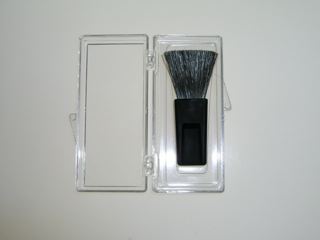
When the maid vacuums the carpet she does just that – she vacuums. She does not blow. Blowing on dust in your camera seems the exactly wrong thing to do. You are a) Hoping to dislodge it, and b) Praying it magically exits the camera rather than getting embedded or relocated elsewhere inside. Ideally what is called for is something like those suction gadgets dentists use to remove waste water from the patient’s mouth. Until something smart like that comes along – and imagine the liability issues in a country whose residents have long ago ceased taking responsibility for their actions – you can blow (!) your money on one of the Digital Camera Cleaning Kits. For your eighty dollars you get a small bottle of Miracle Solution, probably 2 cents worth of isopropyl alcohol, a 5 cent rubber tipped blower and a Digital Brush. The latter, you should understand, grows on Digital Camels only, hence it’s price.

Me? I’ll continue using the $5 anti-static film cleaning brush I have used for years when scanning film, holding the camera just so to let gravity do its thing with the dust, and I’ll continue to avoid changing lenses in the middle of the Sahara in a sandstorm. I hate to admit it but the dust in my 5D didn’t know any better and exited stage left after I gave it a gentle shove. Oh! yes, and I’ll keep the change.

For some new thoughts on the causes of sensor dust, please click here.

Cartier-Bresson: The Man, The Image and The World

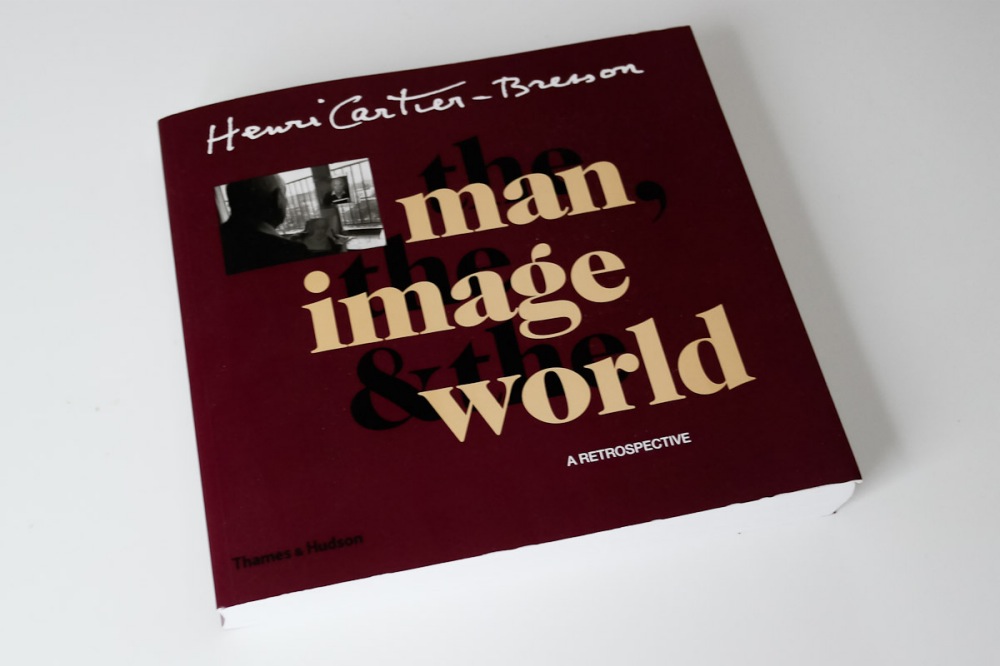
Henri Cartier-Bresson – Book review

The man couldn’t take a good color picture. His portrait pictures are, for the most part, eminently forgettable. His street pictures invariably use maximum depth of field and are without exception, humorless. He claimed to be a revolutionary while spending the last thirty years of his life in a multi-million dollar apartment on the Rue de Rivoli overlooking the Tuileries Gardens. He was a rabid self-publicist with over a dozen picture books to his name. And he did his best work over 70 years ago, mostly before 1934, though living into the 21st century.

But wait a minute.

The man jumping the puddle.

The blind boy feeling his way along the wall.

The kid on crutches.

The Gestapo informer.

The monocled man at the bull fight ring.

The Chinese eating from a rice bowl.

The eunuch.

The near-naked man at the wall in Russia.

The couple on the train.

The gored bull.

The French lunch on the banks of the Marne.

The behatted Orson Welles character in Spain against that wild wall of windows.

The beautiful couple in Los Angeles.

Giacometti on the Rue d’Alema in the pelting rain.

And on and on.

Anyone with even a passing familiarity with the work of Henri Cartier-Bresson will easily call to mind the images conjured up by these brief descriptions and it is just that which makes him such a great photographer. His work is memorable. Name another photographer where you can recall so many photographs.

Maybe what makes his very early work the best is the still fresh teachings of the cubist Andre Lhote. Maybe it was a clearer vision in a less cluttered world. Yet what is so amazing about these early pictures is that they were all taken on assignments during his years as a photojournalist. Amazing, because he chose to make beautifully composed and timed images where mere photographic records would have sufficed.

Traveling in then exotic lands like China and India, pretty much anything would have satisfied his editors. But he wanted to do better. Years later, famous and revered, he disclaimed his photojournalist roots and posed as an artist. Later still, he disavowed photography (an interesting negative marketing tactic which cleverly served to make his work all the more famous) while making some of the most banal sketches since the crayon was invented. None of that matters. His life’s work was done.

There is so much we can learn from him. In a digital age where photographers think nothing of banging off hundreds of pictures in the hope one comes out (interestingly a criticism George Bernard-Shaw leveled at early 35mm photographers, when likening them to the fish which lays many eggs trusting one would hatch) it gives you pause when you realize that his picture rate during the 1968 Paris riots, for example, was no more than four per hour. And you can bet his success rate was high.

What made it possible for him to make so many well timed and composed pictures? The invisibility of this gangly, raincoated man is well known. His visage beyond bland, it would be difficult to take note of this faceless man in the street. Recalling that he came to his medium with a well trained eye, what remains a wonder is the timing. Lhote may have taught him to see, but the skill of pre-visualization, knowing the precise moment when all those building blocks would fit just so, that was born not bred. Thus was the Decisive Moment created.

And if there is any quibble to be had with this magnificent book, whose reproductions are beyond reproach, it’s that none of Cartier-Bresson’s contact sheets are included. These bear out just how often he got it dead right, without any need to machine gun his Leica emulating the fish model.

So what of the post-war work? Well, he didn’t “get” America any more than Robert Frank ever did. The images from the New World are replete with overfed Texans, gun toting kids and put-upon blacks. Nowhere is the beauty of America and the boundless generosity of its people on view. But what do you expect? Cartier-Bresson was, after all, French and his great inherited wealth had passed from bourgeois to royal status once he became its inheritor. This gave him license, of course, to mock the nouveau riches, whence he came. Further, the more recent work had lost its edge. With occasional exceptions the acidity of vision is gone. The architectural, nay cubist, compositional sense is no more. Maybe he got bored. Maybe he was no longer hungry. Or maybe fame had done its damage.

No matter. He transformed photography as we know it and is the spiritual father to all photographers. And you can forget all the rot about printing the whole negative and nothing but the whole negative. First I don’t believe it. Second, who cares if the result is good?

As a one volume reprise of his seventy plus years of photography it would be hard to improve on this book, as long as you are prepared to discount the silly, uncritical, gushing essays and HCB’s frightful pencil and charcoal sketches. I use this book as an interesting litmus test at home. Leaving it open on the bar for all to see, I know immediately a guest’s sensibilities when he pauses and turns the pages. Now that is someone with a shared passion.

And just for laughs, depending on whether he got his first Leica in 1932 or 1933 (the text is confused on this) it may just be that that man jumping the puddle wasn’t even taken on a Leica at all. Ha! ha! ha!