ACR lens profiles

Fixing what ails fine optics.

Adobe has long provided a free utility named Adobe Lens Profile Creator which permits any user to generate lens profiles which will correct the three most common causes of image degradation – vignetting, chromatic aberration and distortion. These profiles work with Lightroom 3 or later and with Photoshop CS4 or later.

The instructions are generally good, and the learning curve is steep, whereafter the process is easy and fast. A provided checkered target is snapped nine times – four at each corner of the frame, four at the center of each side and one in the center. The nine files are then input to the application and a profile is created. Multiple profiles for a lens, created at different focal lengths (for zooms) and apertures can be consolidated in one profile file, with PS or LR automatically choosing the profile nearest to the lens settings used. To create a file for RAW originals you need to use DNG files for the application – good luck finding that clear statement in the instructions. The key to all this is that the illumination on the target must be perfectly even. Any shadows will be interpreted by the application as vignetting and erroneous correction will result in the profile thus created.

Once you get the hang of it you can produce an accurate tailored profile, from taking the snaps to dropping the profile file in the right directory, in 10-15 minutes. The first one takes ages, of course.

Many profiles for modern lenses, created by Adobe, are included with Lightroom and Photoshop, mostly for the G and a few late D lenses, but aficionados of the older manual focus Nikkors and many AF D lenses are out of luck. Users of PS CS5 can access user created profiles, but I suggest you read the caution at the end of this piece before jumping in.

I set to making profiles for the two lenses in my collection most in need of them – the 20mm f/3.5 Ai-S (same optics as the Ai version) and the 35-70mm AF D f/2.8 zoom (same optics as the earlier ‘non-D’ variant). Longer lenses seldom need much in the way of correction. Profiles seem to benefit wide angles and wide zooms most. No surprise there as that’s where it’s hardest to fight the laws of physics – distortion and vignetting being much in the picture, if you get my drift.

The profiles below only work with RAW and DNG files. If you use TIFF or JPG they will not appear in LR or PS. They work equally well with full frame and APS-C sensors, as both LR and PS compensate appropriately. They are most effective in full frame Nikons, where the peripheries of the lens’s image circle are most used.

20mm f/3.5 profile:

For the 20mm I created profiles at f/3.5 and f/8. f/8 is very much the sweet spot for this fine optic and use with a tailored profile really makes the results sing.

Click to download the profiles for the 20mm f/3.5.

Even though the 20mm f/3.5 Ai-S lens has no CPU, as long as you remember to dial in the 20mm ‘non-CPU’ lens setting on the camera, the profile will be automatically recognized from the related EXIF data. This should apply to any lens which does not post EXIF focal length data to the file. LR and PS depend on this information to look up the right lens automatically, though you can always override the applications’ choice.

35-70mm f/2.8 profile:

For the 35-70mm zoom I made profiles at f/2.8 and f/5.6 at each of 35mm, 52mm and 70mm. This lens trends, like many zooms, from barrel distortion at the wide end to pincushion distortion at the long end. Vignetting at f/2.8 is largely gone by f/5.6.

Click to download the profiles for the 35-70mm AFD zoom.

Once downloaded, place these files in this directory:

Replace ‘ThomasMBA’ with your user name. In Lion, hold the Alt key in Finder->Go to see your user Library.

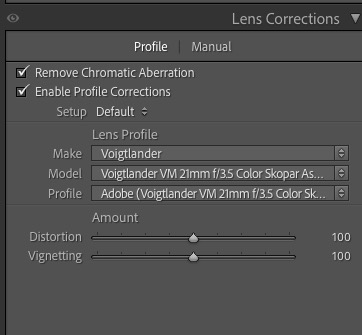
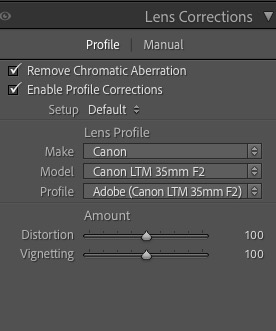
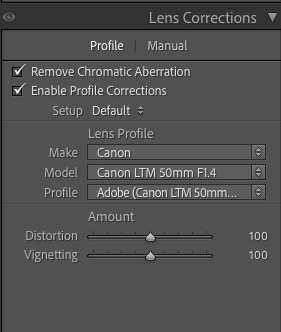
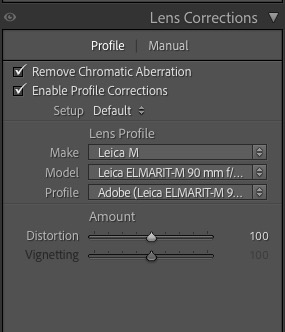
When you restart Lightroom 4 (or 3) you will see this in the Develop module once you check the ‘Enable Profile Corrections’ box for a RAW snap taken on the 35-70mm AF D zoom, as an example:


The profiles for the 35-70mm in Lightroom.

Even though I have created six profiles for the 35-70mm AF D zoom, at 35, 52 and 70mm and at f/2.8 and f/5.6, you only see a choice of one file. Lightroom will automatically choose the profile closest to the focal length and aperture you used – no need to select from multiple profiles.

Here’s the 35-70mm profile at work at 70mm and f/2.8.

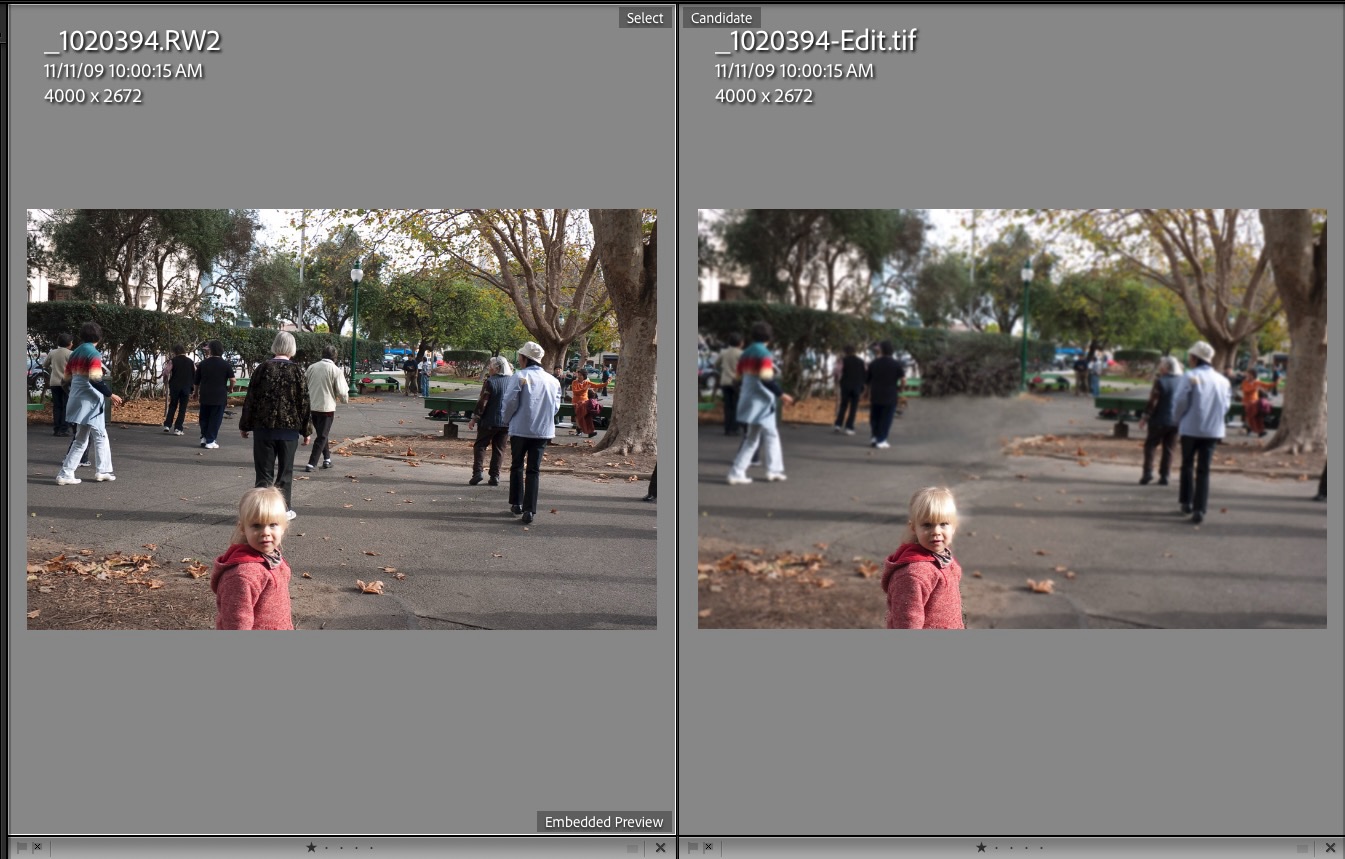
Before:

No profile applied.

After:

With profile applied. Vignetting is gone as is the slight pincushion distortion.
In this image, the centers of the long and short sides have been bowed out
and the corner vignetting has been removed by the lens profile.

The changes with the 20mm f/3.5 Ai/Ai-S lens are much more noticeable, with fairly strong vignetting at f/3.5 removed and the ‘Cupid’s Bow’ wave like distortion of straight lines parallel to the edges of the image corrected. The latter cannot be properly corrected by normal manual distortion correction controls in LR or PS – only a tailored lens profile like the one above can do that. An already good wide angle lens is made great with this technique. The reason I have included two profiles in the file is that at f/3.5 vignetting is more severe than at f/8, whereas distortion remains unchanged. Lightroom will automatically choose the profile closest to the focal length and aperture you used – no need to select from multiple profiles, though the profile file actually contains two profiles.

Both profiles included in the downloadable file fail to correct very minor chromatic aberration (color fringing) but a click on the ‘Remove Chromatic Aberration’ box in LR4 corrects that perfectly, looking at 30x screen enlargements of ultra high contrast subjects. The one click approach compared to the sliders in LR3 sounds simplistic but in practice works superbly.

Before:

20mm f/3.5 Nikkor at f/3.5. No profile applied.

After:

20mm f/3.5 Nikkor at f/3.5. With profile. Note the dramatic reduction in vignetting.

Well done, Adobe. And thank you Nikon for a real corker of a lens, fully usable at f/3.5 and outstanding at f/8. I look forward to publishing some snaps from this lens soon.

Enjoy!

A caution about Adobe’s lens profile database:

Go to PS CS5, load a RAW file and invoke Filters->Lens Correction. You will see a host of lens profiles, none authored by Adobe – they do not come with LR4 which contains all Adobe’s profiles as well as those submitted by lens makers like Sigma. (For reasons known only to the people at ADBE, you cannot download other lens’ profiles using LR4). Nikon and Canon do not submit profiles as that would cannibalize their RAW processing apps for the three people on earth who actually use them.

The problem is that these profiles, which appear to have been submitted by photographers, seem totally uncurated. As an example there are no fewer than 6 profiles for the Nikon 35-70 f/2.8 lens and each yields markedly different results. The descriptions all say “Nikon 35-70mm f/2.8 (raw)”. There is no indication of which aperture or focal length they apply to, making them completely useless. One Nikon profile is even listed as 0.0mm f/0.0, indicating the author failed to read the instructions. Why this is even in the database mystifies me.

My profiles are carefully made and accurate. It’s your choice.

Another Adobe cock-up:

LR4 comes with Adobe Camera Raw 7.0. On the PS side you can only get that with CS6 Beta. The latest version for CS5 is ACR 6.7 but the download will not install, has no instructions on installation, and the current 6.6.x will not convert LR4′s Process 2012 RAW files. I have read that 6.7 does not either, but obviously I cannot test that as the installer is faulty.

The workaround is to use LR4 as your first point of entry and RAW converter even if you propose sticking with CS5 for processing.This works for all but devotees of CS5′s ACR.

Simply round trip the file from LR4 to CS5/ACR whatever version (you will not be using CS’s ACR), using a lossless TIFF or PSD file format. This way, when Adobe tries to extort money from you when CS6 comes out at $600 or more, you can tell them where to stick it. You can bet they will be forced to keep the RAW converter database in LR4 current, or risk the wrath of a huge installed user base which does not want to spend $600+ on CS6 for occasional use. Hoist by their own petard.

I see no difference in the rendering of Process 2012 RAW files comparing a RAW in LR4 with a TIFF in CS5. The only difference is that the latter is four to five times the size, but $600 buys you a lot of storage ….

More profiles:

To see all the profiles I have created, click here.

For a daily snap be sure to visit my photoblog Snap!

The Lightroom 4 book by Martin Evening

Just buy it.

While there is a case to be made for non-photographers testing new hardware – after all you don’t have to be Annie Liebovitz to stick a camera on a tripod and shoot a test chart – no such argument can be sustained when it comes to writing software instruction books.

The hardware case is exemplified by sites like DPReview. Many do a good job of explaining and comparing features and performance, while attended by the worst photography on the planet. None of this is helped by a commentariat frequently focused on flame wars over brand X versus brand Y. But, as long as you stay away from the noise passing as commentary, sites like DPR add value to the hardware decision.

On the software front you have many poseurs passing as experts with one common attribute. That is, they seem to be software gurus who grew up with Photoshop and think that their familiarity with the arcana of vector based rendering makes them Cartier-Bresson’s peer.

That is why it is so easy to recommend Martin Evening’s latest Lightroom book, which addresses Lightroom 4. He is a working professional photographer, a good one at that, writes clearly and illustrates his recommendations thoroughly. I have previously bought his LR v2 and v3 and PS CS5 books, and recommend the latest unreservedly. The section on the use of the new enhanced localized adjustment tools alone is worth the price. Mine ran me $30 at Amazon US.

Having bought v2 in paperback and v3 in the Kindle version for the iPad, I find I much prefer the paperback for ease of cross reference and quick access to features I need to understand. At least I don’t have to recycle v3 – the Delete button being all that is needed.

For a daily snap be sure to visit my photoblog Snap!

Lightroom 4 Beta

Meh!

You can download the Beta version of Lightroom 4 here. Windows XP users are SOL.

After a quick look and comparison of pictures on identical monitors side-by-side against LR3, here are my observations:

  • Not a major upgrade unless you do movies.
  • RAW Import and preview generation speed no different from LR3.
  • Despite renamed sliders for Highlights and Shadows I found I could exactly replicate the effect of these in LR3.
  • Enhanced local adjustments nice to have; overall adjustments, while renamed, add little to LR3 viewed on 2 monitors side-by-side.
  • The localized Sharpness adjustment range is still frustratingly narrow, requiring export to Photoshop if you want real control.
  • Export to Blurb is nice – if you like Blurb – but there are canned export plugins for other services for LR3 – I use the one for Shutterfly.
  • No Content Aware Fill added. Still need to roundtrip to CS5 to do that.
  • GPS? Only my iPhone 4S has that so of little use.
  • Soft proofing no biggie – you could do that through Mac Preview in LR3. And you cannot soft proof on your secondary display, only in the main one, which is kind of stupid.
  • ‘Adjust Print Brightness’ is BS as you cannot preview it – at least I cannot find out how – and it’s no excuse for proper printer setup.
  • No crashes or hitches (OS X Lion 10.7.2), though switching to the Develop module rapidly refreshes the screen a couple of times – easy fix for Adobe.
  • No help files – click Help and you get LR3 Help.
  • ‘Email a photo’ implementation sucks as it does not access the Contacts app on my Mac, meaning you have to input the full email address, and setup is awfully clunky. Adobe needs to integrate this better to make it useful. Right now it’s faster to export a JPG and drop it on Mail app.

The localized Develop adjustments panel in Lightroom 4.

Email setup in LR4 – of course you know your SMTP Server and Port, right?

While I will be upgrading after all the usual debugging is concluded, simply to keep current, the best thing that can be said is that Adobe appears not to have broken anything in what is already a robust and stable cataloging/basic processing/printing tool for RAW files.

For a daily snap be sure to visit my photoblog Snap!

More on keywords

Do it now, save time later.

I wrote about the need for key wording back when Lightroom 2 was the current thing here.

Since then I have been eating my own cooking and after several ‘catch-up’ sessions now make it a practice to keyword all new snaps placed in the LR3 catalog immediately. You are not restricted to one keyword per snap and can mix and match in any way that works for you. Exciting it is not, but apply this discipline routinely and you will find that the ease of picture retrieval with a burgeoning catalog is greatly simplified.

My overall approach tends to be to break down catalog directories by genre – Cityscapes, Landscapes, etc. – with sub-directories dedicated to locations. So Cityscapes->New York, Cityscapes->Los Angeles and so on. The keywords added tend to be snap specific, such as humor, mural, street sign, etc.

I still occasionally struggle when trying to find a favorite picture but it’s getting better all the time as I make a practice of adding keywords in spare moment from time to time. And bear in mind that the target is not stationary here. Especially with digital capture, catalogs tend to grow faster than in the days of film, so constant enhancement of key wording helps you stay ahead of a steepening curve.

It does work. The other day a friend remarked how many store front pictures I had shared with her over the years from diverse locations. Some of these are filed under ‘Abstract’, some under ‘Cityscapes’, etc., but all share the keyword ‘shop front’. She asked whether I could assemble a collection for my semi-static web site, and all I had to do was pull up all the snaps with the ‘store front’ keyword and select the two dozen best, which you can see by clicking the image below.

Click the picture to see more.

If you want to determine which pictures in the LR3 catalog have no keywords whatsoever, read this.

For a daily snap be sure to visit my photoblog Snap!

Lightroom with Shutterfly

Calendars on the fly.

There are few better ways of sharing your pictures than with a calendar. You can be sure the recipient will display each of your twelve snaps for a month, which is a lot more attention than they command on your website or blog!

Further, forget the tired system that has the year beginning in January – your calendar can start any month you want.

Don McKee has an excellent and free Lightroom export plugin for Lightroom available here – I have tested it with the current LR v. 3.4.1 with Mac OS 10.6.8 and can confirm it works fine. Don says it works with Windows and he has tested it back as far as Lightroom 2.1.

The quickest way to assemble your calendar is to go into Library view in Lightroom v2 or v3 (hit G to go to Library Grid view), click a picture you want to add and hit B, which places it in a Quick Collection. Then, when you have your 13 pictures selected (12 + 1 for the cover), go to Catalog->Quick Collection in LR and:

  • Select all the pictures – Command-A
  • Hit Command-Shift-E to bring up the Export dialog.
  • Select Shutterfly at the top of the Export pane and fill in your account details.

I like to export JPGs sized 1600 x 1600 so as not to run into quality issues. 800 x 800 restricts prints to 5″ x 7″ whereas 1600 x 1600 takes you to 20″ x 30″.

The LR3 Shutterfly Export dialog. Note the Post-Processing action at the bottom.

When the export is complete you will be automatically transferred to your Shutterfly page if you followed the above settings.

The Shutterfly page with the pictures exported from LR3.

Thereafter you can arrange these as you see fit. If the quality of an image is deemed poor, you will be warned, and will probably want to export a higher quality version. Another reason to export larger size images than you think you need.

The Calendar function in Shutterfly is superb and there are many formats to choose from. I like the simple Photo Gallery, one photo per page.

Assembly and ordering took me all of 15 minutes for a truly professional looking result. This one runs from August to July. If you choose, Shutterfly will mail these to your recipient of choice. I had to pays sales tax on one sent to Massachusetts, but none on one mailed to California.

The completed calendar – two for $57, shipped.

Order to shipping was under 24 hours for the three calendars ordered. Impressive.

For a daily snap be sure to visit my photoblog Snap!

Categories

Archives

Translate