All posts by Thomas Pindelski

500gB iPad

It’s happening.

The two biggest disabling issues making it impossible for serious photographers to use the iPad as a portable photo processing device are the paucity of good photo processing apps and the iPad’s low storage capacity.

The former issue is being rapidly resolved as new processing apps geared to touch screens seem to be appearing wekly.

The latter has finally been addressed by some clever people at Hitachi.

Click the image for the Hitachi site.

The device, priced at $200 and available in 4 weeks, will behave as a wireless hard drive for your iPad. So, if it works as advertised, that means that you should be able to download your RAW files to the device and then process the images from your iPad. Whether direct download from a USB card reader to the G-Connect is possible is unclear, but if it is and if delivers as promised, I’ll be in line.

Given that the primary (only?) reason to buy a 64gB iPad over the 16gB one, a poky 48gB storage increase, is if you want to store lots of videos or RAW files on your iPad, why not get this device instead? The price increase is the same, the weight penalty minor – it’s likely little larger than a notebook HDD – and you can use it as a wireless disk with any computer.

The Lytro camera

The next step.

The other day I wrote of how analog photography – film and chemical based – reached its technological zenith under the auspices of Edwin Land. His instant color prints were the culmination of the process of making a permanent, paper image. Thereafter, digital technology took center stage.

One of the major drawbacks of images, be they film or digital, is the depth of field problem. Getting just the things you want sharp continues to be a major issue. Cameras have gone from large film formats, with accordingly long focal length lenses and limited depth of field, to the other extreme of minuscule sensors and very short lenses, where almost everything is sharp all the time.

I have written about this depth of field problem often in these pages. Because I favor a small sensor camera, the Panasonic G1, and because my favorite genre is street snapping, I am always bedeviled by DOF issues. Mostly, because of the short focal length lenses dictated by the small MFT sensor in the G1, that means too much depth of field. When background clutter intrudes, I use Auto Blurâ„¢ to blur the background. It doesn’t take long, though it is, frankly, a pain in the nether regions to have to do this. While your level of blurring is binary – blurred or sharp – the effect is fine as long as you do not overdo it. This following street snap is a typical example of where blurring the distracting car in the foreground improves a picture. Sure you can do progressively increased blurring if you take it in steps but life’s too short and I don’t take snaps for the equipment or technique obsessed.

The Kiss. 24th and York Streets, San Francisco. Panasonic G1, Olympus 9-18 MFT @ 18mm, 1/1000, f/7.1, ISO 320

At the other end of the spectrum – close-ups and macros – there’s never enough DOF and an elegant solution dictating the use of many selectively focused images exists in the guise of the wonderful Helicon software. But forget about using Helicon if your subject is moving.

Some digital camera makers are beginning to address the issue of enhancing background blur – Sony has a software based version in some of its point-and-shoots and I believe there’s something in the new Panasonic G3 which I have on order. I haven’t delved into the details yet as my primary drivers in getting this body are a less noisy sensor and a faster autofocus speed. Both are desirable for street snapping, the former because sometimes you have to crop an image, the latter for obvious reasons.

The purpose of this preamble is to look at the exciting next step in selective focus photography, which is coming soon from Lytro. The start-up, founded by Stanford graduate student Ren Ng, and well funded with $50 million in capital, is promising to release a consumer version of its Lytro Light Field camera soon. One of the best uses to date of variable focus photography has been in the medical field of Computer Axial Tomography to make CAT scans of a patient’s body. Moving the patient through an X Ray beam, multiple images are recorded allowing the diagnostician to look at the body as if it was sliced open, the location of the slice being whatever is needed. Light Field photography is different, and considerably more elegant.

Ren Ng’s PhD disseration is remarkably clear and well written. Even if the math may leave you cold the issues are clearly addressed. You can download the thesis by clicking below:

Click to download Ren Ng’s PhD dissertation

An additional set of microlenses is installed in front of the regular digital sensor, to record the position of light rays at the aperture and on the sensor. This positional data makes it possible to record depth information with an image, information which traditional film and digital photography discards. While Ng is in no sense the ‘discoverer’ of this technology, which has been in academic journals since the time of Leonardo as he relates in his thesis, it looks like he may be the first to realize it in a consumer camera.

This is not idle theorizing. Ng’s thesis (2006) includes illustrations of a Contax 645 modified to include the light field receptors:

The results are simply stunning. Your first click on the images will, I guarantee, make your jaw drop – click the picture to go there (does not work with an iPad):

Click the picture for the interactive Lytro gallery.

To me that’s comparable to the excitement I experienced when first seeing a black and white picture show itself in the developer tray under the red light in the darkroom, or to seeing that first Polaroid print develop in my hand. I just tried it on our 9 year old and his reaction was the same.

In the gallery, take a look at the picture of the four models posed in the studio. You can select which one you want to be sharp. So, if you can do that, the next rational step is to select a range of sharpness and rates of focus drop off. Because the recorded image has information relating to depth and position, it follows that this is possible.

The implications for photography and camera design are earth shaking. As all image depth data is stored with each image courtesy of the micro lens array adjacent to the digital sensor there is no need to focus your image when you take the picture. Focus delay is literally zero. So once that high quality f/1.0 lens comes along at a decent price, and is used in conjunction with a small sensor, it can be very compact indeed. You will simply bang away at f/1 for every image and then select what you want sharp at the processing stage. Camera shake will be a thing of the past, given the sort of short shutter speeds which result. No focus mount, no focus rack, no focus motor, no focus battery drain, no clunky extending lens. Think about it.

You can sign-up to reserve a camera:

Needless to add, I have already done so.

So why didn’t Nikon or Canon do this when the idea has been around for ages? Well, can you name one significant photography innovation from the Japanese? Look where innovation has come from – roll film (George Eastman/Kodak), 35mm (Oscar Barnack/Leitz), anti-reflection coatings (Carl Zeiss), Honeywell (the Correfot which became autofocus), polarizing lenses (Edwin Land/Polaroid), instant photography (Edwin Land/Polaroid), the SLR pentaprism (Zeiss Ikon), digital sensors (Bell labs) – not a Japanese in sight. And now Lytro – Chinese/American. OK, we can credit Pentax with the first instant return mirror in an SLR. Hardly earth shattering.

A bully gets his

Avoid ‘in app’ purchases.

Did you know that every time you make a purchase of an app on your iDevice or using the AppStore icon on your Mac that you are giving 30% of the developer’s income to a corporation which systematically defrauds US taxpayers daily?

Yes, that’s the fee Apple extracts when you do so. The ‘sell’ is that it reimburses AAPL for running the AppStore (a bigger mess you will not find on the web) and that they are making your life easy. Trust us, we’re Apple and your well being is our sole interest – when we are not avoiding paying taxes on the $17 billion in cash we have stashed offshore, that is and have largely avoided paying any corporation taxes on our vast annual income.

Sure, you could still sell your app from your own web site, but the price had to be the same and no reference to your web site was permitted in the AppStore version of your app.

It doesn’t take a moment’s thought to realize that magazines, newspapers and small software writers could not possibly make a profit after Apple extracted its 30%. So not only was this policy ruinous to these vendors it actually hurts Apple. It’s never a good idea to put your providers out of business.

Well, in the good, old fashioned English public school I attended, we really disliked bullies. It was deeply inculcated in pupils that bullying is just not on. So well was this message conveyed that when there was a rare case of playground bullying, you could bet that the perpetrator would be approached by four of the burlier members of the rugby team, marched to the men’s room, his head stuck down the porcelain bowl and the flush cord pulled. What it lacked in subtlety it more than made up for in effectiveness.

Appropriately enough it took the British to put a stop to Apple’s bullying ways. Pearson, the publisher of the estimable Financial Times, just stuck the fruit company’s greedy head down the proverbial toilet. And flushed.

You can bet that the FT will shortly discontinue its presence in Apple’s AppStore all together. I changed immediately to the new app and can confirm it works just fine. And there’s more content too. Plus where else do you go for objective financial news?

At the recent WWDC hoopla (wow! Lion has more bells and whistles no one needs and screw you if you use Rosetta apps ….) Apple made much of how the AppStore was selling millions/billions/trillions of apps, or some such idiocy. Yes, and their growing software distribution monopoly nets them 30% a pop.

So here is my suggestion. By all means search for photography and magazine apps in the AppStore for your Mac. But when you find something you like, hop over to the developer’s/publisher’s web site and buy directly from them. (Sadly, you have no choice in the matter with iDevice apps, unless you elect to hack your iDevice). You put that 30% in the developers’ pockets, where it is sorely needed. You certainly don’t need to send it to a US corporation which has paid negligible corporation taxes for years and has $70 billion in the bank as a result. Yes, a big chunk of that is your money, US taxpayers.

Let Dr. P. put Apple’s ways in perspective for you.

Here’s the Income tax footnote from their last annual SEC filing:

Forget all that ‘deferred tax’ baloney. Those are not cash payments. So total taxes AAPL paid in 2010 were $3.1bn on net income of $18.5bn or 16.8%, compared to a federal corporation tax rate of 35%, or more than twice the rate AAPL paid. Then add in the fact that somehow Apple makes the claim that less than half of its sales were in the US and the most they will have paid in US taxes is maybe $1.5bn.

And you want them to extort developers and publishers for 30%? I didn’t think so.

Developers? Offer reduced function apps through the AppStore and get the word out that the real thing can be had from your web site. Stop feeding the bully. And make sure your AppStore version flashes a sign to your full featured app, just the way the FT is doing it. Apple has not had the brazen cheek to try and stop that.

CrashPlan – Part V

Adding more.

In Part IV I mentioned that I had copied all my photo files to CrashPlan’s cloud storage.

As there are currently no limits on storage volumes, and I do not expect this status to prevail, I have been gradually moving other non-photo data to CrashPlan on the assumption that unlimited volume rights will be grandfathered if they decide to charge for large storage spaces. I have signed up for three years at CrashPlan and now have over 300gB of data on their servers.

Here’s how the storage paths selected for cloud backup look at CP:

CrashPlan directories.

When inputting new paths, the best way is to drag and drop the folder from Finder on your Mac to the above CP box. Typing in the path does not cut it – Finder omits the suffix “.aplibrary” from the Aperture database, for example, and without it the back-up will fail. Further, remember to add the trailing slash (‘/’) or the back-up will fail. Irritating quirks and CP really needs to adopt a visual icon based approach, compared to this geeky one.

How about Applications? Increasingly applications are purchased by download, so all you need keep in the cloud is information relating to your serial number and related access keys. Uploading gigabytes of applications to the cloud makes no sense. It’s also likely you will miss one or more of the hidden directories many applications use. Just re-download the app if you lose the original (assuming the vendor is still in business), then re-input the key. Rather than using CrashPlan I strongly recommend 1Password used in combination with a free DropBox account. The latter will not only store all your keys remotely, but also provides efficient syncing of all your 1Password data to all your Macs and iDevices. After many months of use I can confirm it works properly. 1Password is an application every Mac or iDevice user should own.

Here’s an extract of the Software section in my copy of 1Password:

What about software you bought on DVDs? For me that leaves the truly awful Intuit Quicken. I store that DVD offsite.

CrashPlan’s warning feature:

CrashPlan will backup even if your computer is logged out; however it cannot do so if the machine is switched off. That happened with my HackPro the other day when, for the first time in ages, I left it off overnight while doing some hardware maintenance. I received the following alert from CrashPlan in my email the next day – a nice feature:

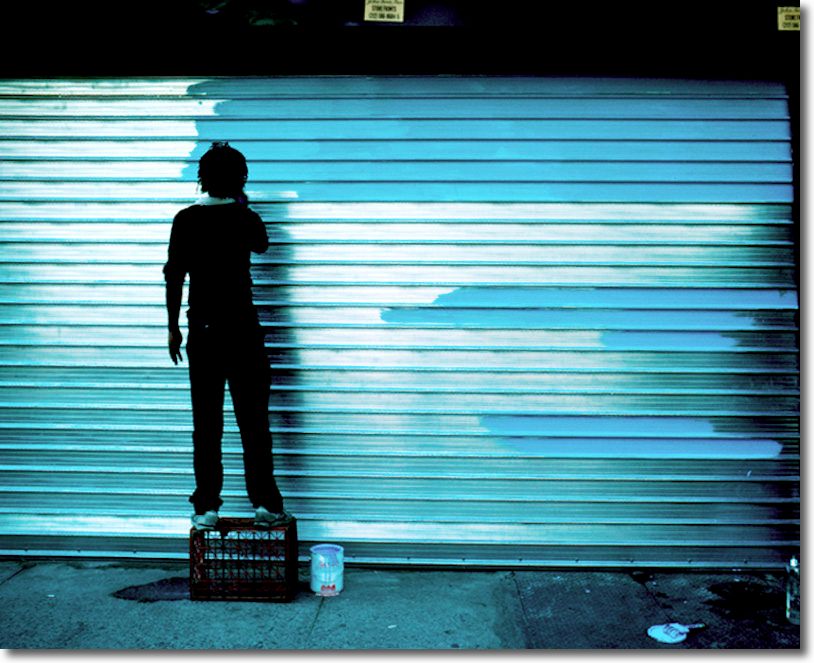
The Finger

The moving finger, having writ, moves on.

On 24th Street, east of Van Ness Boulevard, San Francisco.

At Ms. Terioso’s. G1, kit lens @ 18mm, ISO 320.

With apologies to Omar Khayyam.

The Moving Finger writes, and having writ,
Moves on: nor all your Piety nor Wit
Shall lure it back to cancel half a line,
Nor all your tears wash out a Word of it.