All posts by Thomas Pindelski

The new iMacs – 2011

Still a poor choice for photographers.

From a reading of the specs of the latest iMacs, the reasons to upgrade are:

  • You do a lot of moving of large video files. The new Thunderbolt connector is 10x faster than USB but peripherals using it are rare and only just coming to market.
  • You need three displays. Existing iMacs can support two (iMac + 1 external). The new ones can support three (iMac + 2 external) using Thunderbolt. Once again, the only displays currently using Thunderbolt are the overpriced and glossy-only ones from Apple which simply cannot be properly calibrated for serious photography use. Once it becomes available, a good Dell matte display will be half the price of the add-on Apple one, the latter too garish/bright/contrasty, just like the display in every iMac since they went all glossy four years ago.

The modest CPU and GPU speed increases are not a compelling reason to upgrade.

Further, AAPL still has issues with graphics cards overheating (which killed both our white non-glossy iMacs and made me build the Hackintosh – these were the last iMacs with a screen that could almost be properly profiled for photography use). Still? Well, yes. Why do you think the iFixit tear down shows that the graphics board in the latest iMacs is removable, rather than integrated on the motherboard? Because they expect to replace many, testament to the poor cooling of the part in the tight confines of the box. Form over substance design continues at Apple. Plus, as you need to remove the motherboard to access the removable GPU, you need to be very skilled or very lucky. And then where do you get the replacement? It simply does not solve.

Click the picture for the iFixit teardown of the latest iMac.

If you need a good photography machine and must have Thunderbolt, the best bet is to wait for the Mac Mini to add that connector and hook it up to a couple of proper displays from Dell. Or for higher speed, build a Hackintosh.

Save your money unless the above are compelling reasons for you.

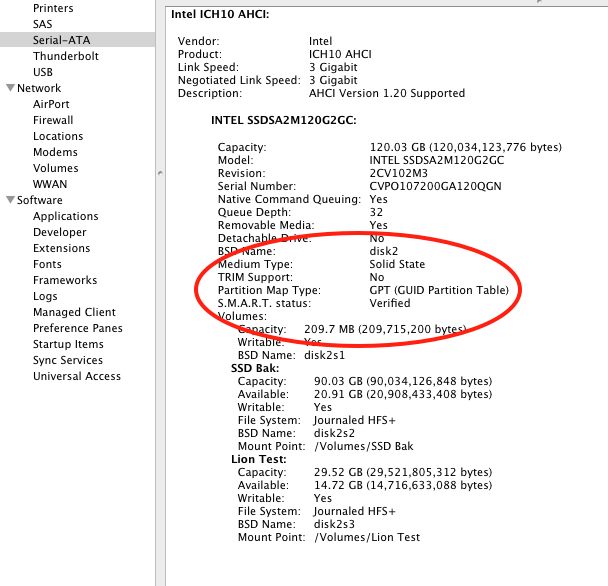
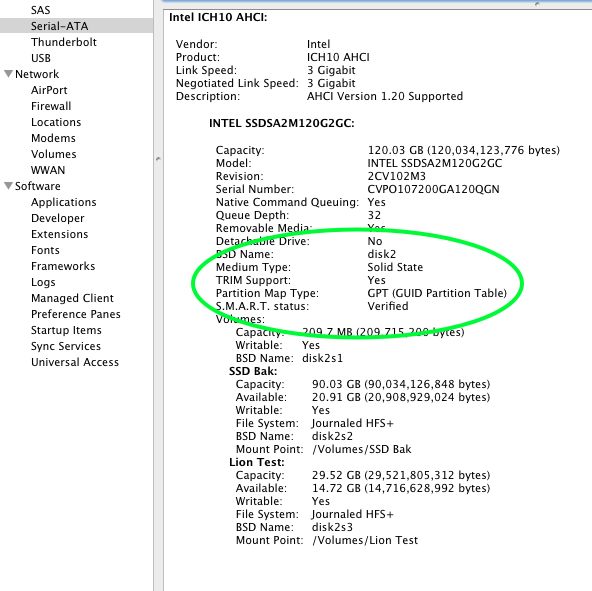
The single best thing you can do to make your iMac significantly faster is to add a Solid State Drive for the OS and applications. It can sit externally – internal installation is sheer hell – and you tell System Preferences->Startup Disc to make the SSD the one to start from. Install OS and copy over apps and you are set. You continue to keep data on your existing internal HDD which is big and cheap. The SSD is small and costly but it dramatically increases start-up speed and application loading. I added an Intel SSD (only 128gB) to the Hackintosh and the difference is night and day. I use maybe 50% of it – OS + apps only. Far more real world performance increase than newer CPUs or GPUs. It cost me $225, and prices continue to fall. Once you have used an SSD there’s no going back. Also, an SSD has no moving parts – always a good thing.

Transamerica

Years later.

I have been photographing it for years. Always there. Always on the horizon.

But, sometimes, you have to get really close.

Snapped the other day, meandering through the Business District.

I subsequently made a large print of this for the wall and the cavernous blacks produced by the HP DesignJet 90 dye printer are simply to die (!) for. What a piece of hardware that is.

The Panasonic G3 – soon?

Here’s hoping.

My Panny G1, bought in July 2009 was discontinued about a year ago. Panasonic replaced it with the underwhelming G2. The latter added a movie mode and a touch (more like “push”) screen.

Panasonic G3? I wish!

A far more significant improvement was in the recently introduced and costly ($1,000 body) GH2 which added the second ever MFT sensor. All Panny and Oly MFT cameras have shared the same sensor until now. This increased the pixel count and reviews suggest that the noise and resolving properties are now comparable to the considerably larger APS-C sensor in the best models from Canon and Nikon. A related benefit is the professional quality movie mode which has many pro movie makers dumping their costly video gear in favor of the superior GH2. Impressive.

Now it’s not like the results from the G1 are bad. I have little difficulty consistently producing 13″ x 19″ prints from mine and, with extra care, 18″ x 24″ is possible. That’s larger than 99.9% of users will ever make. As for display on a big TV screen, there are no issues. Everything looks great. However, an even better sensor, especially one with less noise at 1600 ISO, would be welcome. So would deletion of the useless prism hump on the G-series DSLRs, placed there by Panny’s admission to make traditional DSLR switchers comfortable. Or something silly like that.

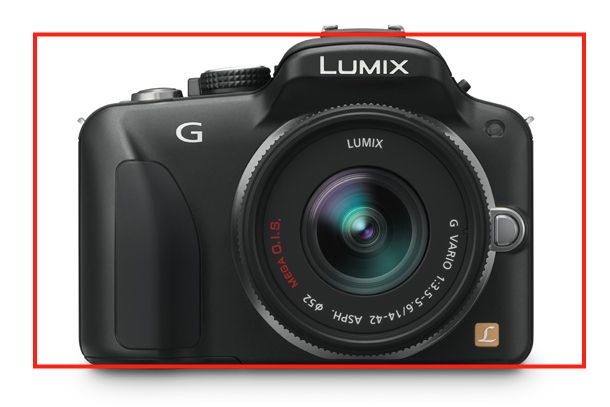
The reason the mock up, above, interests me is because not only is the prism hump gone, the body also includes the EVF from the G1 which is as good as it gets. Meaning that, unlike the GF1 and GF2 which include an LCD finder only or an add-on EVF which makes them bulkier than the G1, you get a proper, integrated finder. Plus that improved sensor. Anything that allows me to be more careless when pressing the button, in the interest of getting the picture, is a good thing. So faster ISOs made possible by a less noisy sensor means faster shutter speeds. That means a higher success rate in street snapping.

The rumor mill has it that Panny will announce the G3 on May 11, in London. Let’s hope that the recent earthquake in Japan does not delay that.

The G1? Still a superb bargain. I paid $640 for mine and Amazon still sells new ones for $550 with the kit lens. Mint to new ones sell for under $250 for the body only on eBay. If the G3 is too costly or delayed, I have no difficulty recommending the G1 to aspiring street snappers who will not miss a movie mode. And forget the touch screen. No one needs that.

Price? I’m guessing $650-700 for the body only. They may have to discontinue the GF2 as who wants a non-EVF body of comparable size at a like price?

Mounting glossy prints

Care needed.

I finally got around to mounting some glossy prints made on the HP paper I received as a gift.

The Seal 160M.

I use a Seal 160M press which I bought ages ago, used, on eBay for some $400 + half my net worth in shipping. It weighs a ton! They are still in business and even shipped me some missing nuts no charge. Today’s price- some $1,400 – reflects the uncompetitive cost of US labor. Will we ever see a flood of cheap ones from China? After all, a press is just a couple of slabs of cast iron and a heater. I doubt it. Few make big prints for mounting any more and I doubt the replacement market in commercial businesses is significant.

Only a fool buys these new. They regularly crop up for $250-500 used and all parts are readily available, not that there’s much to go wrong. The 160M weighs 60 lbs so try to buy locally. The 210M comes in at a whopping 75 lbs. Buy locally and bring a friend.

Typical eBay selling price – this is for the 210M. The 210M has two pressure adjustment knobs in contrast to one for the smaller 160M

The device could not be simpler, so if the heater or thermostat blows, replacement is cheap and the process simple. The whole thing is made up of less than two dozen parts, and B&H carries the essential ones. Framers’ Island also carries spares, including thermostats.

Not exactly complex ….

You can read all about mounting prints here.

I turned the temperature down from my usual 190F (HP Satin) to 170F for the glossy and also first removed the heated platen and gave it a thorough scrubbing with steel wool to remove any surface imperfections. You know how glossy is! Further, I’m careful to keep the release paper (prevents the print sticking to the heated platen) in a dust proof bag to avoid ingress of particulate matter which could mar the surface.

The results are simply spectacular. The surface loses a minor amount of gloss (it will much more at 195F so temperature seems critical) and there’s not a divot or scratch to be seen. But it is a labor of love! The faster these prints go behind glass, the better.

Mounted glossy prints with helper.

To learn more about the Seal press click the download buttons below. If you track down a used one, look for the S or M designation in the model number, indicating it’s a later model which does not use asbestos in the wiring insulation. Life’s too short as it is.

Download the Seal 160M/210M manual. 160M – up to 2×18.5″,
210M up to 2×23″. Both accommodate any length.

Download the Seal 110S manual – up to 2×12″

The maximum width of a board which these will accept is twice the larger dimension of the platen – you simply flip the board around. Overlapping/reheating a previously sealed area has no deleterious effect. The maximum length is infinite as you simply slide the board sequentially through the press. A 13″ x 19″ print needs two passes in my 160M, whereas an 18″ x 24″ requires four, both when centrally mounted on a 22″ x 28″ mat. It’s the size of the mat, not of the print, which constrains capacity. 2 minutes under pressure per ‘press’ using Drymount mounting tissue and release paper does the trick.

Nothing beats a professionally mounted print and, as I have written before, I am still searching for evidence of fading or discoloration in prints I mounted almost 40 years ago using a domestic iron. So when snake oil salesmen come calling, telling you that heat mounted prints fade, ask to see the evidence.