Category Archives: iPhone

A smartphone with a decent camera

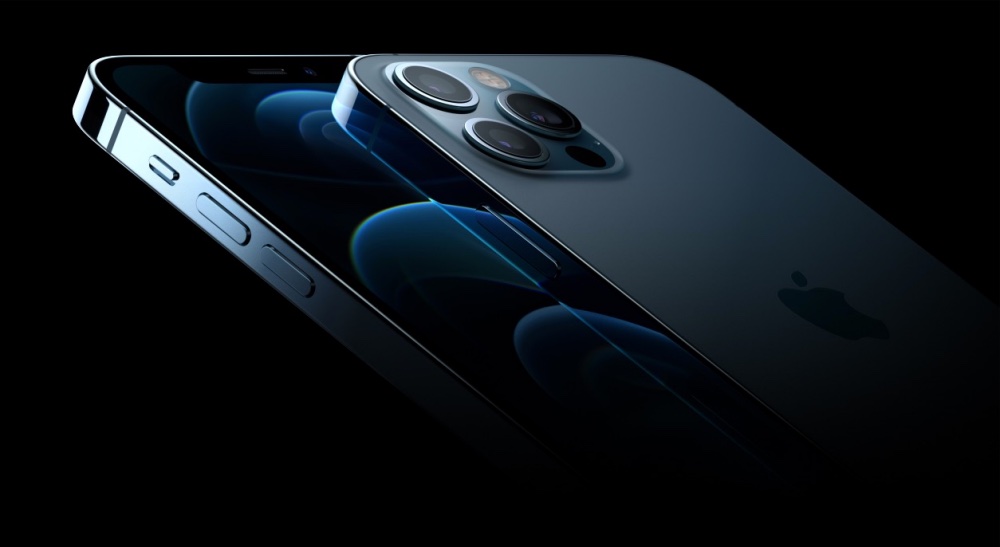
iPhone 12 Pro

Another nail ….


Hastening the demise of the DSLR.

…. in the coffin of DSLR and mirrorless camera makers. Yes, Zeiss just released an Android based mirrorless which will run you $6,000 and will get you hacked at no extra charge. A fool and his money …. But innovative?

The point is that innovation in traditional camera design is notable for its absence. Nikon makes ugly ducklings cobbled together by a committee, Sony makes more models than you can shake a stick at and Canon is focusing on multi-megapixel high ISO sensors no one needs. ISO 100,000 and 80 megapixels? Essential, no? And they all cost more than the iPhone which can be upgraded annually for less than $500 and does lots of other things than just take pictures.

You can read my iPhone 11 Pro user review here and the iPhone 12 Pro comes with no surprises, kaizen being the order of the day. Perhaps the most interesting new feature for photographers is the addition of a LIDAR detector. The newly added Laser Imaging, Detection and Ranging sensor makes nighttime focusing even more accurate, building on the already stellar Night Mode missing from your $3,000 mirrorless SLR.

Suffice it to say that the iPhone 11 Pro saw me selling my two Nikon FF bodies, some two dozen Nikkor lenses and two Panasonic GX7 bodies with four more lenses. I would have sold the china cabinet this lot needed for storage, but a small thing called COVID got in the way.

On the phone front there is 5G, a not-ready-for-prime-time feature awaiting the build out of US networks, but, hey, trendy as heck.

More when my iPhone 12 Pro arrives here, my order delayed by the wait for my favorite Lameeku wallet case to be released… Yes, the iPhone 12 Pro is differently shaped than the iPhone 11 Pro and that may be the greatest new ‘feature’ of all, for any change to the iPhone’s awful handling can only be an improvement. When Steve released the slab sided iPhone 4 in 2011 – a form factor emulated by the iPhone 12 Pro – he stated that his goal was to emulate the quality feel and experience of using a Leica. What he did not mention was that the iPhone was a fraction of the cost of the Leica rangefinder and did not break down. These two attributes carry over to the iPhone 12 Pro. There is still no optical zoom lens, but I would think that will be added next year when Apple perfects the periscope zoom design which will fit within its existing case designs.

Three hundred bucks a year

High end photography has never been cheaper.


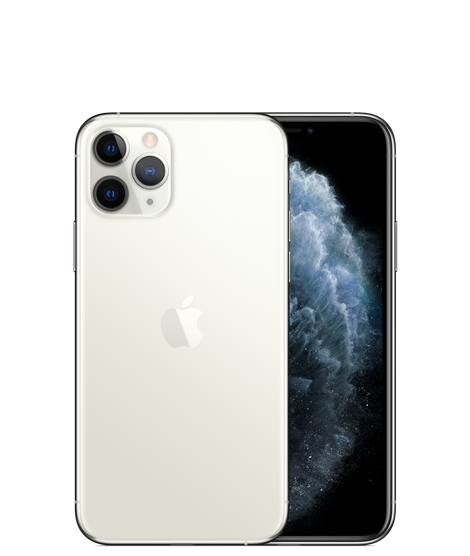
The iPhone 11 Pro lens array.

The ever bubbling rumor mill has it that this year’s iPhone 12 Pro will come with a 60+ megapixel sensor and a fourth ‘time of flight’ lens which will enhance virtual reality viewing as well as providing more granular depth map data for selective focus effects, rendered in software.

I will immediately list my iPhone 11 Pro on Swappa and will sell it for $300 less than its iPhone replacement. This is the extent of my annual hardware cost, the equivalent of a few rolls of film plus some prints or another lens for a DSLR or mirrorless body. Photography has never been cheaper. And I get a new camera annually, comfortable in the knowledge that every iPhone camera has been better than the one which came before it.

Night Mode optimisation

A modicum of care does the trick.

Night Mode is one of those brilliant enhancements in the iPhone 11 which obsoletes every ‘serious’ camera on the market.

Those 8 billion plus transistors in the iPhone’s A13 chip are put hard to work taking multiple images and then stitch together the best bits for a stunningly good result. And the device’s outstanding HDR technology makes sure that the dynamic range is constrained to what the technology can handle. No highlights are burned out.

Still, a modicum of care will be repaid with the best possible images. If you use the iPhone’s default Camera app, Night Mode is automatically invoked when needed. You cannot force it ‘on’.

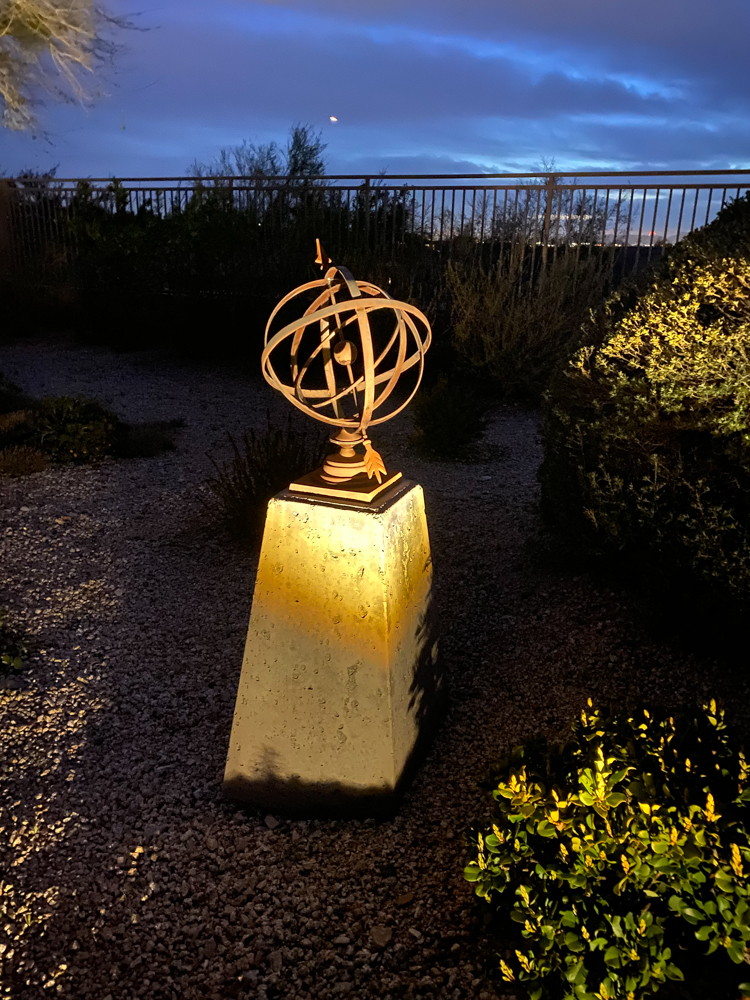
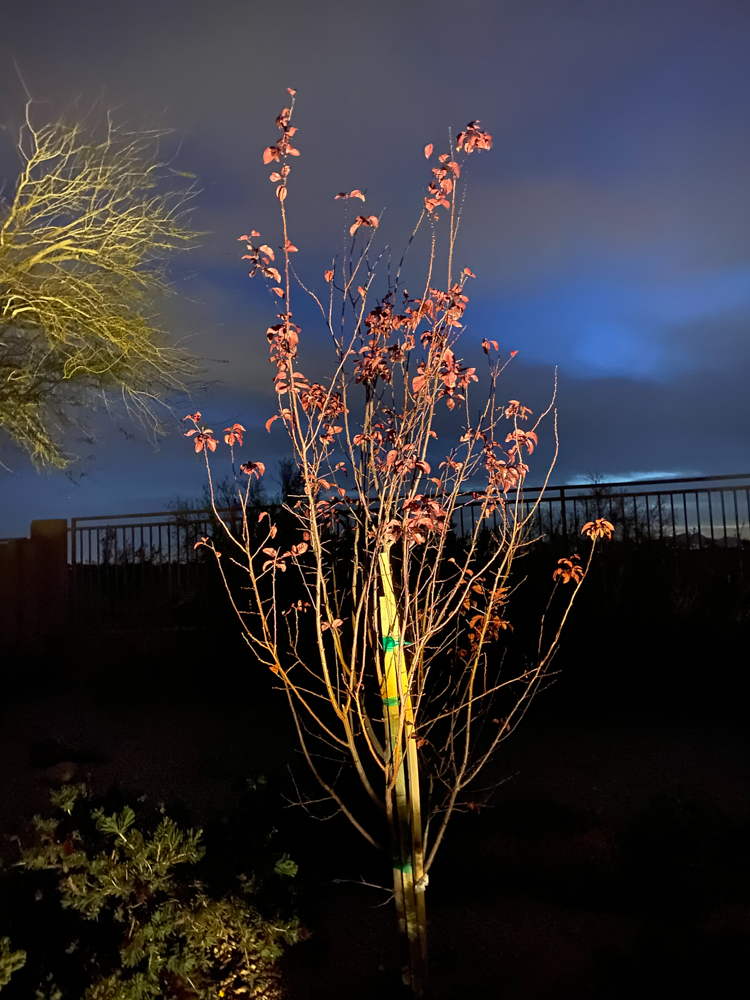
When Night Mode is active a yellow flag appears at the top left of the iPhone’s display and the image ‘seen’ at the time of exposure remains frozen on the screen. When processing is complete some three seconds later – and you are warned to keep the camera still – a second image appears on the display showing what was recorded. If you notice a significant shift between the locations of objects in the second image compared with the first then it’s more than likely that the result will be blurred. I obviate this problem by using a monopod, which eliminates vertical motion which is the real killer here. I don’t bother with any attachment device, simply holding the iPhone tightly against the top of the monopod. The results are peerless, as these two images from the garden at night illustrate. The extreme dynamic range will only embarrass your DSLR or mirrorless monster. Don’t bother. Get an iPhone 11 – these are SOOC, naturally:

Back to the future

Minolta pointed the way.

Given that they have yet to have an idea not stolen from someone else – meanly mostly from Apple – I spend little time in reading about anything from Samsung.

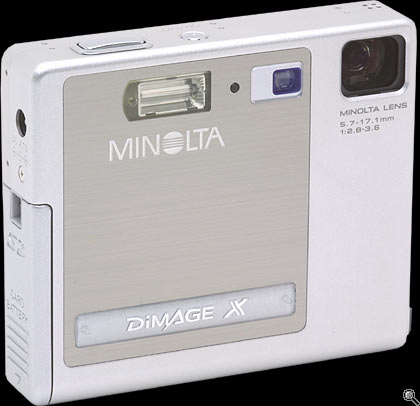
But their most recent theft is surprising only for how long it took them to think of it, for their latest ‘high-end’ phone (there’s an oxymoron for you) steals from a 2002 inspired design by Minolta in its 2mp Dimage digital point and shoot.


The elegant Minolta Dimage of 2002.

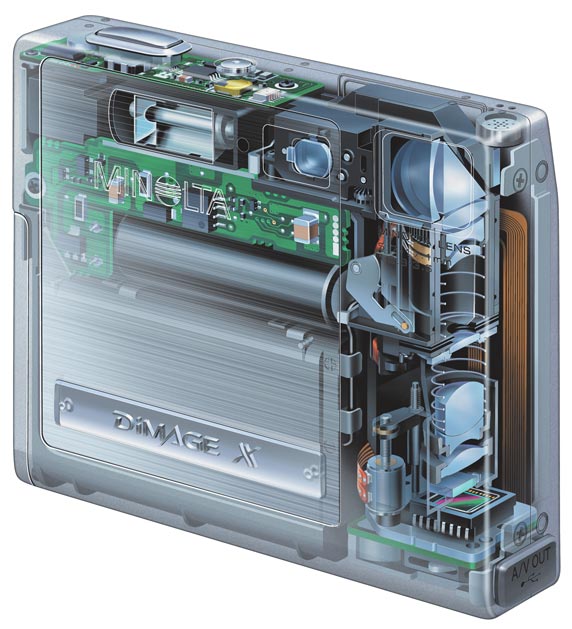
This elegant design had one truly original feature, in addition to its neat packaging in that small square case. It used a periscope optical zoom, vertically oriented inside the case, with light rays deflected through the associated right angle with a mirrored prism. This allowed the incorporation of an otherwise lengthy optical path within the tight confines of the body, a small 3.3″ x 2.8″ x 0.8″. For comparison, my iPhone 11 Pro in its case measures 5.5″ x 3″ x 0.5″.

This cutaway view shows how it worked:


Illustration of the ‘folded’ optical path.

We can expect to see this sort of thing in a future iPhone as modern technology has made things even smaller 18 years after Minolta’s inspired design. Optical zooms beat digital zooms as there’s no pixel degredation as magnifications increase.

Now if there’s a criticism to be leveled at the iPhone 11 Pro – in addition to its poor ergonomics – it’s that there’s no lens at the long end. Sure, there’s a 10x digital zoom, but you can do that just as easily in Lightroom, with all the attendant issues. So you are stuck with ultrawide, very wide and normal, call it 12mm, 24mm and 50mm FFE, all superb but none of them long.

So if Apple can add one of those ‘periscope’ optical zooms and make the 50mm a 50-200mm optic, well, that’s going to be all she wrote for the few remaining sales of silly-priced and even sillier-sized DSLRs.

A wrist strap for the iPhone

Avoiding ‘Woopsie’.

When snapping away with the iPhone at the car show the other day, I kept the iPhone’s camera turned on at all times and in my left hand, ready for instant action. Half way through this sojourn I had what can only be described as a Big Moment and almost dropped the bloody thing on the ground. Hard unyielding ground, protective case be damned. These things never work when needed; I use mine to hold credit cards and my driver’s license.

So it occurred to me that what is called for is a wrist tether and after reviewing the awful choices on Amazon I decided to craft my own. A custom tether – I’m selling these for $499, free shipping, to all iPhone 11 Pro owners. Lesser models need not apply. Comes with an autographed Certificate of Authenticity.

A 3 foot Lightning cable is purchased form Amazon for all of $7.


It’s cut at 22″ from the Lightning connector end.


Two pieces of heat shrink tubing are cut to 3″ (small) and 4″ (large) length. The small must accommodate two passes of the cable. The large must be able to slip over the Lightning connector.


The cable is doubled up after measuring for the correct wrist strap loop diameter. Leave 2.5″ of the tail exposed and heat shrink the tubing in place.


Next the broad diameter tubing is slipped over the Lightning connector and over the small diameter shrunken tubing; the tail is doubled back into the large tubing.


The large diameter tubing is heat shrunk into place and the wrist strap/tether is complete.


Belt and suspenders:

Apple has carefully designed the Lightning connector to prevent excessive force requirements for insertion or removal. Give the above assembly a strong yank and phone and wrist strap part company.

So a fail-safe is added in the form of a monofilament loop, one end attached to an old credit card, the other to the end of the wrist strap.


I used a very fine #60 drill to make a hole in the credit card
to permit pass-through of the length of 30lb. monofilament.


The monofilament is secured on both ends with a length of heat shrink-tubing, the tail
is reversed and a second length of larger diameter tubing is installed atop.


The credit card is installed in the sliding opening for credit cards,
the opening is shut and the whole assembly is very secure. In the event of a
serious yank the Lightning cable will still separate from the iPhone,
but the credit card will save all.

The credit card is actually installed with the loop inserted first, for maximum security, not as shown in the image above.

No more ‘Woopsie’.

I use a Lameeku iPhone 11 Pro wallet and am very pleased with it.