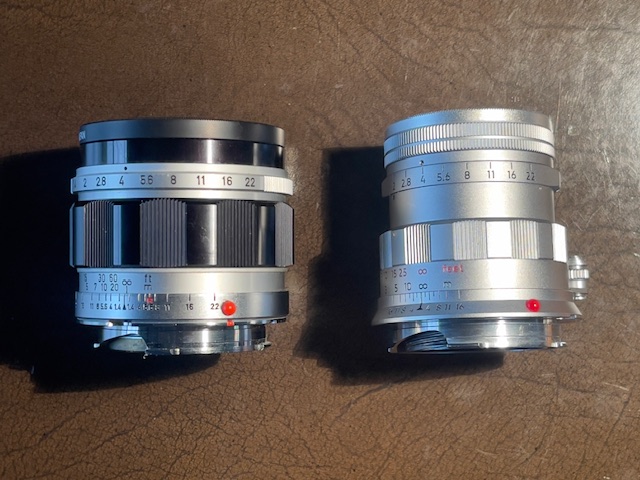
Another classic recreated.
For an index of all Leica-related articles click here.
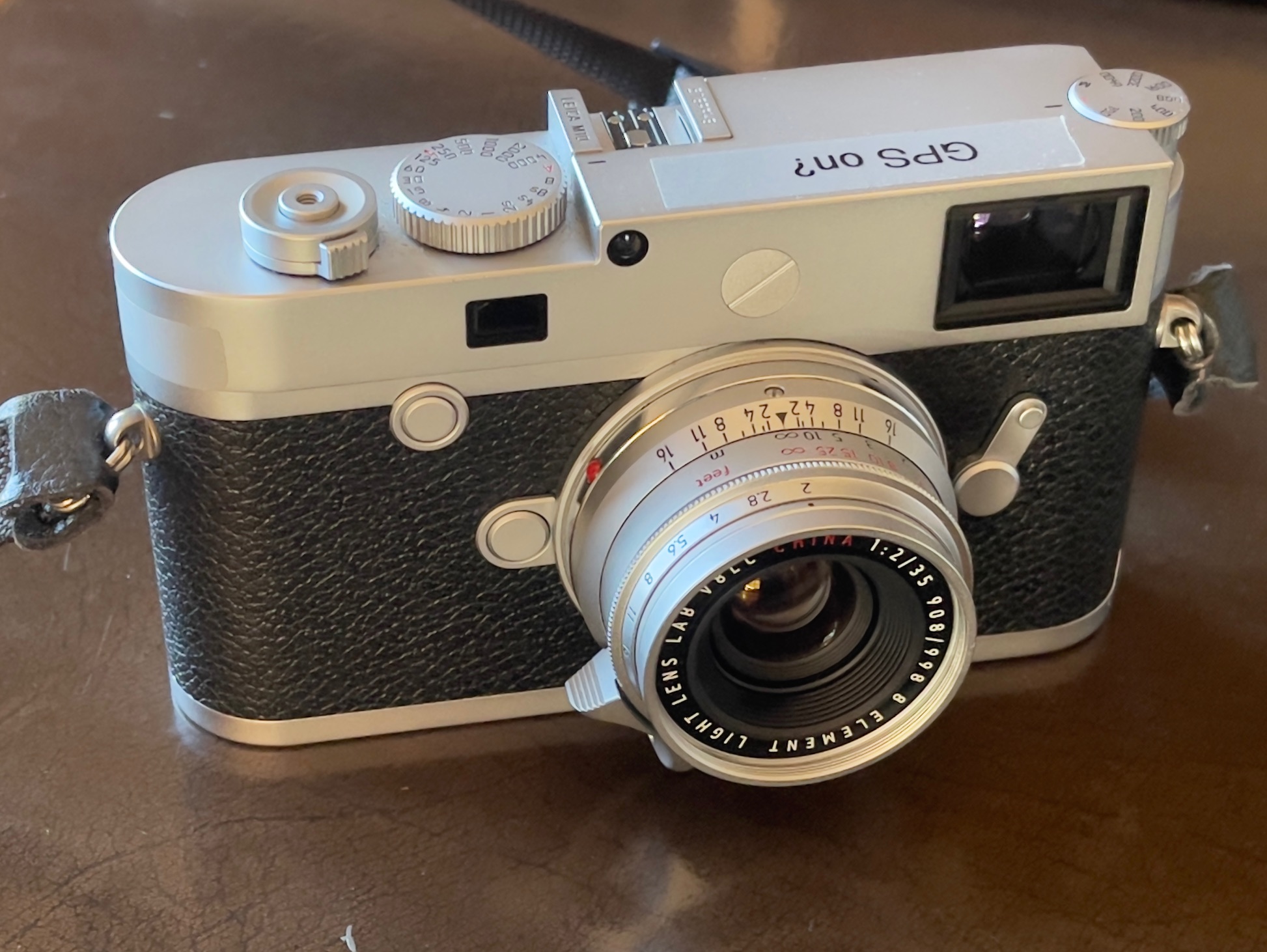
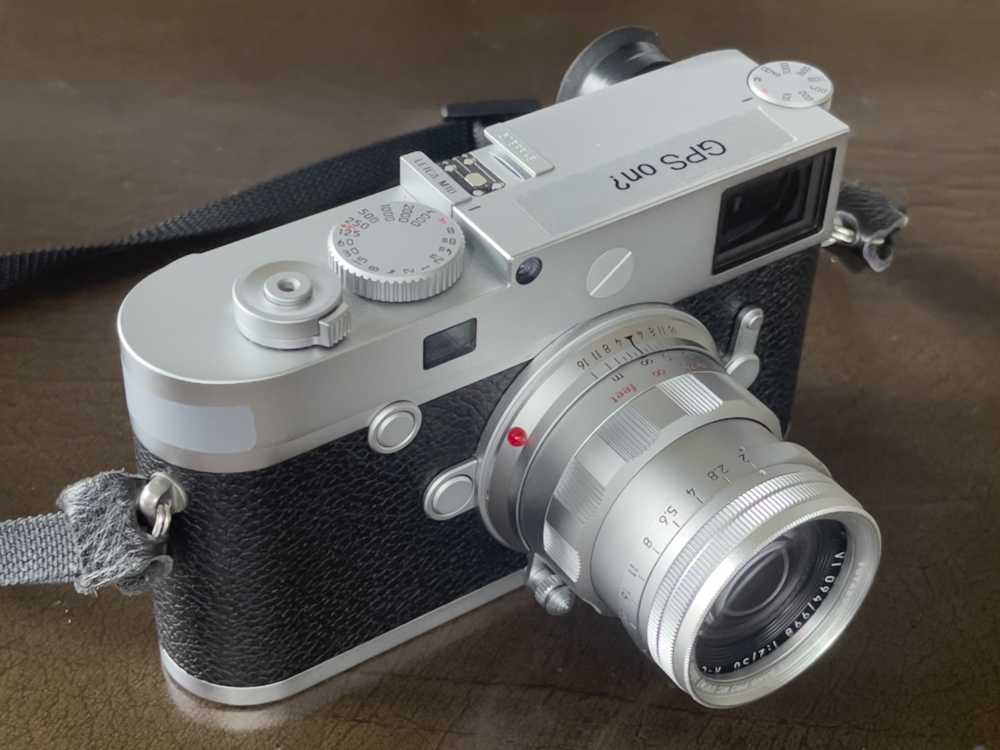
The Light Lens Lab 35mm f/2 8 element Summicron clone on the M10.
Background:
I was so impressed with the manufactured quality of the Light Lens Lab 50mm S-P II lens, that it was impossible to resist the temptation of adding another LLL recreation to my lens collection. But, first, a few words about the background to this recreation.
The Leitz 35mm Summicron f/2 lens sprang from the fertile mind of Walter Mandler in 1958 from the optical workshops of E. Leitz, Midland, Ontario in Canada. While f/1.4, or even f/1.2, 35mm wide angle lenses are common today, f/2 in 1958 was a revolution in optical design. Mandler’s symmetrical 8-element double Gauss derivative optical design delivered near distortion-free results with high resolution in the center at full aperture, all of this in a tiny package, and tipped the scales at 5.3 ozs/150 grams. All of this contributed to the lens’s desirability and while some 23,000 were made in bayonet and Leica thread mount, they are rare as hen’s teeth today and command insane used prices. Reckon on $4,000 and up. A version with goggles for the Leica M3 was also manufactured, a rather clunky departure from the svelte regular design. Early production also included a Leica thread mount version. Good luck finding one of those.
Optical design:
The symmetrical optics of the 8 element design can be seen from this graphic:
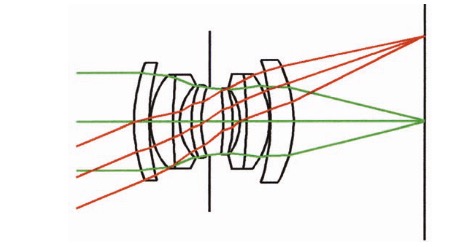
8 elements in 6 groups.
Six versions over the years:
By my count Leica has produced five or six optical designs of the 35mm f/2 Summicron over the years:
- Type 1: The original 8 element of 1958, Midland and Wetzlar.
- Type 2: A 6-element in 1969, Midland and Wetzlar, with an ugly protruding tab for the aperture ring.
- Type 3: A 6-element in 1973 without the protruding tab, probably optically identical to Type 2.
- Type 4: A 7-element design with a larger exit pupil in 1979.
- Type 5: A 7-element ASPH with one aspherical surface in 1996, still current and crazy priced.
- Type 6: A 10-element APO ASPH with aspherical and apochromatic elements with a floating group. Current and looney priced.
In each iteration subsequent to the Type 1 8 element corner sharpness was steadily improved, but arguably none has the glow and warm color rendering of the original, which is why I bought the Light Lens Lab clone.
Light Lens Lab:
So this all time street snapper classic was a natural for the first lens to emerge from the engineers at China’s Light Lens Lab in 2019, and I snapped up a mint ‘open box’ late version for $850 from a US seller (no tariffs, thank you very much). Because I am not a collector and only need one 35mm lens in my little armory of optics for my Leica M10, I sold the 35mm f/2 Canon LTM and the 35mm f/3.5 Leitz Summaron lenses, making the net proposition free. I’m a believer in the dictum that has it that all collectors should be lined up against the proverbial brick wall, for they rob users of affordable classic lenses while getting off on the contents of their display cabinet. Sick.
“8 element” is the appropriately named LLL recreation. Performance, according to reviews, is identical to that of the Leitz original. Yes, the coatings may be more modern but your money gets you an unmolested, fresh original compared with an overpriced collectible which is at least 52 years old. The Leitz optic was marketed from 1958 through 1974.
Production quantities:
It’s unclear how many of these LLL has manufactured but you can find them engraved on the front ring with designations “V1”, “V2”, all the way through “V8”, each suggesting that the batch was limited to 998 units, so call it 8,000 or so. It’s also unclear whether changes were made between the versions, though I’m happy to report that mine is from the latest batch I have found, meaning “V8”. Given that the folks at LLL are compulsive tinkerers, if there were any improvements during the production run then I have convinced myself that I am one of the beneficiaries thereof.
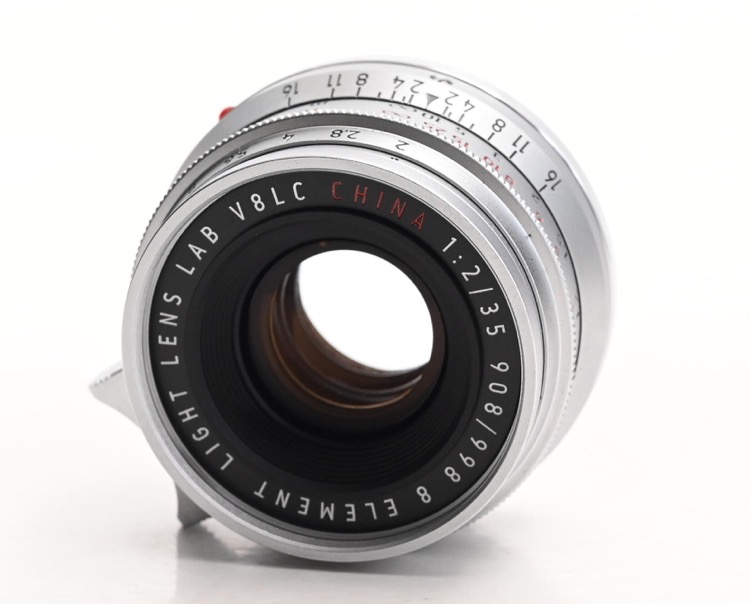
My copy of the LLL 35mm f/2 8 element.
As with the 50mm LLL recreation, the lens came in a pretty box and a zippered lens pouch, both utterly useless if you actually take photographs. Still, it beats a poke in the eye with a stick, I suppose.
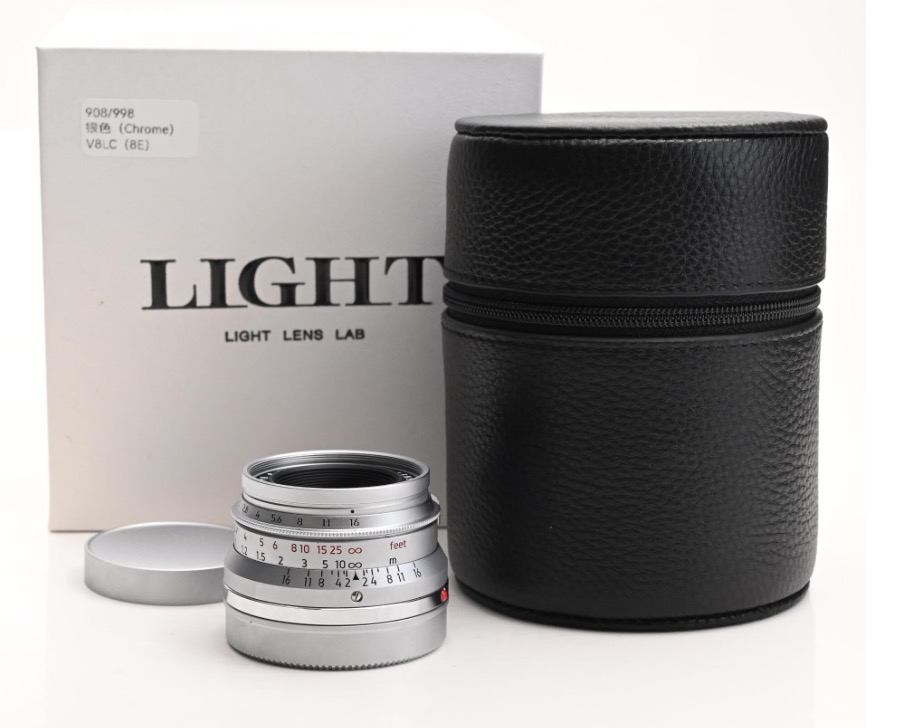
As delivered.
You get nice metal front (useless) and rear lens caps. Only a fool uses a front lens cap on a rangefinder lens, finding out he has forgotten to take it off when that once-in-a-lifetime opportunity has passed. All that’s needed is an inexpensive UV filter. I have a bunch of these Fotasy multi-coated filters on my Leica lenses and can attest that the quality is such that there is no impact on optical performance. Nada, nothing, zilch. You can clean these with your less than pristine handkerchief or T shirt when they get dirty and, should they get scratched, why another $10 sees a brand new one in their place.
A near perfect recreation of the Summicron:
So perfect is the cloning of the Summicron that reviews disclose identical artifacts in challenging conditions when the two lenses are compared. So much so that the story has it that LLL, in a rare burst of guilt, made the glass elements 1mm wider in diameter to prevent crooks transplanting them to tired Leitz originals, eyes forever on the Almighty US Dollar. I’ll happily soldier on with the clone, comfortable in the knowledge that I have $3,000 more in the bank than the collector set. LLL made base versions of these in chrome or black, but for this aficionado of all things Leitz in the 1950s only chrome will do.
Finishes available:
LLL lists a large selection of finishes:
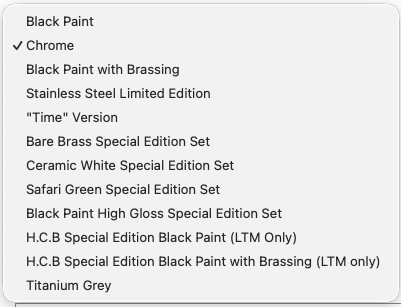
Many versions.
At the time of writing the Stainless Steel, “Time” and Safari Green (Ugh!) versions, all premium priced, remain available, but be prepared for those nasty 40% and up tariffs from the shakedown artist in the Oval Office. Add these on top of LLL’s price and the collectors’ original begins to almost look decently priced ….
While they are currently unavailable, the LLL HCB Special Edition versions are interesting as they delete the infinity lock, something Leitz did for HCB at his request. The infinity lock bothers some users, but I have never found it to be an issue.
The LLL focuses down to 0.7 meters (28″), identical to the specification for the non-goggles Leitz original.
There was also a LLL version in LTM screw thread or M bayonet mount with a collapsible barrel – not exactly attractive to look at – but that is no longer listed. That’s a shame for users of older Leica thread mount bodies longing for a high-performance fast 35mm lens. Given how small the non-collapsible lens is it’s hard to understand why LLL added a collapsible barrel feature. This version appears to have a built in protective filter – not such a great idea as you really want these to be easily replaceable.
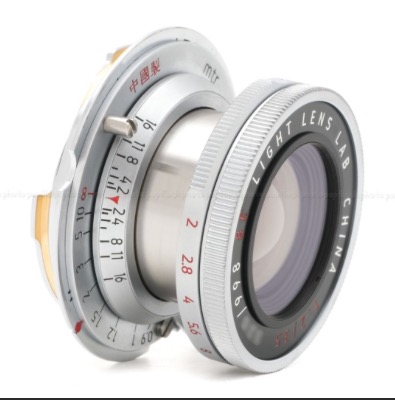
The LLL LTM collapsible version.
Mr. Zhou:
Mr. Zhou created Light Lens Lab in 2018, reflecting a long time passion for all things Leica. A true enthusiast, you can see an interview with him by clicking here.
6-bit coding:
My Leica M10 makes provision for the following 35mm Leica lenses:
- f/1.4 Summilux, 11869/11870/11860
- f/1.4 ASPH Summilux 11663/11874/11883 (FLE I)
- f/1.4 ASPH 11873
- f/2 Summicron v4 11310/11311
- f/2 ASPH Summicron 11879/11882 (I)
The code table only includes codes for the 2nd, 4th and 5th entries, above, and after trying these on a clear sky at full aperture it was clear that the f/2 Summicron setting yielded the best result as regards corner vignetting, so I coded the lens ‘000110’ and it is now reported in EXIF data as a 35mm f/2 Summicron.
A quick check at all apertures disclosed visible glow at f/2 but with excellent corner detail and I can barely see the most minor definition loss due to diffraction at f/16. The rendering is pleasant, never clinical. Focus accuracy at f/2 and the minimum focus distance of 0.7m/28″ is perfect, as the image below shows. I focused on the location of the green line on the letter ‘c’ in ‘Gericault’:
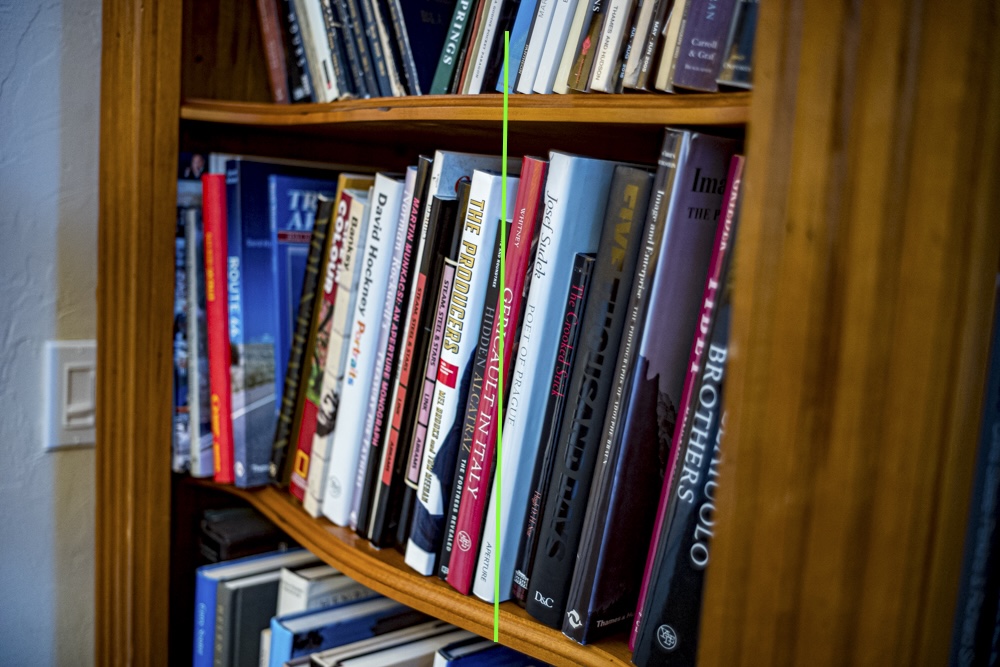
Perfect rangefinder focus at 0.7m and f/2.
Click the image for a larger version.
Ergonomics:
It bears repeating almost verbatim what I wrote in my review of the LLL S-P II lens.
The classic design of the LLL lens mates well with the Leica M body, be it film or digital. The locking focus tab makes for easy insertion and removal, the focus rotation is butter smooth and the aperture click stops are just so. The focus throw at some 135 degrees from infinity to 0.7 meters works well for this user. Focus accuracy in my sample is perfect, and the overall look, feel and finish are truly Leica quality. Additionally, I have found the lens easy to operate with gloved hands, the aperture ring being readily grasped. All of this in a compact whole spells perfection. But, best of all, the lens is simply gorgeous to behold and I’m a member of the class which contends that beautiful hardware makes for better pictures. Now I’m feeling better about the financial outlay.
As regards intrusion on the 35mm finder frame, with a slim 39mm filter in place and no lens hood fitted, the lens starts to intrude on the lower right corner of the finder frame at 8 feet and below. Even at the minimum focus distance of 0.7m (28″) the intrusion is so minor as to be of no consequence.
The LLL 35mm f/2 weighs 8.1 ozs/229 grams compared with a scant 5.3 ozs/150 grams for the Leitz original, the difference attributable to the far more extensive use of brass in the LLL version. The heft balances perfectly on the M10 body.
Precaution:
This is a very small lens and is easily fumbled when changing optics on the camera. To make it easier to grasp – though I am no fan of lens hoods, which I generally find to be ineffective – I added an $8 screw-in lens hood. This makes it far easier to grasp the lens, and while there is minor finder intrusion the benefit outweighs the cost. There is no vignetting of the image with this shallow design. It is metal and sturdy, and a superior fitting to the clip-on designs out there.
In Part II I have published some early results snapped with this ultimate in street snappers.