Category Archives: Hardware

Stuff

A handy bag

Thanks to the US military

The US military may last have checked the ‘win’ column some 60-plus years ago, but not all is bad. This taxpayer got a bit of his own back by picking up a handy ex-military bag from the local Army & Navy surplus store. Have you ever wondered what happens to Air Force surplus, by the way?

The problem with most camera gear bags is that they scream ‘camera’, invariably being emblazoned ‘Tenba’, ‘Domke’, ‘Lowepro’ and the like – all brand labels beloved of the light fingered set. They are also invariably obscenely expensive – $75-150 for, let’s face it, some canvas and stitching, made in China. Neither issue arises here for this is an ex-Army canvas map bag, has no markings and costs …. wait for it, all of $12.

The three compartments hold the Panasonic G1 with either the kit lens or the 45-200mm, the other lens goes in the center divider and my mobile back-up drive goes in the front. If needed, the rear compartment will accommodate my netbook computer. In that case the camera with one lens goes in the middle and the other lens moves to a jacket pocket – the G1’s lenses are so small this is simply not an issue. The ‘ears’ keep the rain out and there’s even room for a sandwich and a bottle of water.

Check your local surplus store for any number of similar choices. I like that it looks so shabby and amateur (unlike our military), the last thing a thief would be interested in. It is also superbly effective (also unlike our military). Probably not made in China, which may well turn your crank, to boot. And you can always console yourself with the near certainty that the thing cost the US Army hundreds of dollars when originally procured from our patriotic military contractors.

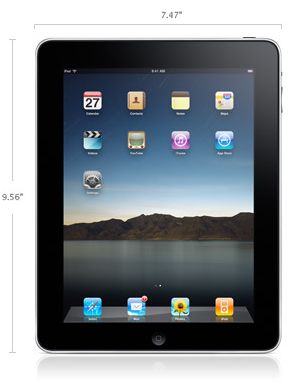
Update April 3, 2010 – iPad day: My iPad fits perfectly in this bag. Forget the $120 asked for a piece of nylon with a logo – get one of these.

Kevin and Tiger

Celebrity endorsement trash.

Why would anyone think that celebrity endorsements make sense?

Will I be able to drive like Schumacher by buying a Ferrari? Ride like that shyster Lance Armstrong on a Trek? Play like Tiger with those clubs?

So I weep when I see a truly great actor like Kevin Spacey touting a camera in one of the most condescending ads made in recent memory.

Spacey touts the EP1

The one thing we do not see is Spacey’s pictures. Why not? I mean, he is advertising a camera, no?

The inverted snobbery (“Don’t be a tourist”), the denigration, the put downs – it’s all about as wrong as you can get. Tell me that the camera is sweet and elegant like almost everything Olympus makes, fits in your purse or pocket, encourages you to take it anywhere, makes for glorious pictures, and I am there. Tell me I have a shot at being the next Doisneau or Cartier-Bresson with it and my check book comes out. Tell me it’s what Bailey uses before making out with his latest discovery and I’ll buy two.

But where, pray, Mr. Spacey, are your pictures?

Frank Rich of the NYT writes eloquently about the credibility of another celebrity endorser:

“What’s striking instead is the exceptional, Enron-sized gap between this golfer’s public image as a paragon of businesslike discipline and focus and the maniacally reckless life we now know he led. What’s equally striking, if not shocking, is that the American establishment and news media — all of it, not just golf writers or celebrity tabloids — fell for the Woods myth as hard as any fan and actively helped sustain and enhance it.”

Why, then, should I buy a camera from you, Mr. Spacey? At least Tiger can play golf, but I haven’t the foggiest idea if you can take a photograph.

Olympus, you can do better. Start by paying someone who can take pictures. I don’t much care if he sleeps around – that’s his business, not mine.

Panasonic 45-200 mm lens for the G1 – Part II

A sweetheart in use.

I looked at the design of this lens in Part I. Nothing could more clearly illustrate the difference in size between a full frame 400mm and Panasonic’s 45-200mm:

The Panny is at 200 (=400mm on full frame), the Canon has no choice in the matter!
The hood on the Canon is not extended for fair comparison. Weight differences are just as impressive.

Update February 2011: The above picture which, let’s face it, is fairly ridiculous, coupled with a failing back and increasing tendonitis which makes it hard for me to lift weights, saw me sell the superb Canon 400mm f/5.6L lens to a happy, younger user.

I took the Panny out for its first street trip today and found that it is a real sweetheart to use. Forget the dumb lens hood which makers it look gargantuan; without it no one would begin to think that so long a focal length is in use and while, I suppose, it’s great for clandestine stuff, that’s not my thing, so I just played about enjoying some architectural details in the old town of Burlingame, CA.

I used Lightroom 2.6 for processing with sharpness settings on import of 100/1.1/64 and ISO set at 320. I find that speed to be the sweetspot – grain is not objectionable in large prints and you have enough sensitivity that short shutter speeds are the norm. I mostly used full aperture as I have had such success with it on the 14-45mm kit lens.

A guilty confession. I popped the kit lens in my jacket pocket even though I resolved not to use it. So enamored am I of its quality and compactness that I thought I might need a quick fix, so better safe than sorry. In the event I managed to keep it off the G1 but dropping it in a jacket pocket took me way back to when I last did that with a lens – that would have been with Leica’s ne plus ultra 35mm Asph Summicron-M with its 90mm Asph brother mounted on the Leica M2. Nice glass, but hopelessly outmoded today with auto-nothing and if their optical quality is marginally better, Lightroom can fix that and the Panny lenses are one tenth of the cost. I’m tempted to say “throw away cheap” and while that sounds arrogant, that will likely be their fate when something better comes along in a few quarters.

For the pictures which follow, the focal length is stated at actual on the G1; double the number for the 35mm full frame equivalent.

While web reproductions cannot do the originals justice, the fringe here is to-die-for sharp:

At 128mm, f/6.3, 1/3200, ISO 320

No, not a test chart. Just some nice brickwork. At 61mm, f/4.1, 1/4000, ISO 320

No lack of detail in the textured stucco here. At 45mm, f/4, 1/4000, ISO 320

Nothing wrong with the detail in this lovely relief.
I especially like the eccentric alignment of the letters. At 124mm, f/5, 1/2000, ISO 320

At huge enlargement ratios the micro detail is lower than with the Canon, but the Panny is the one you take with you.
At 45mm, f/7.1, 1/500, ISO 320

At the local brew pub. At 91mm, f/10, 1/5th, ISO 320

I meant to set the lens to full aperture but somehow messed up and was awfully lucky to get away with this at 1/5th second exposure at a 35mm-equivalent of 182mm. Sometimes you get lucky. This pretty girl is the hostess at the local Steelhead Brewing Company restaurant which makes a nice selection of very decent beers right on the premises. They even serve them at something approximating the right temperature, meaning not ice cold. The staff seems to mostly consist of aspiring actors and actresses, judging by their looks. I was enjoying a Red Zeppelin at the time – who could turn down that name?

As is my usual approach, I used aperture priority and auto-everything (except ISO) for all of the above. It’s so nice not to have to worry about the technical mumbo jumbo and just take snaps. More of these at Snap! over the next few days.

On one or two very high contrast color transitions I noticed a touch of blue fringing, but nothing major. The software correction of aberrations is pretty thorough in Lightroom.

If you like baggy jackets with big pockets but lack big pockets for the exotic glass, this sweetheart of a lens is just what the doctor ordered. I’m keeping mine. Is the Canon better? Absolutely. But it can’t be very good when it’s at home, which is the likely result when you can choose between it and the Panny zoom.

Often photographers will find they are using zooms at maximum extension. No problem here – if you need a 400mm equivalent, the only thing currently available in micro-four-thirds size is this lens and you have a bunch of other useful focal lengths thrown into the bargain, at no additional cost.

When the next generation of sensors and EVFs comes along in a year or two I suspect we will all be wondering how we managed with those gargantuan clods of old. The only challenge will be for professionals, who will have a job convincing clients to take their G2 with its miniscule 20-200 f/2 lens seriously ….

Woof! At 200mm. f/11, 1/250, ISO 320

Panasonic 45-200 mm lens for the G1 – Part I

A little bit of magic.

Santa came through again this year, this time in the guise of a Panasonic 45-200mm zoom for my G1. I had noodled on the idea of getting the 20mm f/1.7 but that lens’s lack of OIS meant that its f/1.7 was no faster than the f/3.5 of the 14-45mm kit zoom from a steadiness perspective. Further the saving in bulk was not that great – the camera is not pocketable with either. So while f/1.7 is appealing from the perspective of limited depth of field, the overlap with the range of the kit lens left me uninterested.

The miniscule 45-200mm mounted on a G1

When I was buying the G1 I wrote of the myriad adapters available for the body, but I have since realized that these offer far less than you might think. Unless you have some special bit of legacy glass that you absolutely must use, adapted lenses fail on many fronts. You have no aperture or focus automation, manual focus with the enlarged EVF image needs buttons to be pressed, taking away the G1’s immediacy of reponse, you lose OIS and you have no possibility of taking advantage of the wonderful distortion and color correction afforded by Lightroom when processing your RAW originals. Which is another way of saying that I sold all my costly Leica M rangefinder optics ages ago and I’m simply not going to go back in time. The operating speed of the G1 is a factor of major importance to the way I work and that would be lost with these kludgy adapters which are doubtless just fine for static work. Not my thing.

So what are the first reactions? Really much the same as with the G1 itself.

  • The lens is incredibly small and light when you realize it’s equivalent to a 90-400mm on a full frame body
  • OIS is built in
  • The zoom ring is smoother than on the kit lens but tightens up a bit at 160-200mm – no effect on use
  • Mine has those three magic words on the barrel – ‘Made in Japan’. Sorry Beijing!
  • The lens hood is huge – I didn’t even unpack it. No use to me.
  • The balance on the body is perfect
  • Focus is fast but not Canon 5D fast
  • Manual focusing brings up the magnified EVF image and is very accurate – surely this is the most perfect manual focusing system yet?
  • Minimum focus at 200mm is a mere 3.3 feet – like a 50mm lens on full frame at 5 inches!
  • The barrel extends maybe 3″ at 200mm and has very little side-to-side play.
  • Apertures are reasonable – f/4 at the short end falling to f/5.6 fully extended and perfectly usable at maximum aperture.

While there are several digital point-and-shoot cameras available with fixed ‘mega zoom’ lenses, I suspect this is the smallest and lightest interchangeable DSLR lens which reaches out to 400mm (35mm equivalent). Panny’s own FZ35 spans no less than 27-486mm with apertures of f/2.8-4.4. Canon has the SX20 (28-560mm, f/2.8-5.7). Nikon the Coolpix P90 (26-624mm, f/2.8-5.0). All breathtaking stats. And while these may be compromised with lousy EVFs and very small and relatively noisy sensors, it’s very much where design is going. Before long we will likely have APS-C sensor fixed zoom DSLRs with comparable zoom ranges and low bulk.

This Panny zoom weighs in at just 13 ounces making it, from my perspective, the first lens with 400mm capability that you take with you without another thought.

Putting matters in perspective, the G1/45-200mm combination is no substitute for a Canon 5D equipped with Canon’s non-IS 400mm f/5.6, which I wrote about here or similar ‘pro’ equivalents from Nikon, Pentax, Sony and others. While the non-IS Canon lens is the bottom of their 400mm line, which sports no fewer than four models, the other three are all faster with IS; even so, the Canon f/5.6 I own is simply in a different league optically and mechanically from any 400mm lens I have owned. Even after a couple of years’ use it still takes my breath away with its autofocus speed and accuracy and its ability to capture micro-contrast and detail at full aperture. You can see some results here. This speed and quality come at a price, of course, meaning enormous bulk and weight. You do not just casually drop the Canon in your bag when making off to take pictures. It’s a considered decision because you are not going to be switching merrily from ultra-wides to 400mm unless you want to carry a lot of gear. Further, chances are you will be taking a monopod or tripod when using it.

A significant point is that the Canon will run you over $1,200 whereas the Panny comes in at just $300. Maybe not a fair comparison as the Canon covers a full 24 x 36mm frame and is in a different class build-wise, but money is money and few need the big print capability of the superior Canon optic.

The working style with the Panny optic could hardly differ more. First the lens has no tripod bush, so you tend to think about hand holding it. Second, IS adds two to three shutter speeds making handholding even more tempting. And third, it’s so light and small that …. heck, you end up hand holding it! A nice added feature is that the filter size, at 52mm, is identical to that of the 14-45mm kit lens – nice for me as I forgot to order a UV filter when I bought the lens!

The first thing I did on receiving the lens was to go to Panasonic’s site and download upgrades for the lens’s firmware. Yes, modern lenses are packed with code and Panny’s 14-45mm and 45-200mm lenses are now on version 1.2. Both mine were on 1.0, so I updated each – the downloaded installable files differ between the two. I neither much know or care what these downloads change but I prefer to be current. The G1 itself is now on body firmware version 1.4.

The next step was to bang away and try a few snaps at 1/125th or so at full extension. The claimed 3 shutter speed benefit of OIS seems largely realized as I was finding that two out of every three snaps were shake free and good enough for 13″ x 19″ prints. Further, these were taken at full aperture, which is f/4 at 45mm, dropping to f/5.6 at 200mm. I simply set the lens to f/4 at the wide end and that leaves it at maximum aperture throughout the zoom range. Having got into the habit of using the 14-45mm at full aperture and finding the results to be excellent, I went the same way with the 45-200mm and was not disappointed.

I processed the RAW images in Lightroom 2, because that’s what I ordinarily use and because Adobe has built in distortion and chromatic aberration specific to these lenses which is applied automatically. As a result, the pictures appear distortion free and I cannot see any significant color fringing anywhere in the zoom range. Quite why Adobe is not broadcasting this wonderful bit of application programming from the rooftops beats me, as independent reviews confirm that the native output of the lens exhibits significant distortion and chromatic aberration problems, whereas the Lightroom user sees none of these.

In Part II I will look more at practical use and results but can already say that this is an exciting addition to a very small camera outfit which, with two light and compact zooms, offers excellent image quality all the way from 28mm to 400mm (35mm full frame equivalents) in a camera which uses a reasonably sized, low noise sensor. Now if only Panny could be convinced to make a 10mm pancake, equivalent to an ultra-wide 20mm on full frame, this user would have everything needed in a superbly compact outfit with very light weight.

Computer of the Year

It’s the one you always have with you.

Forget Apple’s overpriced offerings, high heat output and poor reliability. Get a netbook for a fraction of the price and enjoy the matte screen with which it comes standard.

The netbook is my Computer of the Year for photographers and anyone whose life is data intensive. Mine is the MSI WInd but any netbook pretty much does the trick.

The MSI Wind U100

Your $330 gets you a 10″ screen, a 5 hour 6-cell battery, three USB2 and one Ethernet port, a webcam and microphone, wi-fi, VGA out, external speaker and headphone sockets and an SDHC card reader, together with a carrying case and weighing all of 2.8 lbs. It’s almost light enough to take anywhere. Doubtless next year’s model will be even lighter. And the hard plastic case absorbs knocks far better than a metal one, does not dent and wears exceptionally well. And you get a choice of colors. Mine is pearl white.

‘Experts’ – who never seem to use the devices they pontificate about – will tell you its garbage, falls apart in no time, has a lousy screen, is slow, etc. Let me correct all of that. I have 53 weeks of extremely hard use on mine as of the time of writing and, except that the logos above the status lights on the lower right of the palm rest have worn off, it works as perfectly as when it was new. The screen is simply outstanding, the near-full size keyboard almost as good, it runs very cool and the reliability has been faultless.

How abut the OS problem? The Wind, like most netbooks, comes with Windows XP, though you can get it with Ubuntu if Unix is your thing. If you must run OS X the Wind can be hacked with some effort. (How? It’s called Google.) If you want to make things even easier get a Dell Mini 10v and hack that – much simpler (I am assured by people far smarter than I in these things) and even cheaper at $279, postage paid from Dell. The Dell will even run wifi using Airport, without any need to change the wifi card. New netbooks are now sporting Windows 7 which has garnered good reviews – who knows, maybe Microsoft finally got it right?

What is the purpose of such a device? It’s quicker to say what it is not good for. Long Photoshop or Lightroom sessions or movie editing which dictate processing power and a properly profiled screen are not its forte. But as a truly portable device which will store any number of photos from your digital camera on the road and allow proper preview and culling of bad snaps it excels, using the built-in SDHC card reader. For CF cards from my 5D I use a small adapter which ran me a few dollars.

There is little justification in buying one of those small screen downloaders cum hard disk devices when you can have the 10″ widescreen a netbook offers. Best of all, its half the weight of a notebook computer and its low power consumption Intel Atom CPU puts out very little heat, meaning your lap does not fry after 10 minutes of use. With the Wind you can crank up the 1.6gHz Atom CPU to run at 2.0gHz at the touch of a button when connected to the mains. That’s a feature supported by Intel and does not void the warranty. And you can swap out the battery in a few seconds for a fresh one.

I use mine mostly for following news and stocks on the road and have lost track of the number of trades I have placed using this fine tool. And at $330 if you lose it who cares, as long as you use password protection for your accounts and data? By default it comes with a 160gB HDD but I swapped mine for a 500gB one from my MacBook and upped the standard memory from 1gB to 1.5gB – it will handle 2gB. Lightroom 2 runs fine if not super fast and I have even used CS2 on occasion. The speed of both applications is comparable to what I remember enjoying on my G5 iMac a few years ago.

MSI Wind running Lightroom 2 quite happily.

There are lots of choices in the netbook market at around the same price, and I have no axe to grind for MSI’s version (of which there seem to be many) other than to say that it works well, and that I sold my MacBook within one month of getting my Wind. Make of that what you will. I do not believe it makes sense to buy a costlier device as something better will come along in a year and you will have lost more than you should. Give it to your kids and buy the latest model in a year. The only aftermarket accessory I added to mine, after the HDD and RAM, was an international power brick which will work with non-US sockets – a few dollars on eBay.

Netbooks have no optical disk drive so if you must view movies on the road simply rip them to the HDD using your desktop computer. Place them on an 8gB $20 SDHC card which will hold several. Mine will play two full length uncompressed movies on a charge and delivers excellent sound quality using earphones. The screen is 1024×600 pixels which is identical in aspect ratio to the widescreen format adopted by most movies today. The on board speakers are worthless if good sound is required. An add-on drive is too power hungry and too bulky, defeating the point of a netbook – instant computing anywhere.

The built in camera won’t make you look like a supermodel but works fine for video chats.

The netbook computer has destroyed profit margins in the small computer business – the reason Apple refuses to make one – and I recommend it without reservation if you value utility over fashion and believe, as I do, that real computing is done at home using a big screen, not a laptop.

Note: This site is optimized – as best as possible – for viewing on a 1024 x 600 notebook screen. That’s a bit of a squeeze as my preferred picture size is 800 pixels on the long side – meaning I can just about get it all in with landscape snaps – but dictates some scrolling with portraits. If you turn off the status (bottom) and bookmark (top) bars in your browser it’s even better. Laptops are generally 1280 x 800 or so, and should pose no issues.