Category Archives: Hardware

Stuff

Hitting the wall

Technologically unchallenged.


HP100+

One of the best indicators that the desktop PC has peaked is the falling sales of PC hardware and the poor upgrade rates to Windows 8, the latter as much a function of a mediocre product as it is of ‘free’ competition from the scummy people at Google in terms of their Cloud apps.

And while I have been diligent in seeking out the services of ace Hackintosh builder FU Steve in keeping my Hackintosh at 90% of the state of the art (90%, as Ferrari pricing takes over at anything higher and you get performance you cannot use) the state of play right now suggests that future enhancements will be few and far between.

Sure, while I could add a couple of silly priced EIZO monitors, which I would never do, there is nothing I can currently do to my Hackintosh, the HP100+, to improve it for my purposes, which leaves me without a tech challenge. Disappointing.

Desktops have peaked.

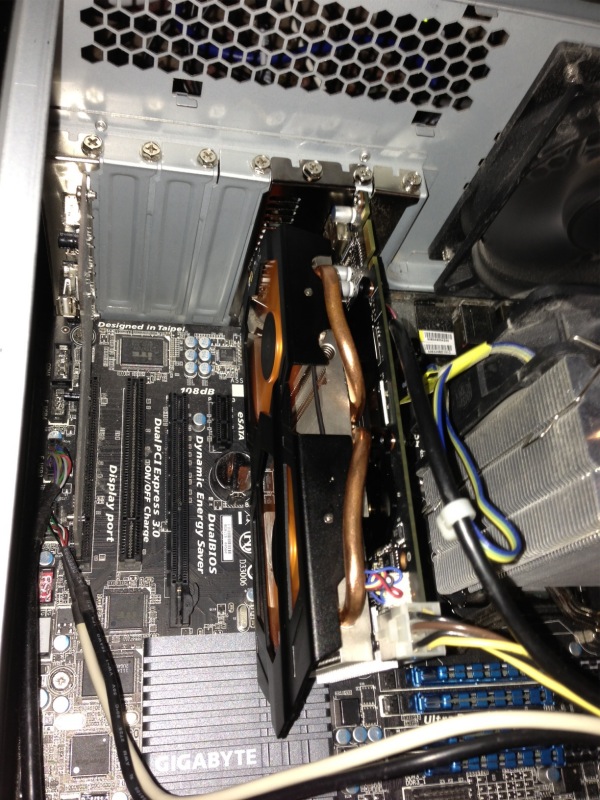
I could add a wild and crazy $$$$ GPU, but I do not game. I can scarcely tell the difference with the latest nVidia GTX 660 card installed on what I do, which is mostly LR and a bit of PS.

I use a SandyBridge i7 CPU and IvyBridge, the latest iteration, adds nothing in a desktop. Nor, I suspect, will Haswell in 2013 where the stated goal is lower power consumption. I’m green, but not so green that I’m about to rip out the guts of HP100+ to save a few watts in power consumption, installing a new motherboard and CPU.

I could have FU install a Xeon CPU and motherboard, at Rolls Royce prices, but the only plus of that is in massively multi-threaded math operations, and I have no need of that. LR and PS use four threads poorly, never mind sixteen.

I could ask El Supremo to add BluRay but the reason I passed on my BluRay player to a friend is that on the 42″ 720p Vizio TV (5 yrs old and it continues to delight daily) I could not tell the difference from regular DVDs, so BluRay is not something I could make use of.

The other thing which is currently useless is Thunderbolt, as so few peripherals support it. Those that do are overpriced, and I already have USB3, which is half as fast, running fine (not a pretty story, but I got there. As Churchill said of American democracy, we will try everything else before settling on the right answer, which is how FU got USB3 to work!). The only thing I use USB3 for where the speed is actually exploited, is to import images from SDHC and CF camera cards into Lightroom.

This sort of reminds me of film camera days. I was happy with my Leicas for 35 years because there was nothing else out there that was better for what I mostly do, meaning street snaps. And technology was only improving for film emulsions, not for hardware. Then digital came along and I have been chopping and changing, but seem to have stabilized on the two big Nikon DSLRs, both obsolete, and the two small Panny MFTs, the latter increasingly my son’s province. Then of course I got into converting old classic-era Nikkors with chips and that effort was super successful, the lenses are to die for and there’s nothing more I need optically. Forget believing that today’s optics are better. They are not.

Yours, technologically unchallenged ….

Easy Hackintosh wi-fi

Never easier.

The ease with which full function wi-fi can be installed in a Hackintosh has never been greater or the cost lower.

What follows assumes you use an Airport Extreme (AEX) or Time Capsule (TC) wi-fi router. My AEX is a Gen 1 (2008), single band only, but Gen 4 AEX/TCs and later are dual band, meaning that they can support both 2.4GHz and 5GHz (802-11n) devices simultaneously. With the advent of iPhone 5 most of my ‘go to’ devices now support 5GHz, including Hacks, iPads and iPhones, so dual-band is not a requirement. We do have two devices in the home which are 2.4GHz capable only, the xBox 360 and the old iMac G4, and these are set to receive their broadband signal directly from the A&T Uverse router which is 2.4GHz, 802-11b. As usual, the Telephone Company is a decade behind. Everything else looks to the Airport Extreme and now uses the 5GHz band.

The Hackintosh wi-fi issue has become much simpler over time. First one used an external USB wi-fi dongle with the associated (awful) Realtek software. Then TP-Link came along with internal PCIe cards which delivered Airport capability and, later, when OS X Lion came along, AirDrop functionality after you messed with Pref files some. You would buy the TP-Link PCIe card then an aftermarket wi-fi card which was an SOB to install in the card owing to the fiddly connectors. After application of cable ties and solder for the joints you destroyed, the card worked fine.

The other day I learned from the excellent Tonymacx86 Hack forum that TP-Link now makes a dual band wi-fi card which integrates the PCIe card and the wi-fi card. The model number is TL-WDN4800 and Amazon has it for $35 – which is less than the previous card + wi-fi card combination cost and is a plug-and-play installation in any Hack. B&H Photo also carries the card for a similar price. (Prices seem to fluctuate daily by a few dollars). The card comes with regular and low-profile brackets, the latter for use in Hacks built in Micro ATX cases.

Here are the old and new cards, antennas removed:

And here are the before and after results on one of my Hacks – the one with the botched old card installed, one antenna missing, replaced with the new card. A two minute job:

Clearly, having three working antennas does no harm. Comparing the speed of the new card with a properly installed old one at a like location, the new card consistently reports download speed 10% higher than the old, possibly attributable to superior antenna design.

There is but one quirk. The Airport Extreme defaults to channel 149 with 5GHz wi-fi, whereas the new TP-Link card only goes up to 48. So, go into Applications->Utilities->Airport Utility->Airport Extreme->Edit->Wireless->Wireless Options and set Radio Channel to 48, then Save. Your new TP-Link card will now be visible to the Hack in which you installed it.

Setting the Channel to 48 in Airport Utility.

Sony RX1 camera

The (not so) poor man’s Leica at last?

If you told me to select just one lens for all my street snaps it would be the 35mm f/2 Summicron on a Leica M body. Optically unsurpassed, the problem with that combination is that it comes in at some $10,000, and the dated body design comes with a cluttered multi-frame finder. Further, the Leica is manual focus only and 35mm is long enough that focus often matters, especially at larger apertures. So even putting aside price, the Leica no longer cuts it for rapid action street snaps where auto-everything is the order of the day.

Sony has just released its RX1 camera and it is an intriguing design for street snaps. First, it comes with a full frame sensor in a very compact body – 4.5 x 2.8 x 2.6 inches weighing just 18 ounces. The Leica M9 without lens is 5.5 x 2.9 x 3.2 inches and 30 ounces, with the 35mm Summicron. Second the non-interchangeable lens is a 35mm f/2 design from Zeiss who have recently been distinguishing themselves with outstanding optics for full frame Canon and Nikon DSLRs.

There are some quibbles from reading the specifications. There’s no optical viewfinder which is essential for street work. Squinting at an LCD screen at arm’s length in bright light is not a prescription for stealth. Sony is asking $600 for their clip on finder, which is silly, and you can get the wonderful Voigtländer from CameraQuest for $209. I use the 28mm version and can recommend it without reservation. It’s unclear what battery life is like, but if the LCD screen can be turned off – assuming it’s the greatest power consumer – then over 300 snaps on a charge seems possible. Sony claims 270 shots when using the LCD. It is also unclear how responsive the camera is. The Leica’s shutter release remains the standard against which to judge, being beautifully sprung, predictable and fast – after you have futzed with manual focusing, that is. If the Sony is anywhere close then it’s a winner in my book.

The 24mp sensor looks to be the one from Nikon’s FF D600 which is known to be outstanding, especially at high ISO where it takes over from where the low light sensor in the D700 excelled. Focus is down to 5 inches and there’s a movie mode if that’s your thing. And, best of all, it says ‘Sony’ in large chrome script on the front so no one will ever take you seriously while you get your snaps. Sony makes TVs (OK, loses money on overpriced TVs) and point-and-shoots, right?

Controls include an Aperture Priority auto exposure mode and the lens has a real aperture ring – excellent! That remains the optimal design in my opinion, not the modern Canon and Nikon DSLR approach which dictates the use of fiddly control wheels while removing the aperture ring from the lens. There’s a built-in pop up flash which is nice to have, if hardly relevant to street snapping. There’s also a nice clickable exposure compensation dial on the top plate for corrections up to +/- 3 stops which is hands-down a better way of doing it than using LCD menus. Very handy.

Chimping the test snaps at DPReview compared to the Nikon D600 (taken with the outstanding 85mm f/1.8G lens) shows little quality difference, though the Sony’s lens displays modest barrel distortion. Once Adobe comes up with a profile the barrel distortion can be easily corrected on import into PS or LR. Noise is barely visible in 16x enlargements even at ISO 6400.

The biggest stumbling point is the price. At $3000 with a good aftermarket viewfinder this is a very costly camera indeed. That sort of money gets you a full frame Nikon D600 with a similar sensor and a fine lens or two. Admittedly, that’s comparing chalk and cheese, but the D600 can do street snaps at a pinch, if less unobtrusively, and can also do lots of things that the single purpose RX1 cannot. However, at $3,000, that’s still less than the Leica 35mm Summicron alone!


Pink Hair. When there’s no time for manual focus, AF is the ticket. Panny G3, kit lens, ISO 1600.

Nikkor 16-35mm AF-S f/4 ED N VR lens

An ideal ‘crossover’ lens.

On the Nikon D2x.

By ‘crossover’ I mean that this current auto-everything lens provides a useful range of focal lengths for both full frame and APS-C frame Nikon bodies. On the cropped frame D2x it provides a full frame equivalent range of 24-52mm, ideal for street snapping.

I have been using mine for some nine months now and might as well start by saying what I do not like. It’s bulky, the gargantuan lens hood is needed to shade the exposed front element, it’s set in a yucky resin body and at 24 ounces it’s no featherweight. The maximum aperture of f/4 is relatively modest and you will struggle getting dramatic differential focus effects. Being a ‘G’ optic there is no traditional aperture ring, aperture control being solely possible from the control dial on the body. I prefer a ring on the lens. Finally, at just under $1300 it’s anything but cheap.

But there is a lot to like here. It’s a two-ring zoom, meaning zooming is done by rotating the rear ring rather than by push-pull. The focus ring does not rotate when the lens is used in AF mode. AF is stunningly fast on both the D2x and the D700, faster than with the older AFD lenses. AF is accomplished by a linear motor within the lens, rather than by the older ‘screwdriver’ mechanical coupling used in AFD optics. In AF mode you can simply override autofocus by turning the focus collar which is tolerably smooth, if nowhere near the quality you will find in the vast range of discontinued MF Nikkors. Into the sun the lens displays exceptionally low flare, maybe owing to Nikon’s new ‘Nano’ coating. VR is switchable and whatever Nikon’s claims may be I generally find it’s good for two shutter speeds – 1/60 without being much the same as 1/15th when VR is used. It’s not a panacea, but it helps to overcome some of the limitations of the slow f/4 maximum aperture.

The 16-19mm range shows strong barrel distortion on FF, and it’s still quite noticeable on APS-C. However, both PS and LR come with excellent lens correction profiles from Adobe which you can set to be invoked on import – and I recommend you do so – meaning that straight lines at the edges will once more be straight rather than significantly bowed. Essential correction for architecture snappers.

I have no hesitation in using this lens at its maximum aperture and probably do so half the time. The definition fully open is excellent, and any improvement with stopping down is barely noticeable. Best of all, paired with the older sensor in the D2x which does such a special job of rendering colors well, this lens really shines, even if the APS-C sensor is discarding a significant part of the image circle. Stated differently, if APS-C is your sole sensor use, you may be better off with a much smaller lens designed with this sensor in mind. Balance on both the D700 (with add-on battery grip) and the D2x (with integral grip) is outstanding.

Here’s a mix of recent images taken on both the D2x and D700 using the 16-35mm lens.


Pelicans line astern. D2x, at 35mm, f/6.7.


Doggie heaven on Carmel Beach. D2x, at 32mm, f/4.


Carmel street scene. Rich, saturated color rendition. D2x, at 32mm, f/6.7.


Marching band. Vibrant colors on an overcast day. D700, at 18mm, f/11.


Gate to Alcatraz exercise yard. D700, at 29mm, f/8.


Kryptonite. Yerba Buena gardens, SF. D700, at 35mm, f/4. 1/30th with VR.

Improved Nikon GPS

A new integrated unit.

I have had great success with the Aoka GPS receivers attached to my two Nikons – the D2X and D700. You can read all about the technology here, where you will see that a separate data logger must be used. This goes in your pocket and receives GPS data from the satellite and passes it to the device on the camera’s body. The logger has a small rechargeable battery which can be recharged from any USB socket on your computer.

The new integrated Aoka GPS receiver.

The new receiver integrates the data logger and receiver which I use. It’s a little wider but has the advantage that it’s impossible to forget to take the logger along with you, something I have managed once or twice. The drawback is that it drains more power from the camera’s battery as there is no separate logger battery to recharge. While I have not used it, the price is attractive. eBay asks $80, Amazon has it for more. One Amazon review has some useful battery drain metrics.

The device (model AK-G1) fits the Nikon D4/3/2 in all their iterations, D800/800E, D200/300/300s, D700 and Fujifilm S5Pro. There are other models to fit the Nikon D3100, D5000, D5100, D3200, D600 (model AK-G2), and the AK-G7 for the Nikon D7000, both costing $80 on eBay. The AK-G9 for the Nikon D90 has no integrated data logger ($40 – eBay) so a separate logger would have to be used.

The only failures I have had with mine result from ‘canyons’ in the city shading the satellite or not giving the device the 2-3 seconds to wake from sleep after a period of inactivity. I have also found that the older D2X is far faster at re-displaying the ‘GPS’ flag on the top LCD display than is the D700. So much for progress. The new device looks like a better mousetrap, especially as my separate logger can only support one camera at a time. Switch the D2X and the D700 on simultaneously and the D2X grabs and hogs the signal every time. The one logger cannot simultaneously drive two camera receivers.

Here’s the device on a Nikon DSLR – stock photo from the maker; I’m guessing it’s a D300:

As a friend of the blog and GPS expert points out, as GPS technology improves the advantage of these devices is that they can be inexpensively upgraded rather than having to buy a new camera body.

For comparison, here’s the earlier unit attached to the D2X, along with the small, separate data logger.

D2X with receiver and data logger.

I cannot find inexpensive aftermarket devices for Canon DSLRs. The factory units run $195 for a Nikon shoe-mounted unit with a clunky cord connection to the socket and $250-279 for the various Canon units. Both seem ridiculously over-priced to me.