Category Archives: Photography

Nikon voice memos

Smooth Lightroom integration.

One really handy feature in the Nikon D2/D3/D4 bodies is the ability to record a voice memo of up to sixty seconds in length for each image. After enabling the function in Settings, you hold the voice memo button down while speaking into the microphone on the rear of the body. If you are taking posed snaps of strangers and want to send them a copy as a courtesy, this is a great way of recording their email address for later retrieval.

At first I thought this to be a worthless gimmick but in practice am finding it to be a really useful feature on my D2x.


Recording button red circle; speaker and microphone – yellow and green arrows.

You can playback the voice memo using the camera’s small speaker to check it’s intelligible at the time of recording.It sounds far better over your computer’s speakers!

When it comes to processing, Lightroom fully accommodates this function. The WAV file recording has the same frame number as the image but with a ‘.wav’ file extension and is imported along with the image into LR 2, 3 and 4.

You can see the sound file in the Library module of Lightroom and you can play it back by clicking the arrowed icon:


LR’s Develop module and the playback icon.

A like feature is also available on some Canon DSLR bodies.

File sizes? A 10 second recording averages 75MB – not enough to worry about when it comes to consuming precious space on your camera’s CF or SD card. The D2 and D4 use one CF card, the D3 one or two CF cards.

Towards 100 megapixels

Rational extrapolation.

Moore’s Law is named after one of the founders of Intel and holds that the number of transistors in a CPU doubles every 18 months.

Even as component spacing approaches the frequency of the electromagnetic spectrum, which I suppose is a theoretical limit, the Law shows no sign of abating. Indeed, any data point above the line in the chart above reflects a rate of change faster than the 18 month frequency suggested by the Law, and there are many such recent points.

Which begs the question why have digital camera sensor densities been so much slower to grow? By any standards 2012 has been a stellar year for full frame camera sensors, with much of the increase in pixel counts coming from Sony in their own branded bodies, their SLT-A99, DSC-RX1 and SLT-A77 all at 24 mp, Sony manufactured sensors in the Nikon D800/800E (36mp) and in the D600 (24mp) and Canon’s sensors in their 5D Mark III (22mp). The snapper has never had a better choice of full frame bodies and Sony’s RX1 finally added a compact non-DSLR fixed lens body to the options.

As each new body sees an older one obsoleted, with prices dropping by over 50% a year or two later, this rapid pace of change affords tremendous choice in used full frame bodies for photographers. The $3000 Canon 5D Mark I (12mp) of yore can be found mint for under $700. The stunningly expensive $8,000 Nikon D3x (24mp), still sold for some $7,000 new, is easily found in barely used condition for under $3,000. The robust Nikon D700 (12mp), $3,000 until the D800 and D600 crushed resale values, can be easily found in unmolested condition for under $1,500.

The need for greater sensor densities has been accompanied by much ignorance or misinformation. Those decrying ever higher pixel counts will damn them with words like “you only need these for billboard sized prints” or “the noise levels rise with pixel count”. Both are wrong. The definition from the latest sensors in Sony, Canon and Nikon bodies make selective enlargements ever easier and the sensors are emphatically lower noise than those of the previous generation. I often find myself snapping with a lens in the 20-35mm range, sometimes cannot get close enough to the subject fast enough and end up having to enlarge a section of the original. A denser sensor pixel count makes the result that much better.

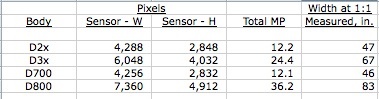
Yet despite Moore’s Law, camera sensors have not remotely increased pixel densities at the rate seen in CPUs and GPUs. The 1999 Nikon D1 had 2.6mp in its APS-C sensor, equivalent to 4mp in FF. That was 13 years ago. Today’s D800 has 36mp, an increase of only 9x in 13 years, whereas had Moore’s Law applied we would be seeing 100mp today. Whether controlled co-opetition based on oligopolistic practices or more arcane technical issues are the cause, the rate of growth in sensor densities pales in comparison to what has been accomplished in microchips.

However, the D800 introduced this year reflects a serious jump in densities and we can expect another even denser sensor from Canon in 2012, rumored at 45mp in the 5DX. That suggests that 100mp is maybe 2-3 years away at most. This jump in sensor densities has also exposed flaws in technique (focus must be dead on, camera shake negligible to get the best out of the sectional enlargement) and while the newest sensors improve the results from any lens, many lenses are now being ‘out defined’ by the latest breed of sensors. So we have had the wonderful experience of seeing Zeiss becoming a serious competitor with outstanding MF optics for Sony, Canon and Nikon bodies forcing the Japanese to go back to the design computer to come up with something better. All photographers win from this competition.

Higher pixel densities are already available from Panasonic and Olympus in their latest MFT bodies, but those sensors are but one quarter of the area of FF. At 16mp that figures to 64mp on FF and the sensor in my Panny G3 yields 18″ x 24″ prints with outstanding resolution from the full frame with ease. Noise performance in not quite up to stellar sensors like the one in the D700, but it’s quickly getting there, already representing a significant improvement on the 12mp sensor in the earlier Panasonic G1. So while processing chips will have to speed up and buffer sizes will have to increase, we already have the technology to get sensors very close to 100mp.


One of Zeiss’s latest offerings, the 15mm ultra-wide, raises the bar for Japanese designers.

Better yet, Schneider is now entering the FF lens business offering Sony, Canon and Nikon mounts for its 35mm Perspective Correction Super-Angulon, a storied name if ever there was one.

So while pixel densities have been crawling along for much of the past decade, I expect that we will see rapid growth in the number of high density sensors in the near future, accompanied by ever falling costs. Truly, this is the golden age of photography. Film, once scanned and digitized, cannot equal the resolution afforded by the latest crop of digital sensors. At 4,000 ppi, FF film maxes out at 24mp and it takes ages to complete a scan that dense, which still leaves the snapper having to retouch dirt and scratches. And the result, with all the lossy steps, is a digital copy of an analog original. Hard to see how that makes sense. Further, as optics leap forward these high pixel count FF sensors will rapidly sound the death knell of overpriced medium format hardware from the likes of Hasselblad and Leica. Why spend $50,000 when like performance can be had for 10% of that sum?

The Crown Graphic

A well thought out design.

Watching Brian dePalma’s splendid Prohibition Era movie The Untouchables the other evening I was struck by just how skilled reportage photographers were in that period. In one early scene, the Treasury Agent Elliot Ness orchestrates a raid on a suspected illegal liquor warehouse and as he prepares to smash open one of the wooden crates he believes contains the hooch, an aspiring press photographer, armed with a Speed Graphic and that enoromous flashgun with the almost as large one-use bulb, bursts in and takes a snap. His men want the reporter removed but Ness, sensing a ‘photo op’ lets him stay. As he picks up the axe to smash the crate, it’s what follows that leaves you lost in admiration. In a choreographed series of actions, the reporter realizes he has used one of the two exposures in his film slide. In the matter of a few seconds, you see him insert the dark slide, pull out the film holder, reinsert it reversed, pull out the second dark slide, change the flashbulb and snap Ness as he pulls out the contents of the crate …. a Japanese decorative umbrella. Ooops. But what the photographer had to go through to get his one chance at the front page is exceptional.

The camera was, amazingly, exceptionally well suited to hand-held use. It came with a decent rangefinder (I dismantled mine to clean the mirrors whereupon it became easy to use), an optical finder with interchangeable masks for different lenses, a wire frame finder easily extended from the body and ideal for reporters’ use and adjustable focus stops. You had a reasonable range of perspective controls thanks to the drop bed, and lens exchange was very simple and fast. Best of all the whole thing collapsed into a surprisingly compact rectangular box and the included carrying handle made for easy transport. It weighed less than the modern DSLR. A large chromed side plate accommodated the flashgun whose handle later did double duty in George Lucas’s ‘Star Wars’ movies as a light sabre!

Until the roll film camera gained acceptance, the reporter’s tool of choice was the Graflex company’s Speed Graphic or later the Crown Graphic. I owned a Crown Graphic for a couple of years, interested in finding out just how it was to use a large format camera. I put together a slide show of my Crown Graphic – long sold – and you can download the 50MB file by clicking or touching the picture below:


Click the picture to download the slideshow.

Toward the end you can see where I made my own focusing cams for the wide and long focus lenses so as to ensure accurate coupling with the optical rangefinder for hand-held use. A fun project!

Tripod use was every bit as easy and the huge negative size meant that large prints of just about any size were easy to make with frightening resolution. Scanned at 4,000dpi the negative yielded no fewer than 320 megapixels! At 2,000 dpi, more than enough, it came in at 80 megapixels.

I eventually gave up on the Crown for a couple of simple reasons. First, it was impossible to find anyone to process my Kodak Vericolor originals without adding scratches, boot marks and hair lines. This meant endless retouching just as in the bad old film days. Second, getting a good scan of the originals at a reasonable price was also impossible. Drum scans, which would disclose every last detail in every last leaf on that giant sequoia were prohibitively expensive and the scanned files would average over 200MB. Guaranteed to disclose my iMac’s dual purpose design when processed – a computer and a toaster, all in one. But the Crown Graphic was an absolute blast to use. Both color and monochrome film stock remains available if you want to give it a shot. You will not lose any money when it comes time to sell your hardware, but you will need a good changing bag to load those film holders. Just about any lens will do, the large negative making the latest and greatest in optics overkill.

Here are a few snaps:


Cayucos beach.


Abandoned gas pumps, Los Alamos, CA.


General Store, Los Alamos, CA.


Rust.

Favorite gear of 2012

Old can still be good.

It would be wrong to caption this column ‘Camera of the Year’ or something similarly pretentious. After all, I’m an amateur snapper, not a journalist reviewing free hardware who gives the award to the maker paying the biggest kickback/free gear gift/trip to Osaka or the Black Forest. This is my money and my preferences we are talking about, not other people’s money and advertising dollars.

That said, I do give careful consideration to where my money goes and that is rarely to the latest and greatest. Obsolete means nothing to me, except maybe a good entry price and low depreciation, and buying new tends to be anathema to my psyche. Plus I like the gestation and discovery period that something a few years old has undergone.

So if I tell you that my favorite camera body was last made 7 years ago – aeons in DSLR terms – and the lens is no less than 4 decades old, I would be quite understanding were you to write me off as some sort of nutty eccentric, like the guys still doing wet collodion in 8″x 10″ view cameras.

However I have long known that a change of gear acts like a kick in the pants for yours truly, if nothing else to justify the outlay by making some decent pictures. And if the use experience confers tactile and mechanical pleasure, both keenly developed senses in my case, then all the better.


Click the picture.

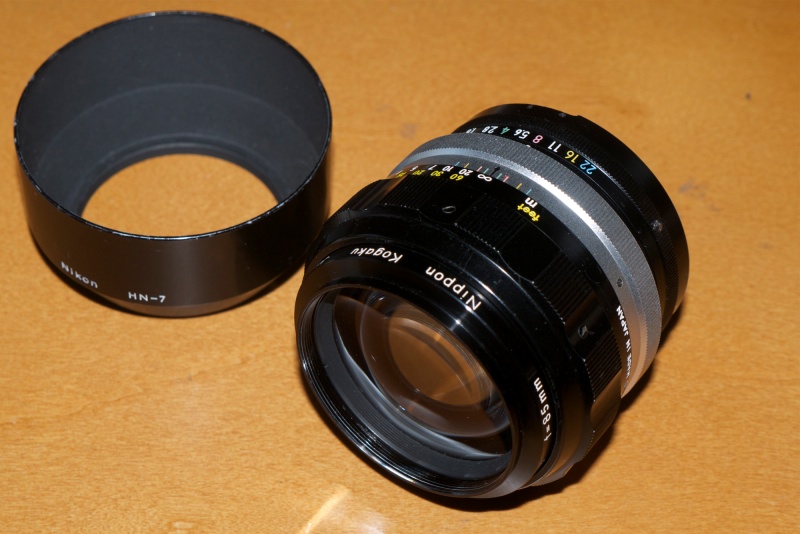
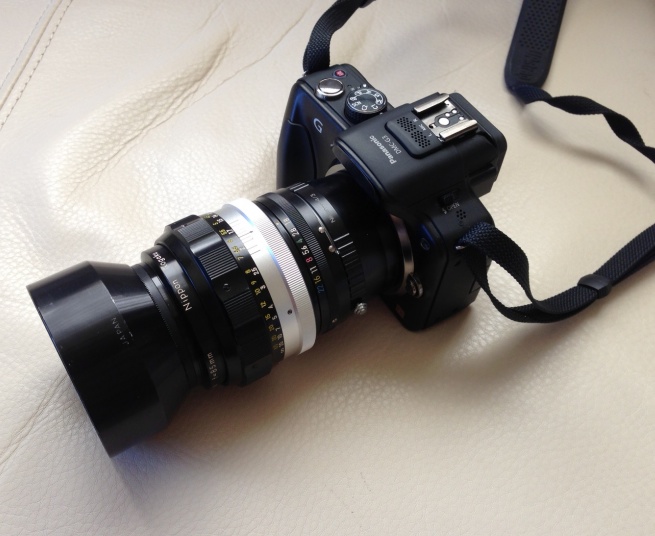
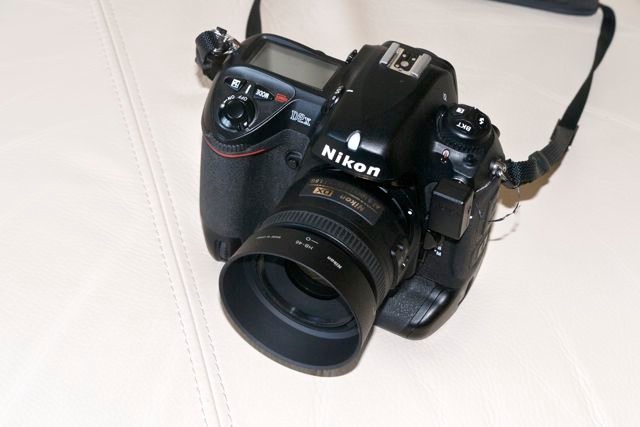
My favorite gear of 2012 is the 2005 Nikon D2x with what I can only describe as a thrilling lens, the 50mm Nikkor-S f/1.4 pre-Ai MF lens. That’s like a 75mm portrait lens on the APS-C sensor in the D2x body and the handling, balance and ease of use of the combination are really special. The trade-off is more time in the gym to carry this far from svelte outfit around but, surprisingly, as a street snapper I have not experienced any of the ‘it’s intimidating to your subject’ syndrome that many ascribe to these big bodies. Quite the opposite. Maybe the loudly emblazoned ‘Nikon’, married of course to my massive build and no less threatening physical presence, does the trick, but I rather fancy I may be fooling myself here. Sylvester Stallone I am not.


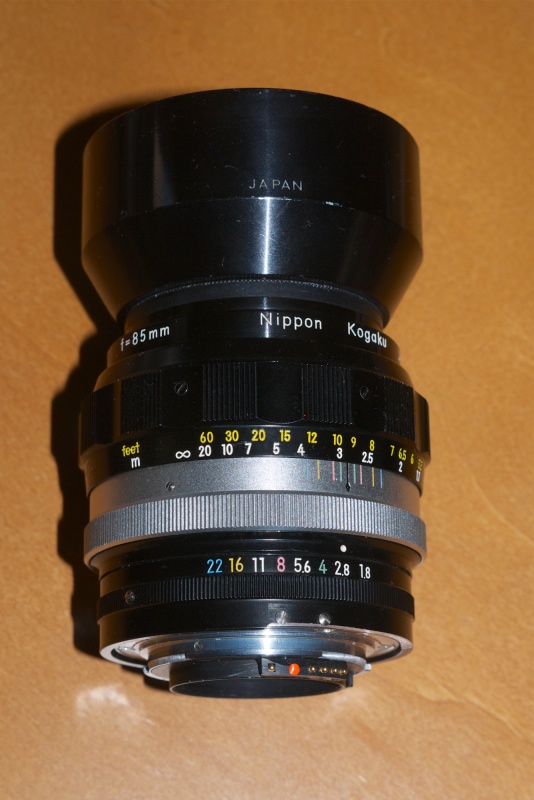
The 50mm Nikkor-S f/1.4. One of the most beautiful optical masterpieces yet conceived.
Click the picture.

Why pay $700 for an obsolete digital body? That money gets you a competent, current DSLR body, certainly less robust, but with a sensor sporting better high ISO performance. Maybe even a decent kit lens for that price will come with it. It will not get you much in FF DSLRs, with the original and superb Canon 5D being the best bargain in that price range. It also gets you an exceptionally well sealed body which, though it has no dust removal shaker, has no need of one. My FF D700 has such a mechanism yet I am regularly cleaning the sensor with brush and blower. There’s nothing wrong with the D700. It has far better performance above ISO800 and when fitted with the MB-D10 battery pack mimics the well designed vertical shutter release on the D2x. Plus it’s FF, so wide lenses remain wide. And neither body has a reputation for problems. Older D2x bodies can exhibit the ‘blank first frame’ symptom but that’s about all I have read of. Either body will last the average amateur longer than his stay on this mortal coil.

So why did I buy it? Because it is a far greater pleasure to use than the consumer grade alternative. It will not, however, take better pictures. Those are solely a function of the person pressing the button.

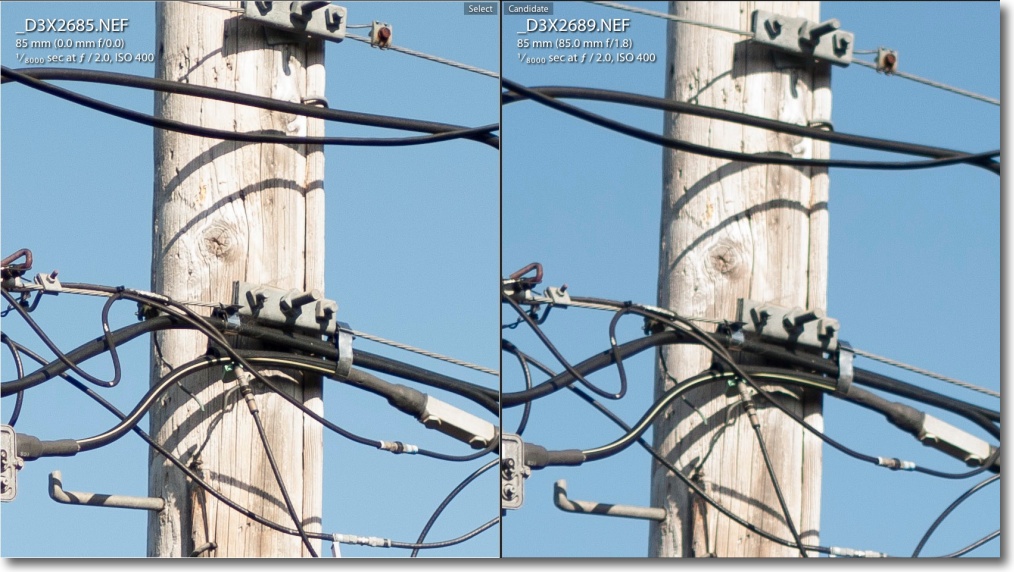
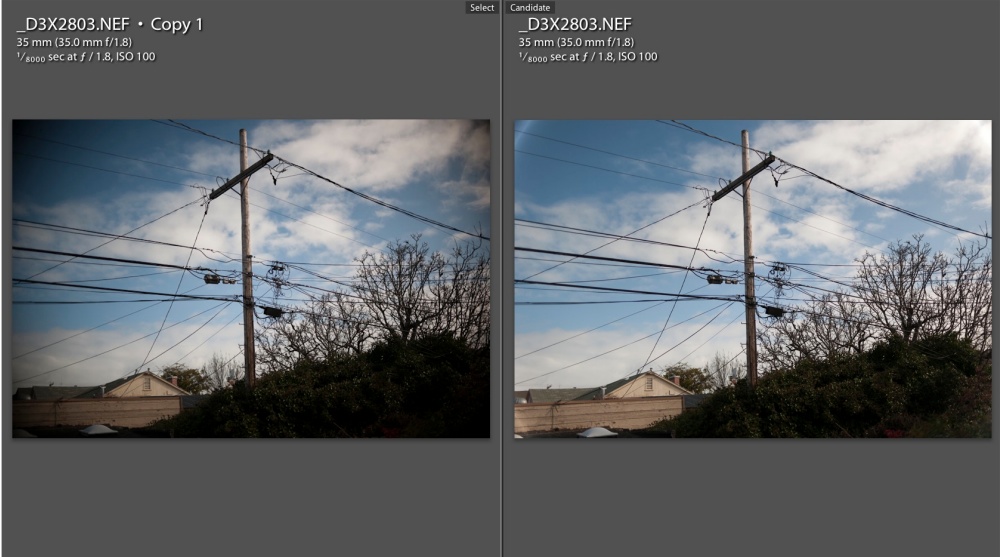
The lens is another story. Click the above picture and you will see how adding a $29 CPU confers proper EXIF data recording, automatic invocation of the appropriate lens correction profile, matrix metering and transfer of aperture control back to the lens, away from the control dials on the body. That works for me as I support the lens with my left hand in any case and, as an old fart, that’s how I have been changing aperture for several decades now, and I am strictly an ‘aperture priority’ guy when it comes to auto exposure. Manual Focus? No biggie, especially with the focus confirmation LED in the Nikon’s finder, the latter made so much the better by fitting Nikon’s magnifying eyepiece. The 50mm f/1.4 delivers performance indistinguishable from the 50mm f/2 of that era, offers one stop more speed and the bulk and weight balance with the heavy body far better. Focus and aperture clicks are simply a dream to use. Compared to modern multicoated optics you maybe trade off a little contrast in strongly backlit situations, but that’s what Lightroom is for.

The whole use experience is a tactile, aural and sensual thrill. That is never lost on me. This outfit makes for an integrated whole of quite exceptional utility and ease of use.

Highly recommended – the kit will run you under $800 if you shop around and there’s no way you are ever going to wear it out. And the only people who will point and say ‘Ugh, how dated’ are not ones you want to know in any case. They are called equipment freaks and photography is anathema to them.

Software of the Year

No contest.

By a country mile, Adobe’s Lightroom is my choice as Software of the Year.

While Lightroom has been around for quite a while, it has continually moved to strength and has never become a resource hog. It runs very fast on a capable machine, be it Mac or PC, yet will perform at quite usable speed on something more modest like my 2012 MacBook Air. Photoshop deserves like praise for speed; I’m still on CS5.

For cross-platform users, the LR catalog will load just fine in Windows and in OS X, and Adobe’s realistic licensing permits use on two machines. While it was hard to imagine any great improvements to LR3, LR4 surprised mightily with it’s greatly enhanced Highlights, Shadows, Clarity and Vibrance technologies, all materially improved from version 3. Used creatively, the first two begin to approximate the power of HDR with none of the complexity or garish results. Add a touch of noise suppression from the built-in controls and you have pretty much all you could wish for in day-to-day processing. With an outstanding database with easy keywording and filtered image retrieval, you are looking at a very powerful tool indeed. Aftermarket apps to load images to Shutterfly or to offer specialized processing needs are easily added. I find I rarely leave the confines of Lightroom for my processing needs, with round trips to Photoshop generally being restricted to perspective correction (PS’s tools are more powerful than LR’s) and, of course, to selectively blur backgrounds with the excellent Magic Lasso tool and Filter->Blur->Lens Blur. It would be great if Adobe was to add these functions in LR, but I suspect cannibalization of their PS cash cow is a key concern.


This merely scratches the surface of the metadata capabilities of Lightroom.

The one other external processing tool I use occasionally is Snapseed, which now accepts TIFF files generated from RAW originals, meaning no loss of quality. I use LR4 with two displays and it is beautifully engineered for this purpose.

Having chipped my many old MF Nikkors, I especially like how LR reads the EXIF data and automatically invokes the appropriate lens correction profile from the many I have created. It just takes one more bit of drudgery out of the processing step.

Best of all, LR is remarkably inexpensive for what you get, which includes Book, Map, Slideshow (really outstanding) and Print modules, all well integrated, for $115 at Amazon. The best book I have found is by Martin Evening who not only writes and illustrates his instructions well, but also takes great photographs. A $33 bargain which really should come with the software.

Update 12/17/2012:

This just hit my inbox. At $129 there are few better bargains in photographic software: