In Santa Cruz.
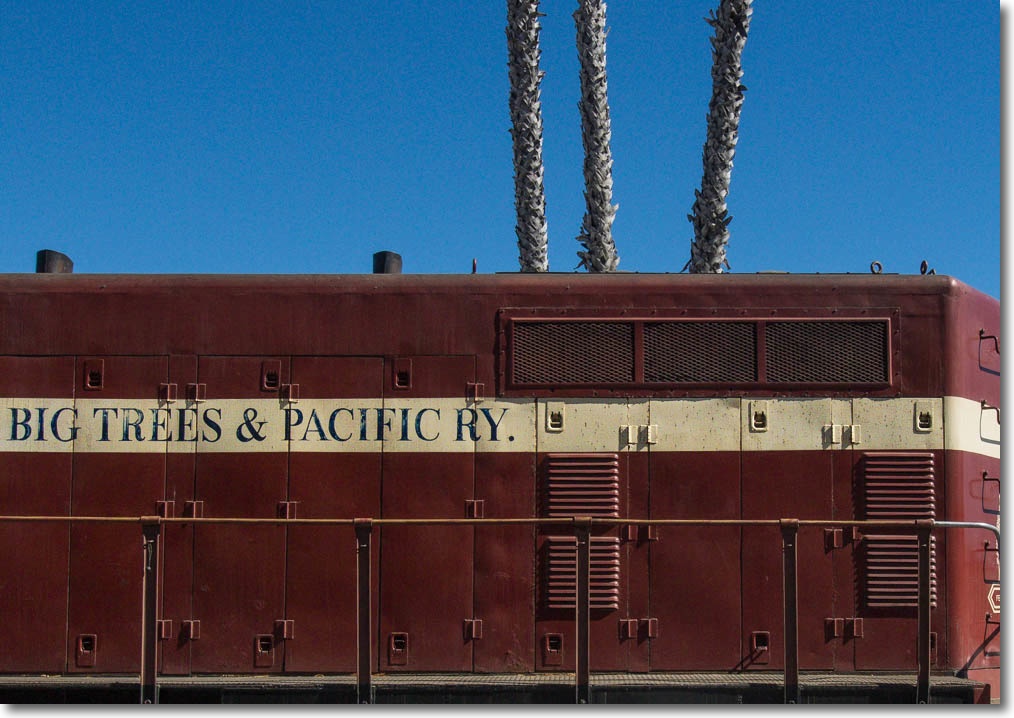
Panasonic G3, kit lens.
In Santa Cruz.
Panasonic G3, kit lens.
On the boardwalk.

Another from the Santa Cruz boardwalk series.
Panasonic G3, 9-18mm MFT Olympus lens.
Inked.

Sure hope she likes these 50 years hence.
Panasonic G3, Olympus MFT 9-18mm @ 9mm.
MicroSDHC/SDXC and GPS.
Part IV is here.
MicroSDHC/SDXC:
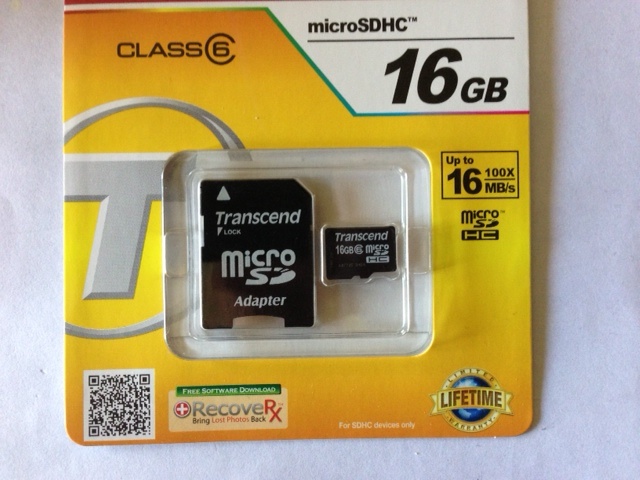
A friend gave me this nicely designed MicroSDHC/SDXC card adapter as a gift. It integrates the OTG cable – see Part IV – with a MicroSDHC card slot. No cables. Nice. You can read more about this Kickstarter project by clicking the image below:
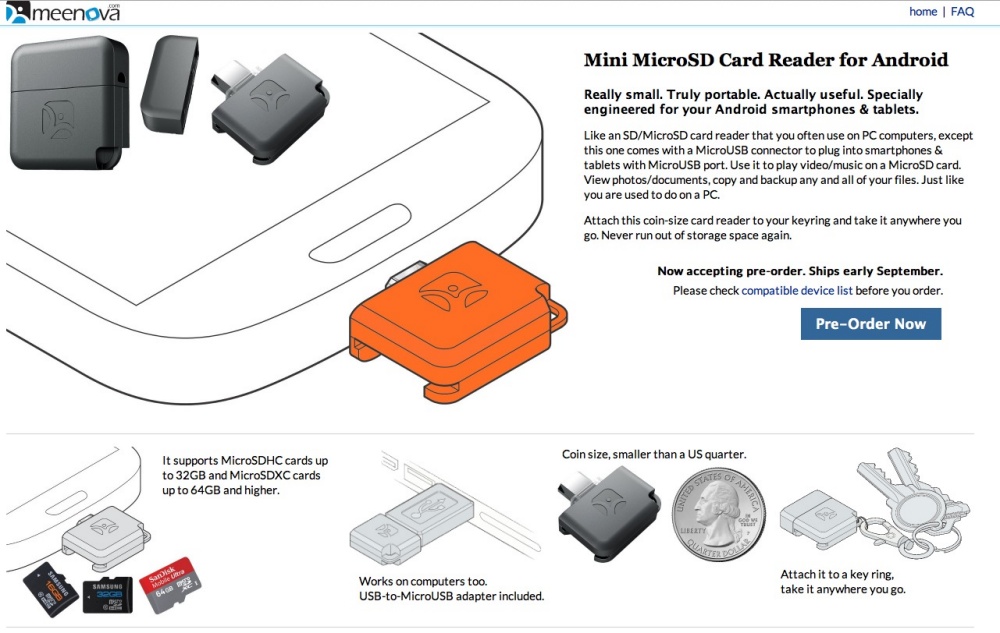
That adapter takes SDHC cards up to 32GB and SDXC of 64GB. 64GB! SanDisk makes 64GB MicroSDXC Class 10 (10 MB/s) cards for $50. Imagine that – 64 1GB full length movies in a card smaller than a fingernail. Amazing. The Cold War spies of the ’60s with their Minoxes and microdots would have killed for this. It’s so small that concealment is not the issue – finding it is. I’ll report back when I have had a chance to use it. I will use the SDHC adapter in my Panasonic G3 to see whether write speeds are materially worse than with a regular SDHC card.
The prospect of a versatile, top quality camera like the Panny G3, on the road with the Nexus 7 with unlimited storage and decent processing capabilities is intriguing. Further, the WordPress app does the trick for blogging from the road.
Boy, is Apple ever in trouble, or what? They are competing with the Gillette model – sell the holders at cost, sell the blades for profit. (Tablets and clicks, in GOOG’s case). Hard to see how AAPL can ever compete as they have no razor blades to sell and Google’s tablet matches or exceeds Apple’s on quality and performance. If GOOG really wants to kill the iPad, it should simply sell the tablets for a couple of quarters at 50% of cost – 20 million at $100 cost each means a loss of $2bn, compared with annual EBITDA of $17bn. Hardly a stretch if you brief Wall Street in advance on the goal – remove a key competitor, clean up, stock rises. Might as well short AAPL while you are at it. Then they can do the same to Samsung …. or simply cease licensing Android to Samsung.
The Android user may, in fact, be best served using Google hardware as he is assured of the latest OS first (and fast fixes of issues – see below) and has to suffer none of the UI adulteration indulged in by the likes of Samsung.
Then rinse and repeat with cell phones.
GPS fix:
The 2013 Nexus 7 has built in GPS but as shipped there is a software glitch which many owners have reported shuts down GPS after a few minutes of use. This is in contrast to reported experiences with the 2012 Nexus 7 where a like GPS chip works properly.
On August 23, 2013, Google released a software update (Settings->Apps->About tablet->System updates) which updates the Nexus 7 to Android 4.3 Build number JSS15Q, though no mention of a GPS fix appears in the related screens. I have installed this and can report that GPS works well. The update apparently also fixes touchscreen glitches, but I have not had any touchscreen issues.
Disclosure: Long GOOG, purveyors of evil.
Do it, and do it fast.
As one who has long made his living navigating the treacherous waters of the securities markets – oceans peopled by the likes of the Vampire Squid and sundry other scum – it’s not lost on me how many macro economics articles hit my RSS feed speaking to America’s imminent failure, China’s rising dominance, our end of empire and so on. I seem to have been reading these for several decades now. Unlike the End of the World nuts, I’m not holding my breath. Invariably these articles are laced with tidbits about our rising inequality, awful healthcare systems, urban blight, collapse of government, and so on.
Arrant Nonsense. Stay with me.
The income and wealth inequality data invariably compare some ratio of the richest to the poorest. You know the sort of thing. Bill Gates versus the dude in the car factory. There is no objective assessment of just how ‘poor’ the poor really are, except that they have a lot less moolah than Bill. The walls of economic academia are devoid of windows, like those of the English prime time weatherman. In the United States, ‘poor’ means your car is ten years old, you use an old PC not a sparkling new iMac, and your big screen TV is under 42″. You may have to supplement your two jobs with food stamps while the economy recovers, but you eat out thrice weekly. Maybe that’s McDonald’s, not La Grenouille, and your iPhone is a 3G not a model 5, but you eat and live better than 99% of the planet. That is not poor in any rational sense. America’s poor are among the richest people in the world. Ask Chinese rural workers who move to the big industrial cities in the hope of a job at Foxconn making your iPhone for pennies an hour. Or ask the African in the bush whose water comes with cholera and who thanks his lucky stars if he gets two meals weekly. That is poor.
Our healthcare system, I am told, is shot, yet every foreign dictator, seeking the best medical care the world has to offer, manages a private jet trip to Johns Hopkins when the going gets tough.
Our educational system is so bad that we boast 90 of the hundred greatest universities in the world with the world’s hordes lining up at the Admissions desk trying to secure a spot. PhD, Havana U? Right. Good luck with your job application.
This is the sort of foolish conclusion you get when extrapolating anything using a straight line. Dow 30,000 anyone? Our great Ivy League thinkers tell us that China will be economically greater than the US in – you name it – 10, 20, 30 years. These are the same people who cannot predict tomorrow. 10, 20 or 30 years during which China has to continue to brutalize its people in the interests of a handful of hegemons who have accrued vast fortunes through corrupt governmental procurement practices. Heck, they are in the midst of a new wave of show trials as I write. Yup, a really stable political system that. Ask Louis XVI, Charles I, Nicholas II, and George III how that worked out for them.
Detroit is an abandoned city, wild dogs roam the streets in conflict with the gangs running the ghettos. Uh huh. And the point is? When something is worn out in America, we discard it. No time to fix it. We are too ambitious and too motivated for that. We hunger to improve ourselves. We do not bother with recycling. It’s yesterday’s world. Move on. We simply abandon the old and move elsewhere. It’s not like we don’t have the space or the money. Be it refrigerators, cars, cities or yesterday’s technologies, dump them where they stand and get the hell out-of-Dodge. Or Detroit. To a better place. Want a job? Get re-educated. America is a business.
America is not finished, other than in the corridors of economic academe, corridors which have given us opinions so muddleheaded since 1776 that there is no earthly reason to believe anything emanating from academic economists. Meanwhile, America’s innovators from Edison and Ford to Ellison and Jobs get on with business, oblivious of the many reasons which dictate they must fail. America is just getting started.
I was reminded of this at the most basic level over the past few days. With city finances rapidly recovering in California, I have noticed that many of the chewed up city streets in the SF Peninsula where I live are undergoing a transformation, and such was the case with mine. Last week saw notices posted on our 150 yard stretch of homes commanding all cars be removed the following Tuesday. On Wednesday the big Caterpillar scraper came in and before you could say ‘we built China’, old layers back to the Great Fire of 1906 were exposed.
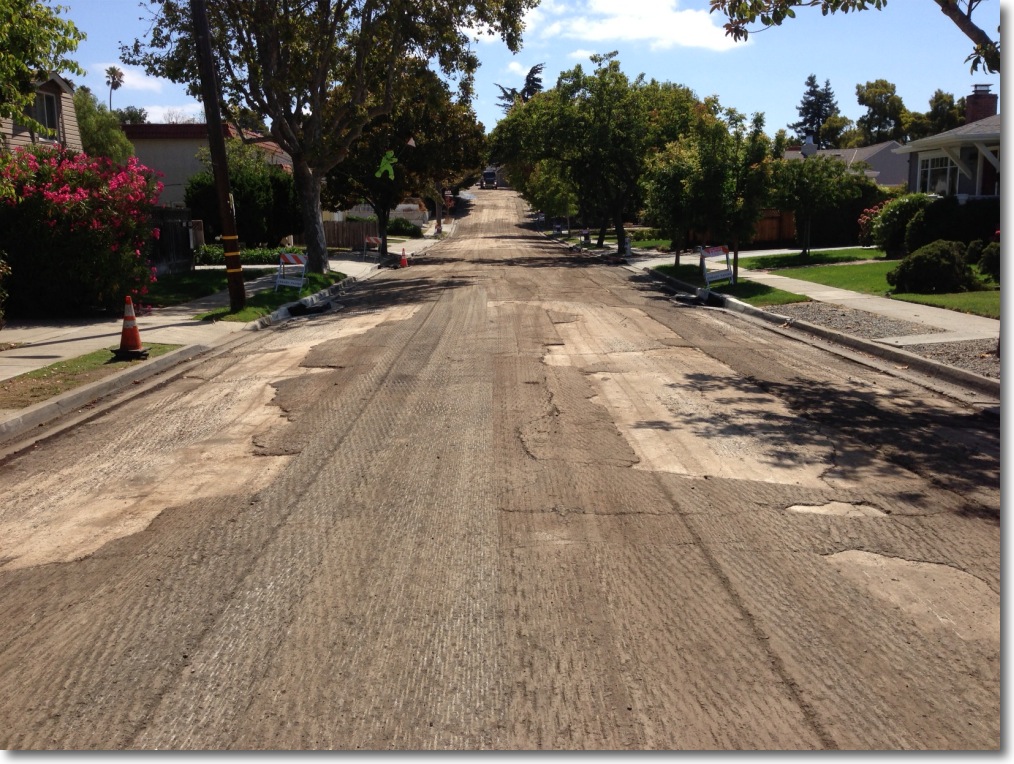
A couple of chaps then went to it with jack hammers to clean up the tough spots and night fell. These workers had started at 7am and worked through 6pm. Of the team of maybe 20, 19 were Hispanic. These people are Uncle Sam’s future, as potent a weapon as America’s booming agriculture which already feeds much of the world, and they make for a burgeoning tax base of aggressive consumers. Who needs nukes? And Malthus be damned.
Thursday noon another huge Caterpillar machine was loaded with asphalt and proceeded to lay down the new surface at the rate of 100 feet an hour. Two CAT operators, five truck drivers delivering the raw materials and two heavy roller drivers, making sure the result was billiard table smooth, was all it took. That day’s crew was 100% Hispanic. 9 workers, 4 hours, 130 yards of new road. Done.
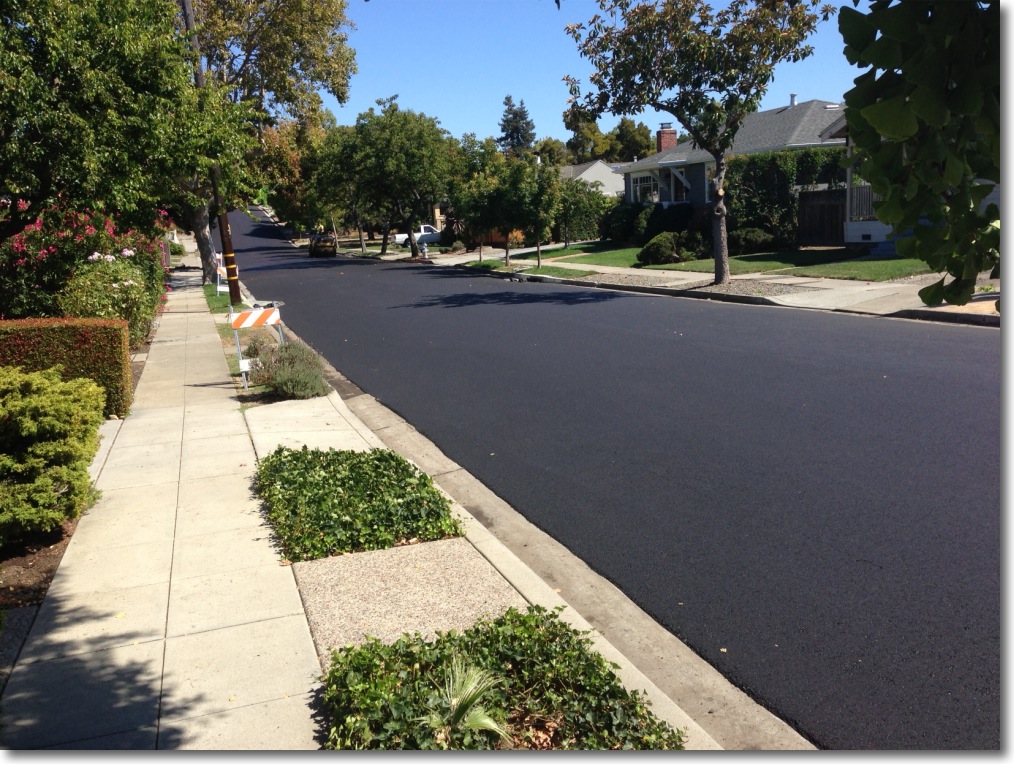
Bert the Border Terrier and I caught this on our afternoon ramble through the ‘hood and even the meanest observer would be forced to admit this is a thing of beauty. A chat with many of the workers reminded me again why I am an American. Not one of these hard hats was about to bemoan his lot in life, doubtless much to the dismay of economists. All I saw was optimism and delight in a job very well done.
The machine is loaded up with asphalt and you can see it at work here.
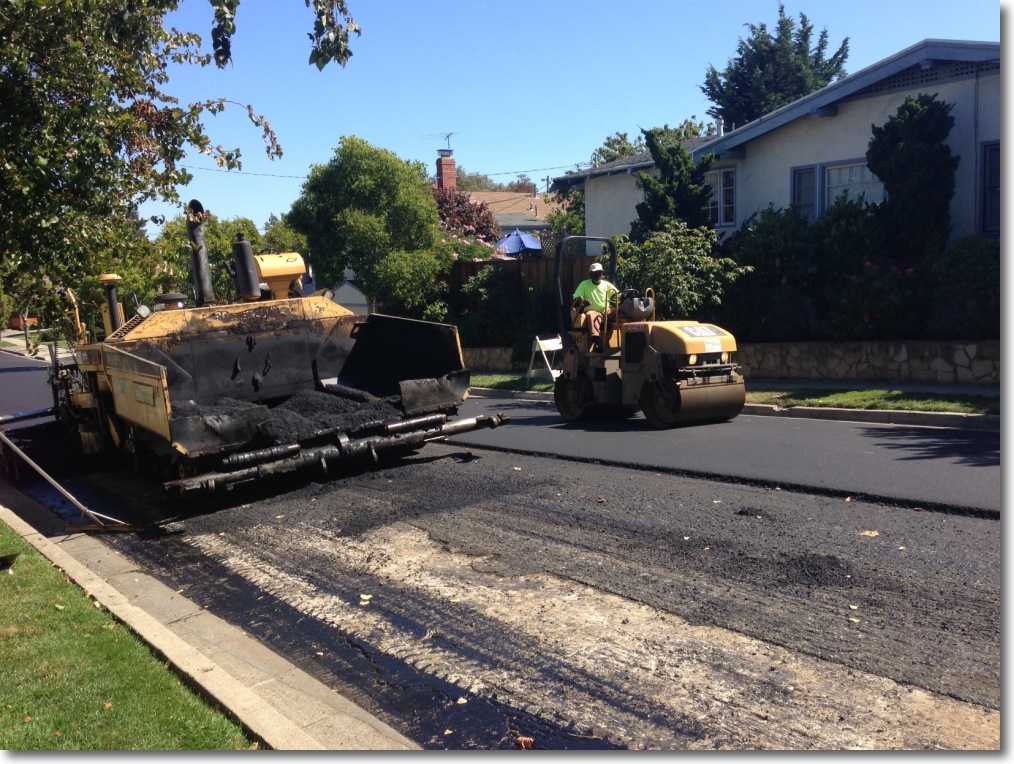
90% of the world craves roads like ours. 100% of that world craves Caterpillar machines and workers like ours to make their roads. But they are truly poor, and their governments are seemingly irretrievably corrupt, which is why a denizen of the prosperous San Francisco Bay Area gets a pristine new road in two days while the poor schmuck in rural China or India will not have one twenty years hence. An Indian friend, no, an American friend who happens to have been born in India, and who chose prosperity and the rule of law, writes:
And, I suppose one should add, three years late and 200% over budget. Got to pay The Man, you know?
Chinese hegemony? Fughedaboutit. China is our manufacturing subsidiary and will remain so as long as it is a brutal dictatorship. They will continue to dance to the demands of their American puppeteer. You think they are about to dump all those dollars in a fit of pique to send us a message? Some sort of existential threat to the US? And America’s economy will be destroyed in the process? Econ 101 says not. And what else will they buy? Euros? Please. However, they can feel free to buy Caterpillar machines and educations from us. The promises of free speech and democracy we export with those sales are included at no extra charge. China is a captive subsidiary of the most powerful nation on earth, a subsidiary whose monetary policy is administered by the US Federal Reserve. That’s what you get when you tie your currency to the mighty US dollar. The Chinese do not own us. We own them.
Me? I’m off for a bike ride on my nice new American road to the local brasserie. In that restaurant, I will be waited upon by ambitious college students with my food prepared by no less ambitious Hispanics, and any one of these can choose to be President, CEO, Congressman, Senator, Hollywood superstar, you name it. No hegemons will interfere. It’s merely a question of desire. Try that in China.
iPhone5 snaps.
Click here for an index of all the Biographical pieces.