ZumoCast

Your own iPad cloud.

I have some 800 uncompressed movies stored on a 4+4 terabyte ganged series of hard drives, attached to a MacMini which is connected to our TV. Uncompressed because one day I believe 100″ LCD screens will be affordable and compression drops quality. That 100″ screen will need a high quality original DVD file. These movie files, in VOB format, average 4-6gB each and while you can copy these to your iPad there are two snags.

First, you will run out of space on the iPad very quickly, and you are wasting resources as an uncompressed file is unnecessary for the iPad’s small screen. Second, you are wasting your time as the iPad cannot play VOB files; it’s limited to m4v/H264 video files which average 1.2-1.3gB. So I have a few favorite movies on the iPad which I have converted to m4v using Handbrake and RipIt (where needed) but the process is very inefficient. Conversion averages 30 minutes, and I have to rotate the files on and off the iPad owing to its very limited storage.

Well, there is a miracle app for the Mac and your iPad which does everything you could possibly wish. It’s called ZumoCast and it makes your Mac or PC into your own cloud storage. It will access your movie, picture or music files over the air and can access these whether they are on the Mac or on HDDs attached to the Mac. And here’s the magic part. ZumoCast converts those monster VOB files to m4v on the fly and displays them perfectly on the iPad after a few seconds of buffering using our home wifi. To set Zumo up you download the Mac app, tell it which folders you would like your iPad to see, install the iPad app and click away. The movie quality on the iPad’s screen is superb.

So now my iPad has access to the 4tB of storage attached to the Mini, access to the Mini itself and access to any other Intel Mac on the network where I have installed the Zumo Mac app. Unless I have the Mini doing some processor intensive task like a backup there is no stuttering, multitasking works fine and for music files I can route the sound to any network device in the home. The Macs in the home have suddenly become my own cloud storage, accessible from the iPad.

Two other items of lunacy – Zumo says the iPad app works over 3G as well as wifi (I have not tried that as my iPad does not have 3G), and ZumoCast is free. Quite how their business model works I have no idea as there are no ads, but free is good.
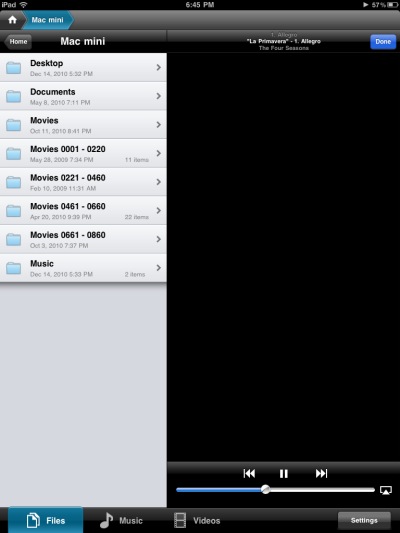
Showing the folders on the MacMini made available to ZumoCast on ther iPad – including four remote ‘Movies’ HDDs.
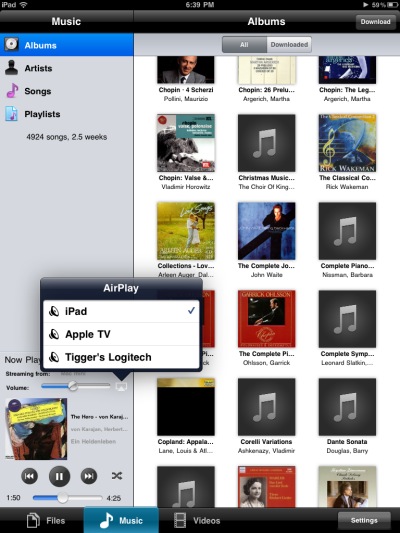
AirPlay works fine for sound but not for video.
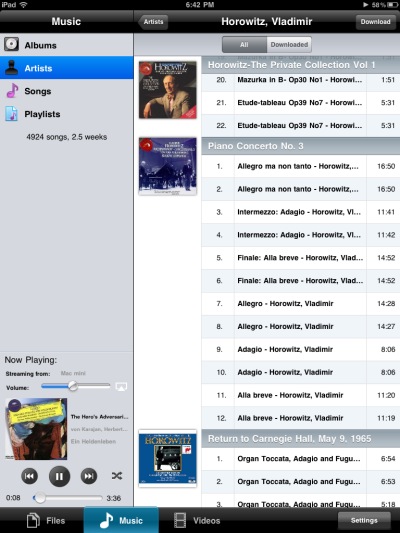
The iTunes library on the remote Mac works beautifully with AirPlay.
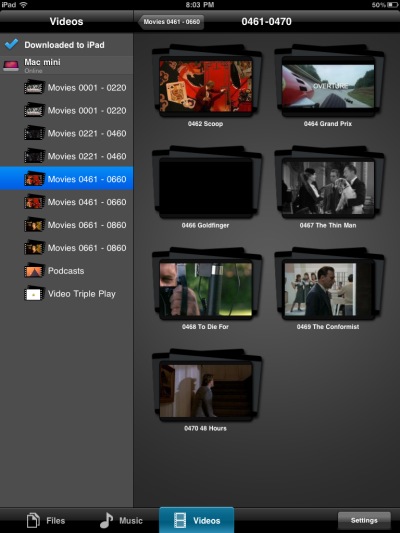
A movie directory from one of the remote HDDs seen in ZumoCast on the iPad.
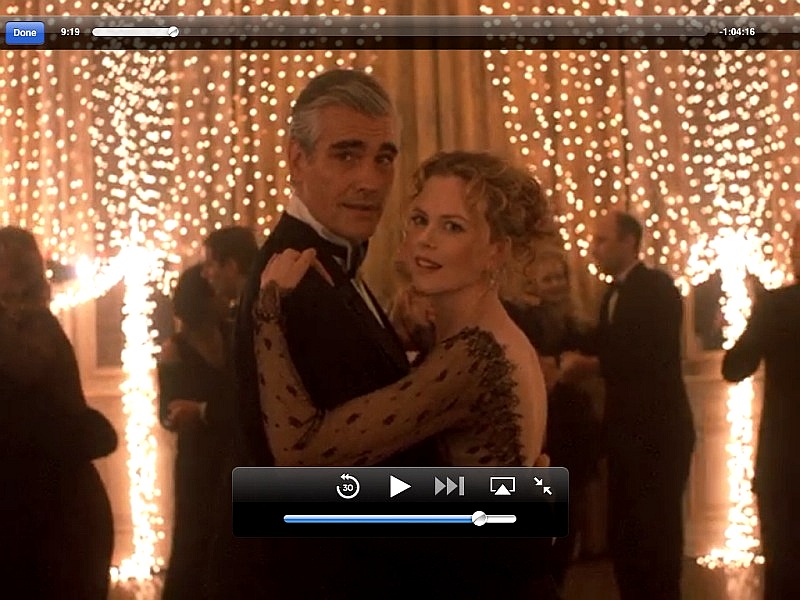
Stanley Kubrick’s ‘Eyes Wide Shut’ – the original VOB file plays on the iPad over the air.

If you want to store the converted file on your iPad, ZumoCast allows you to do that though it’s hard to see why you would need to do this – maybe for viewing/listening where you have no wifi or 3G access? The stored file will be in the appropriate iPad format.

Limitations: ZumoCast cannot play copy protected DRM files – like older iTunes music purchases or any iTunes movie purchases. However, if your content has all been ripped from DVDs and CDs, like mine, this is not a problem.

ZumoCast compared to Apple’s Remote iPad app: ZumoCast doesn’t care what format your remote file – music or video – is stored in, as long as there’s no DRM. Further, you do not have to have iTunes running on the remote Mac for the iPad app to work as ZumoCast addresses the remote files directly, not through iTunes. Remote will play DRM files on the remote Mac but that Mac must have iTunes running. So it seems the only time you would prefer Remote is when the remote file has DRM.

So with ZumoCast you can use the iPad as a remote controller for your file servers where your music and video files, regardless of format, reside, and watch them on the iPad; further, for sound tracks you can route the sound to your AirPlay device of choice. There is no need to perform format conversion to suit the limited range supported by iTunes or the iPad and storage is not an issue as your files never make it to the iPad, the latter being used solely as a routing and display device. Inspired.
Cameras in 2010

Can you say ‘Blah’?

When it comes to changes in cameras my primary area of interest is the advanced amateur/semi-pro gear. It’s what I use and fits nicely as regards features and cost between the mind-numbing array of point-and-shoots and the heavy duty and very costly pro gear.

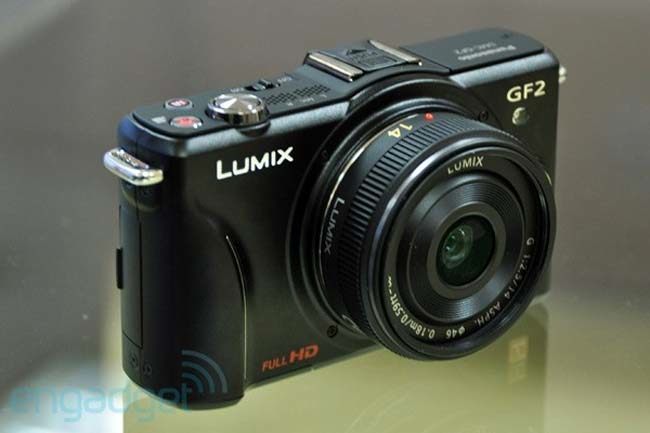
For the advanced amateur user 2010 was a disappointing year for hardware, with by far the greatest let down being the Panasonic GF2. Where the world was expecting Panny’s design genius to deliver a camera with a proper offset optical or electronic viewfinder, what we got instead was a warmed over GF1.

Still sporting the useless LCD finder, with a clip on low definition/high noise EVF option (you might as well get the G1/2 as the size is much the same with one of these clunkers and the G1/2 EVF is a whole lot better), the camera addds little to the GF1 for the serious user.

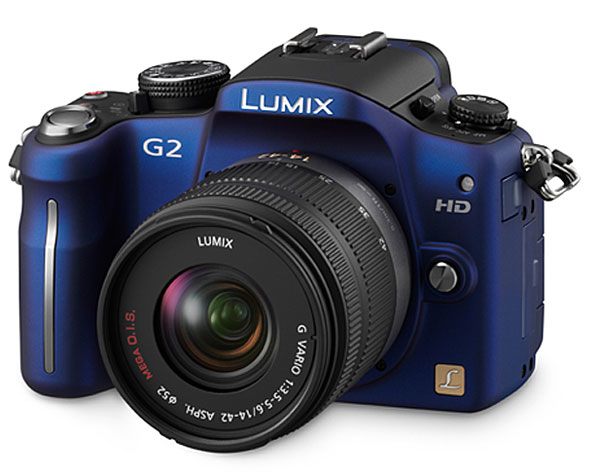
No less disappointing was Panny’s G2. Adding a touch screen to the immensely capable G1, which I use and love, is not my idea of progress. Excuse me, you are going to ponce about touching the hard-to-see screen to do stuff while taking pictures? I don’t think so.

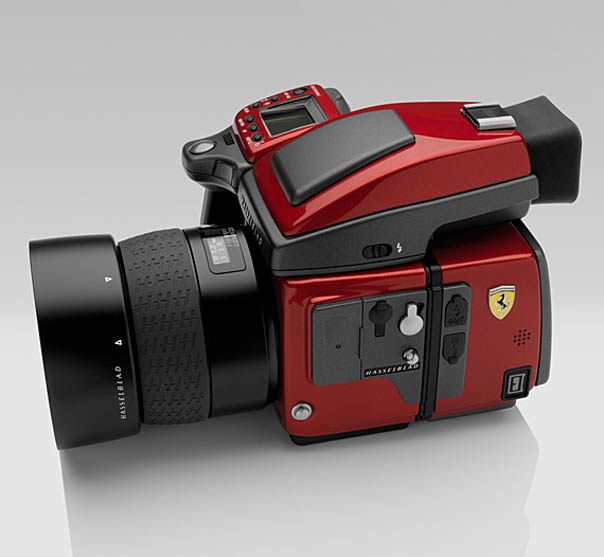
At the upper end of the spectrum for the truly insecure nouveau riche came the Hasselblad Ferrari. Or is that Ferrari Hasselblad? I like both marques as well as anyone but, please, you need to tell the whole world that your ship just came in?

Hair piece and gold chains not included.

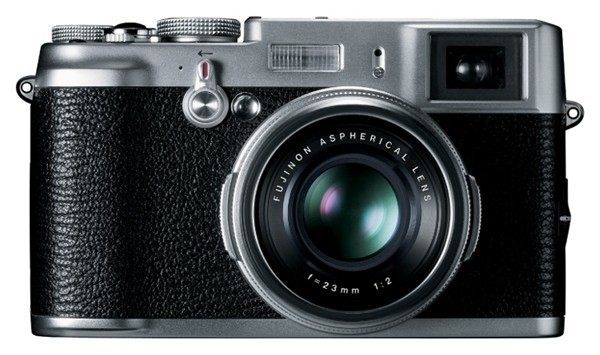
No, by far the most exciting camera of 2010 is one which will not be available until 2011 – the Leica for the rest of us, the Fuji FX100.

Promising a dual optical/electronic finder, a fast six element wide angle fixed lens, an APS-sized sensor and looks that are just right, this is an exciting machine. Aperture priority, shutter priority or full exposure automation come standard. Let’s just hope it lives up to its promise. Why, even the textured body covering reminds me of my film rangefinder Leicas.

As for 2010, it was strictly a year of blah.

Hardware of the Year

Good and bad.

The Olympus 9-18mm MFT lens for my Panasonic G1 is a joy to use, small, light and sharp. Add in my custom distortion correction profiles and you have a cracker of an ultra-wide zoom at a very reasonable price.

After a poor start with the original AppleTV (another Apple Toaster design, running dangerously hot) the second generation AppleTV gets it right and is a tremendous tool for showing your photographs on any big screen TV you connect it to. At $99, with included remote, it’s a bargain.

And finally, if you crave screen area as much as I do, try the Newer Technology USB to DVI adapter which allows you to add up to four displays to your OS X computer. It doesn’t support Quartz rendering (meaning some of the latest screen savers default to black) and does not permit screenshots, but other than that it’s proving to be a powerful addition to my desktop HackPro, which now sports no fewer than three displays.

But it would be disingenuous to write a piece like this without mentioning two genuine stinkers.

One is, by a considerable margin, the worst piece of hardware I have used in a decade, the Kindle. Poorly made, designed by a committee seemingly totally ignorant of the word ‘ergonomics’ and faulty in just about every way imaginable. It simply defies understanding why this piece of garbage sells at all. Sure, you save a few dollars compared to an iPad but then you could save more by not buying rubbish in the first place.

And finally, let’s not forget the Fruit Company which has made some of the least reliable hardware in the history of computing. Yes, that would be Apple. My most heavily used OS X machine is my HackPro simply because I cannot risk making my living on an Apple desktop. My MacBook Air is too new to permit any quality judgements, though the iPad with its cool running A4 CPU augurs well. But I have such an awful history with Apple’s awful hardware that I’m not about to say anything good about the reliability of the company’s computers; I use Macs rather than PCs primarily because of the robust OS and applications they run. Check back here one year hence to see if the iPad and MBA finally start bringing me around on the issue of reliability and heat management.


The best reason to use Apple’s awful hardware.

Software of the Year

Some nice things.

You can see which software I wrote about in 2010 by clicking the ‘photography’ drop down menu below. These are all things I have used and in all cases continue to use as a photographer.

While no one could accuse it of being user friendly, Adobe’s free Lens Profile Creator does a fine job of creating distortion and chromatic aberration correction profiles for those lenses where profiles are not built into Photoshop or Lightroom 3. I created my own profiles for the Olympus 9-18mm MFT lens I use on the Panaasonic G1 and they work well – you can download them by clicking the aforementioned link. These integrate nicely into Lightroom 3 as a point-and-click option in the Develop module.

The very thought of running Windows on any of my Macs frankly disgusts me (after all these years XP still has the most godawful fonts in existence not to mention it’s propensity to constantly lock-up), but on those mercifully rare occasions where there is no choice, such as certain financial tools I use which do not come in a Mac flavor, I have found Oracle’s Virtual Box robust, well supported and, best of all, free. The excrescence that is Windows XP runs in its own little jail or window, free to soil its own underwear without trashing the rest of my Macs’ disks.

On those occasion I want to access my desktop HackPro from a remote location, all I need is an iPad and LogMeIn Ignition, a totally bug free and dead reliable remote client. Not cheap at $29.99 as iPad apps go, but use it just once when you absolutely need to and it has paid for itself.

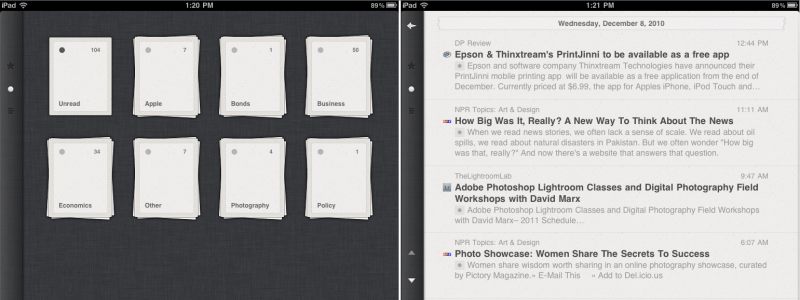
Finally, last year I named NetNewsWire Software of the Year, as I find it to be the best desktop RSS feed reader out there. For the iPad I have replaced NNW with Reeder months ago and would not go back. The $4.99 Reeder app understands the touch interface well and is a superior product. The back end is provided by the Vampire Squid of the Internet, Google’s reader. I’ll switch as soon as I find a free alternative. Be sure to visit Reeder’s web site – a masterpiece of minimalism and function, like the app. Apple should buy these folks and integrate Reeder into Snow Leopard as its designs accords with much of the thinking of Steve Jobs and Jon Ive in Cupertino.

A couple of Reeder screenshots on the iPad.

High tech Hockney

Art and technology.

Painter and photographer David Hockney has migrated from a paint brush and camera to an iPhone and iPad to create new works of art.

He creates images on his iPad and sends them to friends. The app he uses is named Brushes – click the picture below for more:

As this fascinating article from NPR relates, Hockney is so intense when using the iPad and Brushes that he occasionally wipes his finger on his smock, forgettting that he is not using a real brush loaded with paint!

Most intriguingly, his current Paris show is displayed on iPads to any of which he can simply send a new image when he feels like it – a dynamic, ever changing exhibit which will make multiple visits worthwhile and is surely the right way to display photographs in the modern age. I wrote of this concept over four years ago suggesting that ever cheaper LCD televisions would be the display ‘canvas’ of the future. LCD displays have halved in cost since I wrote that earlier piece. though it seems like the iPad beat the TV to the punch in Hockney’s capable hands.

Were I a photo gallery curator, I would chuck out all the frames, fire the framers and printers and museum guards, buy 50 iPads and 50 big screen TVs and advertise “See our latest show – no two days alike. Come as often as you like with a show pass allowing any number of visits for just 50% more than the regular price. See photographs in their true splendor and dynamic range.”. Result? Costs halved, revenues up 50%. Gallery saved at a non-recurring cost of $60k. Further, sell each show as a download at the conclusion of the exhibit and really clean up. Oh! yeah, and sell all those dumb ass prints to collectors to pay for the hardware and severance costs.

There are still those who maintain that the iPad is a device purely for consumption. Disregard these luddites.