Adobe Ideas

A photo and drawing app for the iPad.

Adobe deserve congratulation for being one of the first to release a drawing and photo app for the iPad.

Named Ideas tools like this will become de rigeur for creative types. Certainly, no storyboard artist in the movie industry will be able to live without one.

Adobe Ideas – today’s Etch-a-Sketch

It took me two minutes, using a finger, to sketch a design for a variable inclination device which my son and I will build to illustrate some basic concepts in physics – friction (as the roll is moved the angle of the incline changes), tension (the rubber band holds the roll in place), and elevation (the roll is an elevation adjuster). Using an electrostatic stylus the sketch would be far better, of course. Ideas permits the insertion of background layer photographs from the iPhoto album on the iPad thus:

The exported file takes the size of the largest component (in this case the photo) and when your email is sent it is in PDF format (well, we are talking Adobe here), but do you get my drift? Need to annotate, create, draw, illustrate? This is the tip of the iceberg and lays low the unthinking statements that the iPad is purely a retrieval device. A related tool in Adobe Stylus allows you to generate a color palette showing the dominant colors in an image – imagine that for interior designers, decorators, anyone who thinks about colors and their arrangements and harmonies.

I have a Pogo stylus on order, in silver to match the back of the iPad, natch! I hope mine arrives before all the photographers and art directors at Vogue and Harpers’ snap them up for illustrating how they want studio photographs manipulated.

Breakfast

Welcome to the new paradigm.

The Mac disrupted computing.

The iPod disrupted music.

The iPhone disrupted cell phones.

The iPad disrupts everything else.

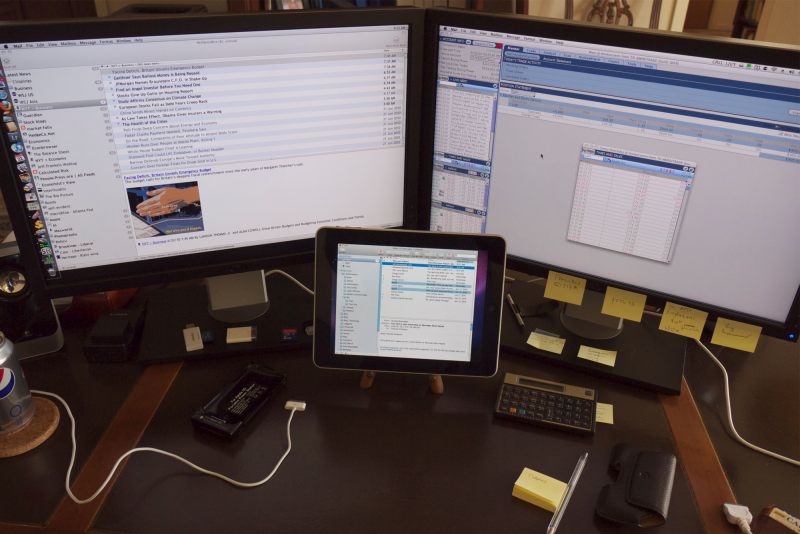
Supplies of my luxe German hand crafted iPad stand are now zero, having sold out almost as fast as the iPad, though at $1,950 a pop they all went to Wall Street types. I had to limit sales to two per buyer, just like Apple did with the iPad.

Reading on the iPad

Extraordinary.

As a matter of course, at bedtime we read a book with our eight year old. And can there be a more charming children’s book than Winnie the Pooh? A great story and the most delightful drawings make this book, first published in 1926, a classic for all time.

Now by a stroke of what can only be described as genius, Apple has decided to include a free copy of Winnie the Pooh with the iPad – at least with the one sold in the US. So when it came to reading to our Winnie (named after the great Englishman, not the bear!) I can report that Winnie was among a handful of kids in the whole wide world enjoying the magic of reading on an iPad. Only New Yorkers beat us Californians to it (no one reads in between).

And magic it assuredly is. He was endlessly fascinated with the page turning using a finger. While you can turn them by simply touching the screen, the romantic in us had us turning pages with a gentle swipe, playfully moving the part turned page to and fro. Insanely complex programming hidden away inside, the result is simply Magic.

Our son loves books but his is the last generation in the Western hemisphere which will be turning physical pages. When a jumbo iPad appears soon, art and photography books will migrate to it and much as I will miss the smell and touch of beautiful books they do take up an unconscionable amount of space. Certainly, all the literature will be the first to go to the thrift shop. I no longer have a single LP, CD or DVD in the home and it looks like books will be the next to go. And if getting rid of my books allows me to move to a smaller space, everyone wins – my pocket book, the environment, etc. Of course, a transilluminated image on an LCD screen renders far more dynamic range and color vibrancy than any reproduction viewed by reflected light ever will.

Finally, on an amusing note, the profiteers at Greenpeace, who so ably jumped on the trumped up global warming bandwagon, have lost what little credibility remained through their most recent pronouncement. You see, they have stated that Apple’s creation of a server farm in North Carolina will contribute significantly to carbon output. It doesn’t take an especially high IQ or a spreadsheet to realize that driving your 15mpg V8 to the cinema or cutting down forests to make books is just a tad more polluting than storing an electronic copy of either medium. Duh!

iPad – first impressions

Impressive.

Here are my first reactions after a couple of hours of use.

Unboxing: The instructions are on one small card. If you know how to use an iPhone there is very little to learn.

Charging: No need. It ships 100% charged.

Sync: I use MobileMe and recommend it unreservedly. Six minutes to sync Contacts, Calendars and Email after spending one minute getting the iPad to recognize the wireless network. Syncing apps, music and photos took a few more minutes and apps had to be synced thrice before they all came over.

Screen: Glossy. Ugh! What is it with Jobs? Matte does not show fingerprints and is far easier to use. At least the screen is not so large that it’s difficult to avoid the worst reflections. Definition is no better than with my hacked MSI Wind net book, meaning its great.

Typing on the virtual keyboard: Very easy and fast in landscape mode, so-so in portrait. Auto-correction is a blessing.

Bluetooth keyboard: My aluminum 3-battery Apple BT keyboard reluctantly paired after a minute; it refuses to pair with any other device in the home.

iPod: Simply a perfect touchscreen implementation.

iPhoto: More later.

WSJ: Bog slow. Forget it and save your money.

Netflix On Demand: Perfectly implemented. Nice large screen makes watching movies easy.

Books: Ships with a lovely version of “Winnie the Pooh” and iBooks is beautifully implemented. You can read for hours.

Heat: I gave up on Apple laptops because of heat and poor longevity. Heat is not an issue – cool after two hours of hard use.

Multitasking: None, but not an issue as app switching is so fast.

Sound: Surprisingly decent from the mono speaker, excellent on my Sennheiser PX100 headphones. Standard mini-jack.

Email and Safari: Like on the iPhone but easier owing to the larger screen.

Numbers app: More later.

Pandora radio: No issues.

Kindle: No issues. iBooks is better.

Project Gutenberg free books: Have yet to figure out how to get them downloaded to iBooks.

Battery life: One word. Awesome!

Speed: On the above it’s comparable to the 2.83 gHz Core2Quad CPU running OS 10.6.3 on my desktop machine.

Weight with charger: 1.6 lbs. Netbook: 3.3 lbs.

Finally, quality: I have only owned three other devices with a comparable quality feel. An SME pick-up arm for LPs, my Leica M2 and M3 cameras, and my Patek Philippe wristwatch. All three are obsolete and all but the last have been sold. The watch goes to my son when I check out or when he graduates Harvard, whichever comes sooner!

Typed on my iPad using the WordPress iPad app.

Yesss!

Finally.

Winston waits in the Reservation line – only one person ahead of us!

Ouch!

The ulitimate Point Of Sale terminal – an adapted iPod Touch with card scanner.

Dad – I can’t wait to crash cars with it.

Happy campers. I’ve heard of capitalism, but cheering people for spending their net worth is a bit much ….

We now have two 32gB iPads ready for unboxing as the second computer revolution commences.