All posts by Thomas Pindelski

Fuji X100 – deeply flawed

DP Review confirms my worst suspicions.

DP Review, a subsidiary of Amazon, publishes the best equipment reviews on the web. OK, second best. If you want no punches pulled, tell it like it is, I-paid-for-the-hardware-with-my-own-money-and-accept-no-advertising real world use tests, you come here. And though you may not call DP Review’s photography memorable that hardly matters, for they know how to test gear. Thus DP Review will do, as you sure as heck will not be seeing a review of the X100 here.

So when they published their Fuji X100 review yesterday, my worst suspicions were confirmed. Here are their conclusions:

Click above to go to the DP Review of the Fuji X100

This is somewhat cold comfort for me, as I bought, and resold for a profit my X100 in its unopened box, after growing concern that the thing was deeply flawed, especially in the one area of most vital need for a street snapper. Fast focus. And DP review confirms that it is not good in that regard. For “…. mirrorless interchangeable lens cameras” in the ‘Cons’ above, you can read “…. the Panasonic G1”. And for “Autofocus not quite as fast as ….” you can read “It sucks compared to ….”.

Stated differently, this appears to be a camera with an excellent lens and sensor which is so flawed elsewhere as to be virtually unusable. Quite how something so unfinished ever made it past quality control and acceptance testing beats me. Fuji’s early web site attempts for this much hyped camera suggest that they need some photographers on staff. How else could this alpha test model ever have seen the light of day?

I’ll put my profit toward the price of the Panasonic G3 which I have on order.

Oops, I almost forgot. Yes, the X100 is ‘pretty’. That will really improve the pictures it takes while you wait the seven seconds for it to write your last snap to the card. How could I have overlooked that? It’s generally not fair to judge gear based on someone else’s review, but when the review source is credible and the review stinks, it makes sense to do so.

CrashPlan – Part I

A third line of defense.

When I recently wrote about CarBak, the backup portable hard drive with all my pictures on it which I keep in my car, it was not lost on me that the Big One (I live in Northern California, surrounded by major geological fault lines) would take care of the home and car in one mighty outpouring of energy.

The Hayward Fault …. and me!

Further, for terrorists there are only a few high value targets in the US. These include famous structures such as The Brooklyn Bridge, The White House and Congress in DC, Sears Tower in Chicago, The Transamerica Building and the Golden Gate Bridge in San Francisco. All simply fabulous, though for me the Brooklyn Bridge is #1 by a fair margin for its sheer beauty, comparable to anything, anywhere. So living near one of those is probably not a great idea if you want to keep local data safe.

At the time I added CarBak I had also determined to go with a cloud storage back-up plan but could not get comfortable with anything out there.

However, when Adam Pash at Lifehacker talks up anything I listen hard. You see, Mr. Pash was the person who inspired me to build the HackPro to replace Apple’s awful desktop hardware which had been nothing but a story of mechanical failure for this user for many years. That proves to have been the single best computer thing I have ever done, so call me a Pash Groupie. The cloud storage service Pash speaks about is named CrashPlan and I just signed up for a 30 day free trial.

The appeals of CrashPlan include:

  • Unlimited volumes of data for $5/month
  • Incremental timed back-ups
  • 448-bit encryption of your data – you lose your password and you are dead meat as they do not know it
  • Servers not located on the Hayward Fault, best as I can tell

While you can elect timed backups throughout the day and can even allocate the CPU percentage usage to the task, I cannot afford hardware bottlenecks during my working day. As my local, incremental, daily Carbon Copy Cloner backup (thank you Mr. Bombich) runs at midnight, and takes a few minutes, I set CrashPlan to run from 1am to 6am. Lower broadband traffic at that time helps, given the awful state of US broadband which is, for the most part, an order of magnitude slower than that in South Korea. Or even France! And because my provider – AT&T – is still running copper cable which was likely installed when Alexander Graham Bell was still having his nappies changed, I cannot get anything faster. They tried and my speed actually fell. Yup, that’s The Phone Company for you. America’s future.

So my backup plan now looks like this:

The only part of CrashPlan inside the HackPro’s case is their software. Search me where the data reside.

I have started with CrashPlan just backing up my User (login) and Pictures folders, the latter containing my Lightroom library where all my ‘serious’ snaps reside. (The family goo-goo stuff is in iPhoto), which figures as follows:

The eight days shown assumes full time availability. As I have gone to 1am-6am, that means it will likely take some 38 days for a first complete backup, meaning my 30 day trial will have expired. No matter. I’ll buy one month for $5 to finish and test the result.

CrashPlan prices.

CrashPlan also offers a free option which allows you to store data on a friend’s computer using their software. This is an idea comparable in stupidity to, say, the US invading China (comparable, but hardly impossible), and I can think of several million reasons not to do this. If your data is not worth $60 a year to you then it’s not worth anything.

Or, stated differently, the only viable approach to backup is to totally distrust everyone, especially yourself. If it can go wrong, it will. Did I ever tell you about the IT geek who worked for me whom I fired in a moment of righteous (self) anger? The son of an unmarried mother swore up and down we were doing daily backups. I checked the logs and they said we were. Then one day we had a server crash and had to do a restore. The backups were useless. They had never been tested …. he was lucky the windows did not open when I fired him. My anger was misdirected, of course. I had made the mistake of trusting him. The fault was mine.

Ever since then I test my backups monthly, making it a point to boot from the backup HDD in the HackPro and restoring a file or two from the Time Machine and CarBak backups. Once you make it a routine, it’s a few minutes and no big deal.

Finally, if you are in a big hurry to get your local data uploaded, CrashPlan will send you a hard drive for your copy and you mail it back. If you have no backup at all, this is the way to go. Hurry!

Making a cloud storage vendor your primary backup plan is back with the China invasion scenario for smarts. You cannot check financial stability (remember how safe Enron was? Can you spell AIG now in for $187bn of your money?) any more than professional auditors can. You will never know where the servers are located, the vendor using the shield of secrecy to refuse disclosure (for all I know they are in downtown Pyongyang) and there’s no one on earth you can believe about their security or the integrity of their employees. Statistically, some are likely to have criminal records/DUIs/spousal abuse/whatever on their copy sheet.

So forget about due diligence. A time sink.

And finally, the cloud is a fragile beast. Remember Bell and his nappies and the Telco’s wiring? How do you know the cloud will be available when you need it? The Big One will take out all broadband in your area if the terrorists don’t get there first. And it doesn’t have to be a terrorist. When I was working in San Mateo at the peak of the Internet bubble, a construction worker busy expanding the San Mateo Bridge in time for the bursting of that bubble managed to cut a huge bundle of optical fibers nearby and it took fully six months to reconstruct them. Broadband speeds plummeted, all because of one Joe Six Pack.

But as a third line of defense (OK, fourth line in my case) $60 or so a year per computer does at least compare to the vitamin you fool yourself will stave off next winter’s cold. It probably does nothing, but you feel good about it.

I’ll report back when I have uploaded all and tested a download, which will be in several weeks time.

Meanwhile I hope the Big One can wait until Day 39 hence, when all my snaps are on CrashPlan’s servers.

The New Yorker

A veritable treasure trove.

When Apple originated ‘in app purchasing’ a while back, I confess I was troubled by the concept. The idea is that you download an app – a game or a magazine – and can then purchase content from within that app on your iDevice. The charge would hit your iTunes account and all you need do is input your password at the point of purchase. The good thing is that, so far, Apple has kept subscriber information to itself, unlike the company which does evil for a living. The bad news is that it smacks of abuse of monopoly power. The iPad/iPhone duo represents something approaching a monopoly for mobile smart devices and a publisher in the app store has to pay 30% of his selling price to Apple. Sure, he can simply sell his app from his own web site and keep the lot, but then he loses the publicity and search visibility afforded by the AppStore. A 30% listing fee sounds horribly greedy and unfair to me.

The other frustrating thing about the iPad is how slow publishers have been in rolling out subscription priced magazines. There have been a few single issue releases at ridiculous prices or you could use the Zinio app which is OK, even if some of the more popular magazines are missing and little use is made of touch functionality.

But things seem to be changing. This week Condé Nast bit the bullet and released its The New Yorker app in the AppStore. You can buy 4 issues for $6 or 52 for $60. I downloaded the free app and bought 4, my iTunes account being billed for the cost.

Why would photographers care about a magazine whose primary claim to fame is that it features some of the best writing in the English language? Simple. A significant portion of that writing is about great photographers. And while readers mostly think of The New Yorker as a repository of prose, poetry and superb cartoons, there are more photographs by great photographers than you might think.

The very best thing about a subscription, even the four week one, is that it grants you access to the full archive of issues back to the first in December 1925. These are scanned and so-so navigable on an iPad. Better to go to your big screen desktop, login there (your iPad subscription works equally well at www.newyorker.com). The scans are high quality and in color, so you get yellowed page edges and all. You also get all the ads from that issue which is actually a fascinating thing to behold. By contrast, current issues are well formatted for reading on an iPad and navigation is well done.

The first thing I did was to use the free text search function to dial in ‘Cartier-Bresson’ and in seconds I was reading Dan Hofstadter’s riveting two part piece from October, 1989, chronicling the many hours the author had spent with the single greatest street photographer there ever was. Don’t worry, you can enlarge the original:

The search function on an iPad is very slow compared to the same on your desktop; the app is all of a few days old so I’m sure the kinks will be worked out soon. Search is ‘free text search’ – right now there is no contextual or topic menu. Let’s hope they fix that – you know – politics, economics, arts, etc.

This is simply a fabulous piece of writing, and includes substantive focus on HC-B’s years in Asia. There is a gripping description of how he came to take his famous picture ‘The Last Days of the Kuomintang’ with depositors jostling outside a bank trying to convert their currency before the murderous Chairman Mao took over. Few pictures show more energy and tension:

There are no fewer than 64 hits for my search:

Next I dialed in another all time favorite, Irving Penn and, lo and behold, there was a show stopper picture from 1948 of one god taken by another:

Immediately memories of a concert I was lucky to attend at Carnegie Hall in the early-1980s came flooding back, Lenny theatrically conducting Mahler’s Fourth with no less than the Vienna Philharmonic and its Boys’ Choir doing the choral bits, complete with boy soprano and all! Bernstein only had two energy levels – full and dead. My apartment at 310 West 56th Street was a three minute walk from Carnegie Hall which I could see from the window, notably the apartments atop which used to be rented to struggling musicians like Bernstein. There he conceived West Side Story and there he met an unknown young librettist named Stephen Sondheim …. talent attracts talent. I used to gaze fondly at that location, imagining the meeting of these two giants of the music world.

As for the cartoons, well they alone are reason enough to subscribe:

You don’t have to be a New Yorker to like The New Yorker. But if you are interested in great photography and unmatched writing about photographers, it’s a bargain. There’s just one ‘gotcha’ – renewal of your subscription is automatic when it expires so watch out and be sure to change that. Sneaky and not what I would expect of a class publisher.

Seems you can cancel by phone:

Just think. One day Condé Nast will upload all of the issues of Vogue and Vanity Fair for on line viewing. I will be first in line.

Meanwhile, feast your eyes on this cover from December 4, 1937 and then click the picture to subscribe:

Constanin Alajalov imagines the opening night in 1937.

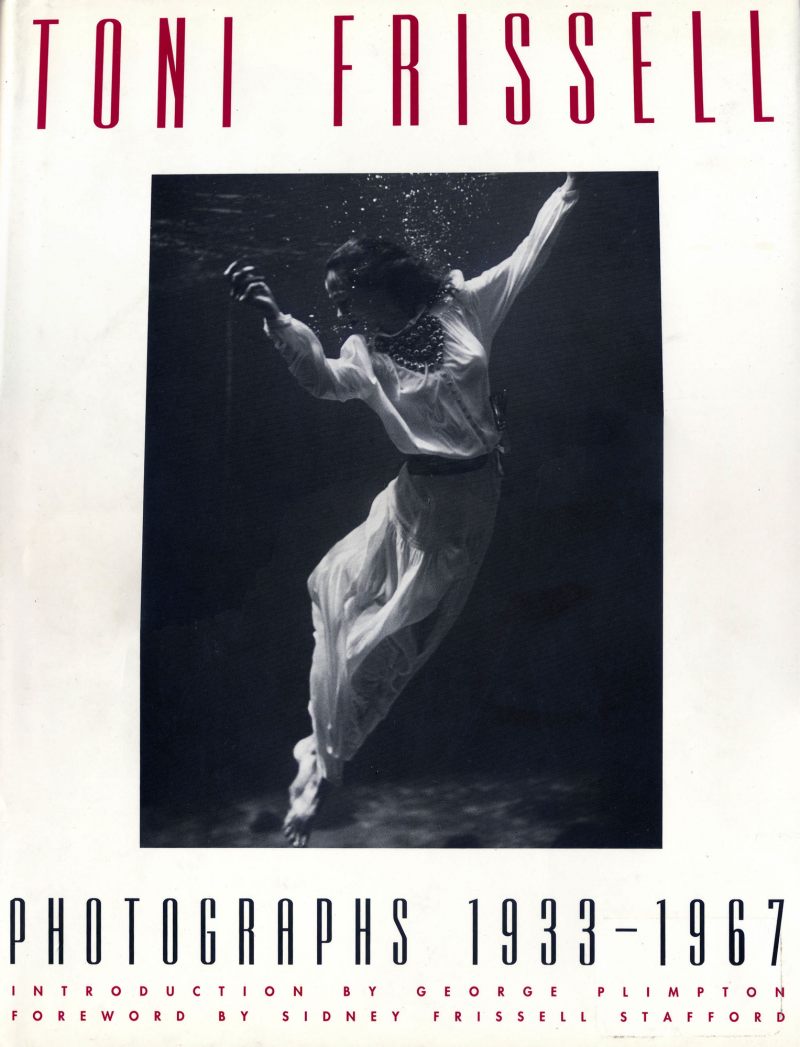
Rudy Burckhardt

A fine street photographer.

The Swiss photographer Rudy Burckhardt (1914-1999) wisely chose New York as his home, well away from the stolid burghers of his place of birth. There he found the excitement of the streets as can only be found in a few of the great metropolises of the world – New York, Chicago, San Francisco, Paris, London – where else is there? His street snaps take three guises – candids, vernacular works (contemporary advertisements and the like) and architecture.

Click the picture for Amazon US.

All are done with a lovely gentle touch, with none of the occasional brutality of fellow traveler Walker Evans.

Recommended for all enamored of the street photography genre. This generously illustrated book is some $32 from Amazon, but I found mine for all of $11.95 at Edward R. Hamilton – they may have a few left, so hurry. The book includes an interesting essay on Burckhardt by Phillip Lopate.

The Panasonic G3 – Part I

The best street snapper yet?

With today’s announcement of the Panasonic G3, scheduled to ship in June, Panasonic may have created the best street snapping camera yet. What follows is largely viewed from that perspective.

Some history. The Panasonic G1 was the first Micro Four-Thirds camera. Like the first iPad, there was so little wrong with the design that there have been few compelling reasons to upgrade. The GF1 and GF2 bodies deleted the eye-level finder, rendering the body largely useless for serious photography. The short lived G10 used a cheapened EVF and was discontinued shortly after release. The G2 added a movie mode and a touch screen – the latter the ‘push’ rather than the true touch type in the iPad and iPhone. A solution looking for a problem. The costly GH1 and GH2 bodies added sophisticated movie modes with the GH2 sporting the second sensor design in the G range, all the others having shared the one from that original G1. That sensor brought more megapixels and reviews suggest that the noise levels are now down to those in APS-C cameras.

The Panasonic G3 – complete with strange model designation.

While the G3 does not get rid of the faux prism hump, it is nevertheless of great interest to street snappers. My G1 has seen more pictures taken with it in my 21 months of ownership than any camera I have ever owned, and I have been banging away for some 50 years now, since I was a kid. My shot counter shows well over 10,000 exposures. So any improvements to the G1 make my radar screen. Nearly everything I have been reading about the G3 suggests it’s worth upgrading to one, especially as I now have no back-up camera, my Canon 5D gear all sold in favor of the smaller, lighter Panny and its three lenses – the Oly 9-18, the 14-45 kit zoom and the 45-200 Panny, all superb and all very light and small.

Here are the major changes in the G3 compared to the G1:

  • The body is smaller, the unnecessary hand grip slimmed down. Smaller is always better.
  • The battery is smaller at 7.3mAh vs. 9 mAh, or 20% less. As I routinely get over 400 exposures on a charge with the G1, getting ‘only’ 320 is hardly an issue.
  • The EVF eye proximity sensor is gone – this would switch off the LCD when the camera was raised to eye level. No problem. The only time I use the LCD it when formatting an SDHC card; otherwise it remains folded with the screen in to the body.
  • The focus mode dial top left is gone. I use AF all the time so I don’t care and there’s still touch manual focus when the shutter release is part depressed and the focus mount is touched. Apparently the MF enlarged area now appears in a window so that should make this even more useful.
  • The AEL/AEF lock button is gone. Not good, but there are two programmable function buttons in its place where the AEL function, which I use quite a bit, can be assigned.
  • All the dumb-as-it-gets scene modes have disappeared from the mode dial. Hooray. Let’s also hope they made the click stops more robust.
  • The single shot/motor drive/delayed action lever has disappeared and is now a menu choice. I use single shot only so it does not matter.
  • The mode dial now has two Custom settings – wonderful. I will set one at ISO 400, the other at ISO 1600.
  • As with the G2, the thumb wheel is on the rear, not on the front as with the G1. I cannot tell you how frustrating the placement of the one on the G1 is – I am still frequently depressing it accidentally, going into +/- exposure mode, when all I want to do is change the aperture (I snap only in aperture priority mode).
  • The square format mode has been dropped (no problem) but there’s still a choice of 4:3 or 3:2 – the latter essential for one brought up with 35mm Leicas. That’s all I use.
  • The body is rumored to use an alloy frame, replacing the plastic one. Nice, I suppose.

Sadly, no blue model is available, the silly choices being white, red or brown. All ‘Yecch’ colors. Black is the way to go.

As with all previous Panny MFT bodies, there is no OIS shake reduction. That’s built into select Panny lenses. Only Olympus MFT bodies have in-body OIS.

There’s some sort of setting to blur backgrounds which I have yet to understand. No matter – I simply use Auto Blurâ„¢.

The simplified mode dial on the G3.

But the most important changes are under the skin. First, Panny claims that the speedy autofocus in the G1/G2 is now even faster, and comparable with that found in most DSLRs. This may actually make that slow focusing dog, the 20mm Panasonic lens, useable. I returned mine after a trial run which delivered 30% of my pictures out of focus. For comparison, the kit lens has a focus failure rate in my hands of maybe 1%. Second, the new 16mp sensor, likely a variant of the one found in the costly $900 GH2 body, has been installed. That probably means one to two stops less noise and should substantially clean up noise at 1600 ISO. My G1 with kit lens ran me $640, whereas the G2 is $700.

I have ordered a black body only for $600 and will write more when I have had a chance to wring it out. The learning curve should be low, owing to the similarity in the bodies, and I already know my three lenses are just fine for what I do, so I’m optimistic that things should work out well, with the G1 moving to the role of back-up body. Mechanical noise? No way of telling until I try it, but let’s hope it’s the same or less as in the G1, which is a very quiet camera. Indeed, the low frequency of the noise emitted by the G1 puts any M Leica to shame.

Part II is here.