Category Archives: Nikon lenses

Some of the best optics ever

Nikkor 35mm f/1.8G AF-S DX lens

Cheep, cheerful, handy.


Mounted on the D2x with the included lens hood.

This ‘plastic fantastic’ APS-C lens sells new for under $200 with a 5 year Nikon USA warranty. Given Nikon’s repair reputation in the US that probably does not mean much but at the price asked with hood, caps and soft case, there’s a lot to like.

I bought it on a whim for those lazy days when I just can’t be bothered to use manual focus, assuming there was little downside.

Nikon wisely deletes the focus and depth-of-field scales from this optic, both utterly useless on modern AF lenses. It also has that handy feature where you can manually override the focus just by grabbing and turning the focus collar, something which is impossible with the previous AF-D series of optics. The included hood clicks on nicely, using a bayonet fit, and the lens accepts standard 52mm filters like most Nikkors ever made before the AF era.

I like this lens a lot. Focus speed is decent if not stellar but the biggest surprise in store is that it is surprisingly useful on full frame.

When images are loaded into LR or PS, the lens’s EXIF file data will invoke the Adobe profile which ships with their applications. That profile was created on an APS-C body and is very useful, taking out minor vignetting and fairly severe barrel distortion, which really has to be removed when snapping architectural subjects.

But you can do much better. Curious to see whether a profile created on an FF body would bring back the heavily vignetted corners, I created a profile using my D3x and Adobe’s Lens Profile Creator software. Because vignetting varies significantly with aperture, I went all in and made this profile at each of f/1.8, f/2, f/2.8, f/4, f/5.6, f/8, f/11, f/16 and f/22! 81 chart shots in all …. You can use this profile with both APS-C and FF files. It does a far better job on the latter than the one Adobe ships.

If you put the profile here on a Mac –

Replace ‘Tigger’ with your user name on a Mac.

– LR and PS will automatically choose it in preference to the stock one provided by Adobe.

The stock Adobe profile resides here on a Mac – there is no need to delete it if adding my profile in the location shown above.

The respective Windows locations are:

Windows 7 or Vista: C:\User\(User Name)\AppData\Roaming\Adobe\CameraRaw\LensProfiles\1.0

Windows XP: C:\Documents and Settings\(User Name)\Application Data\Adobe\CameraRaw\LensProfiles\1.0

You can find my enhanced profile here. On FF, extreme edge definition is excellent from f/4 through f/11. There’s a lot more to this self-effacing lens than meets the eye.
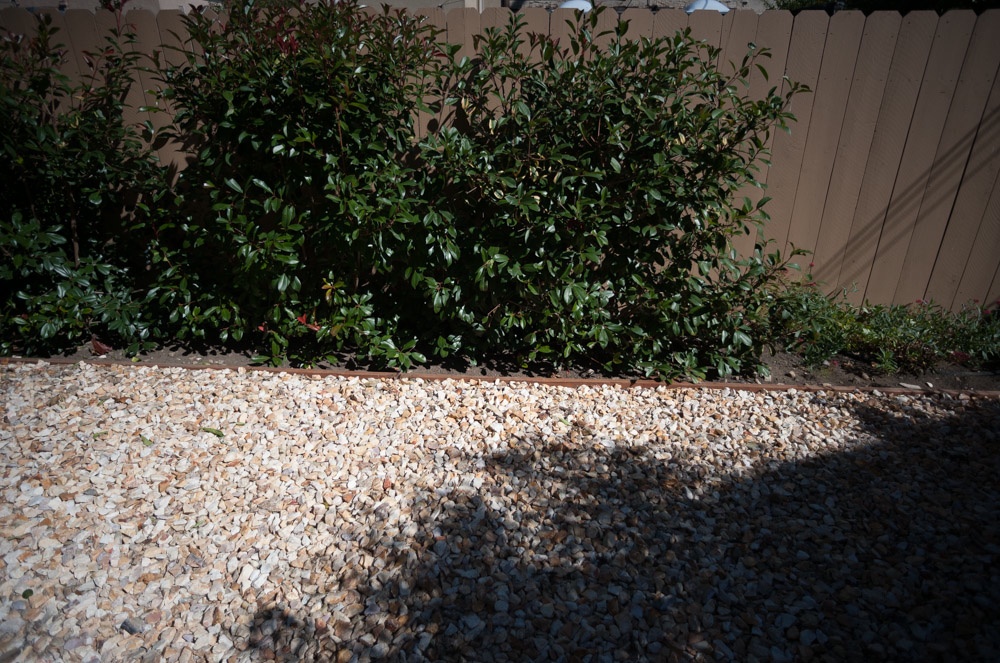
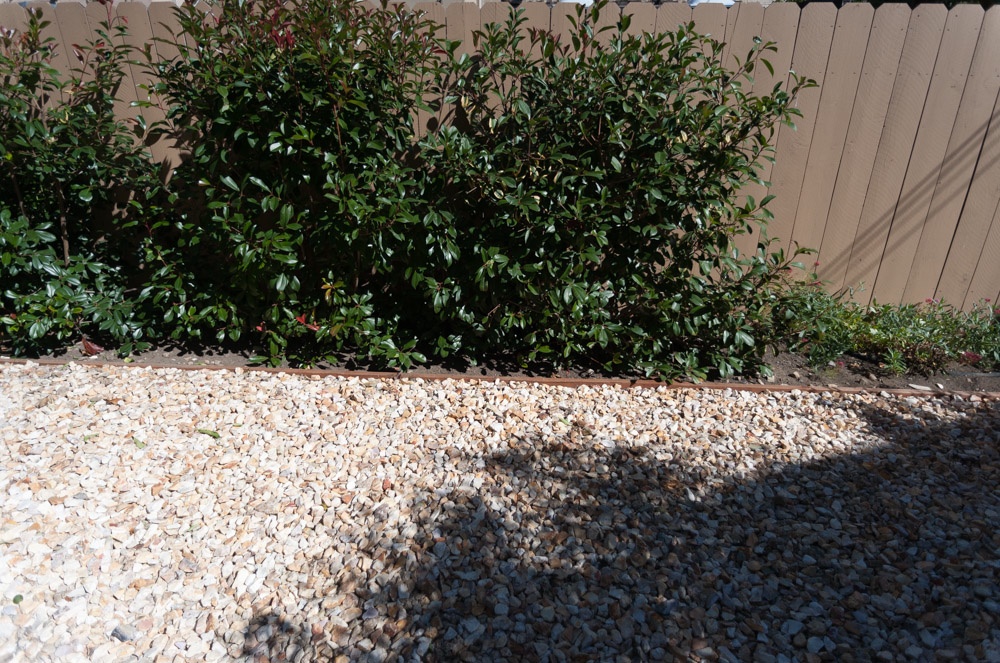
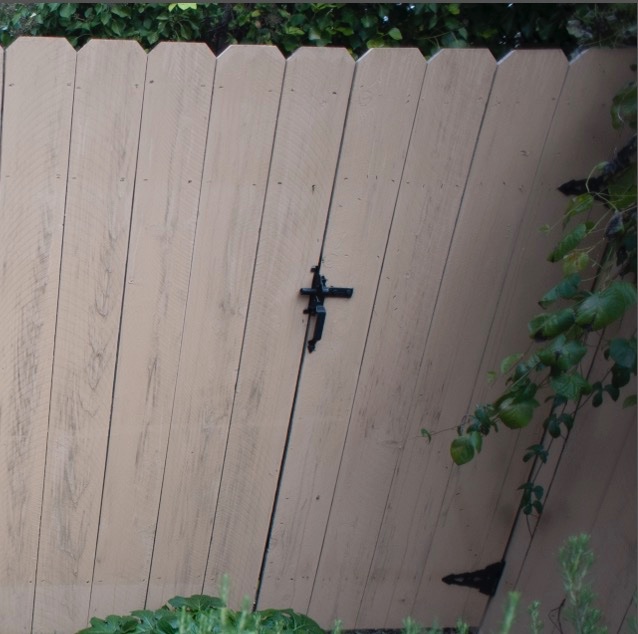
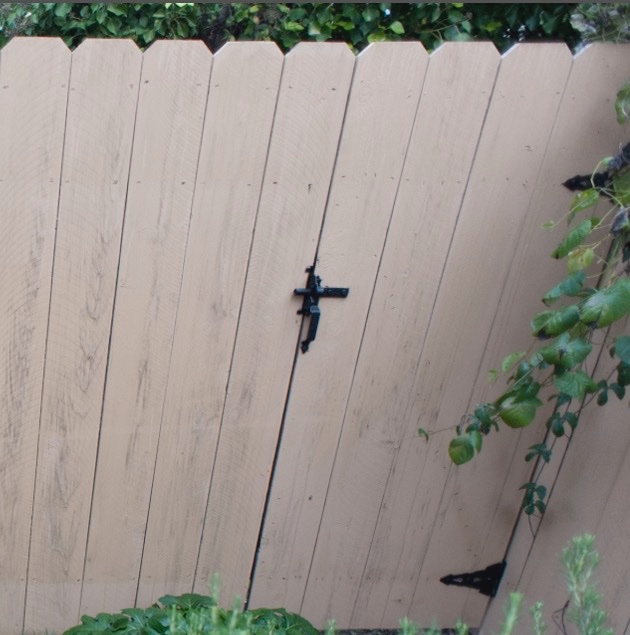
Here are before and after images on full frame where the lens really is 35mm focal length – ideal for street snapping, no sensor crop involved.. The first pair at f/1.8, the second at f/11. In each case the right-hand image is after applying my profile:


In the snaps below I used my lens profile with the APS-C sensor in the D2x.


Walking the pup. D2x, f/2.8.


San Mateo Post Office. In its usual schlocky under-capitalized way, this failing
business is letting a landmark heritage building rot into oblivion. D2x, f/2.8.


Bits missing and waiting to rot. D2x, f/2.8.


Inside the St. Matthew station USPO. No corner shading whatsoever using my profile. D2x, f/1.8.


Magnificent period detail. D2x, f/4.

Any Nikon APS-C body – such as the D1 and D2 series, the D70, D90, D100, D200, D300, the D7000 or even later bodies – constrained by a lower quality, slow kit zoom lens would benefit from this inexpensive optic. It has excellent resolution and can continue being used with few excuses once the user upgrades to an FF body, provided you also use my profile, above. Further, the discipline imposed by a fixed focal length lens, dictating proper composition before the button is pressed, can only enhance the snapper’s skill set and improve the results. Finally, it’s nice not to have to remember to limit this lens to APS-C bodies only if you use both APS-C and FF.

Some Nikons – the D3 series and the D4 – offer an optional 5:4 aspect ratio frame (too square for my taste) which crops vertical strips either side of the full frame. This format should have no issues with across the frame resolution using this 35mm lens.

Nikkor AI conversions DIY

Updating classic Nikkors.

Why pre-Ai Nikkors?

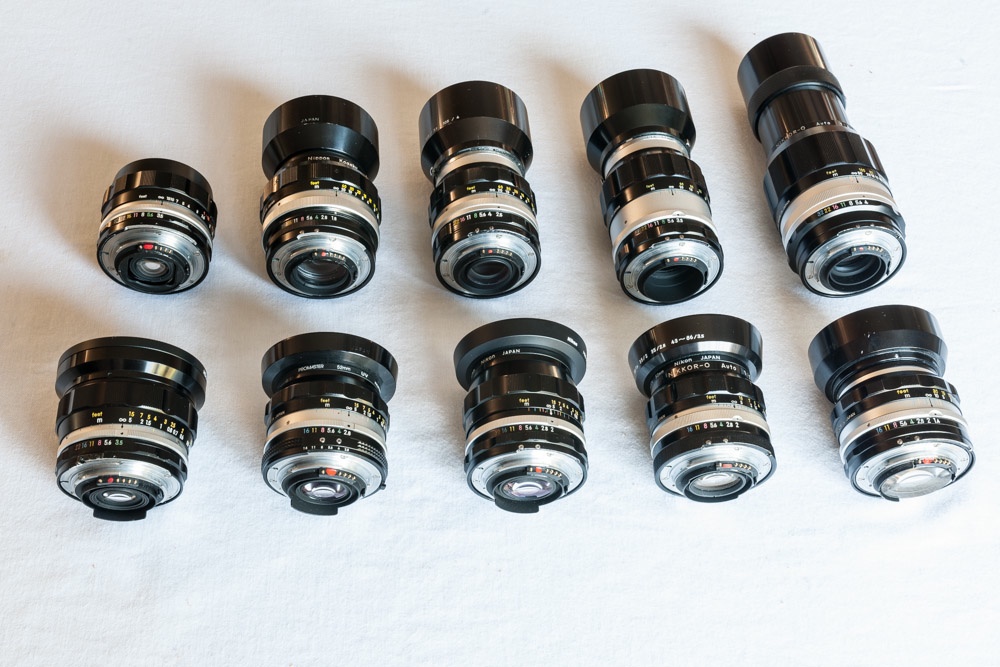
Few would disagree that the ‘pre-Ai’ Nikkor lenses for the Nikon F and subsequent film camera bodies were mechanically among the best ever made by anyone. Aesthetically they are a joy to look at, with their scalloped metal focus collars, and ergonomically a dream to use with smooth focus actions and beautifully detented aperture clicks. Optically, most – as I have shown here many times – can hold their best with the latest ‘plastic fantastic’ lenses, and while there’s no AF or VR, there are no motors to fail, either. Many of my prints made using these testify to their outstanding optical qualities. Later ‘pre-Ai’ lenses adopted rubberized focus collars, and while their optics are largely unchanged, the look and feel – for this snapper – are just not the same. The common nomenclature is to refer to the single-coated metal scalloped ring optics as the ‘F series’, the later multi-coated ones as the ‘C series’ and the yet later pre-Ai lenses with the rubberized focus rings as the ‘K’ series. All mine are either F or C.

A newly Ai converted lens, in this case the 85mm f/1.8 Nikkor-H.

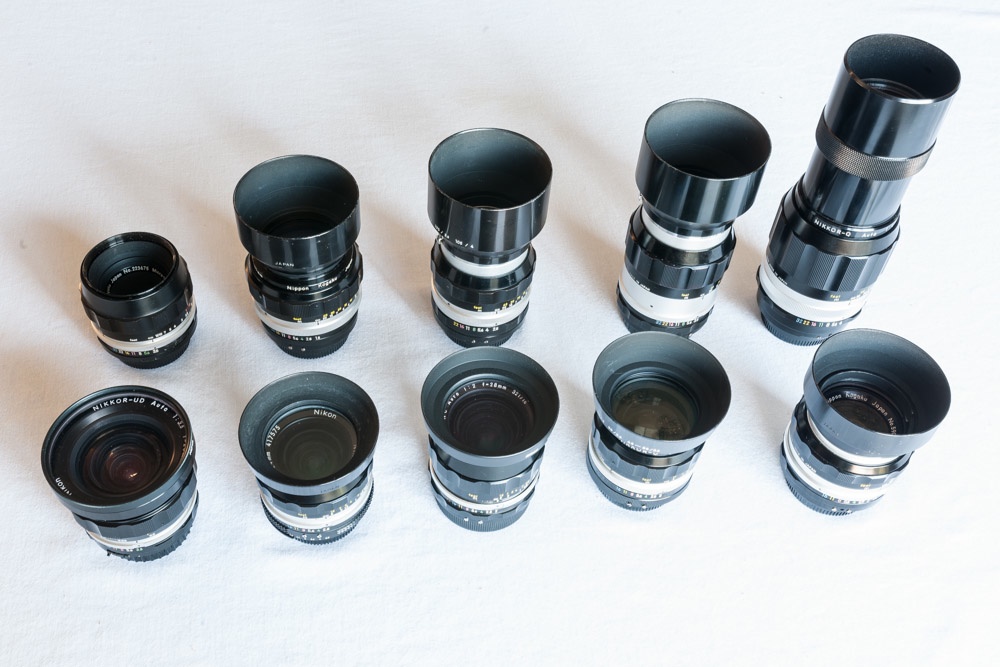
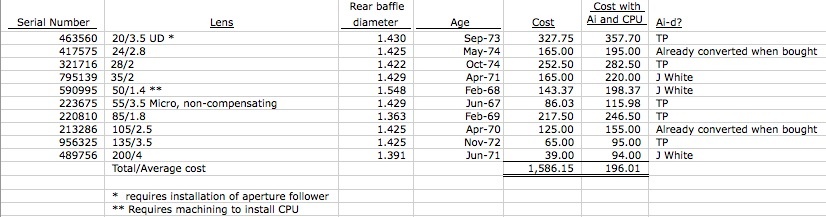
Incidentally, while the oldest pre-Ai lenses nearly always come with scalloped focusing collars, the design of the aperture ring seems to be without rhyme or reason. Some are scalloped (my 20/3,5 UD, 28/2, 28/3.5, 50/1.4, 105/2.5, 135/3.5 and 200/4) whereas others dispense with scallops and adopt fluting only (24/2.8 and 35/2). No matter. All are a delight to use.

Drawbacks:

The snag with pre-Ai lenses is that, if you can live with manual focusing, they will not fit a modern Nikon film or DSLR body. That’s actually an advantage, as the need to make this modification mostly keeps used prices of ‘pre-Ai’ lenses down, as they cannot be used on newer bodies in the absence of the Ai conversion. The work required to ‘Ai’ the lens (meaning it will fit) is very easy as either a DIY project or sub-contracted to a skilled machinist who will charge you $30 or so.

There are two aspects to updating classic Nikkors to work on modern DSLR and late film Nikon bodies.

One is to add a $29 CPU to allow proper recording of EXIF data, something I described at length here. You do not have to do this but I strongly recommend that you do. If you, like me, are a student of your EXIF data from which much can be learned and if you like matrix metering and such great features like shutter block for action photography, adding a CPU makes sense.
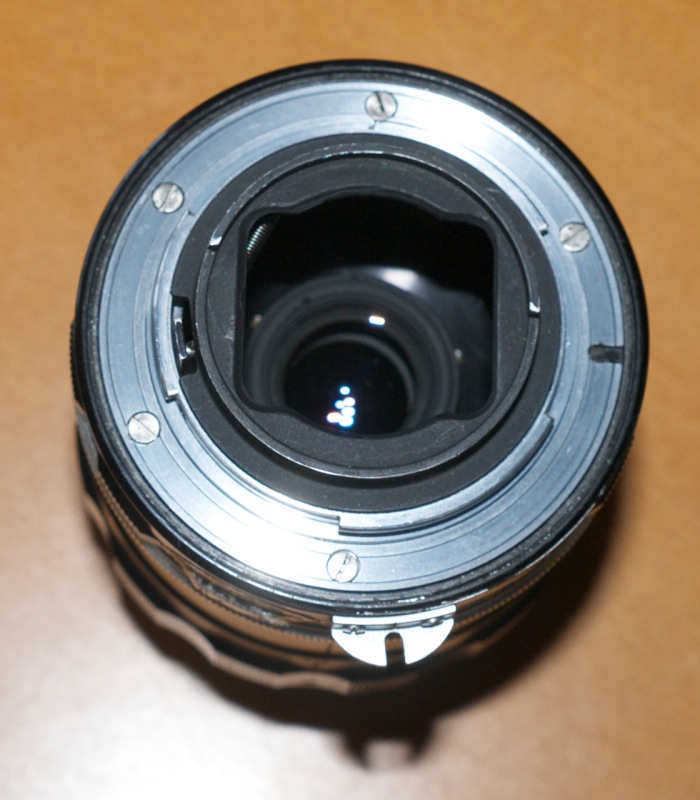
The other, and this has to be done first, is to relieve an arc on the rear of the aperture setting ring on the lens to provide the required clearance for the aperture feeler tab on the body. Later bodies dispensed with the spigot on the body which couples with the claw on the lens, opting for a rotating, sprung feeler, concentric with the bayonet flange. If the aperture ring on a pre-Ai lens is not machined down, it will damage the aperture feeler, rendering the camera inoperable.

Exceptions:

To effect manufacturing economies for their less costly bodies, Nikon deleted the Ai feeler and the screwdrive focus motor coupling for AF-D Nikkors. The good news is that these bodies allow a non-Ai lens to be mounted without modification (no feeler tab to foul) but the trade-off is that metering does not work. Use an iPhone app like Photometer for manual exposure measurement. And forget AF with AF-D lenses.

The bodies thus designed include:

D40, D40x, D60, D3000, D3100, D3200, D3300, D5000, D5100, D5200,D5300, D5500.

Sub-contracting the work:

When I first started buying pre-Ai lenses I sent them for Ai conversion to John White who does an excellent job for modest cost.

Do it yourself:

Later, as I got braver, I started doing the conversions myself and what I describe below is what John White refers to as the Type A conversion on his site. This works with newer film bodies such as the FM, FE, F4, F5, F6, N90, FM10, F100 and FM3A and digital SLRs such as the D1, D2, D3 and D4 series and the D200, D300 series, D600, D700, D7000 and D800. If your camera body is an “Electronic Only” body such as the N80, D100, D70, D70s, D50, D80 and D90 I recommend you send your lens to John White to have the work done. There’s a little more to it and I cannot advise never having done a Type B conversion, as all my bodies are of the ‘non-electronic’ kind.

Now ‘machined down’ is a rather high falutin’ way of saying that you use a small flat file to remove a sliver of alloy from the rear of the aperture ring of the lens. The process is very simple and easily done by all but the truly cack handed. The latter should use one of the commercial machinists like John White to ‘Ai’ the lens.

You will need a jeweler’s screwdriver to remove the five (sometimes four) rear chromed flange retaining screws. These are either slotted or Philips, depending on the lens. You want the screwdriver to be a really tight fit to avoid trashing the screws. Sometimes screws are frozen in place – after all these optics are mostly over 35 years old – so a miniature soldering iron, applied to the screw for a few seconds, can help loosen them. A broken screw head is not going to make your day. The several lenses on which I have removed the rear flange have been all over the place with regard to the use of thread locker on the screws. Some have none, some a light application and some gobs. As a generalization, the older the lens, the more thread locking compound is used. This dictates the use of large handled screwdrivers which permit far more force to be applied when engaging the screw’s head, minimizing the risk of a damaged screw. Those poncy little screwdriver sets passing as jeweler’s screwdrivers are a waste of money. Check the link in the picture below for the real thing, made by Wiha. Curiously, I have never encountered any thread locker on the two small slotted screw retaining the old aperture follower claw. Go figure.

Once the chromed flange is removed, the aperture ring can be slipped off. A few lenses attach the aperture ring with a short spring to the aperture actuator inside – like the 50mm f/1.4 Nikkor S and SC – but most do not. The 85mm Nikkor-H, illustrated below, retains the aperture ring to the aperture actuator with a small, radial slotted screw which has to be removed to allow the ring to come off. Once the chromed flange is removed, the aperture ring can be slipped off. It has to be replaced in the same orientation as when removed, so do not fiddle with aperture settings when the ring is off. If you replace the ring oriented incorrectly you will lose the ability to change apertures. Don’t panic. Remove and replace correctly. A little experimentation and you will get it. Force is never involved here. Some lenses (like the 50mm f/1.4) use a claw on the removable flange and this must mesh with the aperture tab inside the lens. Miss the tab and you lose aperture control. Others (like the 85mm f/1.8) use a small radial screw to lock the aperture ring in the correct position. The screw must be replaced so that it enters the thread in the lens barrel.

You will need a small, fresh (meaning not blunt from use) flat file with square edges. Triangular ones work well to if you have decent filing skills. I say ‘square edges’ because you really want the slot you file away to have perpendicular sides.

There are three aspects to making the slot.

  • How deep it should be
  • Where it should start – the left hand end
  • Where it should stop – the right hand end

Depth is very easy. Remove the aperture claw (two small slotted screws). You want to file the slot down to a point where the screw holes just remain intact. You do not want to go down so deep that the screw holes are compromised. There’s no loss of function if you do but your work will look ugly.

The starting point means the left end of the slot when the lens is viewed from behind. This one is critical as it tells the camera the maximum aperture of the lens, and it changes with the maximum aperture of the lens you are working on. But there’s an easy way to avoid making a mistake here by the simple expedient of making the slot too short, then gradually working the end point back with subsequent applications of the flat file. Simply refit the aperture ring and the flange (you need only use a couple of the 4 or 5 screws you removed earlier to retain it, temporarily) and see if the LCD display on the camera’s body will reach maximum aperture (camera set to M or A Mode) when you turn the aperture collar. If not, remove and extend the slot a little more on the left hand side.

This table illustrates where the left end of the slot should be relative to the engraved apertures on the aperture ring of the lens which you have just removed.


Nikkor pre-Ai filing limit
for Ai conversion, maximum aperture.

The focal length of the lens is irrelevant. The maximum aperture is the dependent variable here.

All data in this table are based on lenses I have personally converted or were converted for me by John White. All converted lenses work correctly on Nikon D700, D2x and D3x bodies I own or owned. I can also attest that these data are correct for an F6 film body owned by a friend.

How to use this table:

  • Determine the maximum aperture of your lens
  • File down the rear of the aperture ring to the engraved aperture position in the ‘First try’ column, above
  • Extend the length of the slot around the circumference for a length of approx. 1.5″
  • Reinstall the aperture ring on the lens
  • Fasten the chrome bayonet flange with two opposed screws
  • Insert lens in camera and set to maximum aperture
  • If maximum aperture is indicated in finder or on the LCD you are done on the left end of the slot; if the LCD shows apertures higher than dialed in on the lens, your left slot side needs to be extended
  • Check you can get the finder or LCD to show the lens’s minimum aperture. Once it does you are done with the right end of the slot
  • Reinstall and fasten, re-test.

When an entry in the table states + 0.5 it means you are filing to a half-stop to the left of the stop indicated. For example, ‘f/11 + 0.5’ means filing to a position midway between the f/11 and f/16 engraved aperture settings.

The identical data for f/4 and f/4.5 are not typographical errors. These are based on multiple observations of lenses I own.

Here’s my 105mm f/2.5 Nikkor pre-Ai lens with the slot machined (the focal length is irrelevant, only the maximum aperture matters) – the two claw-retaining screws were replaced after the machining was completed:

As you can see the slot extends at the left to a position between f/11 and f/16 (‘f/11 + 0.5’ in the table, above) and extends around the periphery of the aperture ring for approximately 1.5″.

The right hand end of the slot is not critical. The slot must have a certain minimum length but too long on the right hand end does not matter. The right hand stopping point for the slot is non-critical and needs only be far enough to the right to clear the feeler on the camera’s body with the lens at its minimum aperture. Typically 1.5″ around the circumference is fine. Make the slot too short and the lens cannot be stopped down to minimum aperture (or fitted at minimum aperture, for that matter) as the movement of the aperture collar will be constrained (or blocked) by the feeler on the camera’s body. Make it too long and no biggie. You cannot set the lens beyond its minimum aperture owing to the limit stop in the lens, so making too long a slot makes no difference. It just means you are doing too much work. The limit stop in the lens will make sure that the correct minimum aperture is not exceeded with the lens on the body.

Some paint the machined surface black. That serves only cosmetic needs, as the exposed alloy is not ‘seen’ by the film or sensor in the camera’s body.

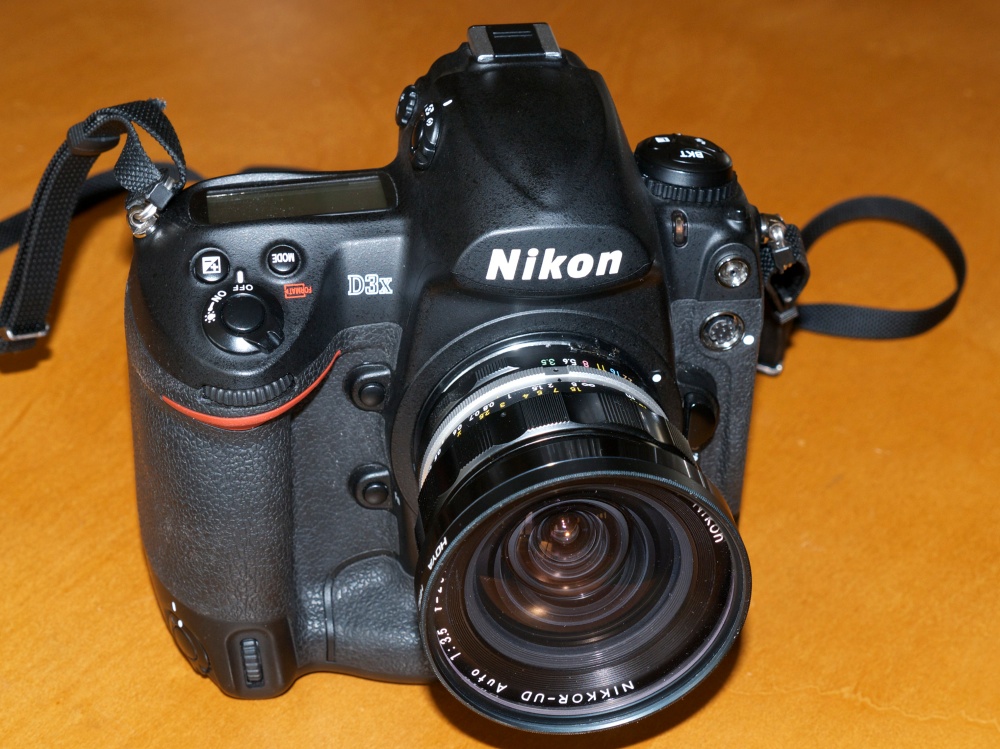
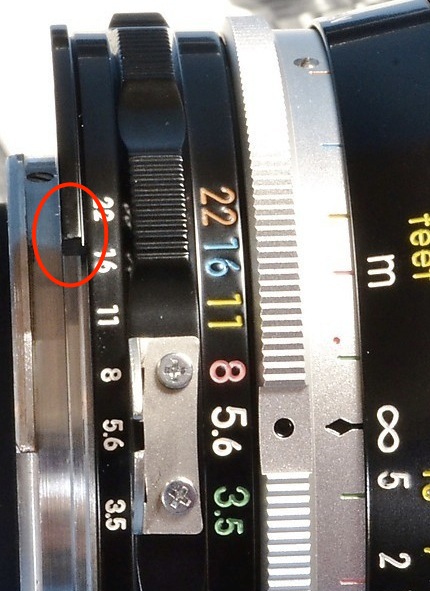
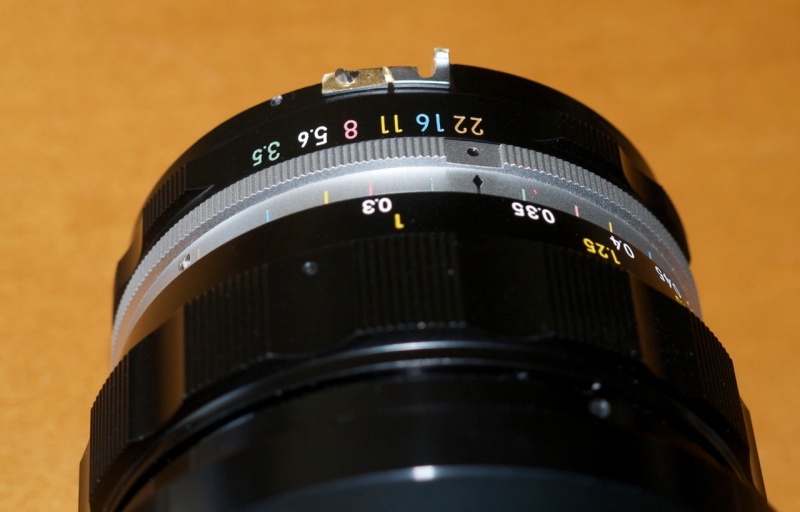
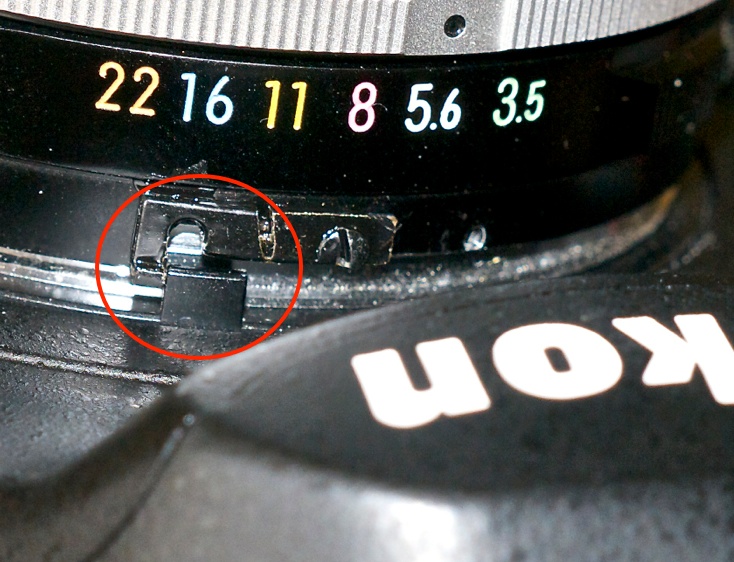
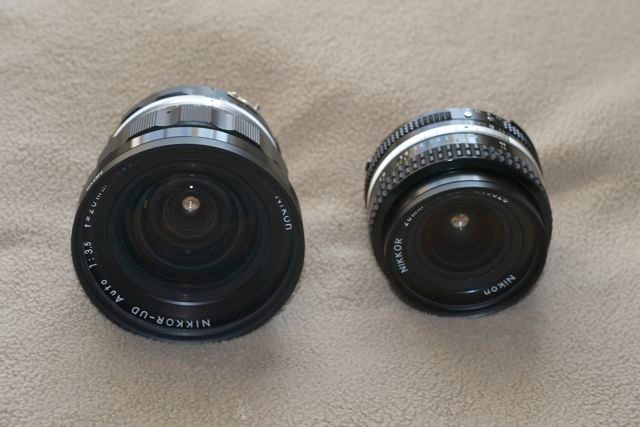
The 20mm UD Nikkor: This is the odd man out. Rather than relieving an arc of alloy from the rear of the aperture ring, you must fit a small extension piece to effect contact with the aperture feeler on the body. I reverse and cut down the stock aperture claw to do this. Click here for details.

Proof of the pudding:

Here I illustrate the process of adding the Ai slot on my latest ‘pre-Ai’ lens acquisition, the magnificent 85mm f/1.8 Nikkor-H Auto optic, made in the early 1970s.

The alloy of the aperture ring is fairly soft and little time or effort are needed to do the work. I do not advise the use of power tools like a Dremel. They are far too aggressive and you run the risk of removing too much alloy. When testing the limit point of the left hand (the maximum aperture) end of the slot, by refitting the aperture ring and bayonet flange for fitting of the lens to the camera, I make sure to use compressed air to clear any remaining filings from the aperture ring. Getting these into the lens or camera will not make your day.

My first lens took me an hour (nervy-dervy!) but I can crack these out in about 15 minutes now, no stress.


Tools of the trade. Flat file, compressed air,
Wiha miniature screwdriver kit, Nikkor awaiting surgery.
Magnetic screwdrivers sometimes help, but Nikkors do not consistently use magnetized screws.


The screws and the bayonet flange removed.


Some lenses, like the 20mm f/3.5 UD and this 85mm f/1.8, have an aperture ring retaining screw. Remove it.


The aperture ring removed, ready for machining.


With the aperture ring removed, the spring spigot which engages
the detents inside the aperture ring, conferring ‘click stops’ on the action,
is accessible. If you wish to convert the lens for movie use – meaning no noisy
click stops – remove this spigot, retained by two screws.


15 minutes with a flat file and the machining is completed. The aperture ring is
first blasted with compressed air to make sure any trace of metal filings is removed.
The small aperture ring retaining screw is replaced followed by the flange.
The flange screw holes are not evenly spaced so the flange can only be replaced correctly.
Two flange retaining screws are used here to test the fit on the camera body.

When reinstalling the flange retaining screws tighten them in two stages in a criss-cross pattern, much as you would a car’s wheel. Tightening each down first time with massive torque risks distorting the flange, meaning the lens will not sit dead parallel to the body. I do not advocate the use of threadlocker and Nikon’s more recent MF lenses use none, bearing this out. A properly torqued screw will not come out.

The CPU can now be installed if required.

Factory Nikon Ai conversion kits: Nikon used to make ‘plug-and-play’ conversion kits, consisting of a replacement aperture ring. Most are long sold and it’s unlikely you will find the one you need. You can see which ring your lens needs in this database. If you can find them, they generally run $30-35 and invariably have the awful, non-matching diamond machined texture which will not match the look and feel of the original lens, which is why I avoid them. (My 24mm pre-Ai Nikkor came thus converted and it kills me every time I use it).

Claw replacement: When you are done you can replace the old aperture claw if you like the look or if it helps you key the lens to the body. It serves no other useful purpose. I replace the screws but leave the claw off. In the many lenses I have modified, these screws have always responded to a magnetic screwdriver which makes an almost impossible task easy. Hardware stores carry small gadgets to allow a screwdriver’s head to be magnetized or demagnetized. A few bucks and highly recommended. Be sure to demagnetize your screwdriver if you contemplate using it on sensitive electronic components.

Final touch – color mounting index for protection:

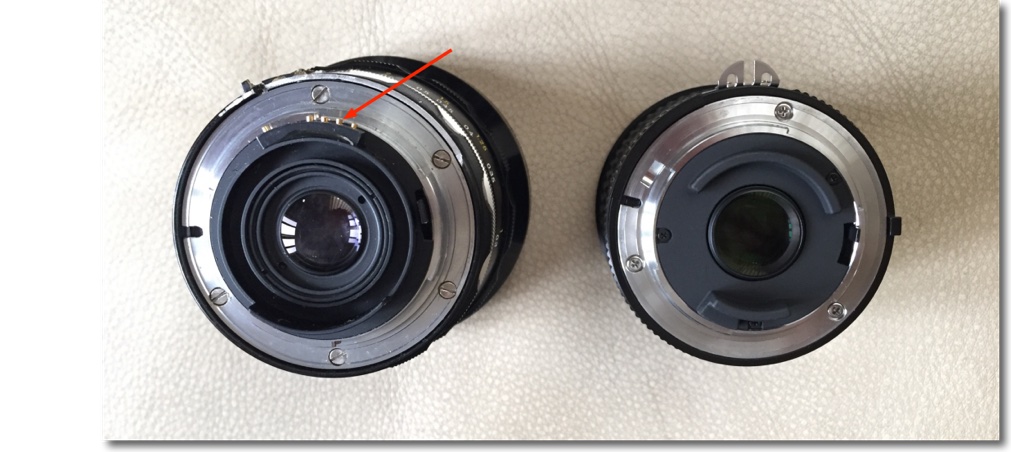
I add a spot of fluorescent orange paint between the fourth and fifth CPU pins (very little, to avoid run off into the pins) which I find greatly helps with indexing the lens when mounting it on the camera body. For those lenses which accept a simple glue-on CPU installation, this also lessens the chance of striking the edge of the fairly exposed CPU on the camera’s bayonet throat, something I once did, managing to damage the CPU in the process, necessitating replacement. Only Leica ever got this right with its red, raised plastic buttons on their lenses which permitted mounting by feel only. Later, Pentax with their M series did the same, though the plastic hemisphere was white and hence less visible. It’s so simple, it mystifies me why others have not done this. My paint dot does not help with feel, but it helps greatly when aligning the lens with the camera’s bayonet mount.

The collector’s dilemma: I have little time for gear collectors. If I do not use something I sell it. Nevertheless, there’s a body of believers out there who will tell you that machining classic Nikkors to make them work on modern bodies is some sort of sacrilege as it impugns the ‘collector value’ of the lens. Utter rot. Most Nikkors of all types were made by the tens and hundreds of thousands – not my idea of scarcity value. The only ‘rare’ lens I would not consider converting is the 13mm f/5.6 (one just sold for $100,000 at auction – only 51 were made!). The other rarity, the $4,000 58mm/1.2 Noct came in Ai and Ai-S versions only, so no conversion is needed.

The 20mm Nikkor revisited

Outstanding and tiny.

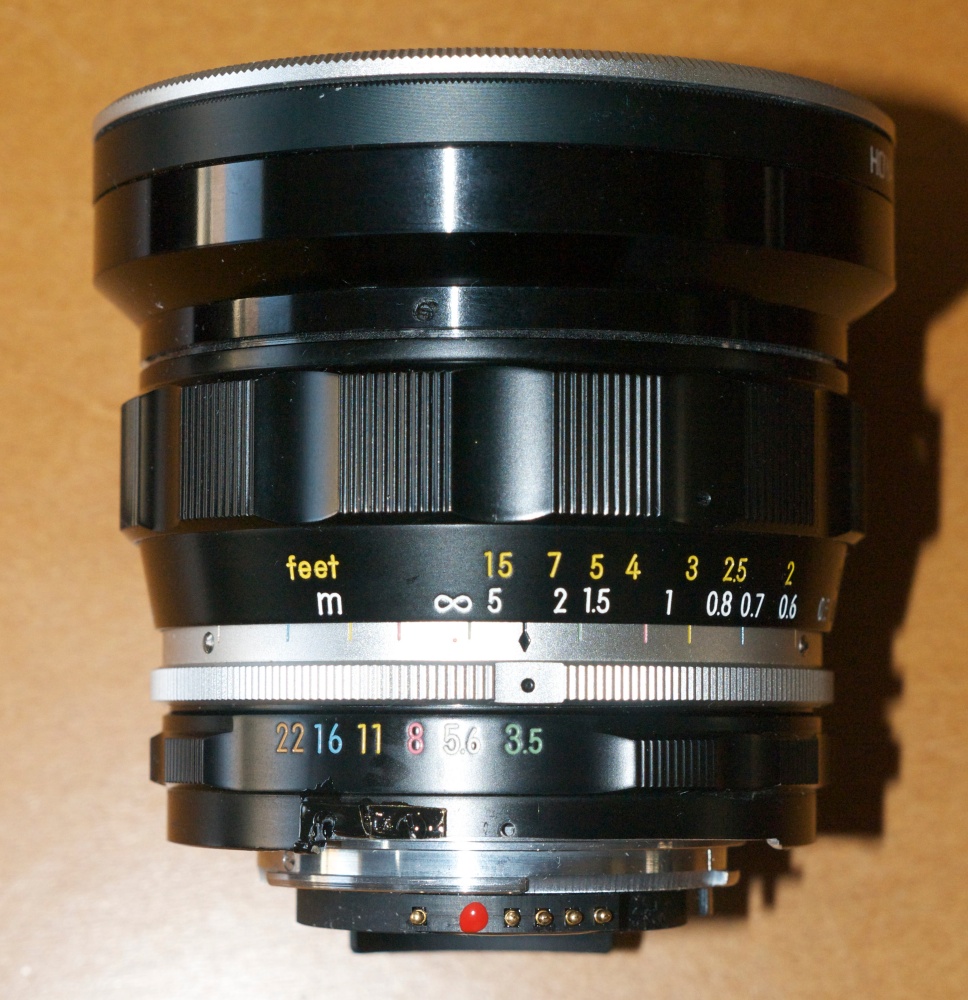
I wrote about the 20mm f/3.5 Nikkor Ai-S of the early 1980s a year ago. This prime lens continues to delight, not least for its diminutive size as well as its outstanding optical performance. A fraction of the vast bulk and weight of the modern 16-35mm f/4 VR zoom, it deletes VR and the zoom range for compactness with little performance sacrifice. From reading various sources on the web, it seems that Nikon has never made a prime at this focal length which was a stinker. Starting with the pre-Ai f/3.5 UD Nikkor of the 1960s (which I would love to own as its size will balance nicely on the bigger bodies), the Ai f/4 of the 1970s, through to my f/3.5 (mine is Ai-S, earlier ones are Ai) and the even later Ai-S f/2.8, each has a fine reputation. The f/3.5 and f/4 versions remove any excuse for taking it with you, as size and weight are barely noticeable. I use no lens hood, just a UV protective filter.

When I set out for San Francisco’s gorgeous Presidio National Park the other day – the park runs from the foot of the Golden Gate Bridge to the spectacular old mansions of Pacific Heights to the south – I took my ‘around the world’ outfit consisting of one body and but three prime lenses – the 20/3.5 Ai-S, 35/2 pre-Ai and the splendid 85/1.8 AF-D, plastic barrel notwithstanding. The 20mm saw its share of action.

First, inside the beautifully restored Inn at the Presidio bed and breakfast Hotel. Yes, you can stay there but weekend reservations must be made a year in advance! The government, as usual, has no sense of supply and demand. Triple the price and reservations would equal demand.

Of the last snap a friend, and a former member of the US Coastguard, writes: “Arrgh….. I’ve awakened to reveille too many times 🙂 Fortunately, it was accompanied by a full breakfast in the mess hall or galley. (Our national debt is partly due to my consumption of lobster, steak, and cheesecake.)”

Making my way down to the Golden Gate Overlook I meandered around the old gun emplacements, set in feet of concrete. Guns gave way to rockets which gave way to nothing as satellites took over, but the concrete remains in place:

Finally, wandering around Crissy Field, these two kids burst out of the swimming pool building and it was all I could do to get the snap. No chance to get closer:

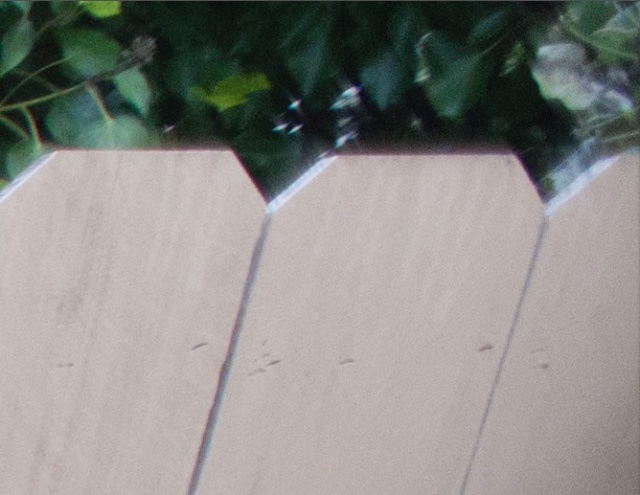
High pixel count sensors are not just for big prints – here’s the sectional enlargement:

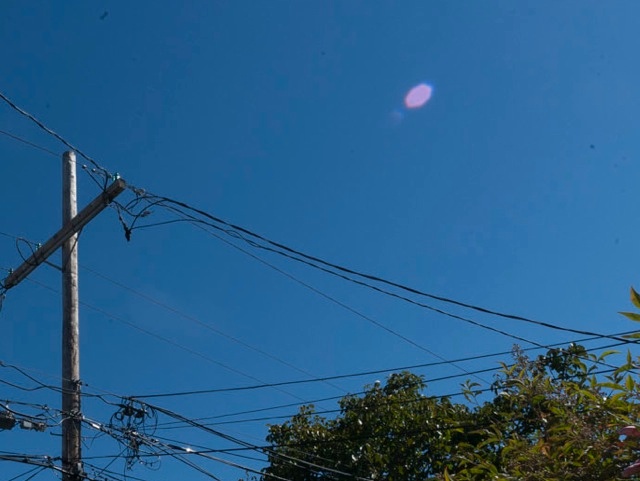
Sure, the old 20mm flares a bit into the sun but the effect works well here, so I have left the flare spots untouched.

So if dragging around pounds of glass is not your thing, check out these old MF primes. At 20mm it’s not like you have to do a lot of focusing. Nice used f/4 and f/3.5 versions can be found for $225, though prices are creeping up as word gets out how stellar these older MF Nikkors are. For some reason the older f/4 version seems to sell more typically for $300. All four versions can be easily chipped, the $29 CPU adding a host of functionality (matrix metering, proper EXIF data recording, automatic invocation of the lens correction profile, etc.) and requiring only a dab of epoxy to keep it in place. What little ails the f/3.5 version is easily corrected using my lens correction profile. That profile corrects the lens’s ‘moustache’ non-spherical distortion of straight lines at the edges, something Photoshop cannot do. Nice for architectural work. f/5.6-f/11 is the sweet spot for the f/3.5 optic, with tack-sharp 24″ prints the order of the day.

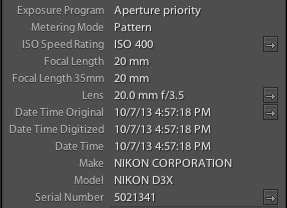
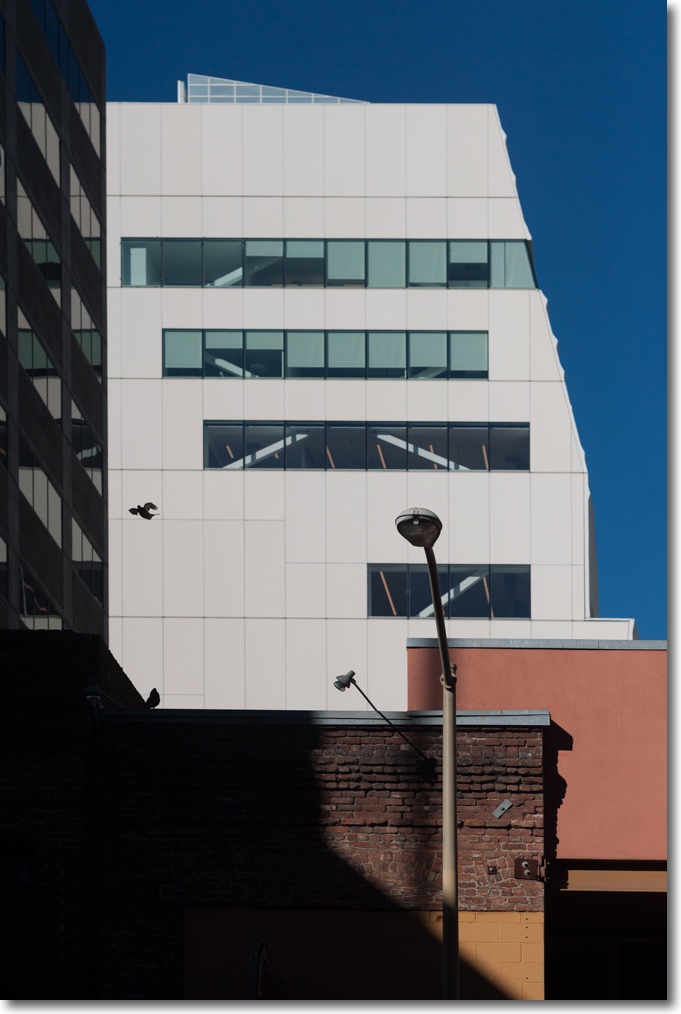
All snapped on the D3x, 20mm f/3.5 Ai-S MF Nikkor.

Sigma 35mm f/1.4 DG HSM A1 for Nikon – Part II

Not ready for prime time.

Part I is here.

I’m a street snapper. That means I have no use for focusing systems like LiveView which turn your DSLR into a capable, tripod-mounted field camera. You set it up, magnify the focus area and determine critical focus using MF on the LCD screen. This side-steps a host of variables relating to focus screen positioning, AF motor stepping and so on. I suspect it’s what most testers use when concluding that the Sigma is a stellar performer. But for street work, LiveView is anathema. You need something fast and unobtrusive, meaning viewfinder focus.

With this Sigma lens I have rarely seen such incredible resolution, regardless of aperture. And very few lenses, of the many I have used, compare when it comes to color rendering. In regard to these attributes, the comparable lenses are the 24-105mm Canon L (for color, resolution is just OK) on the 5D, the 35mm Asph Summicron-M used with Kodachrome film on a Leica M2 and the 16-35mm Nikkor AF-S I use currently. In the Lightroom Library view, images from these lenses, newly imported, simply pop with three-dimensional rendering and vibrant color.

But the 35mm Sigma I borrowed has one disqualifying fault. It simply cannot consistently focus the image correctly. It’s not a one-way deal where everything is back- or front-focused. That would be fine. Fine Tune would correct that. No, it is far worse and it’s not correctable. The AF focus errors this lens makes on my Nikon D3x are random.

The focus (!) here is on resolution of fine detail for the simple reason that you can more or less fix other errors in processing but you cannot put back lost resolution.

Here are two examples of how poorly the Sigma lens focuses, destroying resolution in the process.

In the first I focused on the head of the man on the left. I was seated, elbows on the table, no rush or stress. No question what I focused on. This was about as methodical as it gets. I used spot focus and recompose, as the subject was far enough away that recomposition would change the subject-to-camera distance by a negligible amount.

Now here is where the lens focused:


Nice, sharp wall.

The focus is a good two feet further away than required.

Another example. This snap of the two charming pups was focused on the right eye of the right pup:

This time the lens decided to focus on the nose of the pup instead of the eyes, 9″ closer than required.


Nice nose. Where it is sharp, the resolution is stunning.

Think those are bad? No, these were not at f/1.4. The first was at f/2, the second at f/4. f/4, and the lens missed focus by a country mile! Goodness, I can scale focus manually better than that.

I have many examples like this and the directional error is random. So I did the obvious thing and extended a ruler on the rug, the camera on a tripod and banged away at the target with the camera at 45 degrees, at a point 5 feet away. A typical street snapper’s working distance for a 35mm lens on FF. Yup, sure enough. The Sigma randomly front focused, back focused and occasionally nailed the focus. Sorry, for street work ‘occasionally’ does not cut it. There are enough variables driving failure without having to worry about your gear functioning properly.

In my street tests I used a variety of focus methods, Single Servo spot and recompose, Continuous 9, 21, 51 and 51 3-D matrix focus, and so on. And the most damning test of all is that my 85mm, f/1.8 AF-D Nikkor, yes the one with the ghastly plastic barrel and resolution to die for, discloses no autofocus variability errors at f/1.8. And that’s more demanding than 35mm at f/1.4. I did not use manual focus as it’s pointless to buy an AF lens to manually focus it in my kind of work.

Maybe all those testers singing the Sigma’s praises use LiveView on a tripod thus sidestepping the issues with the AF mechanism. Maybe mine was a stinker. A sample of one is not meaningful statistically. But the bottom line is the lens does not deliver. Well, it was a cheap $60 experiment. Thank goodness I did not buy this clunker.

Cross-check:

I also tried the lens on my D2x body with its APS-C sensor. The older CAM2000 focus module in the D2x (the D3 shares the CAM3500 with the D700 and D300) is of known accuracy, delivering perfectly focused results with the 85mm f/1.8 AFD at full aperture. The results with the Sigma lens were identical to those on the D2x body. Accurate focus is a matter of chance, with the lens getting it wrong some 50% of the time. Time and time again.

As further confirmation, I switched to the Nikkor 35mm f/1.4 AF-S G lens (of which more, later), and the Nikkor nails AF at f/1.4 at all distances every time using the same camera bodies. So there’s some grounds for concluding it’s not me at fault but Sigma’s AF mechanism.

LiveView + MF:

I tested focus accuracy using the D3x and LiveView, focusing on the LCD screen using a tripod, with the image magnified to the maximum. At f/1.4 DOF is very shallow making manual focusing pretty easy. Every image thus exposed was critically sharp at the point of focus, confirming that something is wrong in the AF mechanism in my sample of this lens. Too bad LiveView is useless for my purposes.

If you only ever use LiveView and manual focusing this is a great lens but you can buy the Samyang 35mm f/1.4 for a mere $500 or so, even less in alternatively branded guises. It’s reputed to have equal or better performance but deletes the Sigma’s AF.

Bokeh:

The out of focus bits which are meant to be out of focus? Suffice it to say that I prefer to look at the sharp bits, but here’s a snap with a detail section:

This was taken at f/2.

Here are some more:


Lots of bread. At f/2.


Fancy cheese shop. Note the low halo effect around the light in the frame. At f/1.7.


Reader. At f/1.4. My lens profile has removed vignetting.

Comparisons with the 35mm f/2 pre-Ai Nikkor-O 35mm f/2:

If you can get it to focus correctly, the Sigma has better resolution than the old Nikkor at f/2. ‘Better’ meaning that the difference starts to show in prints over 20″ in size. The Sigma at 665 grams is a monster compared to the 280 grams of the Nikkor. The Sigma renders colors better. In fact, it renders colors superbly, as well as any lens I have used. The Nikkor handles well and is a joy to use, despite the need to have to focus manually. Both lenses suffer from modest barrel distortion and significant vignetting wide open, these easily corrected with good lens profiles.

The one thing I really missed in the Sigma (apart from correct focus, that is) is the aperture ring. Like current Nikkor G lenses, you can only change the aperture using the control dial on the camera’s body. I unconsciously set the aperture on the Nikkor by feel, counting the clicks, without even looking at the lens. With the Sigma, I have to activate the camera with a first pressure on the shutter button then look at the LCD screen or through the finder – less suited to street work.

Is my lens an outlier?

Check the comments on Roger Cicala’s blog. There are several along the same lines, identifying inconsistent autofocus. By the way, my rental was brand new, so it’s not as if the lens had been beaten up before I borrowed it.

Purchase risk:

This is a sample of one and no basis for extrapolating conclusions to the population as a whole. However, given Sigma’s poor record of quality control I would guess that the buyer is taking a significant risk on this optic. You might just get a superb one. But be prepared for disappointment and possibly multiple exchanges. Sure, the 35/1.4 Nikkor AF-S is twice as much so it comes down to two things. What is your time worth and how much do you care if you miss a great snap? I own many Nikkors, MF and AF, often bought very well used, and have yet to have any optical issues with these fine lenses, whether from the classic metal era or the modern plastic wonders. In fact the only issues I have had is creeping zoom collars on trombone zooms, easily remedied with a piece of electrician’s tape on the barrel.

My best guess as to what is wrong:

Sigma may have used a stepping motor with too few steps but I doubt that. The economic savings compared with the reputational risk, given Sigma’s new commitment to quality control, make no sense.

Sigma may have messed up the math which has the contrast detect function in the camera position the focusing mechanism just so. I doubt that, too. Many users are reporting stellar results with no AF issues and this would not explain the random focusing errors either side of correct focus.

So my best guess is that the AF mechanism is binding owing to poor assembly and that the lens is not making it to the peak contrast/best focus setting. If I am right, proper assembly and maybe tightened tolerances in a couple of key parts should do the trick. Sigma can sell these all day long for $100 more if that’s what it takes to tighten up (loosen?) assembly procedures.

A failure:

In conclusion, my borrowed sample of the lens was a tantalizing disappointment. The resolution, when properly focused, and the color rendering are both to die for. But if you can’t get a lens to focus properly it might as well be the bottom of a Coke bottle. And the Sigma simply cannot be trusted to nail focus consistently. It missed focus 50% of the time I used it, some 300 exposures. Thus my opinion of Sigma’s lenses – see Part I – remains sadly unchanged. If Sigma can fix what ails this lens’s electro-mechanics I’m a buyer for the truly outstanding optics.

Follow-up:

Recent comments on Roger Cicala’s blog:

As the lens shows such promise, despite it’s faulty AF mechanism, I wrote Sigma and received the reply below:

Now bear in mind I am not a professional, so my findings are likely irrelevant, as Marc Farb’s reply suggests.

I have written to Sigma referencing this post and have told them I am a buyer if they can fix the AF/QC issues. I also alerted their Marketing Manager of the abject rudeness of their purported technical support person, Marc Farb, who subsequently wrote me an even more ill informed note – if that is possible – explaining that “…. 98.6% of errors are the fault of amateur users”. Clearly an authority on the matter.

In fairness to Sigma, they replied in two days and offered me a new loaner by the end of January 2013 when new shipments arrive in the US. I also understand that Farb was reprimanded. Not a moment too soon. I have taken them up on their offer as I do believe my sample was a dud as regards AF, and the lens is so clearly better than the Nikkor 35/1.4, which I also tested, that I very much want to get a good one. I’ll update here once I have a good one.

Use of Nikon Capture NX2 software to determine focus point:

One chat board – I think it was DP Review, which has some of the lowest quality discussions on the web, replete with personal attacks – had the statement from one purported ‘expert’ that Nikon’s Capture NX2 app (free 60 day trial) could be used to determine the exact point the camera focused on. This is completely wrong. What Capture NX2 will show you is the focus sensor that was used to acquire AF. So if you use the central sensor for spot focus, all you will ever see is that sensor highlighted in the center of the displayed image if you toggle it On. Focus on the edge of the frame then recompose and you will not see what you focused on before recomposing. I know. I tested it. You will only see a central pair of square brackets telling you that the central focus sensor was used. Duh! Useless, in other words, to determine where the camera acquired focus. Useless for any purpose, really. In addition to this worthless ‘feature’, NX2 is some of the most ghastly processing software yet made. Stick to Lightroom and Photoshop. And avoid the DP Review chat fora like the plague.

Update: An update addressing quality control issues, and with results from the third copy of this lens which I tried, appears here.

Sigma 35mm f/1.4 DG HSM A1 for Nikon – Part I

My Sigma 35mm f/1.4 review.

I have generally stuck with lenses from the maker of the camera body – Leica, Canon, Panasonic/Olympus and Nikon – for the simple reason that I have the most awful memories of the aftermarket alternatives. When I worked in cameras stores during vacations as a kid, the most returned items were lenses from the likes of Tamron, Soligor and especially Sigma which, when not just downright awful optically would often fall apart mechanically. For the generally modest savings compared to the real thing and the massive attendant depreciation, the economics simply did not solve. My Sigma 35mm f/1.4 review follows.

But more recently old line designers, like Zeiss and Schneider, started making inroads into the super premium FF, APS-C and MFT lens markets, generally at prices substantially higher than the camera makers’ own lines. Cosina manufactures the Zeiss designs. I’m not sure who makes the Schneider ones. Maybe it’s Samsung, given how many of their cameras feature Schneider lenses. One thing is fairly sure and which is that neither is made in Germany.

Sigma, that maker of many of the worst clunkers in optical history, made some early progress under contract to Leica for Leicaflex lenses, the 28-70mm f/3.5-4.5 Vario Elmar being one example where Leica’s eagle-eyed inspectors claimed to have bestowed some QC discipline on a manufacturer alien to the concept. That was ages ago. More recently, Sigma came out with two well reviewed primes in the 50mm and 85mm optics, both AF and both f/1.4, though reports of autofocus issues with both abound. That’s pretty tough competition with the Canon and Nikon versions, especially at 85mm, but Sigma garnered a following for its lenses, suggesting that they were turning a new leaf.

It is very much in all photographers’ interests that independent lens makers succeed. Nikon and Canon have greatly increased the prices of their best primes, with their 35mm f/1.4 offerings selling for $1,500 and $1,600 respectively, with stellar reputations to match. That is a lot of money. Yet, had you told me that I would be trying a Sigma lens on my Nikon I would have laughed all the way to the boozer. But I am doing exactly that (trying the lens, that is, not laughing en route to the boozer), awed by the incredible critical reception for this optic. Either Sigma has very deep pockets to fill the shallow ones of the paid review set, or there’s something exciting going on here.

The Sigma 35mm f/1.4 DG HSM A1 is a non-VR AF full frame lens from Sigma which comes in a variety of mounts. Nikon versions remain back-ordered but I was able to rent one for the weekend and can report on it here. It will cost $900 with hood and case.

My rental, s/n 50004444, came from Borrowlenses.com for the simple reasons that they are down the road from my home and because they had just got the first ones in stock. I paid $60 for a weekend rental. After the foul stench left by my prior Sigma experiences I was not about to plonk down cash without a dry run first. The big appeal here, of course, is the auto focusing design and f/1.4 does not hurt either. That should mean optimal resolution by f/2.8 for really large prints, and 35mm is very much in my sweet spot for street snapping. I do not really need a zoom or anything much longer for that.


The cool dudes at BorrowLenses.com. D3x, 35mm Sigma at f/4.

Some of the best lens test data recently is coming from Roger Cicala at a competing lens rental place named LensRentals.com. What distinguishes his analyses is that he tests dozens of lenses of any one type on his optical bench, thus reporting not just on quality but also on manufacturing consistency. And that’s a must have for Sigma optics whose history of poor QC and inconsistency is legendary. Cicala only has one sample of the Sigma in Canon mount at the time of writing, and you can see his review here. Doubtless he will soon report on sample variability.

The lens is distinguished by its largely metal (there’s a thin rubber coating on the focus collar) finish, a marked departure from the plastics used by Nikon and Canon in even their costliest offerings and, uniquely, a rumored add-on device which will attach to the lens and permit updates to firmware and focus collimation through a PC (please, Sigma, make it work with Macs) with a USB connection. No details yet on the pricing of this innovative device. It really should come free with the lens, given Sigma’s reputation. The lens is all black, with none of the garish gold markings (Nikon) or ‘look at me’ red rings (Canon) which add zero value to the user experience. The gold and red stuff always reminds me of insecure Americans who emblazon their rear view windows with ‘Harvard’, ‘Yale’ or ‘Balls Pond Road’, the last for the degree-mill set.

The depth-of-field scale on the lens – visible in the image above – is useless and should be dropped. The gearing of the focus movement means that there’s insufficient space for a proper DOF scale. Further, these scales can only be meaningful at a specific enlargement ratio and really are a thing of the past. For that matter, the focus distance scale should also be dropped.

The chromed blob visible in the above picture is marked ‘A’, and is purportedly a statement that the optic is a member of the manufacturer’s ‘Art’ line of lenses. This is marketing BS of quite exceptional purity.

I do not understand weatherproofing issues. The Sigma has no rubber O ring – found with certain allegedly weatherproof Nikon and Canon optics – on the bayonet flange. My 16-35 Nikon AF-S has this ring and it strikes me as an exercise in futility. Quite how water could penetrate the very tight seal between lens and body beats me, O ring or no O ring. What ‘weatherproofing’ means to me is that there is a good seal between the moving parts of the lens – the focus collar and A-M switch – and there is no data I have seen which compares the Sigma with the Canon and Nikon offerings in this regard. So I am pretty clueless here. Suffice it to say that ‘reviews’ state the Sigma is not weatherproofed. Beats me what that means or how they know. In heavy rain I would simply encase the barrel in a plastic bag and have at it, using AF, as no external parts move when the lens is focused using AF.

Early reviews suggest that the lens not only outperforms the Canon and Nikon alternatives optically, it also is more than a match for the $1,840 Zeiss 35mm f/1.4 optic, which is MF only. I cannot comment, not having used any of the alternatives. The Sigma is AF with AF override or MF optional. The feel of the focus collar does not change between the A and M settings and is quite the best I have experienced in a lens with internal motors, and superior in smoothness and damping to the AF-S 16-35 Nikkor. You do not feel or hear any gears using AF override or MF. The AF mechanism is audible to the user in quiet surroundings, inaudible to everyone else. A tactile and aural delight.

The lens is very solid in the hand and no lightweight. Balance on the Nikon D3/D2 is a bit front heavy as there’s a lot of glass in this optic, but the combination handles well. My 16-35mm Nikon f/4 AF-S VR weighs 1.5 lbs and is 4.9″ long, taking 77mm filters. The Sigma, a non-VR prime, comes in at almost the same weight but is only 3.7″ long. It takes 67mm filters. Fit, feel and finish all harken back to the golden era of all metal lenses with brass helicoids. The plastic petal-type hood, included, clicks on nicely but adds a lot of bulk and length. My rental came with front (pinch type) and rear caps, the hood and a protective filter. I did not use the hood – it is silly-large for a street snapper, though it does clip on and reverse nicely, still permitting the use of the front cap. The rental lens appears new.

Because of Sigma’s poor reputation, the first thing I did was point the lens at a bookcase – tripod, MLU, remote release – to determine whether any fine focus adjustment was required. My Nikon D3x correctly reported the lens as a 35mm f/1.4 in the fine tuning menu and required absolutely no adjustment for optimum auto focusing. I wasn’t about to hit the street only to find that everything was out of focus. Further, infinity focus was just as accurate. Indeed, I simply could not reliably get sharp focus at any distance at f/1.4 and f/2.0 with manual focusing, using the LED focus confirmation light, whereas AF nailed it every time. Impressive, especially in light of all the grumbling on the web. Impossible to know if this is sample variation or user error.

The obvious comparison here is to my 1971 pre-Ai 35mm MF Nikkor f/2, a stellar performer from f/2.8 down, and clearly delivering better resolution than the current 16-35mm f/4 AF-S optic I also use. More on that in Part II.


Sigma on the D3x compared to the much smaller 35mm f/2 MF pre-Ai Nikkor. Sigma’s hood removed.

The one anomaly compared to Nikkors is that the focus collar rotation is opposite to that of the Nikon optics. Still, with AF it’s not a big deal but may take some getting used to if you use AF override, done by simply manually rotating the focus collar in AF mode, like on current Nikkors.

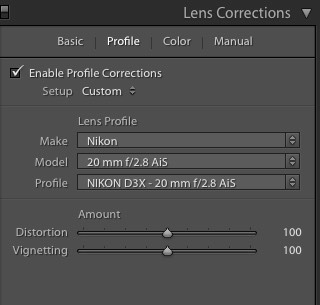
The next task was to make a lens correction profile as the Sigma is known to exhibit fairly serious vignetting at f/1.4, and my profile corrects it. If you must have vignetting, that should be a user choice at the processing stage, not a lens default. Doubtless Adobe will publish one eventually. Mine is made at f/1.4, f/2, f/2.8 and f/4. Vignetting is gone by f/4 and Lightroom and Photoshop will automatically select the correct version defaulting to the last at any aperture smaller than f/4. This profile also removes the small amounts of lateral chromatic aberration the lens displays and also removes a small amount of barrel distortion. You can download the profile here. This profile works with RAW images only. That page includes OS X and Windows installation instructions.

If your import preset in Lightroom is checked to invoke the lens correction profile or if you check the box below, you will see this on import in the Develop module:


Lens correction profile in Lightroom 3 and 4.

While I have named the profile “Nikon D3X ….” it will be correctly invoked with any Nikon camera. The ‘Model’ field description is what LR uses to look up the matching lens profile; the name of the camera body is irrelevant. I have no other non-Nikon bodies or lenses with which to test this profile, but it should also work fine with Canon, Sony and Sigma bodies, though you may have to select it manually. The profile is fine with FF and APS-C, though less needed on the latter which cuts out much of the corner vignetting.

DPReview drooled all over their sample and you can read their findings here while I make off to take some snaps with it. Just don’t get too thrilled about their field snaps as one of the qualifications for being a DPReview tester, an otherwise worthy bunch, is a total inability to take a good photograph, a qualification shared by optical lab rats worldwide. No problem. They are not paid to take great pictures.

I’ll update this Sigma 35mm f/1.4 review in Part II.