Category Archives: Photography

Sound recording

It’s a lot easier now.

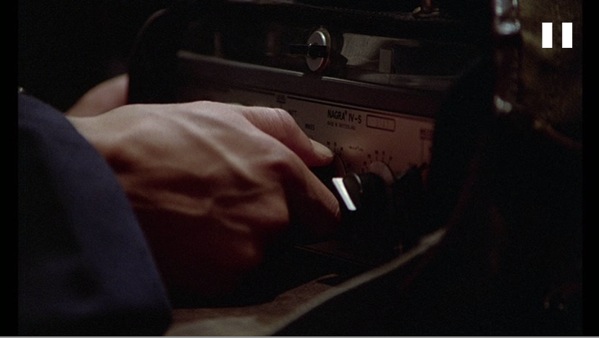
When the hero of Jean-Jacques Beineix’s 1981 movie, Diva, sets to making his bootleg recording of the operatic soprano who never records, he is hiding the best portable analog tape recorder ever made, under his coat. Simply stated, the Nagra was the Leica of its time.


Actor Frédéric Andréi starts the Nagra

Seconds later, soprano Wilhelmina Wiggins Fernandez lights into Ebben ne andro lontana from Alfredo Catalani’s opera La Wally – you know the tune even if you have never heard of Catalani.


Wilhelmina Wiggins Fernandez – mediocre voice, non-mediocre looks

The movie is a splendid example of the very best in French film, which means it’s awfully good. Quirky, avant garde, beautifully filmed and a great plot.

I was reminded of the movie when asked for a recommendation for a really good digital voice recorder the other day. Naturally, I mentioned the Edirol R-09 which I am delighted to see Edirol has improved, enhancing the finish and redesigning the fragile battery door. We have been using ours for more than two years – with external microphones to mostly record my son’s piano playing – and remain delighted with the fine sound quality this device offers. Unlike our protagonist’s beautiful Nagra, it can fit in any pocket.

For anyone interested in just how good French movie making can be, Diva is highly recommended. For anyone liking great photography, it’s a must have movie.

Here’s a track of a friend playing Misty Blues, recorded on the Edirol, using nothing but its internal microphones. Editing was done using Audacity with the LAME MP3 plug-in to permit MP3 output generation. This is a wonderful, and free, sound editor which I recommend for easy editing of sound tracks.


Misty Blues – recorded on the Edirol R-09

Storage is power

The next order of magnitude

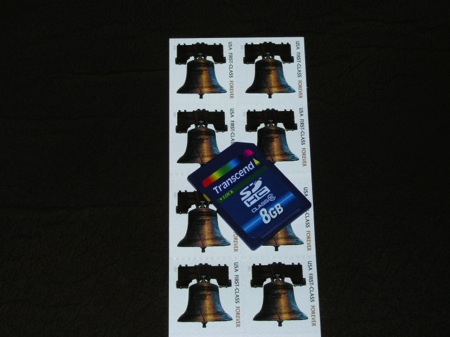
Here’s how you store 2 terabytes of data today:

Yesterday the SD Association announced that by the end of 2009 2 terabyte capacities will be possible on SDHC cards. That’s 2,000 gigabytes. On a postage stamp…. The current limit is 32gB.

What does 2 terabytes store?

  • 400 full length uncompressed movies
  • 100,000 books
  • 167,000 RAW image files
  • 2,000 record-length CDs

Well, you get the idea. The Library of Congress will be in your wallet before long. Though some might argue it already is.

Cloud computing and MobileMe

The coming thing.

Cloud computing – where data files and even applications – reside on a remote, secure server (“the cloud”) is nothing new. Large businesses with broad and fast pipelines to their servers have been doing it for years. It allows application maintenance and upgrade to be centralized, improving efficiency and reducing costs, and helps ensure that data files are properly backed-up and protected against loss and illicit access.

Indeed, this blog resides in the ‘cloud’ and is sometimes even speedily accessible when the service provider’s computers are not stretched past their limits, which seems to be most of the time.

None of this has really helped the retail/home user environment. While we all run web photo web sites with low definition pictures which can be accessed by anyone we elect, this does absolutely nothing for off line storage of large originals (think RAW and PSD files) owing to the low speed of broadband connections in the US. European and Asian readers will laugh when they read this, while enjoying data transfer at rates many times those available in America.

So we plod along backing up daily to non-fire or theft-proof hard drives in our homes, when we remember, hoping those precious originals do not get lost.

This Christmas I bought a Flip movie camera for recording our boy’s adventures. My research took all of three minutes. It was cheap, it looked nice, had few controls and, best of all, that renowned technophobe masquerading as the technology writer at the Wall Street Journal loved it. When I checked their web site I discovered that both Standard Definition and High Definition models were made. It took but one more second to choose the SD one. A 640 x 480 movie (the same size as most of the photos in this journal) is more than adequate as a keepsake or memory, and the prospect of users downloading an HD version for viewing was more than I could stomach. A one minute video is some 7mB in compressed Quicktime SD format. It takes about a minute to download for most users. Just imagine waiting 5 minutes or more for the HD version. Journalists use their employers’ high speed lines for tests – meaningless for home consumers.

OK, so now our movies reside on a server and playback is almost immediate for all but the worst attention spans. But is that the best cloud computing can do for the man in the street on a realistic budget?

Apple rolled out its enhanced Dot Mac service in August of 2008, renamed MobileMe. Simply stated, it was a catastrophe. Many who depended on DotMac for email service suddenly found they were without any for days on end. Further, the claims made for MobileMe, which included synchronization of data across multiple devices in an instant, were flat out poorly tested hype, something we are increasingly used to from Apple. You really thought the iPhone 3G was ‘twice as fast’ as its 2G predecessor? You wanna buy a bridge in Brooklyn cheap?

Nonetheless, the idea stuck in my mind and I gave it the usual gestation period (the old ‘never buy Version One of anything’ rule) before signing up for a free 60 day trial subscription at the end of 2008. My goal was not only to synchronize email, the Address Book and iCal across three Mac OS X computers, I was also sick and tired of jumping around mailboxes on my iPhone to see emails while trying to remember which ones I had already read elsewhere. The iPhone, unlike OS X’s Mail application, does not support a consolidated mailbox and, like many, I have legacy mailboxes from old vendors which I dare not delete just in case something of importance crops up in one. No, I had no interest in uploading my original picture files. Those reside on external back-up drives and, with iTunes, aggregate over 125gB in storage. No way you send that over a cable or DSL modem from home. Further, the costly ($99/year) basic MobileMe subscription only provides 40gB of space, even if you could somehow speed up data transmission.

After a week of banging away at it and resolving usage and topography issues, I’m getting to the point where I have started to almost trust the service. After updating OS X Leopard to 10.5.6 I am getting reliable sync of Address Book and iCal data and mostly getting good email sync. In the case of the latter I am still getting some instances where an email read on one computer is not updated timely on the others but it seems to be getting better – ever since MobileMe decided to send me hundreds of iCal reminders to myself by email from the past three years …. Mercifully, this has only happened once, so far. I also continue to have sporadic downtime in MobileMe’s email availability and this really needs repair before MobileMe becomes trustworthy.

I have now removed the email boxes for my two service providers and am relying on MobileMe. The emails from those are automatically forwarded to MobileMe and I respond from my MobileMe account. I no longer see a gamut of in- and outboxes. Sure, Gmail is fine and offers tons of free space, but it would be hard to concoct a worse user interface. By contrast, the UI in Apple Mail is superb. And finally, I have one email box on my iPhone whose unread message count is correct for the first time since I bought the device on June 30, 2007! It is rather reminiscent of magic when you update a contact or calendar event on one Mac and have that change speedily conferred on all your other devices. Further, if you find Apple Mail’s spam filter as weak and I do and use the best there is – Spam Sieve – you only need run this on one computer as automatic synchronization will zap spam across all your devices.
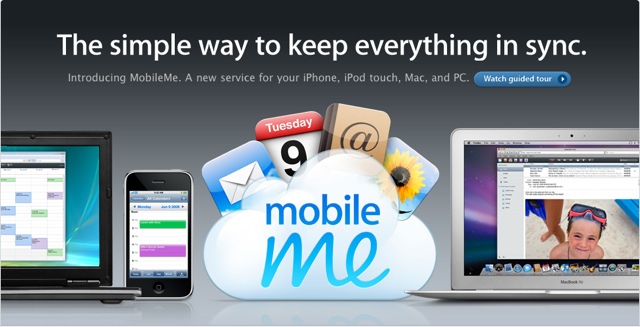

MobileMe – not for serious photographers – yet.

So MobileMe may be worth looking at for some users, but it’s hardly the cloud computing answer photographers are looking for. Why not use one of the other file server services for photographers? Well, one famously went out of business in 2008, losing many photographers’ images, so what I want here is a service with a high enough profile, lots of capital and high reputational risk, such that failure is simply not an option. I believe Apple is in that “too much to lose” position and now that they are talking of moving more of their applications to web versions (iPhoto? Word and number processing?) I remain more interested than ever in the service.


Finally, a proper email count on the iPhone

One issue I ran into is that my main computer would try syncing endlessly. The fix is to back-up then erase the folder User->Library->Application Support->SyncServices, empty the trash and reboot. Then reselect your sync options in System Preferences->MobileMe->Sync. These are the options:
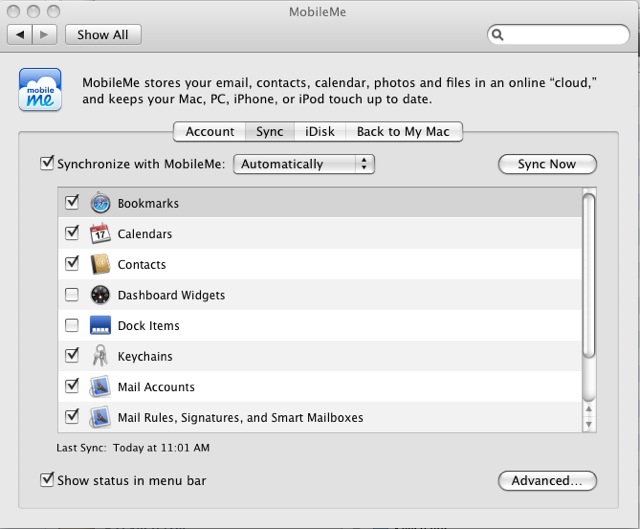
I do not Sync the Dock owing to limited screen space on one of my devices, plus I keep my dock at the left hand side of the screen which makes icons smaller than if you keep the dock at the base of the screen. I do not Sync Dashboard Widgets for much the same reason. I do find the ability to Sync Safari bookmarks much more useful than I would ever have expected, as my work flow tends to be the same regardless of which OS X device I am using. I expect that sync issues will go away once the various devices are stable after a sync or two.

Apple’s site says that MobileMe also works with Windows but for the life of me I cannot think of a use for that. A buggy but improving service with a buggy and failing operating system? I think not.

Bento

No time like the present.

Ask the average consumer to recommend an insurance company and you will get saccharine encomiums about his local broker. Ask how they handled the most recent claim and you will get a blank stare, for chances are all the consumer has ever done is hand over premium payments to the smiling broker whose newly whitened teeth testify to the industry’s profit margins.

Simply stated, insurance companies are in the business of not paying claims. That’s how they make money.

So the consumer has to try that bit harder to prove loss and recover payment and in a modern digital world nothing could act as a greater antidote to an inherently morally challenged industry than photographs. Pictures not only beat a thousand words, they also beat the crook at the corner fronting for an industry whose morals are comparable to those of Wall Street.

Collecting and collating all the data relating to your personalty is, let’s face it, a pain in the nether regions, but it sure beats sifting through the ashes of a fire or the trauma of a burglary. I am as guilty as most of procrastinating on the awful job of making a good home inventory but a simple database application named Bento makes it a lot more fun than a root canal.

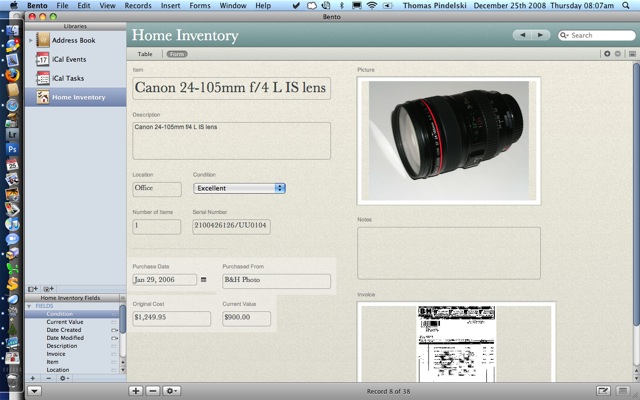
Bento is a database program wrapped in a glossy coat which requires no technical skill from the user. An included Home Inventory template makes it instantly usable and all I did to mine is add a second picture field. Each item (or ‘record’ in database-speak) has two pictures (or fields) – one for a snap of the item, the other for one of the related purchase invoice. A few other text fields add information for description, serial number, location and so on, but the the pictures will include most of what you need to fight the forces of evil when it comes to making a successful claim for loss recovery.

Here’s an example from my Bento home inventory file:

The invoice was scanned on my ancient Epson 2450 flat-bed scanner and simply dragged and dropped into the invoice picture area. Click on it and a full size version opens in Preview for review or printing. Same with the picture of the lens.

What was surprising to me is not only how little time all this takes but also just how much valuable junk I have lying around. Just like you.

So here’s a good project for those post-turkey lazy hours. Get your camera out, snap away at anything of value and scan all those invoices. Of course, Bento only runs on Macs but you are smart enough to have one of those already, right?

Once you are done, export the database to your remote file server and you are safe. Or at least better prepared for the scum bag the insurer will confront you with when you make your claim. Appropriately, he calls himself a “loss adjuster”. It’s a classic bait-and-switch. The guy with the teeth takes your money and the one without makes sure you do not get any back.

For movies and books I use Bruji’s products as they are more tailored to these assets and you can see the related databases for these on my ISP’s file server by clicking the related links on the right. These are more aimed at retrieval of favorite titles but serve equally well for insurance battles. Mac only, of course.

Lightroom 2 on an older Mac

Useable.

I mentioned a while back that I would comment on how Lightroom 2 runs on an older Mac. I had tried LR 2.1 on my 6 years old iMac (IBM G4 1.25gHz CPU, 1 mB of RAM) and it was not useable for localized adjustments such as the adjustment brush. You would paint something on the screen and many seconds later the effect was visible. Not useable.

Well, Adobe released Lightroom 2.2 the other day so I loaded this up on both the MacBook (Intel C2D 2.1gHz, 4 gB RAM) and the iMac. First, on the modern machine the adjustment brush is now fully useable. Changes occur almost in real time – say a fraction of a second delay as you ‘paint’. In this comparison, the MacBook is running OS Leopard 10.5.5 whereas the iMac is on OS Tiger 10.4.11.

Moving over to the iMac things are quite encouraging.

For purposes of what follows I was using a RAW file from my Canon 5D, so both machines had to perform RAW decoding prior to display of the picture. A RAW file from the 5D is some 12 mB but once converted comes to some 60gB. Not small, in other words. As usual, I let LR generate full-sized previews on import – it takes longer but the payback when processing is immediate. Images pop on the screen far faster this way.


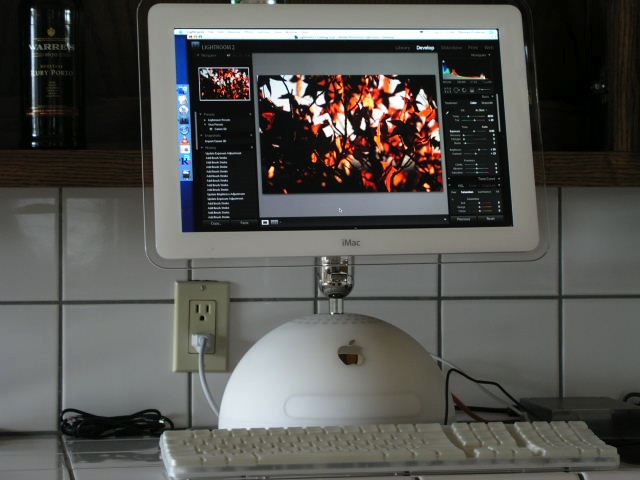
LR 2.2 on an old iMac

Loading LR takes 20 seconds (versus 7 on the MacBook) and the first switch from the Library to the Develop module takes a long 30-35 seconds (MB – 7 seconds). Thereafter, switching between the Library and Develop modules takes 3 seconds (MB – near instantaneous). But, most importantly, the greatest advance in LR2 compared with LR1, localized adjustments, is now quite useable in LR 2.2. I can ‘paint’ on the screen using the mouse and see the adjustment within a second or so – made even easier by using the mask-display routine outlined here.

This little test discloses just how much faster the Core 2 Duo architecture of the Intel chip is over the IBM G4, but also shows the fine job Adobe has done of keeping those older machines in service. If you cannot afford the latest Mac, $300 for a nice 15-17″ display on an older G4 iMac will serve you just fine and there are lots of these older machines around going for a song. While I sold my G5 iMac a while back when the MacBook came along, I would guess that the G5 CPU will be speedier than the G4, much as it was using Photoshop CS2 when I first got the G5. The G5 iMac routinely sells for $350 – $400. A spectacular bargain with clean looks and a nice big screen.

If JPGs are your thing, then a G4 or G5 Mac should just fly. And they sell for a lot less than a new Mac when the current bottom-of-the-line MacBook (mine!) sells for a very overpriced $900 and iMacs start at $1,200. That money saved gets you a another lens for your DSLR and a great computer for Lightroom 2.2.