Anti-aberration software.
I have been going on for quite a while now about how correction of camera aberrations (rotten lenses, flaky sensors, poor manufacturing quality control) will increasingly migrate to software fixes, away from the far costlier hardware redesign route.
DxO has been making aftermarket software – meaning you run it on your computer not in your camera – to address many of the more common problems for ages. However, if you sniff around their web site (it’s invariably bog slow, so be patient. It’s so bad I almost didn’t bother, in fact) you will find that DxO also offers its creations for in-camera use. If they can get it to work fast in that iteration, let’s hope that Canon, Sony et al will take them upon it, swallow their ‘not invented here’ pride and start offering automated fixes for all that ails modern digital cameras within the camera’s firmware.
The product is named DxO Optics Pro Elite (a dumb name – something like Magic Lens Repair would have captured my attention much sooner), the costlier $299 Elite variant being DxO’s way of extracting some more coin from those of us who use full frame Canon DSLRs, as these are not supported in the base $169 version.
First you have to download the thing which takes for ever:
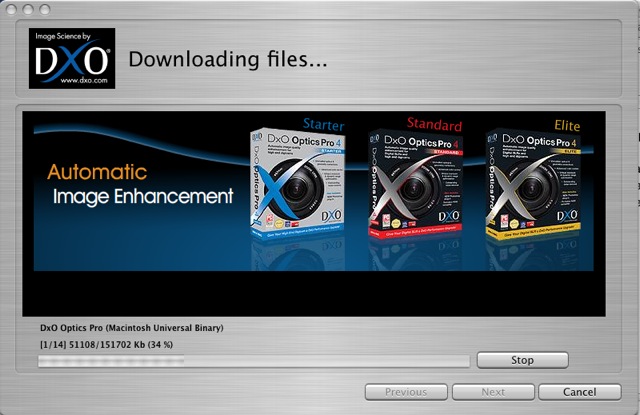
The 151mB download (version 4.5) is for my 5D with the lens modules for the 14mm, 15mm, 20mm, 24-105mm, 50mm f/1.4, 85mm f/1.8 and 400mm f/5.6 lenses chosen. Another mistake, DxO. Why not simply include all cameras and lenses to make one download for all users? I also have a 200mm f/2.8 L but DxO lists no module for that – probably because the lens is already close to perfect. By the way, I do not own the very costly 14mm L optic, but do have some snaps taken with a loaner. And that lens, special as it is, needs a lot of error correction. My download includes the Lightroom plug-in, meaning I can use the application as a standalone or from within Lightroom. Nice. I had to install the application three times before it worked properly – with the first two tries the lens modules were not recognized. Not so nice.
Anyone even thinking of using this application should first check if his body and lenses are supported – otherwise it’s largely useless.
What DxO is trying to do is provide a software suite to fix all that ails digital camera lenses and sensors, including vignetting, chromatic aberration, distortion, dynamic range limitations, noise removal (not really needed for the 5D), sharpness masking, de-fishing, etc.
$299 is an awful lot of money for someone who already has Photoshop, which offers many of the functions in DxO so the question here is whether it’s worth spending the money? I downloaded a 14 day (How silly is that? How about one month, DxO? Something this complex needs time to evaluate) free trial version for my MacBook which is using OS X Tiger 10.4.11. It also comes in a PC flavor for masochists.
What makes this interesting is the claimed lens-specific modules and the de-fishing function, especially now that ImageAlign appears defunct. If you use PS CS3 (at $700 it’s way overpriced for me) then you have the de-fishing ability built in. PS CS2 and earlier need the ImageAlign plugin or you use something like DxO.
In trying out this software my primary interests are in fixing the various lens distortions in the 14mm, 15mm, 20mm and 24-105mm lenses (the latter at its wide end, where it needs most help) in an effort to make a subjective evaluation of whether it’s money well spent compared with the existing tools in Lightroom and CS2.
Installation: DxO needs to learn from successful software makers that offering a product for under $100 will quintuple their sales and negate the need for all the anti-piracy software they insist on installing when you first fire up their product. Let’s face it, they aren’t going to sell too many of these at $299, any more than Apple sold Aperture at $499 (now at $199 and counting). $49-99 sounds about right to me.
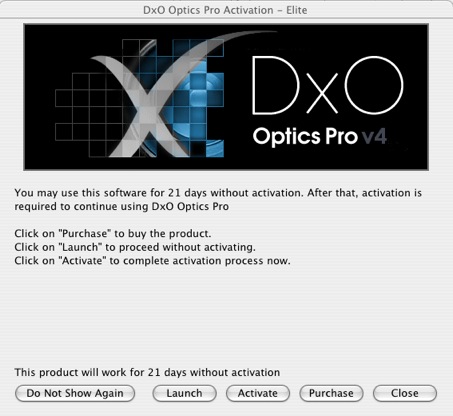
The install screen says 21 days, their site says 14 days for the trial. Go figure.
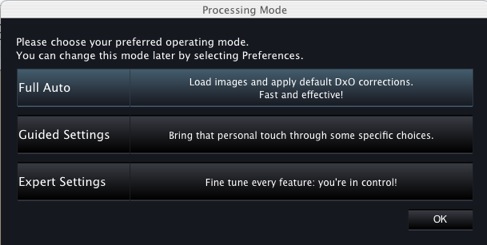
I went with ‘Expert Settings’:
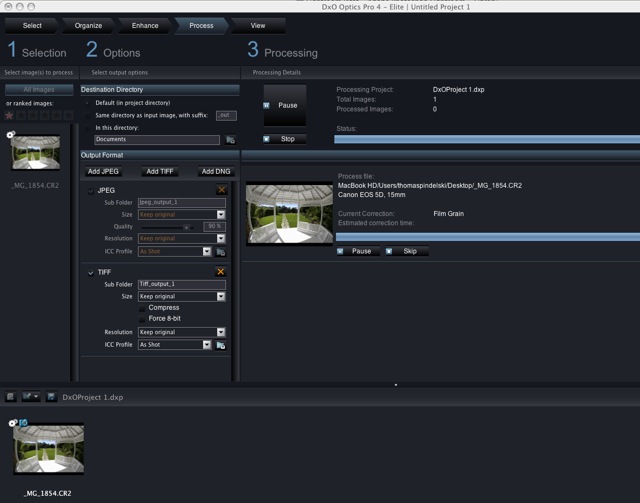
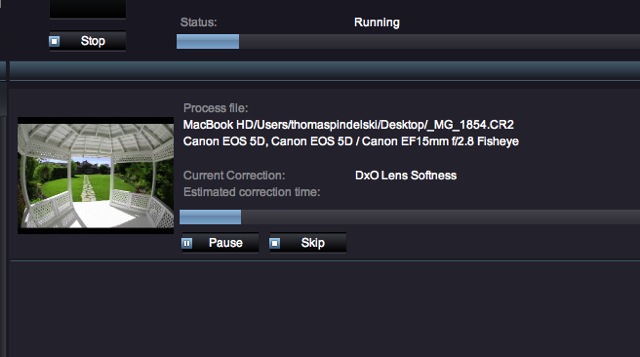
Here’s the first file – a fish eye snap – being processed. That took 2 minutes – slow. Chromatic aberration correction was the prime aspect of this first pass.
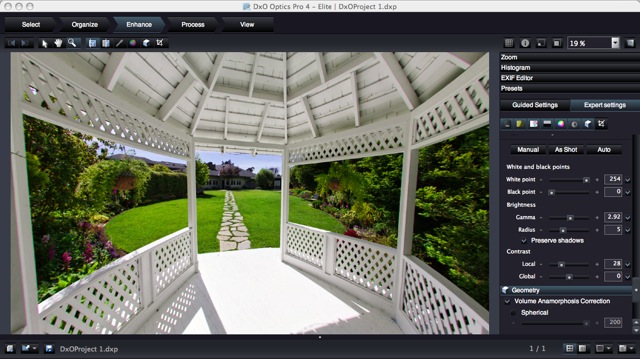
Next into the ‘Enhance’ section where you see something like this after clicking on ‘Geometry’:

One click and the image preview is de-fished.
Click ‘Process:’ and it’s another long wait – 3-4 minutes – before your file is output.
Sure, the result is fine, but it only takes a few seconds to do the same thing in ImageAlign.
Integration with Lightroom: DxO supplies a plugin which you can point Lightroom to as a second external editor. My first is, of course, PS CS2.
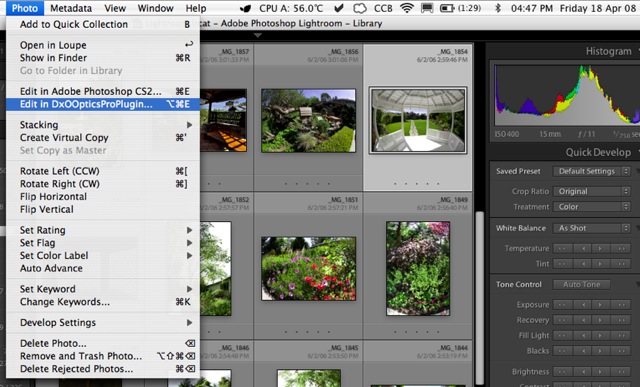
This works well – just remember not to have DxO already open or the plugin will not run. The image saved from the plugin will appear next to the original in the Lightroom catalog.
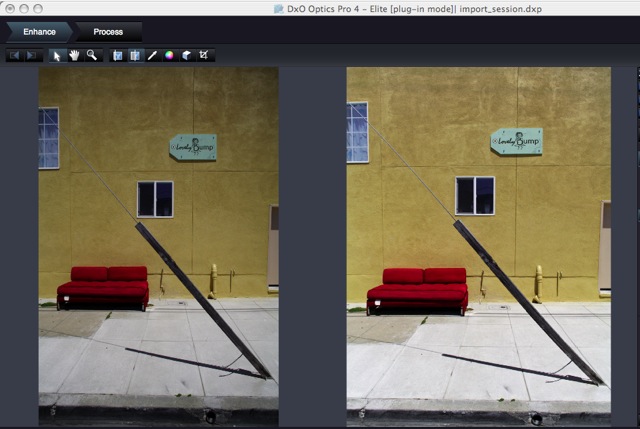
Another welcome feature is the abiity the application has to automatically correct vignetting (provided yours is one of the lenses supported) and also to optionally correct for Volume Anamorphosis – the tendency of objects near the edges of a picture taken with a very wide lens to be distorted. This is physics, not optical aberration, and the application does a good job of ‘naturalizing’ the result.
Here are before and after snaps of a file exported using the Lighroom plugin and taken on the 20mm Canon which has lots of vignetting and, obviously, renders objects with Voulme Anamorphosis uncorrected (like any 20mm on a 35mm format full frame camera). I have also allowed DxO to do its own thing with contrast and lighting. I think you will agree the result is good:
Did I try DxO’s noise reduction? Well, it’s not needed on the 5D’s images and where it’s really needed – for the Panasonic LX-1’s noisy snaps – it’s no use as that camera is not supported.
Cautions: A reading of the DxO forum suggests that upcoming version 5 for the Mac may be buggy if its recently released Windows predecessor is anything to go by. Worse, DxO apparently drops support for obsolete cameras in the later version, which disables a lot of DSLR users given the pace of change in hardware. So I suppose that when DxO upgades the application the user may have to upgrade his camera. Beyond dumb.
Conclusion: DxO Optics Pro Elite does what it says, and does it well as regards output quality. However, I have major issues which prevent me from recommending it:
- It’s way overpriced. Sell it for $49.95 and customers will beat a line to your door. But $299 is ridiculous.
- It’s simply too slow to be useable. My experience was on a speedy 2gB 1.83gHz MacBook with an Intel C2D CPU. It took DxO 4 minutes, typically, to process one 70mB TIFF file in 16 bit mode. The application comes with a batch processing function so if you can live with having like corrections applied to all your batch members, run it overnight.
- The way the software, when updated, apparently obsoletes support of discontinued cameras or lenses. That one about does it for me, as my 5D will doubtless be ‘obsolete’ by the end of the year.
- The application is buggy. After one day’s use (and three installs on a plain vanilla MacBook) the lens profiles were lost the next day and another install was required. That says Beta not Release version to me, and you still want $299? I don’t think so.
- The list of supported cameras and lenses is very short.
The one feature this application has – the ability to correct Volume Anamorphosis – which I have not seen elsewhere – is nice to have, especially for architectural and object pictures made with very wide lenses and including significant depth. Otherwise, everything here can be done with Lightroom (vignetting, chromatic aberration, highlight and shadow recovery) and ImageAlign/PS CS2 (de-fishing and distortion correction). If, like me, you already own these, save your money or buy them used for less than DxO wants for Optics Pro Elite.