Apple’s Pages revisited

Posters are easy with this great application.

I had decided to get some posters printed to better publicize my photo show in April which will be at a local wine gallery here in central California’s wine country.

Before trudging off to the printer and getting once more cross-examined on the arcana of RGB versus CMYK (printers speak in an exclusionary language all their own – can you wonder the profession is in terminal decline?) when it comes to printing the wretched thing, I thought I might give my home printer a try instead.

Now page composition is about the last thing I want to do. I admit it – I have little interest in learning some complex page composition application for once a year use, when my time is better spent taking pictures. But then I remembered that one of the fine Apple applications I have enjoyed a lot for book assembly is Pages, so I fired it up and looked for poster templates.

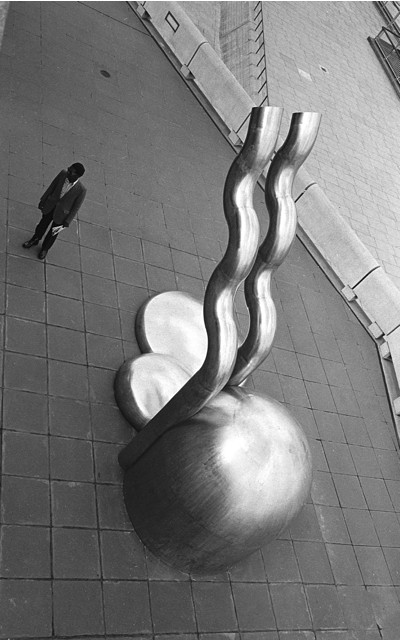
I clicked on ‘Gallery Poster’, clicked on the ‘Media’ icon which popped up my library of Aperture pictures (a feature which arrive with version 2.0.1 of Pages) and simply dragged and dropped a picture of choice onto the template. Pages resizes it automatically as long as you respect orientation – meaning a vertical snap for this template. Ten more minutes were spent on the narrative and the results is this – note the sexy drop shadow I added for effect:

OK, so I’m twelve minutes into this project and so I start getting ambitious. I make half a dozen posters, dragging alternative pictures into each, Export them to a medium quality (to keep file size down) PDF file which I then move to my web site server. A couple of dozen emails later to friends, asking their opinion, and it’s off to bed. The originals are in Canon 5D RAW format but Pages seems to know all about that – smart!

Next morning a bunch of replies shows two clear winners and I print each on 13″ x 19″ satin paper on the Hewlett Packard HP90 ink jet printer. And it’s off to the gallery and local merchants to see how many I can get interested in hanging the poster in their windows.

Postcards announcing the show? No problemo. Into the Pages postcard template and we are done:

I’ll get some two-sided photo paper for these and rip off a few dozen on the HP.

Now is that interactive design or what?

Now back to taking pictures.

A good snort

Or not – but isopropyl alcohol does the trick when it comes to a clean screen.

I have used Kodak’s Lens Cleaning solution from time to time to clean my iMac and iBook LCD screens and, frankly, it’s been an exercise in frustration as it seems nearly impossible to leave a screen with no drying marks. Same result when you use it to clean camera lenses, which makes you wonder what Kodak is thinking about. If, that is, anyone at Kodak ever thinks anymore.

So, the other day, on a whim, I tried Isopropyl Alcohol, the large bottle selling for under $2 at the local drug store. Now be warned. You really want to try this on a discreet spot before going crazy, in case plastic parts you apply this to start to melt. I had no such problems (it cleans the case and keyboard of the iBook nicely too) and after a couple of swipes with a clean tissue (no perfumed or lotion soaked varieties – just plain old Kleenex) I was rewarded with crystal clear screens on both computers.

I have tried it on my lenses – these always use UV filters, so it’s those I actually clean, and it works every bit as well, though in that case I do use lens cleaning tissues rather than Kleenexes.

Oh! yes, it’s also one fifth of the price of the Real Thing.

Just don’t drink or inhale – it’s a poison and no substitute for a martini.

Printer profiles and root canals

There’s little difference.

When making a couple of test prints for my son’s annual birthday picture I realized that the prints were coming out far too cool toned compared to the screen image.

Oh! boy!

Something had changed – whether my screen had aged or my HP DesignJet 90 printer has changed, or the Commies had got to it …. or some combination of these calamities.

While a colorimeter is a nice tool, you can profile your screen almost as well using Apple’s built in profiler, accessed in System Preferences->Displays->Color->Calibrate:

I find a target white point of 6000K gets me the closest screen-to-print match in my environment. Yours will differ.

Then I loaded the latest, updated drivers from HP. It always pays to have the latest drivers for your paper of choice.

What is surprising about this process is how much the perceived colors of your print will vary as you walk around the house with it. My display space is in a corridor with warm, incandescent lighting, so I have to balance skin colors to be right in that location.

They say that to evaluate a sound system use the voice or piano for calibration because we all know how those should sound. Well, for prints, use a human being whose skin color you know.

The results are worth it:

Some day computers screens and color printers will come with built in colorimeters (the latest professional models from HP now have these built in) so that this sort of thing becomes less of an agony, obviating the need for test prints. Stated differently, printer profiling with the current stage of desktop computer technology compares unfavorably for fun with a root canal.

Time for a Canon 5D upgrade

Canon releases the 10 fps EOS -1D Mark 111.

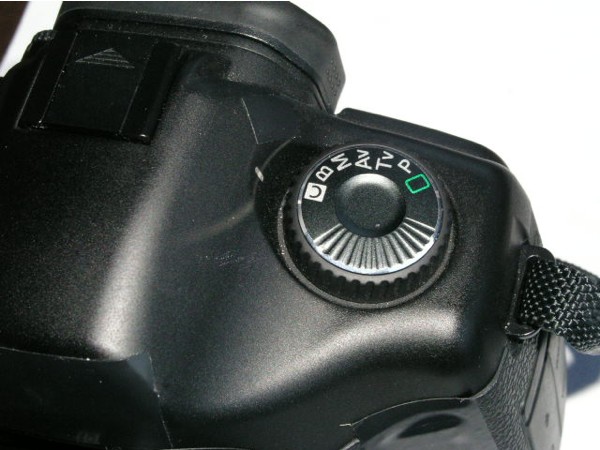
Canon’s announcement of a new 1D Mark III, a 1.3x cropped sensor professional grade camera begs the question when the 5D Mk II will become available.

There’s not a lot wrong with the 5D. What the camera does need is dust removal for the sensor (for whatever reason, the 5D seems especially prone to attracting dust to its sensor) and an LCD screen that can actually be read outdoors. The 5D does not need a larger screen or one with more definition. Rather, it needs a legible screen. And you can forget live preview (something Canon added to the Mark III, allowing screen ‘chimping’ before the picture is taken – pros need this feature? Really?). Just make the bloody thing useable outdoors.

Still, with the 5D’s price as firm as it is – probably the result of robust demand and no full frame competition at this price – I’m not holding my breath for an upgrade any time soon. That still leaves us with the best full frame digital camera (the only one, in fact) available at an (almost) reasonable price.

That Canon wonder lens again

The 85mm f/1.8 may just be the bargain of the century.

OK, admit it. At least some of you thought “Any lens is good stopped down” when you read this piece. Fair enough.

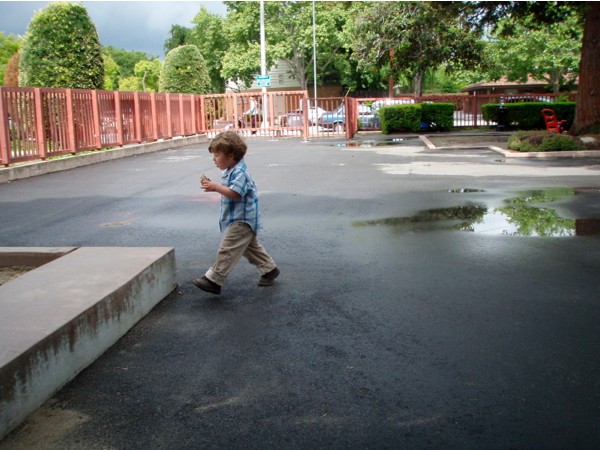
So here is a little bit of nonsense, taken at dusk yesterday, with some rather quirky statistics. ISO 50 as I want to force full aperture use, and 1/2000th for the same reason. Aperture? Why, f/1.8 of course, for all those of you thinking “F/1.8 can’t be any good for $350”.

Wrong!


Canon 5D, 85mm f/1.8, ISO 50, 1/2000th @ f/1.8